

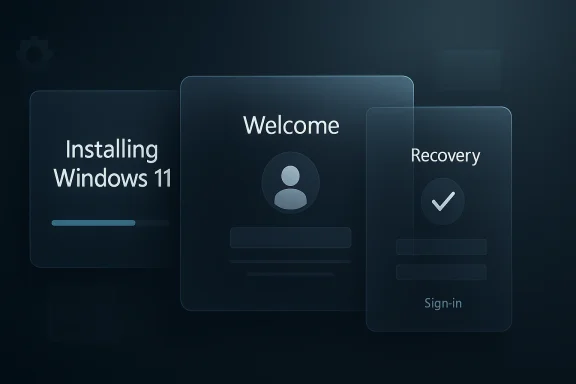
Microsoft is finally treating Windows 11’s design debt as a first-class product problem, and that matters more than it may seem. The company’s design team has now signaled that even obscure surfaces like the “Installing Windows 11” screen are on the modernization list, which suggests a broader effort to unify the OS around the current Windows 11 visual language rather than only the obvious touchpoints. That is an important shift because it shows Microsoft is no longer limiting polish work to Start, Settings, or File Explorer; it is now talking about the full experience, including the corners most users never see.
Windows has always carried the weight of its own history. The platform is a layered system, and that layering has left visible seams: modern surfaces in one place, legacy dialogs in another, and old administrative tools still doing serious work behind the scenes. Microsoft has spent years modernizing parts of the operating system, but the pace has been uneven, and that inconsistency has become one of the defining complaints about Windows 11.
The move away from Control Panel has been especially revealing. Microsoft has repeatedly said it is moving more time, language, keyboard, and related settings from Control Panel into Settings, but the migration remains incomplete because many advanced and enterprise-oriented options are still tied to older code paths and device ecosystems. That means the company has to balance design consistency with compatibility, and it has clearly not been willing to break working workflows just to win a cleaner screenshot.
That tension helps explain why Windows 11 still feels patchy even after several years of updates. Microsoft has improved the design of many inbox experiences, and Insider builds have brought more rounded, fluent, and dark-mode-friendly UI into areas like File Explorer, Settings, privacy dialogs, and authentication flows. Yet the operating system still contains plenty of legacy surfaces, from older dialog boxes to the remaining administrative edges of Control Panel.
What makes the current moment different is the tone. Microsoft is no longer framing this as a narrow cleanup of high-traffic interfaces. It is talking like a company that wants the entire operating system to feel intentional, even where the user only sees a screen once in a blue moon. That includes setup, recovery, provisioning, sign-in, and other journey stages that historically got whatever visual treatment was cheapest to ship.
The result is a more ambitious design story: not just “modernize Settings,” but “modernize Windows as a whole.” That matters for both consumers and enterprises because a platform’s trustworthiness is shaped not only by what it can do, but by how coherent it feels while doing it. In Windows, coherence has often been the missing piece.
The significance of redesigning a setup screen is symbolic as much as practical. Users generally don’t reinstall Windows daily, but when they do, they are in one of the most trust-sensitive moments in the product lifecycle. A setup experience that feels old, mismatched, or visually disconnected can subtly undermine the impression that the rest of the platform is polished and current. That is why the screen’s inclusion on Microsoft’s “craft list” is more meaningful than its low frequency might suggest.
It also shows that Microsoft is finally thinking in terms of journeys, not just widgets. Setup, recovery, updates, and first-run flows form the emotional backbone of Windows, because they are the moments when users most directly notice speed, confidence, and consistency. If those moments look like leftovers from a previous era, the whole brand suffers, even if the daily shell is comparatively modern.
The deeper problem is that legacy UI in Windows is not just cosmetic. Many powerful system functions still rely on older dialogs and system applets because those interfaces remain the most complete and least risky way to expose certain settings. Microsoft has moved a lot into Settings, but not enough to fully retire the older surfaces without risking regressions in printers, networking, policy controls, and administrative workflows.
That means the company’s design challenge is really a platform migration challenge. Every screen it modernizes in Settings or setup must preserve the operational reliability that power users expect from Control Panel and related tools. The tension is obvious: the prettier the new layer gets, the more obvious the old layer looks when users have to fall back to it.
There is also a broader product pattern here. Microsoft’s recent work on native UX technologies, including modern Fluent theme support in WPF and other Windows-adjacent tooling, shows the company wants developers to produce apps that look and behave more like Windows 11 itself. That matters because the operating system’s visual identity is only as consistent as the apps and system surfaces built around it.
This is a subtle but important point: Microsoft is modernizing not only the shell, but the ecosystem around the shell. When the platform provides better guidance, better design tooling, and more modern default behaviors, the rest of the app stack becomes easier to align. In other words, the redesign effort is not merely about pixel polish; it is about creating a more enforceable design standard.
Microsoft’s own messages make clear that this transition is being handled carefully. The company has acknowledged that it needs to avoid breaking a wide range of devices, drivers, and enterprise configurations while migrating functionality. That caution is understandable, but it also explains why the old interface persists: compatibility debt is still more important than visual purity.
For power users, the frustration is not that Control Panel exists, but that it sometimes feels more efficient than the replacement. Settings has come a long way, yet there are still workflows where the old path takes fewer clicks or exposes more useful controls. Microsoft knows this, and that is why it cannot simply delete the old world and pretend the new one is ready.
This new tone lines up with Microsoft’s recent emphasis on Windows quality and user feedback. The company has publicly said it is focused on improving the operating system experience and has previewed multiple UI refinements in Insider builds as part of that effort. That suggests the design cleanup is not a one-off branding exercise, but part of a wider push to make Windows feel less fragmented.
There is also a commercial reason for the change. Windows 11 now competes in a market where polish, consistency, and trust matter more than ever, especially on premium hardware and in enterprise deployments. A cleaner UI helps justify the platform’s modern identity, while also reducing the sense that Windows is carrying around relics from older generations.
A more unified UI also strengthens Microsoft’s ecosystem story. If Windows feels coherent, then Microsoft can more credibly ask users and developers to build around the platform’s current design principles, whether through native apps, Fluent themes, or modernized system apps. That makes the operating system less of a compatibility relic and more of a coherent product platform.
At the same time, Microsoft has to avoid overcorrecting. A platform that becomes visually consistent but operationally brittle would lose the trust of exactly the people who still depend on Windows most heavily: IT admins, developers, creators, and advanced users. So the design overhaul has to enhance confidence, not just aesthetics.
Compatibility is the biggest concern. Control Panel migration is difficult precisely because it touches printers, networking, admin tooling, and device-specific behavior that varies wildly across hardware and organizations. A design-led rollout that ignores those dependencies could create support headaches, broken workflows, or enterprise resistance.
There is also a philosophical risk. Windows has always been valued because it can run old software and keep old workflows alive, and that strength can become a liability if Microsoft tries to sand off too much history too quickly. Users may welcome a cleaner UI, but not if it comes with reduced control or lost functionality. That’s the tradeoff, and Microsoft knows it.
What will matter most is whether the company keeps expanding the scope of its craft work without losing reliability. If the setup screens, unexpected restart flows, Settings pages, and older administrative surfaces all start to feel like they belong to the same design system, Windows 11 will finally start to read as a complete product instead of a collection of eras. That would be a real accomplishment, even if it happens one dialog at a time.
The bigger question is whether Microsoft can sustain that discipline long enough to finish the migration. Windows has been trying to retire its own past for years, but the company now seems more willing than ever to do the patient work required. If that continues, the legacy UI problem may not vanish, but it could finally stop defining the entire experience.
Source: Windows Latest Microsoft is going after every part of Windows 11’s legacy UI in major design update
 Background
Windows has always carried the weight of its own history. The platform is a layered system, and that layering has left visible seams: modern surfaces in one place, legacy dialogs in another, and old administrative tools still doing serious work behind the scenes. Microsoft has spent years modernizing parts of the operating system, but the pace has been uneven, and that inconsistency has become one of the defining complaints about Windows 11.The move away from Control Panel has been especially revealing. Microsoft has repeatedly said it is moving more time, language, keyboard, and related settings from Control Panel into Settings, but the migration remains incomplete because many advanced and enterprise-oriented options are still tied to older code paths and device ecosystems. That means the company has to balance design consistency with compatibility, and it has clearly not been willing to break working workflows just to win a cleaner screenshot.
That tension helps explain why Windows 11 still feels patchy even after several years of updates. Microsoft has improved the design of many inbox experiences, and Insider builds have brought more rounded, fluent, and dark-mode-friendly UI into areas like File Explorer, Settings, privacy dialogs, and authentication flows. Yet the operating system still contains plenty of legacy surfaces, from older dialog boxes to the remaining administrative edges of Control Panel.
What makes the current moment different is the tone. Microsoft is no longer framing this as a narrow cleanup of high-traffic interfaces. It is talking like a company that wants the entire operating system to feel intentional, even where the user only sees a screen once in a blue moon. That includes setup, recovery, provisioning, sign-in, and other journey stages that historically got whatever visual treatment was cheapest to ship.
The result is a more ambitious design story: not just “modernize Settings,” but “modernize Windows as a whole.” That matters for both consumers and enterprises because a platform’s trustworthiness is shaped not only by what it can do, but by how coherent it feels while doing it. In Windows, coherence has often been the missing piece.
Why the “Installing Windows 11” Screen Suddenly Matters
The Installing Windows 11 screen is not the kind of surface most people think about until they are reinstalling the OS from an ISO or the Media Creation Tool. For Microsoft, that makes it a perfect example of the company’s old problem: a screen can be rare and still represent the broader quality bar of the platform. If the operating system claims to be modern, every visual checkpoint should feel modern, even the ones seen only by IT admins, enthusiasts, and repair technicians.The significance of redesigning a setup screen is symbolic as much as practical. Users generally don’t reinstall Windows daily, but when they do, they are in one of the most trust-sensitive moments in the product lifecycle. A setup experience that feels old, mismatched, or visually disconnected can subtly undermine the impression that the rest of the platform is polished and current. That is why the screen’s inclusion on Microsoft’s “craft list” is more meaningful than its low frequency might suggest.
It also shows that Microsoft is finally thinking in terms of journeys, not just widgets. Setup, recovery, updates, and first-run flows form the emotional backbone of Windows, because they are the moments when users most directly notice speed, confidence, and consistency. If those moments look like leftovers from a previous era, the whole brand suffers, even if the daily shell is comparatively modern.
Why Rare Surfaces Still Shape Perception
Rare surfaces are often where platform quality is either proven or exposed. They are easy to ignore during development, which is exactly why inconsistencies accumulate there. Once Microsoft starts addressing them, it signals a more mature product mindset: polish is no longer reserved for the things that drive engagement metrics, but for the things that define platform credibility.- Setup screens are trust moments, not just utility steps.
- Rare surfaces can reveal whether a design system is actually unified.
- IT-facing flows often shape enterprise perceptions more than consumer ones.
- Visual mismatch at install time can make the OS feel older than it is.
- A redesign here suggests the company is thinking beyond headline features.
The Long Tail of Windows Legacy UI
Windows 11 may be the most modern-looking version of Windows yet, but it is still stitched together from multiple eras. Users can still encounter Windows 8-style visual elements, classic Win32 dialogs, and decades-old Control Panel surfaces depending on what task they are trying to complete. That is not accidental; it is the natural result of trying to preserve compatibility across an enormous installed base.The deeper problem is that legacy UI in Windows is not just cosmetic. Many powerful system functions still rely on older dialogs and system applets because those interfaces remain the most complete and least risky way to expose certain settings. Microsoft has moved a lot into Settings, but not enough to fully retire the older surfaces without risking regressions in printers, networking, policy controls, and administrative workflows.
That means the company’s design challenge is really a platform migration challenge. Every screen it modernizes in Settings or setup must preserve the operational reliability that power users expect from Control Panel and related tools. The tension is obvious: the prettier the new layer gets, the more obvious the old layer looks when users have to fall back to it.
Legacy vs. Modern: What Windows Still Has to Balance
Microsoft’s task is not as simple as replacing one pane with another. It has to preserve behavior, policy compatibility, driver expectations, and accessibility, while also updating visuals and simplifying navigation. That is why the migration has taken years and why some parts of Windows still feel like a museum of interface history.- Control Panel still exists because it contains functionality that has not safely moved.
- Settings is more coherent visually, but not always more efficient.
- Older dialogs are often still the most complete administrative path.
- Driver and hardware compatibility can block clean visual transitions.
- A total UI rewrite would risk breaking workflows that enterprises depend on.
What Microsoft Has Already Modernized
Microsoft has not been idle. Over the past several Windows 11 release cycles, the company has updated visible system surfaces such as authentication flows, dialogs in Settings, and dark mode behavior in File Explorer. It has also previewed more streamlined UI for unexpected restarts and other system states that once felt visually detached from the Windows 11 shell.There is also a broader product pattern here. Microsoft’s recent work on native UX technologies, including modern Fluent theme support in WPF and other Windows-adjacent tooling, shows the company wants developers to produce apps that look and behave more like Windows 11 itself. That matters because the operating system’s visual identity is only as consistent as the apps and system surfaces built around it.
This is a subtle but important point: Microsoft is modernizing not only the shell, but the ecosystem around the shell. When the platform provides better guidance, better design tooling, and more modern default behaviors, the rest of the app stack becomes easier to align. In other words, the redesign effort is not merely about pixel polish; it is about creating a more enforceable design standard.
The Most Visible Wins So Far
The most noticeable improvements have tended to cluster around places users touch every day. File Explorer, Settings, and privacy dialogs now look closer to a unified product than they did a few years ago. Microsoft has also been moving specific tasks out of Control Panel, which reduces the number of times users have to bounce between old and new styles.- Better dark mode support in more system surfaces.
- More modernized Settings flows and navigation.
- New, streamlined visuals for system events like restarts.
- Ongoing migration of time, language, and keyboard options.
- More consistent modern theming in developer-facing Windows technologies.
Control Panel Is Still the Bottleneck
The real obstacle to a fully modern Windows UI is not a single screen; it is the old subsystem still hiding behind the curtain. Control Panel remains a bottleneck because it exposes configuration areas that Microsoft has not yet safely replicated in Settings, especially around devices, printers, and advanced system behavior. That makes it both indispensable and embarrassing at the same time.Microsoft’s own messages make clear that this transition is being handled carefully. The company has acknowledged that it needs to avoid breaking a wide range of devices, drivers, and enterprise configurations while migrating functionality. That caution is understandable, but it also explains why the old interface persists: compatibility debt is still more important than visual purity.
For power users, the frustration is not that Control Panel exists, but that it sometimes feels more efficient than the replacement. Settings has come a long way, yet there are still workflows where the old path takes fewer clicks or exposes more useful controls. Microsoft knows this, and that is why it cannot simply delete the old world and pretend the new one is ready.
Why Enterprises Care More Than Consumers
Enterprises are where UI inconsistency becomes an operational issue rather than a cosmetic annoyance. A help desk that relies on established paths, printer management procedures, or network configuration screens does not care whether a menu has rounded corners; it cares whether the workflow still works. That is why Microsoft’s design cleanup has to be matched with migration safety and clear policy control.- Enterprises need stable admin paths more than visual novelty.
- Device and printer handling are especially sensitive to regressions.
- Policy-driven environments can expose edge cases quickly.
- Legacy UI often exists because it is the least risky option.
- A clean redesign that breaks workflows would be worse than the status quo.
Why Microsoft’s Design Tone Has Changed
The most interesting part of this story is not the screen itself, but the attitude behind it. Microsoft appears to be embracing a more holistic idea of craftsmanship, where even low-visibility UI gets considered part of the product’s quality bar. That is a notable departure from the older Windows era, when consistency often seemed secondary to shipping the next feature or compatibility update.This new tone lines up with Microsoft’s recent emphasis on Windows quality and user feedback. The company has publicly said it is focused on improving the operating system experience and has previewed multiple UI refinements in Insider builds as part of that effort. That suggests the design cleanup is not a one-off branding exercise, but part of a wider push to make Windows feel less fragmented.
There is also a commercial reason for the change. Windows 11 now competes in a market where polish, consistency, and trust matter more than ever, especially on premium hardware and in enterprise deployments. A cleaner UI helps justify the platform’s modern identity, while also reducing the sense that Windows is carrying around relics from older generations.
A Design Strategy Built on Visibility
Microsoft’s recent decisions suggest a design strategy built on cumulative visibility. The company seems to be choosing the UI surfaces that users interact with most often, then working outward to the rare and obscure cases that still matter for brand consistency. That is a pragmatic way to modernize a platform with a huge legacy footprint.- Fix the most visible surfaces first.
- Extend the same visual language to edge cases.
- Preserve compatibility while reducing interface drift.
- Use Insider builds to validate behavior before broad release.
- Treat setup and recovery as brand-defining moments.
The Competitive Angle: Why This Matters Beyond Windows
Microsoft is not redesigning Windows in a vacuum. The company is trying to keep the platform attractive against cleaner, more tightly controlled operating system experiences elsewhere, where the interface stack is often built with less historical baggage. Windows does not need to imitate every competitor, but it does need to stop looking like a patchwork quilt if it wants to remain the default choice for serious computing.A more unified UI also strengthens Microsoft’s ecosystem story. If Windows feels coherent, then Microsoft can more credibly ask users and developers to build around the platform’s current design principles, whether through native apps, Fluent themes, or modernized system apps. That makes the operating system less of a compatibility relic and more of a coherent product platform.
At the same time, Microsoft has to avoid overcorrecting. A platform that becomes visually consistent but operationally brittle would lose the trust of exactly the people who still depend on Windows most heavily: IT admins, developers, creators, and advanced users. So the design overhaul has to enhance confidence, not just aesthetics.
Consumer Perception vs. Power-User Reality
Consumers tend to notice the look of Windows first, while power users notice the logic. Microsoft’s challenge is to satisfy both without making one group feel ignored. That is why the legacy UI cleanup is as much about perception management as it is about functional modernization.- Consumers care about whether Windows feels fresh.
- Power users care about whether Windows remains reliable.
- Enterprises care about whether changes are predictable.
- Developers care about whether the platform exposes consistent patterns.
- Microsoft cares about all of the above, but not equally at the same time.
Strengths and Opportunities
Microsoft’s approach has real upside, especially if it stays disciplined and patient. The opportunity is not just to make Windows prettier, but to make it feel more deliberate, more trustworthy, and more premium across the entire lifecycle. If the company keeps balancing aesthetics with compatibility, it can improve satisfaction without forcing users to relearn core workflows.- Better platform coherence across everyday and rare system surfaces.
- Stronger first impressions during setup, recovery, and reinstall flows.
- Improved trust for consumers who equate polish with reliability.
- Clearer enterprise branding for managed Windows deployments.
- More room for Fluent design to become a true platform standard.
- Lower support friction when older and newer screens behave more consistently.
- A better story for Windows 11 as a modern operating system rather than a hybrid of eras.
Risks and Concerns
The risk is that modernization becomes uneven, or worse, overly cosmetic. If Microsoft redesigns a screen but leaves the surrounding experience fragmented, users may become more aware of the inconsistency rather than less. There is also the perennial danger that visual updates arrive faster than the underlying migrations needed to support them safely.Compatibility is the biggest concern. Control Panel migration is difficult precisely because it touches printers, networking, admin tooling, and device-specific behavior that varies wildly across hardware and organizations. A design-led rollout that ignores those dependencies could create support headaches, broken workflows, or enterprise resistance.
There is also a philosophical risk. Windows has always been valued because it can run old software and keep old workflows alive, and that strength can become a liability if Microsoft tries to sand off too much history too quickly. Users may welcome a cleaner UI, but not if it comes with reduced control or lost functionality. That’s the tradeoff, and Microsoft knows it.
The Main Risks Microsoft Has to Avoid
The next phase of cleanup needs to be careful, transparent, and heavily tested. A redesign program only works if it avoids the common traps of platform modernization.- Breaking legacy printer or network workflows.
- Replacing functional dialogs with prettier but weaker ones.
- Creating a new look without matching behavior.
- Forcing enterprises into rushed retraining.
- Modernizing the shell while leaving deep system surfaces untouched.
- Undercutting the trust of advanced users who rely on old paths.
Looking Ahead
The next stage of Windows 11 design work will likely be incremental rather than dramatic. Microsoft is already shipping and previewing changes in Insider channels, and that pattern suggests a steady procession of smaller refinements rather than a single sweeping visual reset. That is probably the right approach for a platform with such a vast compatibility surface.What will matter most is whether the company keeps expanding the scope of its craft work without losing reliability. If the setup screens, unexpected restart flows, Settings pages, and older administrative surfaces all start to feel like they belong to the same design system, Windows 11 will finally start to read as a complete product instead of a collection of eras. That would be a real accomplishment, even if it happens one dialog at a time.
The bigger question is whether Microsoft can sustain that discipline long enough to finish the migration. Windows has been trying to retire its own past for years, but the company now seems more willing than ever to do the patient work required. If that continues, the legacy UI problem may not vanish, but it could finally stop defining the entire experience.
- Watch for more setup and recovery UI updates in Insider builds.
- Expect continued migration of settings from Control Panel to Settings.
- Look for broader dark mode consistency across legacy surfaces.
- Pay attention to printer and network configuration changes, where regressions matter most.
- Monitor whether Microsoft extends its design cleanup to more low-frequency system screens.
- Track how enterprise feedback shapes the pace of migration.
- Observe whether the company ties redesigns to broader Windows quality messaging.
Source: Windows Latest Microsoft is going after every part of Windows 11’s legacy UI in major design update
