

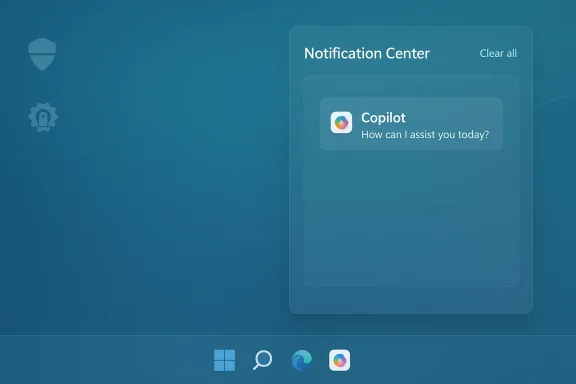
Microsoft’s plans to fold Copilot deeper into the Windows 11 user experience appear to have taken a visible turn: multiple industry reports now say Microsoft has abandoned a planned integration of Copilot into the Windows 11 Notification Center and certain Settings surfaces, leaving questions about the company’s AI roadmap, privacy posture, and the practical limits of OS-level agent automation.
Microsoft first introduced Copilot as a broad AI assistant strategy tied to both Microsoft 365 and Windows. Over the last two years the company pushed Copilot into multiple touchpoints — the taskbar, File Explorer, Office apps, and, in various experimental Insider builds, Settings and contextual suggestions inside notification toasts. The promise was straightforward: a single, assistant-driven surface that could answer questions, perform routine system tasks, suggest fixes, and even pro‑actively offer actions based on notifications.
That ambition collided with practical realities. Early releases showed a mixed experience: some Copilot features were implemented as lightweight web views, others relied on cloud processing and broad telemetry, and enterprises and privacy advocates pushed back on deep surface‑level integrations that could harvest or route system context back to Microsoft’s services. Microsoft’s own Windows Insider notes and subsequent preview builds have reflected a careful, iterative approach — sometimes adding features in preview, sometimes rolling them back, and sometimes adding IT controls that allow admins to restrict or remove specific Copilot experiences.
The latest reports claim that a planned move to weave Copilot into the Notification Center and embed suggestions inside Settings — a change that would have made Copilot much more visible and persistent — has been shelved. The evidence suggests this was not a single dramatic cancellation but an outcome of iterative engineering: feature prototypes and experimental toggles were not promoted to broad releases, some code paths were simplified into web-based flows, and certain notification‑level interventions were scaled back.
It’s important to be precise: Microsoft has not issued a single, plain‑language statement that reads “we have canceled Copilot in notifications and Settings.” Instead, the signals come from a combination of:
For general users:
If the Notification/Settings integration is indeed shelved, it suggests Microsoft is prioritizing controls and stability over immediate ubiquity. That is reasonable from a product management standpoint — and probably necessary after the widespread debates over Copilot’s early availability, privacy questions, and the technical friction some features introduced.
However, the larger strategic story remains intact: Microsoft continues to invest in Copilot across Office, Windows, and edge services; it is refining device‑level AI features, gating some capabilities behind hardware tiers (Copilot+ devices), and building admin controls. The company appears to be moving away from intrusive, always‑on system agents toward managed, auditable, and opt‑in experiences.
For mainstream users, it means Copilot will remain present but more contained. If you liked the idea of proactive, in‑notification suggestions, you might be disappointed — those productivity shortcuts took a back seat to safety and governance. If you feared intrusive AI in your system UI, the change is a win.
In the bigger picture, Microsoft’s handling of Copilot in Windows is a case study in how platform companies must navigate the maturation of AI features. Speed to market matters, but so does trust. For Copilot to be a durable component of Windows, it must earn that trust through transparency, granular controls, and reliable behavior. Pulling back from an aggressive notification‑level insertion is not a sign of failure; it is a practical step toward building a system users and administrators can accept.
Microsoft’s AI ambitions remain large; the specific pathway — what surfaces get the assistant, how data is governed, and how admins can control the experience — is evolving. The reported decision to abandon direct Copilot integration in the Notification Center and some Settings surfaces highlights the hard tradeoffs at the intersection of user experience, privacy, and enterprise readiness. For now, users should review their Copilot and notification settings, and IT teams should evaluate available Group Policy and management controls to align the assistant’s footprint with their security and compliance posture. The conversation about where Copilot belongs in Windows is far from over, but the latest turn shows the company prioritizing control and caution over immediate ubiquity — a move that may ultimately produce a more sustainable and trustworthy AI experience on Windows.
Source: Windows Report https://windowsreport.com/microsoft...an-for-windows-11-notifications-and-settings/
 Background
Microsoft first introduced Copilot as a broad AI assistant strategy tied to both Microsoft 365 and Windows. Over the last two years the company pushed Copilot into multiple touchpoints — the taskbar, File Explorer, Office apps, and, in various experimental Insider builds, Settings and contextual suggestions inside notification toasts. The promise was straightforward: a single, assistant-driven surface that could answer questions, perform routine system tasks, suggest fixes, and even pro‑actively offer actions based on notifications.That ambition collided with practical realities. Early releases showed a mixed experience: some Copilot features were implemented as lightweight web views, others relied on cloud processing and broad telemetry, and enterprises and privacy advocates pushed back on deep surface‑level integrations that could harvest or route system context back to Microsoft’s services. Microsoft’s own Windows Insider notes and subsequent preview builds have reflected a careful, iterative approach — sometimes adding features in preview, sometimes rolling them back, and sometimes adding IT controls that allow admins to restrict or remove specific Copilot experiences.
The latest reports claim that a planned move to weave Copilot into the Notification Center and embed suggestions inside Settings — a change that would have made Copilot much more visible and persistent — has been shelved. The evidence suggests this was not a single dramatic cancellation but an outcome of iterative engineering: feature prototypes and experimental toggles were not promoted to broad releases, some code paths were simplified into web-based flows, and certain notification‑level interventions were scaled back.
What the reporting says (and what remains uncertain)
Several outlets covering Windows platform development now say Microsoft has dropped the specific plan to inject Copilot suggestions directly into the Windows 11 Notification Center and some Settings pages. The framing across those reports is consistent: prototypes and early previews showed Copilot offering contextual suggestions when toast notifications arrived (for example, quick replies, task suggestions, or a “Do this with Copilot” option inside Notification Center). Those prototypes did not reach a full public release and are now reported to be abandoned or postponed.It’s important to be precise: Microsoft has not issued a single, plain‑language statement that reads “we have canceled Copilot in notifications and Settings.” Instead, the signals come from a combination of:
- Observations in Insider preview builds where planned UI touches either never appeared or were later removed.
- Engineering notes and incremental changes in the Windows Insider channel that reflect different priorities (some Copilot functionality shifted to the Copilot app or to taskbar integrations).
- Third‑party coverage and analysis noting that deep integrations once promised are now absent from stable and broad preview builds.
Why Microsoft might pause or drop these integrations
There are multiple, plausible reasons Microsoft would back away from pushing Copilot directly into notifications and Settings:- Privacy and data‑flow complexity. Notification content and Settings context can include sensitive information — calendar details, email content previews, and application state. Routing that content into an AI agent that processes it in the cloud (or even on‑device with telemetry) raises compliance and privacy risk, especially for regulated industries.
- Security and attack surface concerns. Integrating an active agent into the Notification Center creates a new execution model where action buttons or suggested workflows might be abused by malicious content delivered through notifications or by attackers abusing inter‑process communication.
- User backlash and UX noise. Copilot’s visibility has been controversial for some users who feel it is intrusive. Pushing suggestions into a place users rely on for quick, unobtrusive information (the Notification Center) risks negative perception and greater friction.
- Engineering complexity and reliability. Ensuring contextual suggestions are accurate, fast, and non‑disruptive is a high bar. If the feature does not reliably produce helpful suggestions, it harms trust and increases support overhead.
- Enterprise control and licensing complexity. Microsoft must reconcile consumer Copilot features with Microsoft 365 Copilot licensing and enterprise policies. For many organizations, the idea of Copilot automatically acting on notification content without clear administrative controls is untenable.
What Microsoft is still doing with Copilot in Windows
While the notification/Settings integration may be paused, the company continues to iterate and expand Copilot in Windows in other ways:- Taskbar and search integrations. Copilot elements are being tested and in some cases shipped to the taskbar search box and as a dedicated Copilot taskbar icon, keeping Copilot discoverable and directly accessible.
- Copilot app improvements. Microsoft is evolving the Copilot Windows app (including features like settings linkage and the ability to provide direct Settings links), moving some logic into that contained experience rather than into ad hoc notification suggestions.
- Agentic features and voice/vision capabilities. Microsoft has pushed into agentic capabilities — background tasks, reminders, Copilot Vision for analyzing screen content, and new voice commands — while gating many features behind experimental toggles or Copilot+ device hardware.
- Admin controls and removal options. Microsoft added IT controls (in Insider builds) such as a Group Policy named RemoveMicrosoftCopilotApp that enables admins to remove the consumer Copilot app on managed devices under specific conditions. That policy is intentionally narrow — it’s a one‑time removal mechanism and does not remove paid Microsoft 365 Copilot components tied to subscription licenses.
Strengths of Microsoft’s cautious pivot
There are real advantages if Microsoft is indeed dialing back the plan to integrate Copilot into notifications and Settings:- Reduced privacy risk. By limiting the assistant’s presence in raw notification flows and sensitive Settings pages, Microsoft minimizes accidental exposure of private content to AI processing or telemetry pipelines.
- Lowered attack surface. Fewer active agent touchpoints in system UI reduces the paths a malicious actor could exploit to trick the assistant or abuse suggested actions.
- More predictable enterprise behavior. Enterprises gain more confidence when features can be explicitly controlled, licensed, and audited. The availability of a Group Policy for removal — even if limited — is a step toward administrative governance.
- Opportunity to improve UX in a controlled environment. Moving features into the Copilot app or taskbar lets Microsoft iterate where user expectations are clearer and where fallback behavior is contained.
- Modular rollout reduces fragmentation. Staged feature rollouts and toggles in Insider channels give Microsoft feedback before committing to a platform‑wide change, reducing the likelihood of a noisy, buggy public release.
Risks and downsides of the change
Pulling back from deep system integration has downsides for Microsoft and for users that were expecting a more unified AI experience:- Fragmented user experience. If Copilot’s capabilities live in multiple disconnected places — a taskbar icon, a standalone app, PowerToys‑style utilities, and M365 integrations — users may struggle to understand where to go for a specific capability.
- Loss of contextual value. Notifications and Settings are natural places to insert helpful actions. Removing Copilot from those surfaces sacrifices opportunities for frictionless automation — the exact productivity gains Microsoft sought to deliver.
- Perception of technical retreat. For Microsoft’s AI narrative, slowing or reversing visible integrations can be portrayed as hesitation or lack of readiness, which rivals and critics could use to question the strength of Microsoft’s AI strategy.
- Third‑party integration complexity. App developers that started to build around early Copilot notification hooks may have to rework integrations or abandon those plans.
- Long‑term trust erosion. Repeated changes to how Copilot integrates — especially if accompanied by opaque behavior — can erode user trust. Windows users historically react badly to unexpected, persistent features that are hard to disable.
Security, privacy, and compliance implications
The decision to step away from in‑notification AI actions carries strong privacy and security implications worth unpacking.- Notification content sensitivity. Notifications often contain snippets of email, calendar items, or third‑party app summaries that may include personally identifiable information or corporate secrets. Any external processing of that content must be clearly consented to and auditable.
- Telemetry and governance. If Copilot uses cloud models, device and content context may flow to Microsoft’s cloud. Enterprises will demand clear data residence, retention, and access controls; regulators will scrutinize cross‑border flows.
- Attack vectors via prompts and actions. Notifications with action buttons can be used by attackers to create social‑engineered prompts that a misconfigured agent might act on. Minimizing agent access to notification actions is a prudent defensive step.
- Supply chain and model safety. Where Copilot relies on third‑party models or embeddings, Microsoft must ensure those model providers meet enterprise security and compliance requirements.
Practical guidance for users and IT admins
Regardless of where Microsoft lands on this particular integration, users and administrators should act now to ensure Copilot behavior matches organizational policy and personal preferences.For general users:
- Check Settings > System > Notifications to see whether Copilot or related services are allowed to show notifications. Use Focus Assist and “Do not disturb” schedules to limit interruptions.
- Review Settings > Privacy & security and manager app permissions for Copilot (camera, microphone, clipboard access) and disable what you don’t want the assistant to access.
- If you want Copilot out of sight, you can uninstall the consumer Copilot app using standard app removal options or PowerShell appx package removal commands; be aware that subscription‑tied Microsoft 365 Copilot components may remain.
- Evaluate whether your environment needs Copilot capabilities. If not, plan to block or restrict it centrally.
- If you use Insider or preview builds, test the available Group Policy named RemoveMicrosoftCopilotApp under the Windows AI group policy templates. That policy provides a one‑time uninstall path under specific conditions; understand those conditions before deployment.
- Use existing configuration management tools (Intune, SCCM, Group Policy) to:
- Manage which Copilot packages are installed
- Configure telemetry and data sharing settings
- Lock down device permissions for camera/microphone and sensitive APIs
- Treat Copilot like any other third‑party service: document the expected data flows, identify where content is processed, and perform risk assessments for regulated data.
What this means for Microsoft’s AI OS story
Microsoft’s long‑term vision is to make Windows a platform for AI‑assisted productivity. But accomplishing that requires a delicate balance: power and convenience on the one hand, privacy, control, and reliability on the other.If the Notification/Settings integration is indeed shelved, it suggests Microsoft is prioritizing controls and stability over immediate ubiquity. That is reasonable from a product management standpoint — and probably necessary after the widespread debates over Copilot’s early availability, privacy questions, and the technical friction some features introduced.
However, the larger strategic story remains intact: Microsoft continues to invest in Copilot across Office, Windows, and edge services; it is refining device‑level AI features, gating some capabilities behind hardware tiers (Copilot+ devices), and building admin controls. The company appears to be moving away from intrusive, always‑on system agents toward managed, auditable, and opt‑in experiences.
What to watch next
- Watch for official Microsoft communications. The absence of a formal cancellation notice means the company could still reintroduce a refined notification/Settings model — likely with stronger privacy guardrails and admin controls.
- Expect Microsoft to continue expanding Copilot in the taskbar, the Copilot app, and via agent connectors for big system surfaces like File Explorer — those are safer, more contained integration points.
- Regulatory and enterprise feedback will matter. If enterprises demand more governance, Microsoft is likely to add deeper admin tooling and clearer contractual protections around data handling.
- Look for subtle behavior changes in Insider builds: toggles that confine Copilot to on‑device processing, explicit consent prompts before reading notification content, or admin reporting features that let IT audit Copilot actions.
Final analysis — why this matters to Windows users
The apparent retreat on notification and Settings integration is less a repudiation of Copilot and more a recalibration. For power users and admins, that is good news: it signals Microsoft is listening to privacy and enterprise concerns and is willing to redesign UX around safety and control.For mainstream users, it means Copilot will remain present but more contained. If you liked the idea of proactive, in‑notification suggestions, you might be disappointed — those productivity shortcuts took a back seat to safety and governance. If you feared intrusive AI in your system UI, the change is a win.
In the bigger picture, Microsoft’s handling of Copilot in Windows is a case study in how platform companies must navigate the maturation of AI features. Speed to market matters, but so does trust. For Copilot to be a durable component of Windows, it must earn that trust through transparency, granular controls, and reliable behavior. Pulling back from an aggressive notification‑level insertion is not a sign of failure; it is a practical step toward building a system users and administrators can accept.
Microsoft’s AI ambitions remain large; the specific pathway — what surfaces get the assistant, how data is governed, and how admins can control the experience — is evolving. The reported decision to abandon direct Copilot integration in the Notification Center and some Settings surfaces highlights the hard tradeoffs at the intersection of user experience, privacy, and enterprise readiness. For now, users should review their Copilot and notification settings, and IT teams should evaluate available Group Policy and management controls to align the assistant’s footprint with their security and compliance posture. The conversation about where Copilot belongs in Windows is far from over, but the latest turn shows the company prioritizing control and caution over immediate ubiquity — a move that may ultimately produce a more sustainable and trustworthy AI experience on Windows.
Source: Windows Report https://windowsreport.com/microsoft...an-for-windows-11-notifications-and-settings/
