

Microsoft’s latest move to re-sculpt how Windows is built is less a single product announcement and more a strategic reset: over the past 18 months Microsoft has both reorganized Windows engineering under a single leadership and — more recently — begun testing a split in Windows 11’s development and update tracks that separates device classes and silicon families in pursuit of higher PC efficiency. The result is a deliberate tradeoff: potentially faster, more power-efficient Windows experiences for specific hardware classes, but also new complexity for OEMs, enterprise IT, and developers who must now plan for multiple Windows update and feature pathways.
Since 2018 Microsoft’s Windows engineering organization had been fragmented, with core platform engineering moving under Azure and feature/experience teams sitting elsewhere. That separation created long-standing friction between low-level platform work and the surface-level user experience teams, slowing tight integration across the stack. Over the last year Microsoft reversed much of that split, consolidating the majority of Windows engineering under a single Windows leadership to accelerate alignment around a new, AI-first vision for the OS.
At the same time Microsoft has been pushing an ecosystem-level play around Copilot+ PCs — machines that combine modern CPUs, more powerful NPUs, and firmware/driver stacks tuned for local AI workloads. Those product and organizational moves set the conditions for a more radical engineering choice: instead of one universal Windows build that must run “well enough” across every hardware permutation, Microsoft appears to be moving toward parallel development tracks that allow deeper, targeted optimization for different device classes and silicon types.
Important caveat: The split is currently being discussed and tested in preview channels and by OEM partners; some public reporting characterizes it as a “fork” or separate upgrade path between 26H1 and 26H2 builds. Those categorizations reflect early-stage decisions and testing; Microsoft’s final implementation and roadmap remain subject to change.
Centralized engineering plus targeted OS tracks more easily accommodates driver contracts, firmware interfaces, and platform SDKs that AI features demand. In short, the AI push is the proximate cause that makes a split more attractive.
These early signals are meaningful but require caution:
If executed cleanly, the strategy could enable Windows to deliver genuinely differentiated, efficient experiences on modern hardware while preserving continuity for legacy devices. If executed poorly, the result could be a splintered platform where users, OEMs, and ISVs must constantly chase multiple compatibility assurances.
Microsoft’s pragmatic split of Windows engineering, and the experimental division of Windows 11 into parallel tracks, reflect a new phase in Windows’ evolution: one driven by silicon diversity and AI-first features that demand tighter integration across firmware, kernel, and application layers. The potential payoff — notably higher efficiency and richer on-device AI experiences — is real. So are the risks: fragmentation, increased testing burdens, and thorny enterprise management questions.
The success of this strategy will rest less on the technical promise and more on execution: clear track definitions, robust enterprise tooling, rigorous compatibility shims, and an honest, machine-friendly way to communicate which devices get which experiences. For consumers and IT pros alike, the immediate task is to inventory, pilot, and prepare — because Windows is changing beneath our feet, and the fastest, most efficient PCs may no longer be the ones that merely run the latest build, but the ones built and certified to run the Windows track that matches their silicon and use case.
Source: Mix Vale Microsoft’s new strategy divides the development of Windows 11 to increase PC efficiency
 Background
Since 2018 Microsoft’s Windows engineering organization had been fragmented, with core platform engineering moving under Azure and feature/experience teams sitting elsewhere. That separation created long-standing friction between low-level platform work and the surface-level user experience teams, slowing tight integration across the stack. Over the last year Microsoft reversed much of that split, consolidating the majority of Windows engineering under a single Windows leadership to accelerate alignment around a new, AI-first vision for the OS.At the same time Microsoft has been pushing an ecosystem-level play around Copilot+ PCs — machines that combine modern CPUs, more powerful NPUs, and firmware/driver stacks tuned for local AI workloads. Those product and organizational moves set the conditions for a more radical engineering choice: instead of one universal Windows build that must run “well enough” across every hardware permutation, Microsoft appears to be moving toward parallel development tracks that allow deeper, targeted optimization for different device classes and silicon types.
What changed: organization, branches and the engineering rationale
Reuniting engineering teams
Microsoft’s 2025 reorganization brought many of the scattered Windows teams back under centralized leadership. That reunification was explicitly positioned as a way to accelerate the company’s push toward an “Agentic OS” — a Windows that embeds AI agents, automated workflows, and system-level intelligence. Centralized ownership shortens decision paths between core kernel work, drivers, AI model integration, and user-facing feature teams, enabling changes that require cross-cutting engineering cooperation.Splitting the Windows 11 development and update tracks
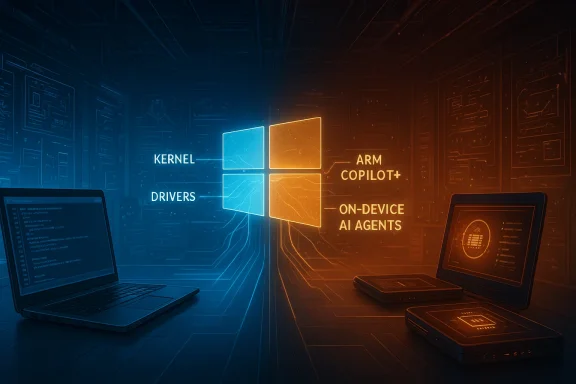
More recently, testing and reporting indicate Microsoft is experimenting with parallel Windows 11 tracks. In practice this means:- A development/update track optimized for traditional x86/x64 platforms and broad hardware compatibility.
- A parallel track tuned for Arm-based PCs and Copilot+ devices that emphasize NPU utilization, power profiles, and firmware features unique to those platforms.
Important caveat: The split is currently being discussed and tested in preview channels and by OEM partners; some public reporting characterizes it as a “fork” or separate upgrade path between 26H1 and 26H2 builds. Those categorizations reflect early-stage decisions and testing; Microsoft’s final implementation and roadmap remain subject to change.
Why Microsoft is doing this: the efficiency and AI imperative
Targeted optimization unlocks measurable gains
Modern silicon diversity — discrete GPUs, NPUs inside SoCs, and radically different power envelopes between ultraportables and gaming laptops — creates both opportunity and friction. When firmware, drivers, and OS subsystems are tuned specifically for a known hardware target, Microsoft and OEMs can:- Exploit NPU acceleration for on-device AI tasks, lowering CPU overhead and thereby saving power.
- Tailor scheduler, power management, and thermal policies to deliver higher sustained performance per watt.
- Ship features that require new firmware interfaces without degrading experience on legacy hardware.
AI is forcing tighter coupling between hardware and software
Many of the most advanced AI features require low-latency access to NPUs, deterministic memory mappings, and runtime coordination that stretches from firmware through kernel drivers into user-mode model runners. Those touchpoints are fragile when teams are organizationally separate or when a single monolithic Windows build must remain conservative to preserve compatibility with older drivers.Centralized engineering plus targeted OS tracks more easily accommodates driver contracts, firmware interfaces, and platform SDKs that AI features demand. In short, the AI push is the proximate cause that makes a split more attractive.
The potential benefits
- Higher PC efficiency on supported devices. Optimizations that precisely target NPUs and modern SoCs can reduce CPU load and energy consumption for AI tasks, producing better battery life and lower thermals.
- Faster feature cadence for new hardware. OEMs and silicon partners can get OS-level features sooner on their preferred track without waiting for global compatibility sweeps.
- Reduced risk of regressions in legacy scenarios. By isolating aggressive changes to a track where the hardware contract is known, Microsoft can avoid breaking older devices.
- Cleaner engineering pathways for AI features. Engineers can design, test, and iterate on deep system changes without the constraints of universal backward compatibility.
Notable risks and trade-offs
While the promise of optimized Windows builds is attractive, the strategy introduces real and lasting risks that must be acknowledged.Fragmentation and user confusion
Splitting Windows into multiple development tracks raises the specter of fragmentation at scale. Consumers already face confusing SKUs, driver ecosystems, and update behaviors; separate OS tracks multiply the complexity.- Users may buy a device optimized for one track and later find it cannot upgrade to a different Windows release path.
- Upgrade and recovery scenarios become more brittle if system images and drivers are no longer universal.
- Secondary markets (refurbished devices, enterprise buyback) will need clearer indicators for which track a device belongs to.
Developer and ISV burden
Independent software vendors and driver authors now must validate against multiple Windows tracks and possibly different ABI/driver contracts. That increases test matrices, support costs, and certification overhead.- Kernel-mode and device driver developers face additional validation cycles.
- ISVs that rely on native hardware acceleration for AI features must detect device track and gracefully fall back where features are absent.
Enterprise management complexity
IT admins prize predictable update channels and unified management. Multiple Windows tracks complicate patching, imaging, and lifecycle planning.- Tools like Windows Autopatch and Windows Update for Business will need to explicitly handle track membership and staged rollouts.
- Imaging and provisioning processes must account for firmware and driver differences linked to each track.
- Hardware lifecycle compatibility matrices will need revision to express which track a device receives over time.
Security implications
While targeted builds can be secured more tightly for given hardware, fragmentation can widen the attack surface in non-obvious ways.- Divergent driver stacks increase the window for driver-specific vulnerabilities.
- Agentic AI features introduce privilege-surface risk if agents are given system-level automation capabilities.
- Fragmentation complicates coordinated rapid patching during zero-day incidents if fixes need to be validated across multiple tracks.
OEMs, silicon partners and the certification landscape
Microsoft’s play to optimize by track depends on strong OEM and silicon partner collaboration. Copilot+ certifications, firmware contracts, and driver submission pipelines become central to success.- OEMs willing to invest in firmware/driver engineering can achieve notable differentiators in battery life and AI experience.
- Silicon partners that expose stable NPU drivers and runtime interfaces will be the primary winners, as their hardware will unlock capabilities not possible on legacy devices.
Practical implications for consumers and IT administrators
Whether you manage PCs for a small business or choose a laptop for personal use, here’s how to interpret and act on these changes.For consumers
- Buy with clarity: if you care about AI-driven features, battery life, or maximum performance per watt, prioritize devices explicitly certified for Copilot+ or that list NPU capabilities.
- Know your upgrade path: ask retailers or OEM support whether your device will follow the “optimized” track and whether it will receive feature updates in the same cadence as mainstream Windows.
- Expect differences in driver and firmware update behavior: rely on OEM update tools (and Windows Autopatch where relevant) instead of assuming universal Windows Update parity.
For IT administrators — immediate checklist
- Inventory: flag devices by CPU architecture (x86/x64 vs Arm), NPU capability, and OEM model.
- Track membership: confirm which update/feature track each model will follow and document expected behavior for feature and security updates.
- Pilot testing: create test rings that include devices from both tracks to validate application compatibility and driver behavior before broad rollout.
- Update policies: use Windows Update for Business and Windows Autopatch to define ring-based deployments that respect track differences.
- Backup and recovery: verify that your imaging and recovery processes are compatible across tracks; maintain separate golden images if necessary.
- Vendor engagement: open channels with hardware vendors to understand firmware and driver SLAs tied to each track.
Technical deep dive: what “efficiency” optimization looks like
To understand the practical gains Microsoft is chasing, it helps to look at three technical domains where targeted optimization delivers real wins.1) NPU offload and model placement
On-device AI workloads are most efficient when heavy tensor math runs on NPUs while control-plane tasks stay on CPU. Track-specific builds can:- Provide optimized runtimes that select NPU kernels by default on certified hardware.
- Reduce CPU scheduling overhead by integrating low-latency model runners into system services.
- Tailor memory allocation to NPU constraints to avoid unnecessary copying between CPU and NPU.
2) Power management and thermal profiles
Different SoCs and laptop designs require bespoke power and thermal policies. Track-optimized Windows builds can:- Implement runtime governor policies tuned to a device’s thermal headroom.
- Coordinate between firmware, kernel scheduler, and graphics stacks to extend sustained performance without hitting TDP limits.
- Adjust background maintenance windows to match hardware-specific charging and cooling behaviors.
3) Firmware-driven feature enablement
Some hardware features require firmware/ACPI contracts to be present. By splitting tracks, Microsoft can depend on richer firmware interfaces in the optimized track and enable features that are impossible to roll out universally without risking older devices.Real-world signals: what the early reports show (and what remains unverified)
Early reporting and Microsoft’s own product messaging offer clues about the direction and benefits of this strategy. Industry previews have described Copilot+ PCs that showcase higher AI throughput, claims of multiple-fold improvements versus older hardware in certain benchmarks, and a certification program for devices with higher NPU TOPs. At the same time, some outlets characterize the move as a “fork,” noting that certain hardware will follow a distinct upgrade path.These early signals are meaningful but require caution:
- Benchmarks published by or quoted from Microsoft often reflect controlled, partner-validated scenarios. Real-world gains will vary with workloads, firmware, and driver maturity.
- Precise upgrade rules and long-term support commitments for each track are not yet universally documented. Enterprises should not assume parity across tracks without official Microsoft guidance.
- Security and patch timelines tied to track membership have not been fully disclosed. The operational impact of track-specific patches needs clearer vendor commitments.
How Microsoft must mitigate the risks
For this strategy to succeed without fracturing the Windows ecosystem, Microsoft must commit to several practical mitigations.- Provide explicit, machine-readable track membership metadata that OEMs and management tools can consume.
- Ensure Windows Update for Business and Autopatch natively understand and respect track differences.
- Offer robust compatibility shims and fallbacks so applications and drivers can detect and degrade gracefully.
- Publish definitive lifecycle and upgrade policies that guarantee support windows and migration paths.
- Maintain a single, well-documented security update pipeline so that critical patches can be rolled across tracks with minimal delay.
Long-term implications: are we seeing Windows fragment or evolve?
Every major platform has faced the same tension: specialization brings performance, generality brings reach. Microsoft’s approach looks like an attempt to have both — specialized tracks for modern silicon while retaining a baseline, broadly compatible Windows. The long-term health of the ecosystem will depend on how well Microsoft manages the seams between those tracks.If executed cleanly, the strategy could enable Windows to deliver genuinely differentiated, efficient experiences on modern hardware while preserving continuity for legacy devices. If executed poorly, the result could be a splintered platform where users, OEMs, and ISVs must constantly chase multiple compatibility assurances.
Recommendations for readers
- If you are shopping for a new laptop and AI features or battery life matter, look for vendor certification and explicit NPU specs rather than relying solely on traditional CPU benchmarks.
- If you manage PC fleets, start inventory and pilot work now; don’t treat track divergence as a hypothetical — plan for it in your imaging, patching, and procurement policies.
- If you develop drivers or system software, engage with OEMs and Microsoft early to understand any new driver/firmware contracts and to get devices for validation.
- Stay skeptical of headline benchmark multipliers; request real-world workload testing and insist on measured results for your scenarios.
Microsoft’s pragmatic split of Windows engineering, and the experimental division of Windows 11 into parallel tracks, reflect a new phase in Windows’ evolution: one driven by silicon diversity and AI-first features that demand tighter integration across firmware, kernel, and application layers. The potential payoff — notably higher efficiency and richer on-device AI experiences — is real. So are the risks: fragmentation, increased testing burdens, and thorny enterprise management questions.
The success of this strategy will rest less on the technical promise and more on execution: clear track definitions, robust enterprise tooling, rigorous compatibility shims, and an honest, machine-friendly way to communicate which devices get which experiences. For consumers and IT pros alike, the immediate task is to inventory, pilot, and prepare — because Windows is changing beneath our feet, and the fastest, most efficient PCs may no longer be the ones that merely run the latest build, but the ones built and certified to run the Windows track that matches their silicon and use case.
Source: Mix Vale Microsoft’s new strategy divides the development of Windows 11 to increase PC efficiency
