

Microsoft appears to be pulling back on the “Copilot everywhere” experiment in Windows 11: visible Copilot buttons and micro‑affordances being added to lightweight, built‑in apps are reportedly on pause, the controversial Windows Recall feature has been re‑gated for deeper review, and Microsoft is tightening admin controls — even as the company continues to invest in under‑the‑hood AI tooling and platform APIs.
Over the last two years Microsoft has aggressively embedded Copilot — its conversational and contextual AI assistant — across the Windows 11 experience. That push included visible elements such as taskbar chat/search changes, small Copilot icons inside Notepad, Paint, File Explorer and other in‑box apps, contextual helpers (like Suggested Actions), and a high‑profile system feature called Windows Recall, which indexed local activity to let users “search their past.” These moves were accompanied by investments in the Windows AI stack: Windows ML, Windows AI APIs, semantic search, and developer tooling for local and hybrid inference.
The rollout was not smooth. Multiple update regressions, accidental uninstall behavior in some updates, and recurring user complaints about UI clutter, intrusive nudges, and privacy tradeoffs created friction. The Recall concept in particular drew heavy scrutiny from security researchers and enterprise IT, prompting Microsoft to delay and rework its approach. Those operational and perceptual problems are the immediate context for the recent course correction.
Key practical signals that surfaced in insider notes and reporting:
This is a necessary pivot: visibility without clear, measurable user value and airtight privacy guarantees erodes trust quickly. If Microsoft follows through with conservative defaults, transparent consent flows, enterprise‑grade governance, and a disciplined update cadence, Windows can still become a compelling platform for useful on‑device and hybrid AI. But the company must demonstrate change — not just announce it — or skepticism will harden into cynicism among the very communities it needs to win: IT administrators, developers, and long‑time Windows enthusiasts.
For readers: expect a slower, more targeted rollout of Copilot features, clearer admin controls in the months ahead, and continued investment in the Windows AI stack. Keep an eye on Insider release notes and official Microsoft posts for definitive timelines and policy details.
Conclusion: Microsoft’s “AI everywhere” moment on the desktop has been tempered by reality. The company still believes AI is central to Windows’ future, but the path forward will emphasize craftsmanship, clear defaults, and governance — not a Copilot icon on every toolbar.
Source: PCMag Microsoft Reportedly Plans to Dial Back Copilot Across Windows 11 Apps
 Background / Overview
Over the last two years Microsoft has aggressively embedded Copilot — its conversational and contextual AI assistant — across the Windows 11 experience. That push included visible elements such as taskbar chat/search changes, small Copilot icons inside Notepad, Paint, File Explorer and other in‑box apps, contextual helpers (like Suggested Actions), and a high‑profile system feature called Windows Recall, which indexed local activity to let users “search their past.” These moves were accompanied by investments in the Windows AI stack: Windows ML, Windows AI APIs, semantic search, and developer tooling for local and hybrid inference. The rollout was not smooth. Multiple update regressions, accidental uninstall behavior in some updates, and recurring user complaints about UI clutter, intrusive nudges, and privacy tradeoffs created friction. The Recall concept in particular drew heavy scrutiny from security researchers and enterprise IT, prompting Microsoft to delay and rework its approach. Those operational and perceptual problems are the immediate context for the recent course correction.
What Microsoft is reportedly changing
Pausing expansion of visible Copilot placements
Microsoft has reportedly stopped the aggressive plan to add Copilot buttons and micro‑affordances across all built‑in apps. Engineers are said to be reviewing existing placements — such as Copilot icons in Notepad, Paint, Photos, and snippets inside File Explorer — to determine whether they provide measurable user value or simply add visual clutter. The emphasis selective, telemetry‑driven placement rather than blanket branding everywhere.Key practical signals that surfaced in insider notes and reporting:
- New Copilot button rollouts to lightweight apps are paused.
- Existing small Copilot affordances may be redesigned, rebranded, or removed.
- UI experiments that animated the taskbar or nudged users with contextual prompts have been throttled back.
Deprecation or redesign of Suggested Actions
The smartphone‑style “Suggested Actions” micro‑helper — which popped up options when text such as phone numbers, dates, or addresses was copied — has been de‑emphasized in some preview builds. Reports indicate Microsoft is replacing or consolidating the capability into fewer, higher‑value flows rather than constantly surfacing micro‑prompts. Treat this as reported, not finalized: the feature is being phased out in preview channels while alternatives are designed.Recall: moved back into preview and re‑gated
Windows Recall — the feature that periodically indexed local screen content so users could “search their past” — became the lightning rod for privacy and security concern. Microsoft moved Recall back into the Windows Insider channels for additional hardening after researchers highlighted plausible attack vectors and operational gaps. The company’s remediation notes emphasized opt‑in defaults, Windows Hello gating, and encrypted local stores, but insiders say the original Recall architecture “failed in its current form” and is being rethought, possibly renamed, narrowed in scope, or redesigned. That language is drawn from reporting on people familiar with the work; Microsoft has publicly confirmed delays and rework but hasn’t announced a final disposition. Exercise caution when treating internal characterizations as final.Hardening admin controls for enterprise and managed fleets
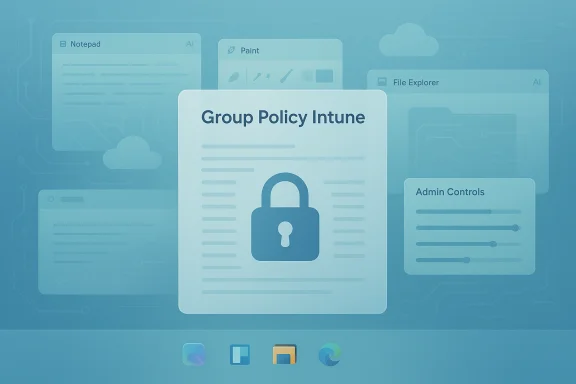
Microsoft has added Group Policy and Intune/MDM controls in preview builds that give administrators more levers over Copilot surfaces and the Copilot app lifecycle. An Insider‑level Group Policy enabling admins to remove the Copilot app under specific conditions has been observed, though it carries constraints (for example, the app must not have been launched recently). The direction is clear: Microsoft recognizes enterprise manageability and compliance as top priorities and is shipping controls to address them.Why Microsoft hit the brakes
The pullback is not a single‑factor decision; it’s the product of several overlapping pressures that made the “AI everywhere” approach unsustainable in its original form.- UX fatigue & perceived bloat. Users repeatedly called out small Copilot icons and persistent nudges as visual noise rather than productivity enhancements. When AI is added to minimal, utility apps like Notepad, the apparent benefit is low while the cognitive cost accumulates.
- Privacy and security concerns. Features that capture or index local content (Recall foremost among them) demand airtight access controls. Researchers demonstrated ways an inadequately protected index could expose sensitive content, forcing Microsoft to re‑gate the feature.
- Reliability and update regressions. Multiple incidents — including update behavior that accidentally uninstalled Copilot on some systems — eroded trust and amplified criticism. When users experience regressions, optional capabilities become liabilities.
- Enterprise governance. Large organizations need predictable behavior, auditability, and policy controls. The original rollout created compliance headaches for IT, which pushed Microsoft to provide clearer administrative options.
- Heterogeneous hardware and economics. Delivering consistent, performant AI experiences across billions of devices — many without NPUs or modern ML acceleration — risks inconsistent end‑user experiences and higher support costs. Focusing premium scenarios on Copilot+ hardware helps manage that fragmentation.
What Microsoft is still building
Dialing back visible placements is a tactical change, not a strategic retreat from AI.- Windows AI platform investments — Windows ML, Windows AI APIs, semantic search, and developer tooling remain under active development. Microsoft appears intent on preserving the platform plumbing performant on‑device and hybrid AI.
- Copilot product tiers and monetization — Consumer and commercial Copilot tiers continue to exist. Copilot Pro (consumer) and Copilot for Microsoft 365 (commercial) remain available options, with prior pricing signals showing Copilot Pro priced around $20 per user per month as Microsoft pursues subscription monetization for premium productivity features. Cross‑checks from multiple outlets confirm the paid tier is intact even as UI insertion strategy shifts.
- Targeted, high‑value experiences — Expect Microsoft to favor scenarios with clear, measurable payoff: semantic file search, accessibility enhancements, deep integrations in productivity apps (Word, Excel, PowerPoint) and tightly scoped agentic automations that are appropriately gated and auditable.
Risk analysis: strengths, weaknesses, and possible blind spots
Strengths of the new posture
- Trust repair is possible. Pausing invasive experiments and putting privacy first is the clearest path to rebuilding user and admin trust; Microsoft can use the pause to align design, telemetry, and legal safeguards.
- Platform continuity. Keeping platform investments alive preserves the long‑term technical foundation for third‑party and enterprise AI innovation without forcing user‑facing integration prematurely.
- Operational prioritization. Shifting engineering cycles toward reliability, update hygiene, and governance addresses the root causes that made AI rollouts risky in the first place.
Risks and potential downside
- Perception vs. reality. A “pause” can be perceived as retreat. If Microsoft only renames or rebrands affordances without meaningful changes to defaults, consent, and auditability, skepticism will persist and the goodwill window will close quickly. Reported internal characterizations of Recall as “failed” should be treated as reported rather than definitive; the companyunced a permanent cancellation.
- Fragmentation and support complexity. Selective deployment tied to Copilot+ hardware and opt‑in preview channels risks fragmenting the user base and increasing complexity for OEMs, ISVs, and IT administrators supporting mixed fleets.
- Developer uncertainty. If Microsoft is overly conservative about visible integrations, third‑party developers may find it harder to surface AI in ways users discover, slowing ecosystem adoptionlance restraint with clear, well‑documented UI patterns and APIs.
- Regulatory and legal exposure. Privacy and security issues at OS level attract regulators and litigants. Pausing features helps but does not remove legal exposure; Microsoft must demonstrate ongoing compliance with data protection requirements and create auditable controls for enterprise customers.
Practical implications for users, power users, and IT admins
For everyday Windows 11 users
- Expect fewer intrusive Copilot icons and contextual nudges in daily apps over time as Microsoft prunes low‑value affordances.
- Features that index personal content (like Recall) will likely remain opt‑in and gated behind stronger authentication and encryption requirements.
For power users and enthusiasts
- You may still see advanced Copilot capabilities in Insider builds or on Copilot+ devices where Microsoft tests higher‑value scenarios.
- Community tooling and scripts that hide or remove Copilot surfaces will remain useful short‑term for those who prefer minimal UI, but Microsoft’s new admin controls could make some of those workarounds unnecessary on managed devices.
For enterprise admins and IT
- Test the new Group Policy and MDM controls exposed in Insider previews to understand the constraints and behavior around Copilot app removal and feature gating.
- Pilot updates carefully: recent update regressions underline the importance of a staged deployment approach, snapshotting test machines and validating recovery procedures before wide rollout.
- Subscribe to Windows Insider release notes for your channel and track Copilot‑related policy changes.
- Validate the Copilot app uninstall policy in a controlled lab to confirm behavior and constraints.
- Update management scripts and documentation to include the new policy options and any authentication dependencies (e.g., Windows Hello gating).
- Communicate to end users about opt‑in requirements for features that index local content and how to request removal or disablement.
Developer and partner perspective
Microsoft’s pivot changes the calculus for OEMs and ISVs:- OEMs marketing Copilot+ hardware gain clearer reason to highlight dedicated NPU and on‑device capabilities — but they must avoid promising ubiquitous experiences that later get scaled back.
- ISVs should focus on integrating AI where the payoff is measurable: complex document processing, accessibility workflows, and semantic search inside apps. Microsoft’s continued investment in Windows ML and Windows AI APIs suggests there will be stable, supported ways to build performant on‑device and hybrid experiences.
- Clear consent flows when asking for access to user content.
- Offline and local inference options where privacy is paramount.
- Robust fallbacks for devices lacking AI acceleration.
What to watch next
- Official Microsoft communications. Look for clarified guidance in Windows Insider blog posts and Microsoft support pages explaining the new admin policies and any formal changes to Copilot defaults. The Windows Insider team has been the primary channel for Copilot updates and policy changes.
- Behavior of Recall. Whether Recall returns as a redesigned, privacy‑filved will be a bellwether for Microsoft’s appetite for agentic, background indexing experiences. Current reporting suggests rework rather than outright cancellation, but public confirmation is pending. Treat internal reports as provisional until Microsoft posts a public roadmap update.
- Enterprise policy rollout. Watch the cadence at which Group Policy and Intune controls leave Insider builds and reach production channels; that timing will determine when enterprises can reliably control Copilot surfaces fleet‑wide.
- Monetization and product tiers. Pricing and packaging for Copilot consumer/enterprise tiers remain relevant; prior announcements show Copilot Pro as a paid consumer tier and Copilot for Microsoft 365 available for business customers, signaling Microsoft will continue monetizing premium Copilot capabilities.
Final analysis and verdict
Microsoft’s reported dial‑back of Copilot UI placements is a pragmatic course correction that recognizes the limits of visibility‑first AI rollouts on an operating system used by billions. The company faces a trilemma — deliver generative AI value, preserve privacy and trust, and maintain platform reliability — and the recent moves signal a rebalancing toward the latter two while preserving the technical investments that enable future AI scenarios.This is a necessary pivot: visibility without clear, measurable user value and airtight privacy guarantees erodes trust quickly. If Microsoft follows through with conservative defaults, transparent consent flows, enterprise‑grade governance, and a disciplined update cadence, Windows can still become a compelling platform for useful on‑device and hybrid AI. But the company must demonstrate change — not just announce it — or skepticism will harden into cynicism among the very communities it needs to win: IT administrators, developers, and long‑time Windows enthusiasts.
For readers: expect a slower, more targeted rollout of Copilot features, clearer admin controls in the months ahead, and continued investment in the Windows AI stack. Keep an eye on Insider release notes and official Microsoft posts for definitive timelines and policy details.
Conclusion: Microsoft’s “AI everywhere” moment on the desktop has been tempered by reality. The company still believes AI is central to Windows’ future, but the path forward will emphasize craftsmanship, clear defaults, and governance — not a Copilot icon on every toolbar.
Source: PCMag Microsoft Reportedly Plans to Dial Back Copilot Across Windows 11 Apps
