

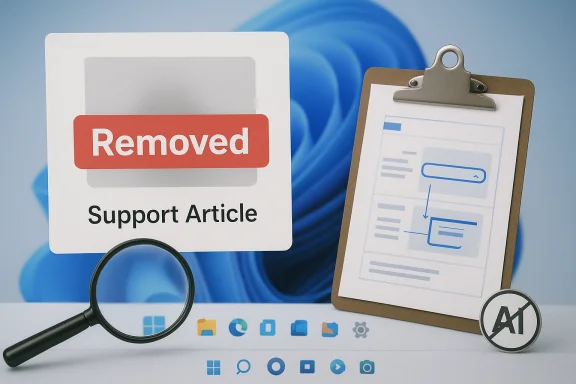
Microsoft’s decision to illustrate a Windows 11 how-to article with an obviously AI-generated image has become a small but revealing scandal: the company’s own learning center appears to have traded accuracy for automation, and readers noticed immediately. The image, which was attached to guidance for using Snipping Tool, reportedly showed a muddled Windows desktop with interface details that do not match the real product, including odd taskbar behavior and a general failure to reflect how Windows 11 actually looks. Microsoft has since removed the image, but not before the episode reignited a broader debate about whether AI is being used to streamline support content at the expense of trust.
Microsoft’s Windows 11 learning content has historically been one of the company’s most valuable support assets because it translates product features into something accessible for everyday users. When documentation is done well, it does two jobs at once: it teaches the feature and reinforces confidence that the guidance is grounded in the actual product experience. That second part matters more than many companies admit, especially in an operating system where visual cues often determine whether a user can follow a step correctly.
The specific article at the center of this controversy is “How to use Snipping Tool on Windows 11”, a support piece that explains screenshots, shortcuts, and screen recording. Microsoft’s own support page describes Snipping Tool as a built-in Windows 11 utility with clear functions such as Rectangle, Window, Full screen, and Video snip, and it shows the familiar Windows 11 interface as part of the explanation. In other words, this is exactly the sort of article where a real screenshot should be the obvious first choice.
What made the situation so jarring is that the offending image was not just generic stock art; it was apparently presented as an instructional visual for the product itself. The page’s content is about concrete UI actions such as pressing Windows logo key + Shift + S or using the Record button, so a synthetic image that misrepresents the interface undermines the entire premise of the tutorial. For a tool like Snipping Tool, the difference between a real screenshot and a hallucinated approximation is not cosmetic; it is the core of the lesson.
The episode also lands in a broader moment where Microsoft has aggressively promoted AI-powered features across Windows 11, Snipping Tool included. The company’s own support documentation highlights AI-enhanced capabilities such as text extraction and “Perfect screenshot” on Copilot+ PCs, which makes the use of AI-generated art feel, to many users, like a continuation of that strategy into the documentation layer. The problem is that support content is not a place where plausible-looking is good enough. It has to be precise-looking.
The criticism therefore goes beyond aesthetics. It suggests a breakdown in the editorial pipeline, where content that should have been reviewed by someone familiar with Windows UI apparently slipped through with a synthetic visual that did not reflect Windows 11’s real interface. That is a serious problem for documentation, because support content is supposed to reduce ambiguity, not introduce it.
There is also a reputational layer. Microsoft has spent months and years positioning Copilot and AI as productivity accelerators, so a visibly botched AI illustration in official documentation fuels the very “MicroSlop” criticism the company would prefer to avoid. Even if the business rationale was efficiency, the public read is closer to carelessness.
A generated image, by contrast, introduces uncertainty at the exact point where certainty matters most. If the user is already unsure how to find the tool, a bad visual can create a second problem: they may start doubting whether they are looking at the right screen at all. That is the opposite of good support.
For a software company of Microsoft’s size, the opportunity cost is small. Capturing a genuine Snipping Tool screenshot takes minutes. Repairing trust after an embarrassing AI-generated misfire can take much longer. That mismatch is what makes the episode so frustrating to many Windows users.
Microsoft has been clear that Snipping Tool on Windows 11 is now a richer utility than the old app, combining classic screenshot workflows with newer capabilities such as video capture and AI-assisted features. That evolution makes good documentation more important, not less, because the user surface has become more complex.
Microsoft is trying to present Windows 11 as modern, intelligent, and accessible. If the company wants users to embrace AI, it has to show that it can maintain old-fashioned standards where accuracy is non-negotiable. The learning center should be a place where users go to escape confusion, not find a new flavor of it.
That matters because Windows 11 is a system where visual confirmation is often part of the troubleshooting process. If Microsoft’s own image shows a desktop that does not resemble the current OS, the user may wonder whether they are on the right build, whether the tutorial is outdated, or whether their device is configured differently. In support, doubt is expensive.
This is why the image became a meme-worthy example of the broader “AI slop” critique. It did not fail in a subtle expert-only way. It failed in a way that any ordinary Windows user could spot. That kind of error is devastating for a support asset.
A reasonable quality-check sequence for this kind of content would be:
This is also a reminder that AI governance is not just about big strategic questions. It is about mundane editorial discipline. If an organization cannot reliably prevent a fake-looking image from appearing in a basic help article, users are justified in wondering how carefully other AI-assisted outputs are reviewed.
The damage is not enormous in isolation, but it is cumulative. A bad experience with one official article reduces the odds that the user will trust the next one. That is especially bad for a product like Windows, where support discoverability is a major part of the experience.
It also feeds a broader governance concern: if AI can slip into low-stakes documentation without sufficient review, then organizations must be even more careful about allowing AI-generated content into internal knowledge bases. The lesson for enterprises is not to ban AI outright, but to insist on a rigorous approval chain.
That perception matters more than Microsoft might want to admit. A support article is not just a document; it is a signal of competence. If the signal says “we were in a hurry,” readers infer a lack of care.
Microsoft does not need to abandon AI to avoid this kind of backlash. It needs to remember that in technical documentation, truth beats convenience every time. The best support content is not the content that looks modern or clever; it is the content that helps the user finish the task without second-guessing what they are seeing.
Source: Pokde.Net Microsoft Uses AI To Produce Inaccurate Depictions Of Windows 11 For Its Learning Center Documentation - Pokde.Net
 Background
Microsoft’s Windows 11 learning content has historically been one of the company’s most valuable support assets because it translates product features into something accessible for everyday users. When documentation is done well, it does two jobs at once: it teaches the feature and reinforces confidence that the guidance is grounded in the actual product experience. That second part matters more than many companies admit, especially in an operating system where visual cues often determine whether a user can follow a step correctly.The specific article at the center of this controversy is “How to use Snipping Tool on Windows 11”, a support piece that explains screenshots, shortcuts, and screen recording. Microsoft’s own support page describes Snipping Tool as a built-in Windows 11 utility with clear functions such as Rectangle, Window, Full screen, and Video snip, and it shows the familiar Windows 11 interface as part of the explanation. In other words, this is exactly the sort of article where a real screenshot should be the obvious first choice.
What made the situation so jarring is that the offending image was not just generic stock art; it was apparently presented as an instructional visual for the product itself. The page’s content is about concrete UI actions such as pressing Windows logo key + Shift + S or using the Record button, so a synthetic image that misrepresents the interface undermines the entire premise of the tutorial. For a tool like Snipping Tool, the difference between a real screenshot and a hallucinated approximation is not cosmetic; it is the core of the lesson.
The episode also lands in a broader moment where Microsoft has aggressively promoted AI-powered features across Windows 11, Snipping Tool included. The company’s own support documentation highlights AI-enhanced capabilities such as text extraction and “Perfect screenshot” on Copilot+ PCs, which makes the use of AI-generated art feel, to many users, like a continuation of that strategy into the documentation layer. The problem is that support content is not a place where plausible-looking is good enough. It has to be precise-looking.
What Happened
The immediate issue was simple: Microsoft published a learning-center page about Snipping Tool with an image that readers quickly identified as AI-generated and inaccurate. The image was awkward enough that it raised obvious questions about editorial review, because a Windows 11 guide should not contain visual errors that conflict with the product’s actual design language. The most telling part is not that AI was used, but that nobody appears to have stopped the final image from reaching publication.Why the image mattered
A support article lives or dies by trust. If a user is trying to locate an app, match an icon, or confirm a shortcut, the illustration needs to map directly onto what they see on screen. In this case, Microsoft’s own Snipping Tool guidance already provides the exact shortcut and workflow, so the image should have been a fidelity check, not a creative interpretation.The criticism therefore goes beyond aesthetics. It suggests a breakdown in the editorial pipeline, where content that should have been reviewed by someone familiar with Windows UI apparently slipped through with a synthetic visual that did not reflect Windows 11’s real interface. That is a serious problem for documentation, because support content is supposed to reduce ambiguity, not introduce it.
- The article was instructional, not promotional.
- The image was part of a how-to guide, not a mood board.
- The interface details needed to be exact.
- The visual apparently was not exact.
- Microsoft later removed the image, which suggests the error was recognized.
Why users reacted strongly
Readers were not merely reacting to an ugly image. They were reacting to the feeling that Microsoft had asked a machine to impersonate its own product knowledge. A how-to guide for Windows 11 carries an implicit promise that the company knows what Windows 11 looks like and how it behaves. When that promise is broken, the reaction is often sharper than the factual error alone would justify.There is also a reputational layer. Microsoft has spent months and years positioning Copilot and AI as productivity accelerators, so a visibly botched AI illustration in official documentation fuels the very “MicroSlop” criticism the company would prefer to avoid. Even if the business rationale was efficiency, the public read is closer to carelessness.
Why This Snipping Tool Guide Should Have Been a Screenshot, Not a Generation
The real irony is that Microsoft had no need to improvise here. Snipping Tool is a screenshot utility. The article is about screenshots and recordings. The user experience is literally about capturing what is already on the screen. In that context, using a synthetic image instead of a genuine screenshot feels less like innovation and more like a self-inflicted wound.The logic of instructional design
A support article should follow the old rule of teaching: show the actual thing first, then explain it. That is especially true for Windows, where users often need visual confirmation of menus, buttons, and taskbar placement. Microsoft’s own instructions describe opening Snipping Tool with the Start button, using the shortcut, and interacting with the app’s modes and buttons, all of which are straightforward to illustrate with a real capture.A generated image, by contrast, introduces uncertainty at the exact point where certainty matters most. If the user is already unsure how to find the tool, a bad visual can create a second problem: they may start doubting whether they are looking at the right screen at all. That is the opposite of good support.
- Real screenshots show actual button placement.
- Real screenshots preserve the current Windows theme.
- Real screenshots reduce the chance of misleading users.
- Real screenshots also double as QA evidence.
- Real screenshots make documentation easier to trust.
Why accuracy beats polish
One of the traps of generative visuals is that they often look polished enough to pass a quick scan. That can create a false sense of quality, especially in organizations under pressure to ship content quickly. But a polished mistake is still a mistake, and documentation is one of the few areas where the bar should be “boringly correct” rather than “impressively plausible.”For a software company of Microsoft’s size, the opportunity cost is small. Capturing a genuine Snipping Tool screenshot takes minutes. Repairing trust after an embarrassing AI-generated misfire can take much longer. That mismatch is what makes the episode so frustrating to many Windows users.
Microsoft’s AI Strategy Meets the Reality of Support Content
Microsoft has not hidden its enthusiasm for AI in Windows 11. Its own support page for Snipping Tool highlights AI-powered features on Copilot+ PCs, including capabilities such as “Perfect screenshot,” while also describing video snipping and the app’s standard capture modes. In other words, the company is eager to show how AI can augment the product experience. The challenge is that documentation should remain anchored to the actual interface even when the product itself is getting AI features.Product AI is not documentation AI
There is an important distinction between using AI inside the product and using AI to represent the product. The first can be useful if it is tested and bounded by the operating system’s own behavior. The second is a communications decision, and communications decisions should be reviewed through the lens of clarity, accuracy, and user trust. Those are not the same thing.Microsoft has been clear that Snipping Tool on Windows 11 is now a richer utility than the old app, combining classic screenshot workflows with newer capabilities such as video capture and AI-assisted features. That evolution makes good documentation more important, not less, because the user surface has become more complex.
- AI inside a feature can improve workflow.
- AI inside documentation can distort reality.
- Feature innovation does not excuse visual inaccuracy.
- The more complex the UI, the more important real screenshots become.
- Support content should explain the product, not interpret it.
The risk of normalizing synthetic support assets
Once synthetic illustrations become acceptable in one documentation category, it becomes easier to rationalize them elsewhere. That is the slippery slope: not because AI itself is inherently bad, but because it lowers the friction of publishing visual content that looks useful without guaranteeing that it is useful. In consumer software support, that can erode confidence quickly.Microsoft is trying to present Windows 11 as modern, intelligent, and accessible. If the company wants users to embrace AI, it has to show that it can maintain old-fashioned standards where accuracy is non-negotiable. The learning center should be a place where users go to escape confusion, not find a new flavor of it.
How This Reflects on Windows 11 UX
Windows 11 already faces scrutiny for its interface decisions, from taskbar changes to shifting menus and evolving system apps. That makes visual accuracy in support material especially important, because users rely on documentation to map the intended experience to what they actually see. When that mapping fails, it reinforces the idea that Windows itself is harder to explain than it ought to be.UI trust is cumulative
Users do not judge a support article in isolation. They read it in the context of every frustration they have ever had with a product’s interface. So a bad image in a Windows 11 tutorial does more than embarrass Microsoft; it amplifies the sense that the platform’s documentation, product design, and messaging are not fully aligned.That matters because Windows 11 is a system where visual confirmation is often part of the troubleshooting process. If Microsoft’s own image shows a desktop that does not resemble the current OS, the user may wonder whether they are on the right build, whether the tutorial is outdated, or whether their device is configured differently. In support, doubt is expensive.
The Start button problem as a symbol
The most mocked detail in this episode was the apparent weirdness around the Start button in the image. That is not a trivial complaint. The Start button’s placement is one of the most visible design choices in Windows 11, and it is exactly the kind of thing a screenshot should get right instantly. A bad representation there is not just a cosmetic slip; it is a sign that the image was not grounded in the product.This is why the image became a meme-worthy example of the broader “AI slop” critique. It did not fail in a subtle expert-only way. It failed in a way that any ordinary Windows user could spot. That kind of error is devastating for a support asset.
- Windows 11’s visual identity is specific and recognizable.
- Support screenshots need to match that identity.
- The Start button is a high-signal interface element.
- A mismatch there is immediately noticeable.
- That makes the documentation look careless.
The Editorial and QA Failure
The most uncomfortable question is not why AI was used, but how the final result escaped review. Microsoft is a company with enormous resources, mature content pipelines, and decades of documentation experience. That makes the appearance of a glaringly incorrect illustration feel less like an isolated hiccup and more like a process failure.What should have happened
At minimum, someone should have asked whether the image matched Windows 11. Someone else should have questioned why a support page for Snipping Tool did not use a real Snipping Tool screenshot. Ideally, editorial review would have caught the mismatch before publication, or at least flagged the image as unsuitable for a how-to guide.A reasonable quality-check sequence for this kind of content would be:
- Verify the page’s purpose and audience.
- Confirm that any visual asset reflects the live product UI.
- Test the screenshot against the current Windows build.
- Review the image for misleading or hallucinated details.
- Approve only if the visual improves clarity.
Why this matters for support trust
When companies publish support material, they are making an implicit promise: “If you follow these steps, you will reach the intended result.” That promise depends on consistency between text, imagery, and actual product behavior. If the imagery is synthetic or inaccurate, the promise weakens even if the text is correct.This is also a reminder that AI governance is not just about big strategic questions. It is about mundane editorial discipline. If an organization cannot reliably prevent a fake-looking image from appearing in a basic help article, users are justified in wondering how carefully other AI-assisted outputs are reviewed.
- Documentation teams need product familiarity.
- AI-generated visuals need stricter approval than stock art.
- Routine support pages should favor real screenshots.
- Accuracy must outrank speed in help content.
- Review workflows should catch interface mismatches early.
Consumer and Enterprise Impact
For home users, the episode is mostly a trust and usability issue. People go to Microsoft’s learning center expecting a straightforward answer, and they expect the company’s own visuals to be the safest source of truth. When those visuals are wrong, it can waste time and deepen frustration with an already complicated ecosystem.Consumer consequences
Home users often rely on official guides because they assume they are simpler and more reliable than community advice. If the company’s own screenshot is fake or inaccurate, that assumption collapses. The user may then turn to third-party articles, YouTube tutorials, or forum posts, which can be helpful but are not always consistent or up to date.The damage is not enormous in isolation, but it is cumulative. A bad experience with one official article reduces the odds that the user will trust the next one. That is especially bad for a product like Windows, where support discoverability is a major part of the experience.
Enterprise implications
For IT departments and managed environments, the issue is more about confidence in Microsoft’s documentation quality. Enterprise admins often circulate official guides to help employees with common tasks, and they need those guides to be unambiguous. An inaccurate visual in a Microsoft-authored how-to page creates extra work for support staff who must clarify what should have been obvious.It also feeds a broader governance concern: if AI can slip into low-stakes documentation without sufficient review, then organizations must be even more careful about allowing AI-generated content into internal knowledge bases. The lesson for enterprises is not to ban AI outright, but to insist on a rigorous approval chain.
- Consumers lose confidence in official help.
- Help desks spend more time clarifying basic steps.
- Managers may question the reliability of Microsoft’s editorial process.
- Internal documentation teams may tighten their own standards.
- AI adoption discussions become more conservative.
The Broader “AI Slop” Backlash
The phrase “AI slop” has become shorthand for content that is quickly produced, superficially polished, and ultimately not worth the attention it received. Microsoft’s Snipping Tool image fits that critique neatly because it appears to have combined a real support need with a synthetic shortcut that did not solve the need properly. That is why the story spread so quickly.Why people are sensitive to this now
Users have been conditioned by a flood of low-quality generated images, fake screenshots, and synthetic promotional assets. Once people see those patterns, they spot them everywhere. In Microsoft’s case, the company’s scale makes the problem feel bigger, because a global software leader is expected to set the standard rather than follow the trend of cheap content production.That perception matters more than Microsoft might want to admit. A support article is not just a document; it is a signal of competence. If the signal says “we were in a hurry,” readers infer a lack of care.
The reputational cost of one bad visual
The practical damage from a single inaccurate image is not catastrophic. But the symbolic damage is real, because it gives critics a concrete example of the company’s AI priorities gone wrong. One bad image can become an anchor for a much larger narrative about quality, automation, and trust.- It makes AI seem like a replacement for judgment.
- It makes Microsoft look less attentive to details.
- It gives skeptics a memorable visual example.
- It makes support content feel less authoritative.
- It reinforces calls for human review at every step.
Strengths and Opportunities
Microsoft can still turn this episode into a useful lesson if it treats the reaction as feedback rather than noise. The company has a chance to show that it understands the difference between AI-assisted productivity and AI-assisted sloppiness, and that it can tighten the standards around public-facing documentation. Done right, the backlash could push Microsoft toward more disciplined use of AI in support content.- Use real screenshots for all how-to documentation involving Windows UI.
- Keep AI for drafting, not final visual authority, in support articles.
- Add mandatory product-specific review before publishing learning-center content.
- Standardize screenshot capture across product teams for consistency.
- Make support pages easier to audit by labeling source assets internally.
- Use AI where it adds value, such as text summarization or accessibility support.
- Rebuild trust with visible quality control in future documentation updates.
Risks and Concerns
The downside of this incident is that it validates a suspicion many users already had: that AI will be used to cut corners in places where accuracy should matter most. If Microsoft does not draw firmer lines around documentation, similar issues could recur in other support materials, product pages, or marketing assets. Once that pattern takes root, it becomes harder to restore confidence.- Trust erosion in Microsoft support content.
- Copycat errors in other documentation pages.
- Lower tolerance for AI-generated visuals across the brand.
- More scrutiny from media and community watchdogs.
- Higher internal review costs after each controversial publication.
- User confusion when visuals diverge from actual UI.
- Brand dilution if synthetic content becomes the norm.
Looking Ahead
Microsoft will almost certainly continue pushing AI deeper into Windows 11, including the apps and support materials that explain them. The Snipping Tool controversy suggests that the company will need to separate “AI-powered product features” from “AI-generated proof of those features” much more carefully. That may sound obvious, but obvious lessons are often the ones organizations learn the slowest.What to watch next
- Whether Microsoft updates documentation review policies for learning-center content.
- Whether future Windows how-to articles rely more on authentic screenshots.
- Whether Microsoft adds stronger labeling for AI-generated support assets.
- Whether the company addresses the criticism publicly or lets it fade quietly.
- Whether similar issues appear in other Microsoft product guides.
Microsoft does not need to abandon AI to avoid this kind of backlash. It needs to remember that in technical documentation, truth beats convenience every time. The best support content is not the content that looks modern or clever; it is the content that helps the user finish the task without second-guessing what they are seeing.
Source: Pokde.Net Microsoft Uses AI To Produce Inaccurate Depictions Of Windows 11 For Its Learning Center Documentation - Pokde.Net
