

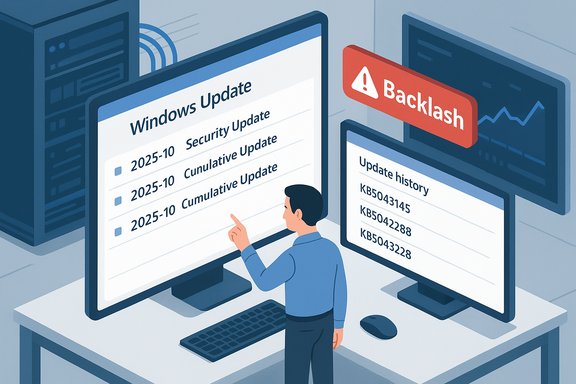
Microsoft has quietly reversed one of its newest Windows Update UI experiments: after removing month‑and‑year prefixes from update titles and provoking an immediate backlash from IT administrators, the company confirmed it will restore the date (month and year) to update titles shown in Settings and Update history.
In late October, Microsoft introduced a simplified naming scheme for many update types — monthly security updates, preview (non‑security) updates, .NET patches, drivers and component updates — that aimed to make the Windows Update UI easier to scan. The new scheme emphasized a short classification (for example, Security Update or Preview Update), the canonical KB number, and where relevant a compact build or version token, while omitting certain strings that Microsoft called “unnecessary technical details,” notably the leading YYYY‑MM date prefix and some architecture/OS version suffixes. Microsoft framed the move as a consumer‑facing UX improvement: long, multi‑line titles can wrap awkwardly in Settings, confuse non‑technical users, and reduce readability on small displays. The company also pointed out that authoritative metadata (KB numbers, build tokens, and catalog entries) would remain accessible via the Microsoft Update Catalog, WSUS, and APIs such as Windows Update for Business / Microsoft Graph, so automation and enterprise tooling would not be destroyed by the cosmetic change. At first glance this is a reasonable principle: surface the thing most users need to act on (the KB) and hide secondary tokens that clutter an interface. The problem, as Microsoft discovered, is that what looks “secondary” to product designers is often primary for operations teams.
Practical next steps for every IT team are simple and immediate: audit scripts, switch to canonical identifiers, train first‑line staff to use KB lookups, and monitor Microsoft’s release‑health channels for the final rollout details. Doing that converts a cosmetic tug‑of‑war into an opportunity: cleaner UI for everyday users, and stronger, API‑driven processes for the administrators who keep Windows fleets secure and reliable.
Source: WinBuzzer Microsoft Partially Reverses Windows Update Naming Change After Administrator Backlash - WinBuzzer
 Background: what changed and why Microsoft tried it
In late October, Microsoft introduced a simplified naming scheme for many update types — monthly security updates, preview (non‑security) updates, .NET patches, drivers and component updates — that aimed to make the Windows Update UI easier to scan. The new scheme emphasized a short classification (for example, Security Update or Preview Update), the canonical KB number, and where relevant a compact build or version token, while omitting certain strings that Microsoft called “unnecessary technical details,” notably the leading YYYY‑MM date prefix and some architecture/OS version suffixes. Microsoft framed the move as a consumer‑facing UX improvement: long, multi‑line titles can wrap awkwardly in Settings, confuse non‑technical users, and reduce readability on small displays. The company also pointed out that authoritative metadata (KB numbers, build tokens, and catalog entries) would remain accessible via the Microsoft Update Catalog, WSUS, and APIs such as Windows Update for Business / Microsoft Graph, so automation and enterprise tooling would not be destroyed by the cosmetic change. At first glance this is a reasonable principle: surface the thing most users need to act on (the KB) and hide secondary tokens that clutter an interface. The problem, as Microsoft discovered, is that what looks “secondary” to product designers is often primary for operations teams.Overview: the administrator backlash and what it revealed
Within hours of the rollout being observed in the wild, help‑desk agents, patch managers and sysadmins began to report practical problems. The chief objections were:- Dates are immediate, glanceable context: a YYYY‑MM prefix ties a package directly to a specific Patch Tuesday or an out‑of‑band emergency fix. Removing that token forces teams to cross‑reference KB numbers or build tokens before they can classify an event.
- The word “Cumulative” signals the scope of a package: monthly cumulative updates include all prior fixes for the servicing branch; a “Preview” or “Out‑of‑Band” label means a different deployment policy and risk profile.
- Many runbooks, legacy scripts, dashboards and help‑desk triage pages perform quick string matches on visible titles; smaller organizations often lack the programmatic ingestion to fall back on APIs. Stripping the date and other tokens increased friction across multiple operational workflows.
Why the date prefix matters — a technical and operational breakdown
For non‑technical readers a date may seem trivial. For IT teams, it’s an operational affordance. Here’s why:- Rapid triage: seeing “2025‑10” immediately tells an operator whether a patch belongs to October Patch Tuesday, a late‑month preview, or a separate out‑of‑band release. That immediate recognition shortens investigations.
- Automation brittle points: some legacy scripts and ad‑hoc parsing utilities search for patterns like YYYY‑MM to categorize updates. When those tokens vanish, the scripts fail silently or return ambiguous results.
- Compliance and reporting: auditors and lifecycle managers often use month tokens to verify timely patch application windows across fleets. Conflating date metadata into the less‑obvious KB or build field makes quick auditing harder.
- Human factors: help‑desk agents frequently scan Update history visually during calls with end users; a date prefix reduces cognitive load and helps non‑technical staff escalate correctly.
What Microsoft said, and what it will (and won’t) restore
Microsoft’s official support note and its public responses clarified the intent behind the simplified titles and, crucially, acknowledged the feedback. The company’s revised position — restoring the month/year display — balances the original UX goal with operational realities. The date token will reappear in the Settings → Windows Update and Update history surfaces, even if other simplified elements such as removing the literal word “Cumulative Update” may remain under consideration depending on ongoing feedback. Important distinctions to keep in mind:- Catalog and enterprise surfaces (Microsoft Update Catalog, WSUS, Configuration Manager) were left unchanged during the initial rollout and continue to expose verbose, machine‑oriented titles. That preserved a stable programmatic surface for many organizations.
- The restored date prefix is a UI concession; the company is still prioritizing a cleaner look for everyday users while keeping machine‑readable identifiers intact.
- Microsoft has not yet committed to restoring every removed label (for example, “Cumulative Update” may not return universally), and rollout timing for the fix may be staggered by region and language. Treat the commitment as real but expect a phased server‑side rollout.
Cross‑checks: independent confirmation and context
This sequence — simplification, backlash, partial reversal — has been reported independently across major outlets and the official Microsoft support channel. Microsoft’s support entry titled “Simplified Windows Update titles” details the original change and was published in late October; independent outlets summarized the UX goals and captured community reaction. Multiple technical news sites reported Microsoft’s subsequent commitment to restore the month/year prefix after administrators raised concerns about trackability and triage. Where the public record is thin: the exact schedule for when the restored date token will show up across every SKU, language, and release ring is not exhaustively documented. Microsoft tends to roll server‑side changes gradually; some organizations may see mixed titles during the transition period. Treat the rollout as incremental and verify behavior across representative devices.Practical guidance for IT teams: immediate checklist
Microsoft’s partial reversal is welcome, but operational resilience requires action now. The following steps are prioritized and pragmatic:- Stop relying on visible title text as your canonical key.
- Use the KB number, package GUID, or package hash as the authoritative identifier for automation, SIEM, and change‑management systems. These are immutable and searchable across Microsoft’s catalog.
- Audit and update scripts that parse titles.
- Replace brittle string matches on date prefixes, “Cumulative”, or architecture tokens with KB/build lookups or API queries to the Update Catalog or Microsoft Graph.
- Train help‑desk staff.
- Provide a quick internal cheat sheet so agents can copy a KB from Update history and use the KB → catalog flow for details; this reduces ticket escalations and speeds triage.
- Ingest structured metadata into dashboards.
- Where possible, integrate Windows Update for Business catalog ingestion (Microsoft Graph) into patch dashboards so release month, classification and CVE lists are first‑class fields.
- Pilot and verify.
- Test the restored display in a pilot ring or with a representative device set. Confirm that the server‑side restored date token appears as expected and track any anomalies.
Longer‑term guidance: build for metadata, not display strings
This incident is a reminder that user‑facing text and programmatic metadata have different lifecycles. Organizations should:- Prefer API‑driven ingestion of update metadata (Microsoft Graph, Update Catalog feeds) for monitoring and auditability. These APIs expose structured fields for release date, classification, target products and CVEs that are not subject to UI experiments.
- Store KB numbers and package GUIDs as primary keys in CMDBs and asset inventories.
- Avoid ad‑hoc pattern‑matching against display titles in automation; treat display strings as ephemeral, localized and subject to UX change.
UX tradeoffs: strengths of Microsoft’s approach and where it failed
Strengths- Readability: shorter titles reduce line wrapping and make Update history easier to scan for typical users. This addresses a genuine pain point for consumers and non‑technical staff.
- Consistency across update types: a standardized label structure helps set user expectations and simplifies the display for smaller screens and localized UIs.
- Preservation of authoritative identifiers: Microsoft kept KB numbers and build tokens visible and left catalog/WSUS strings intact, which mitigated automation risk for many enterprise pipelines.
- Insufficient operational testing: the change showed that Microsoft’s UX experiment did not fully account for the real‑world ways admins and help desks rely on visible title metadata. The decision undervalued the date prefix for operations workflows.
- Communication and rollout clarity: Microsoft documented the change but the support note did not provide an explicit timeline for restoring date tokens or clarify whether labels like “Cumulative Update” would return. That ambiguity amplified concern.
- Localized and legacy cases: server‑side, phased rollouts create transient inconsistencies across regions and devices, which is exactly the kind of friction enterprises try to avoid.
Risks that remain and things to monitor
Even with dates restored, some risks persist:- Partial restoration: Microsoft may keep some simplified tokens (for example, removing the word “Cumulative”) which could still create ambiguity for a segment of workflows that expect that string to toggle treatment policies.
- Rollout timing and non‑uniform behavior: server‑side rollouts are notorious for producing mixed experiences during the transition window; some devices may show older or newer titles depending on server propagation and localization. Verify in your estate.
- Third‑party dependencies: vendors who integrated update‑title parsing into connectors or dashboards may still be shipping tools that assume old formats. Confirm with vendors that connectors match on KB/package GUID rather than free text.
- Complacency: seeing the date restored may lull teams into assuming display strings are stable. The correct posture is to treat UI strings as volatile and code around canonical identifiers.
- Any reporting that links this titling change to deeper servicing changes (reboot behavior, update orchestration fixes beyond the UI) remains speculative unless Microsoft publishes detailed engineering notes. Treat claims about root‑cause orchestration or side effects as provisional unless backed by an official post‑mortem.
How end users and small IT shops should react today
- If you’re a consumer or single‑PC owner: the KB number is the quickest way to find details about an update. Copy the KB from Update history and search Microsoft support or the KB article for release notes and CVE details.
- If you manage a small fleet without catalog ingestion: maintain a small mapping table (KB → YYYY‑MM → update type → build) and expose that in your help‑desk knowledge base so first‑line agents can resolve tickets faster.
- If you’re an MSP or large enterprise: drive an immediate change to ingest catalog metadata programmatically and update any third‑party connectors to rely on KB/package GUIDs for correlation.
Conclusion: a narrow UX fix with a broader lesson for update management
Microsoft’s partial reversal — restoring the month‑and‑year date prefixes in Windows Update titles — resolves the most acute operational pain created by its simplification experiment. The company’s willingness to listen and iterate is a positive sign; the restored date token improves visibility for admins and reduces friction in triage and compliance workflows. But the episode underscores a larger truth: the surface text seen by users and the metadata relied on by machines and administrators are different products and must be validated against both user experience and operational workflows. The resilient path forward for organizations is to stop treating display strings as authoritative and to center KB numbers, package GUIDs and structured API metadata in patch‑management pipelines. That approach preserves human readability while making update management robust to future UI experiments.Practical next steps for every IT team are simple and immediate: audit scripts, switch to canonical identifiers, train first‑line staff to use KB lookups, and monitor Microsoft’s release‑health channels for the final rollout details. Doing that converts a cosmetic tug‑of‑war into an opportunity: cleaner UI for everyday users, and stronger, API‑driven processes for the administrators who keep Windows fleets secure and reliable.
Source: WinBuzzer Microsoft Partially Reverses Windows Update Naming Change After Administrator Backlash - WinBuzzer
