

Microsoft's quietly announced rollback of several high-profile Copilot integrations in Windows 11 marks a significant course correction for Microsoft's desktop AI strategy — one driven as much by user backlash and enterprise pushback as by engineering trade‑offs. In mid‑March 2026 the company shelved plans to extend Copilot into the Windows Notification Center and several lightweight in‑box surfaces, paused or removed other visible AI nudges, and shipped a narrowly scoped administrative uninstall for the consumer Copilot app — decisions that signal a new, more cautious phase for AI in Windows. erview
Microsoft introduced Copilot as the centerpiece of a broader “AI PC” vision: an on‑device and cloud‑assisted assistant that could see, speak, and act within Windows. Over the past two years the company layered Copilot into many areas of the OS — a dedicated Copilot app, taskbar buttons, keyboard shortcuts, Explorer and Settings helpers, Copilot Vision and Voice modes, and experimental “agentic” actions capable of multi‑step workflows. That aggressive expansion produced visible gains in capability but sparked sustained complaints about intrusiveness, privacy, and a sense that the OS was being reconfigured without sufficient user control.
The most recent decisions are a reaction to that backlinside Microsoft that the path to widespread acceptance will require more careful gating, clearer admin controls for organizations, and a heavier emphasis on reliability and performance. Engineering teams are said to be re‑allocating resources away from “surface area” experiments and toward stabilization work — a pivot that includes removing certain Copilot surfaces from everyday flows.
Enterprises want control. Administrators told Microsoft that Copilot’s proliferation — particularly when provisioned by OEM images or pushed via updates — created management and compliance headaches. The new Group Policy setting is a concession: an acknowledgement that IT needs supported, predictable levers to limit consumer Copilot footprints on managed devices without breaking tenant‑bound Copilot 365 deployments. But the policy’s narrow conditions underscore Microsoft’s discomfort with a blanket uninstall approach.
That does not mean Microsoft is abandoning the idea of an intelligent OS. Instead, expect a few predictable changes over the next year:
For end users and administrators the near term will be about management: deciding whether to reinstall or remove the cpplying the new admin controls where appropriate, and watching future Windows releases for clearer, more conservative AI surface strategies. For Microsoft, the path ahead demands humility — prioritize reliability and consent, sharpen messaging, and treat visible AI expansions as experiments that require explicit user permission and enterprise controls before they become defaults. Only then can Windows reclaim the user sovereignty that many felt was at risk as Copilot spread across the desktop.
The debate over where AI belongs on the desktop is far from settled, but this latest pivot makes one thing clear: feature velocity without user trust is a fragile victory. Microsoft has taken a step back — now it must show it can move forward in ways that earn the right to change how we use our PCs.
Source: TechRadar https://www.techradar.com/computing...ut-the-fight-over-windows-11s-soul-continues/
Source: Analytics Insight Microsoft Quietly Removes Copilot from Windows 11’s Everyday Features
Source: gHacks Microsoft Cancels Several Planned Copilot Integrations in Windows 11 - gHacks Tech News
Microsoft introduced Copilot as the centerpiece of a broader “AI PC” vision: an on‑device and cloud‑assisted assistant that could see, speak, and act within Windows. Over the past two years the company layered Copilot into many areas of the OS — a dedicated Copilot app, taskbar buttons, keyboard shortcuts, Explorer and Settings helpers, Copilot Vision and Voice modes, and experimental “agentic” actions capable of multi‑step workflows. That aggressive expansion produced visible gains in capability but sparked sustained complaints about intrusiveness, privacy, and a sense that the OS was being reconfigured without sufficient user control.
The most recent decisions are a reaction to that backlinside Microsoft that the path to widespread acceptance will require more careful gating, clearer admin controls for organizations, and a heavier emphasis on reliability and performance. Engineering teams are said to be re‑allocating resources away from “surface area” experiments and toward stabilization work — a pivot that includes removing certain Copilot surfaces from everyday flows.
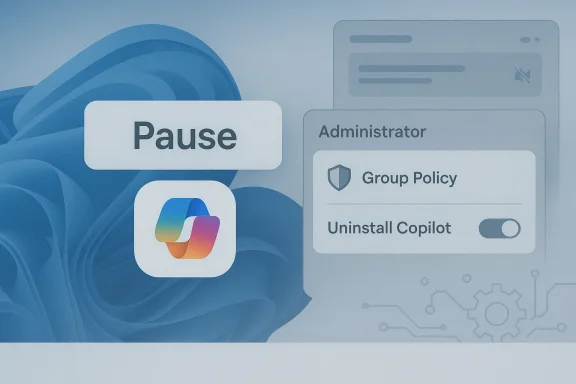 What Microsoft paused, removed, or reconsidered
Notification Center integration aes
One of the most controversial proposed changes was deeper Copilot presence inside the Windows Notification Center and some Settings panes. Microsoft quietly shelved plans to embed Copilot UI elements there after previews and telemetry showed user frustration at unsolicited AI prompts and persistent “nudges.” This was not a single feature toggle but a broad pullback on adding new, ambient Copilot surfaces to areas where users expect quick, non‑AI interactions.Experimental Recall and agentic actions
Features that edged toward agentic automation — including the controversial “Recall” conike memory of on‑device activity) and early multi‑step Copilot Actions — have been re‑gated for additional review. Microsoft appears to be preserving the underlying research while pausing broad exposure until privacy, transparency, and governance controls are stronger. Multiple internal and public notes describe this as a re‑architecting step, not a permanent kill.In‑box Copilot UI elements and “Copilot everywhere”
Where Microsoft previously favored a “Copilot everywhere” approach — adding dedicated buttons, context helpers, and tweight apps — product teams are now dialing back the number and intrusiveness of visible Copilot surfaces. The company is favoring smaller, opt‑in experiences and clearer user controls over aggressive, opt‑out defaults.Administrative controls: a narrow uninstall path
Responding to enterprise requests, Microsoft added a Group Policy that can remove the consumer Copilot app from managed Windows 11 devicesns. The control is a one‑time, conditional uninstall exposed in Insider Preview build 26220.7535 (delivered as KB5072046) and deliberately limited so it doesn't disrupt tenant‑managed Microsoft 365 Copilot workflows. The policy gives IT teams a surgical cleanup option while preserving Microsoft’s broader Copilot strategy.Why Microsoft changed course — root causes and drivers
1) Persistent user dissatisfaction with intrusive AI surfaces
The principal driver for the rollback is sustained user dissatisfaction. Across forums, social media, and telemetry channels Microsoft saw repeated complaints that Copilot was too pervasive, generated unwanted notifications, and altered familiar UI patterns. That friction accelerated calls for better opt‑out options and tighter enterprise governance. The company’s decision reflects the reality that powerful features still fail when they erode basic user trust annterprise governance and admin headachesEnterprises want control. Administrators told Microsoft that Copilot’s proliferation — particularly when provisioned by OEM images or pushed via updates — created management and compliance headaches. The new Group Policy setting is a concession: an acknowledgement that IT needs supported, predictable levers to limit consumer Copilot footprints on managed devices without breaking tenant‑bound Copilot 365 deployments. But the policy’s narrow conditions underscore Microsoft’s discomfort with a blanket uninstall approach.
3) Privacy risk and regulatory scrutiny
Several Copilot designs collected or processed sensitive context to deliver richer experiences. Those choices invited scrutiny: privacy‑minded users and compliance teams pressed Microsoft to show clearer data flows, local processing guarantees, and stronger consent mechanisms before enabling always‑on or ambient AI features. Reinings is a pragmatic way to avoid escalating regulatory attention while work on governance proceeds.4) Reliability, performance, and product tradeoffs
Adding AI surfaces introduces complexity, and Microsoft is under pressure to re‑prioritize core Windows reliability and performance. Engineering teams have been told to slow expansion of visible Copilot features and focus on system hardening — a sign that the company tion depends on a stable, fast foundation rather than feature breadth alone.Cross‑checked facts and independent corroboration
- Microsoft shipped a narrowly scoped Group Policy to uninstall the consumer Copilot app in the Windows Insider Preview (Build 26220.7535 / KB5072046), and that policy runs only under specific conditions (e.g., the app is provisioned and unused for a period). This demultiple internal previews and independent reporting. (tomshardware.com)
- Multiple outlets and community reports confirm Microsoft paused or shelved plans to insert Copilot into the Notification Center and other lightweight OS surfaces following user feedback. That consensus appears across industry reporting and community threads.
- There have been earlier incidents where Windows updates unintentionally removed or unpinned the Copilot app on some devices — an episode that underscores both the fragility of aggressive rollout strategies andinstall/uninstall semantics. Those incidents were widely reported and discussed.
What this means for users, admins, and OEMs
For end users
- Expect fewer unsolicited Copilot nudges in the short term. Microsoft appears to be moving toward opt‑in models and more visible consent flows for AI features previously exposedilot disappears following certain updates or if you want it removed, you may need to reinstall from the Microsoft Store or use admin tools; the uninstall path is intentionally narrow and may not apply to every scenario.
For enterprise administrators
- You now have a supported, conditional Group Policy to rilot app from managed devices — but it’s a one‑time, gated action that requires planning. Admins should test in Insider channels, validate prerequisites, and fold the new policy into a broader governance playbook rather than treating it as a permanent block.
For OEMs and ISVs
- OEM images and provisioning flows that bake in Copilot will need clearer guidance. treat increases short‑term uncertainty for OEMs deciding whether to ship Copilot pre‑installed, and it raises questions about future provisioning contracts and update semantics. Independent software vendors should avoid hard dependencies on ephemeral Copilot surfaces and deadation.
Technical and product analysis: strengths, weaknesses, and risks
Strengths of Microsoft’s approach so far
- Rapid functional innovation: Microsoft moved from simple chat helpers to vision, voice, and agentic actions with impressive pace, demonstrating the platform poten.
- Enterprise‑aware controls: the introduction of a Group Policy — even a conservative one — shows Microsoft is listening to enterprise needs and building supported administrative tools rather than relying strictly on undocumented workarounds.
Weaknesses and missteps
- Overextension of UI surfaces: by seeding ghtweight areas, Microsoft created cognitive and consent friction that many users found unacceptable; the company underestimated how quickly repeated nudges would erode goodwill.
- Messaging and transparency gaps: engineers and product teams have sometimes shipped preview experiences without clear public documentation of telemetry, data flows, or opt‑out semantics. That left users guessing whether features were permanent, experimental, or subject to privacy controls.
Risks going forward
- Fragmentation risk: Microsoft now maintains multiple, overlapping Copilot experiences app, tenant‑bound Microsoft 365 Copilot, and OS‑level assistive surfaces. The overlap can confuse users, complicate support, and increase the chance of regression or policy mismatch.
- Trust erosion: repeated episodes where Copilot was uninstalled, then reintroduced in different forms, or shown in unexpected places, risk longer‑term erosion of user trust. Repairing that trust will take consistent, visible controls and conservative defaults. ([windowscentral.comentral.com/software-apps/windows-11/is-this-windows-11-bug-the-feature-weve-been-waiting-for-say-goodbye-to-copilot-for-now)
- Regulatory scrutiny and compliance costs: more ambitious on‑device AI that ingests context can quickly run into privacy and sectoral compliance requirements; Microsoft’s measured step back reduces near‑term risk but doesn’t eliminate the long‑term need for robust privacy engineering and auditability.
Practical guidance: what to do today
- Chec and Copilot state. If Copilot was removed by an update or unpinned, reinstall the consumer Copilot app from the Microsoft Store and re‑pin as needed.
- For admins: evaluate the RemoveMicrosoftCopilotApp Group Policy in a test ring (Insider Preview build 26220.7535 / KB5072046) before wider rollout. Treat it as a one‑time cleanup tool and document its prerequisites.
- Harden enterprise policy: use Intune or Group Policy to audit which Copilot experiences are provisioned, and combine uninstall controls with configuration a that limit data sharing until you’re comfortable.
- Review privacy settings: if you’re concerned about Copilot’s contextual capabilities, explicitly review Windows AI, Camera/Microphone, and cloud consent settings aot can access until Microsoft publishes clearer guarantees.
- For OEMs and ISVs: avoid emeral Copilot surfaces; design graceful fallbacks and ensure your user flows work if Copilot is absent or behaves differently acr# Strategic takeaways and forward look
That does not mean Microsoft is abandoning the idea of an intelligent OS. Instead, expect a few predictable changes over the next year:
- Fewer default AI nudges; more opt‑in and user‑explicit enablement patterns.
- Stronger enterprise controls that integrate with Microsoft 365 governance and Intune.
- Re‑gating of agentic or always‑on features (like Recall) until privacy, consent, and local processing guarantees are stronger.
Final analysis: a necessary correction but not a surrender
Microsoft’s decision to drop or pause several Copilot integrations is a pragmatic retreat, not a surrender. It recognizes that technology adoption depends on trust, not just technical novelty. The company’s constrained policy tools and the staging of feature rollouts show constructive responsiveness, but they also highliges: overlapping Copilot variants, unclear lifecycle semantics for installed Copilot components, and the hard work of making privacy and governance first‑class citizens in an AI era.For end users and administrators the near term will be about management: deciding whether to reinstall or remove the cpplying the new admin controls where appropriate, and watching future Windows releases for clearer, more conservative AI surface strategies. For Microsoft, the path ahead demands humility — prioritize reliability and consent, sharpen messaging, and treat visible AI expansions as experiments that require explicit user permission and enterprise controls before they become defaults. Only then can Windows reclaim the user sovereignty that many felt was at risk as Copilot spread across the desktop.
The debate over where AI belongs on the desktop is far from settled, but this latest pivot makes one thing clear: feature velocity without user trust is a fragile victory. Microsoft has taken a step back — now it must show it can move forward in ways that earn the right to change how we use our PCs.
Source: TechRadar https://www.techradar.com/computing...ut-the-fight-over-windows-11s-soul-continues/
Source: Analytics Insight Microsoft Quietly Removes Copilot from Windows 11’s Everyday Features
Source: gHacks Microsoft Cancels Several Planned Copilot Integrations in Windows 11 - gHacks Tech News
