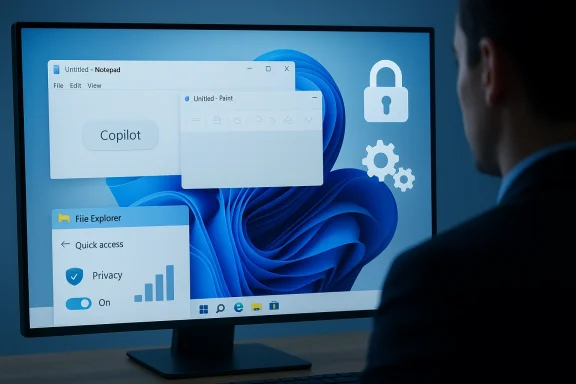
Microsoft’s reported U‑turn on the most visible AI experiments in Windows 11 is a rare — and necessary — example of product discipline: the company appears to be dialing back the “Copilot everywhere” approach, pausing the rollout of new Copilot buttons in lightweight, built‑in apps, and re‑gating the controversial Windows Recall timeline feature while it hardens privacy, manageability, and reliability.
Windows 11’s recent releases have been defined less by single marquee features and more by a sustained push to embed AI across the OS. Microsoft has layered the Copilot brand into the taskbar, File Explorer, Notepad, Paint and other inbox apps, promoted Copilot+ hardware for on‑device AI acceleration, and previewed "Recall" — a local, searchable timeline of snapshots intended to let users “rewind” activity on their PC. Those moves were part tech bet and part positioning: make Windows feel modern while giving developers, OEMs and consumers a path to on‑device semantic features.
But ambitions met friction. A cross‑section of the Windows community — power users, administrators, security researchers and many everyday customers — pushed back. The complaints fell into three main buckets: perceived UI clutter and low value from ubiquitous Copilot affordances; valid privacy and security concerns about Recall’s continuous indexing; and the brittle optics of shipping visible AI while core OS stabilility remained churned. Those tensions drove an internal reassessment, and public reporting now indicates Microsoft is pausing or reworking some of the most visible AI surfaces rather than abandoning AI entirely. ([techradar.com](https://www.techradar.com/computing...o-fix-the-os-and-stop-pushing-ai?utm_sourchat Microsoft is reported to be changing
The core signals reported by multiple outlets and visible in Insider builds are pragmatic and surgical, not ideological:
Two practical principles should guide future work:
This episode is a cautionary tale for any company embedding generative or ambient AI: success depends not just on model capabilities, but on choices about defaults, discoverability, transparency and administrative control. Microsoft’s pivot is a second chance to prove that AI can be integrated into a platform responsibly; the company’s next steps — particularly published design transparency, reliable admin controls, and careful UX placement — will determine whether that chance becomes a long‑term recovery of trust or another short‑lived experiment.
For readers and administrators: watch the next Insider builds and official Microsoft release notes closely. The details there — not rumors — will determine whether Copilot becomes a genuinely helpful assistant or a cautionary chapter in how not to ship ubiquitous AI.
Source: 247news.com.pk Windows 11 to Scale Back AI Features After User Backlash - 247News
 Background
Windows 11’s recent releases have been defined less by single marquee features and more by a sustained push to embed AI across the OS. Microsoft has layered the Copilot brand into the taskbar, File Explorer, Notepad, Paint and other inbox apps, promoted Copilot+ hardware for on‑device AI acceleration, and previewed "Recall" — a local, searchable timeline of snapshots intended to let users “rewind” activity on their PC. Those moves were part tech bet and part positioning: make Windows feel modern while giving developers, OEMs and consumers a path to on‑device semantic features. But ambitions met friction. A cross‑section of the Windows community — power users, administrators, security researchers and many everyday customers — pushed back. The complaints fell into three main buckets: perceived UI clutter and low value from ubiquitous Copilot affordances; valid privacy and security concerns about Recall’s continuous indexing; and the brittle optics of shipping visible AI while core OS stabilility remained churned. Those tensions drove an internal reassessment, and public reporting now indicates Microsoft is pausing or reworking some of the most visible AI surfaces rather than abandoning AI entirely. ([techradar.com](https://www.techradar.com/computing...o-fix-the-os-and-stop-pushing-ai?utm_sourchat Microsoft is reported to be changing
The core signals reported by multiple outlets and visible in Insider builds are pragmatic and surgical, not ideological:
- Pausing the addition of new Copilot buttons and "micro‑affordances" in lightweight inbox apps such as Notepad and Paint, and re‑reviewing whether exng in those apps.
- Re‑gating Windows Recall for deeper security, privacy and UX work — including renaming, redesigning, or narrowing its scope — after researchers and users flagged risks. Microsoft previously delayed the feature and limited broad rollout to Insiders while it added protections.
- Shipping or accelerating administrative controls for enterprise and education SKUs so admins can manage, restrict or remove some Copilot components under policy — albeit with practical constraints in current Insider iterations.
- Continuing investment in backend AI plumbing (Windows ML, semantic search, developer APIs and on‑device runtimes), signaling that visible retraction doesn’t equal abandonment of platform investments.
Why the backlash mattered — trust, not just technology
The collective reaction to Microsoft’s AI push is instructive: it wasn’t that users universally hated AI — many welcomed useful, optional AI — but that the rollout eroded a core expectation from an OS: predictable control and privacy.- Visibility without value: Copilot buttons in tiny utility apps created a perception of noise and branding rather than utility. Users repeatedly asked why a minimal app like Notepad needed a persistent assistant button. When helpers feel cosmetic, they look like advertising.
- Privacy anxiety: Recall’s promise to index local screen content — even when implemented with opt‑in and Hello gating — evoked comparisons to a background keylogger. The engineering problems (initial plaintext stores, unclear admin boundaries) worsened perceptions, even after Microsoft added encryption and gating.
- Reliability optics: Windows users noticed that visible AI arrived at a time when basic stability and update behavior warranted attention. Recurring update regressions, feature flakiness, and accidental uninstall incidents fed the narrative that spectacle trumped polish.
Deep dive: What went wrong with Recall (and what's been fixed)
Recall is the most consequential technical example in this story because it touches storage, encryption, authentication and user consent all at once.The problem set
Originally, Recall captured periodic screenshots and indexed on‑screen text to support natural language queries about past activity. Security researchers pointed out concrete attack surfaces:- Local snapshot files and indexes appeared accessible on disk in ways that could be copied or read by other processes or users. Early reporting noted plaintext stores in AppData and incomplete isolation.
- Without conservative defaults and robust gating, a feature that snapshots screens expands the attack surface for credential leakage, DRM issues, and data retention problems — especially on shared or poorly secured devices.
Hardening and response
Microsoft responded with a multi‑pronged hardening effort:- Moved Recall to the Insider preview channel while adding opt‑in default behavior rather than on‑by‑default deployment.
- Added encryption for stored snapshots, with keys managed by TPM/hypervisor protections where available, reducing the risk of casual local exfiltration. Independent reviews found encryption present in later builds.
- Gated access with Windows Hello and introduced adminls to make the data harder to access and easier to purge.
Where the evidence is strongest — and where it’s thin
A responsible journalist must highlight which claims are corroborated and which are reported or still evolving.- Corroborated: Microsoft delayed or re‑gated Recall after privacy and security scrutiny; the company reworked encryption and gating; Insider builds include new Group Policy/MDM knobs and limited uninstall/remove flows for Copilot components. Multiple outlets and technical reviews show these changes in Insider artifacts.
- Corroborated by multiple independent outlets: The broader pause on adding more Copilot buttons to inbox apps and the review of Copilot's surface area has been reported by Windows‑focused publications and repeated by general tech press — consistent signals across outlets.
- Still evolving / unconfirmed: Claims that Microsoft will remove or rebrand every Copilot entry point are reported based on internal chatter; Microsoft has not published a universal product cancellation memo. Treat reports of wholesale removal as plausible but unconfirmed until official release notes or engineering posts appear.
Strengths of Microsoft’s pivot — realistic benefits
This pivot can yield clear positives if executed honestly and measurably.- Better product‑market fit: Prioritizing where AI helps (Explorer search, accessibility, file summarization) instead of everywhere will increase real value and decrease noise.
- Improved trust posture: Conservative defaults, clearer opt‑ins, stronger encryption and admin controls are the ingredients of recoverable trust. Enterprises and privacy‑conscious consumers will reward predictable behavior.
- More durable platform plumbing: Keeping investments in Windows ML, semantic search and developer APIs while trimming UI noise preserves long‑term technical advantages without antagonizing users.
Risks and unanswered questions
The pivot carries its own set of risks that Microsoft must manage carefully.- Implementation transparency: Hardening matters only if customers can verify it. Without clear, auditable documentation of how Recall stores data, who can access it, and how keys are protected, skepticism will remain. Independent audits or published cryptographic design notes would help.
- Admin usability and policy complexity: Early Group Policy and MDM options exist, but they are sometimes constrained (for exahave preconditions). Enterprises will demand deterministic controls that work at scale; anything less will cause admins to seek brittle workarounds.
- Fragmentation and developer confusion: If the surface area and branding for Copilot are rebranded, re‑scoped, or inconsistently available across SKUs and hardware tiers (Copilot vs Copilot+), third‑party developers may struggle to build consistent experiences. Clear API commitments matter more than ephemeral UI affordances.
- Reputation persistence: Even if Microsoft fixes the engineering problems, the perception that the company shipped a privacy‑sensitive feature prematurely may linger. Rebuilding trust takes multiple visible, independent improvements over time.
What this means for users and administrators — practical guidance
- Verify feature status before enabling. If you’re an admin or cautious user, check whether Recall and Copilot integrations are enabled on your devices and whether they require Windows Hello or BitLocker/Device Encryption to provide the stated protections.
- Prefer policies over hacks. Avoid one‑off removal scripts on production fleets. Use the new Group Policy / MDM options available in Insider or controlled preview builds to manage Copilot components and document the limitations.
- Audit storage and retention. If Recall or similar indexing features are enabled, enforce retention policies, verify encryption status, and ensure logs and audit trails are captured according to your compliance needs.
- Test on representative hardware. Copilot+ capabilities and on‑device model behavior may vary by NPU and OEM firmware. Pilot any AI‑driven workflows on representative images before broad deployment.
- Watch Insider notes and official engineering posts. The most concrete confirmations will appear in build release notes, Group Policy templates, and Microsoft engineering blogs — not only in secondary reporting. Treat current reports as directional until Microsoft publishes formal artifacts.
Bigger picture: product discipline for platform AI
Microsoft’s partial retreat — or, more precisely, its recalibration — underlines a broader rule for platform vendors: integrating powerful capabilities into a ubiquitous product demands an extra layer of governance. At scale, an OS is a trust product. The risk equation for an always‑on, assistant‑driven desktop includes privacy, manageability, and the sheer cognitive load of persistent micro‑UI elements.Two practical principles should guide future work:
- Start with zero: make AI features opt‑in by default, especially those that index or snapshot user content. Scoping default behavior to conservative settings reduces downstream friction.
- Invest in auditable controls: publish design notes, threat models and admin policy semantics so customers can verify claims rather than rely on opaque assurances. This is both a technical and reputational defense.
Conclusion
The current reporting paints a clear arc: Microsoft pushed aggressively to make Windows 11 an “AI PC,” encountered real, technical and social pushback, and is now pruning visible, low‑value AI surfaces while doubling down on platform investments that matter. That is a pragmatic course correction — one that recognizes the difference between capability and product fit.This episode is a cautionary tale for any company embedding generative or ambient AI: success depends not just on model capabilities, but on choices about defaults, discoverability, transparency and administrative control. Microsoft’s pivot is a second chance to prove that AI can be integrated into a platform responsibly; the company’s next steps — particularly published design transparency, reliable admin controls, and careful UX placement — will determine whether that chance becomes a long‑term recovery of trust or another short‑lived experiment.
For readers and administrators: watch the next Insider builds and official Microsoft release notes closely. The details there — not rumors — will determine whether Copilot becomes a genuinely helpful assistant or a cautionary chapter in how not to ship ubiquitous AI.
Source: 247news.com.pk Windows 11 to Scale Back AI Features After User Backlash - 247News