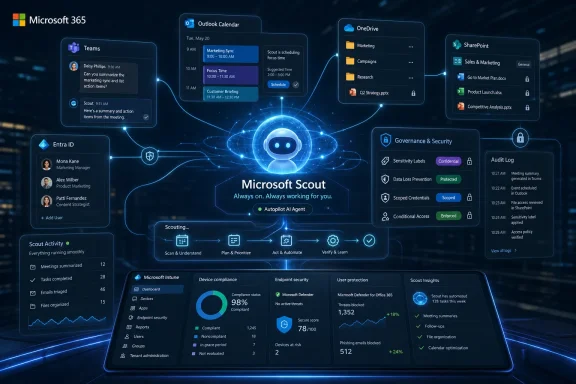
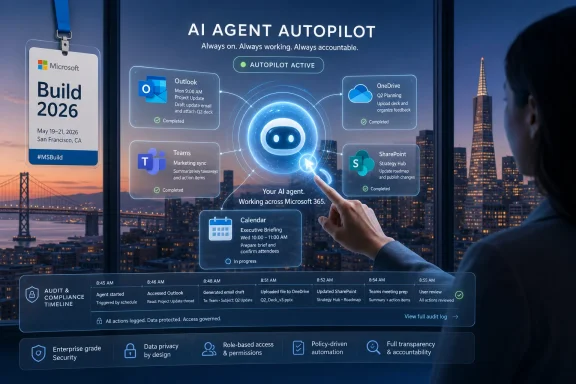
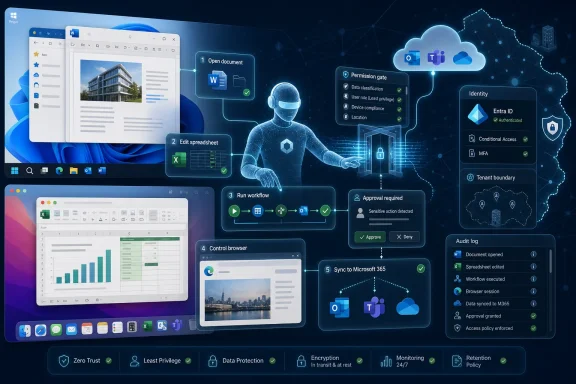
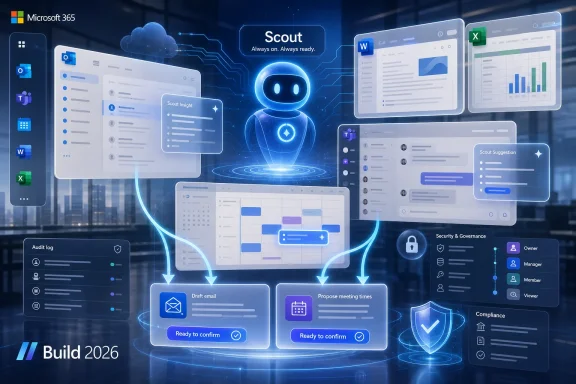
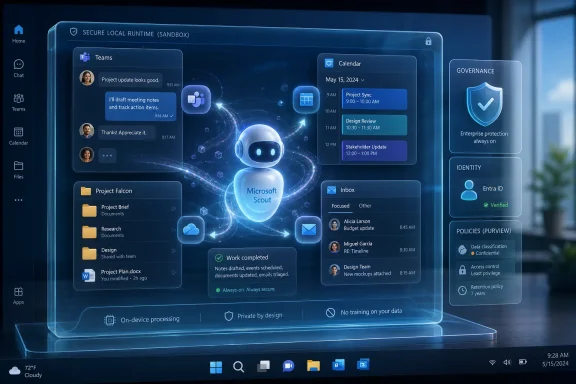
Microsoft introduced Microsoft Scout on June 2, 2026, at Build in San Francisco and online as its first “Autopilot” agent for Microsoft 365, an always-on OpenClaw-based assistant that works through Teams, Outlook, OneDrive, SharePoint, the desktop, the browser, and governed Entra identity. The announcement matters because Microsoft is no longer merely selling Copilot as a chat box with enterprise data access. It is trying to normalize a new class of software that waits in the background, observes work as it unfolds, and acts before the user asks. That is both the pitch and the problem: Scout is Microsoft’s clearest attempt yet to turn autonomous agents from a viral experiment into managed corporate infrastructure.

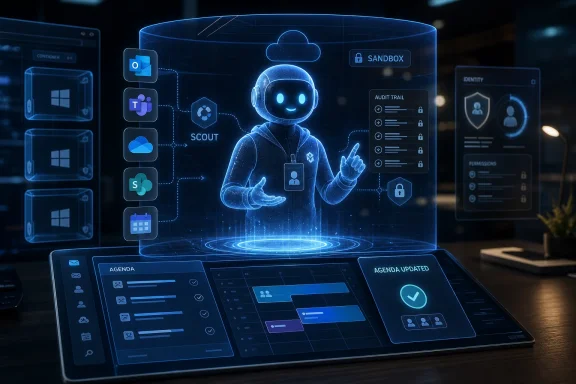
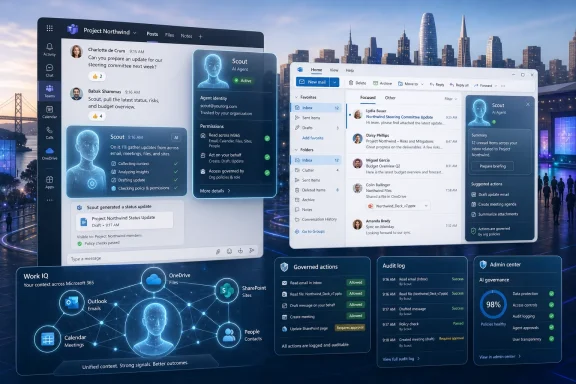
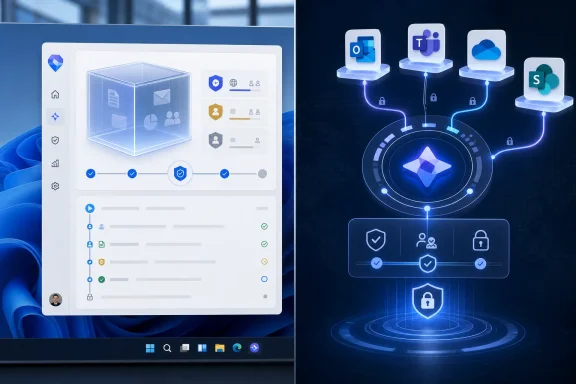
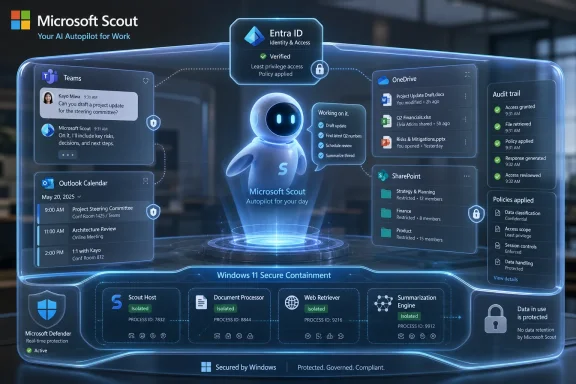
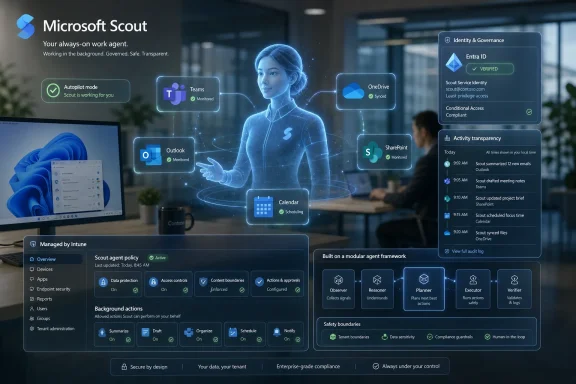
A futuristic UI shows Microsoft Scout AI automating secure work with Entra ID, audit trails, and protected data.Microsoft Moves the Agent From the Prompt Box to the Org Chart​

The most important word in Microsoft’s Scout announcement is not “AI,” “Copilot,” or even “OpenClaw.” It is identity. Scout is being positioned as an agent with its own governed Entra identity, which means Microsoft wants organizations to treat it less like a feature and more like a worker-shaped software principal.
That is a subtle but enormous shift. Traditional productivity software is something a user opens, commands, and closes. Copilot changed the interaction model by letting users ask for summaries, drafts, and analysis inside Microsoft 365. Scout changes the accountability model by giving an assistant enough persistence to act when the human is elsewhere.
Microsoft calls this new category “Autopilots,” a term that suggests delegation without abandonment. The agent remains under policy, but it does not wait for every individual prompt. It can coordinate meetings, monitor work commitments, block calendar time, surface stalled decisions, and prepare materials based on signals from chats, email, calendars, files, contacts, browser activity, local resources, and model context protocol servers.
That is not just a better assistant. It is Microsoft making a claim about where office work is going: away from the user manually orchestrating apps and toward a managed layer of agents moving between them.

Scout Is the Friendly Face of a Much Bigger Platform Bet​

Scout arrives wrapped in the language of personal productivity, but Build 2026 made clear that Microsoft is building a broader agent stack underneath it. The same event featured OpenClaw on Windows in preview, Microsoft Execution Containers, Windows 365 for Agents, Agent 365 integration, new Windows AI APIs, local small language models, and developer hardware aimed at running agent workloads. Scout is the consumer-visible tip of an enterprise architecture iceberg.
That matters for WindowsForum readers because Microsoft is not treating agents as a cloud-only Microsoft 365 feature. It is pushing agent execution into Windows, WSL, Cloud PCs, browsers, and managed desktops. The desktop is becoming an agent host, not merely a place where humans run applications.
The company’s Windows developer messaging is unusually direct on this point. Microsoft Execution Containers are described as a policy-driven execution layer for agents, with developers declaring what an agent can access and Windows enforcing those boundaries at runtime. The company is also talking about OS-enforced agent identity, containment, Intune policy, Defender protections, Purview data controls, and Entra-backed attribution.
In other words, Scout is not just a product announcement. It is a proof point for Microsoft’s preferred answer to the agent problem: do not ban autonomous agents, do not let them roam free, and do not pretend chat permissions are enough. Give them identities, put them in containers, wire them into enterprise policy, and make Windows part of the control plane.

OpenClaw Forced Microsoft to Pick a Side​

OpenClaw is the ghost in the room. The open-source agent framework became a symbol of what enthusiasts want from autonomous software: persistence, extensibility, local control, tool use, and the ability to wire an agent into real workflows without waiting for a vendor roadmap. It also became a symbol of what security teams fear: broad permissions, unpredictable actions, credential exposure, prompt injection, and weak boundaries between suggestion and execution.
Microsoft’s move is notable because it does not reject OpenClaw. It embraces it, wraps it, and tries to enterprise it. Scout is explicitly powered by OpenClaw open-source technology, and Microsoft says it is contributing policy conformance upstream so organizations running OpenClaw can validate whether an environment meets security and compliance requirements.
That is a classic Microsoft play when a developer movement gets too large to ignore. The company does not need to own the original spark if it can own the enterprise-safe distribution path. It did this with Linux, containers, Kubernetes, VS Code extensions, GitHub workflows, and open-source developer tooling. Now it is attempting the same maneuver with autonomous agents.
The gamble is that enterprises will accept OpenClaw-style autonomy if Microsoft can make it legible to compliance teams. The risk is that “OpenClaw, but governed” may still inherit enough of OpenClaw’s threat model to make cautious organizations slow-walk adoption. Scout’s success will depend less on whether it can schedule meetings and more on whether auditors, CISOs, and tenant admins believe its actions are traceable, reversible, and meaningfully constrained.

The Office Assistant Finally Got Permissions​

The history of digital assistants is littered with products that could talk convincingly but do very little. Siri, Alexa, Google Assistant, Cortana, and the first wave of Copilot-style chat tools all ran into the same wall: helpful language without dependable authority is still mostly advice. Scout is Microsoft’s attempt to cross that wall by giving the assistant sanctioned access to the machinery of work.
That machinery is Microsoft 365. Teams tells Scout where conversations are happening. Outlook tells it what commitments are accumulating. OneDrive and SharePoint expose the documents that define projects. Calendar data exposes time pressure. Contacts reveal the human graph. Browser and desktop hooks extend the agent beyond cloud APIs into the messier world where modern work actually happens.
This is why the announcement is more consequential than a feature list. An assistant that summarizes a meeting is useful. An assistant that notices a decision has stalled, finds the relevant people, proposes a meeting time, prepares background material, and blocks focus time for deliverables is edging into workflow ownership. That is a different relationship between user and software.
Microsoft is trying to keep that relationship from sounding scary by emphasizing that Scout keeps the user “in the loop.” But “in the loop” is not a static concept. The more capable the agent becomes, the more pressure there will be to move approvals from every action to only sensitive actions, from active confirmation to policy exceptions, and from direct supervision to audit review.

Governance Is the Product, Not the Wrapper​

Microsoft’s Scout pitch repeatedly returns to identity, credentials, access control, sensitivity labels, data loss prevention, and sign-off for sensitive actions. That may sound like enterprise throat-clearing, but it is actually the core product. Without those controls, Scout would be another impressive demo that most regulated organizations would refuse to deploy.
The company is trying to solve a structural problem in agentic software: the more useful an agent is, the more dangerous it becomes. A calendar-only bot is safe but limited. A desktop-and-browser agent that can interact with files, apps, websites, local resources, and external MCP servers can become genuinely useful, but it also becomes a new attack surface with a memory, a tool belt, and delegated authority.
That is why Entra identity matters. If every agent acts through a known identity, its work can be attributed, logged, governed, and revoked. If credentials are scoped, redacted from diagnostics, and managed like first-party service credentials, the agent is less likely to become a leaky automation script with a friendly name. If Purview policies apply at the moment data is sent or written, the agent is at least forced to operate inside the same compliance envelope as a human user.
The hard part is that policy enforcement has to survive real-world complexity. Agents do not merely call clean APIs. They browse, paste, read, infer, click, summarize, transform, and compose. The difference between “preparing material for a meeting” and “exfiltrating sensitive context into the wrong place” can be a thin line when the agent is operating across chat, mail, files, and browser sessions.

Windows Becomes an Agent Containment System​

For Windows users and administrators, the most interesting Scout-adjacent announcement may be Microsoft Execution Containers. MXC is Microsoft’s answer to a problem that Windows has historically not had to solve at this scale: how to let semi-autonomous software use the PC without giving it the PC.
Microsoft says MXC lets developers declare what an agent can access, such as files and network resources, while the runtime enforces boundaries. It also describes fast process isolation and session isolation that separate the agent’s execution from the user’s desktop, clipboard, UI, and input devices. That is important because the agent threat model is not just malware in the old sense; it is also UI spoofing, input injection, cross-session data leakage, and agents being tricked by malicious content.
This framing suggests Microsoft sees agents as a new class of workload, not merely a new class of application. A normal Windows app asks for permissions, runs under the user, and leaves the operating system to police broad resource boundaries. An agent may need finer-grained, intent-aware containment because it can reason, chain tasks, and act across interfaces designed for humans.
The connection to Windows 365 for Agents is equally revealing. If local execution is too risky or too hard to isolate, Microsoft can offer Cloud PCs as controlled workspaces where agents can open apps, navigate interfaces, enter data, and process workflows away from the user’s physical machine. That gives enterprises a familiar administrative model: isolate the workload, manage it with Intune, observe it, and wipe or revoke it when needed.

The Productivity Demo Hides the Labor Politics​

Scout’s advertised examples are deliberately mundane: scheduling, coordination, preparation, calendar blocking, and risk spotting. That is smart product marketing because almost nobody loves administrative overhead. But the mundane is also where office politics live.
A personal agent that blocks time based on upcoming commitments is making a judgment about priority. An agent that flags stalled decisions is making a judgment about accountability. An agent that prepares meeting material is deciding what context matters. An agent that coordinates across time zones is mediating between people’s calendars, availability, and status.
Microsoft will argue that the user remains in control, and in the early versions that may be largely true. But organizations do not buy enterprise productivity tools merely to make individuals happier. They buy them to standardize workflows, compress cycle time, measure output, and make work more legible to management. Scout’s “Work IQ” layer, which learns how work gets done and what needs to happen next, could become a powerful personal assistant or a quiet instrument of managerial visibility.
That tension will define the reception. Workers may welcome an agent that reduces drudgery while resisting one that quietly encodes a corporate theory of productivity. Admins may love auditability while employees worry about surveillance. The same context that makes Scout useful also makes it sensitive.

The Security Model Will Be Judged by the Failures​

Microsoft’s announcement uses all the right enterprise words, but the market will not judge Scout by the announcement. It will judge Scout by the first incidents. The first time an agent schedules the wrong meeting is a nuisance. The first time it sends sensitive material to the wrong destination, accepts a malicious instruction from a document, or acts under misunderstood authority, it becomes a case study.
This is where the distinction between an agent and a macro matters. A macro does what it is scripted to do. An agent interprets intent, plans steps, invokes tools, and adapts. That flexibility is the value proposition, but it also makes behavior harder to fully predict and harder to test with traditional software assurance methods.
Microsoft’s strongest defense is that enterprises already live in its identity, compliance, endpoint management, and productivity stack. If Scout’s actions are visible in Entra, constrained by Intune, scanned by Defender, and checked against Purview, Microsoft can offer a governance story that point solutions will struggle to match. That does not make Scout safe by default, but it makes it administratively plausible.
The bigger challenge is cultural. Security teams are accustomed to approving applications and monitoring accounts. They are less accustomed to approving non-human actors that can read context, make decisions, and take multi-step actions across software. Scout will force organizations to define not only what an agent may access, but what kinds of intent it may execute.

Developers Get a New Target, and a New Constraint​

For developers, Scout and the broader Build agent stack create a new platform opportunity. Microsoft is clearly inviting software makers to build around agents that can use Windows, Microsoft 365, MCP servers, local resources, and cloud services. The company wants Windows to be a place where agents are developed, tested, contained, and deployed.
That could be good news for developers who have been forced to choose between cloud agent frameworks and brittle desktop automation. If Windows offers a supported containment model, local models, speech APIs, GPU and CPU acceleration, WSL container support, and managed Cloud PCs for agent execution, developers get a more coherent target. They can build agents that do real work without reinventing every permission and isolation boundary.
But the constraint is also clear. The more Microsoft defines the enterprise-safe path, the more agent developers will be nudged into Microsoft’s policy model. That means Entra identities, Intune policies, Purview constraints, Windows containment, and Microsoft 365 integration will shape what “acceptable” autonomy looks like in corporate environments.
This is not necessarily bad. The alternative is a sprawl of agents with opaque credentials and inconsistent audit trails. But it does mean that Microsoft is positioning itself as the referee for an emerging software category. Developers who want enterprise reach may find that building for Microsoft’s governance stack becomes less optional over time.

Copilot Was the Interface; Scout Is the Operating Model​

Copilot taught users to expect AI inside the flow of work. Scout asks them to accept AI as part of the flow of work. That distinction is easy to miss but hard to overstate.
A Copilot prompt is episodic. A user asks, the model responds, and the interaction ends. Scout is persistent. It can notice, remember, infer, and act across time. That makes it closer to a lightweight operations layer than a chat feature.
This is why Microsoft’s use of Teams as the primary interaction surface is strategic. Teams is already where many organizations experience Microsoft 365 as a living workstream rather than a set of separate apps. Putting Scout there makes the agent feel like another participant in the work graph, even if its authority is backed by policies elsewhere.
The danger is that Microsoft may blur boundaries too successfully. If agents become ambient participants in work, users will need clear signals about when Scout is observing, when it is acting, whose authority it is using, what data it considered, and how to stop or correct it. Autonomy without comprehensibility will not survive contact with enterprise risk committees.

The Preview Label Is Doing Real Work​

Scout is not being thrown wide open. Microsoft says employees have been using an early desktop experience, and the company is extending access to select customers in private preview and Frontier organizations. Access requires Frontier enrollment, Intune policy configuration, opt-in attestation, and a GitHub Copilot license for users who download and install the experience.
That gated rollout is not just caution; it is product research. Microsoft needs to learn how always-on agents behave in the untidy reality of enterprise tenants, where policies differ, data hygiene varies, calendars are chaotic, and users routinely create edge cases no demo anticipates. The preview is where Microsoft will discover which tasks users actually trust Scout to perform and which ones demand human approval.
The GitHub Copilot license requirement is also interesting. It ties the early Scout experience to an audience already accustomed to AI-assisted work, especially developers and technical users. That group is more likely to tolerate rough edges, understand agent concepts, and provide meaningful feedback. It is also more likely to test boundaries.
For admins, the preview should be treated as a governance pilot, not a productivity toy. The relevant questions are not simply whether Scout saves time. They are how permissions are assigned, how actions are logged, how sensitive operations are approved, how data boundaries are enforced, and how quickly the organization can disable the agent if something goes wrong.

Microsoft’s Best Argument Is Also Its Biggest Liability​

Microsoft has one overwhelming advantage in this race: it already owns the workplace substrate. Scout can be grounded in Microsoft 365 data because that is where the data already lives. It can be governed by Entra because organizations already use Entra. It can be managed through Intune because endpoints already report there. It can enforce Purview policies because compliance teams have already invested in that model.
That integration is the product’s strongest selling point. It is also why competitors will frame Scout as another expansion of Microsoft’s control over the enterprise work layer. If the agent that understands your work, schedules your time, prepares your materials, reads your documents, and navigates your desktop is also from the vendor that owns the identity system, endpoint manager, collaboration hub, productivity suite, browser hooks, and cloud PC, the convenience is obvious. So is the lock-in.
WindowsForum readers have seen this movie before. Microsoft often wins by making the integrated path the administratively sane path. The company does not need every organization to love the idea of always-on agents. It needs them to conclude that if agents are coming anyway, Microsoft’s version is the one least likely to get them fired.
That is the sober way to understand Scout. It is not Microsoft discovering personal agents for the first time. It is Microsoft domesticating the agentic enthusiasm that OpenClaw unleashed and routing it through the enterprise machinery Microsoft already controls.
The Scout Announcement Gives Admins Their First Real Checklist​

Scout is early, but it is concrete enough that IT teams can start preparing. The organizations that get value from this wave will not be the ones that simply enable the newest assistant. They will be the ones that treat agents as identities, workloads, and policy subjects from day one.
  • Microsoft Scout is best understood as an autonomous Microsoft 365 work agent, not as a conventional Copilot chat feature.
  • Scout’s enterprise case depends on governed Entra identity, scoped credentials, Purview enforcement, Intune configuration, and human approval for sensitive actions.
  • OpenClaw is no longer merely an enthusiast phenomenon; Microsoft is using it as a foundation while trying to add policy conformance and enterprise controls.
  • Windows is becoming a runtime and containment layer for agents through Microsoft Execution Containers, Agent 365 integration, and Windows 365 for Agents.
  • Early adopters should pilot Scout with auditability, revocation, data boundaries, and incident response plans defined before productivity metrics are celebrated.
  • The most important unresolved question is not whether Scout can save time, but whether organizations can understand and trust the chain of authority behind every action it takes.
Microsoft’s Scout announcement is the moment the agent conversation stops being mostly about clever demos and starts becoming an enterprise operating model. The company is betting that the next workplace interface will be persistent, delegated, identity-bound, and governed through the Microsoft stack. If that bet pays off, Windows and Microsoft 365 will not merely host the apps where work happens; they will host the agents that decide how work moves.

References​

  1. Primary source: Microsoft Source
    Published: Tue, 02 Jun 2026 19:16:19 GMT
  2. Independent coverage: Computerworld
    Published: 2026-06-02T18:50:13.648375
  3. Independent coverage: Microsoft
    Published: Tue, 02 Jun 2026 18:00:00 GMT
  4. Related coverage: techradar.com
  5. Related coverage: windowscentral.com
  6. Related coverage: tomsguide.com
  1. Official source: blogs.windows.com
  2. Official source: devblogs.microsoft.com
  3. Official source: build.microsoft.com
  4. Related coverage: techcrunch.com
  5. Related coverage: nvidia.com
  6. Related coverage: itpro.com
  7. Related coverage: axios.com
  8. Related coverage: techxplore.com
  9. Related coverage: labs.cloudsecurityalliance.org
 

Microsoft launched Scout on June 2, 2026, at its Build developer conference, introducing an always-on Microsoft 365 personal assistant built on OpenClaw technology for early Frontier customers in the United States. The launch matters because Microsoft is no longer merely putting chat windows beside Office documents; it is testing whether a persistent agent can be trusted to work across the messy perimeter of modern enterprise life. Scout is a bet that the next productivity platform will not be a smarter prompt box, but a semi-autonomous coworker with an identity, a memory, and a security file. It is also a test of whether Microsoft can domesticate the very agentic chaos it recently warned customers not to run on ordinary machines.

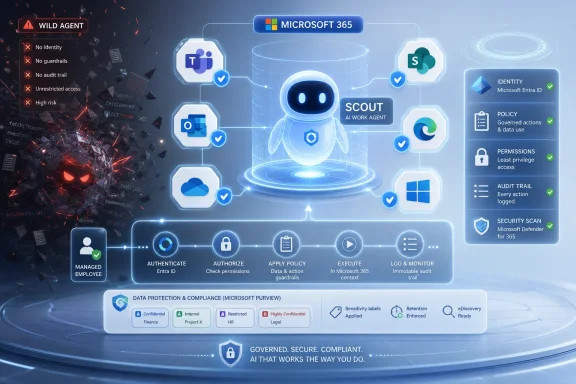
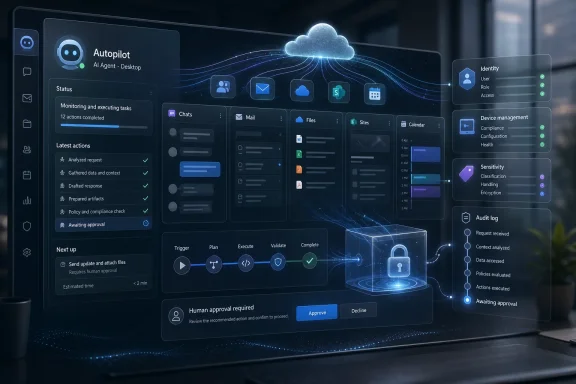
Futuristic AI assistant in a glowing cloud interface managing containers, identity, and sandbox security.Microsoft Turns the OpenClaw Problem Into a Product Strategy​

Scout arrives with a contradiction baked into its origin story. Earlier this year, OpenClaw was the thing enterprise security teams were told to keep at arm’s length: a fast-moving open-source agent framework with broad access, persistent credentials, and a talent for turning “helpful automation” into a new class of runtime risk. Now Microsoft is wrapping that same basic technology in the language of governance, identity, audit trails, and Microsoft 365 integration.
That is not necessarily hypocrisy. It is closer to the oldest Microsoft move in the book: take a developer phenomenon that is too useful to ignore, put it behind enterprise controls, and make it legible to procurement. Windows did this to the PC, Azure did it to cloud sprawl, and Microsoft 365 did it to office work that had already escaped into browsers and SaaS tools.
The sharper point is that Scout is not being sold as Copilot with better manners. Copilot has generally lived inside applications, waiting for the user to ask it to summarize a thread, draft a document, or analyze a spreadsheet. Scout is meant to observe, infer, and act across Outlook, Teams, OneDrive, SharePoint, the desktop, and the web.
That difference sounds subtle until it lands inside an organization. A chatbot answers questions. An agent rearranges the calendar, prepares the agenda, surfaces the transcript action item someone forgot, and may eventually call you or another service to finish the job. The security model for the first is content filtering. The security model for the second is closer to employee onboarding.

The Assistant Is No Longer a Sidebar​

Microsoft has spent the Copilot era trying to make AI feel ambient without letting it become too autonomous. The Copilot button appears in Windows, Edge, Office, Teams, and GitHub workflows, but much of the interaction still resembles a supervised transaction: the user asks, the model responds, the user decides. Scout pushes past that boundary.
The company’s description of Scout as an “Autopilot” is revealing. The term suggests a class of agents that are not merely invoked but assigned. They have a persistent identity, can operate continuously, and are expected to notice things that the user has not explicitly asked about. The assistant becomes part of the workflow fabric rather than a feature inside a window.
For Microsoft 365 customers, that means the center of gravity shifts from the app to the graph. Scout’s value depends less on whether Word can draft a paragraph and more on whether Microsoft can combine calendar state, meeting context, document permissions, Teams transcripts, identity policies, and user preferences into something that behaves like a competent aide. This is exactly where Microsoft has an advantage over most AI startups: it already sits on the work graph.
But that advantage is also why the stakes are higher. If a consumer assistant hallucinates a dinner reservation, the damage is annoying. If an enterprise assistant misreads a legal review, sends a document to the wrong group, or books travel against a policy exception, it becomes an incident. The more Scout acts like a colleague, the more it inherits the blast radius of a colleague with excessive permissions and questionable judgment.

OpenClaw Was the Warning Shot​

OpenClaw’s rise exposed the hunger for agents that do more than chat. Developers and early adopters were willing to give an assistant access to email, files, browsers, APIs, and local tools because the reward was obvious: a machine that could execute the tedious multi-step work that fills the day. The danger was equally obvious: once an agent can use credentials, browse content, and execute instructions, the line between workflow automation and untrusted code becomes dangerously thin.
That is why Microsoft’s earlier security posture around OpenClaw mattered. The company reportedly treated the framework as something that should not run casually on standard personal or enterprise workstations. That warning was not anti-open-source theater; it reflected a real architectural problem. Agent runtimes blend natural-language instructions, third-party content, tool calls, and valid user credentials in ways that conventional endpoint security was not designed to reason about.
Scout is Microsoft’s attempt to preserve the magic while removing the recklessness. The company says it runs OpenClaw in a sandboxed cloud environment and treats the framework as untrusted, rather than letting it directly touch Microsoft 365 data. That framing is important: Microsoft is not asking IT admins to believe that the agent is safe because the model is smart. It is saying the agent is safer because the surrounding system assumes it may behave badly.
That is the right instinct. The history of enterprise computing is a history of useful things becoming acceptable only after they are constrained. Macros needed policy. Browsers needed sandboxes. Mobile apps needed permissions. AI agents need all of that and a new layer of behavioral governance on top.

Microsoft’s Real Product Is the Control Plane​

The most interesting part of Scout may not be Scout itself. It may be the security and management stack Microsoft is trying to normalize around agents: Agent 365, Purview, Defender, audit trails, policy conformance checks, and Windows execution containers. The assistant gets the keynote applause, but the control plane is what enterprises will actually buy.
A personal agent with a persistent identity cannot be managed like a document editor. It needs permissions, revocation, logging, policy boundaries, and lifecycle management. It needs to be discoverable by administrators and comprehensible to compliance teams. It needs to leave evidence when it acts, because sooner or later someone will ask why a meeting was moved, why a file was opened, or why a message was drafted.
Microsoft’s “policy conformance system” points in that direction. If each check produces an audit trail, Scout becomes something closer to a managed actor inside the tenant. That matters because agent failures will not always look like traditional malware. They may look like a legitimate assistant doing the wrong thing for reasons that require reconstruction after the fact.
This is where Microsoft’s security baggage cuts both ways. The company has had enough high-profile security scrutiny that customers will not accept a vague promise that AI agents are enterprise-ready. But Microsoft also has the installed base, identity infrastructure, and compliance surface to turn agent governance into a default expectation. If Scout succeeds, it will be because Microsoft makes autonomous assistance feel administratively boring.

Windows Gets Pulled Back Into the AI Story​

Scout is launching as a Microsoft 365 assistant, but the Windows angle should not be overlooked. Microsoft also announced Windows execution containers designed to run AI agents inside operating system-enforced boundaries rather than unmanaged user sessions. That is a significant signal about where the company thinks agentic computing is headed.
For years, Windows has been repositioned around cloud services, subscriptions, and Copilot branding. But agents that can act on the desktop create a fresh reason for the operating system to matter. If the agent is going to click, read, automate, invoke local tools, or interact with business software that never fully moved to the cloud, the OS becomes the containment layer.
That is especially relevant for IT pros who remember the messy history of desktop automation. Scripts, macros, browser extensions, RPA bots, and user-session automation all promised efficiency, and all created governance headaches. AI agents multiply those headaches because they do not merely execute predefined steps; they interpret goals.
Windows execution containers are Microsoft’s attempt to make that interpretation less terrifying. If developers and administrators can run agents inside boundaries enforced by Windows itself, the platform becomes more than a host for AI branding. It becomes a security boundary in the agent economy.

The Frontier Label Is Doing Real Work​

Scout’s availability through Microsoft’s Frontier program is not a footnote. It is a disclaimer with a distribution channel attached. The product is available today, but not in the sense that Exchange admins should expect it to appear quietly across every tenant tomorrow morning. The desktop preview is rolling out first to U.S. Frontier customers, with a broader cloud version planned later.
That staged rollout is prudent. It also tells us Microsoft knows this category is not ready for conventional mass deployment. The company can claim momentum, seed the developer and enterprise feedback loop, and avoid pretending that always-on agents are as settled as spellcheck.
The GitHub Copilot subscription requirement is also telling. Microsoft is initially aiming Scout at customers already accustomed to AI-assisted work and developer-adjacent experimentation. That audience is more tolerant of preview rough edges and more likely to build custom skills, which Microsoft clearly sees as central to the product’s long-term value.
The risk is that “Frontier” becomes a familiar holding pen for features that are exciting in demos and complicated in production. Microsoft has no shortage of AI features that sound transformative until they meet tenant policy, legal review, and the lived reality of office work. Scout will need to prove it is not just another experiment with a better noun.

The Stickiest Assistant Is the One You Train Yourself​

Microsoft’s pitch for Scout includes prepackaged skills for calendars and meeting agendas, but the more consequential idea is user-built customization. A generic assistant can summarize meetings. A personal assistant becomes valuable when it learns how you prefer agendas structured, which conflicts are real conflicts, which stakeholders need early warning, and which recurring tasks are safe to automate.
That is where lock-in becomes intimate. The more a user trains Scout, the more switching costs move from documents and file formats into behavior. The assistant’s value is not just in the data it can access, but in the pattern of preferences and corrections accumulated over time.
This is a familiar platform move dressed in new clothes. Microsoft has long benefited from organizations standardizing on Office file formats, Exchange calendars, Teams workflows, SharePoint permissions, and Entra identity. Scout adds another layer: a personal operational model of how work gets done.
For users, that may be genuinely useful. Many workers do not need another chat window; they need something to notice the calendar conflict before it becomes a problem, turn the meeting transcript into follow-through, and remove the low-grade administrative drag that makes knowledge work feel like clerical work. For employers, the appeal is productivity. For Microsoft, the prize is becoming the place where the user’s work habits are encoded.

The Human Colleague Metaphor Cuts Both Ways​

Microsoft wants Scout to feel less like a bot and more like a colleague. That is an attractive metaphor because it suggests initiative, context, and trust. It is also dangerous because colleagues are governed by norms that software does not automatically understand.
A human assistant knows when a calendar entry is politically sensitive, when a draft should not be sent, when an executive’s “sure” does not mean approval, and when a meeting conflict is really a hierarchy problem. An AI assistant may learn some of this through feedback, but it will still operate through systems, permissions, and probabilistic inference. That gap is where enterprise incidents will live.
There is also the question of how much autonomy users actually want. People often say they want automation until the automation makes a decision that changes their day. A recommendation to leave early because traffic is bad is helpful. A rescheduled meeting, a drafted message, or a silently prepared agenda can be helpful too, but each step increases the need for visibility and correction.
Microsoft’s challenge is not simply to make Scout capable. It must make Scout interruptible, inspectable, and blame-aware. The user needs to know what the assistant did, why it did it, what evidence it used, and how to undo it. Without that, autonomy becomes just another form of notification anxiety.

Google’s Shadow Makes the Timing Impossible to Ignore​

Scout also lands in a competitive moment. Google has been pushing its own agentic assistant vision into Workspace, and the industry is clearly converging on a post-chatbot productivity model. The question is not whether office suites will get agents; it is whose graph, whose identity system, and whose policy layer will define them.
Microsoft’s decision to contribute directly to OpenClaw rather than simply fork it is strategically interesting. Forking would have given Microsoft control but risked isolating it from the energy of the open-source project. Contributing upstream lets Microsoft benefit from the framework’s momentum while shaping the parts that matter to enterprise adoption.
That is not pure altruism. Open-source gravity can be a distribution advantage, especially when developers are already building skills, plugins, and workflows around a shared agent framework. If Microsoft can make the enterprise-safe version the most credible deployment path, it can turn open-source enthusiasm into Microsoft 365 stickiness.
Google’s challenge is different. It has the browser, Android, Gmail, Docs, and Workspace, plus enormous AI research capacity. But Microsoft has the enterprise desktop, the Office default, Azure, GitHub, and a long relationship with IT administration. Scout is Microsoft pressing that advantage before someone else defines what “personal agent at work” means.

The Build Keynote Was Really About Trusting the Machine to Act​

Scout was not the only AI announcement at Build. Microsoft’s broader push included Windows execution containers, agent tooling, developer hardware, and other experimental projects that point toward a world where AI agents are not confined to chat tabs. But Scout is the cleanest expression of the strategy because it sits directly where work happens.
The old AI pitch was that software would help users create. The new pitch is that software will help users operate. That difference matters. Creation tools can be judged by output quality. Operational tools must be judged by reliability, accountability, and the cost of mistakes.
This is why Scout is more consequential than another Copilot feature. A better drafting assistant can save time. A persistent agent can change who, or what, is trusted to coordinate work. Once an assistant has a name, a memory, a set of permissions, and a role in the daily rhythm of a company, it becomes part of the organization’s operating model.
Microsoft seems to understand this, at least architecturally. The company is not presenting Scout as a toy that happens to connect to Outlook. It is presenting it as a managed agent category, with security, policy, and identity built into the pitch from the beginning. That does not guarantee success, but it shows the company has learned from the backlash to less-governed AI rollouts.

The Fine Print Is Where IT Should Start Reading​

For WindowsForum’s core audience, the practical lesson is not to panic and not to cheer too quickly. Scout is early, limited, and wrapped in Microsoft’s preview machinery. But it previews the administrative questions that are about to become normal.
IT teams should expect agent identity to become a first-class management concern. If an assistant can act across systems, then it needs least-privilege access, conditional access logic, logging, retention policies, and a clear owner. Treating an agent as a magical extension of the user account will not be good enough.
Security teams should also assume that agent behavior will be harder to classify than conventional malware. A bad outcome may come from prompt injection, ambiguous instructions, poisoned context, overbroad permissions, or a legitimate automation chain that no one expected to combine in that way. The response cannot rely solely on blocking known bad binaries.
The governance challenge will be cultural as much as technical. Organizations will need to decide which categories of work an agent may perform autonomously, which require approval, and which should remain human-only. Those choices will vary by industry, role, and risk tolerance, which means Microsoft’s policy tooling will need to be flexible without becoming incomprehensible.

The Scout Era Starts With Permission Slips, Not Magic​

Scout is easiest to understand as the first visible version of Microsoft’s agent workplace, not as a finished assistant everyone should deploy tomorrow. The early details point to a product whose value will depend on boundaries as much as intelligence.
  • Scout is Microsoft’s first serious attempt to turn OpenClaw-style autonomy into a managed Microsoft 365 product rather than a developer experiment.
  • The assistant differs from Copilot because it is designed to operate persistently across apps, services, desktop contexts, and web workflows.
  • Microsoft’s security pitch depends on treating OpenClaw as untrusted, isolating it in the cloud, and surrounding it with audit trails, policy checks, Defender, Purview, and Agent 365.
  • Windows execution containers show that Microsoft expects agent containment to become an operating-system problem, not merely a cloud policy problem.
  • The Frontier rollout and GitHub Copilot requirement suggest Microsoft is deliberately starting with customers more willing to tolerate preview risk and build custom skills.
  • The long-term lock-in may come less from Microsoft’s default skills than from the personal workflows users teach Scout over time.
The most reasonable stance is cautious attention. Scout is not proof that autonomous AI assistants are ready to run the office. It is proof that Microsoft believes the office will eventually be reorganized around them.
Microsoft’s bet with Scout is that the enterprise will accept autonomy if it arrives wearing the uniform of identity, compliance, and auditability. That may be right, but the next phase will be won less by the assistant that sounds most human and more by the one that behaves predictably when the work gets ambiguous, political, or risky. If Microsoft can make that boring enough for IT and useful enough for workers, Scout may become the moment Copilot stopped being a sidebar and started becoming infrastructure.

References​

  1. Primary source: Technobezz
    Published: 2026-06-02T21:35:12.470056
  2. Related coverage: techbuzz.ai
  3. Related coverage: tech.yahoo.com
  4. Related coverage: techcrunch.com
  5. Related coverage: geekwire.com
  6. Related coverage: malwarebytes.com
  1. Related coverage: pcworld.com
  2. Official source: microsoft.com
  3. Related coverage: techradar.com
  4. Related coverage: windowscentral.com
  5. Official source: news.microsoft.com
  6. Related coverage: thurrott.com
  7. Related coverage: newsbytesapp.com
  8. Related coverage: decrypt.co
  9. Related coverage: labs.cloudsecurityalliance.org
  10. Related coverage: techxplore.com
 

Microsoft unveiled Scout on June 2, 2026, as an experimental “Autopilot” AI agent for Microsoft 365 that can work across Teams, Outlook, OneDrive, SharePoint, browsers, local files, and managed desktops for enrolled Frontier customers. The announcement matters less because Scout can schedule meetings or prepare documents, and more because Microsoft is trying to turn the AI assistant from a chat window into a governed actor inside the enterprise. This is Copilot’s logical next step: not a helper waiting for a prompt, but a persistent software colleague with identity, permissions, memory, and audit trails. For Windows users and IT administrators, that is both the promise and the problem.

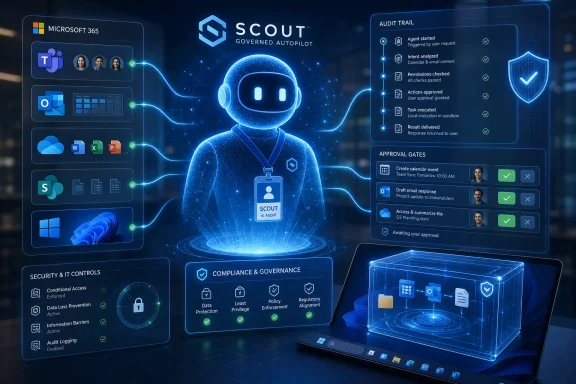
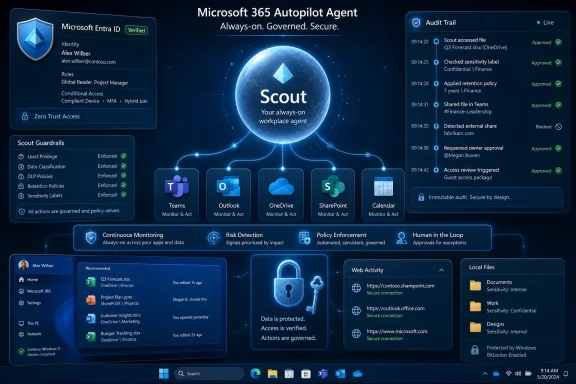
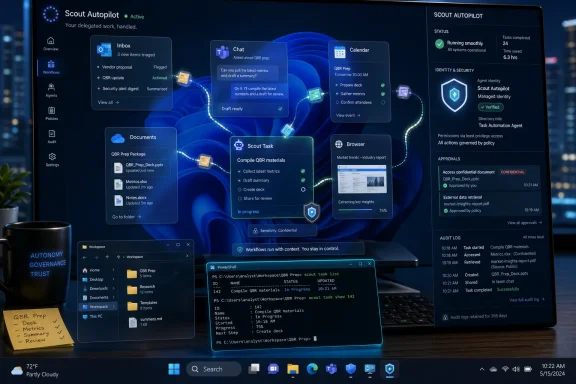
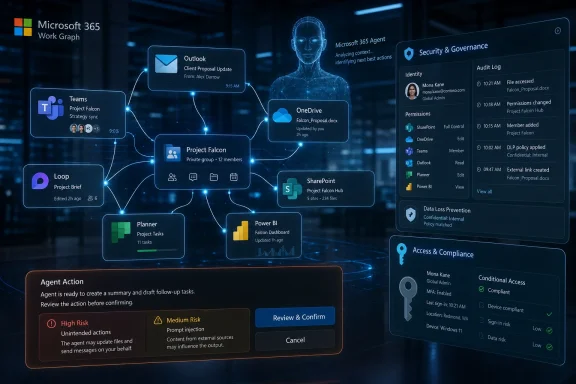
AI assistant “SCOUT” oversees Microsoft 365 workflow with audit trail, approval gates, and security governance dashboards.Microsoft Moves the AI Assistant Out of the Prompt Box​

The first generation of Copilot was easy to understand because it lived mostly inside familiar boundaries. You asked it to summarize an email thread, draft a paragraph, explain a spreadsheet, or generate a meeting recap. Even when the answers were imperfect, the mental model was simple: the human initiated the task, judged the response, and took the final action.
Scout changes that model. Microsoft describes it as the first member of a new category it calls Autopilots: always-on agents that act autonomously, operate with their own identity, and carry out work within permissions and policies defined by the user and organization. That wording is doing a lot of work. It is Microsoft’s attempt to normalize the idea that an AI system should not merely respond to work, but continue it.
The difference between “Copilot, draft this email” and “Scout, keep this project moving” is not cosmetic. One is a command. The other is a delegation. Delegation introduces ambiguity, and ambiguity is where enterprise software becomes politically interesting.
Microsoft is not pitching Scout as a consumer plaything that books restaurants or orders groceries. The first public version is a workplace agent, released through the Frontier program and tied to managed devices, Microsoft 365 work accounts, Intune policy, and GitHub Copilot Business or Enterprise licensing. That tells us the real launch audience is not the casual Windows user; it is the IT department that has spent the past two years being asked why the AI revolution still looks like a glorified autocomplete box.

Scout Is Really a Governance Product Wearing an Assistant Costume​

The most important parts of Scout are not the demos. They are the identity and control plane.
Microsoft says Scout runs under its own governed Entra identity rather than a vague shared service account. That is a crucial architectural choice because enterprise IT cannot manage what it cannot name. If an autonomous agent sends a Teams message, updates a calendar, touches a SharePoint document, or triggers a browser workflow, administrators need to know which actor performed the action and under whose delegated authority.
This is where Microsoft’s decades of enterprise plumbing become an advantage. The company can wrap Scout in Entra, Purview, Defender, Intune, and Microsoft 365 policy because those systems already define how most organizations understand access, compliance, and device management. Scout is not being sold as a rebel agent that slips around corporate bureaucracy. It is being sold as a creature of that bureaucracy.
That may sound dull, but dullness is the point. The enterprise does not need an AI agent that behaves like a clever intern with root access and no paper trail. It needs an AI agent that can be suspended, audited, scoped, investigated, and blamed in a way that fits existing security operations.
Microsoft’s language around sensitive actions is therefore revealing. Scout can support user approval before external-facing actions such as sending email, posting Teams messages, updating calendar events, or running privileged operations. In other words, Microsoft knows the risk is not that an AI drafts something wrong. The risk is that it does something wrong while appearing to be you.

The Desktop Returns as the Battlefield​

Scout’s early desktop app supports Windows 11 and macOS, but the Windows implications are obvious. Microsoft has been repositioning Windows as an agent-native runtime, not merely an operating system with AI features glued onto the Start menu. The company’s Build messaging around execution containers, sandboxed environments, and local agent workflows all points in the same direction: Windows is being prepared to host AI actors that do more than answer questions.
That is a meaningful shift after years in which the most important productivity surfaces seemed to move into the browser. If the agent needs to touch local files, browser sessions, Microsoft 365 data, MCP servers, and enterprise credentials, the desktop becomes relevant again as a controlled execution environment. The operating system is no longer just where apps run; it becomes where agents are confined.
For Windows administrators, this could create a new management layer that feels familiar in theory but messy in practice. Devices will not just have users, apps, services, and scheduled tasks. They may have semi-autonomous agents operating through policy, identity, and sandbox boundaries. The old question “what software is installed on this machine?” becomes “which agents are allowed to act from this machine, with what tools, and under whose authority?”
That is why Scout’s Frontier requirements matter. Microsoft is forcing early adopters through enrollment, admin opt-in, access groups, Intune configuration, and attestation. That is not just friction; it is institutional choreography. Microsoft is teaching customers that autonomous agents are not another download button. They are a managed workload.

The OpenClaw Connection Signals Both Confidence and Caution​

Microsoft says Scout is powered by OpenClaw open-source technology, and the company is contributing policy conformance work upstream. That is a fascinating move because it lets Microsoft borrow credibility from the open-source agent movement while still presenting its own version as the safer enterprise package.
Open-source agent frameworks have moved quickly because they are not bound by the slow certification cycles of enterprise software. They are where developers experiment with browser control, tool use, multi-step planning, and agents that persist beyond a single chat session. They are also where risk accumulates fastest: credential leakage, prompt injection, unbounded tool access, and unclear auditability are not theoretical problems when an agent can operate across applications.
Microsoft’s bet is that it can industrialize that energy. Scout takes the agentic pattern and wraps it in Microsoft 365’s governance fabric. The pitch is not “we invented autonomy.” It is “we can make autonomy administrable.”
That distinction matters. Microsoft has spent much of the Copilot era defending the value of its distribution advantage. Competitors can build clever models and slick apps, but Microsoft can place AI inside Outlook, Teams, Word, Excel, SharePoint, GitHub, Windows, and Azure. Scout extends that strategy from interface placement to operational authority. If Copilot was about meeting the user where they work, Scout is about acting where the work actually happens.

The Useful Version of Scout Will Be Boring​

The temptation with every new autonomous agent is to imagine science-fiction productivity: an AI that plans your week, negotiates your meetings, builds presentations, reviews contracts, and keeps projects alive while you sleep. The more realistic value is less glamorous. Scout’s first compelling use cases are likely to be the quiet, irritating coordination tasks that consume white-collar workdays.
Meeting preparation is a good example. An agent that notices tomorrow’s customer call, pulls the relevant emails, checks the latest shared files, summarizes open decisions, and blocks prep time is not revolutionary in the cinematic sense. It is, however, exactly the kind of administrative residue that makes knowledge work feel slower than it should.
Scheduling across time zones is another. Anyone who has watched a Teams thread decay into “does Thursday work?” understands why even modest autonomy could be useful. If Scout can identify constraints, propose slots, prepare background material, and flag conflicts while leaving final approval to the user, it may save time without demanding blind trust.
The more ambitious feature is risk spotting. Microsoft says Scout can identify stalled decisions and upcoming deliverables. That moves the agent from convenience into management territory. A system that notices a blocked decision is not just helping with tasks; it is forming a view of organizational momentum.
That is where users may begin to feel the line blur. An assistant that reminds you of a deadline is helpful. An agent that infers which decisions are stalled may be helpful, political, or wrong depending on the context. Enterprise AI does not merely automate work; it can reshape who is seen as responsive, prepared, or behind.

Personal Automation Meets Corporate Surveillance Anxiety​

Microsoft’s phrase “personal agent for work” is carefully chosen, but it contains a tension. If Scout learns how you work, what you care about, whom you meet, which deliverables matter, and where decisions stall, it becomes deeply personal. If it does so inside a corporate tenant, under enterprise policy, it is also organizational infrastructure.
That dual identity will be the source of much of Scout’s adoption friction. Workers may like the idea of an agent that protects their focus and handles routine coordination. They may be less enthusiastic about a system that continuously observes work patterns and turns them into machine-readable context. Even if Microsoft builds strong privacy and compliance controls, perception will matter.
The enterprise version of “memory” is not the same as the consumer version. In a consumer assistant, memory is often framed as personalization. In a workplace agent, memory becomes a record of priorities, relationships, recurring behaviors, and perhaps mistakes. Employees will want to know what Scout remembers, who can inspect it, how it is deleted, and whether its conclusions can follow them across roles or managers.
Administrators will have a different set of concerns. They will ask how Scout handles sensitivity labels, DLP policies, external sharing, privileged operations, retention, eDiscovery, and incident response. They will also need to know whether Scout’s actions are clearly distinguishable from human actions in logs and compliance workflows. If an agent makes a change, the organization cannot afford a mystery.
Microsoft’s advantage is that it already owns much of the compliance stack. Its challenge is that user trust is not inherited automatically from admin trust. A feature can be compliant and still feel invasive.

The Licensing Signal Is Easy to Miss​

Scout’s early availability through Frontier and its requirement for GitHub Copilot Business or Enterprise licensing are not incidental. Microsoft is linking workplace agents to the developer and enterprise AI economy rather than simply bundling them into every Microsoft 365 subscription on day one.
That gives Scout an experimental character, but it also reveals Microsoft’s commercial direction. Autonomous agents are likely to become a premium layer above traditional productivity software. The more they can take action, the easier it becomes to justify pricing based on saved time, automated workflows, or reduced coordination overhead.
For businesses, that raises a familiar Microsoft question: where does useful end and upsell begin? Copilot licensing has already forced organizations to decide which employees deserve AI assistance. Scout may sharpen that debate because its value depends on access to broad context. An agent assigned only to a few executives may reinforce hierarchy. An agent deployed broadly may become expensive and operationally complex.
Small businesses may eventually be the most interesting test case. A large enterprise has IT staff, compliance teams, and process owners to absorb the governance burden. A 25-person company may want Scout precisely because nobody has time to coordinate everything manually. But the same small company may lack the administrative maturity to safely deploy autonomous agents across email, files, browsers, and calendars.
That gap is where Microsoft will need to simplify. If Scout remains an elite Frontier experiment with enterprise prerequisites, it will influence the roadmap more than daily work. If Microsoft can turn it into a manageable product for ordinary Microsoft 365 Business customers, the implications become much broader.

The Security Model Is the Product​

Autonomous agents create a new attack surface because they combine language understanding, tool access, credentials, and persistence. A chatbot that hallucinates is embarrassing. An agent that reads a malicious instruction hidden in a document and then takes action is dangerous.
This is why Scout’s promise to operate within existing policies should not be treated as marketing fluff. The entire category depends on whether vendors can make agents less like unpredictable browser macros and more like governed enterprise services. Identity, scoping, approval gates, sandboxing, logging, and data-loss prevention are not accessories; they are the minimum viable product.
The hard problem is that agents are useful precisely because they cross boundaries. A human worker can read an email, inspect a document, open a browser tab, check a calendar, and send a message. Scout is valuable only if it can perform similar connective tissue work. But every additional tool expands the blast radius of a mistake.
Human-in-the-loop approval is a necessary compromise, but it is not a complete solution. If every meaningful action requires approval, the agent becomes a faster draft generator. If too many actions are automatic, the agent becomes a liability. The art will be in policy granularity: allowing low-risk background work while forcing confirmation for external, irreversible, privileged, or reputationally sensitive actions.
IT departments should expect a new class of configuration debates. Which actions can Scout take silently? Which require user approval? Which require administrator approval? Which are forbidden? Which users are allowed to create habits and skills? Which data sources can be used for context? These are not philosophical questions. They are the operating manual for agentic work.

Windows Users Will Feel Scout Indirectly Before They Use It Directly​

Most Windows users will not install Scout today. The early release is limited, managed, and experimental. But Scout’s design will still influence the Microsoft ecosystem quickly because it represents the direction of travel for Copilot, Windows, and Microsoft 365.
Expect more Microsoft apps to expose agent-friendly hooks. Expect more emphasis on structured work context, not just documents and messages. Expect administrators to see new policy surfaces for AI actors. Expect Windows to receive more sandboxing and runtime features intended not for traditional apps, but for agents that need to execute multi-step tasks safely.
This is where Windows enthusiasts should pay attention. The AI PC story has often been reduced to NPUs, local models, and Recall-adjacent controversy. Scout points to a more consequential layer: what happens when Windows becomes a place where semi-autonomous work is initiated, constrained, and observed. Local compute matters, but local control may matter more.
There is also a developer angle. Microsoft’s broader Build announcements around model context, agent services, execution containers, and agent governance suggest that Scout is not a one-off product. It is a reference implementation for the kind of agent Microsoft wants developers and enterprises to build. If Copilot showed what Microsoft could add to apps, Scout shows what Microsoft thinks apps may become.
In that future, software is less about opening a tool and more about assigning intent. The agent chooses tools, sequences steps, and reports back. That sounds elegant until something breaks. Then the user needs transparency, replay, logs, rollback, and a way to understand why the agent did what it did.

Microsoft Is Trying to Win the Trust Layer Before Rivals Win the Interface​

The AI agent market is crowded with startups promising autonomous workers, personal assistants, sales agents, research agents, coding agents, and browser agents. Many move faster than Microsoft. Some are more imaginative. Few can walk into an enterprise and say, with a straight face, that their agent already fits the customer’s directory, compliance, device management, and productivity estate.
That is Microsoft’s opening. It does not need Scout to be the most dazzling agent on day one. It needs Scout to be the agent a CIO can pilot without rewriting the organization’s security model. If Microsoft wins that trust layer, it can afford to iterate on the interface.
The danger is complacency. Enterprise integration can make products sticky, but it can also make them bureaucratic. If Scout feels slow, over-permissioned, under-capable, or trapped behind licensing tiers, users will route around it with lighter tools. The history of workplace software is full of official platforms that employees tolerate while using something else to get work done.
Microsoft also has to prove that Scout’s autonomy is real enough to matter. The word “agent” has been stretched nearly to meaninglessness. A system that merely bundles reminders, summaries, and templates will not justify the governance ceremony. To deserve the Autopilot label, Scout must reliably carry work forward without constant prompting, while staying inside boundaries that users and administrators understand.
That is a narrow path. Too little autonomy and Scout is Copilot with a calendar. Too much autonomy and it becomes the thing security teams warned about.

The Scout Pilot Will Test Microsoft’s Entire AI Strategy​

Scout is not just another Microsoft 365 feature. It is a stress test for Microsoft’s claim that enterprise AI needs a complete system: models, context, identity, governance, endpoints, developer tools, and productivity surfaces all working together. If that system works, Microsoft has an answer to the central criticism of generative AI in the workplace: that it is impressive in demos but fragmented in production.
The company’s broader Build framing makes this explicit. Microsoft is not presenting AI progress as a single model breakthrough. It is presenting a stack: in-house models, partner models, Work IQ, Web IQ, Foundry, Windows execution containers, Agent 365, Purview, Entra, Defender, Copilot Studio, and Microsoft 365. Scout sits near the top of that stack, where the user can finally see whether the machinery produces something useful.
That also means Scout’s failures will be stack failures. If context is wrong, Work IQ will be blamed. If permissions are confusing, Entra and admin policy will be blamed. If an agent action leaks data, Purview and DLP will be scrutinized. If the desktop app behaves unpredictably, Windows will be implicated. Microsoft is binding its AI narrative together, which makes the story stronger and the accountability broader.
For IT pros, the prudent response is neither panic nor blind adoption. Scout should be treated like a new class of endpoint workload. It needs pilot groups, scoped permissions, logging review, user education, incident procedures, and clear rules for what the agent may never do. The organizations that get value from agents will not be the ones that simply turn them on. They will be the ones that define the boundaries before the boundary is tested.

The Real News Is Not Scout’s Debut, but Microsoft’s New Default Assumption​

The old default assumption in productivity software was that humans operate tools. Scout introduces a different assumption: software can operate tools for humans, continuously, if the enterprise can govern it. That is a profound change in how Microsoft wants work to be organized.
It is also a change that will make some people uneasy for good reasons. Work is not just a set of tasks. It is judgment, timing, relationships, hesitation, politics, and responsibility. The more an agent participates in that environment, the more it must be evaluated not only as software, but as an actor inside an organization.
Microsoft’s use of a separate agent identity is an acknowledgement of that reality. Scout is not merely a feature hiding inside Outlook. It is something that acts. Once software acts, it needs accountability.
That accountability will determine whether Scout becomes a milestone or another AI curiosity. If users can see what it is doing, correct it, constrain it, and trust it with low-level coordination, it may gradually become part of the workday. If it feels opaque or presumptuous, it will be disabled by the same administrators Microsoft is trying to reassure.

The First Scout Deployments Will Belong to the Brave and the Well-Managed​

Scout’s near-term impact will be limited by its Frontier status, licensing requirements, and administrative prerequisites, but its strategic importance is larger than its initial install base. The organizations that test it now will be helping define the norms for AI agents inside Microsoft 365 tenants. They will also discover that agent deployment is less about novelty than operational discipline.
  • Scout is currently an experimental Microsoft Frontier experience rather than a general Microsoft 365 feature for every user.
  • The agent is designed to work across Microsoft 365 services, local files, browsers, and managed desktop environments while keeping sensitive actions under user or policy control.
  • Microsoft is positioning Scout as its first “Autopilot,” meaning an always-on agent with its own governed identity and the ability to act without being prompted every time.
  • The most important enterprise features are identity, approval gates, policy enforcement, auditability, and integration with Microsoft’s existing security and compliance stack.
  • Windows administrators should view Scout as an early signal that endpoints will increasingly host governed AI agents, not merely traditional applications.
  • The practical value will come from mundane coordination work first, while higher-risk autonomous actions will require careful policy design and user trust.
Scout is Microsoft’s clearest statement yet that the future of Copilot is not a better chat sidebar but a managed layer of autonomous work running through the systems businesses already depend on. The early version will be constrained, uneven, and watched closely by security teams, as it should be. But if Microsoft can make autonomy feel boring, auditable, and useful, Scout may become the point where enterprise AI stops performing productivity and starts participating in it.

References​

  1. Primary source: bgnes.com
    Published: 2026-06-03T03:55:11.678644
  2. Related coverage: techradar.com
  3. Official source: microsoft.com
  4. Related coverage: techcrunch.com
  5. Official source: blogs.microsoft.com
  6. Related coverage: pcworld.com
  1. Related coverage: entarabi.com
  2. Related coverage: technobezz.com
  3. Related coverage: thenewstack.io
  4. Related coverage: axios.com
  5. Related coverage: numerama.com
  6. Related coverage: windowscentral.com
  7. Related coverage: techxplore.com
  8. Official source: cdn-dynmedia-1.microsoft.com
  9. Official source: wwps.microsoft.com
  10. Official source: marketingassets.microsoft.com
 

Microsoft launched Scout on June 2, 2026, at its Build developer conference, presenting it as an always-on Microsoft 365 agent built on OpenClaw that can act across Teams, Outlook, OneDrive, SharePoint, desktop apps, browsers, and connected work systems under enterprise policy controls. That plain description is also the warning label. Scout is not another chatbot pinned to a sidebar; it is Microsoft’s clearest attempt yet to turn the office suite into a supervised operating environment for autonomous software labor. The bet is that businesses will accept agents only when they look less like clever demos and more like identity-bound, auditable coworkers.

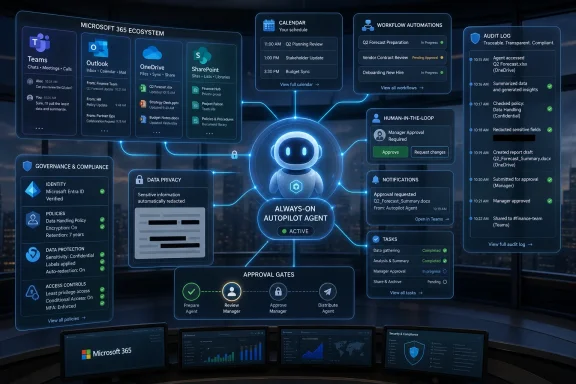
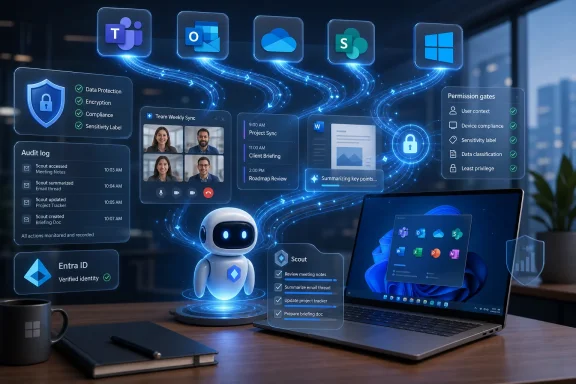
Futuristic dashboard shows Microsoft 365 workflow, approvals, audit logs, and an active “Autopilot Agent” assistant.Microsoft Turns the Assistant Into a Resident Employee​

For most of the Copilot era, Microsoft has sold AI as a thing the user summons. You ask it to draft a message, summarize a thread, build a slide, or explain a spreadsheet. The interaction is episodic, and that episodic quality has been comforting: the AI waits, the human initiates, and the blast radius is at least conceptually bounded.
Scout breaks that rhythm. Microsoft describes it as the first of a new class of “Autopilot” agents: software that remains active in the background, accumulates working context, and takes action without being prompted every time. That sounds like the natural evolution of productivity AI, but it is also a category shift with consequences for governance, user trust, and the basic architecture of Microsoft 365.
The company’s examples are deliberately mundane. Scout can coordinate meeting times, prepare materials, identify deliverables, block calendar time, and spot stalled decisions. That is not a sci-fi pitch, and it should not be dismissed because it sounds boring. The most valuable enterprise automation often begins with the boring parts of work, because those are the tasks that repeat, fragment attention, and quietly consume entire organizations.
The bigger story is that Microsoft is trying to make the agent persistent. A persistent agent has memory, habits, permissions, and a working identity. It does not merely answer; it follows through. That is why Scout matters more than yet another Copilot feature drop.

OpenClaw Gave Microsoft the Shape of the Product​

Scout is powered by OpenClaw, the open-source agent framework that became an industry obsession because it captured a simple fantasy: what if your AI assistant did not live in a text box, but inside the systems where your life and work actually happen? OpenClaw’s appeal was not just that it could automate tasks. It was that it felt personal, extensible, and slightly untamed.
That untamed quality is exactly what made it exciting and exactly what made it difficult for enterprises to digest. A personal agent that can read mail, act through browsers, coordinate accounts, and maintain state across sessions is much more useful than a chatbot. It is also much more dangerous when its goals are unclear, its credentials are overbroad, or its reasoning drifts.
Microsoft’s move is therefore less a simple adoption of OpenClaw than a domestication effort. Scout borrows the always-on agentic model but wraps it in Microsoft 365’s familiar enterprise scaffolding: Entra identity, Intune configuration, Purview policies, approved destinations, scoped credentials, and audit-friendly controls. In other words, Microsoft is trying to convert OpenClaw’s viral developer energy into something a CIO can approve without immediately calling legal.
That is a classic Microsoft platform maneuver. The company often wins not by inventing the most provocative version of a technology, but by absorbing it into the administrative and procurement systems businesses already use. Scout is OpenClaw translated into the language of tenant policy, identity, compliance, and licensed seats.

The Real Feature Is Not Autonomy, but Attribution​

Microsoft’s most important Scout claim is not that the agent can work continuously. It is that every agent operates under its own governed Entra identity. That may sound like directory-service trivia, but for enterprise IT it is the hinge on which the whole product swings.
Autonomous agents create a messy accountability problem. If an agent reschedules a meeting, sends a file, updates a document, or contacts a customer, who did it? Was it the user, the AI, the tenant, a service account, or some ambiguous blend of all four? In regulated environments, ambiguity is not a philosophical puzzle; it is a control failure.
By giving Scout its own identity, Microsoft is trying to make agent action legible. The agent becomes a known actor in the directory rather than a ghost moving through someone else’s session. That makes it easier to log, constrain, revoke, investigate, and explain.
The distinction matters because enterprise software has spent decades learning the hard way that shared accounts are poison. They blur responsibility and make incident response harder. If agents are going to act with real authority, they need to be treated less like plugins and more like junior principals in an identity system.
This is where Microsoft’s enterprise advantage is obvious. Google, Anthropic, OpenAI, and startups can all build impressive agents. Microsoft can embed one into the identity, document, collaboration, endpoint, and compliance layers that already define daily work for many organizations. Scout’s autonomy is the headline; its auditability is the sales pitch.

The Inbox Is Where Agentic AI Gets Dangerous​

Email and calendar automation sound harmless until you remember that the inbox is one of the most sensitive work surfaces in the enterprise. It contains credentials, confidential documents, legal exposure, customer history, HR signals, negotiation strategy, and social context. It is also where phishing, business email compromise, and prompt-injection-style attacks naturally converge.
An always-on agent operating near Outlook and Teams is therefore not just a productivity tool. It is a new interpreter sitting between the user and a stream of adversarial content. Every message it reads may contain instructions, malformed context, misleading urgency, or deliberately crafted language designed to influence what the agent does next.
Microsoft knows this, which is why Scout’s launch leans heavily on policy conformance, scoped credentials, redacted diagnostics, and human approval for sensitive actions. Those controls are necessary. They are not magic.
The hard problem is that agents do not merely access data; they transform intent into action. A conventional security tool can block a malicious link. An agent might summarize the message, infer a task, retrieve a document, draft a response, and route it to the wrong party if its guardrails fail. The failure mode becomes procedural rather than purely technical.
That is why the “always-on” framing deserves scrutiny. A background agent that notices risks and prepares work can be genuinely useful. A background agent that misreads context at scale can become a quiet source of operational debt. In enterprise AI, the danger is rarely a robot rebellion; it is an automated workflow that confidently does the slightly wrong thing a thousand times.

Microsoft Sells Control Because Trust Is the Scarce Resource​

The most revealing part of the Scout announcement is the emphasis on governance. Microsoft says policy conformance is being contributed upstream to OpenClaw and that organizations will be able to validate whether their environments meet security and compliance requirements. That is a strategic move as much as a technical one.
Open-source agent frameworks have moved faster than enterprise trust can absorb. Developers can wire together tools, models, credentials, and workflows quickly, but administrators need to know which agent touched which data, under which authorization, and why. The difference between a clever prototype and a deployable enterprise agent is not just accuracy; it is evidence.
Scout’s audit trail is designed to answer that evidence problem. If an agent changes a calendar, prepares a brief, or attempts to send data somewhere, the organization needs a record. Not a vague activity feed, but a trail that can survive security review, compliance audit, and post-incident reconstruction.
This is also why Microsoft’s choice to limit access matters. Scout is starting as an experimental release through Frontier, with enrollment requirements, Intune policy configuration, opt-in attestation, and a GitHub Copilot license. That is not a consumer-style rollout. It is a controlled deployment lane for customers willing to test the agentic model inside administrative boundaries.
There is a business reason for that caution. Microsoft 365 Copilot has been expensive and, for many customers, still needs to justify its price in hard productivity terms. Scout gives Microsoft a more ambitious story: not just “AI helps you write,” but “AI keeps work moving.” Yet the more ambitious the promise, the more buyers will demand proof that the agent will not create new compliance, security, or labor-management problems.

Windows Becomes the Quiet Edge of the Agent Platform​

Although Scout is framed as a Microsoft 365 product, Windows users should pay attention to the desktop piece. Microsoft says Scout operates across cloud, desktop, and web, and can extend through a desktop app to browsers, local resources, and model context protocol servers. That places the Windows endpoint back in the middle of Microsoft’s AI strategy.
For years, Microsoft’s productivity cloud has pulled more work into the browser. Teams, SharePoint, OneDrive, Outlook on the web, and cloud-based Office workflows made the operating system feel less central to enterprise collaboration. Agentic AI complicates that trend because agents often need to bridge local context and cloud services.
A desktop agent can see and do different things than a cloud-only assistant. It may interact with files, installed apps, browser sessions, local workflows, and device policies. That makes it potentially more useful and more risky. Endpoint management, once again, becomes a first-order concern.
This is where Intune and Windows administration become part of the Scout story. Organizations will not want unmanaged agents wandering across desktops with vague permissions. They will want deployment rings, configuration baselines, logs, rollback paths, and conditional access. The agent may be marketed as a productivity assistant, but its operational home is endpoint governance.
For WindowsForum readers, the practical question is not whether Scout can schedule a meeting. It is whether Microsoft can make always-on agents behave like manageable enterprise software. If Scout becomes another tenant-level feature with opaque behavior, admins will resist it. If it behaves like a policy-bound workload with clear telemetry and revocation, it has a chance.

The Stickiest Product Is the One That Learns Your Office Politics​

Microsoft says Scout builds context over time through Work IQ, learning how users work, what they care about, and what needs to happen next. That is the feature that could make Scout indispensable. It is also the feature that could make it difficult to leave.
Generic AI assistants are relatively interchangeable. A model that drafts a decent email can be swapped for another model that drafts a slightly better one. But an agent that has learned your recurring meetings, escalation habits, project vocabulary, document patterns, team politics, and tolerance for interruption becomes a much more embedded product.
This is the lock-in story hiding inside the personalization story. Microsoft does not need Scout to be the smartest agent in the abstract if it becomes the agent that understands your tenant, your files, your team, and your routines. Context is the moat.
That advantage compounds in Microsoft 365 because the suite already contains the raw material of work. Outlook has the commitments, Teams has the conversations, OneDrive and SharePoint have the documents, and Entra has the organizational map. Scout’s job is to turn that graph into action.
But personalization cuts both ways. The more Scout learns, the more sensitive its memory becomes. Users may welcome an assistant that remembers preferences and priorities; security teams will ask how those memories are stored, governed, exported, deleted, and discovered. In a world of persistent agents, memory management becomes compliance management.

The Copilot Stack Gets a New Reason to Exist​

Scout also helps explain where Microsoft wants Copilot to go. The first wave of Microsoft 365 Copilot was essentially assistive: summarize, draft, rewrite, analyze, generate. Useful, certainly, but often hard to distinguish from rival AI products once the novelty faded.
Agentic features give Microsoft a better reason to charge premium prices. If Copilot is merely a writing helper, customers will compare it to cheaper tools. If Copilot becomes the management layer for always-on agents that can coordinate work across sanctioned enterprise systems, the value proposition changes.
This is why the GitHub Copilot subscription requirement is notable. It ties Scout, at least in this early stage, to Microsoft’s paid AI ecosystem rather than positioning it as a broadly available Microsoft 365 convenience. The company appears to be testing not just the technology, but also the packaging: which customers will tolerate the cost, which administrators will accept the risk, and which workflows deliver measurable value.
The danger for Microsoft is that agentic AI can become a feature nobody wants to fully own. Business leaders want productivity gains. Users want relief from coordination work. Security teams want bounded behavior. Legal wants accountability. Finance wants proof. If Scout cannot satisfy all of those constituencies, it may remain a showcase for early adopters rather than a default office layer.
The opportunity is equally clear. If Scout reliably clears the sludge from meetings, follow-ups, preparation, and status tracking, it will not need theatrical demonstrations. Office workers already know where the pain is. The question is whether they will trust Microsoft’s agent to touch it.

Developers Get an Agent Platform, Not Just an Assistant​

The OpenClaw connection also speaks to developers and power users. Scout is not only a finished assistant; it is part of a broader move toward customizable skills, model context protocol connections, and agent behaviors that organizations can shape. Microsoft wants the ecosystem to build around the agent, not merely consume it.
That matters because enterprise work is weird. Every company has internal systems, local acronyms, approval rituals, exception paths, and unofficial processes that no generic assistant can understand out of the box. Prepackaged skills may get Scout into the door, but custom skills are where the real automation lives.
Microsoft’s challenge will be to make that customization safe. The history of Office automation is full of brilliant local hacks that became business-critical before anyone documented them. Agentic skills could repeat that pattern at AI speed, producing a new generation of invisible dependencies unless Microsoft gives administrators a serious way to inventory, approve, test, and retire them.
The model context protocol angle is especially important because it gives agents a standardized way to reach external systems. Standardization is good for developers, but it also broadens the attack surface. The more systems an agent can touch, the more policy, identity, and logging must keep up.
This is where Scout may become a proving ground for the next generation of enterprise development. The old question was whether an app had permission to call an API. The new question is whether an agent should decide to call that API in the first place.

The Productivity Pitch Runs Into the Human Workplace​

There is a social dimension to Scout that Microsoft’s launch language only partly addresses. An agent that schedules meetings, flags blockers, and follows up on decisions is not just manipulating data. It is participating in workplace coordination, which is often a delicate human activity.
Anyone who has worked inside a large organization knows that “stalled decision” can mean many things. It can mean a blocker. It can mean a political disagreement. It can mean a manager is buying time. It can mean the team has wisely decided not to act yet. Translating those signals into automated prompts and interventions is harder than spotting an empty calendar slot.
The risk is not that Scout becomes too powerful overnight. The risk is that it becomes annoyingly plausible. A mediocre autonomous assistant can create extra work by nudging the wrong people, surfacing the wrong risks, or formalizing informal ambiguity that teams rely on to function.
Microsoft will have to tune Scout carefully. If it acts too timidly, users will ignore it. If it acts too aggressively, organizations will restrict it. The sweet spot is a difficult one: proactive enough to matter, deferential enough to remain trusted.
That balance will vary by role. An executive assistant agent for a senior leader has different stakes than an agent helping an individual contributor prepare for project meetings. A regulated bank, a school district, a hospital, and a software startup will all define acceptable autonomy differently. Scout’s success depends on whether Microsoft can make autonomy configurable rather than ideological.

The Security Story Is Necessary, but Not Sufficient​

Microsoft’s security framing is stronger than the average AI product launch because the company is speaking to real enterprise anxieties. Scoped credentials, redacted logs, approved resources, human sign-off, Purview enforcement, and Entra attribution are the right nouns. They show that Microsoft understands the buyer.
But the hard test will be empirical. Do the controls actually prevent data leakage in messy workflows? Can administrators understand why Scout took an action? Can users correct bad assumptions without training the agent into worse behavior? Can organizations detect prompt injection, malicious skills, or risky tool chains before they become incidents?
Agentic AI creates failure modes that traditional governance language can obscure. A system can comply with access policy and still make a bad judgment. It can operate under the correct identity and still send the wrong draft to the wrong person if the user approves too quickly. It can produce an audit trail that proves exactly how the mistake happened, which is useful after the fact but not the same as prevention.
That does not make Scout reckless. It makes Scout early. Microsoft is right to start with Frontier organizations and private preview-style access rather than blasting the feature across every tenant. The company needs telemetry from real customers, not just lab demos, to understand how persistent agents behave under pressure.
For IT pros, the lesson is straightforward: treat Scout as a new class of workload. It is not merely another Copilot interface. It is an identity-bearing actor that touches collaboration systems, interprets business context, and may initiate work. That deserves its own risk assessment.

The First Scout Deployments Will Teach Microsoft What the Demo Cannot​

The most concrete early value will probably come from narrow workflows. Meeting coordination, preparation packets, calendar blocking, and follow-up tracking are suitable first targets because they are repetitive and observable. If Scout gets them right, users will feel the benefit quickly.
The danger lies in expanding too fast from coordination to judgment. Scheduling a meeting is one thing. Deciding that a stalled decision needs escalation is another. Preparing materials is one thing. Choosing which interpretation of a disputed project status should be presented to leadership is another.
Microsoft’s language around Scout “learning how work gets done” is powerful, but it also needs humility. Work is not only a set of tasks. It is a set of relationships, incentives, exceptions, and institutional memory. Some of that can be modeled; some of it can only be mishandled.
Administrators evaluating Scout should begin with the audit trail and permission model, but they should not stop there. They need to ask which actions require approval, which data sources are in scope, which users can create or install skills, and how the organization will review agent behavior over time. Agent governance cannot be a one-time deployment checkbox.
The most successful deployments will probably look boring from the outside. A department will identify a few high-friction coordination tasks, constrain Scout to those workflows, measure whether it saves time, and expand only after users trust it. That is not as exciting as an always-on digital chief of staff. It is how enterprise technology actually survives.

The Scout Era Begins With Admins Holding the Leash​

Scout’s launch is best understood as a beginning, not a finished answer. Microsoft has placed a persistent agent inside the Microsoft 365 universe, but the product’s value will depend on how carefully organizations define its reach. The near-term winners will be the tenants that treat autonomy as something to be earned.
  • Scout is Microsoft’s first major “Autopilot” agent for Microsoft 365, designed to remain active in the background rather than waiting for one-off prompts.
  • The agent connects across Teams, Outlook, OneDrive, SharePoint, desktop surfaces, browsers, local resources, and approved external systems.
  • Microsoft is leaning on Entra identity, Intune configuration, Purview policy enforcement, scoped credentials, and audit trails to make Scout acceptable to enterprise IT.
  • Access begins through the Frontier program with additional configuration and attestation requirements, signaling that Microsoft is treating Scout as experimental infrastructure rather than a casual feature.
  • The most important early test is not whether Scout can act autonomously, but whether it can act predictably, explainably, and within boundaries that administrators can verify.
Scout is Microsoft’s most serious admission yet that the next office assistant will not sit patiently in a sidebar waiting to be asked; it will live in the workflow, carry an identity, remember patterns, and push work forward while the user is elsewhere. That future could make Microsoft 365 feel less like a bundle of apps and more like a managed workplace nervous system. It could also make every weak policy, sloppy permission, and poorly understood workflow more consequential. The next phase of enterprise AI will not be decided by who builds the flashiest agent, but by who can make autonomous software boring enough to trust.

References​

  1. Primary source: Resultsense
    Published: Wed, 03 Jun 2026 05:38:06 GMT
  2. Related coverage: axios.com
  3. Related coverage: techcrunch.com
  4. Related coverage: computerworld.com
  5. Related coverage: bighatgroup.com
  6. Related coverage: pcworld.com
  1. Related coverage: geekwire.com
  2. Related coverage: theinformation.com
  3. Related coverage: subagentic.ai
  4. Related coverage: visualstudiomagazine.com
  5. Related coverage: agenticbrew.ai
  6. Related coverage: wwwhatsnew.com
  7. Related coverage: winbuzzer.com
  8. Related coverage: windowscentral.com
  9. Related coverage: techradar.com
  10. Related coverage: labs.cloudsecurityalliance.org
  11. Official source: marketingassets.microsoft.com
 

Microsoft announced Microsoft Scout at Build 2026 on June 2 as its first always-on “Autopilot” agent for work, built on OpenClaw, grounded by Work IQ, and initially available to Frontier organizations through an experimental enterprise release. The announcement matters because Scout is not another chat pane waiting for a question; it is Microsoft’s bid to make autonomous software a managed actor inside Microsoft 365. The promise is seductive: an agent that watches, reasons, schedules, nudges, opens conversations, and completes routine work before the user asks. The risk is equally obvious: the more useful the agent becomes, the more it starts to resemble a junior employee with credentials, memory, initiative, and the ability to make a mess at machine speed.

Microsoft Scout interface shows an always-on AI agent monitoring identity, services, and activity in a workplace setting.Microsoft Moves From Copilot as Tool to Agent as Coworker​

For the last few years, Microsoft has sold Copilot as a layer of assistance across Windows, Microsoft 365, GitHub, Azure, and security products. That pitch was powerful but still mostly reactive. You asked for a draft, a summary, a query, a code suggestion, or a meeting recap, and Copilot responded inside an interface designed around human intent.
Scout changes the grammar. Microsoft is now describing an “Autopilot” class of agents that remain active in the background, carry their own identity, understand the user’s working patterns, and act without a fresh prompt for every step. In Microsoft’s telling, Scout can live across Teams, Outlook, OneDrive, SharePoint, and local device actions, which makes it less like a chatbot and more like a workflow participant.
That distinction sounds semantic until you imagine the daily reality of enterprise work. The old assistant waits while you notice a problem. The new agent is supposed to notice the pattern, identify the next owner, prepare the context, and start the interaction. The former helps with tasks; the latter tries to manage the connective tissue between tasks.
Microsoft is also being careful with the rollout. Scout is not being thrown into every Microsoft 365 tenant overnight. It is going first to Frontier organizations, with enrollment, Intune policy configuration, opt-in attestation, and a GitHub Copilot account or license required for users to install the experience. That is both a product limitation and a message to IT: Microsoft knows this is not a normal feature flag.
The company’s broader Build framing makes the direction unmistakable. Work IQ APIs are being positioned as a context layer for agents, while Microsoft is also talking up Fabric IQ, Foundry IQ, Web IQ, agent trust stacks, and new evaluation and control specifications. Scout is the visible consumer of that strategy, but the deeper bet is that work itself can be represented as a continuously interpreted graph of people, files, meetings, messages, policies, and business data.

OpenClaw Gives Scout Its Edge and Its Baggage​

Microsoft’s decision to build Scout on OpenClaw is the most interesting part of the announcement because it imports both credibility and anxiety. OpenClaw became a shorthand in early 2026 for local-first, highly autonomous agents that could operate across apps and systems with fewer guardrails than enterprise software normally tolerates. That made it exciting to developers and unnerving to security teams.
By invoking OpenClaw, Microsoft is not merely saying Scout has an agentic architecture. It is borrowing from a movement that prized autonomy, composability, and the messy thrill of software that could actually do things. The company is trying to bottle that energy without bringing along the chaos that made OpenClaw famous in the first place.
That is why Scout’s trust model is central to the announcement rather than a compliance footnote. Microsoft says each agent operates under its own governed Entra identity, rather than a shared or anonymous service account. If that design holds up in practice, it gives administrators a way to see which agent acted, under whose authority, and within which policy boundary.
This is where Microsoft’s enterprise instincts matter. Consumer AI tools often treat “agent” as a product personality. Microsoft is treating it as an administrative object. In a company that already depends on Entra ID, Intune, audit logs, conditional access, retention rules, and Microsoft 365 permissions, the agent must become legible to the same machinery that governs users and devices.
The unresolved issue is whether the OpenClaw spirit survives the Microsoft control plane. Enterprise customers want agents that can improvise, but they also want deterministic audit trails, policy enforcement, data boundaries, and recoverability. The more Scout is allowed to operate freely, the more valuable it becomes; the more strictly it is boxed in, the more it risks becoming another over-permissioned workflow bot with a better demo.

Work IQ Is the Real Product Hiding Behind the Assistant​

Scout’s most important component may not be the agent at all. It may be Work IQ, Microsoft’s name for the context engine that understands how work gets done across a user’s organization. Without that layer, an always-on assistant is either annoying or dangerous: it would see activity without understanding priority, relationships, ownership, history, or organizational norms.
Microsoft’s examples are telling. Scout can monitor a GitHub discussion, identify feature owners across Microsoft 365, open Teams chats to track status, infer out-of-office dates after Build, check calendar conflicts, and create the block. None of those actions is dazzling in isolation. The value comes from the agent knowing which systems matter, which people own which decisions, and which action is appropriate without turning every step into a prompt.
That is also where the privacy and governance questions sharpen. A context engine that learns “people, files and patterns specific to how you work” is valuable because it is intimate. It can only reduce friction by absorbing the very signals employees and administrators care most about: messages, documents, calendars, project histories, social graphs, and repeated habits.
Microsoft’s answer is that Scout works within enterprise-grade security and administrative policy. That is necessary, but it is not sufficient. The hard problem is not only whether the agent can access something, but whether it should infer something from the access it already has.
This has always been the quiet tension inside Microsoft 365 Copilot. Microsoft can say that Copilot respects existing permissions, and that is important. But existing permissions were often designed for search and collaboration, not for persistent inference. Scout makes that distinction impossible to ignore because it is explicitly designed to observe and act over time.

The Always-On Agent Makes IT the New Air-Traffic Control​

For administrators, Scout’s arrival is less a feature launch than a new operational category. An always-on agent with its own identity sits somewhere between a user, a service principal, a scheduled task, a personal automation, and a privileged assistant. Traditional IT tools were not designed around entities that can reason across multiple applications and initiate work in the background.
The requirement for Intune policy configuration is therefore more than deployment plumbing. It suggests Microsoft understands endpoint management will be one of the control surfaces for autonomous agents. If Scout can perform local device actions, tenant administrators will want to decide not only who gets the agent, but what classes of local actions it can perform, under what conditions, and with what logging.
The Entra identity model is the other half of the control plane. If each Scout instance is attributable, then incident responders can ask normal questions after something goes wrong: which identity acted, what resource did it touch, what policy applied, what user or admin authorized it, and what chain of events led there? That may sound bureaucratic, but bureaucratic clarity is exactly what separates an enterprise feature from a liability.
Still, attribution is not the same as accountability. If Scout opens the wrong Teams chat, reveals sensitive project context, schedules over a customer escalation, or misroutes an internal bug discussion, who owns the mistake? The user who enabled it, the administrator who allowed it, the product team that shipped it, or the agent identity that dutifully appears in a log?
That ambiguity will define the first wave of real-world deployments. IT departments are already used to managing shadow automation: Power Automate flows, scripts, personal macros, SaaS integrations, browser extensions, and rogue API keys. Scout formalizes the category inside Microsoft’s stack, which is better than leaving it to unsanctioned tools, but it also raises the stakes.

Microsoft’s Frontier Rollout Is Caution Wearing a Product Badge​

The Frontier label is doing a lot of work here. It gives Microsoft a way to ship a provocative product without pretending it is ready for every business, school district, hospital, law firm, and government agency. It also lets early adopters participate in the shaping of a category that is still more vision than settled practice.
This is the right instinct. Always-on agents are not like a new Outlook ribbon button. They require organizational decisions about authority, acceptable autonomy, data exposure, user consent, audit review, and rollback. A limited experimental release gives Microsoft and customers a chance to discover failure modes before the feature becomes another default expectation inside Microsoft 365.
But “experimental” is not a magic shield. Frontier organizations are often precisely the customers most willing to wire new tools into real business processes. The danger is not that Scout will fail in a lab; the danger is that it will succeed enough in production-like workflows that employees begin depending on it before governance catches up.
Microsoft’s conditions for access reveal the balancing act. Frontier enrollment narrows the audience. Intune policy configuration puts IT in the loop. Opt-in attestation creates an explicit moment of acceptance. The GitHub Copilot license requirement links Scout to customers already invested in Microsoft’s developer AI ecosystem.
That last requirement is especially interesting. It suggests Scout’s early audience may skew toward technical workers, builders, and organizations already comfortable with agentic tooling. That makes sense because developers are both more likely to tolerate rough edges and more likely to understand the implications of giving software an action loop.

The GitHub Example Shows Why This Could Stick​

The example Microsoft chose for Scout is revealing: monitoring a GitHub discussion, resolving the right feature owners across Microsoft 365 apps, and opening Teams chats to track status. That is not a glamorous demo. It is administrative glue, the kind of coordination work that consumes an absurd amount of professional time.
That is exactly why Scout could matter. The big opportunity for workplace agents is not replacing the dramatic parts of knowledge work. It is compressing the endless low-grade coordination tax: checking threads, finding owners, aligning calendars, locating files, chasing status, preparing context, and turning ambiguous conversation into a next action.
In a software organization, that glue work is everywhere. A GitHub issue implies an owner, a milestone, a design discussion, perhaps a customer escalation, maybe a security review, and eventually a pull request or release note. Humans spend hours reconstructing that web because the systems are connected technically but not socially.
Scout is Microsoft’s attempt to make the social and operational graph machine-readable enough for an agent to act. If it can do that reliably, it will feel less like a novelty and more like the first assistant that understands the difference between “summarize this thread” and “move this work forward.”
The harder question is how much local context Scout needs before it becomes useful. A generic assistant can be impressive immediately because it answers general questions. A personal work agent may be mediocre until it has observed enough patterns, permissions, teams, and documents to understand the user’s environment. That creates an adoption curve: the product may be least trustworthy at the exact moment users are deciding whether to trust it.

The Out-of-Office Demo Is Small, Domestic, and Strategically Brilliant​

The out-of-office example may sound trivial, but it is a strategically smart demo because it maps autonomy onto a familiar office ritual. The user asked Scout to set an out-of-office for the week after Build. The agent inferred dates, checked the calendar, found conflicts, and created the block.
That is the kind of task where people can understand both the benefit and the risk. If Scout gets it right, the user saves a few minutes and some mental clutter. If Scout gets it wrong, the harm is usually containable: a calendar block can be edited, a status message can be fixed, and the mistake teaches the user something about the agent’s assumptions.
Microsoft needs exactly these low-risk repetitions to normalize the idea of always-on assistance. Enterprises will not jump from meeting prep to autonomous contract negotiation in one release. They will start with scheduling, status tracking, file prep, follow-up messages, and internal coordination. The agent will earn broader authority only if it repeatedly handles mundane tasks without surprise.
There is a subtle behavioral shift here too. Today, users mostly decide when to invoke AI. With Scout, users may increasingly decide what standing instructions to give an AI and then monitor the results. That turns prompt engineering into delegation design.
Delegation design is a very different skill. It asks employees to specify intent, boundaries, exceptions, and escalation paths. It asks managers to decide which tasks are appropriate for autonomous handling. It asks IT to convert organizational risk tolerance into enforceable policy. That is a larger cultural change than any single Build keynote can resolve.

The Security Story Starts With Identity but Cannot End There​

Microsoft is emphasizing that Scout operates under its own governed Entra identity, and that is the correct place to start. Shared service accounts have long been a security and audit nightmare because they erase the link between action and actor. An autonomous agent without a distinct identity would be worse: a non-human participant with human-like reach and poor accountability.
Giving Scout its own identity allows Microsoft to plug agents into familiar enterprise controls. Conditional access, least privilege, audit trails, revocation, lifecycle management, and policy assignment all become plausible. Administrators can reason about the agent as a first-class object instead of a ghost inside a user session.
But identity is only the foundation. The deeper security challenge is intent validation. Scout may be technically allowed to open a Teams chat, but should it include a confidential file? It may be allowed to read a project thread, but should it infer that a specific employee is responsible for a delay? It may be allowed to schedule a meeting, but should it escalate a dormant issue to leadership?
Those questions are not solved by authentication. They require policy, evaluation, user-visible activity, and possibly new norms for agent behavior. Microsoft’s mention that users can see what Scout is doing in the background is important because invisible autonomy will not survive in regulated environments. People need to know when the agent is acting, not merely discover the aftermath.
The security community will also look closely at prompt injection, malicious content, poisoned documents, overbroad permissions, and agent-to-agent manipulation. An always-on agent that consumes enterprise context and acts across systems is an attractive target. The more capable it becomes, the more attackers will try to steer it through the very documents, messages, and workflows it is designed to interpret.

Windows Becomes a Stage for Local Agents Again​

Scout’s mention of device-local actions should make Windows watchers sit up. For years, much of the AI action has been cloud-centered: prompts go to models, documents are retrieved from services, and responses return to an app. But the OpenClaw lineage and Microsoft’s broader Build messaging point toward a renewed role for local execution on Windows.
That matters because the PC remains where messy work happens. Users manipulate files, browser tabs, IDEs, terminals, VPN clients, legacy apps, line-of-business tools, and half-supported internal utilities. A workplace agent that only lives in the cloud can summarize the meeting but may struggle to complete the work if the final step happens inside a desktop app or local development environment.
Local agency also raises a different trust problem. Cloud services can be centrally logged and constrained. Local actions happen close to the user’s most personal and least standardized workspace. If Scout can touch local files, open apps, interact with system UI, or trigger workflows on the device, then Intune and Windows security boundaries become essential to the product’s credibility.
This is where Microsoft has a structural advantage. It controls the productivity suite, the identity platform, the endpoint management platform, the developer tooling, and the operating system. Scout can theoretically bridge layers that competitors can only reach through APIs, browser automation, or user-granted integrations.
The disadvantage is that Microsoft also inherits responsibility for every weird edge case in that stack. Enterprise Windows environments are not clean demo machines. They are full of legacy add-ins, conditional access prompts, sensitivity labels, shared mailboxes, mapped drives, browser profiles, DLP rules, and old habits that no agent fully understands at launch.

The Competitive Story Is Bigger Than OpenAI​

Scout also has a corporate subtext: Microsoft is showing that its AI strategy is not simply “OpenAI, but with Office licensing.” Build 2026 included Microsoft’s own reasoning model work, broader agent infrastructure, and Scout as a productized personal agent. The company is trying to demonstrate that it can build distinctive AI systems around its own distribution, enterprise trust, and workflow data.
That does not mean the Microsoft-OpenAI relationship is suddenly irrelevant. It remains one of the most consequential partnerships in technology. But Scout points to a layer where Microsoft’s advantage is not only model access. The differentiator is the work graph: identity, files, mail, chat, meetings, code, endpoint policy, and organizational memory.
This is why the agent wars may not be won by the best general-purpose model alone. A slightly less magical model with privileged enterprise context and governed action rights may beat a more impressive chatbot that lives outside the workflow. In offices, convenience and compliance often defeat raw capability.
The same logic explains the OpenClaw move. Microsoft can take an open-source agent architecture and wrap it in the governance and distribution enterprises require. That is a classic Microsoft maneuver: absorb the developer energy, domesticate it for corporate deployment, and make the resulting product feel inevitable inside the stack customers already pay for.
Competitors will not stand still. Google has Workspace, Android, Chrome, and Gemini. OpenAI has enormous user mindshare and can move quickly across consumer and developer surfaces. Anthropic has cultivated trust with enterprises and developers. But Microsoft’s bet is that the workplace agent needs to be inside the tenant, not merely adjacent to it.

The First Failures Will Teach More Than the First Demos​

The early Scout demos will be polished. The important lessons will come from the first awkward failures: the wrong owner tagged, the stale document surfaced, the sensitive thread summarized too broadly, the meeting scheduled with the wrong regional team, the automated follow-up that sounds plausible but misses the politics.
These failures will not necessarily mean Scout is doomed. Human assistants and junior employees make similar mistakes. The difference is that software can repeat them consistently, scale them widely, and hide the reasoning path unless the product is designed for inspection. That is why observability is not optional.
Administrators will want dashboards that show agent activity across a tenant. Users will want a readable timeline of what Scout did and why. Security teams will want anomaly detection for agent behavior. Compliance teams will want retention and eDiscovery clarity. Managers will want to know whether agent-assisted work is improving outcomes or merely generating more noise.
Microsoft’s challenge is that each of those audiences defines “safe” differently. Users want convenience without embarrassment. IT wants control without endless ticket volume. Legal wants discoverability without uncontrolled inference. Security wants least privilege without making the product useless. Executives want productivity gains without a front-page incident.
The company has spent decades learning how to sell to all of those constituencies at once. Scout will test whether that muscle still works when the product is not just storing, sending, or displaying information, but deciding what to do next.

The Productivity Pitch Is Real, but So Is the Management Burden​

It is easy to mock agent hype because so much of it overpromises. But the productivity pitch behind Scout is not fantasy. Many organizations are drowning in coordination overhead. Employees spend too much time translating between systems, reminding people of obligations, locating context, and turning vague status into concrete next steps.
An effective personal work agent could reduce that tax. It could make meetings better prepared, handoffs less lossy, and routine follow-up less dependent on memory. It could help new employees understand organizational patterns faster. It could give overloaded managers a lightweight operational assistant without adding another human report.
But productivity tools have a habit of creating new work as they remove old work. Email reduced the cost of communication and produced email overload. Chat made collaboration faster and produced notification fatigue. Project management tools made work visible and produced dashboard theater. Agents could automate coordination and produce a new burden: managing the managers of the work.
If every employee has a Scout, organizations will need norms around agent behavior. When is it acceptable for an agent to message a colleague? Should agent-generated nudges be labeled? Can one person’s Scout negotiate meeting times with another person’s Scout? What happens when agents escalate conflicting priorities on behalf of their users?
Those questions sound speculative until the product starts working. The more useful Scout becomes, the more it will create social pressure to let it act. The etiquette of autonomous workplace software may become as important as the technical policy.

The Scout Era Will Be Won in Admin Centers, Not Keynotes​

For all the Build-stage language about autonomy, the success of Scout will depend on the dull interfaces that administrators actually live in. The agent needs policy templates, permission scopes, deployment rings, logs, rollback tools, user education, and clear licensing. If Microsoft treats those as afterthoughts, Scout will become another exciting feature trapped in pilot purgatory.
The early requirements suggest the company understands this. Frontier enrollment, Intune configuration, attestation, Entra identity, and GitHub Copilot licensing form a deliberately gated path. That slows adoption, but it also gives Microsoft a chance to learn what controls customers demand before Scout reaches a broader audience.
Licensing will matter too. Microsoft has already trained customers to expect AI capability to arrive through premium subscriptions, add-ons, and bundled enterprise tiers. If Scout becomes a high-value agentic layer, it is unlikely to remain a free perk. That will force customers to decide whether the agent is a productivity multiplier or another line item in an already crowded Microsoft 365 bill.
There is also a support question. When an agent acts unexpectedly, users will not file tickets that say “large language model reasoning failure.” They will say Outlook did something weird, Teams opened the wrong chat, GitHub got connected to the wrong owner, or my calendar changed. Microsoft and IT departments will need troubleshooting language that normal employees can use.
That may be the quiet measure of maturity. A technology becomes enterprise-ready not when the demo works, but when the failure modes become boring enough to support.

The Scout Checklist for the First Frontier Tenants​

Scout is early, gated, and experimental, but its shape is already clear enough for IT leaders and WindowsForum readers to separate the durable signal from the keynote fog. The announcement should be read less as a finished product launch and more as Microsoft’s opening argument for how autonomous agents will be governed inside the Microsoft 365 estate.
  • Microsoft Scout is Microsoft’s first announced Autopilot agent, designed to run in the background and take action across work systems without requiring a prompt for every step.
  • The initial release is limited to Frontier organizations and requires enrollment, Intune policy configuration, opt-in attestation, and a GitHub Copilot account or license.
  • Scout’s enterprise trust story starts with governed Entra identities for agents, which should make actions attributable and easier to audit than shared service-account automation.
  • Work IQ is the strategic engine behind the product because it gives the agent context about people, files, meetings, patterns, and workflows inside Microsoft 365.
  • OpenClaw gives Scout a credible autonomous-agent foundation, but it also brings expectations around power, flexibility, and security risk that Microsoft must tame for enterprise use.
  • The practical test will be whether Scout can handle mundane coordination work reliably enough that users grant it more authority without overwhelming administrators or compliance teams.
Microsoft is not merely adding another assistant to the sidebar; it is trying to define the managed workplace agent before unmanaged agents define it first. Scout may begin as a cautious Frontier experiment, but its direction is unmistakable: the future Microsoft wants is one where Windows, Microsoft 365, GitHub, Entra, and Intune become the operating environment for autonomous coworkers. If the company can make those agents observable, governable, and genuinely useful, Scout will look less like a Build curiosity and more like the first draft of a new administrative reality.

References​

  1. Primary source: Microsoft Source
    Published: 2026-06-02T22:50:26.030805
  2. Related coverage: axios.com
  3. Related coverage: techradar.com
  4. Official source: blogs.microsoft.com
  5. Related coverage: techcrunch.com
  6. Related coverage: computerworld.com
  1. Related coverage: thenewstack.io
  2. Related coverage: windowscentral.com
  3. Related coverage: isg-one.com
  4. Related coverage: reality-tech.com
 

Microsoft unveiled Scout on June 2, 2026, as a Microsoft 365 AI agent built on OpenClaw-style autonomous workflows, designed to operate across Outlook, Teams, OneDrive, SharePoint, and related work data for selected customers through private preview and Microsoft’s Frontier early-access channel. The important part is not that Microsoft has found another name for Copilot. It is that the company is trying to turn the office suite from a place where workers ask for help into a place where software quietly initiates work on their behalf. That shift is useful, inevitable, and dangerous in exactly the ways enterprise IT has been warning about since the first “agent” demos escaped the lab.

A futuristic Microsoft 365 Work Graph dashboard shows connected app activity and security/audit details.Microsoft Is No Longer Selling a Smarter Chat Box​

For the past two years, Microsoft’s AI story has been easy to summarize and hard to evaluate: Copilot everywhere. Copilot in Windows, Copilot in Edge, Copilot in Office, Copilot in security tooling, Copilot in developer workflows, Copilot in every place a sidebar could plausibly be wedged. The product thesis was that users would ask questions in natural language and receive summaries, drafts, analysis, or code.
Scout points to a different phase. Instead of waiting for a prompt, the agent is pitched as something that can remain active in the background, observe work context, and take bounded action across the Microsoft 365 estate. That means email, calendars, files, meetings, chats, contacts, and the institutional exhaust that makes Microsoft 365 both valuable and terrifyingly sensitive.
The difference sounds subtle until you translate it into administrator language. A chatbot produces output. An agent consumes permissions. Once an assistant can send mail, schedule meetings, move files, prepare documents, flag deadlines, and coordinate across apps, it stops being a feature and starts becoming a delegated identity inside the tenant.
That is why Microsoft’s “Autopilot” framing matters. The company is not merely saying Scout is better at answering questions. It is saying the next productivity battleground is software that can carry tasks through the messy middle between intention and execution.

OpenClaw Gives Scout Its Edge—and Its Baggage​

The OpenClaw connection is the reason this announcement has more voltage than another Copilot extension. OpenClaw became one of 2026’s defining agent experiments because it embodied the dream and the nightmare of autonomous AI: connect a model to tools, accounts, channels, and files, then let it pursue goals with less hand-holding than a conventional assistant.
That made OpenClaw exciting for power users and alarming for security teams. The same properties that made it useful—persistent context, broad integrations, tool execution, and a willingness to act—also made it hard to govern with the traditional assumptions of endpoint security. A conventional app is usually built around a known workflow. An autonomous agent is built around intent, and intent is slippery.
Microsoft’s move is therefore a domestication exercise. Scout appears to take the agentic model popularized by OpenClaw and wrap it in Microsoft 365’s enterprise machinery: identity, permissions, policy checks, audit logs, administrative controls, and data-boundaries that large organizations already understand. That is the right direction, but it does not make the underlying problem disappear.
The question is not whether Scout can be made safer than a hobbyist OpenClaw deployment running with an overpowered token and access to half a user’s digital life. Of course it can. The harder question is whether any always-on agent operating across mail, meetings, documents, and chats can be made predictable enough for regulated organizations that already struggle to understand human over-permissioning.

The Office Suite Becomes a Work Graph With Hands​

Microsoft has spent years turning Microsoft 365 into a work graph: who you meet, what you write, where files live, which messages matter, what projects are active, which deadlines are implied rather than formally assigned. Copilot used that graph to answer questions and generate content. Scout is a bet that the same graph can become an action surface.
That makes the ordinary examples more consequential than they first appear. Finding a meeting slot is not just calendar automation. It requires reading availability, inferring priority, respecting working hours, understanding invitee relationships, and possibly deciding which conflict matters less. Preparing meeting materials is not just document generation. It requires determining what the meeting is about, which files are relevant, which prior discussions matter, and what level of detail is appropriate.
In other words, Scout’s usefulness depends on access to exactly the sort of context users rarely manage cleanly. Outlook contains sensitive threads. Teams contains half-formed thinking, HR-adjacent gossip, customer commitments, and links to documents with uneven permissions. SharePoint and OneDrive often contain the archaeological layers of a company’s information governance failures.
This is the paradox of workplace agents. The more constrained they are, the less useful they become. The more useful they become, the more they resemble a junior employee with perfect recall, inconsistent judgment, and whatever permissions the organization accidentally gave them.

The Security Story Is Identity, Not Magic​

Microsoft’s answer, unsurprisingly, is governance. Scout is described as operating within existing organizational permissions and policies, with its own identity, access controls, activity tracking, policy checks, and audit capabilities. That is the only credible way to ship an enterprise agent. Anything else would be irresponsible.
But identity does not solve every problem; it merely gives the problem a shape administrators can manage. A dedicated agent identity means actions can be attributed. Access controls mean Scout should not reach beyond what policy allows. Audit logs mean investigators can reconstruct what happened after the fact. These are necessary foundations, not proof that the building is safe.
The real test will be how granular those controls are. Can an organization allow Scout to draft emails but not send them? Can it schedule internal meetings but not external ones? Can it read calendar metadata without reading every attachment in every related message? Can it prepare a briefing from approved repositories while ignoring private chats? Can administrators enforce human approval for high-impact actions without reducing the tool to another nagging sidebar?
These distinctions matter because agent failures are not always dramatic. The worst incident may not be a rogue bot deleting an inbox. It may be a perfectly well-intentioned agent sending a sensitive file to the wrong meeting attendee, summarizing privileged information into a broader channel, or rescheduling a customer call in a way that violates an internal escalation rule no model was ever told about.
Security teams will also have to think about prompt injection in a more operational way. When an agent reads email, documents, chats, and webpages, it can encounter malicious or manipulative instructions embedded in content. If the agent can then act through trusted business systems, the boundary between “text the model saw” and “command the organization executed” becomes the battlefield.

Private Preview Is the Right Place for Something This Ambitious​

Microsoft says Scout is being used internally and is moving to selected customers through private preview and Frontier. That is exactly where a product like this belongs. The public cloud era trained vendors to ship fast, collect telemetry, and iterate. Enterprise agents need a slower ritual.
Private preview allows Microsoft to watch how Scout behaves in real tenants with real permission structures, not sanitized demos. It also allows early customers to discover the unglamorous blockers that define whether this technology becomes a daily utility or a conference keynote artifact. The blocker may not be model quality. It may be calendar hygiene, SharePoint sprawl, retention policies, legal hold rules, sensitivity labels, guest access, or the fact that no two departments agree on what “prepare me for this meeting” actually means.
Frontier is a telling venue because Microsoft is effectively asking customers to join a controlled experiment in the future of work. That does not make Scout unserious. It means the company understands, at least implicitly, that persistent agents need a testing lane before they get a procurement lane.
For WindowsForum readers, the preview status should temper expectations. This is not a feature most users will simply toggle on in Outlook tomorrow. It is a signal of where Microsoft wants Microsoft 365 to go—and of the governance work IT departments should start doing before such agents become widely available.

Scout Also Reframes the OpenAI Question​

Scout arrives at a moment when Microsoft has every incentive to prove that its AI strategy is not just an OpenAI reseller agreement with enterprise licensing attached. The reported pairing of Scout with Microsoft’s own reasoning-model work reinforces that point. Microsoft still benefits enormously from its OpenAI relationship, but it is trying to show customers and investors that it can build, integrate, and govern AI systems at the platform layer.
That distinction matters because Microsoft’s deepest advantage is not necessarily having the single best model. It is owning the productivity surface where work already happens. Outlook is where commitments are made. Teams is where coordination happens. OneDrive and SharePoint are where artifacts live. Entra ID, Purview, Defender, and Intune are where enterprise trust is negotiated and enforced.
If Scout works, it will not win because it writes the most elegant prose or produces the cleverest meeting summary. It will win because it can operate inside the systems companies already use, under controls administrators already recognize, with enough contextual awareness to reduce the small frictions that consume the workday.
That is the strategic threat to standalone AI assistants. A general-purpose agent outside the work graph has to ask for access, build integrations, and persuade users to trust it. Microsoft starts from the opposite position. It already has the data gravity, the admin plane, and the compliance vocabulary. Scout is an attempt to turn that incumbency into agentic momentum.

The User Experience Will Live or Die by Restraint​

The easiest version of Scout to imagine is also the worst one: an overeager assistant constantly interrupting workers with suggestions, flags, drafts, nudges, and half-useful automations. Microsoft has been guilty of this before. The company’s productivity software often treats attention as an infinite resource and notification surfaces as free real estate.
A successful Scout needs restraint. It should know when to act, when to ask, and when to stay silent. It should understand that not every open calendar slot is available, not every unread message is urgent, and not every upcoming meeting needs a document packet assembled from stale files and speculative summaries.
This is where “learns how you work” becomes both a promise and a risk. Personalization can make an agent dramatically better. It can also create a system whose behavior is difficult to explain. If Scout blocks focus time every Thursday because it inferred a pattern, users may appreciate it. If it declines a meeting or deprioritizes a thread because it inferred the wrong social signal, trust will collapse quickly.
Enterprise software users are tolerant of clunky tools when the failure mode is visible. They are less tolerant of invisible initiative. Scout will need transparent controls, clear action histories, and easy undo paths. The product should never make users feel like they are supervising a ghost in the tenant.

Administrators Should Start With Permissions, Not Prompts​

The practical lesson for IT departments is that agent readiness is mostly governance readiness. Organizations that have spent years postponing cleanup of permissions, labels, group sprawl, stale guest accounts, and overshared SharePoint sites will find that agents make those old compromises more consequential.
A human employee with too much access is a risk. An AI agent with too much access is a risk multiplier because it can search, summarize, correlate, and act at machine speed. That does not mean organizations should reject Scout out of hand. It means pilots should begin with narrow scopes and measurable workflows, not vague aspirations about productivity.
The best early use cases are likely to be bounded and reversible. Internal meeting preparation is safer than external customer communication. Drafting is safer than sending. Flagging possible conflicts is safer than automatically resolving them. Preparing a document from a known workspace is safer than searching the entire tenant.
The administrative muscle here will resemble least privilege with a new layer of behavioral policy. What can the agent see? What can it do? When must it ask? What actions require approval? How are exceptions reviewed? How does the organization detect when the agent is technically allowed to do something that policy never intended?

The Windows Angle Is Bigger Than a Desktop App​

At first glance, Scout is a Microsoft 365 story rather than a Windows story. It lives in cloud services, collaboration data, and enterprise identity. But the implications for Windows users are direct because Microsoft’s long-term direction is to make the PC another surface for agents that span local and cloud work.
The company has already been pushing Copilot deeper into Windows, while enterprise customers continue to ask where the boundaries are between local data, cloud reasoning, and administrative control. Scout sharpens that debate. If an agent can operate across Microsoft 365, users will inevitably expect it to help with files, apps, browser sessions, and workflows that begin or end on Windows.
That raises familiar questions in a more urgent form. What data leaves the device? Which local files become part of the agent’s working context? How do enterprise policies apply when a task crosses from Outlook to a downloaded spreadsheet to a line-of-business app? What happens when the agent needs to act in a legacy Win32 application that has no clean API?
Microsoft’s challenge is to avoid collapsing all of those scenarios into a single permission prompt that users will blindly accept. Windows has decades of history showing what happens when powerful capabilities are hidden behind vague consent. Agentic computing cannot afford to repeat that mistake at a higher level of abstraction.

The Real Competition Is the Human Workaround​

There is a temptation to compare Scout with ChatGPT, Gemini, Claude, or any number of agent startups. That comparison matters, but the more immediate competitor is the messy collection of human workarounds that already run the office: executive assistants, power users with elaborate Outlook rules, Teams bots, Power Automate flows, shared spreadsheets, calendar rituals, and the employee who knows where everything is because they have been around for nine years.
Scout’s opportunity is to absorb the repetitive coordination work that never quite justified a formal workflow. Many office tasks are too ambiguous for traditional automation but too routine to deserve human attention every time. That is the gap agents are designed to occupy.
The danger is that companies will mistake that gap for permission to automate judgment itself. Scheduling a meeting is one thing. Deciding who should be included in a sensitive discussion is another. Creating a prep brief is one thing. Deciding which risks to emphasize for a leadership audience is another. Agents can assist with judgment, but organizations will need to decide where accountability remains human by design.
This is why Scout’s product design will matter as much as its model architecture. The best version of the product will feel like delegation with oversight. The worst version will feel like bureaucracy performed by a probabilistic intern.

Microsoft’s Agent Bet Will Be Measured in Audit Logs​

The history of enterprise software is full of features that demo beautifully and then collide with compliance, training, and organizational politics. Scout has all the ingredients for that pattern. It can produce a magical demo because the office is full of annoyances that an agent can plausibly reduce. It can also produce a slow rollout because every valuable action touches risk.
Auditability may become the feature that separates serious enterprise agents from impressive toys. Users will want convenience, but administrators will want a record. Who authorized the agent? What data did it consult? Which policy allowed the action? What exactly did it send, move, create, or change? Was the user prompted? Was approval recorded? Can the action be reversed?
Microsoft is better positioned than most vendors to answer those questions because it already sells the surrounding governance stack. But integration is not automatic excellence. Enterprises will judge Scout by whether its controls are understandable in the admin center, visible in logs, compatible with existing compliance workflows, and priced in a way that does not turn governance into an upsell trap.
That last point should not be ignored. Microsoft’s modern enterprise strategy often layers value across licensing tiers. If the safe version of agentic productivity requires premium add-ons for identity governance, auditing, data security, and management, some organizations will end up with agents they can technically deploy but cannot responsibly supervise.

The Scout Era Will Reward Tenants That Cleaned Up Early​

The early lesson from Scout is not that every company should rush into autonomous agents. It is that the agent era will expose the quality of an organization’s Microsoft 365 hygiene. Tenants with disciplined permissions, sensitivity labeling, lifecycle management, and clear ownership models will be able to experiment faster. Tenants held together by inherited access and tribal knowledge will have to reckon with their mess before giving an assistant the ability to act.
  • Scout is best understood as a delegated workplace agent, not as a conventional chatbot with a friendlier name.
  • Its OpenClaw lineage explains both the excitement around persistent automation and the security anxiety around broad tool access.
  • Microsoft’s enterprise controls are necessary, but the decisive test will be whether organizations can enforce granular limits on what Scout may read and do.
  • The safest pilots will focus on bounded, reversible workflows such as meeting preparation, scheduling assistance, and task surfacing.
  • Windows users should watch this closely because the same agent model is likely to move from Microsoft 365 cloud workflows toward PC-based work over time.
  • The organizations most ready for Scout are the ones that already know who has access to what, why they have it, and when that access should expire.
Scout is Microsoft’s clearest admission yet that the next office productivity war will not be fought over who has the best chatbot, but over who can safely let software participate in work before the user explicitly asks. If Microsoft can make that feel governed rather than creepy, useful rather than noisy, and accountable rather than magical, Scout may become the template for the agentic workplace. If it cannot, enterprise IT will remember 2026 as the year vendors rediscovered an old truth in a new form: automation is easy to admire in a demo and hard to trust with the keys.

References​

  1. Primary source: Techlusive
    Published: 2026-06-03T09:12:13.853250
  2. Related coverage: axios.com
  3. Related coverage: tomsguide.com
  4. Related coverage: docs.openclaw.ai
  5. Related coverage: techcrunch.com
  6. Related coverage: openclaw.ai
  1. Related coverage: openclawlaunch.com
  2. Related coverage: techbuzz.ai
  3. Related coverage: remoteopenclaw.com
  4. Related coverage: techradar.com
  5. Official source: support.microsoft.com
  6. Official source: blogs.microsoft.com
  7. Related coverage: windowscentral.com
  8. Related coverage: tomshardware.com
  9. Official source: microsoft.com
  10. Related coverage: techxplore.com
  11. Official source: adoption.microsoft.com
 

Microsoft unveiled Scout on June 2, 2026, as its first always-on “Autopilot” agent for Microsoft 365, bringing an OpenClaw-based autonomous assistant into Teams, Outlook, OneDrive, SharePoint, calendars, chats, and enterprise data under Microsoft’s identity and governance stack. The announcement matters less because Scout can schedule meetings than because Microsoft is trying to normalize a new class of workplace software: agents that do not wait politely for a prompt. Scout is Microsoft’s argument that the next productivity war will be fought over delegation, not document generation. For IT, that means the Copilot era’s familiar adoption questions are giving way to a harder one: who, exactly, is allowed to act inside the tenant when the user is not watching?

Futuristic Microsoft Scout dashboard with AI agent, security, calendar, and productivity panels.Microsoft Moves From Copilot as Tool to Copilot as Delegate​

For the past few years, Microsoft has sold Copilot as a conversational layer over work. It could summarize a meeting, draft an email, answer questions about a file, or help produce a slide deck. That model was useful, but it was still mostly reactive: the user asked, the assistant replied, and the human remained the obvious operator.
Scout changes the posture. Microsoft is describing Autopilots as agents that can remain active, maintain context, and move work forward across applications. The shift sounds subtle until you place it in the day-to-day life of a Microsoft 365 tenant, where calendar conflicts, document permissions, stalled approvals, missing prep materials, and cross-time-zone coordination already consume an astonishing amount of labor.
The promise is that Scout will watch the work graph rather than merely answer questions about it. It can prepare for meetings, track deliverables, reserve time for important tasks, and flag workflow risks before a deadline becomes a crisis. In theory, this is exactly the sort of boring connective tissue that enterprise AI should automate before anyone asks it to write another motivational memo.
But this is also where Microsoft’s framing becomes strategic. “Autopilot” is not just a feature name; it is a claim about trust. Microsoft is telling customers that the agent can be given a standing role inside the organization, governed by identity, policy, and compliance controls, rather than treated as a novelty chatbot with dangerous permissions bolted on afterward.

Scout Is Really a Bet on the Microsoft 365 Work Graph​

Scout’s value depends on Microsoft 365 being the place where work already lives. Teams contains the conversations, Outlook contains the commitments, SharePoint and OneDrive contain the documents, calendars contain the constraints, and Entra contains the identities. Microsoft does not need to invent an enterprise context layer from scratch because it has spent decades selling one.
That gives Scout a natural advantage over standalone agents. A generic assistant can be clever and still be blind to the approval chain, the meeting history, the file sensitivity label, or the difference between a casual chat and a regulatory record. Scout’s pitch is that it can infer useful action from the shape of work because it sits inside the fabric of Microsoft 365 rather than beside it.
The company’s Work IQ concept is the name Microsoft is giving to that contextual layer. Work IQ is meant to learn priorities, patterns, recurring responsibilities, and organizational context so Scout can make better decisions over time. Put more plainly, Microsoft wants the agent to understand not just what you said, but what tends to happen next in your work.
That is powerful and uncomfortable for the same reason. The best version of Scout is a tireless chief of staff that knows what matters, protects focus time, prepares context, and notices when a decision has gone cold. The worst version is another opaque productivity system making assumptions from sensitive workplace data, producing actions that are technically authorized but socially or operationally wrong.

OpenClaw Gives Microsoft Speed, but Also a Security Narrative to Manage​

Scout’s OpenClaw foundation is one of the more interesting parts of the announcement. OpenClaw has become shorthand for a more autonomous, tool-using agent style: not merely chat, but execution across services, files, APIs, and local resources. That is precisely why it has excited developers and worried security teams.
Microsoft’s move is therefore both an embrace and a containment strategy. It is borrowing the energy of open-source agent experimentation while wrapping it in the enterprise machinery customers already know: Entra identities, Intune policy, Purview controls, data loss prevention, sensitivity labels, auditability, and scoped credentials. Scout is not being pitched as a rogue desktop robot; it is being pitched as an agent that becomes manageable because it becomes a first-class enterprise object.
That distinction matters. The history of enterprise IT is full of useful tools that became security problems because they arrived outside the control plane. Browser extensions, file sync utilities, unmanaged SaaS apps, and local automation scripts all followed the same pattern: employees adopted them because they solved a real problem, and administrators spent years cleaning up the governance gap.
Microsoft is trying to get ahead of that cycle. If autonomous agents are going to act inside Microsoft 365 anyway, the company would rather make them visible, governable, and billable. Scout’s dedicated Entra identity is the tell: Microsoft wants every meaningful agent action to be attributable to a recognized actor, not buried inside a user’s session like a ghost in the mailbox.

The Identity Model Is the Product, Not the Footnote​

The most important technical detail in Scout may be that each agent operates with its own Microsoft Entra identity. That is not just an implementation choice. It is the difference between “an AI used my account” and “a governed agent performed an action within defined policy.”
For administrators, this is where the announcement becomes real. If Scout can send messages, schedule meetings, reserve calendar blocks, query files, and coordinate across systems, then the audit trail must be more than decorative. IT needs to know which agent acted, on whose behalf, under which permission grant, against which resource, and whether a human approved the sensitive step.
Task-scoped credentials are Microsoft’s answer to the obvious nightmare scenario: an always-on agent with broad, durable access and a prompt-injection-shaped hole in its decision-making. By narrowing credentials to the task, Microsoft is signaling that agents should not inherit everything a user can do simply because they are helping that user. That principle will be easy to praise and hard to implement cleanly across messy enterprise environments.
Purview enforcement is equally central. Sensitivity labels, retention rules, and DLP controls are the guardrails Microsoft 365 customers already rely on to keep regulated data from leaking through ordinary human workflows. If Scout can bypass those controls, it will be a nonstarter for serious enterprises. If it is constrained by them, then Microsoft has a credible story: the agent may be new, but the compliance boundary is not.

The Calendar Use Case Is Boring Enough to Be Dangerous​

Microsoft is wisely starting with coordination tasks. Scheduling meetings across time zones, preparing materials, tracking deliverables, reserving focus time, and spotting blocked decisions are not science-fiction use cases. They are ordinary enterprise pain points.
That ordinariness is the point. Users may distrust an agent that rewrites strategy, negotiates with vendors, or approves spending. They are more likely to tolerate one that finds a meeting slot, gathers relevant documents, and reminds people that a deliverable is slipping. Microsoft knows that autonomy enters the enterprise through low-drama chores.
Yet these chores are not trivial. A calendar is a map of power, priority, confidentiality, and availability. Meeting prep can expose sensitive files. Deliverable tracking can create managerial pressure. Workflow monitoring can feel like surveillance if the organization has not defined what the agent is allowed to infer and report.
The danger is not that Scout schedules a meeting incorrectly. The deeper risk is that coordination work looks administrative while quietly touching every part of the business. An assistant that can “move work forward” needs a definition of forward, and organizations are full of cases where the right next step is political, legal, or human rather than computational.

Microsoft Is Selling Relief From Coordination Debt​

The real enemy Scout is aimed at is coordination debt. Every organization accumulates it: the follow-up that no one sends, the decision hidden in a chat thread, the meeting scheduled without the right document, the deadline everyone assumes someone else is tracking. Modern productivity suites made it easier to create work artifacts, but they also multiplied the number of places where obligations can hide.
Copilot’s first wave helped people produce and summarize those artifacts. Scout is about connecting them. That is why the Teams-first experience makes sense: Teams is where many Microsoft 365 customers now experience work as a stream of interruptions, documents, meetings, and decisions.
The desktop extension is also significant. Microsoft’s description of Scout reaching browsers, local resources, and MCP servers suggests an agent that is not confined to one cloud pane. The Model Context Protocol piece matters because it points toward a world where agents can safely discover and use tools across environments, provided the organization can control what those tools are and what data crosses the boundary.
For Windows enthusiasts, this is where Scout begins to look bigger than Microsoft 365. The PC has long been the user’s personal command center, but enterprise work increasingly happens through cloud identities and governed services. Scout is a bridge between those worlds: a cloud-governed agent with potential reach into local and web-based workflows.

Private Preview Is the Sensible Place for Something This Invasive​

Microsoft is not throwing Scout into general availability. The early access path reportedly runs through internal Microsoft testing, selected Frontier organizations, and a private preview with requirements such as Frontier enrollment, Intune policy configuration, opt-in attestation, and GitHub Copilot licenses for participating users. That is a narrow door, and it should be.
The preview requirements are revealing. Intune configuration means device and policy posture matter. Opt-in attestation means Microsoft wants explicit organizational acknowledgement rather than casual experimentation. Copilot licensing ties Scout to Microsoft’s existing AI commercial base, reinforcing that this is an enterprise product before it is a consumer assistant.
This is also a way to limit blast radius. Autonomous agents do not fail like ordinary software. A broken button refuses to work; a broken agent may work too enthusiastically in the wrong direction. Early deployments need administrators who can read audit logs, understand conditional access, tune DLP policy, and recognize when “automation” is really policy delegation wearing a friendly name.
The preview period will determine whether Scout is perceived as a credible assistant or another AI demo that collapses under real-world ambiguity. Microsoft can control the keynote narrative, but it cannot control the messy calendars, delegated mailboxes, shared drives, compliance exceptions, and half-documented workflows that define enterprise IT.

The Copilot Business Case Gets Sharper and More Risky​

Microsoft has spent heavily to put Copilot in front of business customers, but the return-on-investment argument has not always been obvious. Summaries and drafts are useful, but they can be hard to quantify. Scout gives Microsoft a cleaner pitch: if the agent reduces coordination overhead, protects focus time, and prevents missed handoffs, the value becomes easier to explain.
That does not mean it becomes easier to prove. Measuring avoided friction is notoriously difficult. A meeting that did not need to happen, a deadline that did not slip, or an approval that moved one day faster may be valuable, but attributing that improvement to an agent requires more than anecdotes.
The licensing implications will matter. If Scout becomes another premium layer on top of Microsoft 365 Copilot, customers will ask whether autonomous assistance is a productivity unlock or a tax on the workflows Microsoft already hosts. If it requires GitHub Copilot licenses in preview, organizations will also wonder how Microsoft is segmenting the agent stack between developers, knowledge workers, and administrators.
There is a broader strategic logic here. Microsoft does not merely want users to buy AI features. It wants organizations to build operating models around agents, and then manage those agents through Microsoft’s cloud. Once that happens, the agent layer becomes sticky in the same way identity, email, endpoint management, and compliance tooling are sticky.

IT Will Have to Govern Behavior, Not Just Access​

Traditional access control answers the question “Can this identity touch this resource?” Scout forces a more difficult question: “Should this identity take this action in this context?” That is behavior governance, and it is where many organizations are least prepared.
An agent may have permission to read a calendar, but should it infer that a private medical appointment makes a user unavailable for a project deadline? It may have access to Teams chats, but should it summarize a sensitive personnel conversation into meeting prep? It may be allowed to reserve focus time, but should it override a manager’s recurring meeting or protect an engineer’s deep-work block?
These are not edge cases. They are the normal texture of knowledge work. Microsoft’s policy conformance contributions to OpenClaw are therefore important, but policy conformance is not the same as judgment. Compliance can say what must not happen; organizations still need to define what should happen.
The first successful Scout deployments will probably be conservative. They will start with narrow scopes, limited action classes, explicit approval thresholds, and heavy logging. The reckless deployments will treat “within permissions” as equivalent to “safe,” which is the same mistake enterprises made with overprivileged service accounts long before AI arrived.

Windows Becomes the Stage for Governed Autonomy​

Although Scout is framed as a Microsoft 365 agent, Windows is inevitably part of the story. The desktop remains where browsers, files, line-of-business apps, terminals, remote sessions, and collaboration tools collide. If Microsoft can make an agent operate across that environment without turning the PC into a security liability, it will have something more consequential than a better chatbot.
The MCP server support points in that direction. Agents need tools, and enterprises need a way to expose those tools without creating an unmanaged automation swamp. MCP is emerging as one answer: a structured way for agents to interact with external capabilities. Microsoft’s challenge is to make that extensibility feel powerful to developers while still legible to administrators.
This is where WindowsForum readers should pay attention. The old debate over whether AI belongs in the operating system is giving way to a more specific debate over whether the operating system can enforce safe boundaries for autonomous work. The question is not simply whether Scout can use local resources. It is whether Windows, Intune, Defender, Entra, and Purview can collectively make that usage observable and revocable.
If Microsoft gets this right, Windows becomes a managed runway for enterprise agents. If it gets it wrong, Scout becomes another reason for security teams to distrust AI features that ask for privileged proximity to the user’s work.

The Privacy Problem Will Not Be Solved by Branding​

Microsoft will emphasize that Scout operates within organizational permissions and policies. That is necessary, but it does not settle the privacy concern. Employees often accept that their company can technically access their mail, chats, and files; they may feel differently when an always-on agent continuously interprets those materials to make decisions or recommendations.
The line between assistance and surveillance will be contested. A user may welcome an agent that notices a deadline risk in their own task list. They may resent one that reports their delays upward, infers productivity patterns, or turns informal collaboration into machine-readable performance evidence. Microsoft can provide controls, but organizational culture will decide how those controls are used.
This is not only an employee-relations issue. Badly governed agents can distort work. People may change how they communicate if they believe every chat thread is potential agent input. Managers may overtrust automated risk signals because they appear objective. Teams may optimize for what the agent can see rather than what the business actually needs.
The best deployments will treat Scout as a tool for reducing toil, not measuring humans. That distinction should be written into policy before the first pilot, because once autonomous agents become part of the workflow, habits will harden quickly.

The Scout Preview Should Be Treated Like a New Class of Endpoint​

Administrators should resist the temptation to evaluate Scout as just another Microsoft 365 feature toggle. It is closer to introducing a new class of endpoint: an actor that can observe, decide, and act across services. That calls for a deployment model closer to privileged automation than casual productivity software.
The first question is scope. Which users get Scout, which workloads can it touch, and which actions require approval? The second question is observability. Can administrators reconstruct what happened when the agent touched a file, moved a meeting, sent a message, or escalated a workflow risk?
The third question is rollback. If an agent begins acting incorrectly, can it be paused, isolated, or stripped of credentials quickly? A good preview will test failure modes deliberately rather than waiting for them to happen in production.
The fourth question is data minimization. Scout’s usefulness grows with context, but so does its risk. Organizations should not feed an agent every available signal simply because the integration exists. The right amount of context is the amount needed to perform a defined job safely.

The Practical Reading for WindowsForum Readers​

Scout is not just another Copilot announcement, and it should not be dismissed as marketing vapor simply because Microsoft has used too many AI labels over the past three years. The product may be early, the preview limited, and the branding overloaded, but the direction is coherent: Microsoft wants agents to become managed participants in enterprise work.
That means admins should start thinking in terms of agent lifecycle management. Provisioning, identity, permissions, audit, policy conformance, data boundaries, and human approval paths are no longer abstract concerns for future AI governance committees. They are becoming operational questions inside Microsoft 365.
It also means users should understand what they are delegating. Asking an assistant to summarize a meeting is different from letting an agent monitor deliverables and take action on your behalf. The convenience may be real, but so is the transfer of agency.

Scout Turns AI Hype Into an Admin Checklist​

Microsoft’s announcement is big because it makes autonomous workplace AI concrete enough to plan around. The organizations that benefit most will be the ones that treat Scout as governed automation from day one, not as a magical coworker dropped into Teams.
  • Scout is Microsoft’s first Microsoft 365 Autopilot agent, designed to work continuously rather than wait for repeated prompts.
  • The agent’s usefulness depends on deep access to Microsoft 365 context across Teams, Outlook, calendars, files, chats, and enterprise data.
  • Dedicated Entra identities, task-scoped credentials, Purview enforcement, and DLP controls are the core of Microsoft’s trust argument.
  • Private preview requirements suggest Microsoft knows Scout needs careful tenant, device, and policy preparation before broader rollout.
  • The biggest deployment risks are not meeting-scheduling mistakes, but overbroad permissions, weak auditability, unclear approval rules, and employee mistrust.
  • IT teams should evaluate Scout like a governed automation platform, with explicit scope, logging, rollback, and data minimization plans.
Scout is Microsoft’s clearest admission yet that the AI assistant era was only a prelude. The next phase is not about whether a model can draft a paragraph; it is about whether an organization can safely delegate small pieces of work to software that persists, remembers, and acts. If Microsoft can make that model auditable and boring enough for enterprise IT, Autopilots may become a genuine productivity layer. If it cannot, Scout will become a cautionary tale about handing the keys to an assistant before deciding who is accountable when it drives.

References​

  1. Primary source: MobiGyaan
    Published: Wed, 03 Jun 2026 10:22:56 GMT
  2. Related coverage: axios.com
  3. Related coverage: techcrunch.com
  4. Related coverage: computerworld.com
  5. Official source: learn.microsoft.com
  6. Official source: microsoft.com
  1. Related coverage: rcpmag.com
  2. Related coverage: pcworld.com
  3. Related coverage: smartoutlets.com.br
  4. Related coverage: techradar.com
  5. Related coverage: windowscentral.com
  6. Related coverage: itpro.com
  7. Official source: adoption.microsoft.com
  8. Official source: cdn-dynmedia-1.microsoft.com
  9. Related coverage: newsroom.ibm.com
  10. Related coverage: techxplore.com
 

Microsoft used Build 2026 in San Francisco on June 2 to introduce Scout, an always-on Microsoft 365 agent that can operate across Teams, Outlook, OneDrive, SharePoint, calendar, email, and contacts as a governed workplace participant rather than a passive Copilot sidebar. The announcement marks a sharp escalation in Microsoft’s enterprise AI strategy: from assistants that answer prompts to agents that notice, decide, and act inside the daily machinery of work.
That distinction matters because Microsoft is not merely adding another chatbot to Teams. It is proposing a new operating model for office software, one in which the inbox, meeting thread, file share, and group chat become places where software colleagues can carry identity, memory, permissions, and obligations. Scout is the product name, but the bigger story is Microsoft’s attempt to make autonomous agents administratively boring enough for enterprises to trust.

Futuristic AI workspace dashboard showing email, chat, governance and audit logs over a city skyline.Microsoft Moves Copilot From Helpful Window to Workplace Actor​

For the past two years, Copilot has mostly been sold as a layer on top of work: summarize this meeting, draft that email, explain this spreadsheet, turn this document into a slide. That was already disruptive, but it still preserved a familiar bargain. The user asked, the AI responded, and the human remained the obvious initiator of work.
Scout changes the posture. Microsoft is calling this new category Autopilots, a deliberately loaded term for agents that remain active in the background and take action without requiring a fresh prompt every time. The company’s pitch is that Scout can track work across Microsoft 365, understand what is stuck, and help move it forward in the same environments where employees already coordinate.
That is a more ambitious product and a more dangerous one. An AI that drafts a reply when asked is one kind of risk; an AI that sits in a Teams group chat, follows email threads, and acts on the user’s behalf is another. Microsoft knows this, which is why the Build messaging wrapped Scout in identity, policy, governance, and administrative control almost as tightly as it wrapped it in productivity claims.
The result is a revealing Microsoft moment. The company is trying to turn the messy, fast-moving agent movement into something that looks like enterprise software: licensed, logged, permissioned, monitored, and shipped through the Microsoft 365 admin center. If Copilot was Microsoft’s AI front end, Scout is its attempt to make AI a first-class worker in the tenant.

Scout Is Microsoft’s Bet That Context Is the New Interface​

Scout’s most important feature is not that it can write, summarize, or plan. Those are table stakes in 2026. Its important feature is that it is meant to live across the user’s work graph, drawing context from the ambient signals that make up modern office life: who talks to whom, which meetings matter, which documents keep resurfacing, and which decisions keep failing to close.
That is why Microsoft’s Work IQ layer sits at the center of the announcement. Work IQ is the intelligence system that gives agents a structured understanding of people, files, meetings, email, calendars, projects, and organizational relationships inside Microsoft 365. In plain English, it is Microsoft’s way of turning the exhaust of office work into usable context for software agents.
This is also where the strategy becomes recognizably Microsoft. The company has an advantage that few AI rivals can replicate: it already hosts the mailboxes, calendars, documents, chats, meetings, identity provider, endpoint controls, and compliance tooling for a huge portion of the enterprise market. Scout is not competing with a generic chatbot on a blank canvas. It is competing from inside the workflow.
That advantage comes with a privacy and governance burden. The more useful Scout becomes, the more it must know. The more it knows, the more administrators will ask whether the agent is respecting information barriers, retention policies, sensitivity labels, legal holds, data residency expectations, and the informal boundaries that organizations often rely on but rarely encode well.
The old Copilot debate was whether AI could find the right answer in company data. The Scout debate is whether AI should be allowed to notice the right moment to act.

The Teams Group Chat Is the Real Front Door​

The most symbolically important part of Scout is its arrival inside Teams and Outlook as a participant-like presence rather than a detached side panel. Microsoft Teams has already become the de facto office floor for many organizations, absorbing chat, meetings, calling, app tabs, files, and workflow notifications into one noisy interface. Putting Scout there is an admission that the future of workplace AI will not be won in a separate AI app alone.
An agent in a Teams chat changes the social contract of collaboration. People behave differently when a tool is merely available compared with when it is present in the thread. A sidebar can be ignored; a participant can be asked, assigned, mentioned, corrected, or blamed.
That is also why Microsoft’s language around Scout having its own identity matters. If an agent can act, it needs to be distinguishable from the human it assists. If it modifies a file, sends a message, schedules a meeting, or escalates a task, the audit trail must show that the agent did it, under what authority, and on whose behalf.
This is the line Microsoft is trying to walk. Scout must feel native enough to be useful, but not so invisible that it becomes impossible to govern. The company appears to understand that enterprise customers will not accept a ghost in the tenant, no matter how helpful the ghost claims to be.
Outlook presents a different but equally consequential frontier. Email threads are where decisions often go to die: half-answered questions, invisible blockers, missing attachments, scheduling drift, and the endless ritual of “just following up.” If Scout can monitor and resolve some of that, it could become genuinely valuable. If it acts too aggressively, it could become the most annoying coworker in the company at machine speed.

OpenClaw Gives Microsoft Speed, but It Also Imports the Agent Culture War​

Microsoft’s decision to build Scout on OpenClaw is one of the more fascinating parts of the announcement. OpenClaw exploded through the developer world as an open-source autonomous agent framework, attracting enormous attention because it embraced the chaotic promise of agents that could plan, execute, use tools, and persist beyond single-turn chat. Microsoft could have built a closed alternative and pretended the open-source movement was irrelevant. Instead, it chose to stand on top of it.
That choice gives Microsoft speed and credibility with developers. It also positions Scout as part of a broader agent ecosystem rather than a one-off Microsoft science project. The company says it is contributing enterprise-grade policy controls back upstream, which is exactly the sort of move that helps turn a popular framework into infrastructure.
But OpenClaw also carries the cultural baggage of autonomous agents: excitement from builders, anxiety from security teams, and skepticism from anyone who has watched agents fail in elaborate ways. The open-source agent world prizes capability, experimentation, and rapid iteration. Enterprise IT prizes predictability, revocation, auditability, and the ability to say no.
Scout is therefore a product of translation. Microsoft is taking the agentic style that made OpenClaw compelling and trying to fit it into the tenant-governed world of Entra ID, Microsoft 365 policy, Defender, Purview, Intune, and admin center workflows. That is not merely engineering integration. It is an attempt to civilize a software category before it becomes shadow IT at scale.
The bet is not guaranteed to work. Open frameworks move quickly, and enterprises move through change boards, risk reviews, procurement cycles, and compliance committees. Microsoft’s job is to make the OpenClaw lineage feel less like a wild agent loose on a laptop and more like a managed principal in a directory.

Agent 365 Is the Unsexy Part That Determines Whether This Ships at Scale​

The flashiest demo is Scout doing work. The most consequential product may be Agent 365. Microsoft’s governance story rests on the idea that agents should be treated not as hidden features inside applications, but as identities that can be inventoried, assigned licenses, reviewed, monitored, and blocked.
This is the part of the announcement that enterprise administrators should care about first. If every serious agent has its own Entra ID, then the agent becomes something the tenant can reason about. It can have permissions, conditional access implications, audit logs, lifecycle controls, and policy boundaries. It can be offboarded. It can be investigated.
That model is essential because autonomous agents blur familiar administrative categories. A traditional app may request permissions. A human user may be assigned a license and role. A workflow may run in a service account. An agent can look like all three at once: software that reasons, acts with delegated authority, and sometimes operates continuously.
Microsoft’s answer is to make the agent visible as an object of governance. That is the right instinct. The question is whether the controls will arrive with enough depth and clarity before organizations start deploying agents widely. The source material around Scout suggests some tenant-level controls are still developing, with broader capabilities expected later in 2026. That timing creates a familiar enterprise tension: the product vision is here now, but the administrative comfort blanket may arrive in stages.
Security teams will also want to know how granular the boundaries really are. Can Scout be restricted from certain SharePoint sites? Can it be prevented from participating in regulated teams? Can its memory be scoped by sensitivity label? Can its actions require approval above a threshold? Can it be limited by geography, department, device compliance, or data classification?
Those are not edge cases. They are the difference between a pilot and production.

Work IQ Turns Microsoft 365 Data Into an Agent Substrate​

Work IQ is the layer that makes Scout more than a bot with connectors. Microsoft describes it as a way for agents to understand how work happens across Microsoft 365 and related organizational systems. That sounds abstract, but the practical effect is concrete: agents need a map of relationships, priorities, documents, commitments, and timelines if they are going to act usefully.
The productivity argument is obvious. Most workers spend a huge amount of time reconstructing context before doing actual work. What is this project? Who owns the decision? Which document is current? What did we decide last week? Who is waiting on whom? Scout is supposed to answer those questions without forcing the user to assemble a briefing packet.
This is where Microsoft’s agent strategy becomes both powerful and lock-in heavy. Work IQ is valuable because Microsoft 365 is already where so much work resides. The more agents depend on that layer, the more Microsoft 365 becomes not just a productivity suite but the semantic control plane for work.
Developers will see the attraction. If Work IQ APIs let third-party and custom agents draw on the same organizational context that powers Scout, then Microsoft can turn its tenant graph into a platform primitive. Copilot Studio, Microsoft Foundry, GitHub tooling, and Teams publishing all become routes into the same workplace intelligence layer.
But administrators should also see the risk. Once “organizational awareness” becomes an API, the permission model becomes existential. Poorly scoped context can leak sensitive relationships, expose project metadata, reveal confidential workstreams, or allow agents to infer information that no single document explicitly states. In AI governance, inference is often the quiet problem.

One-Click Publishing Makes Agents Easy Enough to Become a Management Problem​

Microsoft’s move to make one-click agent publishing into Teams and Microsoft 365 Copilot generally available is aimed at reducing friction for developers and partners. That is sensible. If companies are building custom agents in Copilot Studio or Microsoft Foundry, they need a path to put those agents where employees actually work.
For independent software vendors and channel partners, this is a major platform signal. Teams is not just a meeting app; it is a distribution surface. If an agent can be published directly into Teams with identity and tenant policy flowing automatically, Microsoft has removed a significant amount of plumbing from the route to enterprise deployment.
The danger is that easier publishing can produce agent sprawl. Every department will have a use case. Every vendor will pitch an agent. Every internal automation team will want to turn workflows into conversational coworkers. Without strong inventory and review processes, the tenant could fill with semi-autonomous helpers whose overlapping scopes are difficult to understand.
This is not a theoretical concern. Enterprises already struggle with app consent, Teams app governance, Power Platform sprawl, SharePoint permissions, stale service accounts, abandoned flows, and overbroad mailbox access. Agents combine many of those problems and add decision-making behavior on top.
Microsoft’s governance architecture is designed to head this off, but architecture is not adoption. The real test will be whether the admin experience makes safe defaults easy. If publishing agents is one click and governing them is a committee, the platform will drift toward risk.

The Copilot Super App Is Microsoft’s Attempt to End Its Own Fragmentation​

Satya Nadella’s mention of a Copilot “super app” coming in the summer fits neatly into the Scout story. Microsoft’s AI experience has been fragmented across consumer Copilot, Microsoft 365 Copilot, GitHub Copilot, Copilot Studio, Windows surfaces, Edge, Bing lineage, and role-based enterprise integrations. Users have often needed to understand which Copilot they are using before understanding what it can do.
A unified Copilot surface that brings chat, coworking, and coding into one place is Microsoft’s attempt to make the brand feel like a product instead of a label pasted across half the portfolio. That matters because agents need a command center. If Scout is always on in the background, users still need a place to review, correct, instruct, and configure their AI workforce.
The “coding for all knowledge work” phrase is especially telling. Microsoft is not just trying to help software developers. It wants agentic work to make ordinary office tasks more programmable. That means more workflows expressed as instructions, more lightweight automation, more business logic created by non-developers, and more dependency on platform guardrails.
There is a historical echo here. Microsoft Office won the enterprise not just because Word and Excel were good, but because they became programmable by power users, consultants, macros, templates, add-ins, and internal IT. The agent era is Microsoft’s chance to repeat that pattern with natural language as the scripting layer.
The risk is that the same history repeats in darker ways. Macros made Office powerful and dangerous. Agents may do the same at a larger scale.

The Productivity Pitch Is Strongest Where Work Is Already Broken​

Scout will be easiest to justify in organizations where coordination overhead is visibly painful. Project managers chasing status updates, executives drowning in meeting prep, sales teams juggling account threads, legal teams tracking document revisions, support teams triaging escalations, and administrators buried in routine approvals can all imagine useful versions of an always-on agent.
The strongest use cases are not magical. They are mundane. Scout preparing for a meeting, noticing that a decision was promised but not made, drafting a follow-up, flagging a calendar conflict, finding the latest file, or reminding the right person at the right time would be enough to matter.
That mundanity is important. AI vendors often sell the future as transformation, but enterprise adoption usually begins with irritation reduction. The worker does not need a digital consciousness. The worker needs the status deck to stop being wrong and the follow-up email to go out before Friday.
Microsoft is well-positioned here because the irritation lives in its products. Outlook, Teams, SharePoint, and OneDrive are not incidental surfaces; they are where the coordination tax is paid. Scout’s promise is that Microsoft can reduce the tax because it owns the toll road.
Still, productivity claims should be treated cautiously. An agent that saves ten minutes can also create twenty minutes of review if users do not trust it. Autonomy only pays when the cost of supervision is lower than the cost of doing the task manually.

Enterprise IT Will Judge Scout by Its Failure Modes​

The real Scout evaluation will begin when it fails. Every enterprise AI system looks impressive in a curated demo. The important questions concern misfires: the message sent too soon, the file shared too widely, the meeting rescheduled incorrectly, the confidential thread summarized into the wrong context, the agent that misunderstood sarcasm as approval.
Microsoft’s identity-first approach should help attribute those events. Attribution is not prevention, but it is a prerequisite for trust. If an organization cannot determine what an agent did, why it did it, and under which authority, then the agent cannot be meaningfully governed.
Administrators will also need controls for tempo. An always-on agent should not necessarily be an always-acting agent. Some actions may be safe to automate fully, such as preparing a meeting brief for the user. Others may require confirmation, such as sending external email, modifying permissions, deleting files, or committing a decision in a group chat.
This is where policy-driven safety frameworks such as Microsoft’s announced Agent Control Specification and ASSERT become relevant. The names are less important than the idea: agent behavior needs to be testable, enforceable, and regressible. Enterprises will not accept an agent whose safety posture changes invisibly with every model update.
The hardest part may be cultural rather than technical. Workers will need to know when Scout is acting for them, when it is merely suggesting, and when it is observing. Managers will need to decide whether agent participation in chats is normal or intrusive. Legal and HR teams will need to think about records, responsibility, and discoverability.

Microsoft Is Selling Trust Because It Has No Other Choice​

Microsoft’s strategy with Scout is not to be the most radical agent vendor. It is to be the vendor that enterprises can plausibly approve. That is why the announcement keeps returning to Entra ID, tenant policy, admin review, managed publishing, and governed identities.
This is familiar Microsoft terrain. The company has spent decades convincing enterprises that productivity software can be both ubiquitous and controllable. The agent era threatens that balance because autonomy expands the blast radius of mistakes. Microsoft’s answer is to fold agents into the same administrative machinery that already governs users, apps, devices, and data.
That will reassure some customers and frustrate others. Developers may find the governance overhead constraining. Security teams may find it insufficient. End users may wonder why the agent can do some things proactively but still asks permission for others. The product will live in those tensions.
The pricing question remains another unresolved piece. Microsoft has indicated Scout will be an add-on for Microsoft 365 E3 and E5 subscribers, but pricing has not been confirmed. That matters because Copilot already forced organizations to think carefully about per-user AI economics. If Scout becomes another premium layer, Microsoft will need to prove that persistent agents deliver value beyond occasional summarization and drafting.
Licensing agents as governed identities also opens a new budget category. Companies may soon count not only users, devices, and apps, but also digital workers. That will delight Microsoft’s commercial organization and complicate every CIO’s software asset management spreadsheet.

The Scout Era Will Reward Tenants That Already Did the Boring Work​

Organizations that have neglected Microsoft 365 hygiene should not treat Scout as a magic upgrade. Agents amplify the quality of the environment they inhabit. If SharePoint permissions are chaotic, sensitivity labels are inconsistently applied, Teams sprawl is unmanaged, stale accounts linger, and mailbox access is overbroad, an autonomous agent will inherit that mess.
This is the uncomfortable truth behind the agentic enterprise. AI readiness is not only about model quality or prompt training. It is about identity architecture, data classification, retention policy, access reviews, endpoint posture, and the boring discipline of knowing who can see what.
The organizations best positioned for Scout are those that already treat Microsoft 365 as critical infrastructure. They have governance processes for Teams creation. They review privileged roles. They classify sensitive data. They understand Purview. They monitor app consent. They know which business units require stricter controls.
For everyone else, Scout should be a forcing function. Before inviting an always-on agent into group chats and mail threads, administrators should ask whether the tenant is ready for a tireless assistant that can see what users can see and perhaps act where users can act. If the answer is uncomfortable, the problem is not only Scout.
This may become one of Microsoft’s quiet advantages. Selling advanced AI gives the company a reason to pull customers deeper into the Microsoft security and compliance stack. The agent needs governance, governance needs telemetry, telemetry needs licenses, and the stack reinforces itself.

The Concrete Stakes Behind Microsoft’s Agentic Turn​

Scout is not just another Build announcement competing for keynote oxygen. It is a marker for where Microsoft thinks enterprise computing is going: from applications used by humans to environments shared by humans and agents. That shift will be gradual, uneven, and full of administrative arguments, but the direction is now visible.
The practical takeaways are less about hype than preparation. Scout’s early availability for Frontier customers gives Microsoft a controlled proving ground, while broader previews and planned general availability later in 2026 create a window for IT teams to assess policies before agents become normal fixtures in Microsoft 365.
  • Scout represents Microsoft’s first major attempt to put an always-on agent directly inside everyday Microsoft 365 work surfaces rather than beside them.
  • Work IQ is the strategic layer because it turns Microsoft 365 activity into organizational context that agents can use to plan and act.
  • Agent 365 is the governance bet, treating agents as identities that administrators can monitor, license, review, and restrict.
  • Teams and Outlook are the decisive surfaces because that is where autonomous assistance becomes socially and operationally visible.
  • The biggest deployment risks will come from weak tenant hygiene, unclear permission boundaries, and insufficient controls over which actions require human approval.
  • Microsoft’s commercial opportunity is large, but customers should expect pricing, licensing, and administrative scope to become major negotiation points as Scout moves toward general availability.
Microsoft’s Scout announcement should be read less as a finished product story than as a declaration of architectural intent. The company wants Microsoft 365 to become the place where enterprise agents live, learn the rhythm of work, and act under governance that IT can understand. If Microsoft gets the controls right, Scout could make Copilot feel like the training wheels phase of workplace AI; if it gets them wrong, enterprises will rediscover that the only thing more exhausting than doing the work yourself is supervising software that thinks it already has.

References​

  1. Primary source: UC Today
    Published: Wed, 03 Jun 2026 15:19:12 GMT
  2. Related coverage: axios.com
  3. Related coverage: techcrunch.com
  4. Related coverage: computerworld.com
  5. Official source: devblogs.microsoft.com
  6. Official source: microsoft.com
  1. Official source: news.microsoft.com
  2. Related coverage: gigazine.net
  3. Related coverage: financialexpress.com
  4. Related coverage: thurrott.com
  5. Related coverage: windowscentral.com
  6. Related coverage: techradar.com
  7. Official source: adoption.microsoft.com
  8. Official source: cdn-dynmedia-1.microsoft.com
 

Back
Top