

Microsoft Stops Asking Users to Prompt the Future Into Existence
For the past two years, Microsoft’s AI pitch has mostly been a story about proximity. Copilot sat in Word, Excel, Teams, Windows, Edge, GitHub, and the admin center, waiting for the user to ask the right question in the right way. That was useful, sometimes impressive, and often maddeningly dependent on the human operator knowing what to request.
Scout changes the premise. Microsoft describes it as an always-on agent that works in the background, learns how work gets done across apps and systems, and takes action without being prompted each time. That makes Scout less like a smarter search box and more like a junior staffer with a calendar, a badge, and enough delegated authority to make a mess if the organization has not set boundaries correctly.
The company’s examples are deliberately mundane: schedule meetings across time zones, prepare materials, flag bottlenecks, identify deadlines, and block time. But mundane is precisely where enterprise software gets sticky. The coordination tax of modern work is not a spectacular problem; it is a constant one, distributed across Outlook threads, Teams chats, SharePoint folders, OneDrive links, and recurring meetings no one remembers creating.
That is why Scout matters more than another model announcement. Microsoft is not merely saying its AI can answer questions about your work. It is saying the agent can observe the flow of work, infer what should happen next, and move pieces around before the user asks.
OpenClaw Gives Scout Its Edge and Its Baggage
The most provocative part of Scout is its foundation. Microsoft says Scout is powered by open-source OpenClaw technology, the same agentic framework that became a phenomenon among AI builders because it made autonomous workflows feel tangible rather than theoretical. OpenClaw’s appeal is simple: give an agent tools, memory, persistence, and access, and it starts to look less like a chatbot and more like software that can operate.
That is also why OpenClaw has made security people nervous. Autonomous agents are not dangerous because they are magical. They are dangerous because they collapse several old boundaries at once: user intent, executable action, credentialed access, and untrusted context. A normal app does what its code says. A normal employee does what policy allows and judgment permits. An agent sits uneasily between the two, interpreting instructions and then touching real systems with real authority.
Microsoft’s bet is that OpenClaw’s raw capability can be made enterprise-palatable through identity, governance, policy conformance, and containment. The company says Scout agents run under their own governed Microsoft Entra identities rather than anonymous shared service accounts. That is not a cosmetic distinction. It means actions can be attributed, permissions can be scoped, and administrators can reason about the agent as a managed actor rather than an invisible extension of a user’s session.
Still, the OpenClaw association cuts both ways. It gives Scout credibility with developers who want agents that can actually do things. It also means Microsoft is implicitly telling customers that the age of agentic risk is not coming later; it is here, and the enterprise response will be to wrap autonomy in directory services, endpoint management, audit logs, and policy engines.
The New Interface Is Not a Window, It Is a Work Graph
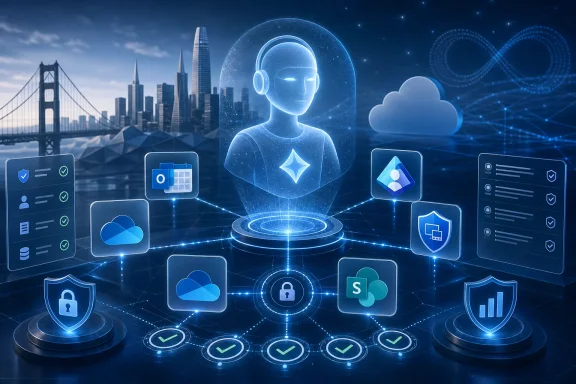
Scout’s most interesting feature may not be a feature at all, but the context layer beneath it. Microsoft says Scout uses Work IQ as its context engine, drawing from the places work already happens: Teams and Outlook for communication, OneDrive and SharePoint for files, and device-local actions on the user’s machine. That is the Microsoft 365 graph converted from passive context into operational fuel.
This is the strategic through-line in Microsoft’s agent announcements. The company already owns the substrate where many organizations communicate, store files, manage identity, enforce policy, and administer devices. Scout turns that substrate into a workplace sensorium. It can know who owns a feature, where the latest deck lives, which meeting matters, whether a decision is stalled, and when the user’s calendar has enough slack to handle a looming deadline.
That is powerful because most workplace AI tools fail at the edges. They can draft a message but do not know the political context of the thread. They can summarize a meeting but cannot reliably connect the summary to the project plan, the owner, the file, and the next review. They can generate a deck but may not understand which version of the quarterly metrics is sanctioned and which spreadsheet was abandoned last month.
Microsoft’s advantage is not only model quality. It is distribution plus context. Scout is being designed to live inside the work environment rather than beside it, which gives Microsoft a plausible path to making autonomous agents useful before competitors can assemble the same permissions, connectors, identity controls, and user habits.
The Guardrails Are the Product, Not the Fine Print
Microsoft is clearly aware that “always-on autonomous agent” sounds like a compliance incident waiting to happen. That is why the company is emphasizing Scout’s governed Entra identity, Intune policy configuration, opt-in attestation, visibility into background work, and scoped credentials. In plain English, Microsoft wants administrators to see Scout as a controllable enterprise principal, not a rogue automation script with a pleasant voice.
This is the right framing. If Scout is going to schedule meetings, prepare materials, monitor discussions, open chats, and take local device actions, then its security model is not an accessory. It is the core product. The difference between an agent and malware is not always visible at the behavioral level; both may read files, send messages, call APIs, and run tasks in the background. The difference is authorization, transparency, intent, and enforceable boundaries.
That is why the Entra identity decision matters. A dedicated agent identity can be logged, governed, disabled, reviewed, and assigned narrowly scoped permissions. A fuzzy “acting as the user” model is easier to demo but harder to defend after something goes wrong. Enterprises do not just need to know what Scout did. They need to know why it had permission to do it, which policy allowed it, which user approved it, and how to stop it next time.
Intune’s role is equally telling. Scout is not being introduced as a consumer toy that happens to run on Windows. It is being treated as managed infrastructure, with enrollment gates and policy prerequisites. That slows adoption, but it also signals that Microsoft understands the target buyer is not a productivity enthusiast downloading a clever assistant. It is an IT organization trying to decide whether autonomous work should be permitted on managed endpoints at all.
Private Preview Is a Feature, Not a Delay
Scout’s availability is deliberately narrow. Microsoft says it is going to Frontier organizations through an early experimental release, with access requiring Frontier enrollment, Intune policy configuration, and an opt-in attestation. Users also need a GitHub Copilot account or license to download and install the experience.
That is not just normal preview caution. It is a recognition that autonomous agents change the blast radius of a bad configuration. A buggy chatbot produces bad text. A buggy autonomous workplace agent can send the wrong message, schedule the wrong meeting, expose the wrong document, or generate confidence around the wrong interpretation of a stalled decision. The risk is not science fiction; it is ordinary office dysfunction automated at machine speed.
The limited rollout also gives Microsoft room to learn what the product actually is. The demo version of Scout is a calm assistant that clears coordination clutter. The production version will have to handle ambiguous authority, conflicting priorities, incomplete context, and the deeply human fact that many organizations do not have clean ownership metadata for their work. Scout can only “learn how work gets done” if the underlying work is legible enough to learn from.
That makes early customers part of the product development loop. They will not merely test whether Scout can schedule a meeting. They will test whether their policies, file permissions, naming conventions, group structures, and internal norms are ready for an agent that interprets them as instructions.
Windows Becomes the Agent Workbench Again
The Scout announcement landed alongside a broader Build message: Windows and Microsoft 365 are being repositioned as execution environments for agents. Microsoft talked up Windows 365 for Agents, OpenClaw on Windows, agent-focused development tools, Microsoft Foundry updates, and local AI capabilities in Windows. Scout is the user-facing tip of a much larger platform spear.
That matters for WindowsForum readers because the center of gravity is moving back toward the managed endpoint. For a while, enterprise AI looked like a cloud service with browser tabs. Now the agent wants access to files, local actions, shells, calendars, collaboration tools, virtual desktops, and identity-bound enterprise resources. The endpoint is no longer just a place where the user consumes AI output. It is where agent work may be initiated, observed, sandboxed, and constrained.
Microsoft’s challenge is to make this feel native without making Windows feel haunted. Users will need clear affordances showing when Scout is working, what it is doing, and what it plans to do next. Administrators will need policies that are understandable enough to deploy and strict enough to withstand pressure from executives who want the productivity gains without the governance tax.
There is a familiar Microsoft pattern here. The company often wins not by inventing the first version of a category but by making the enterprise version boring enough to buy. Scout is Microsoft attempting to domesticate the wild agent: take the energy of OpenClaw, route it through Entra and Intune, drop it into Teams and Outlook, and tell CIOs that autonomy can be managed like everything else.
The Productivity Pitch Hides a Management Shift
Microsoft’s examples for Scout are framed around personal productivity, but the deeper shift is managerial. An always-on agent that observes work, detects blockers, identifies owners, prepares materials, and nudges schedules is not just helping an individual. It is changing how coordination is surfaced and enforced.
In the best case, Scout becomes a buffer against organizational drag. It reminds people about deadlines before panic sets in. It assembles briefing materials without turning every meeting into a scavenger hunt. It notices that a decision is delayed and prompts the right people before a project slips. For knowledge workers drowning in ambient obligations, that sounds less like gimmickry and more like relief.
In the worst case, Scout becomes another layer of automated nagging in a workplace already saturated with notifications. A poorly tuned agent could turn inferred urgency into constant interruption. It could privilege measurable coordination over deep work. It could misunderstand social nuance and create more cleanup work than it saves.
The difference will be configuration, culture, and restraint. Microsoft can provide the plumbing, but organizations will decide whether Scout is used as a humane assistant or a productivity panopticon. The same agent that blocks focus time for an engineer can also become a machine that notices every slipped response and converts it into managerial pressure.
Developers Get the First Real Test of Delegated Trust
The GitHub Copilot license requirement is easy to overlook, but it hints at Scout’s early audience. Developers and technical teams are likely to be among the first users because they already understand agent workflows, tolerate preview rough edges, and live inside systems where ownership, issues, repositories, discussions, and status updates can be made machine-readable.
Microsoft’s own example of Scout monitoring a GitHub discussion, resolving feature owners across Microsoft 365 apps, and opening Teams chats is a revealing one. That is not generic office assistance. It is cross-system orchestration across code, people, and communication. It is the kind of work engineering managers and senior developers do constantly, usually with a browser full of tabs and a mental model no tool quite captures.
If Scout succeeds there, it will make a strong case for broader deployment. Software teams already know the cost of context switching, stale status, missed handoffs, and unclear ownership. They also tend to have better structured artifacts than many business teams: issues, pull requests, owners files, roadmaps, specs, and chat channels. That gives the agent more reliable rails.
But developers will also be harder to fool. They will notice hallucinated ownership, brittle workflows, permission oddities, and silent failures. They will ask where logs live, how tools are invoked, how credentials are scoped, how prompts are protected, and whether Scout can be sandboxed. If Microsoft wants Scout to earn trust, technical users will be the first courtroom.
Enterprise IT Will Ask the Unromantic Questions
For administrators, the Scout announcement should trigger a practical checklist rather than a rush to enable the preview. What identity does the agent use? Which permissions does it inherit? Can actions be approved, reversed, or quarantined? Are logs available in the same places security teams already monitor? Can Scout touch local files, and under what policy? What happens when a user leaves the company, changes roles, or moves to a different project?
These are not edge cases. They are the daily grammar of enterprise computing. A personal agent that learns how someone works will inevitably accumulate sensitive context. It may infer relationships, priorities, confidential projects, and unofficial workflows. That information can be useful, but it also becomes another surface for governance, retention, eDiscovery, and insider-risk review.
Microsoft’s strongest argument is that enterprises are better off with agents managed through familiar Microsoft controls than with employees experimenting on unmanaged tools. That argument is persuasive, but it is not a free pass. The fact that Scout is inside the Microsoft stack may make it easier to govern, but it also means mistakes can propagate through the most important systems an organization uses.
The near-term winners will be organizations that treat Scout as a new class of workload, not a feature toggle. They will pilot it with constrained groups, map allowed actions, test audit trails, define escalation paths, and decide which workflows are too sensitive for autonomy. Everyone else will rediscover, painfully, that convenience is not the same thing as control.
The Scout Era Begins With a Permission Slip
The practical lesson from Scout is that Microsoft’s agent strategy has crossed from assistance into delegation. That creates real opportunity, but it also demands a more mature operating model from customers.
- Scout is Microsoft’s first Autopilot agent, designed to keep working in the background rather than waiting for repeated user prompts.
- The agent is built on OpenClaw technology, giving it credibility as a capable autonomous runtime while importing the security concerns that come with persistent tool-using agents.
- Microsoft is leaning on Entra identity, Intune policy, opt-in attestation, and visible background activity to make Scout governable enough for enterprise trials.
- The preview is intentionally narrow, with Frontier organizations and select customers serving as the first proving ground for real-world workflows.
- Scout’s value will depend less on clever demos than on whether organizations have clean permissions, reliable work graphs, and policies that define what autonomy is allowed to touch.
- For Windows and Microsoft 365 administrators, the product should be treated as a managed actor with its own risk profile, not as a simple Copilot upgrade.
Scout is early, gated, and almost certainly unfinished, but it marks a real turn in Microsoft’s AI strategy: from copilots that advise to agents that act. The company’s advantage is that it can bind autonomy to the boring machinery enterprises already trust — identity, device management, policy, audit, and collaboration data. The open question is whether that machinery can make always-on AI feel less like a security exception and more like the next managed workload. If Microsoft gets that balance right, Scout will not be remembered as another Build preview; it will be remembered as the moment the assistant finally became part of the org chart.
References
- adoption.microsoft.com adoption.microsoft.com
- Microsoft Build Live - Microsoft Source Microsoft Source · Tue, 02 Jun 2026 19:04:51 GMT