

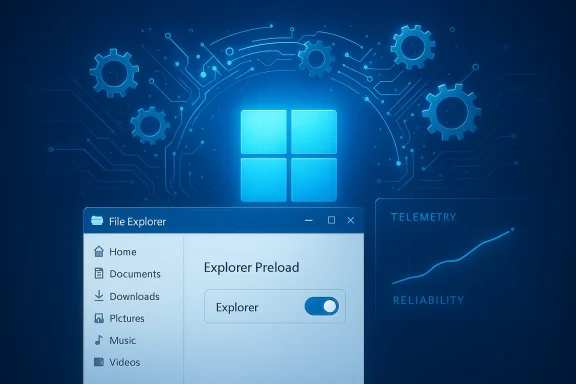
Microsoft’s defenses are up: after months of visible regressions and an increasingly vocal user base, the company has quietly shifted its priorities from rapid feature rollouts to stabilizing Windows 11, targeting the everyday performance and reliability problems that have frustrated long-time Windows users. The change is not a marketing pivot so much as an engineering one—Microsoft is testing platform-level fixes in Insider builds, pushing small but targeted fixes (like File Explorer preloading) into preview channels, and publicly acknowledging that restoring trust requires sustained, measurable improvement rather than headline features alone.
Windows 11’s story since the 24H2 era has been dual-track: a push to modernize the platform (including AI features and UX updates) while also trying to maintain the broad hardware compatibility that defines Windows. That balance has been strained. Users and enterprise admins reported regressions ranging from context-menu lag and File Explorer slowdowns to sign-in, sleep, and even boot failures. The cumulative effect has been eroded confidence in the update process and the perception that Windows prioritize over the core promise that an OS should be fast and reliable.
Microsoft’s response has been noticeable in two ways. First, there’s a shift in the tone and content of Insider builds: recent releases are heavy on fixes and experiments that directly address user pain points rather than delivering large public-facing features. Second, company leaders and engineering teams have begun to speak more explicitly about a programmatic est,” which includes telemetry-driven reliability metrics, targeted mitigation guidance, and prioritized fixes for core scenarios.
But the work is not finished. Preloading tricks, emergency patches, and telemetry-driven claims are part of a broader campaign—one that must continue for months, not weeks, to shift perception among power users and enterprise administrators. The true test will be sustained reliability across diverse hardware and software ecosystems, transparent telemetry, and an engineering discipline that gates novelty behind rigorous validation.
Microsoft has signaled it's listening. Now the company must deliver a long-run, repeatable record of fewer regressions, cleaner update rollouts, and measurable performance improvements. If it does, the Windows community will reward that discipline with reconfidence. If it doesn’t, the chorus of frustration that prompted this pivot will only grow louder—and the costs, both technical and reputational, will rise accordingly.
Source: Digg Microsoft is focusing on fixing the core issues of Windows 11 over the coming months after persistent bugs, ads, and bloatware eroded user trust | technology
 Background: why this matters now
Windows 11’s story since the 24H2 era has been dual-track: a push to modernize the platform (including AI features and UX updates) while also trying to maintain the broad hardware compatibility that defines Windows. That balance has been strained. Users and enterprise admins reported regressions ranging from context-menu lag and File Explorer slowdowns to sign-in, sleep, and even boot failures. The cumulative effect has been eroded confidence in the update process and the perception that Windows prioritize over the core promise that an OS should be fast and reliable. Microsoft’s response has been noticeable in two ways. First, there’s a shift in the tone and content of Insider builds: recent releases are heavy on fixes and experiments that directly address user pain points rather than delivering large public-facing features. Second, company leaders and engineering teams have begun to speak more explicitly about a programmatic est,” which includes telemetry-driven reliability metrics, targeted mitigation guidance, and prioritized fixes for core scenarios.
Overview of what's changing now
From flashy features to foundational fixes
For months, community conversations and technical threads have focused less on new widgets and more on whether basic workflows work reliably. Microsoft appears to have heard that message: recentporate messaging emphasize “behind-the-scenes platform changes” and experiments designed to reduce visible lag, reduce unexpected restarts, and tighten recovery behavior after critical failures. These are not glamorous, but they are the kind of work that restores day‑to‑day confidence.Specific examples rolling through Insider channels
- File Explorer preload experiment: Microsoft added an optional toggle in Insider builds that keeps a lightweight Explorer instance “warmed” in the background to reduce the cold-launch delay. Early hands-on tests show perceptible first-open gains, but at the cost of a modest memory increase (roughly a 30–t). The company frames the experiment as telemetry-driven and toggleable.
- Task Manager, sign-in, and input fixes: Several Insider builds explicitly address glaring regressions—Task Manager reporting zero processes, Windows Hello PIN sign-in failures, and task-switching pauses. These fixes reduce high-friction help-desk tickets and are being validated in Canary/Beta rings before broader deployment.
- Quick Machine Recovery and crash-handling improvements: Microsoft has reworked aspects of crash dump collection and machine recovery, aiming to reduce user downtime after severe faults. The company claims significant reductions in the time spent on crash screens and improvements in recovery automation, based on internal telemetry. Those claims are measurable and have been highlighted in corporate posts.
What the data and tests say (verification and cross-checks)
Journalists and community testers have converged on a few repeatable findings about the recent fixes and experiments. It’s important to cross-reference these observations with multiple independent sources to separate marketing claims from measurable outcomes.- File Explorer preload: multiple hands‑on tests show a modest launch-time improvement coupled with a measurable RAM increase. Windows Latest measured idle Explorer resident memory rising from roughly 32–35 MB to about 67 MB when preload was enabled—an increase on the order of ~35 MB. Independent outlets (TechRadar, Digital Trends, Windows Forum discussions) reproduce the same pattern: perceptible cold-start gains, limited real‑world advantage for high-end systems, and a memory cost that may be material on low‑RAM machines.
- Reliability telemetry claims: Microsoft has publicly stated that version 24H2 shows a decrease in unexpected restarts compared to previous releases (one Microsoft post cited a 24% reduction vs. 22H2). That claim is sourced to Microsoft telemetry; independent reporters note the statistic but emphasize it comes from Microsoft’s internal data and should be understood as a company‑provided metric rather than a universal, independently audited figure. In other words, the direction of improvement is corroborated; the precise percentage is Microsoft’s claim.
- Patch-era regressions: despite incremental fixes, recent servicing updates (including early 2026 patches) have required emergency out-of-band fixes for some customers. Independent coverage documented a messy January 2026 update cycle that produced shutdown and cloud-app regressions, prompting emergency remediation—evidence that despite a focus on quality, the release process remains fallible. This helps explain Microsoft’s renewed emphasis on more conservative, telemetry-driven rollouts.
Why these fixes matter to users and IT pros
Fixing perceived slowness and high-friction bugs is not cosmetic: it affects productivity, trust, and the economics of support.- For everyday users, small reliability problems—file previews that hang, context menus that stutter, sign-in loops—quickly erode confidence. A smoother File Explorer, reliable login surface, and predictable sleep/boot behavior reduce frustration and decrease time spent troubleshooting.
- For IT administrators, the calculus is operational. Frequent patch rollouts that carry regressions raise deployment costs, increase the need for image rollbacks, and force conservative update approvers to delay feature adoption. Microsoft’s push to stabilize core scenarios and publish mitigations helps administrators plan staged rollouts rather than wrestle with surprise fixes.
- For OEMs and ISVs, clearer telemetry and validated platform stability reduce the support burden. Microsoft’s public statements about platform-level testing and a more measured rendors align their validation windows with Microsoft’s servicing cadence.
Strengths in Microsoft’s current approach
- Telemetry-first, iterative remediation: Microsoft is using Insider telemetry, Feedback Hub, and targeted experiments to identify high-impact regressions and test mitigations before broadly shipping them. This approach reduces blast radius and surfaces real-world regressions earlier than a mass rollout.
- Toggleable experiments: Making features like Explorer preload user‑toggleable during the Insider phase allows Microsoft to gather opt-in telemetry and user feedback without forcing a global change. It’s a pragmatic compromise between engineering speed and user control.
- Focusing on high-friction surfaces: Authentication (Windows Hello), shell responsiveness (Explorer, context menus), and recovery flows are precisely the areas where fixes buy the most user goodwill. Prioritizing these lowers support costs and improves perceived quality more than incremental cosmetic features.
- Public accountability: Corporate communication acknowledging problems and promising concrete fixes—paired with visible Insider builds—creates a feedback loop that, if honest and consistent, rebuilds trust over time.
Risks, blind spots, and what remains unresolved
- Patch churn and emergent regressions: Even with improved validation, shipping frequenrisk of regressions. Recent emergency out-of-band patches show Microsoft still faces release control issues—particularly when firmware or driver interactions are involved. Insiders are a good buffer, but enterprise fleets need stronger, enterprise-grade guarantees.
- Surface-level fixes vs. architectural debt: Preloading is a pragmatic workaround for cold-start lag, but it does not correct deeper architectural sources of Explorer slowness—like heavy preview handlers, shell extension ordering, and the complexity introduced by mixing Win32 and WinUI/XAML layers. Unless Microsoft commits time to deeper rework, some pain points will persist. Multiple reviews note that preloading masks rather than cures the root causes.
- Telemetry transparency: Microsoft’s reliability numbers are encouraging, but independent verification is scarce. Without public definitions and raw metr percentages like “24% fewer unexpected restarts” are meaningful but incomplete. Enterprises and researchers will want more transparent telemetry definitions to build trust in the Numbers.
- Feature creep and mixed messaging: Microsoft continues to develop AI-driven features and Copilot integrations. If engineering resources remain split between feature development and platform fixes, the risk is a perpetual tug-of-war where user-facing reliability improvements are outpaced by new features that introduce regressions. The community has repeatedly called for gating major feature experiments behind stricter Insider and enterprise channels.
Practical guidance for users, IT admins, and enthusiasts
For everyday users
- If you’re sensitive to system responsiveness and run low-RAM hardware (4–8 GB), wait for broader testing before taking optional Insider-like changes or preview updates on production devices.
- Turn on automatic backups and create a system restore point before applying optional preview updates.
For enthusiasts and Insiders
- Join the Windows Insider program (Dev/Beta) on a spare device or VM.
- Test preloading and other toggles, record real-world performance, and file Feedback Hub reports with repro steps and diagnostics.
- Measure both cold-start and sustained navigation times to identify whether improvements are perceptual or practical on your hardware.
For IT administrators
- Continue using staged deployment rings (Canary → Beta → Broad) and emphasize pilot pools that match production hardware and image topologies.
- Use Windows Update for Business controls and deferral policies to reduce blast radius. Maintain recovery images and rollback procedures to expedite remediation if a patch introduces a regression.
Long-term implications: what success looks like
If Microsoft succeeds in rebalancing its development pipeline—by coupling faster feature delivery with stronger validation gates and clearer telemetry—Windows 11 could regain the baseline "it just works" reputation that keeps the platform dominant. Indicators of success include:- Continued decline in high-impact regressions reported in telemetry and public bug trackers.
- Fewer emergency out-of-band fixes and better-communicated mitigation guidance for affected scenarios.
- Published, reproducible reliability metrics with clear definitions that researchers and enterprises can understand and validate.
- A measured gate for major features—especially agentic and AI features—so that early experiments stay in Insiders and don’t affect broad servicing rings.
Final analysis: cautious optimism, not complacency
Microsoft’s recent pivot—visible in Insider builds, public statements, and targeted fixes—is a necessary and welcome response to an era where users demand both innovation and polish. The company is doing the right tactical things: prioritizing high-impact bugfixes, using telemetry to focus engineering effort, and exposing experiments behind toggles so they can be validated in a controlled way. Early results are encouraging, and measurable wins (faster cold opens for Explorer in certain scenarios, reduced crash-screen time, and fixes for authentication regressions) are real improvements for many users.But the work is not finished. Preloading tricks, emergency patches, and telemetry-driven claims are part of a broader campaign—one that must continue for months, not weeks, to shift perception among power users and enterprise administrators. The true test will be sustained reliability across diverse hardware and software ecosystems, transparent telemetry, and an engineering discipline that gates novelty behind rigorous validation.
Microsoft has signaled it's listening. Now the company must deliver a long-run, repeatable record of fewer regressions, cleaner update rollouts, and measurable performance improvements. If it does, the Windows community will reward that discipline with reconfidence. If it doesn’t, the chorus of frustration that prompted this pivot will only grow louder—and the costs, both technical and reputational, will rise accordingly.
Source: Digg Microsoft is focusing on fixing the core issues of Windows 11 over the coming months after persistent bugs, ads, and bloatware eroded user trust | technology
