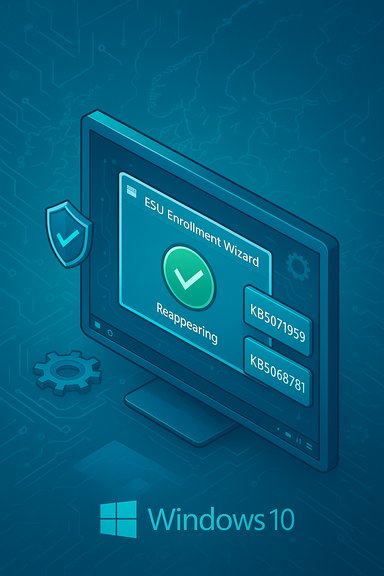
Microsoft Ships OOB KB5071959 Fix to Restore Windows 10 ESU Enrollment

  • Thread Author
Microsoft has quietly shipped an out‑of‑band (OOB) update — KB5071959 — that repairs a broken enrollment wizard preventing some Windows 10 consumer PCs from joining the Extended Security Updates (ESU) program, restoring the ability for eligible devices to receive post‑end‑of‑support security patches.

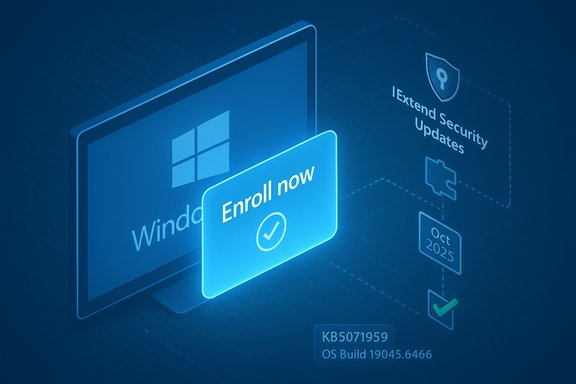
Blue Windows update graphic with an 'Enroll Now' sign and security updates timeline.Background​

Windows 10 reached its official end of support on October 14, 2025, at which point Microsoft stopped delivering routine security and feature updates for the OS unless devices are enrolled in the Extended Security Updates (ESU) program. Microsoft published consumer ESU enrollment pathways — a free option tied to settings sync, an option redeemable with Microsoft Rewards points, and a paid one‑time purchase — but the in‑OS Enroll now workflow encountered reliability problems for a subset of users. The enrollment issue was practical, not merely cosmetic: affected machines that could not complete enrollment risked being left without critical security patches after the OS reached end‑of‑support. Microsoft’s response was to issue KB5071959 as an OOB cumulative update for Windows 10, version 22H2 (OS Build 19045.6466), which bundles previous October fixes and includes a servicing‑stack update (SSU) to improve update reliability.

What KB5071959 fixes (short, verifiable summary)​

  • KB5071959 addresses an issue where the Windows 10 Consumer ESU enrollment wizard may fail mid‑process, blocking enrollment and, consequently, delivery of Extended Security Updates via Windows Update.
  • The package is cumulative: it contains the October 14, 2025 security fixes (the previous monthly cumulative) and installs a servicing stack update (SSU KB5071982) alongside the LCU to reduce the chance of installation failures.
  • The fix is targeted at consumer devices running Windows 10, version 22H2; earlier 10 feature updates are not eligible for the consumer ESU path.
These points are confirmed directly by Microsoft’s KB article and corroborated by independent publications reporting on the release.

Overview: Why this mattered — and why Microsoft pushed an OOB update​

The ESU program is the fallback that supplies critical and important security updates when an OS reaches end of support. When the enrollment UI fails, eligible personal devices can’t opt into that protection. That failure effectively severs the delivery channel for security patches to at‑risk machines that can’t or won’t upgrade to Windows 11 immediately. Microsoft classified this as serious enough to push an out‑of‑band fix rather than waiting for the regular monthly patch cadence. Two technical realities increase the importance of the fix:
  • The ESU enrollment flow is implemented as an in‑OS wizard that depends on recent cumulative and servicing‑stack code; missing prerequisites or an outdated SSU has been a recurring cause of install or UI failures.
  • Servicing‑stack updates are often required to apply subsequent LCUs; bundling an SSU (KB5071982) with KB5071959 reduces installation fragility and avoids chained failures.
Independent reporting and community tracing show that earlier mid‑2025 updates already addressed some enrollment‑related crashes, and the November OOB is the remaining targeted repair for specific wizard failures.

How Microsoft describes the fix (direct technical points)​

According to Microsoft’s support entry for KB5071959:
  • The OOB update is offered to consumer devices not yet enrolled in ESU and is cumulative.
  • It resolves an enrollment wizard failure in the Windows 10 Consumer ESU workflow so consumer devices should be able to successfully enroll using the built‑in wizard after installing the update.
  • After enrollment completes, enrolled devices are eligible to receive Extended Security Updates through Windows Update.
These are the central, verifiable claims in Microsoft’s release notes. The build numbers associated with the updates are explicit: KB5071959 advances 22H2 to OS Build 19045.6466 and the SSU appears as KB5071982 (OS Build 19045.6465).

Cross‑checking and independent confirmation​

Multiple independent outlets and community logs confirm Microsoft’s description and the operational impact:
  • HowToGeek and Windows Report both covered the OOB release and echoed Microsoft’s statement that the enrollment wizard bug was the reason for the patch.
  • Pureinfotech and other specialized Windows sites reported that KB5068781 was released as the first ESU monthly update and that KB5071959 was issued alongside to address enrollment issues — providing a consistent narrative of an LCU (first ESU monthly) and the OOB enrollment fix.
  • Community troubleshooting threads and the uploaded support documents included in this package provide operational steps and diagnostic checks for technicians encountering the enrollment wizard failure, supplying practical verification for the problem descriptions and remedies.
Taken together, Microsoft’s KB page plus the independent technical coverage and community logs meet the requirement for cross‑referencing from at least two independent sources for the central claims about the update and its purpose.

What consumers and admins should do now (practical, prioritized checklist)​

  • Confirm eligibility: verify the device runs Windows 10, version 22H2 (open Winver or Settings → System → About). Devices on earlier builds are not eligible for the consumer ESU enrollment path.
  • Check Windows Update: open Settings → Update & Security → Windows Update and select Check for updates. If KB5071959 is offered, install it and restart the device to finalize the SSU and cumulative installs.
  • Enroll in ESU: after reboot, return to Settings → Windows Update and run the Enroll now wizard. Follow the prompts to complete enrollment — options include free entitlement routes (settings sync or redeeming Rewards points) or a paid one‑time purchase where applicable.
  • If KB5071959 is not offered automatically: download the package manually from the Microsoft Update Catalog and install the SSU and LCU in the recommended order; reboot and then retry enrollment.
If enrollment still fails after these steps, consult the troubleshooting checklist below. These actions are grounded in Microsoft’s guidance and the operational steps documented by community experts.

Troubleshooting (if the enrollment wizard still fails)​

  • Confirm services and account context: the consumer ESU wizard requires a Microsoft account (MSA) with administrative privileges on the device; local accounts frequently fail to trigger the free path. Ensure the Microsoft Account Sign‑in Assistant (wlidsvc), Credential Manager (VaultSvc), and Windows License Manager Service are running.
  • Verify update history: check Settings → Update history to confirm that KB5071959 and the SSU (KB5071982) installed successfully. Reboot if you see pending installs.
  • Enable telemetry temporarily: the enrollment flow can depend on minimal telemetry/feature‑management signals. Temporarily enabling the Connected User Experiences and Telemetry service (DiagTrack) can help the wizard complete its eligibility check. Community guidance documents the exact commands used to trigger a re‑evaluation.
  • Force eligibility evaluation: advanced community steps include setting the FeatureManagement override and running ClipESUConsumer.exe -evaluateEligibility to force the local check; these steps require admin rights and should be used with caution.
  • As a last resort: performing an in‑place repair (repair install) can fix deeper OS inconsistencies that block the enrollment path. Back up data before attempting.
These troubleshooting recipes are widely circulated across Microsoft’s community resources and independent tech sites; they are practical but require care, administrative rights, and, in some cases, a willingness to temporarily enable services or make registry changes.

The broader ESU context: cost, eligibility, and regional nuances​

Microsoft’s consumer ESU program offers three enrollment routes:
  • Free: enable Windows Backup / sync settings to OneDrive while signed into a Microsoft account; this route grants ESU entitlements at no additional cost.
  • Redeem: use 1,000 Microsoft Rewards points to claim an ESU entitlement.
  • Paid: a one‑time purchase (commonly cited at $30 USD or local equivalent) that covers up to 10 devices linked to the same Microsoft account.
Microsoft documents these options on its consumer ESU support pages; industry outlets also documented the $30 price and the free/Rewards alternatives. Note: businesses and enterprises use the commercial ESU offering with different, multi‑year pricing. Regionally, Microsoft made concessions for the European Economic Area (EEA) that relax some requirements for the free route; rollout behavior and enrollment timing have varied by market, which contributed to the “Enroll coming soon” messages many users reported. While community reporting documents regional rollout differences, exact per‑market timing remains under Microsoft’s control and is staged.

Risks, caveats, and what to watch for​

  • SSU persistence: servicing‑stack updates are often not removable. Once installed, SSUs remain in place by design to prevent repeated update failures; administrators should treat SSU installs as semi‑permanent and validate them in pilots before broad deployment.
  • Incomplete enrollment window: enrollment doesn’t backdate coverage. If a device goes unprotected between October 14, 2025 and the moment it actually enrolls, that gap may leave the system vulnerable to exploitation of issues patched during the missed period. Apply KB5071959 and complete enrollment promptly to minimize any coverage gaps.
  • Microsoft account requirement: the consumer ESU flow ties entitlements to an MSA — local accounts won’t qualify for the free path and, in many regions, enrollment requires periodic sign‑in. This requirement will frustrate privacy‑conscious users who prefer local accounts.
  • Unknown scope of impact: there is no public, machine‑readable count of how many consumer devices encountered the enrollment wizard failure. Community reports and staged rollouts show that the issue affected a non‑trivial set of users, but exact numbers or percentages are unavailable and unverifiable outside Microsoft telemetry. This should be treated as an unknown quantity rather than a confirmed population statistic.

Enterprise and IT admin considerations​

Although KB5071959 targets consumer enrollment failures, the mechanics of SSUs and LCUs are identical for enterprises where applicable, and administrators should follow standard change‑management practices:
  • Pilot the update on representative hardware, validate boot behavior and application compatibility, monitor BitLocker interactions, and check update history for any install anomalies.
  • If you deploy through WSUS/ConfigMgr/SCCM/Intune, ensure catalog files and express payloads are synchronized correctly to avoid partial downloads and failed installs.
  • Maintain backups and have BitLocker recovery keys exported prior to wide deployment; servicing‑stack installs can occasionally trigger recovery prompts in some configurations.
For managed fleets, the recommended path remains staged rollout: pilot, validate, then broader phased deployment. KB5071959’s inclusion of an SSU justifies a conservative rollout to avoid unexpected interactions in mixed environments.

What remains uncertain (and flagged claims)​

  • Scope of affected devices: Microsoft has not published a public tally of how many consumer PCs failed enrollment; community reports show a noticeable problem in some markets but exact scale is unverifiable. Treat any specific figure or percentage as speculative unless Microsoft publishes telemetry.
  • Long‑term expectations beyond October 13, 2026: consumer ESU is a one‑year bridge for most users; commercial ESU has multi‑year pricing but consumer renewals beyond the single year are not part of the standard consumer path. Future decisions on additional consumer extensions or policy changes are subject to Microsoft’s announcements and cannot be assumed.
These uncertainties are explicitly flagged where appropriate; claims about exact numbers or future policy beyond Microsoft’s published guidance are not asserted.

Bottom line for Windows 10 users​

  • If you run Windows 10, version 22H2 and you want security updates after end of support, install KB5071959 immediately if it’s offered and complete the ESU enrollment wizard. Doing so restores the intended security update delivery mechanism.
  • If you did not see the Enroll now prompt before October 14, 2025, the OOB update is Microsoft’s corrective action to get you into ESU without further delay — but you must follow through to enrollment or risk remaining unprotected.
  • For administrators, pilot and stage the SSU+LCU combined install, verify backups and BitLocker keys, and apply the update during scheduled maintenance windows.
KB5071959 is an operationally focused, narrowly scoped update that does not add consumer features; its value is restoring a broken enrollment mechanic that could otherwise deny essential security coverage to eligible Windows 10 devices. Microsoft’s decision to push this out‑of‑band underscores the importance of that enrollment path to post‑support patch delivery.

Quick reference: Install and enroll (concise steps)​

  • Settings → Update & Security → Windows Update → Check for updates.
  • Install KB5071959 (OOB) if offered; reboot when prompted.
  • After reboot, open Settings → Update & Security → Windows Update → Enroll now (follow the wizard).
  • If not offered: download KB5071959 and SSU KB5071982 from the Microsoft Update Catalog and install manually (SSU first if required), reboot, then enroll.

The update and enrollment fix are now live; affected consumer devices should proceed through the steps above to restore ESU enrollment and continue receiving monthly Extended Security Updates.
Source: Windows Report KB5071959 OOB Update Fixes Windows 10 ESU Enrollment Bug
 

Microsoft has quietly pushed an out‑of‑band update to fix a flaw that prevented some Windows 10 PCs from enrolling in the Consumer Extended Security Updates (ESU) program — a bug that left eligible systems unable to receive post‑end‑of‑support security patches. The emergency package, KB5071959, corrects a failure in the ESU enrollment wizard that surfaced as vague messages such as “Something went wrong” or “Enrollment temporarily unavailable,” and Microsoft says the patch restores the in‑OS signup flow for affected consumer devices.

Digital enrollment screen for ESU with shield checkmark, code card, and Enroll now button.Background / Overview​

Windows 10 reached its official end of support in October 2025. To give users more time to migrate, Microsoft offered a Consumer Extended Security Updates (ESU) program that provides security‑only updates for eligible Windows 10 devices through October 13, 2026. Enrollment options for consumers include syncing settings to a Microsoft account (free in many cases), redeeming Microsoft Rewards points, or paying the nominal fee where applicable. The ESU program is explicitly limited to security fixes and does not include new features, feature updates, or traditional support. ESU enrollment is a short, built‑in workflow in Settings that validates device eligibility, links the entitlement to a Microsoft account (one account can cover multiple devices), and then enables the device to receive ESU rollups via Windows Update. That small enrollment wizard is the gatekeeper: if it fails, eligible devices simply do not get the security updates Microsoft publishes under the ESU program.

What Microsoft released and why it matters​

KB5071959: an out‑of‑band corrective update​

Microsoft published KB5071959 as an out‑of‑band (OOB) cumulative update targeted specifically at consumer devices that had not been able to enroll in ESU. The package is cumulative — it includes the security fixes from the October 14, 2025 rollup (KB5066791) and contains the fix that prevents the enrollment wizard from failing during sign‑up. The KB entry states that, after applying KB5071959 and rebooting, consumer devices should be able to successfully enroll in ESU using the ESU wizard. Windows Update will only offer KB5071959 to machines that are flagged as unable to enroll — it’s not a general cumulative for all Windows 10 installations. Microsoft also paired the release with an updated servicing stack package to improve installation reliability on affected devices. If Windows Update does not surface the OOB package, administrators can still obtain the MSU/CAB from the Microsoft Update Catalog, though care is required to install the servicing stack in the correct order if performing a manual install.

Why an OOB patch was necessary​

The ESU enrollment bug coincided with the first ESU security rollups, meaning eligible devices that could not sign up were at immediate risk of missing critical patches. Microsoft chose to push a targeted out‑of‑band update rather than wait for the regular monthly cadence because the bug effectively blocked the delivery path for all subsequent ESU updates. That made the problem high severity for any consumer device that still required security coverage.

How the bug presented in the real world​

Symptoms and error messages​

Affected users reported one of several behaviours when attempting ESU enrollment:
  • The ESU option (“Enroll now”) did not appear at all.
  • The wizard appeared but terminated with the ambiguous message: “Something went wrong. We can’t enroll you in Extended Security Updates right now.”
  • Other devices showed a region‑specific message: “Enrollment for Extended Security Updates is temporarily unavailable in your region.”
Those symptoms were reported across multiple regions and device types, and community troubleshooting initially pointed to configuration issues on some machines (e.g., lingering work/school account ties or disabled update services). However, Microsoft acknowledged there was a bug in the consumer ESU enrollment path that could cause the wizard to fail outright on eligible devices, and KB5071959 carries the explicit remedial statement.

Regional and account nuances​

There were two clusters of reports:
  • In some EU regions the wizard was gated with a message saying enrollment was “temporarily unavailable.” That behaviour appeared linked to a staggered rollout and regional enrollment rules rather than a hard technical block at first glance.
  • In other regions (including the U.S. users saw the opaque “Something went wrong” failure even when their device met the documented prerequisites.
Community reporting and news outlets noted that device recognition issues (for example, Windows detecting a device as enterprise‑managed or tied to Azure AD) could also block the consumer wizard and require a different ESU purchase path (volume licensing or CSP). KB5071959 addresses the wizard failure itself; it may not resolve every configuration or licensing scenario that prevents enrollment.

Verifying the fixes and the timeline​

  • Microsoft’s official KB entry for KB5071959 confirms the package was published on November 11, 2025 and that it specifically addresses the ESU enrollment wizard failure.
  • Microsoft’s November cumulative update for ESU devices — KB5068781, published the same day — is the first ESU Patch Tuesday rollup and fixes related issues that could show false end‑of‑support messaging in Settings. The KB for KB5068781 documents the update and the builds it advances (OS Builds 19044.6575 and 19045.6575).
  • Independent outlets and community forums corroborated the timeline and the nature of the fixes: outlets such as Windows Latest and HowToGeek reported that Microsoft acknowledged the enrollment failure and that KB5071959 was pushed as an urgent corrective release. Those third‑party confirmations align with Microsoft’s public KB entries.

What to do now — practical steps for affected users​

If you were blocked from enrolling in Consumer ESU, follow these steps in order to remediate and complete enrollment:
  • Open Settings → Windows Update → Check for updates.
  • If KB5071959 appears, install it. Reboot when prompted.
  • After installing the OOB update and rebooting, return to Settings → Windows Update and look for the Enroll now option. Run the ESU enrollment wizard and follow the prompts to sign in with a Microsoft account and choose your enrollment option.
  • Once enrollment completes, verify Windows Update shows that the device is enrolled and then check for the latest ESU rollup (for November 2025 that is KB5068781 for enrolled devices).
If Windows Update does not offer KB5071959:
  • Download the KB5071959 package from the Microsoft Update Catalog and install it manually. If a servicing stack update (SSU) is listed as required, install the SSU first, then the cumulative package. Manual installs are more error‑prone; ensure you choose the MSU/CAB that matches your OS build and architecture.
If the wizard still fails after KB5071959, investigate the following configuration issues before escalating to Microsoft support:
  • Is the device tied to a work/school account or Azure AD object? Enterprise‑managed devices may require a different ESU procurement path.
  • Are core update services enabled? (wlidsvc, LicenseManager, Windows Update services)
  • Is the device set to a region that matches your account and IP? In some rare cases regional gating and rollout timing can affect the visibility of the ESU option.

Technical breakdown: what’s inside the KBs and why SSUs matter​

  • KB5071959 is an out‑of‑band cumulative LCU (Latest Cumulative Update) targeting consumer Windows 10 devices not enrolled in ESU. It advances the OS build and bundles the October LCU fixes so devices that install it aren’t missing prior critical updates.
  • Microsoft packaged an updated servicing stack update (SSU) alongside these OOB releases (listed in the KB as a separate KB number). SSUs improve the update platform itself; installing the latest SSU before or alongside an LCU reduces the risk of installation failures. In many combined packages Microsoft sequences the SSU automatically, but manual installs must respect the order.
Why this matters: SSU mismatches are a common cause of LCU installation failures. By delivering the SSU and LCU together for the ESU enrollment fix, Microsoft reduced the chance that the remediation itself would encounter update sequencing errors — a practical, if unglamorous, reliability improvement.

Analysis: strengths, risks, and remaining unknowns​

Notable strengths​

  • Microsoft responded quickly with an out‑of‑band patch the same week the ESU program began delivering monthly updates. That rapid reaction reduced the window in which eligible consumer devices could be left exposed. The fix being cumulative and including the October rollup minimized the chance that devices would be patched but still miss earlier critical fixes.
  • The targeted nature of KB5071959 — showing only on machines that could not enroll — limited unnecessary churn for devices already enrolled or unaffected. This lowers risk for the general population while ensuring affected users get a prioritized remediation.

Potential risks and operational concerns​

  • The enrollment wizard is a small surface area with outsized responsibility: it’s the gate for all ESU deliveries to consumer devices. A single software regression in that path can block entire populations from receiving critical security updates, and that’s what happened. The incident highlights the fragility that can creep into post‑EOL support models when enrollment and entitlement logic is embedded in the OS.
  • Regional rollout idiosyncrasies and account requirements complicate consumer uptake. Differences in European Economic Area (EEA) handling (free enrollment options) versus paid enrollment elsewhere, plus the Microsoft account requirement for consumer ESU, create a mix of policy and technical gating that can be confusing and harder to troubleshoot at scale. Those policy differences are outside of the technical fix and may still cause blocked enrollments for legitimately eligible users depending on their geography or account state.
  • Transparency and messaging remain weak in some places: the “Something went wrong” error is unhelpful, and earlier reports of erroneous end‑of‑support messages in Windows Update Settings caused unnecessary alarm among administrators and users. Microsoft has pushed fixes for those messages, but the episode underscores the need for clearer UX and more actionable diagnostics in critical enrollment flows.

Unverified or partially verified claims (flagged)​

  • Some community reports described ESU visibility problems that were ultimately attributed to regional gating or Microsoft account status. While KB5071959 fixes the enrollment wizard failure for consumer devices, it does not guarantee that every regional or account configuration issue has been resolved. Users who are still blocked after applying KB5071959 should treat the persistent failure as a configuration/licensing issue rather than evidence the OOB patch didn’t work. The precise allocation of which regional gating errors were fixed by the OOB update vs. those controlled by policy rollout timing is not fully documented in a single, consolidated Microsoft statement and therefore remains partially ambiguous. This should be investigated on a case‑by‑case basis.

Broader implications for Windows 10 users and administrators​

For consumers​

  • If you have an eligible Windows 10 device and you want to remain patched through October 13, 2026, the ESU program remains the official path. Installing KB5071959 when offered and completing the enrollment wizard is the immediate priority for anyone who couldn’t previously sign up.
  • Consider the Microsoft account requirement and the available enrollment options (syncing settings, Rewards, or paid enrollment) and choose the option that fits your privacy and cost preferences. In the EEA Microsoft adjusted pricing and conditions in response to regulatory pressure; consumer experiences may therefore differ by country.

For IT pros and power users​

  • If you manage devices that cannot or should not be tied to Microsoft consumer accounts (for example, locked down images or air‑gapped systems), plan for alternative paths: device replacement, migration to supported OSes, or enterprise ESU procurement where that path is supported. Enterprise channels and volume licensing have different processes and pricing for ESU entitlements.
  • Test the combined SSU/LCU sequence in a lab before wide deployment if you plan to manually install packages or if you manage curated images; SSU order issues can create avoidable headaches in mass provisioning.

Final assessment and recommendations​

Microsoft’s release of KB5071959 was the right technical move: a narrowly scoped, out‑of‑band cumulative update that patches the enrollment wizard and bundles prior security fixes, reducing exposure for eligible consumer devices. The company’s rapid reaction mitigated what could otherwise have been a prolonged security gap for many users who elected to remain on Windows 10 under the ESU program. That said, the incident exposes two broader weaknesses that deserve attention:
  • The coupling of entitlement UX and update delivery is a single point of failure for post‑EOL security. Future designs should aim for clearer diagnostics and failover paths so that users are not left with opaque errors that prevent critical update flows.
  • Policy fragmentation across regions and account types complicates support and troubleshooting. Clearer messaging, more detailed error codes, and guided remediation steps (rather than generic “Something went wrong” dialogs) would reduce helpdesk load and speed resolution for end users.
Practical steps to take now:
  • Run Windows Update on any Windows 10 device that could not previously enroll; install KB5071959 when offered and reboot.
  • After installing KB5071959, complete ESU enrollment via Settings → Windows Update → Enroll now and then check for the November ESU rollup (KB5068781) if you are enrolled.
  • If problems persist, verify account type and device management state, check that essential services are running, and consider manual SSU/LCU installation only after testing. If the device is enterprise‑managed, pursue the licensed ESU procurement path appropriate to that environment.
The emergency update closes an awkward chapter in the Windows 10 end‑of‑support transition. It does not change the long‑term reality: ESU is a temporary safety valve that buys time, not a substitute for moving to a supported platform. For devices that can upgrade, plan that migration; for those that cannot, ensure enrollment and an operational update pipeline so the system remains defended while the migration plan proceeds.
Microsoft’s quick OOB fix resolves the immediate enrollment break, but the episode is a reminder that even small pieces of UX can carry heavy security consequences when they gate update delivery. The responsibility for staying secure now rests with users and administrators: apply KB5071959 where needed, complete ESU enrollment, and maintain disciplined update and migration plans through the ESU period.
Source: TechRadar https://www.techradar.com/computing...error-message-microsoft-has-rolled-out-a-fix/
 

Microsoft has pushed an out‑of‑band emergency update that fixes a stubborn registration bug blocking many Windows 10 users from enrolling in the consumer Extended Security Updates (ESU) program, restoring the on‑device enrollment wizard and clearing the way for affected PCs to receive November’s ESU security rollup. The package, published by Microsoft on November 11, 2025 as KB5071959, is targeted at consumer devices that could not complete the ESU sign‑up because the enrollment wizard crashed or returned opaque “Something went wrong” errors; installing it and rebooting should allow those devices to enroll and begin receiving ESU patches via Windows Update.

Windows 10 ESU Enrollment Wizard on a monitor shows a green checkmark and status update.Background / Overview​

Windows 10’s mainstream support window closed in mid‑October 2025 and Microsoft provided a one‑year consumer ESU bridge that delivers security‑only patches through October 13, 2026 for eligible devices running Windows 10, version 22H2. The consumer ESU route was designed as a short, time‑boxed safety net to keep vulnerable machines patched while owners plan migrations to Windows 11 or replacement systems. Enrollment for the consumer ESU is done through Settings → Update & Security → Windows Update and is gated by several prerequisites (Windows build, recent servicing stack updates, and a Microsoft Account for consumers). Microsoft’s ESU guidance spells out those rules and the program timeline. In early November, two related problems undermined that promise: (1) an erroneous “Your version of Windows has reached the end of support” banner appeared on some systems’ Windows Update page, and (2) the ESU enrollment wizard failed to complete for many consumer PCs — either closing immediately or returning vague error text. Microsoft responded with both server‑side corrections and formal update packages: the standard ESU cumulative for enrolled devices (KB5068781) and the out‑of‑band patch KB5071959 aimed at consumer devices failing to enroll.

What KB5071959 actually changes​

A targeted, out‑of‑band repair​

KB5071959 is explicitly an out‑of‑band cumulative update for consumer Windows 10 devices that have been prevented from completing ESU enrollment by a wizard stability/registration bug. The Microsoft support bulletin states the update “addresses an issue in the Windows 10 Consumer Extended Security Update (ESU) enrollment process, where the enrollment wizard may fail during enrollment,” and that after installation affected consumer devices should be able to complete enrollment and begin receiving ESU updates. The update was released on November 11, 2025. This package is not intended to change ESU account rules, pricing, or eligibility — it simply repairs a failure mode that prevented legitimate consumer devices from obtaining their entitlements through the Settings UI.

How to get and install it​

  • Install via the standard Windows Update flow (check for updates and apply any pending SSUs/LCUs).
  • For manual installs, the update packages (and the corresponding servicing stack update) are available from the Microsoft Update Catalog.
  • Reboot after installation to complete the repair and then re‑run the ESU enrollment wizard in Settings → Update & Security → Windows Update.

Why the enrollment flow failed: technical and rollout causes​

Prerequisites, phased rollout and regional nuance​

The consumer ESU enrollment path was designed to be gated: only devices on Windows 10 version 22H2 with recent cumulative and servicing‑stack updates installed are eligible to enroll using the consumer wizard. Microsoft rolled the enrollment UI out in waves and applied region‑specific concessions for the European Economic Area (EEA), which changed some of the free‑path constraints. This staged rollout — combined with missing prerequisite updates on many machines — is the primary reason some devices never saw the “Enroll now” prompt. The practical checklist that repeatedly appears in community threads is short but strict:
  • Windows 10, version 22H2 installed (consumer editions).
  • Latest cumulative updates and servicing‑stack updates (SSUs) installed (community reporting highlights KB5063709 and other mid‑2025 preparatory updates).
  • Device signed in with an administrator Microsoft Account (MSA) — local accounts are not accepted for the consumer paths.
  • Device must not be domain‑joined or managed by MDM policies that divert it to organizational licensing.

Common technical failure modes​

Community troubleshooting and Microsoft Q&A threads converged on several reproducible failure causes that could make the wizard crash or report useless errors:
  • Missing preparatory cumulative or SSU packages (the wizard depends on updated components).
  • Critical services disabled (for example Microsoft Account Sign‑in Assistant wlidsvc, Credential Manager VaultSvc, LicenseManager). Enabling these services and rebooting restored enrollment for many users.
  • Devices misclassified as organizational endpoints (residual Azure/Entra or domain artifacts), which redirected the flow to enterprise licensing and blocked consumer enrollment.
  • Third‑party security software or aggressive system hardening interfering with the sign‑in and enrollment steps.
When these prerequisites are satisfied and the device has the required updates installed, the enrollment UI typically works as expected. Where it did not, KB5071959 addresses the wizard failure itself so the UI can complete enrollment.

Security impact: what this means for November patches and the immediate risk profile​

The ESU rollup and active threats​

November’s security updates for Windows included the initial ESU cumulative for enrolled Windows 10 systems (KB5068781), and Microsoft’s monthly Patch Tuesday disclosed a large set of fixes across products. Multiple independent trackers reported the November cycle addressed roughly 60–80 vulnerabilities depending on counting rules and whether third‑party components and Edge/Chromium bugs were counted. Several outlets and security trackers identified at least one vulnerability in Microsoft’s November disclosures that was already being exploited in the wild prior to the patch release. Those real‑world exploits make timely installation of ESU updates materially important for systems that will remain on Windows 10. Note on numbers: media coverage and vulnerability trackers sometimes disagree about the precise tally (some outlets reported 63, others 66 or higher). This is normal — different vendors include or exclude browser/edge components, third‑party modules, or grouped CVEs differently. The authoritative Microsoft Security Update Guide should be used for exact counts per product; however, the operational takeaway is unchanged: November’s ESU rollup contained multiple high‑priority fixes including at least one already‑exploited vulnerability and should be applied without delay.

Why KB5071959 is consequential now (and not just a UX fix)​

There’s a behavioral security dynamic at play: if the enrollment UI fails and users see alarming banners or “end of support” messages, they may delay updates or believe their devices are not receiving protection — an outcome that materially increases exposure. KB5071959 is therefore consequential because it restores the enrollment gate that enables subsequent security rollups (like KB5068781) to reach previously blocked systems. In short: KB5071959 fixes the enrollment blocker so ESU‑qualified machines can actually receive the critical security patches that defend against active exploitation.

Practical troubleshooting and step‑by‑step remediation​

If you saw the enrollment error or never saw the “Enroll now” UI, follow this prioritized sequence — it reflects Microsoft guidance and community‑tested remedies.
  • Confirm eligibility and prerequisites
  • Verify you’re on Windows 10, version 22H2 (winver).
  • Install all pending Windows Updates and the latest SSUs; ensure mid‑2025 preparatory rollups (for example KB5063709 and the more recent KB5068781/KB5066791 family updates) are present.
  • Install KB5071959 (if you can’t complete enrollment)
  • Use Windows Update or download the out‑of‑band package from the Microsoft Update Catalog, install, reboot, then retry Settings → Update & Security → Windows Update.
  • If the wizard still fails: check services and accounts
  • Ensure wlidsvc, VaultSvc, and LicenseManager services are not disabled and are running. Community tests show enabling these services often resolves wizard crashes.
  • Confirm you are signed into Windows with an administrator Microsoft Account (MSA). Local accounts won’t complete the free consumer paths.
  • Clear update cache and run health checks
  • Run the Windows Update Troubleshooter, then SFC and DISM repair (sfc /scannow; DISM /Online /Cleanup-Image /RestoreHealth). Clear SoftwareDistribution if required.
  • Clean boot or temporarily disable third‑party AV
  • Some security suites can interfere with enrollment; perform a clean boot to test if third‑party services are blocking the wizard. Re‑enable software after testing.
  • Last‑resort: in‑place repair
  • If all else fails, an in‑place repair upgrade using the Windows 10 Media Creation Tool preserves apps and files while repairing OS components that the Settings UI depends on. Back up first. Community reports indicate this resolves stubborn cases.

Special note for users in Spain and the EEA​

Microsoft made a regional concession for the European Economic Area (EEA) that changed how the free ESU path operates: EEA consumers can obtain a free consumer ESU route without being forced to enable OneDrive backup, but Microsoft requires an MSA re‑authentication at periodic intervals (for example a 60‑day check‑in) to keep the entitlement active. Outside the EEA the free path typically requires signing into Windows with an MSA and enabling Windows Backup/OneDrive sync, or using a paid redemption path (Microsoft Rewards points or a one‑time purchase). Practically, Spanish users who meet the prerequisites and have KB5071959 installed should be able to enroll under the EEA terms; however, the rollout remained staged at times and server‑side gating could still cause temporary “not available in your region” banners until Microsoft toggled backend availability. Key consumer takeaways for Spain:
  • The free EEA path eliminates the OneDrive sync requirement but does require periodic MSA sign‑in.
  • Activate ESU if you plan to keep Windows 10 beyond the official end‑of‑support date; KB5071959 makes enrollment more reliable for blocked users.

Strengths, limitations and risks — critical analysis​

Strengths​

  • Rapid response: Microsoft shipped an out‑of‑band fix (KB5071959) quickly after customer reports, which restored core enrollment functionality and reduced immediate exposure for many end users. This is a positive operational response that prevented a larger coverage gap.
  • Time‑boxed consumer ESU: The ESU program supplies vendor‑authored security fixes for another year, giving consumers a well‑defined migration runway and reducing emergency last‑mile risk.

Limitations and remaining risks​

  • Regional and phased rollout complexity: Server‑side gating and EEA adjustments mean the user experience is inconsistent; some eligible devices still see rollout banners or “temporarily unavailable” text until Microsoft’s backend enablement reaches them. This creates anxiety and potential confusion for non‑technical users.
  • Strict prerequisites exclude many legacy setups: Devices not on 22H2, lacking SSUs, or using local accounts can’t use the consumer flow without administrative changes. That may be impossible for some older or locked‑down machines.
  • Account and privacy concerns: The consumer ESU’s requirement of a Microsoft Account for enrollment (and re‑authentication in the EEA) raises privacy and usability concerns for people who prefer local accounts or avoid cloud sign‑ins. Although Microsoft provides alternate paid or Rewards‑based paths, the account tether remains a sticking point for privacy‑minded users.
  • Patch counting ambiguity: Public counts of patched vulnerabilities vary across outlets and depend on inclusion rules. Where a provider claims “66 vulnerabilities” (as some reports did), independent trackers and Microsoft’s own Security Update Guide should be consulted — the precise number is less important than the presence of at least one actively exploited vulnerability in the cycle. Reported counts vary (for November many outlets reported 63 vs 66), so treat single‑number tallies with caution.

Unverifiable or disputable claims (flagged)​

  • Any specific numeric claim (for example “this November update fixed exactly 66 vulnerabilities”) should be treated cautiously unless validated against Microsoft’s Security Update Guide and the KB metadata for every affected product. Different trackers include or exclude browser/third‑party component CVEs and thus produce different totals; this is why independent sources sometimes disagree. Where a single outlet asserts an exact tally, cross‑check with Microsoft’s official advisories before relying on that number in a compliance or reporting context.

Recommended action plan (concise, prioritized)​

  • Install KB5071959 immediately if you have experienced enrollment failures. Reboot and re‑attempt enrollment.
  • If you can enroll, install the November ESU cumulative (KB5068781) and any other pending monthly ESU updates. Confirm successful installation in Windows Update history.
  • Verify prerequisites and account configuration: ensure you’re on 22H2, SSUs/LCUs are current, the device is signed in with an administrator Microsoft Account, and critical services (wlidsvc, VaultSvc, LicenseManager) are enabled.
  • For managed or domain‑joined systems, use organizational ESU channels — do not attempt the consumer flow on enterprise endpoints.
  • Use the ESU year to plan and test a migration to Windows 11 or replacement hardware; treat ESU as a bridge, not a permanent fix. Back up before making major changes.

Conclusion​

Microsoft’s KB5071959 out‑of‑band update resolves a blocking enrollment bug that prevented many consumer Windows 10 PCs from joining the ESU program. Installing KB5071959 and following the documented troubleshooting steps should allow affected devices to enroll and receive the ESU security rollups, including November’s cumulative fixes that address multiple high‑priority vulnerabilities. The operational reality is that the ESU program is a short, structured safety net — valuable, but time‑limited and gated by strict prerequisites. Users in Spain and across the EEA should take advantage of the EEA concessions where applicable, install the patch now, and use the ESU interval to plan and execute a migration to a supported platform. The numbers in public reporting sometimes vary; where exact CVE counts or severity claims matter, verify them against Microsoft’s Security Update Guide and the official KB articles before making compliance or remediation decisions.
Source: russpain.com Trouble Signing Up for Extended Windows 10 Support: What Changed After the Latest Patch
 

Back
Top