

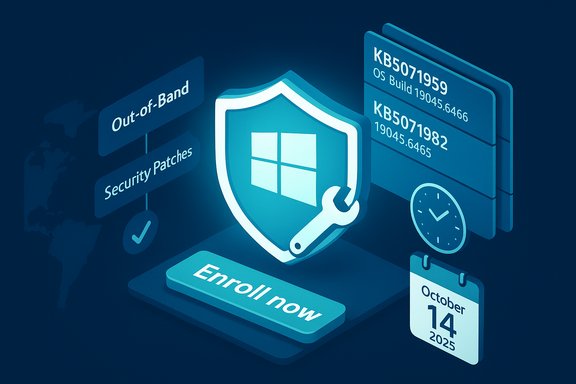
Microsoft has quietly shipped an out‑of‑band cumulative update for Windows 10, version 22H2 — KB5071959 — designed to repair a broken consumer Extended Security Updates (ESU) enrollment wizard and to restore the pathway that allows eligible personal PCs to keep receiving critical security patches after Windows 10’s end of support. This OOB release advances 22H2 to OS Build 19045.6466, includes the October 14, 2025 cumulative fixes, and is delivered alongside a servicing‑stack update (SSU KB5071982, OS Build 19045.6465) intended to increase install reliability.
When Windows 10 reached end of support on October 14, 2025, Microsoft provided a limited, time‑bound path for consumers to keep receiving critical and important security updates: the Windows 10 Consumer Extended Security Updates (ESU) program. Enrollment was implemented as an in‑OS wizard — a simple Settings → Windows Update → “Enroll now” experience — with a set of consumer options (free enrollment tied to a Microsoft account under some regional rules, redemption via Microsoft Rewards points, or a one‑time paid purchase). That flow began rolling out in late summer and early autumn 2025. Shortly after rollout, Microsoft identified and acknowledged situations in which the consumer ESU enrollment wizard could fail during the setup sequence, preventing affected devices from completing enrollment and thus from receiving ESU patching. Because that problem could leave eligible personal devices unprotected against new vulnerabilities, Microsoft issued KB5071959 as an out‑of‑band cumulative update on November 11, 2025. The update not only repairs the enrollment wizard bug but also ensures those systems receive the October security LCU they may have missed.
Source: heise online Windows 10 22H2: Out-of-Band Update – Corrects ESU Issues
 Background
When Windows 10 reached end of support on October 14, 2025, Microsoft provided a limited, time‑bound path for consumers to keep receiving critical and important security updates: the Windows 10 Consumer Extended Security Updates (ESU) program. Enrollment was implemented as an in‑OS wizard — a simple Settings → Windows Update → “Enroll now” experience — with a set of consumer options (free enrollment tied to a Microsoft account under some regional rules, redemption via Microsoft Rewards points, or a one‑time paid purchase). That flow began rolling out in late summer and early autumn 2025. Shortly after rollout, Microsoft identified and acknowledged situations in which the consumer ESU enrollment wizard could fail during the setup sequence, preventing affected devices from completing enrollment and thus from receiving ESU patching. Because that problem could leave eligible personal devices unprotected against new vulnerabilities, Microsoft issued KB5071959 as an out‑of‑band cumulative update on November 11, 2025. The update not only repairs the enrollment wizard bug but also ensures those systems receive the October security LCU they may have missed. What KB5071959 actually does
The technical essentials
- KB5071959 is an out‑of‑band cumulative update targeted at Windows 10, version 22H2 (consumer devices not already enrolled in ESU).
- Installing KB5071959 will move 22H2 systems to OS Build 19045.6466 and applies the October 14, 2025 security fixes (previous cumulative) plus the enrollment‑wizard repair.
- The update is packaged to install a Servicing Stack Update (SSU) — KB5071982 (OS Build 19045.6465) — either bundled or sequenced to install first, to reduce installed‑time failures caused by an outdated servicing stack.
- Microsoft marks KB5071959 as a security update for consumer devices not yet in ESU because the enrollment failure prevented those machines from receiving the security updates they otherwise needed.
Who will see the update
KB5071959 is not a blanket cumulative for all Windows 10 users; Microsoft designed it to be offered only to consumer 22H2 devices that are identifiable as not yet enrolled in ESU and apparently affected by the enrollment issue. In practice, that means the update will appear via Settings → Windows Update when Microsoft’s delivery logic flags a device as eligible and previously blocked. If it does not appear automatically, Microsoft provides the package in the Update Catalog for manual download.Immediate actions for users and admins
If you or your organization manage Windows 10, version 22H2 machines that must remain supported beyond October 14, 2025, treat KB5071959 and the ESU enrollment flow as actionable priorities. Follow this practical checklist in sequence:- Confirm the OS: run winver or open Settings → System → About and verify Windows 10, version 22H2. Only 22H2 is eligible for the consumer ESU enrollment path.
- Check Windows Update: open Settings → Update & Security → Windows Update → Check for updates. If the system is flagged, KB5071959 should appear. Install it.
- Reboot: a restart is required to finalize the servicing‑stack and cumulative changes. Reboot as prompted.
- Run the ESU enrollment wizard: after reboot, return to Settings → Windows Update → Enroll now and complete the wizard. You will be prompted to sign in with a Microsoft Account for the consumer path.
- Verify update flow: after successful enrollment, check Update history to confirm the device is receiving monthly ESU patches.
Troubleshooting the enrollment wizard and common pitfalls
Common reasons the wizard fails (beyond the bug KB5071959 fixes)
- Local account vs Microsoft Account: consumer ESU enrollment requires a Microsoft Account (MSA) — local accounts frequently fail to trigger the free enrollment path. Ensure you sign in with an MSA that has administrative privileges when running the wizard.
- Disabled support services: services like Microsoft Account Sign‑in Assistant (wlidsvc), Credential Manager (VaultSvc), and Windows License Manager can block the wizard if disabled. Enable these services and retry.
- Telemetry and cloud gating: the enrollment flow depends on cloud‑side signaling; devices that block diagnostic/telemetry or OneSettings updates via Group Policy or firewall may not receive the cloud enrollment flag. Temporarily enabling the minimal diagnostic channels can help for troubleshooting.
- Regional/staged rollout: Microsoft stages the enroll option by telemetry and region; your device may simply not have the flag yet even after installing KB5071959. Patience or a manual Update Catalog install will often resolve this.
Advanced community troubleshooting (use with caution)
Some community posts document force‑evaluate or registry workarounds (for example, FeatureManagement overrides or running a local eligibility utility). These techniques can be helpful in stubborn cases but carry risk; always back up the system and collect logs before running advanced fixes. When in doubt, open a Microsoft support ticket with Update and CBS logs.Admin guidance: WSUS, Intune, imaging, and rollback considerations
- For managed environments using WSUS or Configuration Manager, synchronize the Microsoft Update Catalog and ensure the combined SSU + LCU express payloads are available to clients. Test updates in a pilot ring before broad deployment.
- For offline or image‑based deployments, the recommended approach is a DISM folder install (place required MSU files in one folder and let DISM process them in sequence). Manual WUSA/MSU installs without correct sequencing can be brittle.
- Servicing Stack Updates are often irreversible or hard to uninstall; include image‑level rollback options and BitLocker recovery key accessibility in your deployment plan. Some historical SSU interactions can trigger BitLocker recovery prompts on reboot for particular configurations.
Why Microsoft issued an out‑of‑band cumulative rather than waiting for Patch Tuesday
An enrollment wizard that prevents eligible devices from receiving security updates is an operational security failure, not merely a UI bug. Given the continuous discovery of high‑severity and actively exploited vulnerabilities, Microsoft chose a security‑first approach: ship an OOB that bundles the previous month’s fixes plus the enrollment repair and an updated servicing stack. That reduces the risk window for devices left unpatched by the enrollment fault and reduces chained install failures by updating the SSU in the same operation.Regional policy and privacy implications: the EEA carve‑out and Microsoft Account requirement
Microsoft’s ESU consumer program includes a noteworthy regional nuance. In September 2025 Microsoft adjusted its ESU enrollment approach for the European Economic Area (EEA) to offer a free one‑year ESU route without the previously criticized requirement to enable Windows Backup (which tied users to OneDrive and risked pushing them toward paid storage). However, even in the EEA, enrollment still requires a Microsoft Account sign‑in; users must stay signed in at least once every 60 days to maintain entitlement. Outside the EEA, alternatives still include a $30 one‑time purchase or Microsoft Rewards redemption options. This regional split created an immediate policy debate: for privacy‑conscious users, tying security updates to a Microsoft Account can feel like forced telemetry or a requirement to rely on cloud identity. Microsoft defends the approach as a way to manage entitlement and prevent abuse, but the trade‑off is clear: access to critical security patches is now functionally linked to a Microsoft service identity for many consumer scenarios. Independent coverage and Microsoft statements corroborate this framework.Practical privacy notes for consumers
- The free EEA option removes the prior OneDrive backup requirement, but an MSA login is still needed. Keep a record of the MSA used for enrollment — it is the anchor for your ESU entitlement.
- If you enroll using an MSA and then switch to a local account, some users report that ESU updates can be discontinued after a period; re‑enrollment with the same MSA may be required. Keep the credential and sign‑in cadence in mind.
Risks, unknowns, and what Microsoft hasn’t said
- Microsoft has not published telemetry counts indicating how many consumer devices were prevented from enrolling by the wizard bug. Any public estimates of affected population size are speculative until Microsoft discloses numbers. Treat large population figures as unverified.
- While Microsoft lists no known issues for KB5071959 at time of release, cumulative updates that include SSUs can interact unpredictably with certain OEM drivers, third‑party security suites, or unusual configurations. Historically, some SSU/LCU combos have triggered BitLocker recovery prompts or boot anomalies in edge cases; test in pilot groups before mass deployment.
- The long‑term policy: consumer ESU is a one‑year bridge; Microsoft’s action restores the delivery mechanism but does not change the strategic imperative for migration planning. ESU is a stopgap — not a permanent alternative to platform upgrades or replacement.
A balanced assessment: Microsoft’s strengths and the trade‑offs
Strengths in Microsoft’s response
- Speed and focus: Shipping an OOB cumulative that both fixes the enrollment flow and includes the October LCU demonstrates a security‑first prioritization that reduces exposure windows for affected systems.
- Servicing robustness: Including an up‑to‑date SSU in the package mitigates a common failure mode where outdated servicing components block LCU installs. This reduces chained failures and simplifies troubleshooting for most users.
- Clear remediation path: Microsoft’s KB article provides a concise installation and enrollment workflow for consumers and administrators, which helps minimize confusion in the field.
Trade‑offs and open concerns
- Privacy vs access: Requiring a Microsoft Account for ESU enrollment — even in the EEA where the free option exists — is a valid privacy concern for users who prefer local accounts or avoid cloud sign‑ins. That decision trades convenience and anti‑abuse controls for a dependency on Microsoft’s identity services.
- Staged rollouts complicate support: Regional and phased enrollment gating produces fragmentation that makes community troubleshooting and helpdesk guidance more complex; the same steps may behave differently depending on whether a device has received Microsoft’s cloud‑side enrollment flag.
- Unverifiable scale of the problem: Without hard telemetry, it’s difficult to say whether this was a narrow bug affecting a limited cohort or a broader systemic issue. That opacity fuels speculation and slows coordinated responses from third‑party support vendors.
Recommended plan for power users, IT pros, and support teams
- Home users: If you rely on Windows 10 and must remain supported, install KB5071959 via Windows Update if it appears; reboot and complete ESU enrollment. If you need manual install, use Microsoft Update Catalog and follow the SSU→LCU sequence. Back up data and note your Microsoft Account used for enrollment.
- IT pros and sysadmins: Pilot KB5071959 in a broad representative test ring that includes images, OEM drivers, and third‑party security software. Validate BitLocker behavior, recovery procedures, and rollback plans. For offline imaging, build DISM folder payloads with all MSUs and test DISM‑folder installs rather than ad‑hoc WUSA. Monitor WindowsUpdate, CBS and reboot logs for irregularities.
- Helpdesk: Ensure scripts and KB articles instruct users to check winver for 22H2, enable necessary services, sign in with a Microsoft Account, and confirm the Update history entries for KB5071959 and KB5071982. Prepare for manual Update Catalog installs in support escalations.
Conclusion
KB5071959 is a pragmatic, security‑focused fix to a concrete operational problem: a broken consumer ESU enrollment wizard that risked isolating eligible Windows 10 machines from critical post‑EOL security updates. By releasing an out‑of‑band cumulative that bundles the October LCU and a servicing‑stack update, Microsoft closed a dangerous delivery gap quickly and gave administrators and home users a clear remediation path. At the same time, this incident highlights enduring tensions in platform lifecycles: the mechanics of entitlement and update delivery are themselves security infrastructure, and policy choices — notably the Microsoft Account requirement and region‑specific free ESU terms — shape access, privacy, and public perception. The practical guidance is simple: confirm your device is on Windows 10, version 22H2; check Windows Update and install KB5071959 if offered; reboot and complete ESU enrollment; if needed, deploy the SSU+LCU manually from the Update Catalog and pilot widely. For environments that cannot migrate to Windows 11 immediately, KB5071959 restores the essential bridge; for everyone else, migration planning remains the durable solution.Source: heise online Windows 10 22H2: Out-of-Band Update – Corrects ESU Issues
