

Microsoft’s reported push to build fully native Windows 11 apps would be more than a cosmetic refresh. It signals a possible reset in how the company thinks about its own desktop software, with WinUI and the Windows App SDK moving back to the center of the story instead of web wrappers and embedded browser layers. If the effort is real and sustained, it could improve performance, reliability, and consistency across core Microsoft experiences. It could also force a harder reckoning with the tradeoffs that made web-based app shells so attractive in the first place.
The news matters because Microsoft is not talking about a minor styling update. According to the report cited by Zamin.uz, a Microsoft representative said future Windows 11 software would be 100% native, and the company is creating a new team to drive that work. That wording suggests an ambition to build apps that depend primarily on Windows-native technologies rather than leaning on WebView components for major parts of the interface.
That distinction is not academic. A native app built with WinUI can tap into Windows-specific controls, system behaviors, and performance optimizations in ways a web-hosted shell often cannot. Web components are flexible and fast to ship, but they can also add overhead, introduce inconsistency, and make apps feel less integrated with the operating system.
The timing is important too. Microsoft has spent the past several years modernizing the Windows 11 shell and related experiences, repeatedly patching performance problems in areas such as the context menu, File Explorer, and the Start menu. The company has also been gradually reintroducing Windows-native frameworks into marquee apps, with File Explorer itself gaining modernized pieces powered by the Windows App SDK and WinUI in Insider builds.
What makes this report especially interesting is that it lands in the middle of a broader identity debate for Microsoft software. Many of the company’s visible apps on Windows 11 already rely on web technologies to varying degrees, including experiences that some users mentally classify as “native” even when the implementation underneath is closer to an app container around web content. A shift to fully native builds would not just alter performance characteristics; it would also change how Microsoft presents its software philosophy to developers, enterprise customers, and everyday users.
That platform shift was supposed to give Microsoft a way to modernize Windows without forcing every new experience to be a web app in disguise. In practice, however, the company still leaned heavily on web technologies for speed, cross-team reuse, and service integration. That made sense operationally. It is easier to share code, ship interfaces across platforms, and iterate quickly when the UI is mostly HTML, CSS, and JavaScript under a WebView.
At the same time, Microsoft has repeatedly shown that native Windows elements can produce meaningful gains. The company has made numerous performance fixes to the Windows 11 shell, including changes intended to improve Start menu launch speed and reduce File Explorer sluggishness. The official Windows blog has also explained that the modern right-click context menu was designed in part because old shell extensibility had become unwieldy and sometimes slow.
This history matters because it highlights a tension at the heart of Windows 11. Microsoft wants a coherent, polished, highly service-driven operating system, but users also expect speed, responsiveness, and direct system integration. The more layers between an app and the operating system, the more likely the experience can feel detached or brittle, especially when it sits alongside the file manager, Start, Search, or Taskbar.
There is also a symbolic element. When Microsoft rebuilds something in native code, it sends a message that Windows itself remains a first-class platform, not just a delivery surface for web experiences. That message matters to enterprise customers who still invest in desktop software, to developers choosing between web and native frameworks, and to enthusiasts who watch Windows quality issues closely.
That distinction also matters for performance. Native rendering usually reduces the overhead of embedding a browser runtime, and it can make app startup, input handling, and window behavior feel more direct. It does not magically solve all UI problems, but it removes one layer of complexity.
The phrase also creates a benchmark users will hold Microsoft to. If a so-called native app still relies on hidden browser layers for major functionality, the company risks accusations of branding theater. That is especially true in a community where users can often tell the difference between a responsive desktop app and a re-skinned web portal.
A native-app push would fit that pattern. It would let Microsoft attack perceived sluggishness not just in shell components, but in first-party apps that people use all day. That is a more ambitious fix than tweaking a handful of animations or caching behaviors.
For Microsoft, the tradeoff has become more visible as the company’s software portfolio has expanded. Some apps are effectively service portals dressed as desktop software, while others are deeply integrated into the OS. That inconsistency can confuse users and weaken the impression of a coherent Windows ecosystem.
That is important because it means a native-app strategy is not a research project. It is an execution project. Microsoft can choose to invest engineering time in moving its own products over to a framework it already promotes publicly to developers.
That gap has consequences. Developers notice when a platform vendor does not use its own tools, and enterprise customers notice when the vendor’s own apps don’t follow the standards it recommends. A native-first Microsoft app strategy could help close that credibility gap.
That matters because File Explorer is one of the most heavily used apps on the system. If Microsoft can modernize it successfully, the company can use the same pattern elsewhere. If it struggles, the costs of a native rebuild become more obvious.
More recent servicing notes continue to show that shell responsiveness remains a live issue. Microsoft has issued fixes for taskbar load performance, Start menu behavior, and File Explorer responsiveness in recent Insider and support materials. That tells us the Windows 11 shell is still evolving, still being tuned, and still vulnerable to the sort of user complaints that motivate a native-app push.
This could also affect the emotional perception of Windows 11. Many users do not object to change itself; they object to change that feels slower or less polished than before. Native software can help restore a sense of machine-like responsiveness that web-heavy shells sometimes fail to deliver.
There is also a support issue. Native applications can be more deeply tied to the operating system and may require more careful compatibility work across Windows versions, screen sizes, and accessibility settings. That means Microsoft may need to move more deliberately than users would like.
That is a reminder that modern Windows UI layers can be fragile in enterprise contexts. If Microsoft can make its own apps more self-contained and predictable, administrators may face fewer edge cases around startup behavior, cached web components, or browser runtime mismatches.
So the enterprise upside is real, but it is not free. The best-case scenario is that Microsoft uses native frameworks to reduce UI fragility without losing the deployment flexibility that modern software teams rely on.
For rivals, the message is more subtle. If Microsoft can make its own apps feel more immediate and deeply integrated, the comparison with browser-based tools becomes less flattering. Users tend to forgive web apps when they are clearly web apps. They are less forgiving when first-party Windows software feels like one.
That balance matters in a market where user patience is thin. If Microsoft can demonstrate that native software produces better outcomes on Windows 11, it could reshape expectations for desktop app development more broadly.
There is also a cost issue. Rebuilding apps natively takes time, and Microsoft has a large software portfolio. A hard pivot could slow feature delivery, especially if the company tries to modernize existing products instead of simply launching new ones in native form.
The real question is not whether native is good in the abstract. It is whether native delivers measurable improvements in the places users actually feel pain. If Microsoft focuses on architecture without fixing performance, reliability, and consistency, the effort will be judged harshly.
The second question is whether Microsoft treats this as a new-app policy or a modernization campaign. New native apps are easier to justify, but the real test is whether the company is willing to take on its existing web-heavy portfolio. That is where the payoff is greatest, and also where the risk of disruption is highest.
Source: Zamin.uz Microsoft plans native apps for Windows
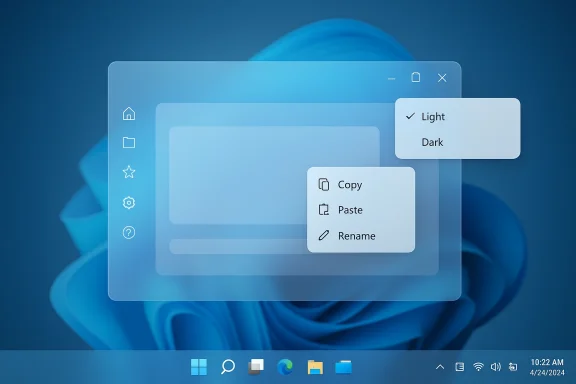 Overview
The news matters because Microsoft is not talking about a minor styling update. According to the report cited by Zamin.uz, a Microsoft representative said future Windows 11 software would be 100% native, and the company is creating a new team to drive that work. That wording suggests an ambition to build apps that depend primarily on Windows-native technologies rather than leaning on WebView components for major parts of the interface.That distinction is not academic. A native app built with WinUI can tap into Windows-specific controls, system behaviors, and performance optimizations in ways a web-hosted shell often cannot. Web components are flexible and fast to ship, but they can also add overhead, introduce inconsistency, and make apps feel less integrated with the operating system.
The timing is important too. Microsoft has spent the past several years modernizing the Windows 11 shell and related experiences, repeatedly patching performance problems in areas such as the context menu, File Explorer, and the Start menu. The company has also been gradually reintroducing Windows-native frameworks into marquee apps, with File Explorer itself gaining modernized pieces powered by the Windows App SDK and WinUI in Insider builds.
What makes this report especially interesting is that it lands in the middle of a broader identity debate for Microsoft software. Many of the company’s visible apps on Windows 11 already rely on web technologies to varying degrees, including experiences that some users mentally classify as “native” even when the implementation underneath is closer to an app container around web content. A shift to fully native builds would not just alter performance characteristics; it would also change how Microsoft presents its software philosophy to developers, enterprise customers, and everyday users.
Background
To understand why this matters, it helps to remember where Windows UI development has been. Microsoft spent years pushing UWP and then pivoted toward the Windows App SDK, which now serves as the company’s central path for building modern desktop experiences with WinUI. Microsoft Learn describes WinUI as the modern native UI framework for Windows desktop apps, and the Windows App SDK as the unified set of APIs and tools that bring modern Windows capabilities to WinUI, Win32, WPF, and Windows Forms projects.That platform shift was supposed to give Microsoft a way to modernize Windows without forcing every new experience to be a web app in disguise. In practice, however, the company still leaned heavily on web technologies for speed, cross-team reuse, and service integration. That made sense operationally. It is easier to share code, ship interfaces across platforms, and iterate quickly when the UI is mostly HTML, CSS, and JavaScript under a WebView.
At the same time, Microsoft has repeatedly shown that native Windows elements can produce meaningful gains. The company has made numerous performance fixes to the Windows 11 shell, including changes intended to improve Start menu launch speed and reduce File Explorer sluggishness. The official Windows blog has also explained that the modern right-click context menu was designed in part because old shell extensibility had become unwieldy and sometimes slow.
This history matters because it highlights a tension at the heart of Windows 11. Microsoft wants a coherent, polished, highly service-driven operating system, but users also expect speed, responsiveness, and direct system integration. The more layers between an app and the operating system, the more likely the experience can feel detached or brittle, especially when it sits alongside the file manager, Start, Search, or Taskbar.
There is also a symbolic element. When Microsoft rebuilds something in native code, it sends a message that Windows itself remains a first-class platform, not just a delivery surface for web experiences. That message matters to enterprise customers who still invest in desktop software, to developers choosing between web and native frameworks, and to enthusiasts who watch Windows quality issues closely.
What “100% Native” Actually Means
The phrase 100% native is doing a lot of work here. In Microsoft’s ecosystem, that usually implies an app built primarily with Windows-native frameworks such as WinUI, Win32, or APIs from the Windows App SDK, rather than a shell that renders major portions of its UI through a browser engine. Microsoft’s own documentation frames WinUI as a modern native UI framework and highlights its use for responsive desktop experiences on Windows 11 and earlier supported versions.Native does not mean old-fashioned
A native app today is not the same thing as a legacy desktop app from fifteen years ago. With WinUI and the Windows App SDK, Microsoft can build visually modern software while still using native controls, system hooks, and current Windows features. That gives the company a way to pursue a Fluent Design look without defaulting to web technologies for the whole experience.That distinction also matters for performance. Native rendering usually reduces the overhead of embedding a browser runtime, and it can make app startup, input handling, and window behavior feel more direct. It does not magically solve all UI problems, but it removes one layer of complexity.
Why the wording matters
If Microsoft truly wants future apps to be built without web-based UI components, then the company is making a philosophical statement as much as a technical one. It suggests a preference for tighter system integration, more predictable behavior, and perhaps a stronger commitment to the Windows platform itself.The phrase also creates a benchmark users will hold Microsoft to. If a so-called native app still relies on hidden browser layers for major functionality, the company risks accusations of branding theater. That is especially true in a community where users can often tell the difference between a responsive desktop app and a re-skinned web portal.
- Native apps can integrate better with Windows shell behaviors.
- WinUI offers a modern visual language without requiring a web runtime.
- WebView still has value for rapid development and service reuse.
- Performance expectations are higher for Windows-first software than for generic web containers.
- “100% native” sets a public standard that will be difficult to soften later.
Why Microsoft Would Move Now
Microsoft is not making this move in a vacuum. Windows 11 has drawn persistent criticism for areas that feel sluggish or inconsistent, especially compared with the expectations users have for a premium desktop OS. The company has already acknowledged a range of shell issues through Insider builds and servicing notes, including context menu behavior, File Explorer performance, and taskbar responsiveness.Performance pressure is real
Windows 11’s user interface has been under constant scrutiny because it sits at the intersection of aesthetics and productivity. When the Start menu opens slowly, the context menu hesitates, or File Explorer takes too long to load, users feel it immediately. Microsoft has spent years fixing those complaints, including explicit improvements to Start menu launch performance and shell responsiveness in Insider builds.A native-app push would fit that pattern. It would let Microsoft attack perceived sluggishness not just in shell components, but in first-party apps that people use all day. That is a more ambitious fix than tweaking a handful of animations or caching behaviors.
The web-app model has limits
Web-based app shells are attractive because they speed up development and unify codebases, but they can also leave products feeling generic. This is especially true on Windows, where the operating system has its own conventions for windowing, input, theming, and shell integration. Microsoft’s documentation on WebView makes it clear that web content can be embedded in native apps, but the presence of that capability is not the same as delivering a native experience end to end.For Microsoft, the tradeoff has become more visible as the company’s software portfolio has expanded. Some apps are effectively service portals dressed as desktop software, while others are deeply integrated into the OS. That inconsistency can confuse users and weaken the impression of a coherent Windows ecosystem.
The Role of WinUI and Windows App SDK
If Microsoft is serious about rebuilding apps natively, WinUI and the Windows App SDK are the obvious foundation. Microsoft’s own documentation describes WinUI as the native UI framework for Windows desktop apps, and the Windows App SDK as the suite that brings modern APIs and tools to desktop frameworks.The framework is already there
The company does not need to invent a new stack. It already has the tooling, templates, and packaging model to support modern Windows apps. WinUI 3 is described by Microsoft as the native UX framework for the Windows App SDK, and the SDK is designed to support modern desktop apps across Windows 11 and supported earlier versions.That is important because it means a native-app strategy is not a research project. It is an execution project. Microsoft can choose to invest engineering time in moving its own products over to a framework it already promotes publicly to developers.
Native UI is a branding test too
Microsoft has spent years telling third-party developers to use WinUI when building new Windows-only apps. If the company now applies that advice to its own products, it strengthens the credibility of the platform story. If it does not, the gap between recommendation and practice will remain obvious.That gap has consequences. Developers notice when a platform vendor does not use its own tools, and enterprise customers notice when the vendor’s own apps don’t follow the standards it recommends. A native-first Microsoft app strategy could help close that credibility gap.
- WinUI is positioned as Microsoft’s modern native UI layer.
- Windows App SDK is the distribution and API backbone behind it.
- Native adoption inside Microsoft would validate the platform message.
- Consistency across Microsoft apps could improve user trust.
- Developer confidence often rises when the platform owner leads by example.
What Existing Windows 11 Changes Tell Us
This report also has to be read against the backdrop of Microsoft’s recent shell work. The company has been steadily refining Windows 11’s foundational experiences. In Insider updates, Microsoft has described improvements to Start menu launch performance, File Explorer behavior, and taskbar loading, while also modernizing parts of the shell with WinUI and the Windows App SDK.File Explorer is the clearest proof point
File Explorer is perhaps the most visible example of Microsoft’s gradual pivot. Microsoft has already said that File Explorer is powered by the Windows App SDK and that modernized File Explorer Home is powered by WinUI in Insider builds. That is not a rumor or a vague aspiration; it is an existing example of Microsoft applying native UI modernisation inside a core Windows component.That matters because File Explorer is one of the most heavily used apps on the system. If Microsoft can modernize it successfully, the company can use the same pattern elsewhere. If it struggles, the costs of a native rebuild become more obvious.
Context menus, Start, and taskbar behavior set expectations
Microsoft has also explained why the Windows 11 context menu was rethought: too many commands, too much visual clutter, and too many slow shell extension interactions running in process. The company’s own post described reliability and performance concerns as part of the redesign rationale.More recent servicing notes continue to show that shell responsiveness remains a live issue. Microsoft has issued fixes for taskbar load performance, Start menu behavior, and File Explorer responsiveness in recent Insider and support materials. That tells us the Windows 11 shell is still evolving, still being tuned, and still vulnerable to the sort of user complaints that motivate a native-app push.
Consumer Impact
For consumers, the biggest upside is simple: apps may feel faster and more stable. A native app tends to start more quickly, respond more predictably to input, and integrate more cleanly with system behaviors like window snapping, dark mode, keyboard navigation, and accessibility features. That may not sound glamorous, but it is exactly the kind of improvement that shapes day-to-day satisfaction.Where users are most likely to notice
People are unlikely to celebrate the code architecture behind an app. They will notice whether it opens quickly, whether scrolling feels smooth, and whether right-click menus, settings panes, and dialogs behave the way a Windows app should. If Microsoft uses native technologies to improve those fundamentals, the benefits will be tangible even if users never hear the words WinUI or Windows App SDK.This could also affect the emotional perception of Windows 11. Many users do not object to change itself; they object to change that feels slower or less polished than before. Native software can help restore a sense of machine-like responsiveness that web-heavy shells sometimes fail to deliver.
The downside of a slower transition
The transition may be uneven. If Microsoft starts with new apps while leaving old web-based ones in place, consumers could end up with a patchwork of experiences: some fast and elegant, others still feeling like browser apps in disguise. That would not necessarily be fatal, but it would dilute the message.There is also a support issue. Native applications can be more deeply tied to the operating system and may require more careful compatibility work across Windows versions, screen sizes, and accessibility settings. That means Microsoft may need to move more deliberately than users would like.
- Faster launches could improve perceived quality.
- Cleaner window behavior would help touch, pen, and mouse users.
- Better integration may reduce friction across the shell.
- Inconsistency between old and new apps could frustrate users.
- Transition periods are often messier than the final architecture suggests.
Enterprise Impact
Enterprises will care less about the aesthetics and more about stability, deployment, and maintainability. If Microsoft can deliver genuinely native apps with fewer moving parts, IT departments may see fewer surprises around performance, rendering oddities, or browser-engine dependencies. That could be especially relevant in managed environments where locked-down systems magnify small UI defects.Why enterprises may welcome the shift
Microsoft support documentation already reflects how much trouble shell dependencies can cause in enterprise provisioning and update scenarios. A recent support article about XAML-dependent apps notes that Explorer, Start, Settings, Taskbar, and Search can experience difficulties after certain provisioning and update combinations on Windows 11 24H2 and 25H2 enterprise devices.That is a reminder that modern Windows UI layers can be fragile in enterprise contexts. If Microsoft can make its own apps more self-contained and predictable, administrators may face fewer edge cases around startup behavior, cached web components, or browser runtime mismatches.
But native is not automatically simpler
Enterprise teams also know that native apps can introduce their own support burdens. They may require more tightly managed update cycles, more testing against device configurations, and more scrutiny around API changes. A web-based app can sometimes be patched more quickly at the service layer, while a native app may need a fuller client update.So the enterprise upside is real, but it is not free. The best-case scenario is that Microsoft uses native frameworks to reduce UI fragility without losing the deployment flexibility that modern software teams rely on.
- Better reliability in managed environments would be a major win.
- Fewer browser-engine dependencies could simplify some support cases.
- Native clients may still demand rigorous patch testing.
- Endpoint management teams will want predictable update behavior.
- Operational simplicity is the real prize, not just visual polish.
Competitive Implications
Microsoft’s move, if it happens broadly, will echo beyond Windows itself. It would reinforce the idea that desktop-native software still matters in an era when many companies default to web apps or cross-platform frameworks. That could put pressure on competitors who have embraced web-first UI models for internal efficiency or product portability.A signal to rivals and developers
For app developers, the signal is blunt: Microsoft still believes Windows-native software can be best-in-class. That might encourage some teams to revisit native stacks, especially for apps where performance and shell integration matter more than cross-platform uniformity. It may also complicate the assumption that everything should be built as a web shell wrapped in desktop chrome.For rivals, the message is more subtle. If Microsoft can make its own apps feel more immediate and deeply integrated, the comparison with browser-based tools becomes less flattering. Users tend to forgive web apps when they are clearly web apps. They are less forgiving when first-party Windows software feels like one.
The broader market context
There is also a branding dimension in how Microsoft positions its ecosystem against Apple, Google, and open web frameworks. Apple has long emphasized native app quality on its platforms, while Google has normalized a web-heavy experience across much of its product surface. Microsoft has often tried to sit between those extremes. A native-first Windows app strategy would tilt it closer to the Apple model on quality and integration, while still preserving Microsoft’s services-first flexibility.That balance matters in a market where user patience is thin. If Microsoft can demonstrate that native software produces better outcomes on Windows 11, it could reshape expectations for desktop app development more broadly.
Risks and Concerns
The biggest risk is not technical failure; it is partial success. Microsoft may end up rebuilding some apps natively while leaving others in web-based form, creating a confusing product landscape that satisfies no one completely. That would be especially frustrating if the company markets the change as a clean break from browser-dependent apps.Fragmentation is the obvious concern
A mixed portfolio can be hard to explain. Users do not care which team owns a product or which framework underlies it; they care whether the whole suite feels coherent. If Clipchamp, Copilot, Microsoft 365 experiences, and future Windows utilities all follow different architectural rules, the promise of a native push will feel diluted.There is also a cost issue. Rebuilding apps natively takes time, and Microsoft has a large software portfolio. A hard pivot could slow feature delivery, especially if the company tries to modernize existing products instead of simply launching new ones in native form.
Another risk: chasing architecture over outcomes
It would be easy for Microsoft to mistake native for better in every case. That would be a mistake. Web technologies remain useful for certain content-rich, service-heavy, or rapidly iterated products, and Microsoft has spent years building cloud-connected workflows that rely on that flexibility.The real question is not whether native is good in the abstract. It is whether native delivers measurable improvements in the places users actually feel pain. If Microsoft focuses on architecture without fixing performance, reliability, and consistency, the effort will be judged harshly.
- Partial migration could create inconsistent user experiences.
- Rewrites may slow feature cadence.
- Native apps still need careful update management.
- Web technologies remain useful in some service-heavy products.
- Architecture alone will not win user trust.
- The company will be judged by behavior, not labels.
Strengths and Opportunities
Microsoft’s reported native-app strategy has several clear upside paths. It aligns with the company’s own framework guidance, it could improve the speed and polish of core Windows experiences, and it gives Microsoft a chance to demonstrate that the Windows platform remains a serious native-development environment. More importantly, it creates an opportunity to unify the company’s app story around responsiveness rather than convenience.- Better performance for startup, navigation, and UI responsiveness.
- Stronger Windows integration through system-native controls and behaviors.
- Improved credibility for WinUI and the Windows App SDK.
- Cleaner user experience across touch, pen, keyboard, and mouse.
- Potentially fewer browser-runtime dependencies in first-party software.
- Better shell consistency if Microsoft applies the same principles broadly.
- More persuasive platform messaging for developers and enterprise buyers.
Risks and Concerns
The same strategy also carries meaningful risks, especially if Microsoft moves unevenly or markets the change too aggressively. Native development can be slower and more expensive, and users will not accept an architectural rebrand unless they actually feel a difference. Microsoft will also need to avoid creating a two-tier world where some apps are polished native experiences and others remain half-web, half-native hybrids.- Fragmentation across Microsoft’s app portfolio.
- Slower delivery if large products need full rewrites.
- Compatibility overhead across Windows versions and device types.
- Possible user confusion if “native” is not consistently defined.
- Support complexity for IT and helpdesk teams.
- Missed expectations if performance gains are modest.
- Risk of overpromising while under-delivering visible improvements.
Looking Ahead
The most important question is what Microsoft rebuilds first. A native strategy is most convincing when it starts with high-visibility apps that people use constantly, because those are the experiences that set the tone for the entire platform. If the company begins with a flagship utility or a widely used consumer app, the message will land much more strongly than if the effort stays hidden in niche tools.The second question is whether Microsoft treats this as a new-app policy or a modernization campaign. New native apps are easier to justify, but the real test is whether the company is willing to take on its existing web-heavy portfolio. That is where the payoff is greatest, and also where the risk of disruption is highest.
Key things to watch
- Which apps Microsoft names first, if any.
- Whether existing apps are rewritten or only new apps are native.
- How much the company relies on WinUI versus other Windows technologies.
- Whether Microsoft explains a clear policy on WebView use.
- Whether performance gains are visible in launch time and responsiveness.
- How enterprise customers respond to the shift.
- Whether the Windows Insider program gets the first native rebuilds.
Source: Zamin.uz Microsoft plans native apps for Windows
