

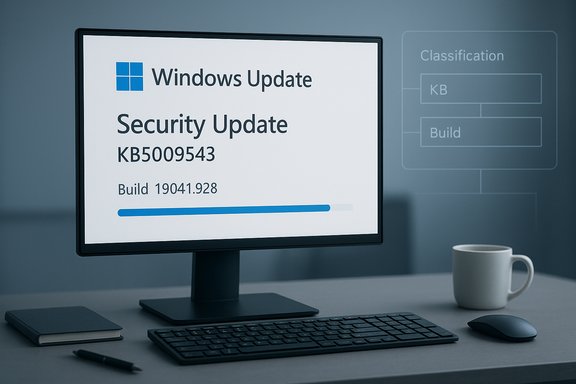
Microsoft has quietly simplified how update names appear in Windows, replacing long, machine-oriented strings with concise, human‑friendly titles that foreground the update type, the canonical KB number, and—when helpful—a compact build or component version.
Background: why update titles mattered (and why they were messy)
For decades, Windows update labels have balanced two competing needs: machine accuracy for enterprise tooling, and readable information for human operators. The traditional catalog-style titles included product names, month prefixes, OS editions, architecture tokens (for example, “for x64‑based Systems”), KB identifiers and build numbers — a format that provided complete context but became difficult to scan quickly in Settings → Windows Update and the Update history UI.Microsoft’s recent move to a metadata-first update catalog (exposed through Windows Update for Business and Microsoft Graph) provided the technical capability to present shorter, user-focused labels without losing authoritative identifiers. The deployment service catalog already exposes fields such as classification, cadence and a user‑friendly name, which made client-side simplification feasible.
The historical tradeoff
Long titles were not accidental: they helped administrators and scripts quickly identify applicable platforms and installers. The tradeoff, however, was at the cost of cognitive load for everyday users and first-line support agents who only needed to know whether an item was a security patch, preview, or driver. The simplified naming is a deliberate attempt to reduce that friction while leaving canonical identifiers intact.What changed: the new title format, explained
Microsoft’s standardized format reduces the visible title to three prioritized elements:- A short classification (for example, Security Update, Preview Update, Driver Update, or .NET Framework Security Update).
- The canonical KB number, preserved for authoritative lookup.
- A compact build or component version token when that information is relevant for traceability.
- Security Update (KB5034123) (26100.4747) — monthly security patch.
- Preview Update (KB5062660) (26100.4770) — monthly preview (non‑security) release.
- .NET Framework Security Update (KB5056579).
- Logitech Driver Update (123.331.1.0).
- Phi Silica AI Component Update (KB5064650) (1.2507.793.0).
Where you’ll see the simplified titles (and where you won’t)
Microsoft made a clear distinction between end‑user surfaces and enterprise/catalog surfaces:- The simplified titles will appear in the most user‑visible places:
- Settings → Windows Update (the main update UI).
- Settings → Windows Update → Update history (installed updates log).
- The Windows release health dashboard and similar end‑user‑facing pages as the rollout progresses.
- Enterprise and catalog listings will largely remain unchanged:
- Microsoft Update Catalog and Windows Server Update Services (WSUS) will generally continue showing the verbose, catalog‑style titles (for example, “2025‑10 Cumulative Update for Windows 11, version 25H2 for x64‑based Systems (KB5066835) (26200.6899)”). This preserves the level of detail enterprises rely on for packaging, scripting and compliance.
Why Microsoft did this: UX, accessibility, and catalog plumbing
The change is rooted in three complementary drivers:- User experience and readability. Short, predictable labels are faster to read and reduce help‑desk friction when users describe an update. Microsoft explicitly framed the change as a clarity and consistency improvement.
- Accessibility and predictability. Concise headings make it easier for screen readers and assistive technologies to present update information in a useful way, improving accessibility for users who depend on those tools.
- Catalog-first plumbing. Because the Windows Update for Business deployment service catalog now includes structured metadata (classification, cadence, user‑friendly name), Microsoft can present condensed labels in UIs while exposing full metadata programmatically for management and audit tooling. This architectural change defangs the operational risk of truncating visible titles.
Benefits: who wins and how
The simplification delivers practical advantages across audiences:- Everyday users:
- Faster recognition that an installed item is a security patch, preview, or driver.
- Easier to copy the KB number when asking support or searching the Microsoft Knowledge Base.
- Help desks and first-line support:
- Reduced triage noise because users are more likely to quote the visible KB number — the single most useful key for matching to Microsoft’s Security Update Guide.
- OEMs and partner support:
- Predictable display format simplifies documentation and integration into device setup flows.
- Automation and reporting:
- Because KB numbers and build/version tokens remain present, scripts, SIEM logs and compliance reports can continue to rely on canonical identifiers rather than brittle display text. Administrators are encouraged to ingest catalog metadata via Microsoft Graph rather than parsing labels.
Risks, tradeoffs and the “sharp edges”
No UX change is risk‑free. The visible simplicity introduces operational caveats that IT teams, power users, and tool builders must address proactively.Loss of quick contextual cues
Architecture tokens and date prefixes occasionally provided fast hints (for example, “for x64‑based Systems” or “2025‑10”) that helped triage. Removing those tokens increases reliance on the KB number and the underlying catalog metadata for precise targeting details. Administrators must not assume the shortened display string conveys full package identity.Mixed environments and transitional confusion
Because WSUS and the Microsoft Update Catalog will still show verbose titles, organizations will likely encounter a mixed landscape for a period. A device owner may see a short label in Settings while the enterprise console shows the full catalog title. That mismatch can cause momentary confusion during troubleshooting and change control processes.Fragility of legacy tooling
Scripts and dashboards that parse the old, verbose label text will break. The fix is to shift to KB/build‑based checks or to consume the Windows Update for Business catalog via Microsoft Graph. Teams should prioritize updating runbooks and connectors for WSUS, ConfigMgr (SCCM) and Intune.Driver transparency concerns
Shortened driver titles that omit vendor noise may make users more likely to accept updates without inspecting details. Organizations should preserve driver approval policies and prevent blind acceptance where driver provenance matters.Practical guidance: what IT teams should do now
The change is low‑risk if operations teams take a few practical steps:- Update runbooks and scripts to use canonical identifiers (KB number, package GUID, manifest hashes) rather than parsing display strings.
- Ingest the Windows Update for Business deployment service catalog (via Microsoft Graph) for classification, cadence, and CVE severity fields. This ensures programmatic decisions rely on authoritative metadata.
- Validate WSUS, ConfigMgr and Intune connectors to ensure they still surface full targeting metadata required for approvals and driver control.
- Update help‑desk knowledge bases: show where to find the KB number and build in Settings → Update history and how to use it to look up the KB article or perform an uninstall by KB.
- Ensure SIEM and audit logs capture package‑level metadata (KB, package ID, hashes) in addition to the simplified display title. Short titles should be a usability convenience, not the only forensic record.
How this fits into Microsoft’s broader update strategy
Title simplification is both a frontline UX improvement and a logical step in a larger modernization agenda. Microsoft has been moving toward a catalog-first model for Windows servicing, expanding the deployment catalog to include richer metadata and exposing that data through Microsoft Graph APIs. The visible simplification in Settings is a natural extension of those backend investments; it lays groundwork for a more integrated update ecosystem where third‑party app updates can eventually be surfaced alongside platform patches. Industry reporters noted that the UI cleanup coincides with Microsoft emphasizing update stability and user experience over flashy feature pushes, citing examples such as reliability-focused feature updates and gradual rollouts that prioritize smaller enablement packages. The simplified labels reduce UI noise and prepare the product for a future where more maintenance tasks are centralized through Windows Update.Public reaction: praise with constructive criticism
Community reaction across forums and sysadmin channels has been broadly positive, especially among everyday users and first responders who now find update history easier to read. That said, several constructive criticisms emerged:- Some users asked that Microsoft retain or optionally show the month/year (for example, “2025‑10”) to aid chronological tracking and make it easier to map a simplified title to a Patch Tuesday release.
- Sysadmins cautioned that reliance on the KB number alone requires better education — many users still copy human labels inaccurately when contacting support. Clear guidance on where to find and copy the KB would reduce friction.
Verification and cross‑checking: what’s confirmed and what remains provisional
Confirmed facts:- Microsoft published a support article titled “Simplified Windows Update titles” explaining the new format and examples; the article’s publish date is October 29, 2025.
- The simplified titles will appear in Settings → Windows Update and Update history, and Microsoft said the Microsoft Update Catalog and WSUS will continue to show richer catalog-style titles for enterprise use.
- Microsoft’s Windows Update for Business deployment service catalog already includes metadata fields (classification, cadence, user‑friendly name) that enable UI simplification; that catalog work was announced previously and documented in Microsoft’s Windows IT Pro blog.
- The exact timing and per‑surface rollout across Windows builds and release channels may vary. Microsoft’s support article describes the change and target surfaces but does not enumerate a detailed, machine‑by‑machine rollout timeline; organizations should monitor the Windows release health dashboard for any post‑rollout clarifications. Treat reports of specific UI exposures as accurate illustrations of the change direction but verify in your environment.
Real‑world examples: before and after
Old (verbose catalog title):- 2025‑10 Cumulative Update for Windows 11, version 25H2 for x64‑based Systems (KB5066835) (26200.6899).
- Security Update (KB5066835) (26200.6899).
- Logitech HID Driver for Windows 11 for x64‑based Systems (2025‑10) (123.331.1.0).
- Logitech Driver Update (123.331.1.0).
Longer‑term implications and recommendations
This change nudges organizations toward best practices that were already recommended but now become operationally essential:- Stop parsing UI display strings. Instead, rely on KB numbers, package GUIDs, and the Windows Update for Business catalog as authoritative keys.
- Enhance visibility into catalog metadata by integrating automated pulls from Microsoft Graph into patch‑management dashboards. Doing so makes classification, cadence, CVE severity and the user‑friendly name first‑class fields in your inventory.
- For smaller IT teams and power users who historically relied on visible label text for triage, provide quick references in your internal KBs that show how to map the simplified label to the full KB article or the Microsoft Update Catalog entry.
Final assessment
Microsoft’s simplified Windows Update titles are a small but meaningful usability win grounded in a larger, catalog‑first modernization of Windows servicing. The change elevates the information humans find most useful — the update classification and the KB number — while preserving build/version tokens for traceability. For everyday users this reduces confusion and speeds support interactions; for administrators the impact is manageable provided automation and runbooks migrate away from brittle label parsing toward canonical identifiers and Graph/catalog metadata ingestion. The visible improvement is low risk when paired with sensible operational changes: update scripts, validate management connectors, and log package metadata alongside the simplified title. In short, this is UX work with engineering underpinnings — an incremental change that improves daily life for millions of Windows users while nudging IT operations toward more robust, API‑driven practices.Conclusion: the clean UI label is the tip of a deeper architectural shift — one that encourages administrators and tool builders to rely on catalog metadata and canonical identifiers, while finally giving end users the readable update names they’ve needed for years.
Source: WinBuzzer Microsoft Simplifies Windows Update Titles for Better User Clarity - WinBuzzer
