

Microsoft Teams is no longer just a chat-and-meetings app — it has become a programmable, AI-first work surface that can listen, summarize, automate and act across the apps and systems organisations already rely on, and CIOs must treat that shift as a strategic platform decision rather than a feature toggle.
The pace of change in Microsoft’s Teams ecosystem has accelerated from incremental productivity features to a full-stack AI platform anchored by Copilot, agent frameworks, and an expanding third-party marketplace. That evolution is backed by vendor-reported case studies showing very large gains — for example, CDW’s Microsoft customer story reports that, after rolling out Microsoft 365 Copilot to thousands of employees, 85% of users said Copilot boosted productivity and 77% completed tasks faster. At the platform level, Microsoft leadership has repeatedly framed the company’s AI progress as a kind of new scaling law, with model performance and capabilities improving dramatically — “doubling roughly every six months” — a line used by Microsoft executives and widely reported. Those two realities — rapid technical advancement and persuasive customer anecdotes — put CIOs in a familiar but difficult position: the value proposition looks huge, but so do the governance, security and operational implications. This feature-led deep dive explains what’s actually available in Teams today, how it’s being used in the field, what can be verified publicly, and the practical risk/benefit trade-offs CIOs need to manage.
Microsoft and its partners are delivering powerful tools. The practical challenge for enterprise IT is not if Teams will become the hub for AI-driven work, but how to embrace that future in a way that protects data, controls cost and proves business outcomes.
Conclusion
The transformation of Microsoft Teams into an AI-driven work platform is now a board-level decision point. The technical building blocks — Copilot, Copilot Studio, tenant-bound model hosting and a growing partner marketplace — are available and maturing quickly. Verified enterprise case studies and commissioned economic analyses show meaningful upside when deployments are measured and governed correctly, but headline numbers come with caveats and must be validated locally. CIOs should prioritise tight pilots tied to business KPIs, robust governance and cost controls, and clear measurement before scaling. The next wave of productivity will be decided by those who treat Teams as a strategic AI platform and manage the operational discipline it requires.
Source: UC Today The Microsoft Teams AI Shift CIOs Can’t Ignore
 Background / Overview
The pace of change in Microsoft’s Teams ecosystem has accelerated from incremental productivity features to a full-stack AI platform anchored by Copilot, agent frameworks, and an expanding third-party marketplace. That evolution is backed by vendor-reported case studies showing very large gains — for example, CDW’s Microsoft customer story reports that, after rolling out Microsoft 365 Copilot to thousands of employees, 85% of users said Copilot boosted productivity and 77% completed tasks faster. At the platform level, Microsoft leadership has repeatedly framed the company’s AI progress as a kind of new scaling law, with model performance and capabilities improving dramatically — “doubling roughly every six months” — a line used by Microsoft executives and widely reported. Those two realities — rapid technical advancement and persuasive customer anecdotes — put CIOs in a familiar but difficult position: the value proposition looks huge, but so do the governance, security and operational implications. This feature-led deep dive explains what’s actually available in Teams today, how it’s being used in the field, what can be verified publicly, and the practical risk/benefit trade-offs CIOs need to manage.What “AI in Teams” really means: a layered platform
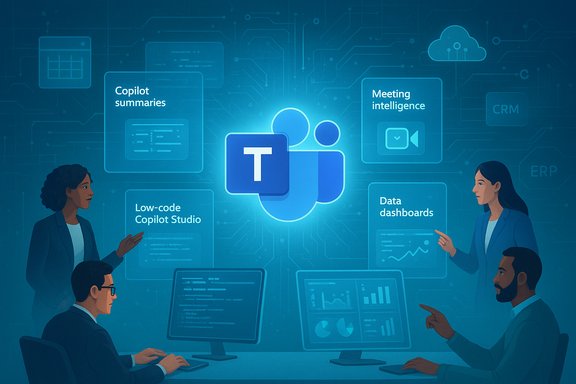
Microsoft Teams AI is not a single app or checkbox. Think of it as a layered platform:- Platform AI services — tenant-bound models, Azure AI Foundry hosting, and model routing that control where inference happens.
- Embedded Copilot experiences — document and meeting assistance (drafting, summarization, next-step extraction).
- Agentic/Autonomous agents — low-code agents and Copilot Studio creations that perform tasks across systems.
- Meeting and communications enhancements — speech-to-text, live translation, noise suppression and Intelligent Recap.
- Partner ecosystem and CCaaS integrations — contact centre apps, analytics dashboards and vertical solutions.
- Operational tooling — admin dashboards, audit logging, DLP and identity integration.
Microsoft Teams AI: core features CIOs need to know
Copilot: the assistant that lives across the workday
Copilot is the headline capability — but it’s important to see how it’s applied:- Meeting prep: Copilot can synthesize files, calendar context and CRM records to produce agendas and pre-read packs.
- Live meeting support: real-time summarisation, speaker-tagged action items, Q&A that can reference tenant data.
- Post-meeting: generate Intelligent Recaps, draft follow-up emails, and convert conversation outputs into documents or tasks.
- Chat and content: summarise long threads, rewrite posts for tone, and draft announcements or first-draft documents.
Meetings and conversation intelligence
Teams now embeds meeting intelligence as a first-class experience:- Noise suppression & voice isolation: better audio quality for hybrid calls.
- Live captions & real-time translation: lowers language friction in global teams.
- Interpreter and Facilitator agents: interpreted conversation and automated scribing/action extraction during meetings.
- Intelligent Recap: searchable meeting summaries tied back to files and tasks.
Agentic AI / Copilot Studio: custom agents and micro-automation
Perhaps the fastest-growing area is the ability to build purpose-built agents:- Copilot Studio offers a low-code path to design agents that handle multi-step tasks, pull from approved data stores, and execute or recommend actions.
- Azure AI Foundry and model routing allow organisations to decide whether inference runs on tenant-grounded models or Microsoft-managed endpoints.
- Examples: internal “micro-agents” used by professional services firms to reduce follow-ups, recruiter bots that check rates live, and sales agents that update CRM records automatically.
Partner ecosystem: contact centres, analytics and marketplace apps
A robust marketplace of partner apps is rapidly expanding Teams’ enterprise scope:- Contact centre vendors and CCaaS platforms are embedding conversational AI into Teams-based workflows, enabling agents to surface customer history, receive suggested replies, and get live summarisation prompts.
- Analytics vendors provide real-time wallboards, sentiment dashboards and KPIs that turn Teams call data into board-ready ROI stories (Power BI integrations are commonly used to tell the ROI story).
- Integration patterns with vendors such as Twilio (common integration guides exist) and numerous certified contact-centre providers show how external telephony and messaging can be surfaced in Teams — but the exact nature of each partnership and productised integration varies across vendors. Where UC Today and other aggregators describe specific Twilio–Microsoft contact centre partnerships, implementers should verify the partnership level for their region and the product’s certification status.
Proving value: analytics, TEI and the numbers to watch
Verifiable ROI requires measurable KPIs and control periods. Several quantifications appear repeatedly in vendor materials and independent summaries:- A Forrester Total Economic Impact (TEI) study of Microsoft Teams (commissioned work) is frequently cited to show large platform-level ROI — an example figure often reported is an 832% ROI with payback in under six months for the composite organisation used in that Forrester model. That analysis pertains to the broader Teams platform economics (license consolidation, PBX replacement, meeting time saved) rather than specifically to Copilot’s effects, and it is a vendor-commissioned study that should be interpreted accordingly. Use the TEI framework as a guide, not a guarantee of identical results in your environment.
- Microsoft and partner case studies (for example, CDW) report user-level productivity uplifts and task-completion speed gains after Copilot rollouts; these are useful signals but should be validated with pre/post measurements in your own telemetry (Viva Insights, Power BI, Copilot usage logs).
- Task time before and after (minutes/hours saved by role).
- Error reduction and rework rates for knowledge-work tasks.
- CRM completeness and data freshness (automated updates vs. manual entry).
- Average handle time and first-call resolution in contact centres.
- Adoption, repeated usage and human-in-the-loop intervention rates.
Security, compliance and data governance: the unavoidable guardrails
Embedding AI into collaboration workflows raises several security and compliance imperatives:- Tenant-grounded models: use Azure AI Foundry and tenant-bound routing when regulated data or IP is in play.
- Least-privilege connectors: control what agents and Copilot instances can access (SharePoint, Dynamics, Outlook).
- DLP & sensitivity labels: extend existing DLP policies to AI outputs, transcripts and summaries.
- Audit logging & retention: ensure Intelligent Recap, transcripts and agent actions are covered by Advanced Audit Logging for forensics and compliance.
- Human-in-the-loop: require manual approval for decisions that affect legal, financial or safety outcomes.
Risks, limitations and claims that need verification
The promise is real, but CIOs must separate vendor claims from verifiable outcomes:- Hallucinations and factual accuracy: generative outputs must be validated before being used in decisions or external communications.
- Cost drift: agentic workloads and model inference can create unpredictable cloud bills without chargeback and caps.
- Vendor-reported metrics: many headline productivity numbers come from vendor case studies and commissionable reports; they are directional and useful for hypothesis-setting, but they require independent validation in your own pilot. For example, Microsoft highlights the CDW Copilot rollout and customer outcomes on its customer stories page, and Forrester’s TEI paper shows compelling ROI at a composite level — both are legitimate references but should be validated with local data.
- Unverified partner claims: not every press or news article about partner integrations translates to an enterprise-grade, certified solution. Some descriptions of Twilio or Vodafone "deep" integrations in third-party write-ups require confirmation of certification, availability in region, and support model. Treat such descriptions as starting points for vendor due diligence rather than confirmed engineering facts.
A pragmatic rollout playbook for CIOs
- Anchor pilots to measurable outcomes.
- Define 2–4 high-value use cases with explicit KPIs (e.g., percent reduction in CRM data-entry time; minutes saved per meeting; average handle time improvement).
- Harden data plumbing first.
- Verify canonical sources, data lineage, and access controls before giving agents production access.
- Start small and stage scale.
- Pilot with a department that has observable metrics and a willing sponsor. Expand only when KPIs and governance gates are met.
- Build governance and lifecycle management.
- Catalog agents, assign owners, require version control, test suites and SLAs. Implement chargeback or cap controls for inference consumption.
- Invest in people and change management.
- Run role-based training, maintain a prompt library, and operate “AI office hours” to accelerate adoption and safe usage.
- Instrument and prove value with telemetry.
- Use Power BI and Viva Insights to track time saved, adoption and human override rates. Pair subjective surveys with objective activity logs.
- Require contractual controls.
- For third-party integrations, require auditability, data portability, and exit clauses that preserve business continuity if a vendor relationship changes.
Cost governance — don’t let inference surprise you
AI workloads are metered differently than SaaS seats. Adopt these financial controls:- Map expected agent invocation volumes to Copilot credits or model costs.
- Implement monthly caps and alerts; use chargeback to hold business units accountable.
- Monitor model routing to balance cost vs. fidelity (route simple tasks to cheap models).
- Negotiate vendor pricing that includes metering clarity and overage protections.
What success looks like (examples and realistic expectations)
- Realistic short-term wins: transcription + Intelligent Recap to reduce time spent catching up on meetings; email and document drafting templates that shave minutes per task; task automation that reduces repetitive CRM updates.
- Mid-term wins: domain-specific agents that automate multi-step workflows (e.g., first-line HR ticket handling, contract triage), yielding double-digit time savings in specific roles.
- Hard-to-achieve outcomes: platform-level 800% ROI or organisation-wide elimination of certain job functions without careful re-skilling. Big ROI numbers can be real in composite modelling (Forrester TEI) but require disciplined measurement and adoption to materialise in a specific organisation.
Final assessment: why CIOs should act — and how to keep risk tolerable
Microsoft Teams’ shift into an AI-first platform is strategic, not incremental. It changes where work is executed and how knowledge is captured. For CIOs, the stakes are clear:- Act: Evaluate Copilot and Teams AI as platform investments. Build pilots that are measurable, governed and focused on key workflows.
- Govern: Treat agents and copilots as production software — assign owners, enforce least-privilege access, log everything, and require testing before production deployment.
- Measure: Use pre/post metrics, not anecdotes, to quantify time saved and error reduction. Demand measurement transparency from vendors.
- Educate: Invest in user training and role-based adoption programs; people, not tools alone, unlock the value.
- Caution: Regard vendor headlines as hypotheses to test, not guarantees. Confirm partner product certification, regional availability and contractual protections.
Microsoft and its partners are delivering powerful tools. The practical challenge for enterprise IT is not if Teams will become the hub for AI-driven work, but how to embrace that future in a way that protects data, controls cost and proves business outcomes.
Conclusion
The transformation of Microsoft Teams into an AI-driven work platform is now a board-level decision point. The technical building blocks — Copilot, Copilot Studio, tenant-bound model hosting and a growing partner marketplace — are available and maturing quickly. Verified enterprise case studies and commissioned economic analyses show meaningful upside when deployments are measured and governed correctly, but headline numbers come with caveats and must be validated locally. CIOs should prioritise tight pilots tied to business KPIs, robust governance and cost controls, and clear measurement before scaling. The next wave of productivity will be decided by those who treat Teams as a strategic AI platform and manage the operational discipline it requires.
Source: UC Today The Microsoft Teams AI Shift CIOs Can’t Ignore
