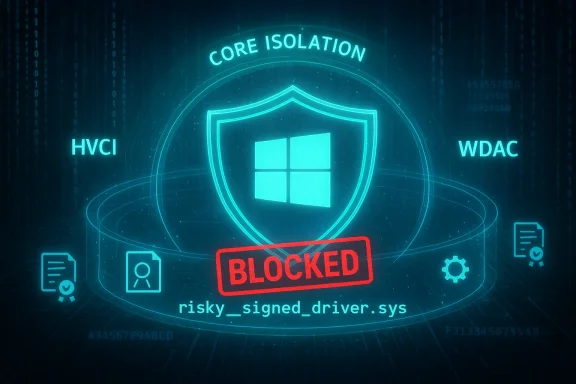
Microsoft’s Windows already runs dozens of security checks before a program touches the kernel, but one of the least obvious — and quietly powerful — defenses is the Microsoft Vulnerable Driver Blocklist, a managed list that stops known-weak or malicious drivers from loading and protects the kernel from Bring-Your-Own-Vulnerable-Driver (BYOVD) and related exploitation techniques.
Background / Overview
Drivers are special pieces of software that give hardware components — cameras, microphones, network adapters, storage controllers, and more — direct pathways into the Windows kernel. Because kernel-mode drivers run with very high privileges, a single vulnerable or malicious driver can be used to bypass user-mode protections, disable security tooling, or escalate privileges to obtain full system control.Microsoft’s answer to that risk is a layered strategy: code signing requirements, kernel integrity checks, virtualization-based protections, and a managed driver blocklist that prevents known-problem drivers from ever being loaded on protected systems. The blocklist is part of the broader Core Isolation and Windows Defender Application Control (WDAC) toolset and is designed to be applied automatically to systems that have the appropriate protections enabled.
Across the Windows ecosystem, Microsoft and hardware partners (IHVs/OEMs) collaborate to identify drivers that present a high risk to kernel integrity — drivers with known CVEs, those signed with certificates used by malware, or drivers that deliberately circumvent Windows security expectations. When risk and compatibility considerations align, Microsoft places vulnerable driver entries into a managed block policy that is distributed to endpoints.
How the Vulnerable Driver Blocklist works
The enforcement stack: HVCI, WDAC and Core Isolation
The blocklist is enforced through a combination of features:- Hypervisor-Protected Code Integrity (HVCI) — also called Memory Integrity — uses virtualization to verify kernel code before execution, making it much harder for unsigned or tampered drivers to run.
- Windows Defender Application Control (WDAC) — implements driver block and allow rules as a signed policy (SiPolicy) that the OS enforces.
- Core Isolation — the Windows Security surface where the blocklist setting is surfaced to end users (Device Security > Core isolation).
Where the policy lives (and how it’s delivered)
Microsoft publishes the managed block policy as an App Control policy that can be deployed in two forms:- The binary policy used by the OS: often seen as a SiPolicy.p7b file and installed under %windir%\System32\CodeIntegrity.
- A downloadable “recommended driver block rules” package for enterprises that want the most up-to-date enforcement, which administrators can apply through App Control for Business. Microsoft documents the steps to download/extract a policy, rename the file to SiPolicy.p7b, copy it to the CodeIntegrity folder, and refresh App Control policies to activate it.
Why this matters: The BYOVD threat and real-world context
Attackers have steadily exploited the kernel attack surface using compromised or poorly implemented third‑party drivers. The BYOVD (Bring Your Own Vulnerable Driver) technique works by dropping a signed, legitimate driver with a known kernel flaw onto a target machine; because many drivers run in kernel mode and have privileged hooks, exploiting them can provide attackers durable, powerful access.Microsoft’s vulnerable driver blocklist is a pragmatic countermeasure: rather than trying to police every possible code path, the blocklist prevents specific catalogued drivers from loading, removing a practical vector attackers use to get into the kernel. The security community and vendors feed driver vulnerability information into Microsoft’s process, allowing the blocklist to be informed by multiple sources including the Microsoft Vulnerable and Malicious Driver Reporting Center.
But the blocklist isn’t a silver bullet. History shows realistic limitations: in 2022 researchers discovered synchronization problems where the on-device blocklist on older Windows installations lagged behind Microsoft’s recommended list, leaving many systems exposed despite Microsoft publishing updated rules. Microsoft acknowledged the gap and patched the servicing process, but the episode underlines two themes: distribution timing matters, and enterprises should consider applying the latest blocklist via App Control if they need immediate parity with Microsoft’s recommended rules.
Strengths: What the blocklist gets right
- Managed, centrally curated protection for kernel risk: The blocklist leverages Microsoft’s global telemetry, partner reports, and security analysis to block drivers that are actively known to be dangerous. For organizations that enable HVCI or adopt WDAC, this delivers a near-zero administration path for that specific class of risk.
- Multiple blocking mechanisms: Rules based on hashes, file attributes, and signing certificates make policy resilient: Microsoft can block a single malicious build or an entire family signed by an abused certificate. This flexibility helps respond to threat patterns quickly.
- Integration with existing Windows security features: The blocklist works with HVCI, Smart App Control, and S Mode enforcement — helping tasks like device hardening become more straightforward for administrators and end users who accept Microsoft defaults.
- Enterprise deployment options: Organizations that require the most current rules can apply the downloadable WDAC policy and test it in audit mode prior to enforcement. Microsoft supplies tools and guidance so admins can verify policy application via Event Viewer and App Control logs.
Limitations and risks you must understand
- Compatibility vs. coverage tradeoff: Microsoft candidly acknowledges the blocklist is not exhaustive. Blocking a driver without careful consideration can cause device malfunctions and, rarely, stop errors (BSOD). For that reason, Microsoft balances blocking with compatibility concerns and may hold back some entries from on-device distributions to avoid widespread breakage. This means the managed endpoint list is often intentionally conservative compared to the fuller “recommended” list Microsoft offers to admins.
- Update cadence and synchronization issues: Because the policy is often updated around major Windows releases, there can be temporal gaps between when Microsoft identifies a dangerous driver and when every device receives the updated block rules. Enterprises that need tighter parity should apply the downloadable policy and use App Control to get updates immediately. The October 2022 synchronization bug — where older Windows versions were receiving outdated blocklists — illustrates the real impact of servicing gaps. Microsoft fixed that issue, but the event remains a cautionary tale.
- Dependence on HVCI or WDAC for full enforcement: Some blocking semantics are designed around systems with HVCI enabled. On systems without virtualization‑based protections, certain blocklist rule flavors may not behave identically, and Microsoft’s guidance is for non‑HVCI environments to rely on App Control. Recent community disclosures and advisories have documented nuanced enforcement differences that administrators should review before deploying a merged or custom policy. Administrators must audit and test policies in their environments rather than assuming identical behavior across all Windows builds.
- Potential bypasses and policy complexities: Security tooling and policy systems are not immune to misconfigurations or implementation gaps. Public advisories have discussed scenarios where certain WDAC rule qualifiers may not block drivers as expected on endpoints that lack HVCI; Microsoft’s guidance emphasizes that the blocklist is intended to be used in combination with HVCI and App Control best practices for full effect. Where unusual enforcement patterns matter (for example, on legacy server hardware or specialized appliances), administrators should validate behavior and consult Microsoft’s updated guidance.
Deployment details for administrators and IT teams
If you’re responsible for endpoint security, here’s what to know and do.Quick checklist (high-level)
- Ensure systems that require broad kernel protection have HVCI (Memory Integrity) enabled where hardware supports it.
- Apply the Microsoft recommended driver block rules via App Control for Business if you need the most current, aggressive list.
- Test any new block policy in audit mode before enforcing it in production.
- Monitor Event Viewer: CodeIntegrity operational logs expose policy application and block events (Event ID 3099 is one of the useful filters Microsoft documents).
Step-by-step: Applying the recommended blocklist (summary of Microsoft guidance)
- Download the App Control policy refresh tool from Microsoft’s distribution channel.
- Download and extract the vulnerable driver blocklist binary package.
- Choose the audit-only or enforced version; rename it to SiPolicy.p7b.
- Copy SiPolicy.p7b to %windir%\System32\CodeIntegrity on the target device.
- Run the App Control policy refresh tool to activate and refresh policies.
- Reboot systems where drivers are already loaded to ensure blocked drivers are prevented on subsequent kernel loads.
- Verify via Event Viewer: Applications and Services Logs → Microsoft → Windows → CodeIntegrity → Operational and filter for relevant event IDs (such as 3099).
Testing and mitigation best practices
- Start in audit mode to collect data on any drivers the policy would block without enforcing those blocks. Review logs and partner with IHVs to obtain patched driver builds for any critical devices.
- Use the Attack Surface Reduction (ASR) rule “Block abuse of exploited vulnerable signed drivers” in parallel for prevention of new vulnerable driver files being written to disk. The ASR rule complements the driver blocklist but does not replace it: ASR prevents new writes of exploit-prone drivers, whereas the blocklist prevents loaded drivers that match known-bad rules.
What consumers and small business users should know
- In most consumer installs of Windows 11 (post‑22H2), the blocklist is on by default where appropriate protections are present; average users should not need to take action beyond keeping Windows Update enabled. Microsoft surfaces a toggle in the Windows Security app under Device Security > Core isolation, but that toggle’s availability depends on your exact OS build and HVCI/Smart App Control configuration. If you see a banner about a blocked driver, check for a driver update via Windows Update or the device manufacturer.
- If a user experiences a device malfunction after a driver block, the recommended path is to update the driver from the vendor or roll back to a known-good driver supplied by the hardware manufacturer; disabling HVCI to circumvent a block is not recommended for security reasons unless you have no other option. Microsoft’s documentation warns that disabling the blocklist can be done via settings or registry tweaks on some builds, but this is discouraged unless necessary and done with full understanding of the risk.
Case studies and historical notes
- October 2022 sync issue: Researchers revealed that Windows 10 devices were receiving an outdated blocklist while Microsoft’s recommended online list had been updated. Microsoft corrected the servicing process and released a fix in an October 2022 preview update so the on‑endpoint list matched Microsoft’s recommended rules again. The episode demonstrated that distribution logistics matter: a perfect policy is only useful if devices actually receive it in a timely way.
- Ongoing vigilance: Microsoft continues to refine how the blocklist is curated and distributed. The company publishes the recommended driver block rules and provides a channel for driver submissions and dispute resolution through its Security Intelligence portal. Enterprises are advised to use the downloadable policy if they need stricter, faster protection than standard servicing provides.
- Reported implementation nuance (CVE advisory): Public advisories have highlighted nuanced enforcement differences in the WDAC implementation for driver block rules on systems that do not have HVCI enabled, indicating some rule qualifiers may not behave identically in such environments. Microsoft’s guidance is to use HVCI and App Control together and to verify behavior in target environments. Administrators should treat these advisories as prompts to validate policy behavior, particularly on heterogeneous or legacy endpoints.
A clear-eyed security appraisal
The Vulnerable Driver Blocklist is an important and pragmatic layer in Microsoft’s kernel protection architecture. It reduces attack surface by denying known dangerous drivers an entry point to the kernel — a capability that matters because exploitation of kernel-mode drivers remains one of the most reliable pathways for advanced threat actors to gain persistent control.That said, it is neither comprehensive nor infallible. The list’s conservative distribution to avoid wide-scale compatibility regressions, its dependency on HVCI/WDAC for full effect, and past synchronization hiccups mean administrators must treat the blocklist as one critical control among several — not the final word on kernel security. Enterprises seeking maximum protection should:
- Enable HVCI and apply WDAC/App Control policies where hardware and workflows permit.
- Deploy Microsoft’s recommended driver block rules via App Control if they require the most current protections.
- Test policies in audit mode, work closely with IHVs for patched drivers, and maintain robust logging and alerting around CodeIntegrity events.
Practical recommendations — checklist you can act on today
- For home users:
- Keep Windows Update enabled and install recommended updates.
- Check Windows Security → Device Security → Core isolation to confirm Memory Integrity (HVCI) is enabled if your device supports it.
- If you see a blocked-driver banner, look for a vendor-supplied driver update before disabling protections.
- For IT administrators:
- Evaluate hardware compatibility and enable HVCI on supported fleets.
- Download the Microsoft recommended driver block rules and run them in audit mode across representative endpoints.
- Address any blocked drivers by coordinating with vendors and testing patched drivers before enforcing the policy.
- Use central management (Intune/Group Policy/endpoint management tooling) to roll the policy out and to gather CodeIntegrity logs centrally.
- Do not merge the Microsoft policy blindly with an explicit allowlist policy; remove “Allow All” rules if you plan to make a strict allowlist enforcement policy.
Conclusion
Stopping kernel‑level exploitation requires multiple layers and rigorous operational practices. Microsoft’s Vulnerable Driver Blocklist is a solid, pragmatic layer — a managed, evidence-driven list that takes the most dangerous known driver builds out of circulation on protected systems. It is especially effective when combined with HVCI and WDAC policies and when organizations proactively use Microsoft’s downloadable policy to keep pace with threats.But it is not a substitute for good operational hygiene: testing, driver lifecycle management, vendor coordination, and thoughtful policy rollout are still essential. The blocklist raises the security baseline for millions of Windows devices, but its true value is realized only when administrators, hardware partners, and end users treat it as part of a wider, continuously maintained defense-in-depth strategy.
Source: Neowin This Windows security feature blocks dangerous drivers before they strike