

Microsoft’s weekly news cycle this time around is a study in contrasts: Microsoft is shipping more features across Windows, PowerToys, Teams, OneDrive, and Xbox, yet it is also pulling updates, retiring account systems, and facing renewed questions about reliability. The headline-grabber is a rumored new Game Pass tier codenamed TRITON, but the more telling story may be the broader pattern underneath it: Microsoft is sharpening its subscription strategy, leaning harder into AI, and still wrestling with the operational friction that comes from shipping at enormous scale. That combination is shaping everything from Windows quality to consumer expectations and enterprise trust.
Microsoft’s ecosystem has become so wide that one weekly recap can touch operating systems, productivity apps, gaming, browser updates, firmware, and even keyboard account migrations. That breadth is now a competitive advantage, but it also means every flaw is amplified. When one update ships cleanly, it can quietly improve a product line; when it breaks installation or stability, the same pipeline becomes a liability.
This week is especially interesting because it shows Microsoft pushing features into familiar products while also making hard choices about identity and monetization. PowerToys continues to evolve as a showcase for practical Windows enhancements, while Game Pass appears to be heading toward another segmentation shift. At the same time, Microsoft is retiring SwiftKey accounts, nudging users toward Microsoft Accounts and OneDrive-backed sync.
The timing matters. Microsoft is not just adding things; it is reorganizing its software around a more unified cloud-and-AI model. The recent corporate leadership changes around Experiences + Devices and Copilot reinforce that direction, suggesting the company wants tighter control over how experiences, subscriptions, and AI features align across consumer and commercial products.
That creates a familiar Microsoft tension. The company must keep Windows relevant, keep Xbox attractive, keep productivity sticky, and keep enterprise admins calm. Those goals overlap, but they do not always harmonize. This week’s mix of releases, rumors, and setbacks is a reminder that Microsoft’s biggest challenge is not invention; it is consistency.
Microsoft did have a fallback. The company’s latest out-of-band release, KB5085518, remains available to address sign-in issues affecting various Microsoft apps. It is useful, but it is also a sign that the March update cycle is not proceeding as cleanly as users would like. Microsoft also shipped new recovery updates for Windows 11, underscoring how much effort still goes into keeping the platform repairable after updates go wrong.
But optional updates are also trust tests. If a preview-quality release cannot install reliably, users start to question the stability of the entire cadence. That skepticism spreads fastest in enterprise environments, where even minor update disruption can have outsized operational consequences.
That means every failed optional update has a cost beyond the initial bug report. It affects staging policies, pilot rings, and internal confidence in Microsoft’s servicing model. That is the hidden tax of broken patch cycles.
This is not a trivial comparison. In many organizations, macOS has gained ground not just because of hardware appeal, but because it is often perceived as less disruptive to manage at scale. Windows still dominates corporate desktops, but dominance is not the same as delight. The larger the installed base, the more every flaw becomes visible through support costs and productivity loss.
That is why Microsoft’s improving Windows servicing story must be judged over multiple cycles, not one. A single good month can be undone by a bad optional update, while a single broken component can have a long tail across help desks and user sentiment.
The enterprise market has a long memory. If the current cycle of fixes and pullbacks becomes too common, Microsoft risks making reliability a strategic talking point for competitors rather than a background assumption.
That matters because PowerToys occupies a special place in the Windows ecosystem. It is not core OS code, but it often feels like what core OS code should be: focused, useful, and responsive to actual user workflows. It also acts as a proving ground for ideas that sometimes influence broader Windows design.
The 0.98.1 fixes around Command Palette may be minor individually, but together they reinforce the module’s role as a serious productivity surface. In a Windows world increasingly split between classic desktop metaphors and AI-assisted workflows, that kind of utility layer becomes even more valuable.
If Microsoft wants to reduce criticism around Windows quality, it needs more of this philosophy. Not every update has to be a splashy AI feature or a redesigned shell. Sometimes the most meaningful progress is making the tools users already depend on feel dependable again.
Teams on mobile is getting a Catch up feature that helps users quickly swipe through missed messages, chats, and threads, with rollout expected in April. At the same time, Microsoft is replacing annoying CAPTCHAs for Teams meetings with a more seamless bot-detection approach. Those are different changes, but they share the same goal: reduce friction without weakening access control.
That aligns well with Microsoft’s broader AI posture. If the company can use machine assistance to compress information overload, it can make Teams feel less like a firehose and more like a control center. That is the direction modern collaboration software has to take.
This is not just a photo feature. It is a signal that Microsoft wants OneDrive to be more than a file vault. It wants OneDrive to be a creative and AI-enabled workspace, with premium capabilities sitting behind recurring revenue.
These updates do not directly threaten Microsoft Edge in a one-for-one sense, but they do show that competition in browsers is still driven by user-facing convenience. That is relevant to Microsoft because Edge increasingly serves as an integration point for Microsoft accounts, Copilot, and enterprise policy.
That is a harder sell when rival browsers are still innovating in areas users can feel immediately. Native split view, tab management, and mobile ergonomics are the kinds of features that can change browser loyalty at the margins.
That is a classic Microsoft challenge: turning strategic integration into user appreciation. The difference is not academic. It determines whether the company wins on convenience or merely on inertia.
That would not be unprecedented. Game Pass has already evolved through a complex combination of console, PC, cloud, Core, Ultimate, and region-specific variations. Adding another tier would reflect both success and pressure: success because the service is big enough to support experimentation, and pressure because Microsoft still has to balance subscription growth with content economics.
But it also raises obvious questions. If the library becomes too narrow, the value proposition may feel watered down. A tier that excludes the games people most associate with Game Pass’s breadth could end up confusing more customers than it attracts.
A first-party tier would make sense if Microsoft believes users will trade breadth for predictability and cost control. It would also make sense if the company wants a cleaner ladder from low-cost entry tiers to higher-margin premium tiers. The real challenge is preserving the sense that Game Pass remains the best deal in gaming, rather than just a menu of constrained options.
Those stories are useful because they show the breadth of Microsoft’s gaming footprint. On one side, it is nurturing premium ecosystem value through Game Pass; on the other, it is making sure major PC releases remain accessible on a wide range of systems. That dual strategy is central to how Xbox exists in 2026.
This sort of migration is easy to underestimate because it doesn’t look flashy. But identity is the backbone of Microsoft’s modern product stack. The more services rely on one account system, the easier it becomes to connect data, subscriptions, AI features, and backup. That is valuable to Microsoft and, in some cases, convenient for users.
That makes user communication essential. The company has to be clear, repetitive, and precise. Account migrations fail most often not because the technology is impossible, but because people do not realize they need to change anything until it is too late.
That ambiguity is now part of the company’s consumer identity strategy. The same move can be interpreted as simplified support, improved continuity, or increased lock-in depending on the user’s perspective.
The review side of the week was similarly practical. A compact PNY GeForce RTX 5080 Slim OC showed that high-end performance can now fit into a more constrained chassis, while the Intel Core Ultra 7 270K / 5 250K Plus processors offered strong performance relative to price. Those products reinforce a broader theme: the Windows PC market is still thriving on specialization.
This week’s driver releases matter because they address real-world issues such as stutters, texture problems, and connectivity improvements. Those are not glamorous fixes, but they affect the everyday impression users have of their machines.
The takeaway this week is that the hardware market remains competitive and surprisingly healthy. Even as software complexity rises, the PC hardware ecosystem continues to deliver meaningful choice.
SwiftKey’s retirement deadline on May 31, 2026 will test Microsoft’s ability to communicate account transitions cleanly. Meanwhile, PowerToys and other utility-focused releases will continue to show whether Microsoft can keep delighting users at the margins even when the core update story is bumpy. The broader question is whether Microsoft can make its ecosystem feel more integrated without making it feel more coercive.
Source: Neowin Microsoft Weekly: new Game Pass tier, PowerToys updates, and more
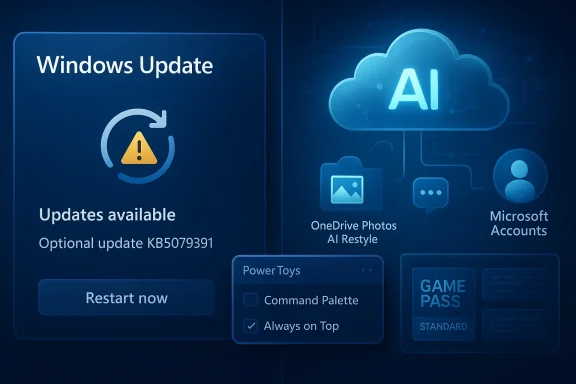 Overview
Microsoft’s ecosystem has become so wide that one weekly recap can touch operating systems, productivity apps, gaming, browser updates, firmware, and even keyboard account migrations. That breadth is now a competitive advantage, but it also means every flaw is amplified. When one update ships cleanly, it can quietly improve a product line; when it breaks installation or stability, the same pipeline becomes a liability.This week is especially interesting because it shows Microsoft pushing features into familiar products while also making hard choices about identity and monetization. PowerToys continues to evolve as a showcase for practical Windows enhancements, while Game Pass appears to be heading toward another segmentation shift. At the same time, Microsoft is retiring SwiftKey accounts, nudging users toward Microsoft Accounts and OneDrive-backed sync.
The timing matters. Microsoft is not just adding things; it is reorganizing its software around a more unified cloud-and-AI model. The recent corporate leadership changes around Experiences + Devices and Copilot reinforce that direction, suggesting the company wants tighter control over how experiences, subscriptions, and AI features align across consumer and commercial products.
That creates a familiar Microsoft tension. The company must keep Windows relevant, keep Xbox attractive, keep productivity sticky, and keep enterprise admins calm. Those goals overlap, but they do not always harmonize. This week’s mix of releases, rumors, and setbacks is a reminder that Microsoft’s biggest challenge is not invention; it is consistency.
The week in one line
The most important theme is not any single product update, but platform consolidation. Microsoft keeps finding ways to tie users more tightly to its ecosystem, whether through subscriptions, account systems, cloud sync, or feature gating.- Windows is getting new capabilities, but optional updates remain fragile.
- PowerToys remains one of the clearest examples of Windows-native utility done well.
- Game Pass may be moving toward narrower tiers.
- Microsoft is phasing out standalone SwiftKey accounts.
- AI continues to appear in more consumer services, especially OneDrive and Teams.
Windows Update Reality
Microsoft’s Windows story this week is a reminder that feature cadence and update reliability are still in a delicate balance. The company released KB5079391, an optional non-security update for Windows 11 versions 24H2 and 25H2, and then pulled it shortly afterward while investigating installation issues. That sequence is now depressingly familiar to many Windows watchers: promising feature set, deployment friction, and a rapid need for damage control.Microsoft did have a fallback. The company’s latest out-of-band release, KB5085518, remains available to address sign-in issues affecting various Microsoft apps. It is useful, but it is also a sign that the March update cycle is not proceeding as cleanly as users would like. Microsoft also shipped new recovery updates for Windows 11, underscoring how much effort still goes into keeping the platform repairable after updates go wrong.
Why optional updates matter
Optional updates are more than feature previews. For many enthusiasts and IT teams, they are a signal of where Microsoft wants the platform to go next. When these releases include visible improvements like higher refresh-rate support, they help frame Windows 11 as an actively improving product rather than a static OS.But optional updates are also trust tests. If a preview-quality release cannot install reliably, users start to question the stability of the entire cadence. That skepticism spreads fastest in enterprise environments, where even minor update disruption can have outsized operational consequences.
The significance of the 1000Hz+ support
Among the notable additions in the pulled update was support for 1000Hz+ refresh rate monitors. That sounds niche, but it tells you something about Microsoft’s audience targeting. Windows is no longer only about mainstream office hardware; it is also a gaming and enthusiast platform that must keep up with ultra-high-end displays and peripherals.- It signals attention to premium hardware users.
- It helps Windows stay competitive for gaming setups.
- It reinforces the perception that Windows remains the default platform for cutting-edge PC gear.
- It also raises the bar for driver and compositor stability.
Enterprise confidence remains the real battleground
Consumer frustration gets the headlines, but enterprise deployment confidence is the deeper issue. Microsoft can absorb some feedback from enthusiasts; it cannot afford a broad loss of trust among IT administrators who manage fleets of endpoints. If update quality becomes unpredictable, administrators respond by slowing deployment, which in turn delays feature adoption and increases fragmentation.That means every failed optional update has a cost beyond the initial bug report. It affects staging policies, pilot rings, and internal confidence in Microsoft’s servicing model. That is the hidden tax of broken patch cycles.
Reliability and the Enterprise Narrative
A new report this week added fuel to the long-running conversation about Windows stability in business settings. According to the report, Windows is causing enterprises more headaches than macOS, with a higher propensity for crashes, hangs, and shutdowns. Whether you read that as a platform problem, a fleet-management problem, or a measurement problem, the underlying message is clear: reliability remains a differentiator.This is not a trivial comparison. In many organizations, macOS has gained ground not just because of hardware appeal, but because it is often perceived as less disruptive to manage at scale. Windows still dominates corporate desktops, but dominance is not the same as delight. The larger the installed base, the more every flaw becomes visible through support costs and productivity loss.
What “stability” means in practice
Stability is not just about blue screens. It includes login failures, app hangs, driver regressions, update rollbacks, peripheral problems, and the slow drip of friction that makes IT support teams spend more time on remediation than on value-added work. In the enterprise, small failures become recurring costs.That is why Microsoft’s improving Windows servicing story must be judged over multiple cycles, not one. A single good month can be undone by a bad optional update, while a single broken component can have a long tail across help desks and user sentiment.
Enterprise vs consumer impact
For consumers, a failed update is mostly an annoyance. For enterprises, it is a deployment strategy issue. This is why tools like staged rollout, update rings, and telemetry are so important. They are not merely technical features; they are the mechanisms that preserve trust.- Consumers care about visible bugs and downtime.
- Enterprises care about reproducibility and supportability.
- Consumer pain becomes enterprise policy if the failure is broad enough.
- Enterprise hesitation becomes ecosystem drag if it slows adoption.
Historical context still matters
Microsoft has been here before. Every major Windows generation has had a credibility phase where users asked whether the company could ship a modern platform without recurring quality issues. The difference today is that Microsoft is now competing against ecosystems that sell simplicity and continuity as core features. That makes any regression feel more expensive than it might have a decade ago.The enterprise market has a long memory. If the current cycle of fixes and pullbacks becomes too common, Microsoft risks making reliability a strategic talking point for competitors rather than a background assumption.
PowerToys and the Case for Practical Windows Innovation
PowerToys remains one of Microsoft’s best arguments that it can still build delightful software for power users. The latest update to version 0.98.1 is small in scope, but the changes are precisely the kind that make a utility suite feel polished rather than experimental. The fixes touch Command Palette, Always on Top transparency shortcuts, Keyboard Shortcut Manager, and other quality-of-life details.That matters because PowerToys occupies a special place in the Windows ecosystem. It is not core OS code, but it often feels like what core OS code should be: focused, useful, and responsive to actual user workflows. It also acts as a proving ground for ideas that sometimes influence broader Windows design.
Command Palette keeps becoming more central
Command Palette has emerged as one of the most important PowerToys modules because it consolidates search, launch, and utility functions into a single interface. That kind of tool reflects how power users actually work: not by hunting through menus, but by issuing quick commands and moving on.The 0.98.1 fixes around Command Palette may be minor individually, but together they reinforce the module’s role as a serious productivity surface. In a Windows world increasingly split between classic desktop metaphors and AI-assisted workflows, that kind of utility layer becomes even more valuable.
Why small fixes matter
The most useful software often wins on friction reduction, not headline features. A shortcut that behaves correctly, a context menu that is clearer, or a palette that stops glitching can save time across thousands of interactions. That makes small updates disproportionately valuable.- Better shortcut behavior reduces repetitive annoyance.
- Cleaner context handling lowers the chance of user error.
- More stable palette interactions build user confidence.
- Fine-grained fixes often improve accessibility as well.
A model for Microsoft’s broader Windows strategy
Microsoft could learn from PowerToys in at least one respect: the best Windows improvements are often the ones that feel obvious once they exist. They do not require a marketing campaign; they simply make the platform easier to live with. That is exactly what users want when they say they want Windows to “just work.”If Microsoft wants to reduce criticism around Windows quality, it needs more of this philosophy. Not every update has to be a splashy AI feature or a redesigned shell. Sometimes the most meaningful progress is making the tools users already depend on feel dependable again.
Productivity Apps and the AI Layer
Microsoft’s productivity suite continues to evolve in ways that are increasingly inseparable from AI and cloud identity. This week brought updates to Teams and OneDrive, both of which illustrate Microsoft’s broader strategy: smoother collaboration, more automated assistance, and more reasons to stay inside the Microsoft ecosystem.Teams on mobile is getting a Catch up feature that helps users quickly swipe through missed messages, chats, and threads, with rollout expected in April. At the same time, Microsoft is replacing annoying CAPTCHAs for Teams meetings with a more seamless bot-detection approach. Those are different changes, but they share the same goal: reduce friction without weakening access control.
Teams wants to become less interruptive
Teams has long struggled with the balance between being comprehensive and being overwhelming. A catch-up mechanism on mobile is a sensible acknowledgment that users are rarely in a position to read every thread in real time. The product needs to summarize, triage, and prioritize.That aligns well with Microsoft’s broader AI posture. If the company can use machine assistance to compress information overload, it can make Teams feel less like a firehose and more like a control center. That is the direction modern collaboration software has to take.
OneDrive’s AI Restyle points to a bigger shift
AI Restyle in OneDrive Photos is another example of Microsoft making generative-style features more visible to everyday users. It allows people to reimagine photos in different styles, and it is tied to the Microsoft 365 Premium subscription. That subscription gating is the real story here, because it shows where Microsoft sees monetizable value: not just storage, but transformation.This is not just a photo feature. It is a signal that Microsoft wants OneDrive to be more than a file vault. It wants OneDrive to be a creative and AI-enabled workspace, with premium capabilities sitting behind recurring revenue.
The subscription model is doing more work
Microsoft’s consumer and small-business strategy increasingly depends on bundling utility with convenience and AI. The more features it can link to a subscription, the easier it becomes to justify monthly pricing. The challenge is making those features feel genuinely helpful rather than artificially segmented.- Teams features reduce coordination overhead.
- OneDrive AI features turn stored assets into editable content.
- Microsoft 365 Premium becomes more attractive as the feature bundle grows.
- AI features also create a stronger account lock-in effect.
Browser and Cross-Platform Competition
Not everything this week came from Microsoft itself. The browser market continues to be lively, and that matters because browsers are now one of the most important front doors to the productivity and AI ecosystem. Firefox 149 arrived with a built-in VPN and native Split View, while Vivaldi 7.9 extended its mobile feature set with double-decker Tab Stacks and DeX improvements.These updates do not directly threaten Microsoft Edge in a one-for-one sense, but they do show that competition in browsers is still driven by user-facing convenience. That is relevant to Microsoft because Edge increasingly serves as an integration point for Microsoft accounts, Copilot, and enterprise policy.
Why browsers still matter to Microsoft
Browsers are no longer just tools for viewing web pages. They are where identity, syncing, extensions, cloud apps, and AI assistants converge. If Microsoft wants users to keep choosing Edge, it has to offer more than compatibility; it has to offer clear workflow advantages.That is a harder sell when rival browsers are still innovating in areas users can feel immediately. Native split view, tab management, and mobile ergonomics are the kinds of features that can change browser loyalty at the margins.
Competition is increasingly about workflow design
The browser wars are no longer only about rendering engines. They are about how smoothly a browser fits into a person’s day. That includes tabs, profiles, note-taking, sync, privacy, and now AI features layered on top.- Better tab management improves multitasking.
- Split views help with research and comparison.
- Built-in privacy tools appeal to cautious users.
- Cross-device consistency matters more than ever.
Edge’s challenge is subtle
Edge remains deeply capable, but many users still view it through the lens of preinstallation and ecosystem friction. That means Microsoft has to over-earn trust. If it wants users to embrace Edge voluntarily, the browser has to feel genuinely superior in day-to-day use, not merely more integrated.That is a classic Microsoft challenge: turning strategic integration into user appreciation. The difference is not academic. It determines whether the company wins on convenience or merely on inertia.
Gaming and Game Pass Strategy
The biggest gaming story this week is the report that Microsoft is preparing a new Game Pass tier codenamed TRITON, which would reportedly offer only first-party games from Xbox Game Studios. Microsoft has not confirmed the tier, its price, or its launch terms, so the details remain speculative. But the direction is suggestive: Microsoft may be further segmenting Game Pass into distinct value levels as it continues to refine the subscription model.That would not be unprecedented. Game Pass has already evolved through a complex combination of console, PC, cloud, Core, Ultimate, and region-specific variations. Adding another tier would reflect both success and pressure: success because the service is big enough to support experimentation, and pressure because Microsoft still has to balance subscription growth with content economics.
Why a first-party-only tier would matter
A first-party-only tier could appeal to users who mainly care about Microsoft’s own franchises and day-one releases. It could also function as a lower-cost entry point for people who do not want the broader third-party library. In principle, that could widen the funnel.But it also raises obvious questions. If the library becomes too narrow, the value proposition may feel watered down. A tier that excludes the games people most associate with Game Pass’s breadth could end up confusing more customers than it attracts.
The economics behind the move
Microsoft’s subscription strategy has been trending toward clearer segmentation. The company wants enough price points to capture different audiences without making the product family feel incoherent. That is a hard balance, especially when content licensing and first-party publishing economics are changing fast.A first-party tier would make sense if Microsoft believes users will trade breadth for predictability and cost control. It would also make sense if the company wants a cleaner ladder from low-cost entry tiers to higher-margin premium tiers. The real challenge is preserving the sense that Game Pass remains the best deal in gaming, rather than just a menu of constrained options.
Other gaming signals this week
There was more than one gaming headline worth noting. S.T.A.L.K.E.R. 2 is getting a substantial story expansion called Cost of Hope, and Forza Horizon 6 has published hardware requirements that suggest even modest PCs will be able to run it comfortably, while higher-end settings will demand more memory and more capable graphics hardware.Those stories are useful because they show the breadth of Microsoft’s gaming footprint. On one side, it is nurturing premium ecosystem value through Game Pass; on the other, it is making sure major PC releases remain accessible on a wide range of systems. That dual strategy is central to how Xbox exists in 2026.
Gaming remains Microsoft’s consumer glue
If Windows is the platform, gaming is one of the emotional reasons people stay. That is why Microsoft pays so much attention to hardware, subscriptions, and first-party content. The more coherent the gaming ecosystem becomes, the more it reinforces Windows, Xbox, and Microsoft accounts together.- Subscriptions create recurring revenue.
- First-party content strengthens platform identity.
- PC requirements shape the enthusiast conversation.
- Cloud and cross-device options keep the ecosystem flexible.
Accounts, Identity, and User Migration
One of the quieter but more consequential updates this week involves Microsoft SwiftKey. Microsoft is retiring SwiftKey accounts on May 31, 2026, and users who want to preserve synchronized typing data must migrate to a Microsoft Account. That shift is not just administrative housekeeping; it is a clear consolidation move aimed at simplifying identity across the company’s consumer services.This sort of migration is easy to underestimate because it doesn’t look flashy. But identity is the backbone of Microsoft’s modern product stack. The more services rely on one account system, the easier it becomes to connect data, subscriptions, AI features, and backup. That is valuable to Microsoft and, in some cases, convenient for users.
Why retirement dates matter
A retirement date forces users to act, and that creates risk if the messaging is missed or ignored. Microsoft says users can continue syncing through their Microsoft Account in SwiftKey, but the transition still requires awareness and a little effort. If people miss the deadline, their data can be lost or disconnected.That makes user communication essential. The company has to be clear, repetitive, and precise. Account migrations fail most often not because the technology is impossible, but because people do not realize they need to change anything until it is too late.
Identity consolidation is a strategic lever
Microsoft has spent years pushing a more unified account model across Windows, Xbox, Office, OneDrive, and mobile apps. SwiftKey’s retirement fits that pattern neatly. The benefit is consistency. The drawback is that users lose some of the feeling that each product stands on its own.- One account means simpler sync.
- One account also means more ecosystem dependence.
- Migration reduces support complexity for Microsoft.
- It can also reduce user choice in how data is stored.
The privacy angle is subtle but important
Microsoft presents the OneDrive-backed sync model as secure and accessible, and that is likely true in practical terms. But users will still notice when a once-separate account system disappears. Some will see it as an upgrade; others will see it as another instance of Microsoft tightening the ecosystem.That ambiguity is now part of the company’s consumer identity strategy. The same move can be interpreted as simplified support, improved continuity, or increased lock-in depending on the user’s perspective.
Reviews, Drivers, and the Hardware Layer
This week also brought a healthy dose of hardware and driver news, which matters because Windows is still defined by the quality of the machines and peripherals it runs on. NVIDIA released a hotfix and a WHQL driver update, while Intel pushed new Wi-Fi and Bluetooth drivers with connectivity improvements and changes for systems using the AX200 network card. These are the invisible maintenance items that make the platform usable day to day.The review side of the week was similarly practical. A compact PNY GeForce RTX 5080 Slim OC showed that high-end performance can now fit into a more constrained chassis, while the Intel Core Ultra 7 270K / 5 250K Plus processors offered strong performance relative to price. Those products reinforce a broader theme: the Windows PC market is still thriving on specialization.
Why driver quality matters so much
Windows hardware success depends on a long chain of compatibility. A great GPU, a useful Wi-Fi card, or a fast CPU means little if the driver stack is unstable or incomplete. That is why update quality from vendors like NVIDIA and Intel remains crucial.This week’s driver releases matter because they address real-world issues such as stutters, texture problems, and connectivity improvements. Those are not glamorous fixes, but they affect the everyday impression users have of their machines.
Compact high-end hardware is increasingly important
The PNY RTX 5080 Slim OC review is notable because it reflects a continuing trend toward performance density. Builders want top-tier power without the bulk and heat penalties of traditional enthusiast cards. That makes compact flagships attractive for smaller cases and cleaner builds.- Smaller cards expand chassis compatibility.
- Less bulk improves build aesthetics.
- Better thermal design becomes a selling point.
- High-end performance no longer requires oversized hardware.
Reviews still help define the market
Hardware reviews do more than evaluate a product. They shape the expectations of the enthusiast community and influence how vendors position future releases. A strong review can validate a product category, while a weak one can expose compromises that buyers might otherwise miss.The takeaway this week is that the hardware market remains competitive and surprisingly healthy. Even as software complexity rises, the PC hardware ecosystem continues to deliver meaningful choice.
Strengths and Opportunities
Microsoft’s week reveals several strengths that the company can build on if it executes well. The biggest opportunity is not any one product, but the way all of its pieces can reinforce each other when the experience is coherent. If Microsoft can improve reliability while deepening utility, it has a strong path forward.- PowerToys shows how Microsoft can delight advanced users with practical tools.
- Game Pass continues to offer a powerful subscription anchor for gaming.
- OneDrive and Teams are becoming more capable and more tightly integrated.
- Account consolidation can reduce friction when done clearly.
- Windows feature updates still provide a channel for meaningful hardware support.
- The company’s AI layer can make productivity products feel more helpful, not just more complex.
- Microsoft’s ecosystem breadth gives it multiple paths to monetize the same user relationship.
Risks and Concerns
The risks are equally visible. Microsoft’s biggest vulnerability is that the more ambitious its ecosystem becomes, the more any failure can spread across products and users. Reliability problems, confusing tiering, and forced account migrations can all erode trust if they feel too frequent or too opaque.- Pulled updates damage confidence in the Windows servicing model.
- Subscription segmentation can confuse consumers if value differences are not obvious.
- Account retirements can frustrate users who miss migration deadlines.
- AI features may feel intrusive if they are tied too aggressively to premium plans.
- Enterprise admins may slow deployment if stability concerns continue.
- Over-integration can make the ecosystem feel more like lock-in than convenience.
- Competitive browsers and platforms can exploit any perception that Microsoft is prioritizing bundling over usability.
Looking Ahead
The next few weeks will show whether this week was a normal blip or part of a broader pattern. Microsoft needs its Windows servicing story to stabilize, because every temporary setback now lands in a market that is more skeptical, more vocal, and more willing to compare platform quality across ecosystems. It also needs clarity on how far it wants to go with Game Pass tiering, because the subscription model only works when customers feel the value ladder is easy to understand.SwiftKey’s retirement deadline on May 31, 2026 will test Microsoft’s ability to communicate account transitions cleanly. Meanwhile, PowerToys and other utility-focused releases will continue to show whether Microsoft can keep delighting users at the margins even when the core update story is bumpy. The broader question is whether Microsoft can make its ecosystem feel more integrated without making it feel more coercive.
- Watch for further fallout or follow-up on the pulled Windows 11 optional update.
- Watch for official clarification on any new Game Pass tier.
- Watch the rollout of Teams mobile Catch up in April.
- Watch SwiftKey migration messaging ahead of the May 31 cutoff.
- Watch whether Microsoft continues to push more AI features into consumer subscriptions.
Source: Neowin Microsoft Weekly: new Game Pass tier, PowerToys updates, and more
Last edited:
