

Microsoft’s engineering pivot to “fix the basics” is no longer rhetoric—it’s a response to a year of mounting user frustration, high‑impact update regressions and a visible erosion of trust in the Windows experience that culminated in multiple emergency patches in January 2026 and renewed scrutiny of Microsoft’s AI-first ambitions.
Windows has never been static: it has evolved through security crises, UI flops and platform resets. But what’s different today is the convergence of several stresses at once—aggressive AI integration, perceived monetization inside the shell, strict hardware gating for Windows 11, and a string of reliability problems tied to Microsoft’s servicing pipeline. That mix has created a credibility deficit for a platform that historically relied on predictable updates and enterprise-grade stability.
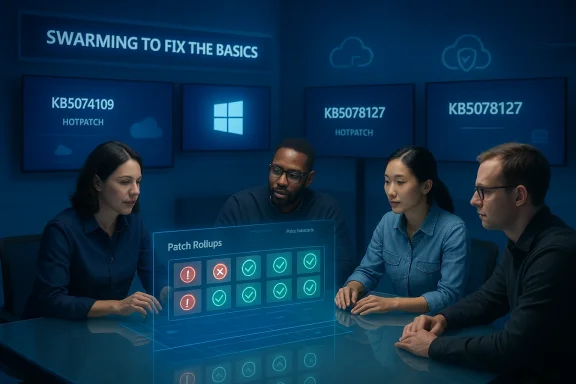
The Verge’s reporting that Microsoft is “swarming” engineers onto core Windows 11 problformance, reliability and the small daily annoyances that drive people away — is an important signal: the company recognizes the political nature of platform trust and, at least publicly, has committed to prioritize quality over flash.
Microsoft’s servicing documentation and KB entries reflect a rapid triage process: emergency hotpatches, consolidated cumulative rollups and Known Issue Rollback (KIR) artifacts to give administrators tools to mitigate without uninstalling critical security patches. Those are necessary operational steps but also expose the limits of Microsoft’s pre‑release validation across a vast hardware matrix.
Short‑term engineering triage—like the January 2026 hotpatches—was necessary and appropriate. The longer test is whether Microsoft converts that emergency response into durable process change: more conservative defaults, transparent telemetry, stronger pilot gates and an actual Expert mode for users who do not want to be marketed to from their system shell. The company’s statements about prioritizing performance and reliability are a start, but only measurable progress and consistent behavior will heal the relationship with Windows’ most demanding and influential users.
For now, the practical advice to users and admins is straightforward: harden defaults, stage updates, and demand auditable controls for agentic features. If Microsoft follows through, Windows can recover not because of a single feature, but because the platform becomes—again—predictable, controllable and respectful of the user’s device.
Source: The Verge Microsoft is working to rebuild trust in Windows
 Background / Overview
Windows has never been static: it has evolved through security crises, UI flops and platform resets. But what’s different today is the convergence of several stresses at once—aggressive AI integration, perceived monetization inside the shell, strict hardware gating for Windows 11, and a string of reliability problems tied to Microsoft’s servicing pipeline. That mix has created a credibility deficit for a platform that historically relied on predictable updates and enterprise-grade stability.The Verge’s reporting that Microsoft is “swarming” engineers onto core Windows 11 problformance, reliability and the small daily annoyances that drive people away — is an important signal: the company recognizes the political nature of platform trust and, at least publicly, has committed to prioritize quality over flash.
What broke: January 2026’s update chaos
The timeline in plain terms
- January 13, 2026 — Microsoft shipped the regular Patch Tuesday rollup (KB5074109), a cumulative update for recent Windows 11 servicing baselines. Within days, users and telemetry flagged serious regressions.
- January 17, 2026 — Microsoft issued an emergency out‑of‑band (OOB) update to address critical shutdown and Remote Desktop authentication issues.
- January 24, 2026 — A second emergency OOB/hotpatch (KB5078127 / related payloads) was released after the first fix introduced or failed to clear additional problems affecting cloud‑backed files and apps like OneDrive, Dropbox and Outlook PST scenarios. Microsoft published hotpatch notes describing these fixes.
Symptoms that matter to users and admins
- Some PCs were unable to shut down or hibernated only to restart, behavior observed primarily on machines with certain early‑boot hardening (e.g., System Guard Secure Launch) turned on.
- Cloud‑backed file operations began failing or causing apps to hang after installing the January update; Outlook configurations that kept PSTs in OneDrive folders were particularly exposed.
- A minority of devices—mainly commercial or enterprise machines that had previously failed to install a December 2025 update and were left in an “improper state”—experienced UNMOUNTABLE_BOOT_VOLUME boot failures that required manual recovery. Microsoft has acknowledged this pattern and described it in support notes.
Why this matters beyond a single buggy month
Reliability is a compound trust metric: every unplanned reboot, app crash or surprise prompt chips away at a user’s confidence in the platform. For enterprises the cost is measurable—lost productivity, helpdesk churn, and deployment hesitation. For enthusiasts and power users it’s reputational: the narrative that Windows has become a marketing channel for Microsoft services (Edge, Bing, OneDrived when core platform quality slips. The combination pushes some users to consider alternatives or to harden machines against Microsoft’s defaults.Recall, Copilot and the perception problem
Microsoft’s push to bake AI agents through Copilot, Recall and deep OS integrations promised productivity gains, but the rollout exposed two weaknesses: timing and consent.- Timing: shipping experimental, context‑capturing features while update quality is inconsistent looks tone‑deaf. The net effect is that users treat AI additions as the cherry on top of a brittle cake.
- Consent and privacy: Recall—a feature that snapshots desktop activity to let you later “search what you saw”—generated strong privacy backlash. Microsoft reworked Recall into an opt‑in, TPM/Windows Hello‑protected, VBS‑enclave architecture and documented that change publicly. Those engineering changes matter, but the initial rollout scars remain.
How Microsoft responded — and what the public statements actually say
Internally, Microsoft has reportedly redirected engineering resources to a “swarming” model: small, cross‑disciplinary teams focused on resolving high‑impact regressions rapidly. Publicly, Pavan Davuluri, president of Windows and devices, told Notepad (The Verge) that the company will prioritize system performance, reliability and the overall Windows experience this year. The message is explicit: fix the base before layering on more agentic automation.Microsoft’s servicing documentation and KB entries reflect a rapid triage process: emergency hotpatches, consolidated cumulative rollups and Known Issue Rollback (KIR) artifacts to give administrators tools to mitigate without uninstalling critical security patches. Those are necessary operational steps but also expose the limits of Microsoft’s pre‑release validation across a vast hardware matrix.
Technical analysis: root causes and systemic pressures
1) Complex servicing + hardware diversity = fragile assumptions
Windows updates assume a consistent baseline state. Where that baseline is broken—due to prior failed updates, unusual OEM firmware interactions or third‑party drivers—servicing chores that touch boot paths or storage metadata can tip a machine into a no‑boot state. The January boot failures are an example of this fragile assumption. Microsoft’s own analysis points to devices stuck in an incomplete December update rollback as the most common factor. (windowslatest.com)2) Feature velocity vs. test coverage
Rapid, frequent feature pushes increase regression surface area. The industry standard fix is better staged rollouts, expanded canary cohorts and more automated, end‑to‑end validation against realistic OEM and driver images. The community is asking Microsoft to rebalance short‑term engagement KPIs against longer‑term stability metrics.3) Opt‑in semantics, telemetry and explainability
AI features that persistently ie inherently higher risk. Technical mitigations (VBS enclaves, TPM binding, Windows Hello gating) reduce the legal, security and privacy vector, but they don’t solve discoverability or user comprehension. Users demand a single, authoritative privacy control panel and a human‑readable “privacy ledger” that shows what’s been collected and why. This is a product governance problem as much as a see.What Microsoft should do next: a practical, prioritized roadmap
The community debate has narrowed into achievable, non‑ideological fixes. Below are concrete actions that would meaningfully restore confidence if executed transparently and measuredly.Priority engineering moves (short to medium term)
- Freeze disruptive shell/UX rollouts for a measured stabilization window focused on servicing quality and critical UX consistency.
- Publish measurable reliability targets and a quarterly progress dashboard: patch‑induced regressions per release, median time to rollback, and KIR activation counts.
- Expand canary cohorts and require OEM/driver test passes for SafeOS and servicing stack changes.
- Make AI features like Recall explicitly opt‑in by default, uninstallable acts; provide per‑app and per‑site exclusions.
Governance and transparency
- Ship a unified Privacy & Telemetry control that includes an exportable ledger and human‑readable explanations for any outbound event.
- Provide stronger, enterprise‑grade CSPs/Group Policy settings for disabling consumer promotions and AI hooks at install or via OOBE (out‑of‑box experience).
- Commission and publish independent audits of agentic components (Recall, core Copilot actions) and produce remere issues are found.
Experience and defaults
- Introduce a documented “Pro/Expert” profile at setup that disables promotional surfaces, reduces telemetry to a conservative baseline, and pre‑installs developer tooling (WSL, Terminal, winget) for power users.
- Improve uninstall flows so removing Copilot or AI assistants leaves no opaque remnants; ensure defaults respect user choices across major upgrades.
What users, power users and IT admins should do now
Microsoft’s fixes will take time and sustained follow‑through. Meanwhile, teams and individuals can reduce risk and regain control.For individual users (short checklist)
- Pause non‑critical feature updates for 2–4 weeks after release and watch Release Health notes.
- Turn off Start menu suggestions and promotional content: Settings > Personalization > Start > disable “Show recommendations”.
- Use the Diagnostic Data Viewer and Privacy settings to lower telemetry and audit outbound connections.
- Keep backups and a bootable recovery drive; consider an image‑based backup solution if you manage critical data.
For IT admins
- Test updates in representative pilot rings that include machines with Secure Boot, VBS and diverse OEM firmware.
- Use phased deployment and Known Issue Rollback artifacts where available; have rollback playbooks for high‑impact updates.
- Lock down consumer experiences (Group Policy or Intune) if you want to avoid automatic app pinning.
- Harden rollout windows and require manual approvals for Out‑of‑band patches in sensitive fleets.
For OEMs and hardware partners
- Share representative device images and firmware early in the servicing lifecycle to reduce unanticipated interactions.
- Cooperate on broader hardware validation for SafeOS and servicing stack changes that touch UEFI, storage drivers and boot paths.
The strengths Microsoft must protect while it repairs trust
It’s important to acknowledge where Windows still scores strongly: a massive installed base, robust ecosystem of enterprise managolicy), decades of kernel and driver engineering, and the ability to deliver patches at scale. Those are assets that will amplify any credibility gains from better governance. Microsoft’s security architecture for Recall and the decision to rework it into a TPM/Windows Hello/VBS model are examples of competent, technical responses to serious criticism. But engineering proofs must be matched by predictable behavior and conservative defaults.The political problem: incentives, optics and product KPIs
There’s no purely technical fix for an incentives problem. Many of the features users find intrusive are profitable or tied to engagement metrics within Microsoft’s ecosystems. Changing that calculus requires corporate decision‑making: commit to durable defaults that respect user choice and accept that initial engagement metrics may drop while long‑term retention and trust are repaired. The community’s demand is for a pause—ship fewer headline endable, observable improvements.Measuring repair: what success looks like
Trust is earned incrementally and verified by measurable outcomes. Here are concrete signals Microsoft can publish to prove progress:- A Release Health scorecard that lists regressions per servicing cycle and time‑to‑fix for each issue.
- A public prowing frequency and types of telemetry events and user opt‑outs (aggregated, anonymized).
- Quarterly transparency reports on KIR activations, OOB patch counts and rollouts by cohort.
- An independent audit and remediation report for agentic features, with clear admin policy coverage.
Conclusion: a narrow path to rebuild Windows’ social contract
Windows’ technical foundations remain formidable. The risk today is not that Windows lacks capability, but that the platform has become noisy and, at times, unpredictable. Restoring trust will require Microsoft to do three things concurrently: tighten its release engineering, rebalance defaults and monetization incentives, and provide clear, auditable controls for any feature that touches user content or automates actions.Short‑term engineering triage—like the January 2026 hotpatches—was necessary and appropriate. The longer test is whether Microsoft converts that emergency response into durable process change: more conservative defaults, transparent telemetry, stronger pilot gates and an actual Expert mode for users who do not want to be marketed to from their system shell. The company’s statements about prioritizing performance and reliability are a start, but only measurable progress and consistent behavior will heal the relationship with Windows’ most demanding and influential users.
For now, the practical advice to users and admins is straightforward: harden defaults, stage updates, and demand auditable controls for agentic features. If Microsoft follows through, Windows can recover not because of a single feature, but because the platform becomes—again—predictable, controllable and respectful of the user’s device.
Source: The Verge Microsoft is working to rebuild trust in Windows
