

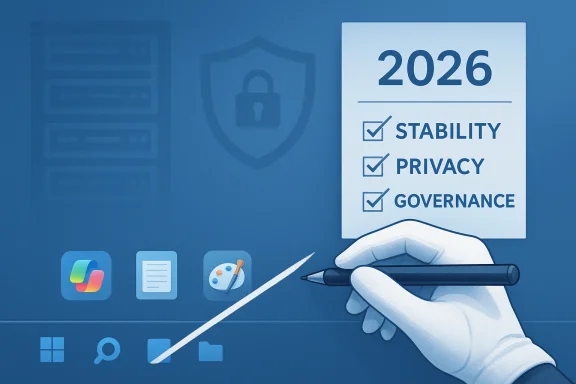
Microsoft’s abrupt retreat from “AI everywhere” inside Windows 11 is both a course correction and a confession: after years of quietly embedding Copilot buttons into core system apps and testing ambitious features such as Windows Recall, the company is publicly dialing back visible AI surfaces, re-gating the most controversial experiments, and redirecting engineering focus toward basic reliability and security for the remainder of 2026.
For the past two years Microsoft pursued an aggressive strategy to make Windows an AI-first platform. That strategy had three visible pillars:
Microsoft’s transition plan also collided with a hard deadline for Windows 10: mainstream support ended on October 14, 2025. That timing tightened the stakes — millions of devices were expected to migrate or require paid extended support, and any erosion of trust in Windows 11 made that migration harder and riskier.
What went wrong initially
Two technical realities to note:
That said, Microsoft’s missteps create windows of opportunity for alternative platforms and vendors that can promise control, transparency, and stability. The risk of churn is nontrivial, especially among power users and developers who are sensitive to performance regressions and opaque background behavior.
Yet this is not a permanent retreat from AI in Windows. Microsoft retains investment in the underlying AI frameworks — Windows ML, AI APIs, Semantic Search, and agentic tooling — signaling an intention to keep AI as a strategic capability. The crucial difference going forward will be how those capabilities are surfaced: deliberately, measuredly, and with enterprise‑grade manageability and privacy by design.
For users and IT teams, the immediate takeaway is pragmatic: don’t assume features are final, validate updates in controlled environments, insist on strong admin controls, and demand transparency. For Microsoft, the test will be simple and unforgiving: turn promises into measurable improvements in stability and privacy — and do it while demonstrating that new AI features truly add value rather than noise.
If Microsoft succeeds, Windows could still evolve into a meaningful platform for intelligent, productivity‑focused features. If it fails to change executional discipline, the company risks squandering goodwill and accelerating the very migration and skepticism it now says it wants to reverse.
Source: nextpit.com Goodbye, AI! Microsoft Is Finally Taking a Hint
 Background: how Windows became an “AI PC” (and why that created trouble)
For the past two years Microsoft pursued an aggressive strategy to make Windows an AI-first platform. That strategy had three visible pillars:- Copilot as the front door — Microsoft placed Copilot entry points in the taskbar and added small Copilot icons and prompts inside lightweight, in‑box apps such as Notepad, Paint, Photos, and File Explorer.
- Agentic features and Recall — experimental features like Copilot Actions and the system-level “Windows Recall” attempted to give Windows a searchable, continuous memory of user activity so people could “search their past.”
- Platform plumbing — under the surface Microsoft invested heavily in Windows ML, Windows AI APIs, semantic search, and on‑device runtimes designed to support both cloud‑assisted and local inference (the foundation for “Copilot+” hardware with NPUs).
Microsoft’s transition plan also collided with a hard deadline for Windows 10: mainstream support ended on October 14, 2025. That timing tightened the stakes — millions of devices were expected to migrate or require paid extended support, and any erosion of trust in Windows 11 made that migration harder and riskier.
What’s changing now: the visible rollback and the parts Microsoft is keeping
In late January 2026 several outlets reported, and Microsoft’s Windows leadership acknowledged, that the company is pausing or reworking many of the most visible AI integrations while keeping core AI investments intact. The changes are focused and tactical rather than an abandonment of AI:- Paused rollout of new Copilot buttons in lightweight built‑in apps. The company has stopped adding more Copilot icons and micro‑affordances and is reviewing existing placements for value and relevance.
- Notepad, Paint, Photos, and File Explorer — these small, frequently used utilities are the primary examples of where Copilot affordances will be rethought and in some cases removed or redesigned to reduce visual noise.
- Windows Recall has been moved back into preview for deeper hardening and redesign after early builds raised legitimate privacy and security concerns.
- Microsoft will continue work on Windows ML, Windows AI APIs, Semantic Search, and Agentic Workspace — the lower‑level frameworks that enable third‑party and on‑device AI development.
- Stronger, but nuanced, admin controls have been added to preview builds so enterprise administrators have more options to restrict or remove certain Copilot components — although some of these controls have caveats and are not universal “kill switches.”
Why this shift matters — and why Microsoft likely felt compelled to act
There are three interlocking drivers behind the move:- User trust and UX friction
Small, persistent Copilot icons inside simple utilities felt like chrome rather than utility. Users expect Notepad and Paint to be minimal and deterministic; adding animated prompts and brand-first buttons created cognitive overload and gave the impression that AI was being forced into every interaction without clear payoff. - Privacy and security concerns
The Recall experiment was the focal point. Early implementations of Recall captured periodic screenshots and indexed text to create a searchable record of activity. Researchers and privacy advocates correctly pointed out that the initial architecture left sensitive data exposed and that opt‑out defaults were unacceptable for broad deployment. Even if Microsoft reworked Recall, the reputational damage lingered. - Reliability regressions and engineering debt
Multiple Windows updates in late 2025 and early 2026 introduced regressions that impacted booting, peripherals, gaming performance, and more. Those incidents amplified the narrative that Microsoft’s emphasis on new AI features came at the expense of core stability. Reallocating engineering resources to “swarm” and fix systemic issues is a straightforward attempt to restore trust and reduce operational risk.
Windows Recall: technical reality, fixes, and outstanding concerns
Recall became the lightning rod in this debate because it touched the two most sensitive areas for users: the collection of local activity and the persistence of that data.What went wrong initially
- Early builds of Recall stored frequent screenshots and OCR’d text in a local database. Security researchers found that the files could be accessed without adequate encryption or gating, creating a trivially exploitable data surface.
- Recall’s initial design was slated to ship broadly on Copilot+ PCs by default, which triggered the strongest backlash.
- The updated approach made Recall opt‑in rather than opt‑out.
- Access to the Recall database now requires frequent reauthentication (for example, Windows Hello) and the company added additional encryption for stored snapshots and indexes.
- Microsoft tied Recall to platform security features such as Secure Boot and BitLocker, and it introduced automated filters designed to mask or exclude sensitive content (passwords, payment details) from being recorded.
- Recall deployments were restricted to Copilot+ hardware in early previews — devices that include NPUs and meet minimum RAM/storage criteria — to limit the feature surface.
- Automated filtering is inherently imperfect. Masking and heuristics can reduce but not eliminate the risk of capturing sensitive content.
- Local encryption helps, but where files exist, the threat model must consider physical attackers, administrator access, and malware capable of elevating privileges.
- Some third‑party devs and privacy‑focused apps have already taken protective steps (for example, blocking or disabling Recall hooks), highlighting fragmented ecosystem support and the difficulty of guaranteeing consistent privacy protections.
Security, vulnerabilities, and the timing problem
Microsoft’s timing made the situation worse. With Windows 10’s mainstream support ending on October 14, 2025, many organizations faced a difficult choice: upgrade to Windows 11, enroll in paid Extended Security Updates, or accept increasing risk. That decision became more fraught when Windows 11 updates introduced regressions or when widely discussed features raised privacy questions.Two technical realities to note:
- Large OS features and experiments increase the attack surface. Integrating assistants, background indexing, and on‑device model runtimes requires new services, user permissions, and storage. Each of these is a potential vector unless designed and tested with defense‑in‑depth.
- In January 2026 Microsoft released a heavy security patch cycle addressing numerous CVEs and zero‑day issues. The cadence of discovery and patching is normal, but for administrators juggling the migration from Windows 10, a string of high‑impact fixes and performance regressions erodes confidence and raises operational costs.
- Prioritize patching of known exploited vulnerabilities.
- Validate updates in a staged environment before mass deployment.
- Use Group Policy and MDM controls to manage optional features such as Copilot and Recall until the company can verify behavior in their environment.
- Consider compensating controls (disk encryption, privileged access management, endpoint detection) to limit the impact of any residual risk.
Enterprise manageability: progress and limits
One of the company’s responses has been to add more administrative controls. Preview builds show Group Policy and MDM options intended to let administrators remove or limit Copilot components. That is an important step — but there are practical limits:- Some controls are conditional or bounded. For example, uninstall options may not apply if the Copilot app has been recently launched, or they may not remove subscription‑linked Copilot features used by managed tenants.
- Removing UI affordances is not the same as eliminating background services. Administrators must inspect both app presence and background processes, runtimes, and scheduled tasks to ensure compliance with enterprise policies.
- Enterprises with strict data residency, logging, and audit requirements will need to test how features like Recall interact with legal and regulatory controls (e.g., GDPR, HIPAA) before enabling them.
The user reaction and alternatives: will people switch?
The backlash has been broad: enthusiasts, gamers, and IT pros all voiced concerns. Some vocal users have publicly explored alternatives like Linux distributions (Linux Mint, Ubuntu, Fedora) as a reaction to perceived bloat, intrusive prompts, and performance instability in Windows 11. For many, the barrier to switching remains real: application compatibility, gaming performance, and enterprise software constraints still keep the majority anchored to Windows.That said, Microsoft’s missteps create windows of opportunity for alternative platforms and vendors that can promise control, transparency, and stability. The risk of churn is nontrivial, especially among power users and developers who are sensitive to performance regressions and opaque background behavior.
What Microsoft should do next — a pragmatic checklist
If Microsoft truly wants to convert this tactical retreat into a durable recovery, these practical steps are essential:- Deliver transparent telemetry and metrics that show improvement in stability, not just aspirational promises. Users trust concrete measurements.
- Publish a clear timeline and specific acceptance criteria for reintroducing any redesigned AI features — for example, measurable performance budgets, security hardening milestones, and independent audits.
- Give enterprises explicit, unconditional administrative controls to disable both UI elements and background services associated with Copilot and Recall.
- Commit to independent security and privacy evaluations of agentic features before general availability.
- Reintroduce features in a conservative, opt‑in fashion with strong consent flows and accessible controls for the average user.
- Improve the update validation pipeline to reduce regressions: expand Insider testing, lengthen release candidate windows for major changes, and adopt more progressive rollouts based on device class.
Risks that remain even after the rework
- Feature creep vs. performance: The pressure to ship novel AI experiences will remain. Without structural changes to prioritization and testing, the same tradeoffs may reappear.
- Implicit data capture: Any background indexing feature—no matter how well protected—creates some residual risk. Attackers, privileged insiders, or misconfigurations are ongoing threats.
- Erosion of trust: Trust is slow to build and fast to lose. Customers who felt surprised or violated by default behaviors will not be quickly reassured by incremental changes.
- Fragmented ecosystem: If parts of the third‑party ecosystem take defensive actions (browser vendors or privacy extensions blocking Recall hooks, for instance), Microsoft’s control over the total user experience will be constrained and uneven.
Conclusion: a pivot, not a withdrawal — but proof will be in delivery
Microsoft’s decision to pause the aggressive roll‑out of Copilot UI elements and to re‑gate Recall is a necessary step toward rebuilding trust. The company appears to recognize that a platform as central as Windows cannot treat AI features as marketing badges; they must be useful, predictable, and secure. Redirecting engineering energy toward stability through the “swarming” approach and hardening controversial features is the right short‑term move.Yet this is not a permanent retreat from AI in Windows. Microsoft retains investment in the underlying AI frameworks — Windows ML, AI APIs, Semantic Search, and agentic tooling — signaling an intention to keep AI as a strategic capability. The crucial difference going forward will be how those capabilities are surfaced: deliberately, measuredly, and with enterprise‑grade manageability and privacy by design.
For users and IT teams, the immediate takeaway is pragmatic: don’t assume features are final, validate updates in controlled environments, insist on strong admin controls, and demand transparency. For Microsoft, the test will be simple and unforgiving: turn promises into measurable improvements in stability and privacy — and do it while demonstrating that new AI features truly add value rather than noise.
If Microsoft succeeds, Windows could still evolve into a meaningful platform for intelligent, productivity‑focused features. If it fails to change executional discipline, the company risks squandering goodwill and accelerating the very migration and skepticism it now says it wants to reverse.
Source: nextpit.com Goodbye, AI! Microsoft Is Finally Taking a Hint
