

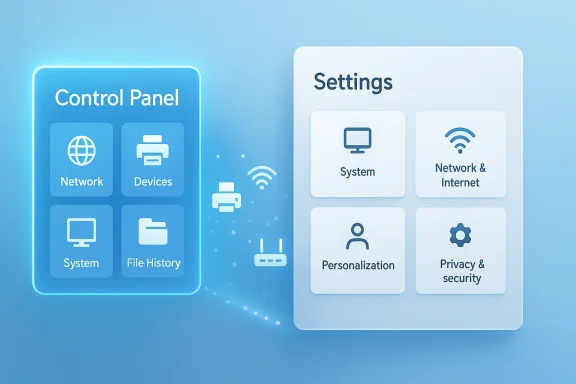
Microsoft’s slow-burn plan to retire the Control Panel is now looking less like rumor and more like a long, deliberate cleanup effort. Microsoft support now says many Control Panel settings are already being migrated into the Settings app, while recent Windows guidance continues to steer users toward modern paths for printers, networking, and system configuration. That matches the company’s broader Windows 11 direction: simplify the shell, reduce legacy duplication, and make the modern interface the default place to manage the PC.
For Windows users, the Control Panel is not just an old menu. It is part of the operating system’s identity, a familiar control surface that survived multiple eras of Windows because it kept working for everything from display tweaks to device management. Microsoft has been trying to move those same controls into Settings for years, and the company’s own documentation now openly frames the migration as an ongoing process rather than a speculative future.
That gradual shift has always been about more than visual polish. Settings is designed to be the modern hub for Windows 11, with support pages for printers, network sharing, and default printer behavior all now pointing users there instead of relying on the legacy Control Panel route. In practice, Microsoft is already treating Settings as the front door for everyday configuration.
The hard part is not the easy stuff. Windows still has deep compatibility layers, older device models, and administrative features that cannot simply be “re-skinned” without risk. Microsoft support specifically notes that some controls are still being migrated, and that Advanced System Settings remains available for the kinds of options that are not typically exposed in Settings or Control Panel. That is the clearest clue that the old interface is lingering because it still does real work.
The modern Windows strategy also explains why this process is taking so long. Microsoft has been steadily modernizing the shell, from Settings redesigns to new support flows and more intelligent routing inside the Windows experience. Recent Microsoft messaging has emphasized a cleaner Settings experience and more direct access to the right place in the UI, including work that helps users describe what they want in natural language and get routed to the correct setting faster.
The result is a familiar Microsoft pattern: keep the old path alive while the new one proves it can handle the real world. That may frustrate power users who want a clean break, but it is exactly how Windows has usually evolved. A feature does not disappear in one release; it gets shadowed, then duplicated, then quietly absorbed, and only later does the legacy surface finally vanish.
The Control Panel also persists because it often exposes denser, more advanced options than Settings does. Microsoft’s documentation acknowledges that some system utilities remain separate precisely because they offer access to controls that are not yet fully represented in the newer interface. That makes Control Panel less of a convenience feature and more of a compatibility safety net.
There is also a psychological element. Many experienced Windows users know that when a problem becomes hard, the answer is still often hidden in the old interface. That habit is not nostalgia alone; it is a learned response to where Microsoft historically placed advanced system features. Removing Control Panel too early would risk breaking that mental map before Settings has fully replaced it.
The Control Panel migration is part of that larger modernization effort. If Microsoft wants Windows 11 to feel unified, it cannot keep a parallel legacy shell around forever. Every duplicated control adds maintenance cost, visual inconsistency, and user confusion, especially when Settings and Control Panel disagree about where a feature lives.
This also matters for Microsoft’s broader product messaging. The company is clearly trying to sell Windows 11 as the default platform for future Windows experiences, including AI-assisted help inside Settings and other features that rely on a modern shell. A fragmented configuration system makes that story harder to tell.
In other words, Control Panel is not just being retired because it is old. It is being retired because it stands in the way of a more legible Windows strategy. Microsoft wants one route, one look, and one predictable place for users to start. The cleaner that map becomes, the easier it is for the company to add new features without making the OS feel even more crowded.
The support documentation shows how much of the workflow is now exposed through Settings, including Bluetooth & devices > Printers & scanners and advanced network sharing pages. But those same steps illustrate the complexity involved: users must sometimes navigate multiple subpages, confirm sharing options, and handle credentials or manual printer addresses. That is a lot to preserve if Microsoft wants to avoid breaking established setups.
For consumers, the transition may feel like a nuisance at first but a benefit later. A more consistent Settings app can reduce confusion and make printing options easier to find, especially for users who never liked the old Control Panel layout. For enterprises, though, the stakes are higher, because printer fleets and print servers are precisely where silent regressions become expensive.
Windows 11 also presents networking as a core everyday activity rather than a hidden admin task. Microsoft’s own guidance explains the public/private network distinction and how it affects discoverability and printer sharing. That is useful for regular users, but it also proves that the OS still has to translate old networking concepts into friendlier language without losing depth.
The challenge is that networking settings are one of those areas where simplification can backfire. If Microsoft hides too much, power users complain. If it exposes too much, mainstream users get lost. The company is trying to thread a needle that has existed since the earliest versions of Windows networking, and that is why the transition is so gradual.
A likely outcome is that Settings will become the default entry point, while deeper admin tools survive in a reduced number of specialized panes. That would not be glamorous, but it would be practical. Windows often advances not by deleting the old world, but by turning it into an emergency exit for edge cases.
That matters because enterprises often standardize around repeatable workflows. If a printer fix, network change, or advanced system adjustment lives in a different place after every Windows update, support costs rise quickly. The migration therefore has to be slow enough to preserve confidence and fast enough to avoid maintaining two parallel worlds indefinitely.
Microsoft also has a broader strategic incentive to make Settings the canonical place for configuration. A single, modern surface is easier to automate, easier to document, and easier to integrate with other management experiences. That is especially important as Microsoft continues to position Windows 11 as the main stage for new system capabilities.
The enterprise upside is real if Microsoft gets this right. Fewer duplicated controls mean fewer confusion points for help desks. Better documentation flow means fewer “where did Microsoft move this?” tickets. And a cleaner shell can make training simpler for organizations with mixed user skill levels.
There is also a design argument here. Windows 11 has increasingly tried to present itself as a more coherent, modern operating system, and the Control Panel does not fit that image. As Microsoft continues updating the shell, the company will likely see the old interface as a drag on consistency, even if some users still rely on it.
Still, consumers should not assume this will happen overnight. Microsoft support pages show that the company is actively guiding people to Settings, but they also show just how many edge cases remain. A phased retirement is much more likely than a sudden switch-off.
Microsoft’s own recent Windows messaging reinforces that caution. The company has been emphasizing user-facing improvements in Settings, while also rolling out broader shell and support changes in stages. That is the pattern of a platform vendor trying to avoid a hard break.
This means the Control Panel may linger longer than many enthusiasts expect. It may lose page after page, then tool after tool, until one day what remains is so thin that the final retirement becomes a formality. That is how Microsoft usually handles sensitive platform changes: not with a bang, but with a long trail of compatibility exits.
If Microsoft keeps the migration cautious, documents it clearly, and preserves the advanced paths that power users and IT teams still depend on, Control Panel’s retirement could become one of the least painful legacy cutovers in Windows history. If it rushes, the old interface will linger longer, and users will be reminded yet again that in Windows, the past usually leaves only after the future has truly earned the right to replace it.
Source: TweakTown Microsoft is looking to get rid of the Control Panel in Windows 11
 Background
For Windows users, the Control Panel is not just an old menu. It is part of the operating system’s identity, a familiar control surface that survived multiple eras of Windows because it kept working for everything from display tweaks to device management. Microsoft has been trying to move those same controls into Settings for years, and the company’s own documentation now openly frames the migration as an ongoing process rather than a speculative future.That gradual shift has always been about more than visual polish. Settings is designed to be the modern hub for Windows 11, with support pages for printers, network sharing, and default printer behavior all now pointing users there instead of relying on the legacy Control Panel route. In practice, Microsoft is already treating Settings as the front door for everyday configuration.
The hard part is not the easy stuff. Windows still has deep compatibility layers, older device models, and administrative features that cannot simply be “re-skinned” without risk. Microsoft support specifically notes that some controls are still being migrated, and that Advanced System Settings remains available for the kinds of options that are not typically exposed in Settings or Control Panel. That is the clearest clue that the old interface is lingering because it still does real work.
The modern Windows strategy also explains why this process is taking so long. Microsoft has been steadily modernizing the shell, from Settings redesigns to new support flows and more intelligent routing inside the Windows experience. Recent Microsoft messaging has emphasized a cleaner Settings experience and more direct access to the right place in the UI, including work that helps users describe what they want in natural language and get routed to the correct setting faster.
The result is a familiar Microsoft pattern: keep the old path alive while the new one proves it can handle the real world. That may frustrate power users who want a clean break, but it is exactly how Windows has usually evolved. A feature does not disappear in one release; it gets shadowed, then duplicated, then quietly absorbed, and only later does the legacy surface finally vanish.
Why Control Panel Still Matters
The Control Panel survives because it still connects to the ugliest and most important parts of Windows: printers, network discovery, device properties, and older admin workflows. Microsoft’s own support pages on printer sharing and default printers now walk users through Settings-based paths, but those same pages also show how much machinery sits behind the scenes. This is not superficial UI migration; it is a compatibility project.The legacy layer is not optional
There is a reason Microsoft has not simply deleted the old interface. Windows still has to support older drivers, older peripherals, and older assumptions about where configuration lives. If Microsoft breaks a niche printer workflow or a business deployment tool, the fallout lands on IT departments and support desks, not just hobbyists.The Control Panel also persists because it often exposes denser, more advanced options than Settings does. Microsoft’s documentation acknowledges that some system utilities remain separate precisely because they offer access to controls that are not yet fully represented in the newer interface. That makes Control Panel less of a convenience feature and more of a compatibility safety net.
There is also a psychological element. Many experienced Windows users know that when a problem becomes hard, the answer is still often hidden in the old interface. That habit is not nostalgia alone; it is a learned response to where Microsoft historically placed advanced system features. Removing Control Panel too early would risk breaking that mental map before Settings has fully replaced it.
- Printers still depend on a mix of modern and legacy management paths.
- Advanced networking features remain layered and sometimes hidden behind older utilities.
- Device and system administration often requires deeper tools than the basic Settings app offers.
- Enterprise support is especially sensitive to any UI changes that affect established workflows.
Why Microsoft Is Pushing Settings Now
Microsoft’s push to consolidate settings in Windows 11 is not happening in isolation. It fits a wider effort to make the operating system feel more coherent, more predictable, and easier to explain. A modernized Settings app is easier to extend, easier to skin for new UI work, and easier to connect to other Windows experiences.The UI story is bigger than the Control Panel
Windows 11 has spent years trying to clean up the split between older Win32 surfaces and newer UI layers. Microsoft’s own developer and Windows blogs have repeatedly shown a platform moving toward more modern native interfaces and better consistency across system experiences. That includes the broader shift toward Fluent and WinUI-style design thinking.The Control Panel migration is part of that larger modernization effort. If Microsoft wants Windows 11 to feel unified, it cannot keep a parallel legacy shell around forever. Every duplicated control adds maintenance cost, visual inconsistency, and user confusion, especially when Settings and Control Panel disagree about where a feature lives.
This also matters for Microsoft’s broader product messaging. The company is clearly trying to sell Windows 11 as the default platform for future Windows experiences, including AI-assisted help inside Settings and other features that rely on a modern shell. A fragmented configuration system makes that story harder to tell.
In other words, Control Panel is not just being retired because it is old. It is being retired because it stands in the way of a more legible Windows strategy. Microsoft wants one route, one look, and one predictable place for users to start. The cleaner that map becomes, the easier it is for the company to add new features without making the OS feel even more crowded.
Printers Remain the Stress Test
If you want to understand why this migration is so slow, start with printers. Printing is one of the most compatibility-heavy corners of Windows, and it has a long history of driver quirks, vendor utilities, and office-network complexity. Microsoft’s support content on printer sharing and default printer behavior already leans heavily on Settings, but the ecosystem underneath is still messy.Why printer settings are hard to modernize
Printers are not just devices. They are often gateways into old driver stacks, custom vendor tools, and network discovery logic that has to behave correctly in offices, homes, and mixed environments. A simple-looking settings page can mask a surprisingly fragile chain of dependencies. That is exactly why Microsoft appears to be moving carefully here rather than chasing a rushed cleanup.The support documentation shows how much of the workflow is now exposed through Settings, including Bluetooth & devices > Printers & scanners and advanced network sharing pages. But those same steps illustrate the complexity involved: users must sometimes navigate multiple subpages, confirm sharing options, and handle credentials or manual printer addresses. That is a lot to preserve if Microsoft wants to avoid breaking established setups.
For consumers, the transition may feel like a nuisance at first but a benefit later. A more consistent Settings app can reduce confusion and make printing options easier to find, especially for users who never liked the old Control Panel layout. For enterprises, though, the stakes are higher, because printer fleets and print servers are precisely where silent regressions become expensive.
- Consumer printing benefits from fewer places to check and fewer old menu paths.
- Enterprise printing needs stability more than aesthetic consistency.
- Driver compatibility is the main reason Microsoft is proceeding cautiously.
- Networked printers expose the edge cases that can break modernization efforts.
Networking and Advanced Settings
Networking is the second major reason Control Panel still has life left in it. Microsoft has already moved many everyday network tasks into Settings, but the deeper options still reflect an older, more segmented Windows architecture. That is why the migration is more than an interface job; it is a re-plumbing exercise.Advanced sharing is where complexity lives
The support docs show a modern path for network profile selection, sharing settings, and file-and-printer sharing. Yet the very existence of those layered pages shows why Microsoft cannot just flip a switch and remove Control Panel. In many environments, network behavior depends on precise combinations of discovery, sharing, credentials, and device trust.Windows 11 also presents networking as a core everyday activity rather than a hidden admin task. Microsoft’s own guidance explains the public/private network distinction and how it affects discoverability and printer sharing. That is useful for regular users, but it also proves that the OS still has to translate old networking concepts into friendlier language without losing depth.
The challenge is that networking settings are one of those areas where simplification can backfire. If Microsoft hides too much, power users complain. If it exposes too much, mainstream users get lost. The company is trying to thread a needle that has existed since the earliest versions of Windows networking, and that is why the transition is so gradual.
A likely outcome is that Settings will become the default entry point, while deeper admin tools survive in a reduced number of specialized panes. That would not be glamorous, but it would be practical. Windows often advances not by deleting the old world, but by turning it into an emergency exit for edge cases.
The Enterprise Angle
Enterprise users are where this story becomes more than desktop tidiness. Corporate IT cares about predictability, policy control, and supportability. A Control Panel retirement only works if every important setting can be reached, audited, scripted, and managed in the new world.Business admins need consistency
The biggest enterprise risk is not that Settings will look different. It is that it may not yet expose every path administrators rely on. Microsoft’s own documentation hints at the existence of deeper system utilities and settings that are still outside the main modern experience, which means IT teams will continue to depend on fallback paths until parity is real.That matters because enterprises often standardize around repeatable workflows. If a printer fix, network change, or advanced system adjustment lives in a different place after every Windows update, support costs rise quickly. The migration therefore has to be slow enough to preserve confidence and fast enough to avoid maintaining two parallel worlds indefinitely.
Microsoft also has a broader strategic incentive to make Settings the canonical place for configuration. A single, modern surface is easier to automate, easier to document, and easier to integrate with other management experiences. That is especially important as Microsoft continues to position Windows 11 as the main stage for new system capabilities.
The enterprise upside is real if Microsoft gets this right. Fewer duplicated controls mean fewer confusion points for help desks. Better documentation flow means fewer “where did Microsoft move this?” tickets. And a cleaner shell can make training simpler for organizations with mixed user skill levels.
Consumer Impact
For consumers, the Control Panel’s eventual disappearance will probably feel less dramatic than it sounds. Most people already live in Settings for display, Bluetooth, printers, Windows Update, and account management. The average user is far more likely to appreciate one clean place to find everything than to miss the old tabbed, category-heavy maze.Everyday users want simplicity
The consumer case for retirement is straightforward: fewer duplicate paths mean less confusion. If a person wants to change a printer, connect to a network, or adjust a common device setting, a consolidated Settings app is easier to teach and easier to remember. That is especially true for users who do not think about Windows in terms of legacy architecture.There is also a design argument here. Windows 11 has increasingly tried to present itself as a more coherent, modern operating system, and the Control Panel does not fit that image. As Microsoft continues updating the shell, the company will likely see the old interface as a drag on consistency, even if some users still rely on it.
Still, consumers should not assume this will happen overnight. Microsoft support pages show that the company is actively guiding people to Settings, but they also show just how many edge cases remain. A phased retirement is much more likely than a sudden switch-off.
- Easier navigation will likely be the biggest consumer benefit.
- Less duplicated UI should reduce “where is that setting?” frustration.
- More modern help flows can make Windows feel less intimidating.
- Legacy power-user habits will still need time to adapt.
Why the Timeline Is the Real Story
The biggest mistake readers can make is assuming that “Microsoft wants to remove Control Panel” means the removal is imminent. The timeline is the real story, and it is deliberately stretched out. Microsoft has been working through these migrations for years, and support content still acknowledges that the process is ongoing.Slow migrations are usually the safest migrations
Windows is full of compatibility debt. That is not a pejorative; it is a fact of life for an operating system that has to support generations of software, hardware, and admin expectations. A rushed rewrite would create more problems than it solves, especially in printer, driver, and network-heavy environments.Microsoft’s own recent Windows messaging reinforces that caution. The company has been emphasizing user-facing improvements in Settings, while also rolling out broader shell and support changes in stages. That is the pattern of a platform vendor trying to avoid a hard break.
This means the Control Panel may linger longer than many enthusiasts expect. It may lose page after page, then tool after tool, until one day what remains is so thin that the final retirement becomes a formality. That is how Microsoft usually handles sensitive platform changes: not with a bang, but with a long trail of compatibility exits.
Strengths and Opportunities
Microsoft’s approach has several clear advantages if it remains disciplined. A careful migration gives the company room to modernize Windows without breaking the support layers that make the platform usable across the messy real world. It also creates an opportunity to make Windows 11 feel calmer and more coherent at a time when the company is trying hard to improve trust.- One main configuration hub can reduce confusion for everyday users.
- Cleaner printer flows may make setup easier over time.
- Better network guidance can improve supportability for home and business users.
- Modern UI consistency strengthens the Windows 11 brand.
- Simpler documentation and support can lower help-desk friction.
- A cleaner shell may help Microsoft introduce future features without clutter.
Risks and Concerns
The biggest risk is that Microsoft could declare victory too early and leave advanced users stranded. If the company removes access before the new paths are truly complete, it will create support headaches, especially around printers, networking, and niche hardware. Windows history is full of examples where usability goals collided with compatibility realities.- Driver and device regressions could damage trust quickly.
- Enterprise workflows may depend on controls not yet fully mirrored in Settings.
- User confusion could rise if hidden features move without clear guidance.
- Partial migration may leave the OS feeling inconsistent for years.
- Support burden could increase if Settings and Control Panel diverge during the transition.
- Power-user backlash is likely if advanced tools are simplified too aggressively.
What to Watch Next
The next phase will be less about one dramatic announcement and more about how quickly Microsoft keeps moving specific controls. Printer-related settings, networking tools, and advanced system pages are the obvious indicators. If those areas keep shifting into Settings without obvious regressions, it will be a strong sign that Control Panel’s end is finally approaching.Watch these signals
- Printer management paths becoming more complete in Settings.
- More advanced network options appearing outside legacy pages.
- Microsoft support articles referencing Settings even more exclusively.
- New Windows UI updates that assume the old interface is no longer needed.
- Enterprise documentation that signals full admin parity with the legacy model.
If Microsoft keeps the migration cautious, documents it clearly, and preserves the advanced paths that power users and IT teams still depend on, Control Panel’s retirement could become one of the least painful legacy cutovers in Windows history. If it rushes, the old interface will linger longer, and users will be reminded yet again that in Windows, the past usually leaves only after the future has truly earned the right to replace it.
Source: TweakTown Microsoft is looking to get rid of the Control Panel in Windows 11
