

Microsoft issued emergency updates in mid‑December after a Patch Tuesday cumulative update broke Microsoft Message Queuing (MSMQ) on a swath of Windows 10 and Windows Server builds, leaving enterprise IIS sites and MSMQ‑dependent applications unable to create message files and producing misleading “insufficient resources” errors that stalled message pipelines across production environments.
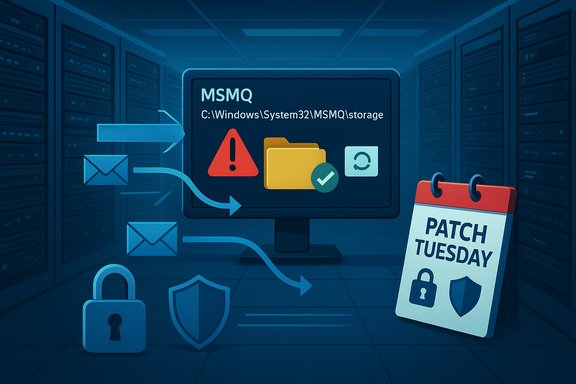
MSMQ (Microsoft Message Queuing) is a decades‑old Windows component that provides durable, on‑disk, asynchronous messaging for applications and integration middleware. It persists messages as files under C:\Windows\System32\MSMQ\storage, which makes its operation highly dependent on NTFS permissions and the effective rights of the service identities that write to those files. When MSMQ cannot create or append .mq files, message producers receive low‑level exceptions and queues can appear inactive even though the system is otherwise healthy. The December 9, 2025 cumulative updates (published as multiple SKUs) included a security hardening that altered how MSMQ validates or enforces NTFS ACLs on the MSMQ storage folder. That change tightened the folder’s security descriptor in a way that removed implicit write access for non‑administrative service identities such as IIS app‑pool accounts, LocalService, and NetworkService — the very identities many on‑premises enterprise workloads rely on to enqueue messages. Microsoft publicly documented the resulting behavior as a known issue and subsequently released out‑of‑band (OOB) updates intended to restore correct MSMQ operation.
Source: Cyber Press https://cyberpress.org/microsoft-releases-updates/
 Background
MSMQ (Microsoft Message Queuing) is a decades‑old Windows component that provides durable, on‑disk, asynchronous messaging for applications and integration middleware. It persists messages as files under C:\Windows\System32\MSMQ\storage, which makes its operation highly dependent on NTFS permissions and the effective rights of the service identities that write to those files. When MSMQ cannot create or append .mq files, message producers receive low‑level exceptions and queues can appear inactive even though the system is otherwise healthy. The December 9, 2025 cumulative updates (published as multiple SKUs) included a security hardening that altered how MSMQ validates or enforces NTFS ACLs on the MSMQ storage folder. That change tightened the folder’s security descriptor in a way that removed implicit write access for non‑administrative service identities such as IIS app‑pool accounts, LocalService, and NetworkService — the very identities many on‑premises enterprise workloads rely on to enqueue messages. Microsoft publicly documented the resulting behavior as a known issue and subsequently released out‑of‑band (OOB) updates intended to restore correct MSMQ operation. What happened — timeline and scope
December 9: Patch Tuesday rollouts
Microsoft shipped December cumulative updates across multiple SKUs — for Windows 10 ESU channels and server branches — which included a security change affecting MSMQ. The updates were catalogued under KB5071546 for Windows 10 ESU builds and companion KBs for server SKUs. Within days, administrators began reporting MSMQ failures in production.Early reports and diagnosis
Starting December 10–12, troubleshooting threads and Microsoft Q&A posts documented a consistent failure pattern: MSMQ queues becoming inactive, IIS sites throwing System.Messaging.MessageQueueException with “Insufficient resources to perform operation,” and event log entries saying the message file cannot be created — often alongside misleading “insufficient disk space or memory” logs even when capacity was abundant. Community triage quickly pointed to altered NTFS SDDL and the addition of auto‑inherit flags that removed previously effective write ACEs for non‑admin identities.December 12: Microsoft acknowledges a known issue
Microsoft updated the December KB pages to list Message Queuing (MSMQ) as a known issue and described the problem as stemming from changes to the MSMQ security model and the NTFS permissions on C:\Windows\System32\MSMQ\storage. The vendor advised that the issue primarily affects enterprise and managed IT environments and recommended affected customers contact Microsoft Support for mitigations.December 18: Out‑of‑band fixes released
After investigation and field reports, Microsoft published OOB packages (available via the Update Catalog) that restore MSMQ functionality for affected SKUs. These OOB KBs — for example KB5074974, KB5074978 and related packages — explicitly state the MSMQ issue is fixed and that the OOB packages include only the corrected updates for the affected components. Those OOB updates were distributed primarily via the Microsoft Update Catalog for administrators to import into WSUS/ConfigMgr or to download manually for immediate deployment.Technical root cause — what actually changed
At the technical core, the December updates modified the NTFS discretionary access control list (DACL) and security descriptor on the MSMQ storage folder (C:\Windows\System32\MSMQ\storage). The update regenerated or hardened the folder SDDL in a way that introduced an Auto‑Inherited (AI) flag and altered ACE inheritance, causing many previously functional, non‑administrator identities to lose effective write/modify rights. When those identities attempt to create or append .mq files, the filesystem denies the operation and MSMQ surfaces a generic resource error rather than an explicit access denied, which is why administrators saw misleading “insufficient disk space or memory” errors during triage. Key technical points:- The affected path is C:\Windows\System32\MSMQ\storage; MSMQ’s on‑disk persistence relies on creating and appending .mq files there.
- The update altered the folder’s SDDL and inheritance semantics, removing or restricting write ACEs for low‑privilege service identities such as IIS_IUSRS, LocalService, NetworkService, or specific app‑pool identities.
- MSMQ APIs map the file‑creation failure into resource errors, which misdirected initial troubleshooting away from a permissions root cause.
Who was affected — enterprise focus, not consumer desktops
This regression hit enterprise class deployments most severely. Environments that are most at risk included:- Windows 10 ESU builds (22H2, 21H2) and older server branches updated with the December LCUs.
- IIS‑hosted applications and legacy line‑of‑business (LOB) systems that write to local MSMQ queues.
- Clustered MSMQ deployments and high‑throughput messaging pipelines, where simultaneous write failures can destabilize cluster failover and message flow.
The patches — what Microsoft released and how to get them
Microsoft’s remediation approach was to bundle the MSMQ fix into SKU‑specific out‑of‑band updates that restore the corrected NTFS descriptor and MSMQ behavior. Important operational points:- Microsoft published OOB packages on December 18, 2025, for affected SKUs (for example KB5074974 for Windows Server 2016 and KB5074978 for Windows Server 2012 R2 families). Those KB pages explicitly list MSMQ as Fixed in the OOB release notes.
- For Windows 10 ESU customers, KB5071546 remains the December LCU that introduced the change; Microsoft’s KBs point administrators to the Update Catalog to retrieve the OOB corrections for their specific build.
- Microsoft recommended installing the latest Servicing Stack Update (SSU) before applying OOB packages and noted that catalog distribution requires administrators to import and approve the package for centralized systems like WSUS or ConfigMgr.
Practical triage and remediation runbook
When seconds count, the following prioritized runbook synthesizes vendor guidance and community best practice. Test every step in a staging environment before touching production.- Confirm whether you are affected
- Enumerate hosts which installed the December cumulative update: Settings → Update history, DISM /Online /Get-Packages, or wusa /query. Look for KB5071546 (Windows 10 ESU) or the corresponding server KB (KB5071544 / KB5071543 / KB5071505).
- Short triage checklist
- Verify MSMQ is installed: Get‑WindowsOptionalFeature -Online | Where‑Object { $_.FeatureName -like 'MSMQ*' } (client) or Get‑WindowsFeature MSMQ (server).
- Inspect event logs and IIS logs for System.Messaging.MessageQueueException or “Insufficient resources to perform operation.”
- Compare ACLs: (Get‑Acl 'C:\Windows\System32\MSMQ\storage').Sddl and compare with a known good system to reveal AI flags or missing ACEs.
- Decide a remediation path
- Option A — Deploy Microsoft OOB update (recommended where available): Download the SKU‑specific OOB package from the Microsoft Update Catalog, import and approve in WSUS/ConfigMgr, then deploy per normal patching procedure. This restores the vendor‑approved SDDL and preserves security updates.
- Option B — Roll back the December LCU (fastest immediate recovery but removes security fixes): Uninstall the cumulative package using DISM /Online /Remove-Package /PackageName:<package> and reboot. Document compensating controls if rollback exposes critical vulnerabilities.
- Option C — Apply a narrowly scoped NTFS ACL exception (high risk): Grant the minimal required write/modify permission to the explicit service identity that needs it (for example an IIS APPPOOL\MyAppPool account) using icacls or PowerShell, restart MSMQ and validate. Log and audit any such change and revert once Microsoft OOB fix is applied. Example community syntax: icacls "C:\Windows\System32\MSMQ\storage" /grant "IIS APPPOOL\MyAppPool
 OI)(CI)(M)". Caveat: modifying System32 ACLs increases attack surface and must be executed under strict change control.
 - Post‑remediation controls
- Revert temporary ACL exceptions once Microsoft’s vendor‑sanctioned fix is in place.
- Enable file‑system auditing for the MSMQ storage folder while exceptions are active to detect anomalous writes.
- Document the incident, timeline, and risk acceptance decisions for audit and compliance.
Critical analysis — strengths, weaknesses, and risk trade‑offs
The positive: the security intent was legitimate
The December changes were a security hardening aimed at resolving a genuine MSMQ vulnerability class and reducing an elevation‑of‑privilege risk in the service. Fixing low‑level privilege assumptions in a legacy subsystem is defensible from a security posture standpoint. Microsoft’s rapid follow‑up with OOB packages shows responsiveness to operational impact.The shortcoming: compatibility and deployment model
Two problems made this incident worse than it needed to be:- The update changed low‑level filesystem ACLs without a clear compatibility shim or a documented, minimally invasive mitigation path in the KB, leaving administrators to triage brittle legacy assumptions themselves. The MSCQ hardening collided with decades of implicit operational expectations in enterprise estates.
- Several of the initial corrective packages were rolled out as catalog‑only OOB releases, which meant organizations using automated Windows Update pipelines or WSUS saw no automatic remediation; administrators had to import the packages manually. That distribution choice allowed Microsoft to ship fixes quickly but shifted operational load back to IT teams during a high‑urgency outage.
The operational trade‑off for administrators
Every practical remediation carried a cost:- Rolling back the LCU restores availability but reintroduces the security exposure the LCU addressed.
- Granting write access to System32 reduces availability risk but increases local attack surface.
- Waiting for the OOB fix preserves security posture but risks prolonged downtime.
Short‑term and long‑term recommendations for enterprises
- Prioritize: Treat MSMQ outages as high‑priority incidents. If production messaging pipelines or customer‑facing IIS sites are affected, expedite OOB package deployment after staging validation.
- Harden testing and pilot rings: Expand pre‑deployment compatibility testing to include legacy subsystems such as MSMQ and create a small, representative pilot ring to catch low‑level permission changes before broad rollout.
- Maintain an MSMQ inventory: Know where MSMQ is installed, which app‑pools and service accounts write to it, and classify business impact. This inventory determines the correct mitigation strategy (rollback vs minimal ACL vs vendor patching).
- Plan modernization: Where feasible, budget and roadmap migrations off MSMQ to modern, managed messaging platforms (for example cloud message services, or supported on‑prem brokers) that decouple durability from OS filesystem semantics. Legacy middleware carries real operational debt.
- Adjust update catalog workflows: Ensure WSUS/ConfigMgr operators can ingest Update Catalog packages quickly when Microsoft publishes catalog‑only OOB fixes. This reduces manual lags during emergency remediations.
What to watch next
- Microsoft’s Windows release health and KB pages: confirm the specific OOB KB that applies to each SKU and track any follow‑up guidance or expanded mitigations.
- Post‑incident engineering notes: watch for a formal Microsoft post‑mortem explaining whether the permission change was intended as a hardening change or a packaging regression, and whether future updates will include compatibility shims. Several community threads noted the lack of a full engineering rationale in the initial KB updates — an information gap administrators should monitor.
- Audit logs for the MSMQ storage folder: once any temporary ACLs are applied, maintain heightened monitoring and revert as soon as OOB fixes are validated.
Final verdict — measured, actionable guidance
The December 2025 cumulative updates fixed an MSMQ security concern but inadvertently tightened NTFS ACL semantics for the MSMQ storage folder in a way that broke legacy assumptions and disrupted message flows in enterprise environments. Microsoft responded by acknowledging the problem, adding an MSMQ known issue to the December KBs, and releasing SKU‑specific out‑of‑band fixes via the Update Catalog to restore functionality. Administrators should prioritize applying the vendor OOB update for their SKU, or if immediate availability is required, choose a carefully controlled rollback or a narrowly scoped ACL adjustment with the awareness of corresponding security trade‑offs. Long term, this incident is a reminder that legacy, OS‑level middleware like MSMQ carries operational risk and belongs on any organization’s modernization roadmap. The technical facts, timelines, and triage runbook in this article are drawn from vendor KB updates and community triage threads compiled during the December 2025 incident. Administrators experiencing persistent MSMQ issues after applying Microsoft’s OOB updates should open a Microsoft Support case for environment‑specific guidance and validate any temporary ACL or rollback decisions against organizational security policies.Source: Cyber Press https://cyberpress.org/microsoft-releases-updates/
