

Microsoft has warned that December’s security rollups include a change that can break Message Queuing (MSMQ) — an unexpected compatibility regression that has already caused IIS-hosted sites and legacy applications to fail, left enterprise message pipelines inactive, and forced administrators into a painful choice between restoring availability and preserving security.
In the December 9–12, 2025 update wave, multiple cumulative updates for Windows 10 and older Windows Server SKUs were published — tracked in vendor rollups identified by KB numbers such as KB5071546 (Windows 10/ESU 22H2/21H2 builds) and corresponding server rollups KB5071544, KB5071543, and KB5071505 for older server branches. Microsoft updated the documentation for those rollups shortly after publication to add a known issue entry: Message Queuing (MSMQ) might fail after the December 2025 updates.
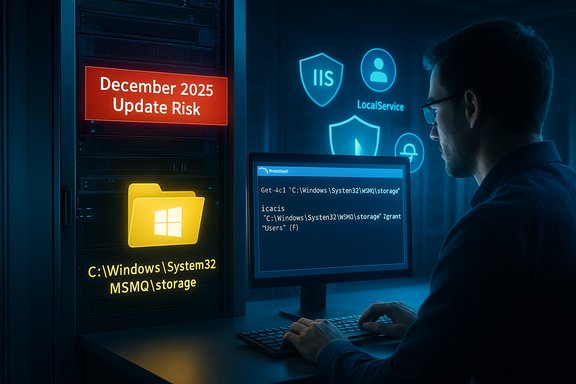
The symptoms Microsoft lists are straightforward but disruptive: MSMQ queues become inactive; applications and IIS sites that enqueue messages fail with opaque errors such as “Insufficient resources to perform operation”; event logs show failures to create message files under C:\Windows\System32\MSMQ\storage; and diagnostic logs can misleadingly report insufficient disk space or memory even when resources are plentiful. Microsoft attributes the breakage to a change in the MSMQ security model that altered NTFS permissions on the MSMQ storage folder, effectively requiring write access for identities that historically did not need explicit write permissions.
This is a security hardening that has collided with long‑standing operational expectations, and the fallout is being felt across organizations that still rely on MSMQ for integration, order processing, telemetry ingestion, IoT backends, and other legacy middleware.
Administrators must treat this as an operational emergency where careful detection, quick but cautious mitigation, and rigorous documentation are essential. The best immediate approach is to validate the impact in a lab, choose the mitigation that balances availability and security for the affected workload, and to engage Microsoft Support for a long‑term resolution. Simultaneously, organizations should accelerate efforts to inventory legacy dependencies like MSMQ, apply staged update rollouts, and build compensating controls to minimize the risk from both security vulnerabilities and compatibility regressions in future patch cycles.
Source: Computerworld Microsoft warns MSMQ may fail after update, breaking apps
 Background / Overview
In the December 9–12, 2025 update wave, multiple cumulative updates for Windows 10 and older Windows Server SKUs were published — tracked in vendor rollups identified by KB numbers such as KB5071546 (Windows 10/ESU 22H2/21H2 builds) and corresponding server rollups KB5071544, KB5071543, and KB5071505 for older server branches. Microsoft updated the documentation for those rollups shortly after publication to add a known issue entry: Message Queuing (MSMQ) might fail after the December 2025 updates.The symptoms Microsoft lists are straightforward but disruptive: MSMQ queues become inactive; applications and IIS sites that enqueue messages fail with opaque errors such as “Insufficient resources to perform operation”; event logs show failures to create message files under C:\Windows\System32\MSMQ\storage; and diagnostic logs can misleadingly report insufficient disk space or memory even when resources are plentiful. Microsoft attributes the breakage to a change in the MSMQ security model that altered NTFS permissions on the MSMQ storage folder, effectively requiring write access for identities that historically did not need explicit write permissions.
This is a security hardening that has collided with long‑standing operational expectations, and the fallout is being felt across organizations that still rely on MSMQ for integration, order processing, telemetry ingestion, IoT backends, and other legacy middleware.
How this happened: the technical picture
What Microsoft changed (and why it matters)
- The December LCUs introduced a modification to how MSMQ enforces access to its storage directory (C:\Windows\System32\MSMQ\storage).
- The update altered the NTFS security descriptor/ACL inheritance flags for the MSMQ folders, meaning service identities such as IIS app pool accounts, LocalService, NetworkService, or other non‑admin service accounts now require explicit write permission to the storage directory.
- When those identities lack the required write privileges, MSMQ cannot create or append its .mq message files. The subsystem surfaces resource errors to callers, which appear as misleading “insufficient resources” or “insufficient disk space/memory” messages — because the underlying failure is a permission denial, not a real resource shortage.
Platforms affected
- Windows 10 ESU builds (22H2 / 21H2) — KB5071546
- Windows Server 2019 — KB5071544
- Windows Server 2016 — KB5071543
- Windows Server 2012 (and related monthly rollups) — KB5071505
- Consumer Windows 10 Home/Pro systems are unlikely to be affected because MSMQ is typically not installed on consumer devices.
- Windows 11 is not part of the published KBs for this issue and, in early reporting, appears unaffected.
Real‑world symptoms administrators are seeing
- MSMQ queues show as “inactive” and refuse new messages.
- IIS-hosted applications that post to MSMQ throw System.Messaging.MessageQueueException with “Insufficient resources to perform operation.”
- Application threads block or error out, triggering 500 responses in production web apps.
- Event log entries referencing inability to create storage files: “The message file 'C:\Windows\System32\msmq\storage*.mq' cannot be created.”
- Clustered MSMQ environments can fail under load as multiple nodes simultaneously lose write access to storage.
Timeline and vendor communications
- December 9, 2025 — Microsoft published December cumulative updates for various SKUs.
- December 10–12, 2025 — Administrators began reporting MSMQ outages in community forums and vendor Q&A threads.
- December 12, 2025 — Microsoft updated affected KB articles to add an MSMQ known issue and noted that the problem is under investigation. The KB guidance points at NTFS permission changes on the MSMQ storage path as the observable cause and recommends contacting Microsoft Support for business customers who require a workaround.
- Immediately after the KB update, community troubleshooting produced two practical mitigations: uninstall the problematic LCU (rollback) or adjust NTFS ACLs on the MSMQ storage folder to grant the minimal required write permissions to the service identities that need them.
Impact analysis: who is at risk
- Enterprises running legacy line‑of‑business (LOB) apps, integration brokers, and middleware that rely on MSMQ for durable messaging are the primary victims. Many financial, manufacturing, healthcare, and logistics systems still use MSMQ as a reliable on‑prem persistence layer.
- IIS‑hosted web apps that enqueue messages in the same process as serving web requests will often surface the failure immediately as HTTP 500s or app timeouts.
- Clustered MSMQ setups are especially sensitive; a simultaneous permission disruption across nodes can cause failover instability and prolonged data processing stoppage.
- IoT and embedded integrations that rely on MSMQ in gateways or on‑prem bridges can show unexpected downstream effects: anecdotal posts have described POS systems failing to issue receipts or building alarm gateways losing telemetry, but concrete, vendor‑verified incidents remain unverified and should be treated as reported observations rather than confirmed causal links.
Practical triage: detect, confirm, decide
Detection checklist
- Confirm whether the target machine(s) installed the December 2025 LCU (check Windows Update history or installed KBs).
- Look for MSMQ activity failures: search application logs, Windows Event Viewer, and IIS logs for MessageQueueException or “Insufficient resources to perform operation.”
- Inspect the NTFS ACLs for C:\Windows\System32\MSMQ and C:\Windows\System32\MSMQ\storage; use PowerShell (Get‑Acl) or File Explorer’s Security tab to compare pre‑ and post‑update descriptors.
- If clustered, confirm node state and whether nodes lose MSMQ write access simultaneously.
Confirm the cause before acting
- Test in a lab or isolated replica: install the same KB on a spare VM that mirrors production and confirm the behavior before making changes to live servers.
- If rollback is an option, plan and validate an uninstall in a maintenance window; verify that removing the LCU restores MSMQ behavior.
Mitigations and recommended actions
The two practical mitigations used in the field are (A) uninstall the problematic KB or (B) adjust NTFS ACLs to give the minimum necessary write access to MSMQ storage for the service identities that need it. Both options carry trade‑offs.A. Rollback the update (availability-first, but security trade-off)
- Identify the installed KB (Settings → Update & Security → View update history, or use PowerShell/Get‑HotFix/Get‑CimInstance to list hotfixes).
- Uninstall the cumulative update. Example command (run elevated):
- wusa /uninstall /kb:5071546
- Reboot where required and validate MSMQ and application functionality.
- Pause automatic updates for the affected machines until Microsoft issues a corrected LCU or hotfix.
- Removing security updates reintroduces the vulnerability addressed by that LCU (mapped to CVE‑2025‑62455). Use network isolation, firewall rules, or other compensating controls if rolling back in production.
- Managed environments should coordinate rollback using configuration management tooling (SCCM, WSUS, Intune, etc. to avoid drift.
B. Tight, minimal ACL change (availability + security balancing)
- Rather than granting broad write rights to administrators or everyone, scope a permission grant to the specific service identities that require write access (for example, a named service account or the exact application pool identity). Typical identities examined by administrators include:
- NetworkService
- LocalService
- IIS_IUSRS or the specific app pool identity
- Any custom service account used by the application
- Example diagnostic command to inspect ACL (PowerShell):
- Get-Acl -Path 'C:\Windows\System32\MSMQ\storage' | Format-List
- Example (illustrative) ACL grant using icacls — test first and adapt to the exact identity names and inheritance flags required:
- icacls "C:\Windows\System32\MSMQ\storage" /grant "IIS_IUSRS
 OI)(CI)(M)"
 - icacls "C:\Windows\System32\MSMQ\storage" /grant "NT AUTHORITY\NETWORK SERVICEOI)(CI)(M)"
- Restart the MSMQ service after changing ACLs:
- net stop msmq && net start msmq
- Grant the minimal set of permissions and the minimal set of accounts required. Broad grants to Administrators, SYSTEM, or BUILTIN\Users are unnecessary and risky.
- Document the exact changes, the rationale, and the roll‑forward plan to remove or narrow the permission once Microsoft publishes an official fix.
- Test ACL changes in a lab and validate that MSMQ resumes existing behavior and that the application can enqueue/dequeue as expected.
Microsoft support path
- Microsoft’s KB notes advise contacting Microsoft Support for business customers for guidance and a mitigation path. When enterprise operations are impacted and rollback/ACL changes are not viable long‑term options, open a support case to obtain vendor guidance and track an official hotfix timeline.
Security and operational trade-offs — the hard choice
This incident highlights the tension between vulnerability hardening and backward compatibility.- Strength of the update: The December patches close a real elevation‑of‑privilege vector tied to MSMQ; leaving that class of flaw unpatched can be dangerous in exposed environments.
- Shortcoming of the rollout: A file‑system ACL semantics change to a system folder without a documented compatibility shim or a standard, explicit mitigation path caused operational downtime for legitimate enterprise workloads.
- Enterprise choices are unpleasant:
- Rollback: restores availability but reopens the vulnerability window.
- ACL relaxation: restores availability but permanently increases attack surface until Microsoft provides a safer fix or a documented policy to scope the change.
Broader implications: legacy middleware, testing, and patch strategy
- MSMQ is a decades‑old component that many organizations still rely on. This incident is a reminder that legacy subsystems can become brittle as vendors harden security and change internal assumptions.
- Organizations must maintain a robust compatibility testing process for cumulative updates, especially in environments with legacy middleware. A staged rollout (canary → pilot → broad) remains essential.
- Long term, teams should consider migrating messaging workloads to actively maintained, modern messaging systems (e.g., Azure Service Bus, Kafka, RabbitMQ, or cloud message services) where possible, or ensure MSMQ is fully characterized in update testing and disaster-recovery playbooks.
- Vendors and Microsoft alike must do better at communicating the operational impact of filesystem or permission hardenings and provide clear rollback/mitigation documentation in the initial KBs.
What administrators should do now — a recommended checklist
- Inventory: Identify all servers and appliances that have MSMQ installed or that host apps that may call into MSMQ.
- Detect: Search logs for the “Insufficient resources to perform operation” message and for Event Viewer entries mentioning failures to create message files in C:\Windows\System32\MSMQ\storage.
- Isolate: If a production host is failing and cannot be quickly repaired, consider temporary isolation and failover strategies to limit business impact.
- Decide: Choose one of three paths after risk assessment:
- Roll back the December LCU (if change control permits).
- Apply narrowly scoped ACL grants to the minimal service identities required.
- Keep LCU in place and implement application-level or network compensating controls while awaiting an official fix.
- Document and schedule: Whatever mitigation you apply, document the change and schedule reversion or re‑validation after Microsoft releases a corrected update.
- Engage Microsoft Support: For critical commercial systems, open a support case to obtain vendor guidance and to place a tracked request for a corrected LCU or hotfix.
- Pause broad deployment: Pause automatic installation of the affected LCUs on similar hosts until the issue is resolved or until you’ve validated mitigations in test environments.
Why this matters beyond the immediate outage
- The incident demonstrates the real cost of implicit assumptions inside long‑living middleware: an invisible previous permission that allowed non‑admin service identities to function now requires explicit permission, and millions of lines of application code and legacy deployment patterns were never updated to reflect that hardened posture.
- It also underscores the fragility of public‑facing patching: a single change in ACL inheritance semantics can cascade into customer outages, compliance headaches, and emergency change controls.
- From a security posture perspective, the update is positive — it reduces an elevation risk — but the rollout should have included a compatibility path and clearer guidance for administrators who run legitimate, hardened server environments.
Closing assessment
Microsoft’s December 2025 security rollups fixed a meaningful MSMQ vulnerability, but the resulting NTFS permission change for the MSMQ storage folder created a compatibility regression that rapidly affected enterprise workloads. The vendor has acknowledged the issue and added known‑issue guidance in KB entries, but at the time of the advisory’s publication the primary mitigations remaining in the wild were rollbacks and ACL adjustments — each with meaningful trade‑offs.Administrators must treat this as an operational emergency where careful detection, quick but cautious mitigation, and rigorous documentation are essential. The best immediate approach is to validate the impact in a lab, choose the mitigation that balances availability and security for the affected workload, and to engage Microsoft Support for a long‑term resolution. Simultaneously, organizations should accelerate efforts to inventory legacy dependencies like MSMQ, apply staged update rollouts, and build compensating controls to minimize the risk from both security vulnerabilities and compatibility regressions in future patch cycles.
Source: Computerworld Microsoft warns MSMQ may fail after update, breaking apps
