

Microsoft’s new Copilot app for Windows 11 is less a return to a lean native experience than a revealing sign of where the company has decided to place its bets. According to Windows Latest’s reporting, the latest build replaces the previous WinUI app with a web-first shell that bundles a full Microsoft Edge package, pushes RAM usage higher, and effectively turns Copilot into a private browser-hosted experience inside Windows. That may make the app feel quicker at launch, but it also reinforces a bigger story: Copilot for Windows has become a moving target. For users, IT admins, and Windows purists, the change raises an uncomfortable question about whether Microsoft is refining its AI assistant or simply rebuilding it one wrapper at a time. pilot story on Windows 11 has been defined less by a straight product roadmap than by a series of pivots. First came the sidebar-era Copilot, then a PWA-style approach, then WebView-based packaging, then a native WinUI attempt, and now this new hybrid model that appears to ship with its own Edge stack. That sequence matters because each shift has implications for performance, maintenance, and user trust, and each one suggests Microsoft is still searching for the right balance between the appearance of native integration and the reality of web delivery. Windows Latest’s analysis fits into that pattern, showing another move away from a clean standalone desktop identity and toward a browser-dependent architecture.
Historically, Microsoft has had mixed results when trying to make web technology feel like part of Windows instead of something layered on top of it. WebView2, for example, is Microsoft’s official way to embed modern Edge-powered web content into native apps, and Microsoft explicitly supports packaging a specific WebView2 Runtime with an application when developers want predictable behavior. That is an established and sensible model for app developers, but the new Copilot package appears to go further by shipping an Edge installation alongside the app itself, which raises the resource-cost question in a way ordinary WebView2 apps usually do not.
What makes this change especially notable is timing. Microsoft has recently been talking more about quality, responsiveness, and reducing clutter in Windows 11, while also trimming some Copilot exposure in inbox apps and reconsidering how AI surfaces across the desktop. At the same time, the company is still expanding Copilot’s reach in other places, including browser integrations and Microsoft 365. In other words, Microsoft is not retreating from Copilot; it is reframing where and how Copilot should appear, even if that means rebuilding the experience on top of heavier web infrastructure.
For consumers, this creates a confusing experience. A user searching the Microsoft Store may see a new “Microsoft Copilot” listing that still offers a download button even when the app already exists, which makes the process feel more like installing a launcher than installing a conventional store app. For enterprise users, the implications are even more practical: package size, update behavior, memory overhead, and browser engine dependencies all matter when the software is deployed across fleets of devices. The headline may be about Copilot, but the broader issue is Windows application architecture itself.
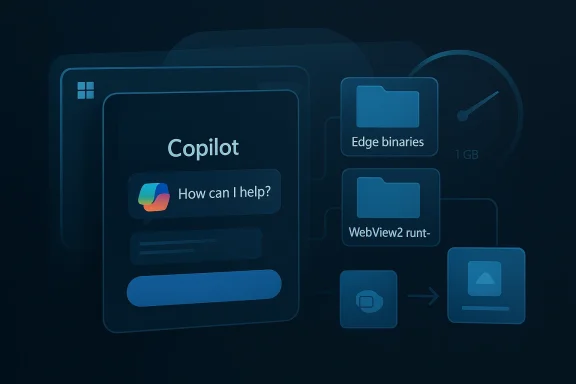
The most important change is not simply that Copilot looks more web-like. It is that the app reportedly ships with its own full Edge package, including browser binaries, codecs, DRM components, and other sub-systems normally associated with a real browser installation. Windows Latest says the app folder contains an Edge version directory and enough engine files to resemble a private browser distribution rather than a thin shell over the system’s existing browser stack. That is a meaningful distinction because it suggests Microsoft is optimizing Copilot for self-contained consistency, even at the expense of duplication.
The package also appears to combine WebView2 with a bundlh is an unusual but telling choice. WebView2 is normally the standard, documented way to host web content in a native app while relying on the user’s installed Edge runtime or a packaged runtime where necessary. A separate full Edge installation inside Copilot implies Microsoft wants absolute control over the rendering environment, versioning, and feature compatibility. That may reduce breakage, but it also weakens the argument that the app is lightweight or truly native.
This is not unique to Copilot, of course. Microsoft has a long habit of converging products onto the web when consistency, cross-device reach, or update speed matter more than strict desktop purity. But Windows is different because the operating system is where expectations are deepest. People want Windows apps to feel like they belong to the platform, not like they are merely borrowing it for rendering. When Microsoft keeps moving the Copilot goalposts, it makes the product feel unfinished even if each version is technically valid.
This also helps explain why the app may feel smoother than a typical web app or PWA. A private Edge installation means Microsoft can tune startup paths, rendering behavior, and compatibility without depending entirely on whatever shared runtime is installed on the PC. In engineering terms, that is a control win. In product terms, it is a line Microsoft seems increasingly willing to blur: when does a “Windows app” stop being an app and start being a curated browser session?
This distribution model has a practical upside: Microsoft can update the app on its own schedule and sidestep somof standard Store packaging. It also lets the company maintain a tighter relationship between the app version and the backend services it depends on. But for users who expect the Store to behave like a normal app catalog, this approach feels messy and opaque, almost deliberately so.
There is also the question of consistency across endpoints. A self-contained Edge bundle may reduce the number of variables administrators have to account for, because the Copilot experience is less dependent on the installed browser state. But that same predictability comes at the cost of more duplication across machines, which can matter when tens of thousands of endpoints each carry a large browser engine that they may use only intermittently. That is the classic enterprise trade-off: simpler support versus heavier footprint.
A second risk is resource creep. Copilot already competes for memory and attention with the rest of the desktop, and the new package’s footprint could become a bigger issue as Microsoft adds more features. If the assistant keeps growing in size while the company also claims to be improving Windows efficiency, the contradiction will become impossible to ignore. That is not just a technical problem; it is a messaging problem.
There is a broader Windows story here as well. Microsoft is clearly trying to balance a quality-first image with an AI-first strategy, and those priorities do not always coexist comfortably. The company appears to understand that it cannot keep flooding Windows with copilot surfaces and expect users to celebrate the result, but it also does not seem ready to give up on making Copilot a foundational layer of the ecosystem. That tension will shape not only this app but the next generation of Windows design.
Source: Windows Latest New Copilot for Windows 11 includes a full Microsoft Edge package, uses more RAM
Historically, Microsoft has had mixed results when trying to make web technology feel like part of Windows instead of something layered on top of it. WebView2, for example, is Microsoft’s official way to embed modern Edge-powered web content into native apps, and Microsoft explicitly supports packaging a specific WebView2 Runtime with an application when developers want predictable behavior. That is an established and sensible model for app developers, but the new Copilot package appears to go further by shipping an Edge installation alongside the app itself, which raises the resource-cost question in a way ordinary WebView2 apps usually do not.
What makes this change especially notable is timing. Microsoft has recently been talking more about quality, responsiveness, and reducing clutter in Windows 11, while also trimming some Copilot exposure in inbox apps and reconsidering how AI surfaces across the desktop. At the same time, the company is still expanding Copilot’s reach in other places, including browser integrations and Microsoft 365. In other words, Microsoft is not retreating from Copilot; it is reframing where and how Copilot should appear, even if that means rebuilding the experience on top of heavier web infrastructure.
For consumers, this creates a confusing experience. A user searching the Microsoft Store may see a new “Microsoft Copilot” listing that still offers a download button even when the app already exists, which makes the process feel more like installing a launcher than installing a conventional store app. For enterprise users, the implications are even more practical: package size, update behavior, memory overhead, and browser engine dependencies all matter when the software is deployed across fleets of devices. The headline may be about Copilot, but the broader issue is Windows application architecture itself.
 What the New Copilot Actually Changes
The most important change is not simply that Copilot looks more web-like. It is that the app reportedly ships with its own full Edge package, including browser binaries, codecs, DRM components, and other sub-systems normally associated with a real browser installation. Windows Latest says the app folder contains an Edge version directory and enough engine files to resemble a private browser distribution rather than a thin shell over the system’s existing browser stack. That is a meaningful distinction because it suggests Microsoft is optimizing Copilot for self-contained consistency, even at the expense of duplication.The package also appears to combine WebView2 with a bundlh is an unusual but telling choice. WebView2 is normally the standard, documented way to host web content in a native app while relying on the user’s installed Edge runtime or a packaged runtime where necessary. A separate full Edge installation inside Copilot implies Microsoft wants absolute control over the rendering environment, versioning, and feature compatibility. That may reduce breakage, but it also weakens the argument that the app is lightweight or truly native.
Why the Packaging Matters
The packaging strategy matters because the user does not experience the app in isolation. Every hidden runtime, every duplicated binary, and every bundled service competes for memory, disk space, and trust. A Copilot app that behaves like a web app is not automatically bad, but a Copilot app that ships with a second browser engine on top of Windows’ existing browser infrastructure is harder to defend, especially when Microsoft has spent years trying to normalize Edge as a platform service rather than a separate liability.- It adds size to the app package.
- It increases maintenance complexity.
- It may improve consistency across PCs.
- It can weaken the case for system-level efficiency.
- It makes Copilot feel more like a browser product than a Windows feature.
Memory Usage and Performae packaging story sounds technical, the RAM story makes the trade-off concrete. Windows Latest says the new Copilot can use up to 500MB in the background and around 1GB when actively used, which is a stark contrast to the earlier native WinUI build that reportedly stayed under 100MB. Even allowing for normal variability in web apps, that difference is big enough to matter on thin-and-light laptops, business systems with many background tools, and any PC where users expect AI to remain opportunistic rather than persistent.
Microsoft would likely argue that responsiveness is thevate browser engine can reduce dependency on whatever runtime state exists on a given PC, and that can make the app feel smoother, faster to open, and less brittle than a cross-dependency-heavy native shell that has to bridge multiple layers. In that sense, the new Copilot may be trading memory for perceived performance, which is not an irrational engineering decision. But users do not experience “perceived performance” in a vacuum; they experience it alongside battery drain, fan noise, and multitasking pressure.What Users Will Notice
The average user will not inspect DLL folders or version numbers. They will notice that Copilot starts faster than expected, feels more fluid, and may quietly occupy more of the machine’s resources than the old app did. That makes the app easier to tolerate in the short term and harder to justify in the long term, because resource consumption is one of the few Windows complaints that remains universally legible.- Faster launch can mask heavier background cost.
- Web rendering can feel more responsive than a britarger RAM footprints are easier to ignore on 32GB systems than on 8GB laptops.
- AI apps compete directly with browser tabs, Teams, Outlook, and game launchers.
- The perception of bloat can overwhelm even genuine UX improvements.
Why Microsoft Keeps Rebuilding Copilot
Microsoft’s Copilot problem is not that the company lacks ambition. It is that the company keeps changing the delivery model before the market has time to settle around one version of the product. That pattern is visible in the evolution from sidebar assistant to PWA to WebView to native WinUI and now to a web-centered hybrid package. Each version solves one constraint while exposing another, which suggests Microsoft still has not settled on whether Copilot should be a Windows feature, a browser experience, or a cross-platform service.This is not unique to Copilot, of course. Microsoft has a long habit of converging products onto the web when consistency, cross-device reach, or update speed matter more than strict desktop purity. But Windows is different because the operating system is where expectations are deepest. People want Windows apps to feel like they belong to the platform, not like they are merely borrowing it for rendering. When Microsoft keeps moving the Copilot goalposts, it makes the product feel unfinished even if each version is technically valid.
The Strategic Logic
There is still a strategic logic behind the churn. A web-backed Copilot is easier to update, easier to synchronize with the Copilot service on the web, and easier to align with Microsoft’s broader AI ecosystem across Edge, Microsoft 365, and Bing. It also creates a single product language across devices, which matters if Microsoft wants Copilot to be a service layer rather than a Windows-only utility. The problem is that this logic is persuasive in boardroom language and less persuasive in Task Manager.- Web delivery simplifies frequent feature updates.
- Shared code paths improve consistency across platforms.
- A service-first model supports Microsoft’s AI branding.
- Browser-based architecture reduces dependence on WinUI iteration.
- The same design can frustrate users who want a small local app.
Edge as the Hidden Engine
The most revealing part of the new Copilot package is that it appears to treat Edge as an embedded engine, not just a browser the user launches separately. That is a significant shift because Edge has become one of Microsoft’s most important platform assets: it powers WebView2, it anchors Copilot-in-browser experiences, and it increasingly appears wherever Microsoft wants AI and web content to coexist. The new Copilot makes that relationship more explicit by bundling the engine directly into the app package.This also helps explain why the app may feel smoother than a typical web app or PWA. A private Edge installation means Microsoft can tune startup paths, rendering behavior, and compatibility without depending entirely on whatever shared runtime is installed on the PC. In engineering terms, that is a control win. In product terms, it is a line Microsoft seems increasingly willing to blur: when does a “Windows app” stop being an app and start being a curated browser session?
Shared Code, Separate Packaging
The new Copilot package appears to reuse browser subsystems that already exist elsewhere in Micro. That is not inherently problematic; in fact, platform reuse is often the only way to keep complex products maintainable. The issue is that copying browser machinery into an app package changes the cost profile of the app, and it can make the software feel bloated even when the UI remains simple.- Bundled browser engines increase disk footprint.
- Duplicate runtimes can complicate patching strategy.
- Separate packaging may improve feature stability.
- Reuse across products can standardize AI behaviors.
- Private copies of Edge can obscure what is really installed.
The Store, the Installer, and the New Distribution Model
The Microsoft Store angle is easy to dismiss until you think about what it implies. Windows Latest says the Store listing now behaves more like a launcher for a separate installer flow, even showing a warning that action is required in another window. That is a clue that Microsoft is using the Store for discovery while moving the actual application install logic somewhere else, which is a pattern users already know from Edge and Teams.This distribution model has a practical upside: Microsoft can update the app on its own schedule and sidestep somof standard Store packaging. It also lets the company maintain a tighter relationship between the app version and the backend services it depends on. But for users who expect the Store to behave like a normal app catalog, this approach feels messy and opaque, almost deliberately so.
Installer-Like App Behavior
What makes installer-like app behavior significant is that it weakens the mental model users have for what they just installed. If the Store is merely a front door and not the real delivery channel, users cannot easily infer what changed, how it changed, or how much of the app lives outside Windows’ ordinary app sandbox assumptions. That may be acceptable for system apps, but Copilot sits in a gray zone: it is both a Microsoft service and a user-facing consumer product.- The user sees a Store listing.
- The user clicks Download.
- The Store launches an external installer flow.
- The installer replaces the old Copilot package.
- The new app takes over the Windows entry points.
Enterprise Implications
For enterprises, the Copilot redesign is less about aesthetics and more about operational predictability. A heavier package means more disk usage on managed devices, more moving parts in deployment scripts, and potentially more policy work if organizations want to limit AI surfaces or control how the app behaves. Microsoft’s broader Copilot ecosystem has already raised governance concerns in business environments, and a browser-heavy Windows Copilot only makes those concerns more concrete.There is also the question of consistency across endpoints. A self-contained Edge bundle may reduce the number of variables administrators have to account for, because the Copilot experience is less dependent on the installed browser state. But that same predictability comes at the cost of more duplication across machines, which can matter when tens of thousands of endpoints each carry a large browser engine that they may use only intermittently. That is the classic enterprise trade-off: simpler support versus heavier footprint.
Policy and Control
The enterprise side also intersects with the recent Microsoft 365 Copilot rollout turbulence. Microsoft has been adjusting automatic installation plans and rollout timing for its Copilot apps in managed environments, which shows that even the company is sensitive to how aggressively AI surfaces should be pushed onto corporate PCs. A Windows Copilot that is easier to ship but harder to justify on thin hardware could therefore generate more pushback from IT than from consumers.- Admins care about package size and update cadence.
- Security teams care about embedded browser surfaces.
- Help desks care about support complexity.
- Procurement teams care about fleet-wide resource costs.
- Compliance teams care about where data is processed.
Consumer Impact
Consumers, by contrast, will mostly judge the new Copilot on feel. If it opens faster, animates more smoothly, and responds more like a modern web app than a sluggish shell, many people will accept the RAM cost without much complaint. But that tolerance has limits, especially on mainstream laptops where 8GB or 16GB of RAM is still common and where users are already juggling browsers, chat apps, and game launcherplaint is not really about web technology. It is about promised simplicity. Microsoft has repeatedly sold Copilot as a smart helper integrated into Windows, yet the experience often behaves like a service delivered through an increasingly elaborate wrapper. When the wrapper grows large enough to rival a browser installation, users start to wonder whether the assistant is helping their workflow or merely occupying it.The Perception Problem
Perception matters because AI products depend on goodwill more than most utilities do. Users will tolerate a weather app or a notes app that consumes modest resources because they understand the value exchange. They are less patient when an assistant that claims to simplify the desktop ends up making the desktop feel heavier. That is especially true on Windows, where resource efficiency is not just a feature; it is part of the platform’s cultural identity.- A faster app can still feel like bloat.
- A smoother UI can still feel like overreach.
- A web-based approach can still be technically sound but emotionally unpopular.
- Consumers may not object to Edge itself, but they will object to hidden duplication.
- AI convenience loses appeal when it looks like system sprawl.
Strengths and Opportunities
Microsoft still has a real opportunity here,lot package may ultimately prove to be the fastest and most dependable way to deliver a feature-rich AI experience across a huge Windows ecosystem. The company benefits from tighter control over rendering, easier synchronization with Copilot web features, and a more coherent platform story across Windows, Edge, and Microsoft 365. If executed well, this architecture could finally give Copilot the polish Microsoft has been promising for years.- More consistent rendering across devices.
- Faster access to web-linked Copilot features.
- Better alignment with Microsoft’s AI service stack.
- Easier incremental feature delivery.
- Reduced dependence on fragile native UI rewrites.
- Potentially smoother rollout for enterprise and consumer users.
- A clearer path to shared Copilot behaviors across products.
Risks and Concerns
The biggest risk is that Microsoft is normalizing a pattern in which every new Windows experience quietly becomes a browser package with an AI label. That may be efficient from a development standpoint, but it can also deepen the sense that Windows is turning into a platform of wrappers rather than a platform of native experiences. Once that perception takes hold, it is hard to reverse, even if the software works well.A second risk is resource creep. Copilot already competes for memory and attention with the rest of the desktop, and the new package’s footprint could become a bigger issue as Microsoft adds more features. If the assistant keeps growing in size while the company also claims to be improving Windows efficiency, the contradiction will become impossible to ignore. That is not just a technical problem; it is a messaging problem.
User Trust and Platform Fatigue
There is also the trust problem. When Microsoft frequently changes Copilot’s identity, users begin to doubt whether the app they just installed is the final version or merely the next phase in an ongoing experiment. That uncertainty is corrosive, particularly for an AI feature that needs users to grant it more context, more attention, and in some cases more permissions than traditional utilities ever required. Trust is a feature, and Microsoft keeps treating it like an afterthought.- Higher RAM use can annoy users on lower-end systems.
- Bundled browser components can increase security scrutiny.
- Installer-style distribution can confuse support workflows.
- Repeated product pivots can erode brand confidence.
- Web-first design can feel like platform churn rather than progress.
- Heavy AI packages may conflict with Windows efficiency messaging.
- The app may appear less native, even if it is more capable.
Looking Ahead
The next few Copilot releases will tell us whether Microsoft is building toward a stable platform or simply iterating toward whatever architecture is easiest to ship. If the company can keep the new experience fast while trimming the visible overhead, the backlash around Edge bundling may fade into the background. If RAM use remains high and the packaging keeps getting more opaque, the app will become yet another example of Microsoft solving one complaint by creating two more.There is a broader Windows story here as well. Microsoft is clearly trying to balance a quality-first image with an AI-first strategy, and those priorities do not always coexist comfortably. The company appears to understand that it cannot keep flooding Windows with copilot surfaces and expect users to celebrate the result, but it also does not seem ready to give up on making Copilot a foundational layer of the ecosystem. That tension will shape not only this app but the next generation of Windows design.
What to Watch
- Whether Microsoft reduces the background RAM footprint in later updates.
- Whether the Store app continues behaving like a launcher for an installer.
- Whether Copilot’s browser bundle remains a private Edge fork or gets simplified.
- Whether Microsoft applies the same model to more Windows inbox experiences.
- Whether enterprise admins get stronger controls over deployment and removal.
- Whether Microsoft’s quality-first messaging finally matches the actual UI architecture.
Source: Windows Latest New Copilot for Windows 11 includes a full Microsoft Edge package, uses more RAM
Last edited:
