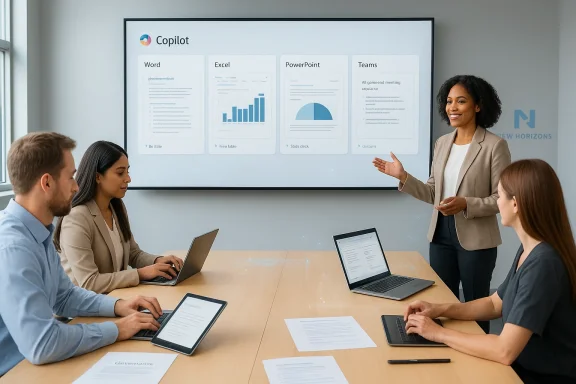
New Horizons’ announcement that it will embed Microsoft Copilot training directly into its Microsoft Office course catalog marks a decisive shift in how commercial training providers are trying to close the gap between AI access and everyday workplace adoption. Announced on February 16, 2026, the update folds Copilot instruction into familiar Word, Excel, PowerPoint, Outlook and Teams training so learners practice AI within the tools and workflows they already use—rather than treating Copilot as a separate, standalone topic.
Microsoft 365 Copilot is no longer an experimental add‑on; it is a core productivity capability increasingly embedded across Office apps. Recent platform updates (including Copilot Actions and a growing set of application-specific agents) have broadened the places where AI will touch daily work: automatic meeting summaries, draft generation, data analysis in Excel, and cross‑app automation are now standard scenarios IT must manage. Those technical advances make training urgent—because licenses alone don’t translate into sustained, safe, and measurable usage.
New Horizons (an Educate 360 brand) positioned its change as practical: embed AI lessons in existing Microsoft Office courses so learners encounter Copilot guidance exactly when they’re learning to create a document, build a spreadsheet, or run a meeting. The company says the integrated approach emphasizes responsible use, output validation, and role‑focused prompting patterns—practicalities that aim to turn initial curiosity into repeatable workflows.
This move is part of a broader market response: Microsoft partners and training houses are packaging Copilot enablement not just as awareness sessions but as applied, role‑based curricula and adoption programs. Independent partner programs that combine instructor‑led training, hands‑on labs, executive briefings and adoption playbooks are proliferating as organizations grapple with governance, change management, and measurement.
Microsoft’s product roadmap—Copilot Actions, application agents, and extensibility features—means that the training content itself must evolve quickly. Vendors who can update curriculum to reflect the latest Copilot capabilities and governance options will remain relevant; static slide decks quickly become obsolete in a rapidly advancing product environment.
If you are an IT or L&D leader considering New Horizons or similar providers, begin with a tight pilot: configure governance first, select a high‑value team for the pilot, measure concrete outcomes, and insist on follow‑on adoption playbooks and knowledge transfer so training becomes self‑sustaining.
New Horizons has laid out a practical path—embedding Copilot training where Office users are already learning—but the payoff depends on deliberate governance, disciplined measurement, and ongoing reinforcement. The technology is maturing; the organizational capability to use it responsibly and repeatedly is the final mile.
Conclusion
Embedding Copilot into core Office training is a welcome, pragmatic design that aligns learning with work. For enterprises, the promise is clear: better, faster adoption when AI training is contextualized and practical. The imperative now is for IT leaders to treat training as a systems problem—melding governance, change management, procurement, and measurement—so Copilot’s productivity gains are captured responsibly and at scale.
Source: www.marketscreener.com https://www.marketscreener.com/news...ses-to-accelerate-workplace-ce7e5dd8da81f425/
 Background / Overview
Microsoft 365 Copilot is no longer an experimental add‑on; it is a core productivity capability increasingly embedded across Office apps. Recent platform updates (including Copilot Actions and a growing set of application-specific agents) have broadened the places where AI will touch daily work: automatic meeting summaries, draft generation, data analysis in Excel, and cross‑app automation are now standard scenarios IT must manage. Those technical advances make training urgent—because licenses alone don’t translate into sustained, safe, and measurable usage.New Horizons (an Educate 360 brand) positioned its change as practical: embed AI lessons in existing Microsoft Office courses so learners encounter Copilot guidance exactly when they’re learning to create a document, build a spreadsheet, or run a meeting. The company says the integrated approach emphasizes responsible use, output validation, and role‑focused prompting patterns—practicalities that aim to turn initial curiosity into repeatable workflows.
This move is part of a broader market response: Microsoft partners and training houses are packaging Copilot enablement not just as awareness sessions but as applied, role‑based curricula and adoption programs. Independent partner programs that combine instructor‑led training, hands‑on labs, executive briefings and adoption playbooks are proliferating as organizations grapple with governance, change management, and measurement.
What New Horizons announced — the specifics
Core change: embedded Copilot content in Office courses
- Scope: Copilot instruction added across New Horizons’ Microsoft Office portfolio—Word, Excel, PowerPoint, Outlook, and Teams—so each Office course includes modules on practical Copilot usage.
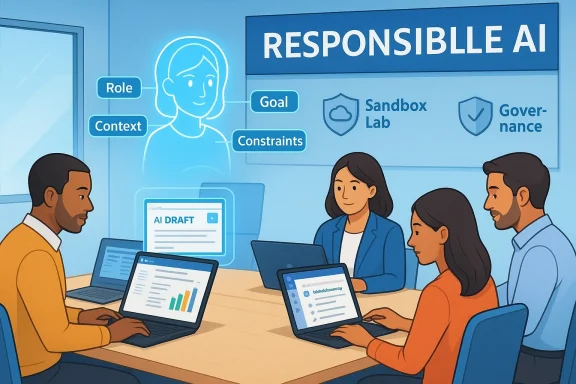
- Learning objectives emphasized: how Copilot appears across applications, how to prompt effectively (using a Role, Goal, Context, Constraints framework), and how to validate AI outputs for accuracy and tone.
- Delivery formats: instructor‑led workshops (one‑hour to full‑day), virtual labs, and on‑demand modules. New Horizons also advertises sandbox labs that can be used without requiring every learner to hold an individual Copilot license.
Sample course and price point
New Horizons already lists targeted Copilot items like “Get Started with Microsoft Copilot for Microsoft Office 365” (short courses and half‑day formats), priced as entry offerings (for example, a short Copilot intro listed at $99 in some markets). The listing shows a hands‑on agenda spanning Word, PowerPoint, Excel, Outlook and Teams.Positioning and messaging
New Horizons frames the change as supporting "every learner" by making AI instruction part of everyday productivity training, not a separate novelty. The stated goals: reduce friction, increase confidence in Copilot outputs, and lower the organizational support burden by teaching correct use patterns at scale.Why this matters: adoption, productivity, and risk
Adoption is the real obstacle
Many organizations have Copilot available (Microsoft has broadened commercial and SMB SKUs) but adoption lags when users don’t have structured guidance on how to integrate AI into daily workflows. Embedding guidance into standard Office training addresses that timing problem: people learn Copilot when they learn Word/Excel/Teams—when the learning is immediately applicable. That reduces friction and increases the chance that the new behavior will stick.Productivity upside is real but measurable, not assumed
AI can accelerate drafting, analysis, and repetitive work, but measurable gains require tasks to be re‑designed around AI capabilities. Training that focuses on role‑specific, workflow‑based use cases (executives, managers, analysts, front‑line staff) is more likely to show quantifiable improvements—reduced time-on-task, fewer revisions, faster meeting prep—than generic “how Copilot works” demos. Third‑party partners and Microsoft both emphasize hands‑on labs and role scenarios for that reason.The data and governance question
As Copilot increasingly accesses tenant content (SharePoint, Exchange, Dataverse) and learns from context, organizations must address data governance, access controls, and DLP/Purview settings. Training should include governance awareness—what data is safe to surface to Copilot, how to classify information, an human review. New Horizons’ messaging explicitly includes responsible usage and validation of outputs, a necessary complement to technical controls.How New Horizons delivers — program anatomy
Multi‑modal delivery
New Horizons’ Copilot capability is available as:- Instructor‑led sessions: short workshops to full‑day classes, delivered virtually or on‑site.
- Hands‑on labs: sandboxed exercises that simulate Copilot interactions inside Word, Excel, Teams and more.
- On‑demand content: a library of micro‑learning modules and quick reference cards to reinforce learning after class.
Course content highlights
Typical modules include:- Copilot fundamentals and where it appears in Microsoft 36ns and Role, Goal, Context, Constraints frameworks.
- Use‑case labs: drafting proposals in Word, summarizing meeting notes in Teams, analyzing trends in Excel.
- Responsible use and output validation exercises.
Implementation toolset
New Horizons advertises an implementation toolkit and customer success launch kit that includes change management playbooks—content meant to help IT and HR orchestrate rollouts and measure adoption. This aligns with partner best practices that combine platform readiness, governance alignment, and behavioral change.Strengths: what New Horizons gets right
- Contextualized learning: Embedding Copilot training into Office courses ensures that learners practice AI where they do work, which increases relevance and retention.
- Role‑based prompts and practical exercises: Focusing on role‑specific workflows (not generic demos) improves the odds of measurable outcomes.
- Multiple delivery options: Short workshops, deeper full‑day sessions, virtual labs and on‑demand modules accommodate different learning styles and minimize disruption.
- Sandboxed labs without license requirements: Allowing hands‑on practice without individual Copilot licenses lowenitial training cohorts and is pragmatic for pilots.
- Alignment with partner ecosystem best practices: Other vendors and partners are launching similar role‑based enablement programs, showing this is an industry‑level response to the adoption gap.
Risks and caveats: what IT leaders should watch for
1. Overconfidence in outputs (hallucinations and accuracy)
Copilot produces useful first drafts—but it can confidently return incorrect or incomplete information. Training must drill learners on verification steps, source citation, and escalation paths when outputs impact decisions or regulatory compliance. New Horizons lists accuracy and tone validation as course topics—a critical inclusion—but real‑world practice and policy reinforcement are necessary.2. Data governance and accidental exposure
Copilot’s usefulness grows with access to tenant data. This increases the importance of Purview/DLP policies, conditional access, and clear rules about what content is appropriate to surface to AI. Training without parallel governance configuration risks unsafe practices. Microsoft’s product documentation and release notes make this explicit—Copilot extensibility and agents increase the attack surface if tenant permissions are not tightly controlled.3. Licensing and total cost
While New Horizons can train users in a sandbox, meaningful enterprise deployment still requires licensing decisions. Organizations must calculate not just license fees but the costs of governance tooling, tenant configuration, and longer‑term managed services. Training is necessary but not sufficient to guarantee ROI.4. Training depth and measurement
A short workshop may increase awareness but won’t change entrenched workflows. To move the needle, organizations need repeated reinforcement, role‑specific playbooks, and measurement. Without those, training risks becoming a checkbox exercise. Partners that supplement initial classes with adoption playbooks and executive sessions provide higher odds of sustained change.A practical rollout plan for IT and learning teams
Use the following sequence as a pragmatic, low‑friction path to scale Copilot use across an organization:- Form a cross‑functional pilot team. Include representatives from IT, security/compliance, HR/L&D, and a business unit champion.
- Define success metrics. Choose 3–5 measurable outcomes: DAU (daily active users), time saved per task, support ticket reduction, or improved cycle time for standard documents.
- Configure tenant governance. Implement Purview/DLP, conditional access, and Copilot settings before broad training. Use the tenant’s sandbox for labs.
- Run a focused pilot cohort. Use New Horizons’ embedded Office+Copilot courses for the pilot group; require hands‑on labs and role‑based exercises.
- Measure and iterate. After 4–6 weeks, evaluate metrics, survey users for adoption barriers, and update playbooks.
- Scale with champions and learning pathways. Use internal champions to run brown‑bag sessions, create quick reference cards, and embed microlearning into onboarding. New Horizons’ quick reference and on‑demand assets are designed for this phase.
Sample course syllabus (practical exercises IT can demand from vendors)
- Module 1: Copilot fundamentals and tenant scope (what Copilot can and cannot access).
- Module 2: Role, Goal, Context, Constraints prompting workshop—craft prompts for three core roles.
- Module 3: Word lab — convert a bullet list into a formal proposal and validate facts.
- Module 4: Excel lab — use Copilot to generate an analysis summary and then audit the calculations.
- Module 5: Teams lab — use Copilot to summarize meetings and extract action items.
- Module 6: Responsible use, privacy scenarios, and reporting/incident playbook. roject where each team produces a deliverable (report, dashboard, or presentation) built with Copilot and defends the validation and governance steps used.
Governance checklist for trainers and IT
- Ensure Copilot tenant settings align with organizational data classification policies.
- Apply Purview labels and DLP rules to prevent PHI/PII leakage via prompts or uploads.
- Enable audit logging for Copilot interactions and review logs for high‑risk activities.
- Provide clear user guidance on what content is allowed in prompts, and create escalation pathways for outputs that affect compliance.
- Use sandboxed lab environments for training where feasible to avoid production data exposure.
Measuring success: KPIs that matter
- Usage metrics: DAU/WAU for Copilot features in each Office app.
- Productivity signals: Time‑to‑complete standard tasks (proposals, reports), number of drafts required.
- Quality controls: Rate of post‑Copilot edits needed; percentage of outputs that required escalation for accuracy.
- Support impact: Change in helpdesk tickets related to Office tasks and AI misuse.
- Learning outcomes: Pre/post course competency scoring and role‑specific scenario completion rates.
Cost/benefit realities and vendor selection guidance
- Training vendors vary in depth. Require vendor proposals to inclon outcomes, follow‑on coaching, and a repeatable playbook for internal trainers. New Horizons advertises a tiered model (Essential, Advanced, Premium) and an implementation kit—these are the types of options IT should evaluate against internal goals.
- Ask vendors for proof points: case studies, pilot metrics, and references from organizations in similar regulatory regimes.
- Include change management costs and governance engineering (Purview/DLP) in any ROI calculation—training is necessary but must be accompanied by tenant configuration and policy work.
The broader landscape: partners and the “enablement industry”
New Horizons’ move mirrors a trend among Microsoft partners that are packaging Copilot adoption as a multidisciplinary service—training plus governance plus adoption engineering. Programs that combine role‑based instruction, hands‑on labs, and adoption playbooks aim to convert pilots into repeatable, measurable outcomes; New Horizons is largely following this playbook. Other partner programs emphasize the same components—underscoring that practical enablement, not just license rollout, is now the battle for value realization.Microsoft’s product roadmap—Copilot Actions, application agents, and extensibility features—means that the training content itself must evolve quickly. Vendors who can update curriculum to reflect the latest Copilot capabilities and governance options will remain relevant; static slide decks quickly become obsolete in a rapidly advancing product environment.
Final assessment and practical recommendations
New Horizons’ decision to embed Copilot into Microsoft Office training is a logical, practical step that takes learning to the point of work. For organizations this is valuable because it:- Reduces the time between learning and use by teaching Copilot inside everyday workflows.
- Increases the likelihood that Copilot will be used responsibly by pairing prompting guidance with validation and governance messaging.
If you are an IT or L&D leader considering New Horizons or similar providers, begin with a tight pilot: configure governance first, select a high‑value team for the pilot, measure concrete outcomes, and insist on follow‑on adoption playbooks and knowledge transfer so training becomes self‑sustaining.
New Horizons has laid out a practical path—embedding Copilot training where Office users are already learning—but the payoff depends on deliberate governance, disciplined measurement, and ongoing reinforcement. The technology is maturing; the organizational capability to use it responsibly and repeatedly is the final mile.
Conclusion
Embedding Copilot into core Office training is a welcome, pragmatic design that aligns learning with work. For enterprises, the promise is clear: better, faster adoption when AI training is contextualized and practical. The imperative now is for IT leaders to treat training as a systems problem—melding governance, change management, procurement, and measurement—so Copilot’s productivity gains are captured responsibly and at scale.
Source: www.marketscreener.com https://www.marketscreener.com/news...ses-to-accelerate-workplace-ce7e5dd8da81f425/