

Microsoft’s latest Copilot update for Windows 11 is shaping up to be less about a polished UI refresh and more about a revealing architectural shift. According to Windows Latest’s reporting, the new Copilot abandons the earlier native WinUI approach in favor of a web-heavy package that appears to ship with its own Edge runtime, and the trade-off is unmistakable: faster-feeling interaction on one side, significantly higher memory use on the other. That combination has turned a routine app update into a broader argument about what Windows apps are becoming, how much browser machinery Microsoft is willing to hide inside them, and whether “native” still means anything when the launcher, the shell, and the engine all blur together. lot on Windows has already gone through more identity changes than most users can keep track of. It has appeared as a sidebar assistant, a PWA-like experience, a WebView-based shell, a native WinUI build, and now a new hybrid that appears to bundle a complete Edge package. That churn matters because each version has told a slightly different story about Microsoft’s intentions: first, that Copilot was a lightweight assistant; then, that it was a web service wrapped for convenience; then, that it was being made to feel more native; and now, apparently, that consistency and control matter more than strict efficiency.
Microsoft’s own pub has also been evolving in parallel. The company still presents the Copilot app for Windows as a first-class part of the Windows experience, and support documentation says it is installed by default on new Windows 11 PCs, can be downloaded from the Microsoft Store, and can be uninstalled when needed. The same support material also makes clear that Copilot for Windows has grown far beyond a simple chatbot, adding features like file search, screenshot capture, Windows Settings assistance, voice interaction, and Copilot Vision. That broadening of scope helps explain why Microsoft may be willing to tolerate a heavier runtime: the assistant is no longer just a chat box, but a platform surface.
The timing is important too. Microsoft has recently emphasized quality, responsiveness, and less clutter in Windows 11, while also continuing to deepen Copilot integration across Windows, Edge, and Microsoft 365. Insider builds have shown Microsoft pulling back from some more intrusive AI surfaces in Windows while expanding Copilot’s reach in other areas, including taskbar integration and browser-style workflows. That is the key tension: Microsoft is not retreating from Copilot, but it is increasingly choosing where Copilot should live, and the answer often seems to be “where a browser can carry it.”
The new version also revives a long-running Windows complaint: the feeling that Microsoft keeps reinventing the same app while never quite settling on a design that users can trust. In practice, that uncertainty is more than cosmetic. When a Windows app starts to look, behave, and install like a bronevitably ask whether they are getting a platform feature or just a repackaged web service with extra ceremony. That question is now central to the Copilot debate.
The most visible change is that the new Copilot reportedly looks smoother and more responsive than the previous version, but that polish comes from a heavier architectural base. Windows Latest says the app now behaves more like a hybrid web application than a classic desktop program, with its own launcher and browser stack underneath. The result is a user experience that feels fast and modern, even as the underlying package becomes more elaborate.
Microsoft has plenty of precedent for web-backed Windows experiences, and WebView2 is the company’s official bridge between native shells and modern web content. In that sense, the new Copilot is not unusual for the Microsoft ecosystem. What is unusual is that it appears to go beyond the standard embedded-web approach by bundling a more complete Edge environment inside the app package itself. That suggests the company wants maximum consistency and minimum dependency on the user’s installed browser state, even if that means shipping more code than a typical app would ever need.
The bundle also suggests Microsoft wants control over versioning. If Copilot depends on a specific browser engine state, packaging its own Edge-like runtime reduces the risk of mismatches, regressions, or dependency issues. That is an understandable engineering goal, especially for an AI product that Microsoft will want to update quickly. But it is also a sign that Copilot is increasingly being treated as a service appliance rather than a lightweight app.
There is a strategic angle here too. Microsoft has spent years positioning Edge as more than a browser, turning it into a platform for AI, web services, and cross-product integration. Copilot fits that model neatly. The app becomes not just an assistant, but a container for Microsoft’s broader web-first strategy. That may be elegant from Redmond’s point of view, but to users it can feel like a browser wearing a Windows costume.
The RAM increase is also symbolically important because Microsoft has spent a lot of time talking about Windows efficiency, quality, and reduction of clutter. A more memory-hungry Copilot can be defended as a necessary trade-off for speed and stability, but the optics are awkward. Users are told Windows is being tuned to feel leaner, then a flagship AI app arrives looking heavier than before. That contradiction is hard to ignore.
There is a second-order effect here that often gets missed: AI assistants are judged as much by their idle cost as by their visible usefulness. If anonce in a while, but is always consuming memory, users quickly start asking whether they should just open the browser version when needed. That is especially true for consumers on 8 GB or 16 GB systems, where every extra resident process carries a more visible cost.
In other words, Microsoft may be buying speed with memory. That bargain is common in modern software, especially anything web-backed, but it becomes controversial when the product is a system-adis supposed to exemplify the best of Windows. The smoother the experience feels, the easier it is for users to forgive the cost at first. The more they notice it living in Task Manager later, the less forgiving they become.
This helps explain why Microsoft keeps reworking the architecture. Each version solves a different problem. A web shell is easier to update. A native build looks better on paper. A private browser bundle gives Microsoft more control. But the user never sees the strategic chart; the user sees the icon on the taskbar and the memory number in Task Manager. That is where product strategy meets reality.
The move also lines up with Microsoft’s wider AI push. Copilot is becoming woven into browsers, taskbars, setup experiences, and work apps. The assistant is no longer a novelty in one corner of Windows; it is becoming a connective tissue between Microsoft services. That is powerful, but it also makes every design choice bigger, because every extra layer is multiplied across the ecosystem.
That is why the latest update feels so revealing. It is not just a performance story. It is a sign that Microsoft has decided Copilot should be built like a managed web service, even if that means sacrificing the traditional Windows virtue of frugality. Whether that is a good bet depends on whether users value speed and consistency more than they value lightweight software. Judging by the reaction so far, many still value both.
Enterprises also care about governance. The more Copilot becomes integrated into browser-like workflows, the more questions arise about data flow, permissions, and policy enforcement. Microsoft’s own support material for Copilot and Copilot-related features makes clear that the assistant is now able to access more kinds of content and interact with more parts of the PC, which increases the importance of controls and user training.
For casual users, the issue mayfrustration. They may notice the new app, use it a few times, and move on. Power users are more likely to care because they are the ones watching Task Manager, tracking disk usage, and noticing when a supposedly helpful assistant behaves like yet another resident app in an already crowded system tray.
That is why the backlash lands so quickly. People are not just reacting to a memory number. They are reacting to a familiar sense that Windows keeps accumulating extra layers in the name of convenience. A more responsive Copilot may be technically better, but if it also feels like another piece of browser packaging added to the pile, the improvement will not be enough to change the overall mood.
The behavior also suggests Microsoft is more comfortable blending app, browser, and service deployment models. That may be the right direction for platform services, but it is a risky direction for trust. Users often tolerate complexity as long as it is invisible. Once the complexity is visible, especially in the Store, the illusion breaks.
The opportunity is to turn Copilot into a genuinely reliable cross-device assistant instead of a feature that keeps changing shape. If Microsoft can trim the footprint over time while preserving the smoother feel, the company could eventually win back some goodwill. If it can also make the Store and update model feel more transparent, the whole experience will seem less like a moving target and more like a proper product.
There is also a trust issue. Copilot has changed identities so many times that some users may no longer believe the current version is final. When an app feels like a perpetual beta, people become reluctant to grant it permissions, attention, or even desktop real estate. That is especially dangerous for an AI assistant, which depends on user confidence more than most apps do.
Microsoft is clearly committed to Copilot as a central layer in Windows, Edge, and Microsoft 365, and there is no sign that the company plans to back away from that strategy. The more interesting question is whether it can execute that vision without making Windows feel like a bundle of wrappers. The answer will shape not just the assistant’s reputation, but the broader perception of Windows 11’s direction in 2026.
Source: Mezha The new Copilot for Windows 11 has built-in Edge and eats up to 1 GB of memory
Microsoft’s own pub has also been evolving in parallel. The company still presents the Copilot app for Windows as a first-class part of the Windows experience, and support documentation says it is installed by default on new Windows 11 PCs, can be downloaded from the Microsoft Store, and can be uninstalled when needed. The same support material also makes clear that Copilot for Windows has grown far beyond a simple chatbot, adding features like file search, screenshot capture, Windows Settings assistance, voice interaction, and Copilot Vision. That broadening of scope helps explain why Microsoft may be willing to tolerate a heavier runtime: the assistant is no longer just a chat box, but a platform surface.
The timing is important too. Microsoft has recently emphasized quality, responsiveness, and less clutter in Windows 11, while also continuing to deepen Copilot integration across Windows, Edge, and Microsoft 365. Insider builds have shown Microsoft pulling back from some more intrusive AI surfaces in Windows while expanding Copilot’s reach in other areas, including taskbar integration and browser-style workflows. That is the key tension: Microsoft is not retreating from Copilot, but it is increasingly choosing where Copilot should live, and the answer often seems to be “where a browser can carry it.”
The new version also revives a long-running Windows complaint: the feeling that Microsoft keeps reinventing the same app while never quite settling on a design that users can trust. In practice, that uncertainty is more than cosmetic. When a Windows app starts to look, behave, and install like a bronevitably ask whether they are getting a platform feature or just a repackaged web service with extra ceremony. That question is now central to the Copilot debate.
 What Changed in the New Copilot
The most visible change is that the new Copilot reportedly looks smoother and more responsive than the previous version, but that polish comes from a heavier architectural base. Windows Latest says the app now behaves more like a hybrid web application than a classic desktop program, with its own launcher and browser stack underneath. The result is a user experience that feels fast and modern, even as the underlying package becomes more elaborate.A Web App That Pretends to Be Native
This is the part that will frustrate Windows purists. A truly native app suggests leaner code, tighter OS integration, and less duplication of already-installed components. The new Copilot, by contrast, seems to be aiming for the feeling of a native app while relying on web rendering and browser infrastructure behind the curtain. That is not inherentlydoes shift the conversation from “how elegant is this?” to “how much overhead are we paying for the illusion?”Microsoft has plenty of precedent for web-backed Windows experiences, and WebView2 is the company’s official bridge between native shells and modern web content. In that sense, the new Copilot is not unusual for the Microsoft ecosystem. What is unusual is that it appears to go beyond the standard embedded-web approach by bundling a more complete Edge environment inside the app package itself. That suggests the company wants maximum consistency and minimum dependency on the user’s installed browser state, even if that means shipping more code than a typical app would ever need.
- The app reportedly feels smoother than older builds.
- The UI appears more web-like than WinUI-native.
- The package seems to include a private browser stack.
- Microsoft is prioritizing consistency over minimal footprint.
Why the Edge Bundle Matters
The most striking part of this story is not simply that Copilot uses web components. It is that the installation appears to include a full Microsoft Edge package, with browser binaries and supporting files that make the app resemble a self-contained browser distribution. Windows Latest’s analysis pge version folder and enough browser machinery to suggest that Microsoft is building Copilot around a private rendering environment rather than relying entirely on shared system components.Duplication Is the Hidden Cost
That design choice has consequences beyond raw storage usage. A private browser bundle duplicates code that the machine may already have in another form, and duplication is the enemy of perceived efficiency. Even if Microsoft can justify the approach technica see a familiar anti-pattern: the OS shipping two or more ways to do the same thing, only one of which is visible in the UI. In Windows land, that often reads as bloat.The bundle also suggests Microsoft wants control over versioning. If Copilot depends on a specific browser engine state, packaging its own Edge-like runtime reduces the risk of mismatches, regressions, or dependency issues. That is an understandable engineering goal, especially for an AI product that Microsoft will want to update quickly. But it is also a sign that Copilot is increasingly being treated as a service appliance rather than a lightweight app.
There is a strategic angle here too. Microsoft has spent years positioning Edge as more than a browser, turning it into a platform for AI, web services, and cross-product integration. Copilot fits that model neatly. The app becomes not just an assistant, but a container for Microsoft’s broader web-first strategy. That may be elegant from Redmond’s point of view, but to users it can feel like a browser wearing a Windows costume.
- More control over runtime behavior.
- Better consistency across machines.
- Larger install size.
- More duplicated browser components.
- More reasons for users to see uct, not a Windows feature.
RAM Usage: The Headline Everyone Will Remember
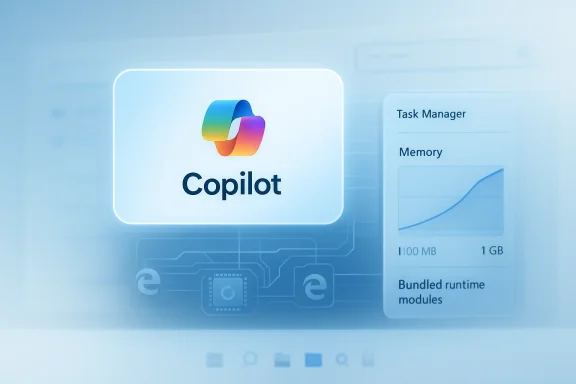
The memory story is the part most likely to stick. Windows Latest says the new Copilot can sit around 500 MB in the background and rise to roughly 1 GB during active use, compared with less than 100 MB for the older native build. Even allowing for fluctuations and testing differences, that is a dramatic jump, and it explains why this update has become a story in the first place.Why Memory Still Matters on Modern PCs
It is tempting to dismiss those numbers as minor on a 32 GB desktop. That would be a mistake. Background RAM use matters because Windows users rarely experience a single app in isolation; they experience a stack of background services, launchers, sync tools, chat clients, browser tabs, and vendor utilities all competing for headroom. Add an AI assistant that wants to stay resident, and the machine starts to feel more crowded even if the raw numbers are not catastrophic.The RAM increase is also symbolically important because Microsoft has spent a lot of time talking about Windows efficiency, quality, and reduction of clutter. A more memory-hungry Copilot can be defended as a necessary trade-off for speed and stability, but the optics are awkward. Users are told Windows is being tuned to feel leaner, then a flagship AI app arrives looking heavier than before. That contradiction is hard to ignore.
There is a second-order effect here that often gets missed: AI assistants are judged as much by their idle cost as by their visible usefulness. If anonce in a while, but is always consuming memory, users quickly start asking whether they should just open the browser version when needed. That is especially true for consumers on 8 GB or 16 GB systems, where every extra resident process carries a more visible cost.
- Higher background usage makes the app harder to justify on smaller laptops.
- Active use approaching 1 GB is a psychological shock, even if it is temporary.
- Idle RAM consumption competes with browsers and productivity tools.
- The resource cost undermines Microsoft’s “quality” messaging.
Perceived Performance Versus Real Efficiency
Microsoft may well argue that the trade-off is deliberate. A bundled browser engine can make the app more responsive, reduce dependency on installed system components, and create a smoother experienC configurations. Those are real benefits, and from a product-management standpoint they are not unreasonable. But perceived performance is not the same thing as actual efficiency, and Windows enthusiasts have a long memory for the difference.In other words, Microsoft may be buying speed with memory. That bargain is common in modern software, especially anything web-backed, but it becomes controversial when the product is a system-adis supposed to exemplify the best of Windows. The smoother the experience feels, the easier it is for users to forgive the cost at first. The more they notice it living in Task Manager later, the less forgiving they become.
Microsoft’s Copilot Strategy Is Still Moving
The bigger story is that Copilot remains a moving target. Microsoft has repeatedly adjusted how the assistant appears, how it launches, and which surfaces it occupies. Official Insider documentation shows Copilot evolving into new Windows experiences, including taskbar interactions, quick-view behavior, Vision, file search, and web-link handling inside the app. That breadth points to a company trying to make Copilot feel ubiquitous without making it feel too intrusive.From Sidebar to Service Layer
Early Copilot versions in Windows were easy to understand: they were essentially assistant surfaces. The current iteration is different because it is becoming a service layer that spans Windows, Edge, and Microsoft 365. That change matters because service layers are judged less on elegance and more on consistency, update cadence, and cross-product utility. Microsoft appears to be betting that the assistant should be a persistent layer of the ecosystem rather than a single app with a narrow role.This helps explain why Microsoft keeps reworking the architecture. Each version solves a different problem. A web shell is easier to update. A native build looks better on paper. A private browser bundle gives Microsoft more control. But the user never sees the strategic chart; the user sees the icon on the taskbar and the memory number in Task Manager. That is where product strategy meets reality.
The move also lines up with Microsoft’s wider AI push. Copilot is becoming woven into browsers, taskbars, setup experiences, and work apps. The assistant is no longer a novelty in one corner of Windows; it is becoming a connective tissue between Microsoft services. That is powerful, but it also makes every design choice bigger, because every extra layer is multiplied across the ecosystem.
- Copilot is shifting from feature to platform layer.
- Microsoft wants consistency across Windows, Edge, and Microsoft 365.
- The company is willing to absorb more complexity to get there.
- The user-visible result is more churn than stability.
Why Microsoft Keeps Rebuilding It
There is also a plain old software-development reason for the churn: Microsoft still seems to be searching for the balance between platform purity and service delivery. A native shell is elegant until it becomes hard to maintain. A web shell is flexible until it starts to feel bloated. A hybrid can be the best of both worlds, or the worst of both, depending on how cleanly it is engineered. Copilot now seems to be living in that middle space.That is why the latest update feels so revealing. It is not just a performance story. It is a sign that Microsoft has decided Copilot should be built like a managed web service, even if that means sacrificing the traditional Windows virtue of frugality. Whether that is a good bet depends on whether users value speed and consistency more than they value lightweight software. Judging by the reaction so far, many still value both.
Enterprise Impact
For enterprises,raises practical questions that go beyond annoyance. A larger package means more disk usage on managed devices, more deployment overhead, and more support burden when something changes. In a fleet environment, those are not abstract concerns. They affect imaging, patching, bandwidth, and the consistency administrators are trying to preserve.Control, Policy, and Standardization
The private-browser model may actually appeal to some IT teams beance on whatever browser state a device already has. Predictable behavior is valuable in managed environments, especially when an app includes web content that must render consistently. But that benefit comes at the cost of greater duplication across the fleet, and duplication scales badly when the device count is large.Enterprises also care about governance. The more Copilot becomes integrated into browser-like workflows, the more questions arise about data flow, permissions, and policy enforcement. Microsoft’s own support material for Copilot and Copilot-related features makes clear that the assistant is now able to access more kinds of content and interact with more parts of the PC, which increases the importance of controls and user training.
- More storage overhead on managed endpoints.
- More deployment complexity for IT.
- Greater need for policy controls and visibility.
- Potentially better consistency across machines.
- More support incidents if the app behaves differently from the old version.
Consumer Experience
Consumers will probably judge the update more emotionally than technically. If Copilot opens quickly, feels smoother, and works without obvious crashes, many users will accept the extra RAM footprint as the price of convenience. That is especially true for people who use AI assistance regularly and value speed over minimalism.The Good News: It May Feel Bergument in Microsoft’s favor is that the new Copilot may simply be a better-feeling app. The old native build was light, but “light” does not automatically mean “good.” A web-backed shell with a richer runtime can often animate more fluidly and update more consistently, and many users will prefer that experience over a sparse interface that feels brittle.
That said, there is a ceiling on how much performance polish can offset architectural skepticism. Once people realize the app is using browser-sized resources, the debate changes from “does it work?” to “why does it need this much?” That is a harder question for Microsoft to answer because it cuts into the company’s central AI story: that Copilot is supposed to simplify Windows, not make it heavier.For casual users, the issue mayfrustration. They may notice the new app, use it a few times, and move on. Power users are more likely to care because they are the ones watching Task Manager, tracking disk usage, and noticing when a supposedly helpful assistant behaves like yet another resident app in an already crowded system tray.
The Bad News: Windows Already Has a Bloat Problem
The problem is not that one app uses more RAM than before. The problem is that Copilot is arriving in a Windows environment where users already feel surrounded by overlapping Microsoft services, browser layers, and AI prompts. In that context, a heavier Copilot does not read as an isolated engineering trade-off. It reads as confirmation of a pattern.That is why the backlash lands so quickly. People are not just reacting to a memory number. They are reacting to a familiar sense that Windows keeps accumulating extra layers in the name of convenience. A more responsive Copilot may be technically better, but if it also feels like another piece of browser packaging added to the pile, the improvement will not be enough to change the overall mood.
The Store and Installer Model
One of the stranger parts of the new rollout is the way the Microsoft Store behaves. Users can still find Copilot in the Store, but the download appears to be almost immediate because the Store is effectively handing off to an installer flow rather than transferring a big app payload in the usual way. That makes Copilot feel a little more like Edge and a little less like a normal UWP-era Store app.A Blurry App Lifecycle
This matters because the Microsoft Store is supposed to give users a clearer app lifecycle: install, update, uninstall. Once the Store becomes a bootstrapping mechanism fckage, that clarity fades. The app may still be legitimate, but the process stops feeling simple, and simplicity is one of the few things Windows users still expect from the Store.The behavior also suggests Microsoft is more comfortable blending app, browser, and service deployment models. That may be the right direction for platform services, but it is a risky direction for trust. Users often tolerate complexity as long as it is invisible. Once the complexity is visible, especially in the Store, the illusion breaks.
- The Store may be acting as a launcher rather than the true delivery vehicle.
- Updates may be easier for Microsoft to control.
- Users get less clarity about what was actually installed.
- The line between app and browser becomes even thinner.
Strengths and Opportunities
The update is not without merit. A smoother Copilot that loads faster and behaves more consistently could be a real quality-of-life improvement for many users, especially those who use AI features regularly and value responsiveness over minimal resource use. Microsoft also benefits from greater control over the runtime, which can reduce compatibility headaches and give the company more freedom to ship features quickly.The opportunity is to turn Copilot into a genuinely reliable cross-device assistant instead of a feature that keeps changing shape. If Microsoft can trim the footprint over time while preserving the smoother feel, the company could eventually win back some goodwill. If it can also make the Store and update model feel more transparent, the whole experience will seem less like a moving target and more like a proper product.
- Better responsiveness than the old build.
- More stable behavior across devices.
- Stronger alignment with Microsoft’s AI ecosystem.
- Easier feature rollout and faster iteration.
- Potentially fewer compatibility surprises.
- A more polished user experience for casual users.
- A chance to standardize Copilot as a serious platform layer.
Risks and Concerns
The risks are equally clear. Shipping a browser-sized runtime inside a system-adjacent assistant invites bloat accusations, especially when Microsoft is simultaneously talking about Windows quality and efficiency. If the RAM footprint stays high, users will treat the update as proof that the company is prioritizing AI branding over responsible engineering.There is also a trust issue. Copilot has changed identities so many times that some users may no longer believe the current version is final. When an app feels like a perpetual beta, people become reluctant to grant it permissions, attention, or even desktop real estate. That is especially dangerous for an AI assistant, which depends on user confidence more than most apps do.
- High RAM use on background idle.
- Heavy install footprint.
- Confusing Store/installer behavior.
- More browser-engine exposure.
- Ongoing perception of Windows bloat.
- Reduced confidence in Microsoft’s product stability.
- Possible friction for enterprise deployment and support.
Looking Ahead
What happens next will depend on whether Microsoft treats this as a final architecture or just another intermediate step. If future updates lower the background memory use, reduce the install footprint, and make the Store flow more straightforward, the controversy may fade into the background. If not, Copilot will remain a symbol of a larger Windows problem: the tension between a polished AI experience and the weight of the machinery underneath it.Microsoft is clearly committed to Copilot as a central layer in Windows, Edge, and Microsoft 365, and there is no sign that the company plans to back away from that strategy. The more interesting question is whether it can execute that vision without making Windows feel like a bundle of wrappers. The answer will shape not just the assistant’s reputation, but the broader perception of Windows 11’s direction in 2026.
- Watch whether RAM usage drops in later builds.
- Watch whether the Store app becomes clearer about what it installs.
- Watch whether Microsoft simplifies the bundled browser stack.
- Watch whether enterprise controls improve.
- Watch whether Microsoft’s “quality-first” messaging matches the code that ships.
Source: Mezha The new Copilot for Windows 11 has built-in Edge and eats up to 1 GB of memory
Last edited:
