

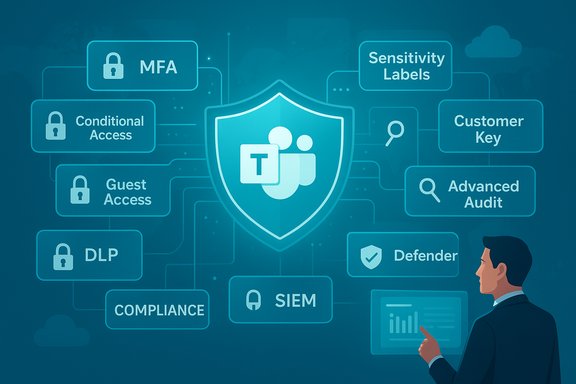
Microsoft Teams is now the hub for large swathes of everyday work — chat, meetings, file collaboration, and increasingly AI — but that convenience brings serious governance and compliance risk if left unmanaged. The nine “easy wins” that UC Today outlines are a practical baseline: align Teams with regulatory policy, lock identity and access, govern guest access, encrypt and control keys, apply DLP and sensitivity labels, monitor and audit in real time, control lifecycle and sprawl, secure AI (Copilot and connectors), and train team owners and users. Taken together, these practices can turn Teams from a sprawl-prone risk into a secure, auditable digital workplace — provided technical controls are implemented correctly and regularly validated against vendor guidance and organisational risk requirements. Many of the article’s technical recommendations are confirmed by Microsoft’s own documentation and by vendor and industry reporting, though a few vendor case-study claims quoted in the original piece require caution because primary public data is limited or not directly cited.
Microsoft Teams is ubiquitous: widely cited figures put Teams monthly active users in the hundreds of millions, used across enterprises, public sector and education. This scale makes Teams a primary vector for both productivity gains and risk exposure — a single unmanaged Team with guests or lax sharing can leak regulated data, and collaboration flows (chat, file links, meeting recordings) are now a legitimate target for phishing, ransomware, and compliance audits. Industry reporting and Microsoft’s operational docs underline the same theme: collaboration platforms require the same security rigour as mail, storage, and identity systems. For example, Microsoft’s documentation on enterprise data controls and encryption features confirms that tenant administrators can enforce customer-managed encryption (Customer Key) and data-protection features to meet regulatory needs. At the same time, the attack landscape is evolving: credential attacks exploit legacy authentication and non-interactive sign-ins, prompting Microsoft to phase out Basic Authentication in Exchange Online and push customers to modern authentication flows — a timeline that was updated in 2025 as Microsoft extended the deprecation schedule and clarified implementation windows. Monitoring and staged migration remain business priorities.
Quick wins:
Phase 1 — Quick wins (30–60 days)
Microsoft Teams can be a secure, compliant digital workplace — but only when governance, identity, data protection, monitoring, and user behaviour are managed together. The UC Today nine‑point checklist is a practical starting point; backing it with Microsoft’s documented tools (Customer Key, Secure Score, Defender for Office 365, Purview advanced audit) and a staged implementation plan converts those “easy wins” into lasting control. Treat vendor timelines and case-study claims with due diligence, measure what matters, and keep governance agile so Teams stays both productive and defensible.
Source: UC Today 9 Microsoft Teams Security Best Practices: Easy Wins for Safer Teams
 Background / Overview
Microsoft Teams is ubiquitous: widely cited figures put Teams monthly active users in the hundreds of millions, used across enterprises, public sector and education. This scale makes Teams a primary vector for both productivity gains and risk exposure — a single unmanaged Team with guests or lax sharing can leak regulated data, and collaboration flows (chat, file links, meeting recordings) are now a legitimate target for phishing, ransomware, and compliance audits. Industry reporting and Microsoft’s operational docs underline the same theme: collaboration platforms require the same security rigour as mail, storage, and identity systems. For example, Microsoft’s documentation on enterprise data controls and encryption features confirms that tenant administrators can enforce customer-managed encryption (Customer Key) and data-protection features to meet regulatory needs. At the same time, the attack landscape is evolving: credential attacks exploit legacy authentication and non-interactive sign-ins, prompting Microsoft to phase out Basic Authentication in Exchange Online and push customers to modern authentication flows — a timeline that was updated in 2025 as Microsoft extended the deprecation schedule and clarified implementation windows. Monitoring and staged migration remain business priorities. 1. Align Teams with regulatory requirements (GDPR, HIPAA, FINRA, SOX)
Teams content is a records and regulatory problem by design: chats, channel files (stored in SharePoint/OneDrive), meeting recordings, transcription, and Copilot interactions can contain regulated data. The practical steps here are straightforward:- Define policy-first retention and collection: apply retention policies and legal holds from the start rather than trusting users to archive items.
- Enable eDiscovery and audit-ready retention: use Microsoft Purview eDiscovery and Advanced Audit features for defensible investigations.
- Apply information barriers and communication compliance where organizational separation is required.
2. Enforce strong identity and access controls (MFA, Conditional Access, RBAC)
Identity is the bedrock of Teams security. The modern baseline must include:- Multi-Factor Authentication (MFA) for all users and administrators.
- Conditional Access policies that evaluate device compliance, user risk, location, and session context.
- Role-Based Access Controls (RBAC) so only designated operational roles have tenant-level privileges.
- Identity posture monitoring via Microsoft Secure Score and Identity Secure Score to prioritise remediation items.
3. Govern guest and external access without blocking collaboration
External collaboration is one of Teams’ strengths — but unmanaged guests are the most common source of long-tail exposure.- Enforce approval workflows for creating Teams with external guests.
- Require time‑boxed guest access and automatic expiry/periodic recertification.
- Use sensitivity labels to limit guest visibility and prevent download/share actions.
- Require at least two owners per Team and map ownership to an accountable business sponsor.
- Require an approval ticket to create a Team with guests.
- Automatically apply an external-access sensitivity label to such Teams.
- Trigger owner recertification every 90 days with automated reminders.
- Remove guests automatically after the expiry unless the owner renews.
4. Encrypt data and keep control of keys (Customer Key & DEPs)
Teams data is encrypted in transit and at rest by default, but some auditors and regulators require customer-managed root keys. Microsoft Purview Customer Key (Customer Key) provides that control: you manage the keys in Azure Key Vault and Microsoft wraps and uses them for service-level encryption across multiple workloads — including Teams chat and meeting recordings when configured with a multi-workload Data Encryption Policy (DEP). This lets organisations demonstrate key custody and add a layer of control beyond Microsoft‑managed keys. Implementation requires careful planning (Azure Key Vault HSM use, soft-delete and key lifecycle management). Caveat and verification: Customer Key protects data at rest in the cloud workloads it covers. It does not replace the need for endpoint and channel protections (e.g., DLP, endpoint encryption, and secure device management), and it does not encrypt data on-premises unless you adopt corresponding on-prem encryption regimes. Validate licensing and workload coverage for your tenant before adoption.5. Monitor and control data sharing (Sensitivity labels + DLP + watermarks)
Most leaks aren’t the result of external hacking — they come from oversharing: a confidential file posted into a public channel, or a guest keeping access after a project ends. The right controls are subtle and constructive:- Sensitivity labels tag files and chats as Public / Internal / Confidential, and automation applies encryption, sharing restrictions, and visual watermarks where necessary.
- Data Loss Prevention (DLP) policies enforce rules in real time: warn users, block actions, or quarantine content based on matches (PII, financial data patterns, or custom sensitive patterns).
- Endpoint DLP and retention rules extend protection across devices and long-term records.
Quick wins:
- Start with top‑risk labels (e.g., customer PI, financials, health records).
- Implement DLP policies to block or warn on external sharing of labeled content.
- Add training nudges (inline policy tips) rather than immediate blocks for low-confidence matches.
6. Audit and monitor in real time (Advanced Audit + Defender + SIEM)
Visibility is essential: Teams is no longer just chat — it’s a data plane with meeting metadata, recordings, and attachments. Recent Teams audit enhancements capture actions inside meetings — screen share events, control transfer actions and timing, and meeting participant metadata — enabling more granular investigations when things go wrong. Microsoft exposes these logs via Microsoft Purview / 365 Compliance and Advanced Audit capabilities, and you can stream audit data into a SIEM like Microsoft Sentinel for real‑time analytics and hunting. Defender for Office 365 and Defender integrations extend Safe Links and Safe Attachments to Teams files and chat links; pairing that with Sentinel and other XDR tooling allows security teams to surface anomalous behaviour (exfil attempts, unusual guest activity, rapid ownership changes) and accelerate response. Industry guidance (including government security posts) recommends enabling Defender protections for SharePoint/OneDrive/Teams and integrating logs into SIEM for correlation. Detection playbook examples:- Create SIEM rules for sudden membership changes by non-owner accounts.
- Alert on rapid outbound file sharing to external domains.
- Detect anomalies in meeting metadata (e.g., sudden or unusual displayName changes during financial requests — an indicator exploited in impersonation attacks).
7. Establish clear lifecycle and sprawl control
Teams sprawl is both a governance and a security problem. Left unchecked, tenant clutter leads to orphaned Teams, forgotten secrets, and compliance blind spots. Practical lifecycle controls:- Enforce naming conventions and templates to keep Teams discoverable.
- Require at least two owners and a business sponsor for every Team.
- Implement expiry and renewal prompts; archive inactive Teams automatically.
- Use provisioning blueprints to attach sensitivity labels and guest policies at creation.
8. Master AI security: Copilot, connectors, and prompt protection
Generative AI amplifies productivity but also introduces new data-flow and confidentiality concerns. Key controls for Copilot and similar tools:- Ensure sensitivity labels and DLP extend to AI prompt inputs and outputs.
- Use Commercial Data Protection (Microsoft’s setting that prevents prompts/responses from being stored or used to train models) where needed; Microsoft documents that commercial data protection ensures prompts and responses are not used for model training and surfaces a “Protected” badge in Copilot for eligible accounts.
- Restrict AI connectors so Copilot can only pull from data users are entitled to see; treat connectors like apps — review scopes carefully and prefer least-privilege (read-only, specific folder) scopes.
- Log and retain prompt histories where regulatory or investigatory requirements mandate it.
9. Train and engage employees as the first line of defence
People are the last control layer. Even the best labels and DLP fail when owners misconfigure Teams or users copy/paste sensitive files into the wrong channels. Practical training program components:- Short, role-based training for team owners and admins that focuses on governance, owner responsibilities, guest lifecycle, and label use.
- Phishing simulations that include Teams-based attack vectors (malicious links and file attachments in chat).
- Dashboards that list Teams with missing owners, stale guest memberships, or expired retention labels so owners can remediate.
- A champions network to surface early issues and scale good practice adoption.
Implementation blueprint: from quick wins to ongoing governance
A staged approach prevents “security theater” and focuses effort where it matters.Phase 1 — Quick wins (30–60 days)
- Enforce tenant-wide MFA and basic Conditional Access rules for unmanaged/high‑risk access.
- Enable Safe Links and Safe Attachments for SharePoint/OneDrive/Teams.
- Apply default sensitivity label templates and DLP for obvious high-risk data types (SSNs, credit cards, medical IDs).
- Inventory guest users and set expiry at 90 days.
- Create provisioning blueprints: approvals, naming patterns, sensitivity label and external access policies attached to Team creation.
- Enforce two owners minimum and automate owner certification reminders.
- Stream audit logs to SIEM (Sentinel or equivalent) and create key detection rules for anomalous Teams events.
- Adopt Customer Key where regulatory custody of encryption keys is required and where licensing permits.
- Integrate Copilot governance (Commercial Data Protection, connector scopes, DLP for prompts).
- Run tabletop exercises for deepfake/impersonation meeting scenarios and refine out-of-band verification processes.
- Track Secure Score, Identity Secure Score, number of Teams with two owners, guest recertification completion rate, inactive Teams closed, incidents caught by DLP, and mean-time-to-detect (MTTD) for Teams threats. These metrics turn security controls into measurable governance outcomes.
Strengths, risks, and pragmatic trade-offs
Strengths- The recommended controls are practical and implementable with existing Microsoft 365 features: sensitivity labels, DLP, Conditional Access, Customer Key, Defender for Office 365, and Purview audit/eDiscovery tools.
- Many controls are low-friction when applied at creation time (labels and policies attached to provisioning), preserving user productivity while protecting data.
- Overrestricting guest access or blocking all external sharing will drive users to shadow IT; governance must enable legitimate collaboration.
- Some features (Customer Key, Defender Plan 2, advanced eDiscovery) require specific licensing or premium SKUs; confirm licensing before planning.
- Vendor and media case-study numbers (user counts, hours saved) should be validated against primary published case studies or vendor materials before being used as authoritative inputs in planning or compliance documentation.
- Feature timelines and deprecations change: Microsoft’s Basic Authentication retirement schedule was revised in 2025 and affected customers need to track Microsoft Message Center posts and Exchange Team updates to plan migration. Treat vendor timelines as evolving and build buffer into migration plans.
- Where the UC Today article quotes specific customer throughput or time-savings, those should be treated as illustrative unless the customer or Microsoft provides a publicly verifiable case study. Flag them as media-reported examples in governance or audit narratives.
Final checklist: nine practical controls to deploy now
- Enforce tenant-wide MFA and baseline Conditional Access.
- Apply default sensitivity labels to new Teams and channel files.
- Turn on Defender protections (Safe Links/Safe Attachments) for Teams/SharePoint/OneDrive.
- Configure DLP policies for high‑confidence sensitive data detection.
- Require approval & provisioning blueprints for guest-enabled Teams and automate guest expiry.
- Ensure at least two owners per Team and recurring owner recertification.
- Stream Teams audit logs to SIEM and create detection rules for anomalous meeting and sharing patterns.
- Where required, deploy Microsoft Purview Customer Key and validate DEP coverage for Teams workloads.
- Enable Commercial Data Protection and connector governance before broad Copilot deployment.
Microsoft Teams can be a secure, compliant digital workplace — but only when governance, identity, data protection, monitoring, and user behaviour are managed together. The UC Today nine‑point checklist is a practical starting point; backing it with Microsoft’s documented tools (Customer Key, Secure Score, Defender for Office 365, Purview advanced audit) and a staged implementation plan converts those “easy wins” into lasting control. Treat vendor timelines and case-study claims with due diligence, measure what matters, and keep governance agile so Teams stays both productive and defensible.
Source: UC Today 9 Microsoft Teams Security Best Practices: Easy Wins for Safer Teams
