

The head-to-head tests and archive analysis of a seven‑way chatbot roundup deliver a clear, practical takeaway: there is no single “best” AI chatbot for every job — instead, pick the assistant that matches the task you need done, and treat every answer as a draft that needs verification.
The recent hands‑on comparisons ran structured, real‑world prompts across a set of mainstream chatbots and several rising challengers. Test frameworks combined ten text tasks (summaries, explanations, coding challenges, travel planning, long‑form composition, etc. with four image‑generation prompts to produce a 120‑point scoring scale that emphasizes accuracy, helpfulness, safety, and sustained context. That methodology — repeatedly used in the files supplied — aims to reflect how people actually use chatbots in day‑to‑day workflows, not just how they perform on abstract academic benchmarks.
These tests were intentionally pragmatic: reviewers used free tiers where possible to keep comparisons fair, focused on outputs a consumer or professional is likely to rely on (itineraries, coding snippets, citations, editing, and creative work), and documented both the scoring rubric and failure modes so readers can replicate or judge the conclusions.
The landscape will continue to change rapidly. The right rule for professionals and enthusiasts: test assistants against your specific workflows, verify consequential outputs, and keep a diversified set of tools so productivity isn’t single‑sourced from any one model.
Source: Leaders.com.tn FCKeditor - Resources Browser
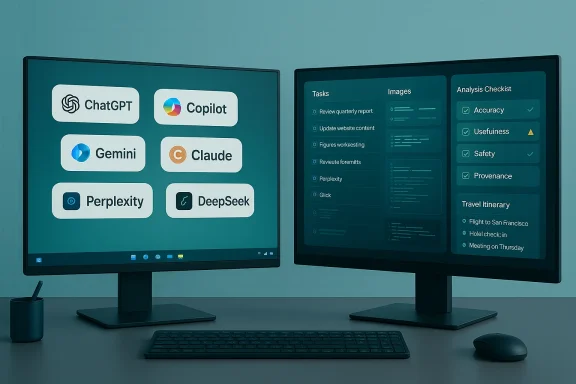 Background / Overview
The recent hands‑on comparisons ran structured, real‑world prompts across a set of mainstream chatbots and several rising challengers. Test frameworks combined ten text tasks (summaries, explanations, coding challenges, travel planning, long‑form composition, etc. with four image‑generation prompts to produce a 120‑point scoring scale that emphasizes accuracy, helpfulness, safety, and sustained context. That methodology — repeatedly used in the files supplied — aims to reflect how people actually use chatbots in day‑to‑day workflows, not just how they perform on abstract academic benchmarks.These tests were intentionally pragmatic: reviewers used free tiers where possible to keep comparisons fair, focused on outputs a consumer or professional is likely to rely on (itineraries, coding snippets, citations, editing, and creative work), and documented both the scoring rubric and failure modes so readers can replicate or judge the conclusions.
Methodology: What the tests actually measured
The test battery (short version)
- Ten text tests worth 10 points each (100 text points).
- Four image tests worth 5 points each (20 image points).
- Evaluated dimensions: factual accuracy, coherence, usefulness, safety, and creative fidelity.
This produced a combined 120‑point scale used for practical ranking.
Real‑world prompts and constraints
The reviewers prioritized prompts that mirror real usage: travel planning for a family, legal/financial consumer queries, long‑form creative work, and code generation/debugging. Tests focused on whether an assistant could produce verifiable, actionable guidance rather than just plausible prose. When web grounding or live data mattered, the test noted that free tiers often restrict live lookups.Why this matters for Windows users
Windows users typically rely on multi‑app workflows (Office, IDEs, browsers) and need assistants that integrate into those environments. The methodology highlighted integration, provenance (source links/citations), and code correctness — features that directly impact productivity on Windows devices. Microsoft Copilot’s strengths in Microsoft‑centric workflows showed up clearly in these tests.The Contenders (who was tested)
Across the aggregated files, the most frequently assessed assistants were:- OpenAI ChatGPT — the broad generalist with the most consistent cross‑task performance.
- Microsoft Copilot — deeply integrated with Microsoft 365 and Windows, strong for productivity workflows.
- Google Gemini — powerful multimodal engine with web grounding and multimedia features.
- Anthropic Claude — favored for long‑form composition and safety‑conscious outputs.
- Perplexity — research‑first assistant that emphasizes citations and provenance.
- xAI Grok — conversationally engaging with a distinct personality that some users prefer for planning and chatty interactions.
- DeepSeek — a low‑cost newcomer that scored well on logic and coding tasks but flagged for geopolitical and verification concerns.
Results & Leaderboard: Practical winners and why
The practical leaderboard (synthesis)
- Overall most consistent generalist: ChatGPT — strong across creative, analytical, and coding prompts; best general utility in hands‑on tests.
- Best for Microsoft/Windows productivity: Copilot — excelled in calendar, document and spreadsheet aware tasks when integrated into Microsoft 365.
- Best for family travel drafting in the reviewed itinerary test: Claude — produced the most budget‑aware, actionable plan for the specific travel prompt in one comparison.
- Best “personality” and friendly itinerary: Grok — delivered natural conversational outputs that resonated with users for planning and casual use.
- Best for research and source‑forward answers: Perplexity — valuable when provenance and citation are priorities.
- Surprise coding contender (budget option): DeepSeek — strong at code reasoning in several hands‑on runs, but with important caveats.
Strengths and failure modes observed
What the best assistants do reliably
- Draft and outline complex documents quickly — great for first drafts and ideation. ChatGPT and Claude stood out here.
- Integrate with apps to provide context‑aware help — Copilot’s Microsoft Graph integration shines when working inside Office.
- Surface sources for research tasks — Perplexity’s citation‑first design helps users evaluate provenance.
- Produce usable code snippets — several assistants can produce practical code, but results need review and unit testing. DeepSeek and Copilot did well in code tasks in some tests.
Common and consequential failures
- Hallucinated facts and API functions: bots can invent non‑existent functions or wrong numeric thresholds (documented in consumer audits). These errors are deceptive because outputs often read confidently.
- Outdated or inconsistent web grounding: free tiers and session/state issues cause some assistants to be unable to fetch or summarize current articles consistently. ChatGPT’s web grounding varied by session; Gemini and others depend on tier.
- Overconfident legal/financial advice: tests show assistants sometimes give oversimplified or jurisdiction‑sensitive guidance without caveats — a real‑world risk flagged in consumer reliability testing.
- Platform rate limits and gated features: free access often hides crucial functionality (image fidelity, code execution, web lookups) behind paid tiers, creating inconsistent user experiences.
Security, privacy and geopolitical flags
- DeepSeek: multiple files document its extremely low pricing and strong performance on logic/coding tests but also call out geopolitical and security concerns, including government scrutiny and questions about data handling; readers should treat vendor origin claims and technical numbers with caution. These points were noted repeatedly and flagged for independent verification.
- Data handling and training usage: some vendors explicitly limit use of customer conversations for training; others may not. The files recommended verifying vendor documentation for enterprise deployments and avoiding high‑sensitivity data with consumer chatbots.
- Regulatory and audit evidence: consumer organizations and journalistic audits found reliability gaps in multiple assistants (numeric errors, oversimplified legal guidance), underlining the need for human review when the stakes are high. The Which?‑style consumer evaluations call out measurable error rates that matter for legal and financial use cases.
Practical recommendations for Windows users
Choose by task, not brand
- If you need Office automation, Excel help, calendar integration or document synthesis inside Microsoft 365, prioritize Copilot for the tightest integrations.
- For general drafting, creative writing, and broad multi‑task assistance, ChatGPT remains the most consistent generalist.
- For research that requires clear provenance and citations, use Perplexity or a citation‑oriented assistant.
- For budget coding work or logic puzzles, DeepSeek may produce impressive outputs — but do not use it for sensitive or regulated projects without extra vetting.
Safety checklist before relying on an assistant
- Verify any legal or financial numbers with an authoritative human source.
- Treat code outputs as scaffolding: test, lint, and review before deploying.
- Avoid pasting sensitive IP, PII, or proprietary code into consumer assistants unless the vendor contract explicitly permits enterprise‑level confidentiality.
- When provenance matters, require inline citations and spot‑check the sources. Use Perplexity or citation‑forward tools for this.
How to run your own quick evaluation (Windows‑friendly)
- Step 1: Define the task precisely. Write a single prompt that captures constraints (format, length, audience). Keep it identical across assistants.
- Step 2: Use the free tiers first to check basic competence; document session behavior (timing, request failures).
- Step 3: Score outputs on a simple rubric (accuracy, usefulness, provenance, safety). Repeat with small prompt edits to test robustness.
- Step 4: For code tasks, run unit tests and static analysis on any generated code before manual review.
- Step 5: For integration tasks (Office, calendar), test in a sandboxed account to see real behavior with your workflow. Copilot’s productivity wins show up only with integrated accounts.
Claims I could verify and those I could not
Verified claims (supported across multiple independent reports in the supplied files)
- ChatGPT, Copilot, Gemini, Claude, Perplexity, Grok and DeepSeek were all included in practical hands‑on comparisons; each shows distinct strengths depending on the task.
- Consumer audits found measurable reliability gaps across several assistants, particularly on legal and financial prompts — these audits highlight real risk when users treat AI answers as authoritative.
- Pricing tiers and freemium gating meaningfully affect which features are available on free vs paid access; multiple files document ~$20/month Plus tiers and higher professional tiers for advanced features across several vendors. (Pricing figures were reported in the reviews and vendor guides included in the files.
Claims flagged as unverifiable or needing caution
- Specific vendor internal numbers such as exact training cost ($6M) or precise model parameter counts reported in some vendor statements were flagged as needing independent verification; several files urged skepticism about bold vendor claims and suggested treating those figures as marketing unless corroborated by primary company filings or audits. DeepSeek’s extremely low subscription price and development‑cost claims were called out repeatedly as places to be cautious.
- Any assertion that a single assistant “beats ChatGPT” across all tasks is misleading; the files consistently show task‑specific winners, so broad blanket claims should be treated skeptically.
Editorial analysis: what these results mean for practitioners
The era of a single dominant chatbot is over. The market is maturing into a multi‑tool landscape where:- Vendors specialize: some double down on enterprise governance and app integration (Microsoft); others optimize for creative writing or safety (Anthropic), and some for multimodal or web‑grounded capabilities (Google).
- Free tiers mask variability: users can be surprised when a free session limits web access, image fidelity, or coding runtimes. Expect to pay for consistency in professional settings.
- Human verification remains mandatory: across the board, model hallucinations and jurisdictional errors mean humans must remain in the loop for decisions with real consequences. Consumer audits underscore this point.
Conclusion
Hands‑on testing across seven major chatbots shows that modern assistants are powerful and useful but not infallible. The winners are context‑dependent: ChatGPT is the best generalist, Copilot is the productivity pick for Microsoft environments, Perplexity is the research tool when provenance matters, and DeepSeek and others demonstrate niche strengths — sometimes at the cost of governance concerns. Practical users should adopt a task‑first mindset, require human verification for critical outputs, and treat vendor technical claims with healthy skepticism unless corroborated by independent audits or primary company disclosures.The landscape will continue to change rapidly. The right rule for professionals and enthusiasts: test assistants against your specific workflows, verify consequential outputs, and keep a diversified set of tools so productivity isn’t single‑sourced from any one model.
Source: Leaders.com.tn FCKeditor - Resources Browser
