

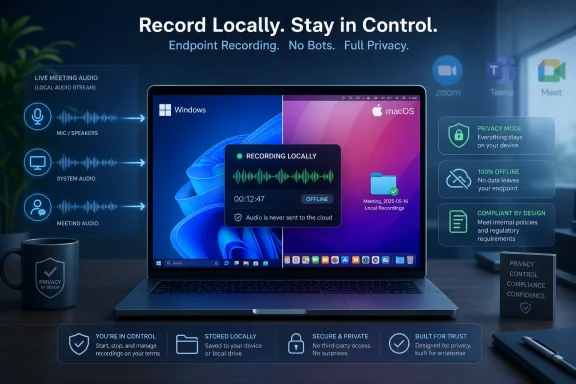
That is not a small product-positioning tweak. It is a recognition that the first generation of AI meeting assistants solved convenience before it solved trust. Notta is trying to make the desktop PC matter again in a category that has spent years pushing audio, transcripts, summaries, and organizational memory into the cloud.
Notta Is Selling Control, Not Just Transcription
The headline feature in Privacy Mode is local transcription, but the real product is discretion. Notta Desktop captures system audio and microphone audio from the user’s machine, which means it can record meetings across conferencing platforms without appearing as another participant in the call. In ordinary cloud workflows, a meeting assistant often joins as a visible bot, records the session, sends data to a vendor system, and returns a transcript or summary afterward.
That bot model has obvious advantages. It can work even if the user is not fully engaged, it can integrate with calendars, and it can centralize meeting records for a team. But it also changes the social and compliance shape of a meeting. A call that once had five people suddenly has six participants, and the sixth may be an automated agent representing a third-party service.
Notta’s pitch is that some meetings do not tolerate that extra presence. A legal review, pricing negotiation, HR discussion, acquisition call, customer escalation, or research interview may need notes, but it may not need a bot that announces itself, triggers concern, or creates a new data-processing path. Privacy Mode is aimed at that uncomfortable middle ground where transcription is useful but cloud handling feels excessive.
The company’s CEO, Ryan Zhang, framed the issue directly in the announcement: many teams rely on meeting transcription, but not every conversation belongs in the cloud. That sentence is marketing, but it is also a useful diagnosis of where the market has landed. The novelty is no longer that software can transcribe a meeting; the novelty is that a vendor is treating where the transcription happens as a first-class product choice.
The Bot-Free Meeting Is a Social Feature Masquerading as a Technical One
The most visible change in Notta Desktop is not the local model. It is the absence of a meeting bot. Anyone who has watched an AI notetaker enter a call under a colleague’s name, a vendor’s brand, or a slightly uncanny “assistant” label knows that bot presence is not a neutral implementation detail.
In theory, visible bots promote transparency. In practice, they also create friction. Participants ask who invited the bot, whether it is recording, where the data goes, whether the host approved it, and whether the meeting can proceed. In regulated or client-facing environments, those questions are not paranoia; they are operational hygiene.
Notta Desktop’s bot-free approach moves recording back to the local machine. The app listens to the same audio the user hears and the same microphone the user uses. That makes the workflow feel more like a local recorder than a meeting participant, even though consent and recording-law obligations still apply.
This matters for Windows users because the PC has quietly become the place where meeting work is consolidated. Teams may be the official channel, Zoom may be the client’s preference, Google Meet may come from a partner, and Slack huddles may fill the gaps. A bot-based assistant has to navigate each platform’s rules and meeting permissions; a desktop recorder can sit beneath them, assuming the operating system grants access to the relevant audio devices.
The social consequence is significant. A local recorder does not solve every consent problem, but it reduces the performative oddity of inviting a robot into the room. For some organizations, that may be the difference between banning AI notetakers outright and allowing a controlled, local workflow for specific users.
Local-First Does Not Mean Magic Privacy
The phrase “local transcription” can do too much work if it is not handled carefully. Notta says Privacy Mode records and transcribes supported meetings locally, keeps transcripts and recordings on the device, and works offline after setup. Its Privacy Mode page says audio does not need to be uploaded for cloud transcription and that recordings, transcripts, folders, and related data are stored in a local folder.
That is meaningful. It removes a major class of risk: routine upload of sensitive audio to a cloud transcription pipeline. It also gives users and administrators a clearer asset to protect: the endpoint and the local storage location.
But local processing is not the same as total safety. A transcript stored on a laptop can be copied, synced by another tool, indexed by desktop search, backed up to a cloud drive, attached to an email, or exposed by malware. If the device is unmanaged, unencrypted, or shared across users, local storage may simply move the compliance burden from vendor review to endpoint governance.
There is also a product boundary inside Notta’s own positioning. Privacy Mode is not the same as the full Notta cloud workflow. Notta says users can choose local mode when privacy matters more than maximum accuracy, and cloud mode when they need higher accuracy, easier workspace sharing, or standard cloud collaboration features. That trade-off is the honest part of the announcement.
For IT teams, the right reading is not “Privacy Mode makes meetings private.” The better reading is “Privacy Mode makes the data path narrower and more inspectable.” That is still valuable, but it does not eliminate policy work, consent rules, retention requirements, device security, or user training.
The Desktop Client Becomes the New Policy Boundary
Notta Desktop is available for Mac Apple Silicon, Mac Intel, and Windows x64 devices. The Windows requirement is Windows 10 version 2004 or later, with Windows 11 recommended. Privacy Mode requires Notta Desktop 1.1.0 or later for eligible users who download the local offline model, while the announcement lists the latest builds as Mac 1.2.0 and Windows 1.2.1.
Those details are not trivia for administrators. They define the support surface. A cloud meeting bot can often be governed at the application, OAuth, calendar, or tenant level. A desktop recording tool has to be governed at the endpoint level, through software deployment, device permissions, storage controls, app allowlists, and user policy.
On Windows, that puts Notta Desktop in the same operational bucket as screen recorders, local dictation tools, developer utilities, and communication apps. It is not merely a SaaS toggle. It is software that captures audio from a user’s machine, stores sensitive files locally, and may be used across multiple meeting platforms.
That can be a strength. Endpoint management is familiar territory for mature IT shops. Microsoft Intune, Group Policy, EDR tooling, disk encryption, data loss prevention, and application control can all become part of the governance story. A local transcription model gives administrators more to manage, but it also gives them more direct places to apply controls.
The harder case is the small business or professional services firm that wants privacy but lacks mature endpoint governance. For those teams, local transcription can feel safer than the cloud while still creating a messy sprawl of recordings and transcripts on individual machines. The privacy win depends on whether the organization can keep those files from becoming forgotten evidence scattered across laptops.
The Language List Shows the Promise and the Ceiling
Notta’s default local offline model supports auto language detection, English, Japanese, Korean, Cantonese, and Simplified Chinese. On macOS 26.0 or later, Apple Speech Analyzer expands the list to English, Japanese, Korean, German, French, Spanish, Italian, Portuguese, Cantonese, Traditional Chinese, and Simplified Chinese. Notta’s own materials say Apple Speech Analyzer, where available, is recommended because it is faster and more accurate than the default local model.
That split illustrates the current state of local AI on desktops. The privacy model is attractive, but the quality and language coverage depend heavily on the local speech engine and the operating system. A Windows x64 machine gets Notta’s local offline model. A newer Mac may get Apple’s broader on-device speech stack. The same product promise therefore lands differently depending on hardware and OS version.
For multinational teams, this matters more than the beta label. Meeting transcription is only as useful as its ability to handle accents, code-switching, cross-talk, jargon, and the languages actually spoken in the room. A privacy-sensitive workflow that supports only part of a team’s language reality may be a niche tool rather than a default standard.
There is also a subtle platform story here. Apple and Microsoft have both been pushing more AI and speech capability toward the device, but the practical results vary by API, hardware, model availability, and developer adoption. Notta’s Mac story, at least as described in the announcement, benefits from Apple’s local speech infrastructure in a way the Windows build does not yet appear to match.
That does not make the Windows version unimportant. In many enterprises, Windows remains the default meeting machine. But it does mean Windows administrators should test accuracy and performance rather than assume parity with marketing screenshots or Mac-centric demos.
Cloud Meeting Intelligence Has Become Too Useful to Ignore
The reason products like Notta exist is not laziness. Meetings are where decisions happen, and most organizations are bad at converting spoken work into durable records. Transcripts, summaries, action items, customer notes, and internal documentation all solve real problems.
Microsoft Teams, Zoom, Google Meet, Otter, Fireflies, Fathom, and a long list of AI notetakers have normalized the idea that a meeting should produce artifacts. Microsoft’s own Teams documentation says recordings and transcripts are stored in OneDrive for Business or SharePoint, depending on the meeting type. Zoom’s AI materials describe cloud processing paths for features that generate transcripts, summaries, and notes. Otter’s help materials have long described a notetaker that joins meetings as a guest participant.
That ecosystem has trained users to expect searchable conversation history. It has also trained administrators to worry about where that history lives. A transcript is not just notes; it is often a more complete and more discoverable version of what people said than anyone intended to create.
This is why local transcription is arriving as an answer to a second-order problem. The first-order problem was: “Can AI take notes for me?” The second-order problem is: “What did we just create, who controls it, and how long will it exist?” Privacy Mode is Notta’s attempt to answer that second question without giving up the productivity gains of the first.
The answer will not satisfy every organization. Some companies want centralized retention and eDiscovery. Some want transcripts in Microsoft 365, governed by existing compliance tooling. Some want no recordings at all unless explicitly approved. But the existence of a local option gives teams another governance pattern: sensitive meetings can remain outside the standard cloud note pipeline by design.
The Beta Label Is Doing Real Work
Notta calls the desktop app a beta, and that should temper expectations. Local transcription is demanding. It depends on CPU, memory, storage, audio routing, OS permissions, and the stability of the conferencing app being recorded. Notta’s own Privacy Mode materials mention practical constraints such as RAM, CPU cores, writable storage, and warnings when available disk space drops too low.
That is not a criticism so much as a reminder that cloud transcription became popular partly because it hides complexity. The vendor pays for the inference hardware, manages model updates, handles queueing, and returns results through a web interface. Local transcription gives the user more control, but it also makes the user’s machine part of the production pipeline.
For Windows users, the basic requirement of Windows 10 version 2004 or later is broad enough to include many business machines, but the experience will not be uniform. A modern Windows 11 laptop with a fast processor, ample RAM, and clean audio devices is a different environment from an older Windows 10 box already sagging under security agents and browser tabs. Local AI features tend to reveal the true condition of the endpoint.
The beta status also matters for support expectations. A bot that joins a meeting and processes audio in the cloud may fail in visible, centralized ways. A desktop recorder may fail locally: wrong input selected, system audio blocked, headset driver behaving badly, storage unavailable, VPN policy interfering, or the app simply not detecting the meeting correctly.
That means early adopters should treat Privacy Mode as a workflow to pilot, not merely a feature to switch on. Test it with the actual meeting platforms your organization uses. Test it with headsets, conference-room microphones, browser-based meetings, desktop clients, multi-monitor setups, and noisy rooms. The difference between “works in a demo” and “works every Tuesday with the finance committee” is where IT earns its keep.
Consent Is Still the Unskippable Layer
A bot-free recorder may be less intrusive, but it is not exempt from recording rules. In the United States, consent laws vary by state, and organizations often apply stricter internal policies than the law requires. Internationally, employee monitoring, customer recording, and personal data rules can be even more complicated.
This is the part of the market that marketing language tends to soften. “No bot” can sound like “no one has to know.” That is the wrong lesson. The absence of a meeting bot removes one form of disclosure, so teams may need other forms of disclosure to ensure everyone understands when a meeting is being recorded and transcribed.
In fact, the bot’s awkwardness sometimes served a useful function. A visible notetaker entering a call forced a conversation about recording. If local tools make recording less visible, organizations need policy, training, and meeting etiquette to fill the gap.
The better model is explicit and boring: tell participants when recording starts, define approved use cases, decide where local files are stored, set retention expectations, and clarify whether transcripts can be copied into CRM systems, ticketing tools, internal wikis, or AI summarizers. Privacy Mode can reduce cloud exposure, but it cannot decide the ethics of recording for you.
For WindowsForum readers, this is where the feature intersects with real-world administration. The tool may be local-first, but governance is still organizational. A transcript of a sensitive customer call remains sensitive whether it sits in a SaaS dashboard or in a folder under a user profile.
Notta Is Riding a Larger Shift Back to the Edge
The broader significance of Privacy Mode is that it fits a larger industry correction. After two years of cloud-first generative AI enthusiasm, vendors are rediscovering the edge: laptops, phones, workstations, and local models that can handle private or latency-sensitive tasks without a round trip to a server.
This does not mean the cloud is going away. The best cloud models remain more capable, easier to update, and better suited to collaboration across teams. Notta itself says cloud mode remains the right choice when users need higher accuracy, workspace sharing, and standard cloud workflows. The product is not a rejection of cloud AI; it is a segmentation of use cases.
That segmentation is overdue. Not every meeting has the same sensitivity. A weekly project sync, public webinar, sales enablement call, and privileged legal discussion should not necessarily flow through the same data path. The mature version of AI productivity will not be one universal assistant that records everything by default. It will be a set of modes matched to risk.
Local transcription also changes the economics. If transcription runs on the user’s machine, the vendor’s compute cost falls, and usage limits can look different. Notta’s Privacy Mode materials describe unlimited local transcription in the sense that it does not consume cloud transcription minutes, while still acknowledging practical limits imposed by the user’s hardware and storage. That is the kind of distinction buyers should demand across the AI market.
The challenge is that “local” will become a buzzword. Vendors will use it to imply privacy without spelling out setup requirements, telemetry, model downloads, update checks, account login, optional cloud features, and file storage behavior. Notta has put a useful stake in the ground, but customers should still ask precise questions.
Microsoft Shops Should See Both Opportunity and Policy Debt
For Microsoft-centric organizations, Notta Desktop lands in an interesting place. Teams already has recording, transcription, storage, and compliance hooks inside Microsoft 365. For many enterprises, that integration is the point. Meeting artifacts live in OneDrive or SharePoint, permissions follow tenant rules, and administrators can align recording with retention and discovery policies.
But not every meeting happens in Teams, and not every organization wants every sensitive transcript inside a collaboration tenant by default. A lawyer on a client Zoom call, a consultant on Google Meet, or a finance team using Webex may want a consistent recording workflow that is not tied to the platform host. Notta Desktop offers that cross-platform layer.
That cross-platform convenience creates policy debt. If a user can record Teams, Zoom, Meet, Slack, and Webex from one desktop app, then platform-specific controls are no longer sufficient. Blocking a bot from Teams does not govern a local recorder capturing system audio. Disabling a meeting assistant in one SaaS product does not necessarily stop a desktop tool.
This is where IT departments need to update their mental model. The next wave of meeting AI will not only be visible bots and cloud add-ons. It will include endpoint tools, browser extensions, OS-level features, local models, and hybrid workflows that shift between cloud and device. Governance needs to follow the audio, not just the calendar invite.
There is a legitimate upside. A sanctioned local transcription app may be better than a shadow-IT mess of browser tools, phone recordings, consumer dictation apps, and unapproved bots. If Notta Desktop can be deployed, documented, and limited to approved scenarios, it gives organizations a controlled alternative to the all-or-nothing fight over AI notes.
The Feature’s Real Test Will Be Boring Enterprise Behavior
The success of Privacy Mode will not be decided by whether the phrase “bot-free” sounds good in a press release. It will be decided by mundane behavior inside teams. Do users understand when they are in Privacy Mode versus cloud mode? Do they know where files are stored? Can administrators audit or at least govern deployment? Do transcripts remain local, or do they immediately get pasted into cloud AI tools for summaries?
That last point is especially important. Notta’s announcement says users can use the output for follow-up work such as summaries, reports, action items, internal documentation, or customer notes. Those are exactly the workflows that may tempt users to move a local transcript into another cloud service. Privacy Mode can protect the transcription stage while the post-processing stage reintroduces exposure.
The same issue appears in every local AI workflow. A tool can process data on-device, but the user’s next action may be to share, sync, upload, or summarize elsewhere. The privacy boundary is not the feature; it is the workflow around the feature.
For vendors, this is an opportunity to build clearer controls. A strong enterprise version of local meeting transcription would offer administrative settings for storage location, export restrictions, retention timers, encryption expectations, update channels, and mode availability. It would make the difference between local and cloud obvious enough that users cannot accidentally choose the wrong one.
For buyers, the evaluation should be practical. Run the app on standard hardware, compare transcription quality across languages and accents, inspect local storage behavior, test offline operation after setup, review account requirements, and decide how transcripts move into downstream systems. If the product is being purchased for privacy, the review should not stop at the word “local.”
The Privacy Mode Bet Comes Down to Five Operational Realities
Notta’s announcement is best read as an early signal that AI meeting tools are moving from novelty to infrastructure. Once a tool becomes infrastructure, its defaults, storage locations, and failure modes matter as much as its feature list. Privacy Mode is promising because it narrows the data path, but it will earn trust only if organizations treat it as a governed workflow rather than a privacy sticker.
- Notta Desktop Privacy Mode is designed to record and transcribe supported meetings locally without adding a bot as a visible meeting participant.
- The feature is available in Notta Desktop 1.1.0 and later for eligible users who download the local offline model, with the announcement listing current builds as Mac 1.2.0 and Windows 1.2.1.
- Windows users need Windows 10 version 2004 or later, while Notta recommends Windows 11 for the best experience.
- The default local offline model supports auto language detection plus English, Japanese, Korean, Cantonese, and Simplified Chinese.
- Local transcription reduces cloud exposure, but it does not remove consent duties, endpoint security requirements, retention decisions, or downstream sharing risks.
- The biggest enterprise question is whether Notta can make Privacy Mode manageable at scale without turning local transcripts into a new shadow data store.
Notta’s Privacy Mode is not the end of cloud meeting intelligence; it is a sign that the category is growing up. The first wave of AI notetakers asked users to accept a bot in the room and a cloud pipeline behind it because the convenience was dazzling enough to quiet the objections. The next wave will have to offer modes, boundaries, and proof. If Notta can make local transcription reliable on everyday Windows and Mac hardware, it will not just have added a privacy feature — it will have helped redefine what responsible meeting AI is supposed to look like.
References
- Notta Highlights Privacy Mode for Notta Desktop, a Bot-Free Local Transcription Workflow for Sensitive Meetings The Manila Times · 2026-07-03T10:42:11.318446