

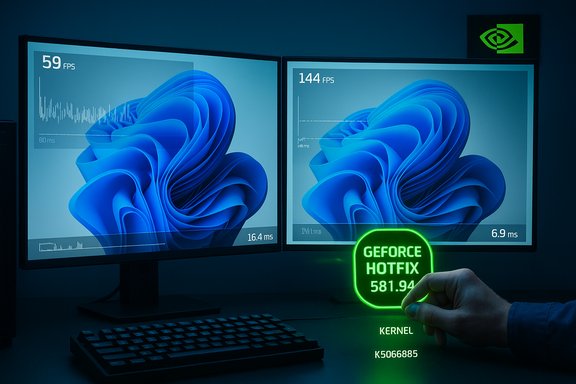
Windows 11 users who noticed sudden frame drops and stuttering after October’s cumulative update now have a vendor-issued escape hatch: NVIDIA pushed a targeted GeForce Hotfix Display Driver — version 581.94 — that explicitly aims to restore lost performance on systems impacted by KB5066835.
Background / Overview
Microsoft’s October cumulative update for Windows 11, published under the KB number KB5066835, rolled out to consumer servicing branches and changed several low-level platform behaviors. Within weeks, community telemetry and independent testing began showing a correlated uptick in reports of degraded gaming performance on some systems — lower average frames per second (FPS), worse 1% lows, and increased micro‑stutter in a range of contemporary DirectX 12 titles. NVIDIA investigated those reports and released a rapid-response hotfix driver on November 19, 2025: GeForce Hotfix Display Driver 581.94. The company’s brief advisory states the package “addresses: Lower performance may be observed in some games after updating to Windows 11 October 2025 KB5066835.” NVIDIA built this hotfix on top of the Game Ready Driver 581.80 and distributed it via the hotfix/support channel rather than through the regular WHQL Game Ready release cycle. This is a classic example of a modern, highly coupled PC software stack reacting poorly to a platform change: an OS servicing rollup modified kernel or subsystem behavior in ways that altered timing or driver interactions, which in turn produced observable degradation in game performance for some GPU/driver/game combinations. The symptom set varied widely by title, anti‑cheat middleware, overlays, and hardware, which made root‑cause triage complex and unevenly distributed across the installed base.What the Softonic report said — succinct summary
- The Softonic article reported widespread user complaints after the October cumulative update and highlighted DirectX 12 titles as especially sensitive to the regression.
- It named high-profile titles such as Assassin’s Creed, Battlefield 6, and Call of Duty: Black Ops 7 among those where players saw stuttering and frame-rate drops.
- Softonic wrote that NVIDIA’s hotfix (581.94) restored performance — in some extreme community-reported cases boosting FPS from the mid‑50s into the 90s — but cautioned that the hotfix was a beta-level release and should be used only by users who could reproduce the regression after installing KB5066835.
- The article also noted that the regression may affect AMD and Intel GPUs in some configurations and framed NVIDIA’s driver as a practical, short‑term mitigation while the broader OS/driver interaction is investigated.
What NVIDIA’s hotfix actually is (and is not)
The facts
- Product: GeForce Hotfix Display Driver 581.94.
- Release date: Published to NVIDIA’s support/hotfix channels on November 19, 2025.
- Basis: Built on top of Game Ready Driver 581.80 (minimal change set).
- Scope statement: “Lower performance may be observed in some games after updating to Windows 11 October 2025 KB5066835.” NVIDIA intentionally did not publish a per‑game or per‑GPU SKU list.
What it isn’t
- It is not a full WHQL-certified Game Ready driver. NVIDIA distributed 581.94 as a hotfix with an abbreviated QA cycle to get an immediate mitigation into users’ hands. The company has said the changes will be folded into the next regular driver release.
Practical implications
- The hotfix is targeted and surgical: it tries to restore expected performance for systems where the Windows cumulative produced measurable regressions. Because NVIDIA did not list affected titles or SKUs, users must validate the impact on their own hardware. Community reports show many regained prior performance after installing 581.94, but outcomes are heterogeneous.
Which games were affected — the evidence and limits
Community reporting and independent test benches flagged a range of modern DirectX 12 titles, with some of the loudest signals coming from GPU‑heavy, micro‑timing‑sensitive games. Prominent titles repeatedly called out in community threads and coverage include:- Assassin’s Creed Shadows (a notable canary because of heavy GPU utilization and present cadence sensitivity).
- Counter‑Strike 2 and other titles where high frame rates and tight frame pacing make regressions obvious in telemetry.
- Reports also mentioned entries in the Call of Duty and Battlefield lines, but NVIDIA’s advisory did not supply an official list.
Why an OS update can change game performance (technical overview)
Modern PC gaming is a tightly coupled stack: the game engine, runtime APIs (DirectX 12/DXR), graphics driver, kernel subsystems, overlays, anti‑cheat drivers, and the OS scheduler must all work in precise timing. When a cumulative OS update touches low‑level behavior — scheduler heuristics, interrupt handling, timing loops, or driver-facing APIs — subtle timing shifts can cascade into:- Lower GPU utilization because frame submission timing changed.
- Worse frame pacing and higher 1%/0.1% lows due to misaligned present/queue semantics.
- Micro‑stuttering when previously predictable polling or interrupt behavior changes.
- Rare hard failures (black screens/crashes) in edge scenarios where an overlay or anti‑cheat hook depended on older timing or kernel behavior.
How to decide whether to install 581.94 (risk vs reward)
Who should consider installing the hotfix
- Users who can reproduce lower FPS, degraded 1% lows, or stuttering that clearly began after installing KB5066835.
- Testers and enthusiasts who keep careful baselines and want to validate whether the driver resolves measurable regressions in their specific titles.
Who should wait
- Systems that are running well and show no regression after KB5066835 should not rush to install an abbreviated‑QA hotfix. NVIDIA’s guidance is explicit: if you’re not seeing problems, wait for the hotfix to be merged into a regular Game Ready release.
Risks of installing a hotfix
- Hotfix drivers undergo an abbreviated QA pass and therefore carry a slightly higher (but still modest) risk of introducing new edge-case regressions.
- Because NVIDIA did not publish an exhaustive fixed‑title list, the hotfix could do nothing for some users and, in rare cases, trigger unexpected issues in niche configurations.
- Interactions with future Windows updates may change the symptom set again; a hotfix addressed to a particular OS build might not be the final fix if Microsoft later alters the platform behavior in subsequent rollups.
Step‑by‑step: How to apply 581.94 safely and verify results
Follow a measured process so you can roll back quickly if anything goes wrong:- Create a System Restore point and take any quick backups you rely on.
- Capture baseline metrics: record averages, 1% and 0.1% lows, and frame‑time graphs for the exact scenes you’ll retest. Use PresentMon, CapFrameX, NVIDIA FrameView, or built‑in in‑game benchmarks.
- Download GeForce Hotfix Display Driver 581.94 only from NVIDIA’s official support/hotfix pages or via GeForce Experience. Confirm the support note references KB5066835.
- Install using the Custom → Clean Install option in the NVIDIA installer. This reduces legacy artifact risk. Reboot.
- Re-run your captured benchmarks and compare average FPS, 1%/0.1% lows, and frame‑time consistency — do not rely on single FPS numbers alone.
- If you see no improvement or you encounter new issues, perform a DDU (Display Driver Uninstaller) clean removal in Safe Mode and then either reinstall 581.94 or roll back to a previously stable driver. Keep DxDiag and step‑by‑step reproduction notes for an NVIDIA support ticket if needed.
- Backup / Restore Point
- Baseline metrics (PresentMon / CapFrameX / FrameView)
- Download 581.94 from NVIDIA support or GeForce Experience
- Custom → Clean Install → Reboot
- Retest and compare results
- If needed, DDU → reinstall → report to NVIDIA
How to interpret test results (what to look for)
- Compare average FPS but prioritize 1% and 0.1% lows and the frame‑time graph for smoothness. A driver that increases average FPS but worsens frame‑time spikes may not feel better.
- Use identical scenes, resolution and quality settings between runs. Keep background applications and overlays consistent.
- If improvements are inconsistent across titles, identify commonalities (DirectX version, overlay/anti‑cheat presence, DLSS/frame generation usage) and report those details with logs when contacting NVIDIA.
Vendor coordination and the bigger picture
This incident highlights two systemic tensions in modern PC maintenance:- As GPU features (DLSS, frame generation, variable rate shading) grow and game engines push timing sensitivity, the coordination surface between OS vendors and GPU vendors also grows. Faster OS servicing cycles mean more frequent interactions that require vendor coordination pre‑release — something that’s operationally hard at scale.
- Hotfix channels are a pragmatic short‑term tool to remediate regressions quickly, but they are stopgaps. The durable solution is a properly tested Game Ready driver folded into the standard release cadence and, where necessary, an OS update fix from Microsoft that stabilizes the platform semantics drivers rely on.
Critical analysis — strengths, weaknesses, and unanswered questions
Strengths of NVIDIA’s response
- Speed: NVIDIA moved quickly to deliver a targeted mitigation and communicated the narrow scope of the change. Rapid vendor action minimized disruption for many users.
- Conservative messaging: The hotfix release note is deliberately brief and conservative, avoiding over‑claiming and encouraging measured deployment by unaffected users.
Weaknesses and risks
- Abbreviated QA: Hotfixes trade breadth of testing for speed. That carries a modest risk that edge‑case regressions could slip through. Users must be ready to rollback or DDU if they encounter new problems.
- Lack of detailed root‑cause transparency: NVIDIA’s advisory did not publish a granular technical post‑mortem. The community’s analyses point to timing/OS interaction issues, but the absence of a definitive line‑by‑line cause leaves room for follow‑up uncertainty.
Unanswered technical questions
- Did Microsoft alter a specific kernel timing path, scheduling heuristic, or synchronization primitive that materially changed present/submit timing for D3D12 workloads? Public vendor posts have not enumerated the exact code-level change.
- To what degree did third‑party overlays and anti‑cheat drivers amplify the symptom set? Early reports highlight these factors, but rigorous cross‑vendor telemetry would be needed to quantify their contribution.
Practical verdict — what you should do now
- If you saw a measurable drop in FPS, worse 1% lows, or new stuttering after KB5066835, download and test GeForce Hotfix 581.94 using a Clean Install path and validate against your baseline metrics. Back up first.
- If your system runs well, avoid the hotfix and wait for the same mitigation to appear in the next full Game Ready driver. NVIDIA’s messaging explicitly supports this conservative path.
- If you manage fleets or tournament rigs, pilot the hotfix on noncritical systems first and keep rollback plans ready. Document Windows update history and driver versions to make support triage faster if issues persist.
Conclusion
The Windows 11 October cumulative (KB5066835) triggered a noisy, heterogeneous set of gaming regressions that exposed the fragility of tightly coupled PC stacks. NVIDIA’s GeForce Hotfix Display Driver 581.94 is a practical, vendor‑supported mitigation that many affected users report restores lost FPS and smoothness; it is, however, deliberately narrow and shipped with abbreviated QA. Test carefully, back up, and validate results against documented baselines before adopting the hotfix widely. If your rig wasn’t affected, the safest course is to wait for a full Game Ready release that incorporates the fix after standard certification and broader testing.Source: Softonic Windows 11 is causing your video games to run worse: here's how you can get your NVIDIA to fix it - Softonic
