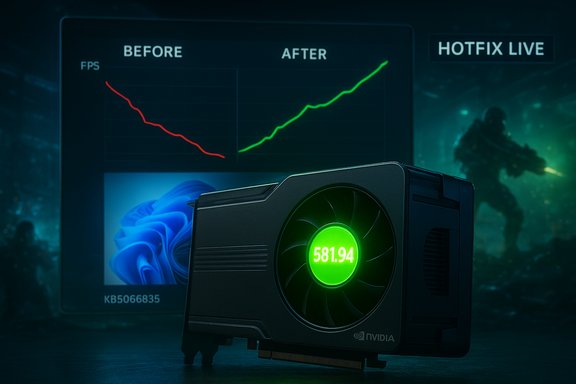
Nvidia has confirmed that Windows 11’s October 2025 cumulative update (KB5066835) caused measurable reductions in in‑game performance on some systems and has issued a targeted hotfix driver — GeForce Hotfix Display Driver version 581.94 — to restore expected frame rates and stability for affected gamers.
Windows 11’s October 14, 2025 cumulative update, published as KB5066835 (OS builds 26200.6899 for 25H2 and 26100.6899 for 24H2), introduced a range of fixes and platform changes. The same servicing branch continued to receive follow‑up updates in November (for example KB5068861), and community testing soon flagged a regression: a subset of systems reported lower frame rates, worse frame pacing, stutters, and in rare cases black screens or crashes during gaming after the October cumulative landed. Microsoft later issued an emergency out‑of‑band patch to address a high‑impact Recovery Environment regression that surfaced in the same window. The problem became a multi‑vendor troubleshooting issue because the symptoms were not uniform: they varied by game, driver, anti‑cheat stack, and hardware configuration. Independent tests and community telemetry tied the timing of the regressions to the October cumulative, prompting Nvidia to investigate and ultimately publish a hotfix driver that explicitly calls out lower gaming performance after KB5066835.
For power users and IT teams, the lesson is twofold:
Nvidia’s hotfix is a direct and practical response; it will restore expected performance for many users, but because the problem was layered and environment‑specific, some systems may still need extra attention. Users should test, report, and keep vendor channels informed so final, WHQL‑certified fixes can be broadened and future regressions avoided.
Source: XDA Nvidia confirms that Windows 11's October update hurt gaming performance, releases a patch
 Background / Overview
Windows 11’s October 14, 2025 cumulative update, published as KB5066835 (OS builds 26200.6899 for 25H2 and 26100.6899 for 24H2), introduced a range of fixes and platform changes. The same servicing branch continued to receive follow‑up updates in November (for example KB5068861), and community testing soon flagged a regression: a subset of systems reported lower frame rates, worse frame pacing, stutters, and in rare cases black screens or crashes during gaming after the October cumulative landed. Microsoft later issued an emergency out‑of‑band patch to address a high‑impact Recovery Environment regression that surfaced in the same window. The problem became a multi‑vendor troubleshooting issue because the symptoms were not uniform: they varied by game, driver, anti‑cheat stack, and hardware configuration. Independent tests and community telemetry tied the timing of the regressions to the October cumulative, prompting Nvidia to investigate and ultimately publish a hotfix driver that explicitly calls out lower gaming performance after KB5066835. What Nvidia said — the hotfix and its scope
The release
Nvidia published a short, targeted hotfix notice titled GeForce Hotfix Display Driver version 581.94, dated November 19, 2025. The single line summary in the official support note states the hotfix “addresses: Lower performance may be observed in some games after updating to Windows 11 October 2025 KB5066835 [5561605].” The hotfix is built on top of the Game Ready Driver 581.80 and is explicitly described as a mitigation for the performance regression.What Nvidia did not claim
Nvidia’s bulletin does not list a long roster of fixed titles, specific GPU models, or exact root‑cause details. The wording is conservative — it acknowledges the observed symptom (“lower performance in some games”) and provides a corrective driver. Because Nvidia did not enumerate affected GPU models or titles in the brief hotfix note, the company appears to be treating this as a general performance regression tied to the OS change rather than a single hardware‑specific failure. That lack of fine detail is important: it means users must test their own configurations after installing the hotfix to confirm recovery.How widespread and serious were the symptoms?
Community and independent testing showed a mixed but convincing pattern: some users reported small but consistent frame‑rate drops or degraded frame pacing after the October cumulative, while others saw more severe failures including black screens or game crashes under load. The behavior was not universal — many systems were unaffected — which complicated immediate triage and made vendor coordination necessary. Microsoft’s cumulative updates in October and November included a mix of security and non‑security fixes and also produced unrelated but high‑visibility regressions (for example, WinRE input problems and localhost/HTTP.sys issues), indicating the October servicing cycle had reached deep system components. Key diagnostics community testers used to identify affected systems included:- Checking the Windows OS build (Settings → System → About) for builds 26200.6899 or newer on 25H2 and 26100.6899 or newer on 24H2.
- Recording FPS averages and frame‑time graphs with CapFrameX, OCAT, or in‑game overlays.
- Observing whether stuttering, progressive FPS loss, or hard failures correlated with the time of the Windows update.
What this means for gamers and PC enthusiasts
The crucial takeaway is practical: if you noticed a sudden drop in gaming performance around mid‑October to November 2025 and you run an Nvidia GPU on Windows 11 24H2/25H2, installing Nvidia’s hotfix driver 581.94 is the first recommended step. Nvidia’s hotfix explicitly targets the regression and can be downloaded from the Nvidia Drivers page or obtained via the Nvidia App (GeForce Experience). After installation a reboot is required. However, because the regression was heterogeneous in its manifestations and causes, expect to perform verification and, in a minority of cases, additional remediation steps (clean driver install, driver rollback, or reporting detailed logs to Nvidia) if the hotfix does not fully restore your previous performance. Community guidance and vendor pages have circulated standard troubleshooting measures — these remain relevant here.Step‑by‑step: how to apply Nvidia’s hotfix and verify results
- Download the hotfix
- Visit Nvidia’s official GeForce Drivers / Hotfix support page and locate driver 581.94. Confirm the date (11/19/2025) and that the release note includes the KB5066835 performance line.
- Optional — backup and create restore points
- Create a system restore point or backup image before making changes if you rely on your system for mission‑critical tasks or competitive play.
- Install the driver
- Run the installer downloaded from Nvidia (or use the Nvidia App if you prefer). Choose the Custom install option and select Clean Install if available to remove remnants of the previous driver.
- Reboot
- Reboot the PC after the install completes.
- Verify in‑game
- Test your previously affected titles using tools like the in‑game FPS overlay, CapFrameX, or FRAPS. Compare current averages and frame‑time graphs to pre‑update baselines if you have them.
- If problems persist
- Try a clean uninstall with Display Driver Uninstaller (DDU) in Safe Mode, then reinstall 581.94. If the hotfix does not restore performance, consider rolling back to a known‑good older driver (some users found relief on older 570–577 branches during prior episodes), but be aware older drivers may lack newer fixes and security updates.
- Report details to Nvidia
- If your issue remains, collect logs (DxDiag, GPU driver logs, crash dumps) and file a report through Nvidia’s support channels. Include Windows build number, driver version, exact GPU model, and a concise description of the symptom and reproducible steps. Nvidia uses user reports to refine driver fixes and expand test coverage.
Technical analysis — likely causes and the vendor interplay
The pattern of symptoms and the timeline point to an interaction between the OS servicing changes and GPU driver/overlay codepaths rather than a simple single‑driver regression. When a cumulative update touches low‑level kernel or scheduler behavior, it can alter timing, context switching, or system call paths that drivers and overlays depend on. Those small differences can produce measurable performance drift in tight render loops (gaming) or expose race conditions in overlay and anti‑cheat integrations. Nvidia’s hotfix suggests the company found and adjusted driver behavior to accommodate the updated Windows internals. There are three plausible, overlapping mechanisms:- Kernel/subsystem timing changes (e.g., I/O or scheduler behavior) that affect GPU driver dispatch and frame submission queues.
- Overlay and companion software interactions (GeForce Experience overlay, instant replay hooks) that add overhead or touch new code paths introduced by the cumulative.
- Platform heterogeneity: OEM drivers, anti‑cheat kernel modules, and firmware stacks (especially in laptops and handheld consoles) can create configuration‑specific failure modes visible only after a broad OS servicing change.
Strengths in the response — quick vendor action and clarity
- Timely vendor engagement: Microsoft pushed an out‑of‑band patch for the high‑impact WinRE regression, while Nvidia released a hotfix driver that explicitly references KB5066835. That combination demonstrates rapid incident response across vendors when platform stability is at stake.
- Clear diagnostic checks: Microsoft’s KBs and build numbers provide deterministic checks for whether a device received the cumulative (OS build numbers make triage easier). Community testing produced actionable steps that helped surface the regression early.
- Standard mitigations available: Established procedures (clean installs, DDU, rollbacks to prior driver branches) remain effective fallback options for users who need immediate relief.
Risks, residual concerns, and what to watch for
- Fragmented fixes increase complexity. When a problem requires both OS servicing and a GPU driver fix, applying the wrong combination or out‑of‑order patches can leave a system in a partially fixed state that’s harder to debug. IT admins and power users should stage updates and maintain images for rollback.
- Secondary regressions are possible. Emergency fixes sometimes introduce new issues. Users should validate a broad set of scenarios (gaming, capture/streaming, recovery environment, dev tools) after applying vendor fixes.
- Lack of fine‑grained scope from Nvidia. Nvidia’s hotfix note does not list affected models or titles. That omission means some users will need to test manually; it also leaves room for confusion when third‑party outlets quote version numbers without direct checks against Nvidia’s download catalog. Confirm driver packages and checksums on Nvidia’s official download pages before installing.
- Anti‑cheat and multiplayer implications. Changes that affect kernel timing or driver behavior can have outsized effects in competitive multiplayer titles where perceived input latency matters. Tournament organizers and streamers should pilot the driver + Windows combination before upgrading production rigs.
How we verified the facts (brief transparency note)
- Nvidia’s hotfix release and wording were validated against Nvidia’s official support bulletin listing GeForce Hotfix Display Driver 581.94 (published 11/19/2025).
- Microsoft’s KB pages for KB5066835 (October 14, 2025) and related November cumulatives were consulted to confirm build numbers and the timeline of patching activity.
- Independent technology press and community reporting corroborated the symptom set, the emergency WinRE patch, and follow‑up vendor coordination. This corroboration helped map the timeline and practical remediation steps.
- Community guidance and forum analyses were used to build practical troubleshooting steps, including the use of DDU, clean installs, and rollback options where necessary. Readers should treat community posts as operational guidance rather than official vendor directions and verify any suggested binaries against Nvidia’s official catalog.
Practical advice for WindowsForum.com readers (clear, prioritized)
- First: Check your Windows build (Settings → System → About). If you are on the OS builds tied to the October cumulative (26200.6899 / 26100.6899) or later, and you’ve noticed new gaming issues, proceed to step two.
- Second: Download and install GeForce Hotfix 581.94 from Nvidia’s official support page, perform a Custom > Clean Install, and reboot. Re‑benchmark the affected titles.
- Third: If problems persist, perform a clean uninstall with Display Driver Uninstaller (DDU) in Safe Mode, reinstall 581.94 cleanly, and retest. If still unresolved, roll back to a known‑good older driver branch and submit logs to Nvidia.
- Fourth: If you manage multiple gaming or streaming rigs, don’t upgrade every PC at once. Stage the Windows + driver combination in a pilot group first. Keep images for quick rollback.
- Fifth: Monitor Windows Release Health and Nvidia support announcements for expanded fix notes or WHQL releases that replace the hotfix. Major vendor releases often follow hotfixes with a fully validated Game Ready or WHQL driver.
Final assessment — why this matters and what users should learn
This episode is a reminder of the fragile interplay in modern PC stacks: an OS cumulative that touches low‑level subsystems can produce visible performance effects in user workloads like gaming, and those effects are sometimes only visible at scale across heterogenous hardware. The positive angle is that vendors responded: Microsoft issued emergency patches for the most severe recovery issues, and Nvidia released a hotfix targeted at the gaming regression. That combination — while imperfect — minimized long‑term disruption.For power users and IT teams, the lesson is twofold:
- Always stage major cumulative updates and driver upgrades across a pilot group before broad deployment.
- Keep rollback plans and restore images ready when you manage gaming rigs or production streaming systems.
Nvidia’s hotfix is a direct and practical response; it will restore expected performance for many users, but because the problem was layered and environment‑specific, some systems may still need extra attention. Users should test, report, and keep vendor channels informed so final, WHQL‑certified fixes can be broadened and future regressions avoided.
Source: XDA Nvidia confirms that Windows 11's October update hurt gaming performance, releases a patch