

Microsoft’s October 2025 cumulative update wave unexpectedly pushed a measurable number of Windows 10 and Windows 11 systems into the BitLocker recovery flow, in some cases combined with a broken Windows Recovery Environment (WinRE) that prevented users from entering their 48‑digit recovery key until Microsoft shipped an out‑of‑band fix and enterprise mitigations.
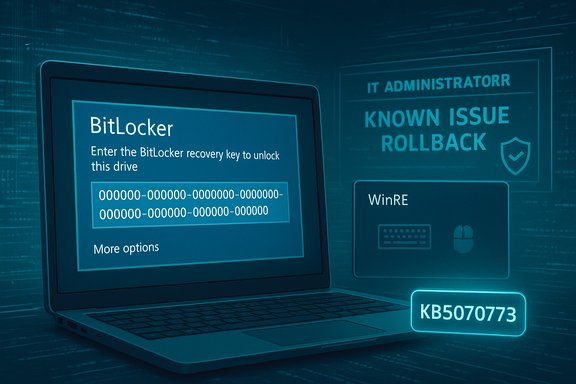
Microsoft delivered its October 14, 2025 cumulative updates (originating KBs such as KB5066835 for Windows 11 and related servicing paths) and within days acknowledged a known issue: some devices could boot into the BitLocker recovery screen and ask for the recovery key on restart. For many of the affected systems, WinRE — the minimal “Safe OS” used for recovery — failed to initialize USB keyboard and mouse input, turning a one‑time prompt into a potential device lockout for users who lacked alternate input methods or access to their recovery key. Microsoft issued an out‑of‑band update (KB5070773) on October 20, 2025 to restore USB input in WinRE and provided Known Issue Rollback (KIR) artifacts and guidance for enterprises. This article explains what happened, which systems were affected, why BitLocker triggered recovery, how to recover and mitigate the issue, what administrators should do now, and the operational lessons every Windows owner should take from this incident.
Source: Petri IT Knowledgebase Latest Windows Updates Trigger BitLocker Recovery
 Overview
Microsoft delivered its October 14, 2025 cumulative updates (originating KBs such as KB5066835 for Windows 11 and related servicing paths) and within days acknowledged a known issue: some devices could boot into the BitLocker recovery screen and ask for the recovery key on restart. For many of the affected systems, WinRE — the minimal “Safe OS” used for recovery — failed to initialize USB keyboard and mouse input, turning a one‑time prompt into a potential device lockout for users who lacked alternate input methods or access to their recovery key. Microsoft issued an out‑of‑band update (KB5070773) on October 20, 2025 to restore USB input in WinRE and provided Known Issue Rollback (KIR) artifacts and guidance for enterprises. This article explains what happened, which systems were affected, why BitLocker triggered recovery, how to recover and mitigate the issue, what administrators should do now, and the operational lessons every Windows owner should take from this incident.Background
What is BitLocker and why it matters
BitLocker is Windows’ full‑disk encryption system that ties disk decryption to a platform’s measured boot state (TPM PCRs, Secure Boot, pre‑boot components). When the measured state changes in a way BitLocker deems suspicious — for example, altered boot files, changed firmware, or a mismatched recovery environment — the OS will require the BitLocker recovery key before unlocking the drive. The recovery key is a 48‑digit numeric secret and Microsoft cannot regenerate it if it’s lost; the only supported recovery without the key is to reset or reimage the device, which erases the encrypted data.Why the October updates interacted badly with BitLocker
The October servicing wave included changes that updated the Safe OS/WinRE images and other pre‑boot components. WinRE uses a deliberately minimal driver set; if a servicing package replaces or refreshes winre.wim or Safe OS files in a way that removes or mismatches low‑level drivers (for example, USB host controller or HID drivers), the WinRE environment may not recognize USB keyboards and mice. When that happens at the same time BitLocker detects a difference in platform measurements between boots, two related problems arise:- BitLocker falls back to recovery and asks for the 48‑digit recovery key.
- WinRE fails to accept USB input, preventing key entry and recovery navigation.
Affected systems and pattern of impact
Versions and KB identifiers
- Windows 11 versions 24H2 and 25H2 — associated with the October 14, 2025 cumulative update KB5066835.
- Certain Windows 10 servicing branches (notably 22H2) also reported similar behavior after their October servicing packages.
Hardware commonalities — Modern Standby and Intel devices
Field reporting and Microsoft’s internal tracking described a heavier incidence on Intel‑based laptops that implement Modern Standby (Connected Standby), though Microsoft did not publish telemetry percentages or a precise count of affected devices. Treat the Modern Standby / Intel linkage as a strong field correlation documented by community, OEM, and vendor reporting rather than a quantified root cause. In plain terms: devices using the Modern Standby power model appear overrepresented in the incident data, plausibly because Modern Standby changes firmware and platform measurement sequences that BitLocker observes.Technical anatomy: exactly why BitLocker can require recovery after updates
- BitLocker measures key pre‑boot components (boot manager, firmware state, TPM PCRs, winre.wim contents) and stores those measurements in PCRs.
- A servicing operation that updates the Safe OS or refreshes winre.wim can change measurements or replace drivers WinRE expects at recovery time.
- If measurements differ, BitLocker interprets the change as a potential tamper and demands the recovery key.
- If WinRE’s driver set after servicing cannot enumerate USB host controllers or HID devices, the recovery UI will not accept keyboard input even though the full OS functions normally.
What Microsoft did and how they responded
- Microsoft acknowledged the WinRE USB input regression in its Windows Release Health notes and KB articles, and it published the corrected out‑of‑band cumulative update KB5070773 on October 20, 2025. The KB explicitly notes the WinRE USB fix and that the OOB package includes the October 14 security fixes alongside the correction.
- For enterprise customers, Microsoft provided Known Issue Rollback (KIR) policy definition MSI files and Group Policy artifacts so administrators could neutralize the regression in managed estates without mass uninstall of security fixes. Microsoft documented how to deploy KIR via Group Policy and emphasized KIR is a mitigation intended for enterprise scenarios.
- Independent trade outlets and community researchers corroborated the timeline and symptoms and reported that Microsoft’s rapid OOB action was necessary given the lockout scenarios reported by users. News coverage from multiple outlets emphasized the speed of Microsoft’s OOB patching and the operational pain customers experienced.
Assessment of the vendor response
Microsoft’s triage — identify, acknowledge, OOB patch, and provide KIR artifacts — is the appropriate engineering and operational sequence for a regression of this scope. The company moved quickly to restore WinRE USB support and to supply enterprise mitigations. That said, the incident reinforces recurring testing and packaging gaps around pre‑boot components: WinRE’s minimal driver surface makes small packaging or driver regressions disproportionately dangerous. The response was correct; the recurrence indicates further pre‑release validation is still needed for updates that touch the Safe OS or recovery images.Immediate actions for affected users (step‑by‑step)
If a device is currently showing the BitLocker recovery prompt:- From another device, sign in to the Microsoft account you used to set up the PC and retrieve the 48‑digit BitLocker recovery key (the recovery portal is Microsoft’s documented retrieval path). If the device is corporate‑managed, contact IT to retrieve the escrowed key from Azure AD / Active Directory / Intune.
- Enter the 48‑digit recovery key to unlock the drive and boot normally. After successful boot, verify the system has received KB5070773 (or later cumulative updates) and confirm WinRE functionality.
- If WinRE does not accept USB input at recovery time, try alternate inputs:
- Use the built‑in touchscreen (if available).
- Plug in a legacy PS/2 keyboard if the device supports it.
- Boot from a previously created Windows recovery USB drive; in some cases a recovery USB’s winre.wim will provide working input drivers and allow key entry.
- Understand the risk clearly: without the recovery key Microsoft cannot unlock a BitLocker‑protected drive. The only supported remedy is reimaging or resetting the device, which destroys encrypted data. Start recovery key searches immediately (check all Microsoft accounts that might have been used, Azure AD admin consoles, and on‑prem AD backups). Be cautious of third‑party “unlock” services; the platform’s security model intentionally prevents vendor recovery without the key.
Immediate actions for administrators and enterprises
- Inventory and triage: identify devices that installed the October 14 updates and prioritize Modern Standby + Intel device classes for rapid checks. Confirm which endpoints have KB5066835 installed and whether KB5070773 has been applied.
- Escrow and test recovery keys: verify Azure AD / AD / Intune key escrow is functional and test retrieval workflows with the helpdesk. Make sure helpdesk staff has documented procedures and permissions to retrieve keys quickly.
- Deploy Known Issue Rollback (KIR) or KB5070773:
- For managed environments, install and configure the KIR MSI and deploy via Group Policy (Microsoft provides the policy definition MSI and step‑by‑step guidance). KIR neutralizes the problematic change without removing security updates.
- For general fleets, ensure Windows Update delivery includes KB5070773; prioritize the OOB build for affected SKUs.
- Update incident runbooks: include reagentc checks, validated winre.wim artifacts in imaging pipelines, and pre‑staged WinPE rescue media for high‑risk units. Plan pilot rings and test WinRE & BitLocker recovery end‑to‑end before expanding updates.
Practical mitigations and best practices
- Always verify BitLocker recovery key escrow and perform retrieval drills so helpdesks can act quickly when recovery is required. Do not assume keys are escrowing correctly; test and document.
- Before performing firmware or OS maintenance on BitLocker‑protected devices, suspend BitLocker (for example, using manage‑bde) and resume it afterwards. This reduces the chance that a legitimate maintenance step triggers a recovery prompt. Commands such as
manage-bde -protectors -disable C: -rebootcount 1are the supported way to suspend for a controlled number of reboots. - Maintain a validated Windows recovery USB or WinPE image for rescue operations; store it separately from the device. A pre‑staged recovery USB can restore WinRE functionality or allow data extraction when WinRE on the device is unusable.
- Use update rings and pilot deployments for cumulative updates, especially those that include servicing stack updates (SSUs) or changes to the Safe OS/winre.wim. Test WinRE and recovery flows in pilot rings before mass rollout.
Risk assessment and long‑term operational lessons
Strengths shown by the response
- The rapid issuance of an out‑of‑band patch (KB5070773) within days demonstrates Microsoft’s ability to triage and remediate critical recovery‑impacting regressions at scale. Multiple outlets and the vendor KB corroborate the timeline and the fix.
- The availability of Known Issue Rollback (KIR) policy artifacts provided enterprises with a surgical mitigation that avoids wholesale uninstalls of security updates, reducing the security vs. availability tradeoff for managed fleets.
Ongoing risks and structural fragility
- WinRE’s intentionally minimal driver set makes the recovery path fragile relative to the full OS. Packaging or driver regressions that touch pre‑boot components can create outsized operational risk even when the full OS is unaffected. This is a recurring pattern in Windows servicing and requires explicit validation coverage in Microsoft and OEM test matrices.
- Incidents like this expose how tightly security and recoverability are coupled: stronger pre‑boot protections protect data but also demand stronger operational game plans for update validation, key escrow, and recovery playbooks. The practical consequence is that enterprises must treat update ring discipline and recovery testing as first‑class obligations.
Unverifiable claims and caveats
- Public statements that the issue affected “mostly Intel PCs” or that Modern Standby devices are disproportionately impacted come from field signals and vendor summaries; Microsoft did not publish a precise incident count or a percentage of installed base affected. Treat platform‑level correlations as operationally useful but provisional until Microsoft or OEMs publish a formal engineering post‑mortem with telemetry.
Step‑by‑step checklist (for fast action)
- If at the BitLocker prompt: retrieve the 48‑digit key from the appropriate Microsoft account or from Azure AD/AD; enter it to boot.
- If WinRE refuses USB input: use touchscreen, PS/2 keyboard, or boot a validated Windows recovery USB to enter the key.
- On working devices: verify installation of KB5070773 and the latest cumulative updates.
- For managed fleets: deploy the provided KIR MSI via Group Policy for targeted mitigation and follow Microsoft’s KIR deployment guidance.
- Update procedures: ensure BitLocker keys are escrowed and that helpdesks can retrieve them; add WinRE & BitLocker checks to update acceptance criteria.
Conclusion
The October 2025 servicing wave produced a high‑impact but ultimately manageable regression: BitLocker recovery prompts combined with a WinRE USB input failure that, for some users, risked permanent data loss when recovery keys were unavailable. Microsoft responded with a targeted out‑of‑band patch (KB5070773) and enterprise KIR artifacts, and independent reporting verified the vendor timeline and symptoms. The incident is a sobering reminder that pre‑boot tooling and recovery paths are a critical part of update validation — and that organizations and consumers must treat BitLocker key escrow, recovery‑media readiness, and update ring discipline as essential operational hygiene. In practical terms, a few deliberate steps now — verify where your recovery keys are stored, stage a recovery USB, test KIR/planned mitigations in pilot rings, and suspend BitLocker for pre‑maintenance operations — markedly reduce the risk of a small packaging regression turning into a catastrophic outage.Source: Petri IT Knowledgebase Latest Windows Updates Trigger BitLocker Recovery
