

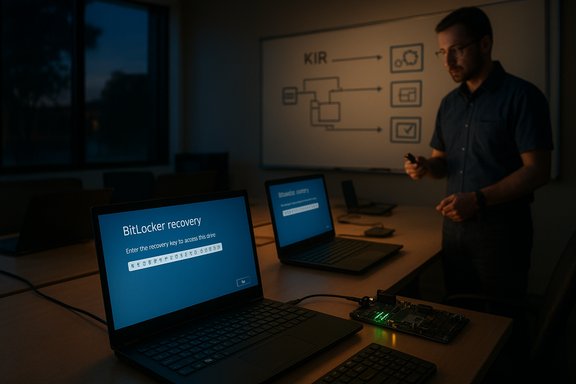
Microsoft has warned that an October 2025 cumulative update can force some Windows PCs into the BitLocker recovery screen, prompting enterprises to scramble for recovery keys, Known Issue Rollback (KIR) mitigations, and emergency hotfixes — an incident that exposes a fragile intersection between pre-boot recovery tooling, modern standby platforms, and the way security updates get packaged and delivered.
The problem first surfaced after Microsoft’s October cumulative updates (released October 14, 2025) were installed on a subset of systems. Multiple industry outlets and community threads report that affected devices — primarily Windows 11 versions 25H2 and 24H2, and some Windows 10 22H2 clients — may boot directly into BitLocker Recovery, requiring entry of a 48‑digit recovery key before the system will continue booting normally. Microsoft acknowledged the behavior in a service advisory and indicated that affected devices may require a one‑time recovery key entry before returning to normal operation. This advisory was reported and summarized by WindowsLatest and BleepingComputer, among others. At the same time, community and enterprise analysis tied the regression to servicing behavior that touched pre‑boot components (the Windows Recovery Environment, WinRE, and the Safe OS image) and to a hardware/platform interaction centered around Intel-based devices that implement Connected Standby (also known as Modern Standby). Microsoft’s advisory and vendor reporting indicate that the bug disproportionately affected Intel Modern Standby devices; Microsoft’s guidance suggested a KIR-based mitigation for managed environments and an out‑of‑band (OOB) fix for many users.
Where the recovery key is stored depends on how the device was configured:
The October servicing wave included changes that refreshed Safe OS/WinRE components and, in some deployment paths, used combined SSU + LCU packaging. This packaging approach accelerates distribution but reduces simple rollback options and complicates diagnoses when pre‑boot tooling is affected. Community reproductions that recovered input by restoring a validated winre.wim file point strongly to a driver mismatch in the Safe OS image as the proximate cause — though Microsoft has not published a public engineering postmortem that enumerates the exact file-level cause.
Modern Standby (Connected Standby) adds another layer: devices on that platform implement different low‑power and resume sequences, and their firmware/driver stack may treat boot‑time transitions differently. Microsoft’s advisory highlighted an impact on Intel Modern Standby devices, suggesting the update path on those platforms might not have correctly suspended BitLocker or preserved the expected pre‑boot state for a single reboot — triggering the recovery prompt. This remains an area where Microsoft’s public commentary is deliberately high‑level; a precise chain-of-failure linking Modern Standby behavior to BitLocker recovery prompts is plausible but, in the absence of an engineering breakdown from Microsoft, not fully verified.
For administrators and power users, the practical takeaway is simple and urgent: verify your recovery posture now. Inventory who holds the keys, prepare external recovery media, pilot Microsoft’s fixes in a controlled manner, and ensure runbooks reflect the reality that the recovery environment must be validated just as rigorously as the running desktop. These steps are the only reliable way to keep data secure while ensuring recoverability when update regressions inevitably occur again.
Source: Windows Latest Microsoft warns Windows 11 25H2, 24H2 October update triggers BitLocker recovery on PCs for businesses
 Background
The problem first surfaced after Microsoft’s October cumulative updates (released October 14, 2025) were installed on a subset of systems. Multiple industry outlets and community threads report that affected devices — primarily Windows 11 versions 25H2 and 24H2, and some Windows 10 22H2 clients — may boot directly into BitLocker Recovery, requiring entry of a 48‑digit recovery key before the system will continue booting normally. Microsoft acknowledged the behavior in a service advisory and indicated that affected devices may require a one‑time recovery key entry before returning to normal operation. This advisory was reported and summarized by WindowsLatest and BleepingComputer, among others. At the same time, community and enterprise analysis tied the regression to servicing behavior that touched pre‑boot components (the Windows Recovery Environment, WinRE, and the Safe OS image) and to a hardware/platform interaction centered around Intel-based devices that implement Connected Standby (also known as Modern Standby). Microsoft’s advisory and vendor reporting indicate that the bug disproportionately affected Intel Modern Standby devices; Microsoft’s guidance suggested a KIR-based mitigation for managed environments and an out‑of‑band (OOB) fix for many users. Overview of what happened (concise timeline)
- October 14, 2025 — Microsoft published the October cumulative updates (originating KBs such as KB5066835 for Windows 11 and KB5066791 for Windows 10), distributed through the standard servicing channels.
- Mid‑October 2025 — Field reports and enterprise telemetry surfaced consistent reproductions: systems booting into BitLocker Recovery or otherwise encountering issues on restart/startup after the updates. Community diagnostics flagged WinRE and SafeOS dynamic updates as likely playing a role.
- Microsoft published a service alert and began coordinating mitigations, including Known Issue Rollback (KIR) measures and targeted hotfixes for managed customers. Independent outlets and OEMs issued guidance to prepare recovery media and validate BitLocker keys.
Background: What is BitLocker and where are recovery keys stored?
BitLocker is Microsoft’s full‑disk encryption system. On modern Windows setups, especially on consumer devices and Modern Standby hardware, device encryption / BitLocker may be turned on automatically to protect data at rest. When BitLocker detects changes to the boot chain, the TPM, or certain firmware/hardware states, it will trigger a recovery flow that requires a 48‑digit BitLocker recovery key to unlock the drive. If that recovery key is not available, the device’s data remains inaccessible.Where the recovery key is stored depends on how the device was configured:
- For personal devices linked to a Microsoft Account, BitLocker recovery keys are typically saved to the user’s Microsoft account (account.microsoft.com/devices/recoverykey).
- For organizational (work/school) devices, keys are commonly escrowed in Azure AD / Entra ID or Active Directory. Intune (Microsoft Endpoint Manager) and AD domain-joined environments commonly store keys in the organization’s directory services.
- Users may also have saved a key to a USB drive, printed it, or stored it in other administrative tooling. If the key cannot be located, Microsoft Support cannot recreate the lost key — the encryption is designed to be irreversible without it.
Technical anatomy: why updates touched pre‑boot components are high risk
The Windows Recovery Environment (WinRE) is a compact, separate "Safe OS" image (commonly winre.wim) designed to run a very small runtime with a minimal driver set. That minimalism is intentional — it improves the chance of booting when the full OS cannot — but it also magnifies risk. If a Safe OS refresh or dynamic update replaces the WinRE image with one that does not contain matching USB host controller or HID drivers for a given device, USB input can appear to not exist inside WinRE even though the same keyboard and mouse work in the full desktop session.The October servicing wave included changes that refreshed Safe OS/WinRE components and, in some deployment paths, used combined SSU + LCU packaging. This packaging approach accelerates distribution but reduces simple rollback options and complicates diagnoses when pre‑boot tooling is affected. Community reproductions that recovered input by restoring a validated winre.wim file point strongly to a driver mismatch in the Safe OS image as the proximate cause — though Microsoft has not published a public engineering postmortem that enumerates the exact file-level cause.
Modern Standby (Connected Standby) adds another layer: devices on that platform implement different low‑power and resume sequences, and their firmware/driver stack may treat boot‑time transitions differently. Microsoft’s advisory highlighted an impact on Intel Modern Standby devices, suggesting the update path on those platforms might not have correctly suspended BitLocker or preserved the expected pre‑boot state for a single reboot — triggering the recovery prompt. This remains an area where Microsoft’s public commentary is deliberately high‑level; a precise chain-of-failure linking Modern Standby behavior to BitLocker recovery prompts is plausible but, in the absence of an engineering breakdown from Microsoft, not fully verified.
Scope: which Windows versions and devices were affected
Microsoft’s service messaging and independent reporting converge on the following affected platforms:- Windows 11, version 25H2 — originating KB: KB5066835.
- Windows 11, version 24H2 — originating KB: KB5066835.
- Windows 10, version 22H2 — originating KB: KB5066791 (where that servicing chain applied).
Microsoft’s response and available mitigations
Microsoft’s remediation approach followed several tracks:- Known Issue Rollback (KIR): Microsoft indicated KIR measures could be applied, particularly for managed environments, to neutralize the problematic change without fully uninstalling cumulative security fixes. Enterprises were advised to contact Microsoft Support for Business to obtain KIR guidance or deployment packages for their estates.
- Out‑of‑band fixes: Microsoft shipped targeted OOB updates and dynamic Safe OS refresh packages to repair WinRE input and pre‑boot driver mismatches (field updates such as KB5070773 were deployed in mid/late October for WinRE remediation in many channels). Administrators were urged to apply those updates and validate WinRE behavior in pilot rings before broad deployment.
- Short‑term operational recommendations: create and validate external Windows recovery USB media, escrow and verify BitLocker recovery keys for all devices (personal Microsoft Account, Azure AD, or on‑prem AD), and pause broad automatic deployment of the October cumulative for recovery‑critical endpoints until the fix was validated.
Practical checklist for businesses and IT teams (recommended immediate actions)
- Inventory devices that installed the October 14, 2025 updates (KB5066835 / KB5066791) and classify devices by platform, Modern Standby support, and input topology (USB-only, presence of PS/2 port, touchscreen).
- Ensure BitLocker recovery keys are accessible for all affected devices:
- Check Microsoft account recovery keys for consumer devices.
- Retrieve keys from Azure AD / Entra ID or on‑prem AD for managed devices.
- Prepare external recovery media (WinPE/Windows installation USB) and validate that it boots and can access the encrypted volume (the recovery media can be used to mount and back up data or to reimage where keys are available).
- Deploy the Microsoft KIR or OOB update in a controlled pilot ring; validate WinRE USB input and BitLocker behavior on representative hardware before broad rollout.
- Preserve golden winre.wim images and validated imaging artifacts; document rollback procedures and rehearse the runbook (external WinPE replacement of winre.wim if necessary).
Practical checklist for home and small business users
- Locate your BitLocker recovery key now: sign into your Microsoft account at account.microsoft.com/devices/recoverykey, check printed copies, USB flash drives, or ask your organization’s IT if the device is or was connected to a work/school account. If you cannot find the key, be prepared that a reset/reinstallation may be the only option to regain use of the device.
- Create a bootable Windows recovery USB from a known good PC and test that it boots your device. Keep it in a safe place separate from the device.
- If you manage your own devices and are comfortable doing so, defer non‑urgent Windows cumulative updates until Microsoft’s fix is installed and validated for your hardware profile.
Strengths of Microsoft’s approach — and remaining weaknesses
Strengths:- Rapid response: Microsoft issued KIR and OOB updates quickly, minimizing long‑term exposure for many customers. This is a correct high‑urgency response when the recovery path is impaired.
- Multi‑track remediation: combining a KIR deployment option for managed customers with public OOB fix packages is the right operational mix to accommodate diverse enterprise lifecycles.
- WinRE fragility: the incident underscores how delicate the pre‑boot driver set can be, and how changes that “work” in the desktop can break recovery flows. Heterogeneous OEM driver variants make exhaustive WinRE validation difficult.
- Rollback complexity: combined Servicing Stack Update (SSU) and Latest Cumulative Update (LCU) packaging is convenient for distribution but complicates uninstall and rollback semantics for pre‑boot components, increasing operational friction for administrators.
- Visibility gap: Microsoft’s service advisory and KIR mechanics are effective, but the vendor’s public technical details about exactly which Safe OS components or drivers caused the mismatch remain limited; that limits deep forensic analysis by third parties and OEMs. This lack of a public engineering postmortem leaves some uncertainty about recurrence risks.
Why this matters beyond a one‑off incident
This episode is more than a transient glitch: it is a practical reminder that security updates — especially those that touch low‑level components — must be validated not only in the running OS but also across recovery and pre‑boot flows. For organizations that depend on rapid on‑device recovery (retail kiosks, point‑of‑sale, remote kiosks, roaming endpoints), a non‑interactive WinRE can materially increase mean time to repair and business downtime. The incident also highlights the need for robust key escrow practices and tested recovery runbooks: even when Microsoft distributes a high‑quality fix rapidly, the operational costs of diagnosing and recovering an affected fleet can be substantial.Final recommendations (operational posture)
- Treat recovery tooling as first‑class infrastructure. Test WinRE flows as part of routine update validation on representative hardware.
- Maintain validated external recovery media and keep winre.wim baselines for rollback or emergency replacement.
- Escrow BitLocker recovery keys in corporate directories (Azure AD / Entra ID or AD) and verify that administrative staff can retrieve them quickly. For consumer devices, verify Microsoft account backups and encourage users to record recovery keys safely.
- Use staged deployment rings for high‑impact cumulatives; pilot on hardware that includes USB‑only, Modern Standby, and other edge topologies.
Closing analysis
The October 2025 servicing incident that caused BitLocker recovery triggers on certain Windows devices is a cautionary lesson in modern OS servicing: security and recoverability are interdependent. Microsoft moved swiftly with KIR and OOB fixes and the incident did not compromise encryption or data integrity — when recovery keys are available, devices can be unlocked and booted normally after a one‑time key entry. But the event exposed operational fragility around pre‑boot images and the difficulty of fully validating Safe OS behavior across the broad PC ecosystem.For administrators and power users, the practical takeaway is simple and urgent: verify your recovery posture now. Inventory who holds the keys, prepare external recovery media, pilot Microsoft’s fixes in a controlled manner, and ensure runbooks reflect the reality that the recovery environment must be validated just as rigorously as the running desktop. These steps are the only reliable way to keep data secure while ensuring recoverability when update regressions inevitably occur again.
Source: Windows Latest Microsoft warns Windows 11 25H2, 24H2 October update triggers BitLocker recovery on PCs for businesses
