Microsoft says that from July 13, 2026, Microsoft 365 apps and Office 2019 or Office 2021 on older Apple operating systems may enter reduced functionality mode, leaving Word, Excel, PowerPoint, Outlook, and OneNote able to open or print files but not edit, save, or create them. The cutoff lands hardest on Macs that cannot run macOS 12 Monterey and on iPhones or iPads that cannot run iOS or iPadOS 17. It is not a sudden file-format change, and it is not limited to subscription customers. It is a reminder that “perpetual” software now often depends on moving certificates, supported operating systems, cloud validation, and vendor-controlled update channels.

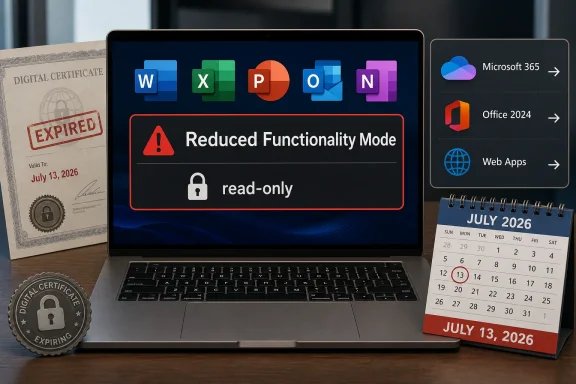
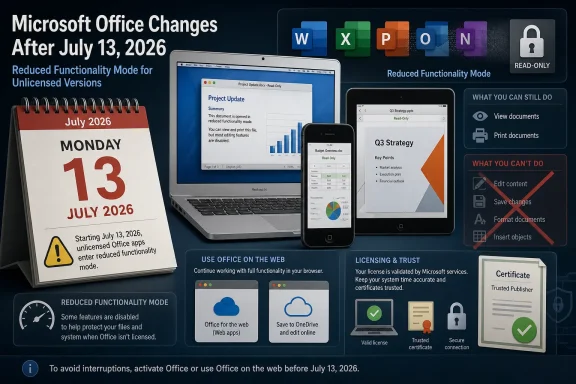
Microsoft Office update banner showing July 13, 2026 reduced functionality mode for unlicensed versions.Microsoft Turns an Office Update Into a Hardware Retirement Notice​

The practical message from Microsoft is simple enough: update Office, update the operating system, or expect a read-only productivity suite. On the Mac, the company says users need macOS 12 Monterey or later before updating Office. On iPhone and iPad, the requirement is iOS 17 or iPadOS 17 or later.
That sounds like routine lifecycle hygiene until it reaches the desks and kitchen tables where old Apple hardware still does boring, valuable work. A 2014 MacBook Air that remains perfectly adequate for school documents, household spreadsheets, or a small nonprofit’s mail merge may suddenly be pushed out of Office editing not because the keyboard failed, the SSD died, or Word’s file format changed, but because the surrounding trust machinery aged out.
Microsoft’s answer is that unsupported platforms cannot keep receiving the updates needed to keep the apps fully functional. That is technically defensible. It is also strategically useful, because every support cutoff nudges users toward newer hardware, newer operating systems, and, most of all, Microsoft 365.
For WindowsForum readers, the Apple angle should not make this feel like someone else’s problem. This is the same software industry logic that Windows users have been living with through Windows 10’s retirement, Microsoft 365 app support boundaries, TPM-era hardware requirements, and the steady migration from boxed software to subscription entitlement.

Reduced Functionality Mode Is the Polite Name for Read-Only Office​

Microsoft’s phrase, reduced functionality mode, deserves translation. In this state, the Office apps can still open and print documents, but users cannot edit, save, or create new files. That is not a minor degradation for productivity software. That is the difference between owning a tool and owning a viewer.
The affected apps include the usual Office workhorses: Word, Excel, PowerPoint, Outlook, and OneNote. The affected customer base is broader than many users will expect. Microsoft says the issue can affect Microsoft 365 subscribers on macOS, iPhone, and iPad, as well as customers using non-subscription Office 2021 or Office 2019 on macOS.
That distinction matters because the subscription crowd already understands that Microsoft 365 is a living service. The more combustible part of the story is Office 2019 and Office 2021 for Mac, products many people bought precisely because they did not want a subscription. When a one-time purchase falls into a state where core editing features stop working, the semantic line between “unsupported” and “disabled” becomes very thin to the customer holding the receipt.
Microsoft is not saying existing documents are destroyed. It is not saying every old Mac becomes unusable. But a productivity suite that cannot save changes is functionally out of the productivity business, and users are unlikely to care whether the root cause is a certificate, lifecycle policy, licensing validation, or a support matrix.

The Certificate Story Makes the Cutoff Feel Less Like Normal Support Policy​

The Mac reporting around Office 2019 has focused heavily on an expiring certificate used to validate licensing. That detail is important because it changes the emotional texture of the story. End of support usually means no new features, no security fixes, and no compatibility guarantees. Here, users are being told that installed software may drop into a read-only state unless it can receive an update that older platforms cannot accept.
That is a different kind of failure mode. It is not the familiar “you may be vulnerable if you keep using this.” It is closer to “the product may stop believing it is entitled to operate.” The former is a risk warning; the latter feels like a switch.
There are legitimate reasons for certificate rotation. Trust anchors expire. Cryptographic systems cannot be designed as if 2019 will last forever. If Office apps verify licenses, identities, or update channels using certificate chains, Microsoft has to maintain that plumbing or retire the environments where it cannot maintain it safely.
But the user experience still matters. If the customer bought Office 2019 for Mac as a perpetual product, the expectation was not infinite security support. It was that the installed apps would continue to perform their basic offline functions for as long as the machine could run them. A certificate-driven read-only deadline breaks that mental contract, even if it does not break the literal license agreement.

Apple’s Own Upgrade Wall Shapes Microsoft’s Decision​

Microsoft is not acting in a vacuum. Apple’s operating system support model is aggressive by PC standards, and iOS is stricter still. When Microsoft sets iOS 17 as the mobile floor, it effectively excludes the iPhone 8, iPhone 8 Plus, iPhone X, and older devices from fully supported Office editing. Those phones are old, but they are not museum pieces; many remain in circulation as hand-me-down devices, secondary phones, point-of-sale tools, or basic communication devices.
On the Mac side, the Monterey requirement is more forgiving than the mobile cutoff but still meaningful. macOS 12 runs on many Macs from roughly the mid-2010s onward, which means a decent chunk of Intel-era hardware survives the transition. But machines stuck on Big Sur, Catalina, Mojave, or older releases are being cut loose for modern Office purposes.
That creates an awkward triangle of responsibility. Apple decides which devices can run which operating systems. Microsoft decides which operating systems Office will support. Users are left to discover that a machine still capable of browsing the web, printing, and editing local files is no longer considered a safe or viable endpoint for the world’s dominant office suite.
The irony is that Apple hardware often lasts physically longer than its software support window. A 2015 iMac or MacBook can still feel responsive enough for basic work, especially with an SSD and modest expectations. But modern productivity platforms increasingly treat old operating systems as liabilities, not as stable baselines.

The Subscription Escape Hatch Is Convenient, but Not Neutral​

Microsoft’s suggested workarounds are predictable: update the operating system and Office where possible, move files to OneDrive, use Microsoft 365, or use the free web apps at microsoft365.com. For many users, that will be good enough. The web versions of Word, Excel, and PowerPoint are capable, familiar, and available from devices that can run a supported browser.
But this advice is not neutral. It moves local documents into cloud workflows. It pushes users toward Microsoft accounts. It turns a device-level software problem into a service relationship. That is exactly where Microsoft wants Office users to live.
For businesses already standardized on Microsoft 365, the shift may be barely noticeable. Admins can enforce minimum versions, report on managed devices, and decide whether an aging Mac fleet deserves another year of service. The pain is real, but it is visible inside the same management dashboards that already govern patching, endpoint security, and identity.
For individuals, schools, charities, and small offices, the transition is messier. These are the customers most likely to have one old Mac in the corner running a paid copy of Office that “just works.” They are also the least likely to have read Microsoft’s lifecycle notes before a deadline turns a working installation into a viewer.

Perpetual Office Keeps Losing the Fight Against Service Office​

This episode belongs to a larger story: Microsoft still sells perpetual Office, but the center of gravity has moved decisively to Microsoft 365. The perpetual versions remain useful for buyers who need a fixed feature set, dislike recurring payments, or work in environments where subscriptions are awkward. Yet they increasingly exist within an ecosystem built for continuous servicing.
Office 2019 is already an old product in Microsoft’s world. Office 2021 is not far behind, with its own support clock running down in 2026. Microsoft has since moved customers toward Office 2024 and Microsoft 365, but the strategic direction is clear: the best-supported, least-friction experience is the subscription.
That does not make Microsoft unique. Adobe, Autodesk, Intuit, and much of the professional software market have taken similar paths. The difference is that Office is not a niche creative tool. It is civic infrastructure for resumes, invoices, school assignments, legal templates, budgets, reports, and the countless small documents that keep daily life moving.
When that infrastructure depends on service validation and current operating systems, the industry’s definition of ownership changes. Users can have the installer, the license key, and the local files, yet still depend on a vendor-maintained chain of trust to keep editing them.

IT Departments Should Treat This as a Dry Run, Not a One-Off​

For managed environments, July 13, 2026 should be treated as a compliance date. The action items are not complicated, but they are easy to miss because the affected devices may sit outside the main Windows fleet. Macs used by executives, designers, developers, faculty, or field staff often live in partial-management limbo: important enough to complain when Office breaks, but not always enrolled deeply enough for clean reporting.
The minimum viable response is to inventory macOS and iOS versions, identify devices below macOS 12 or iOS/iPadOS 17, and confirm whether installed Office builds can be updated. Microsoft’s guidance for managed devices points to specific version thresholds, including Office build 16.83 or later on macOS and 2.93 or later on iOS and iPadOS.
The harder question is policy. If a device cannot move to a supported operating system, does it stay in service with web Office only? Does it get replaced? Does it move to LibreOffice or Apple’s iWork apps for local editing? Or does the organization accept read-only Office as a temporary state while users migrate?
Admins should also communicate early, because this is the kind of deadline that looks like a license failure to end users. The help desk ticket will not say “macOS 11 is below Microsoft’s support floor.” It will say “Word says I can’t edit my document.”

The Real Cost Is Paid in Trust, Not Just Upgrades​

Microsoft will likely weather the criticism because most affected users have a path forward. Many Macs can update to Monterey or later. Many iPhones that cannot run iOS 17 are already outside the practical upgrade cycle for sensitive business use. The web apps are an escape route, and Microsoft 365 subscribers are accustomed to a moving baseline.
Still, the trust hit is real. A user who bought Office 2019 for Mac may not distinguish between end of support and feature loss. The fact that Microsoft can explain the difference does not mean customers will accept it. In consumer terms, “I paid once” carries a moral expectation that outlives the vendor’s servicing chart.
The industry has spent years teaching users that subscriptions are safer, fresher, and more convenient. Events like this teach a harsher lesson: non-subscription software is not necessarily independent software. It may still depend on activation systems, certificates, app-store policies, cloud services, and operating-system support boundaries that users do not control.
That is especially uncomfortable for archiving. Office documents are long-lived. People open ten-year-old spreadsheets because taxes, estates, audits, research projects, and family records do not follow vendor release cycles. A read-only mode preserves access, but it narrows agency. Users can see their past work; they just may not be able to keep working in the same toolchain.

The July 13 Deadline Leaves Users With Few Elegant Choices​

The short-term decision tree is blunt. If the device can run macOS 12 Monterey or later, update the operating system and then update Office. If an iPhone or iPad can run iOS or iPadOS 17, update it and install the required Office app versions. If the hardware cannot cross that line, plan for web Office, replacement hardware, or a non-Microsoft local editor.
None of those options is perfect. Web Office depends on browser compatibility, connectivity, and Microsoft account workflows. Replacement hardware costs money and creates e-waste. Alternative suites may handle simple documents well but can stumble on complex formatting, macros, advanced Excel workbooks, and business templates built around Microsoft’s assumptions.
The uncomfortable truth is that old hardware survives best when it is used for old workflows. But Office is not an old workflow anymore. Even when editing a local .docx file, modern Office sits inside an ecosystem of identity, licensing, cloud storage, telemetry, collaboration, certificates, app updates, and security baselines.
That ecosystem has benefits. It also has deadlines. July 13 is one of them.

The Office Cutoff Gives Apple Users a Windows-Style Lifecycle Problem​

Windows users will recognize the rhythm. A product remains technically usable, but the supported path narrows until the cost of staying put exceeds the cost of moving. Windows 10’s final stretch has made this logic painfully familiar: unsupported does not mean dead on day one, but it does mean the platform becomes harder to defend, insure, manage, and integrate.
Apple users sometimes experience this more quietly because operating system upgrades are free and hardware support is bundled into the platform. But the result can be just as strict. If the newest acceptable version of a critical app requires an OS your device cannot run, the practical cutoff has arrived.
That makes this Office change more than a Mac story. It is a cross-platform lesson in how productivity software now inherits the lifecycle rules of every layer beneath it. The app depends on the OS. The OS depends on hardware eligibility. The license depends on certificates and validation. The user depends on all of it remaining aligned.
For IT pros, the lesson is to stop treating “still boots” as the same thing as “still serviceable.” A device can be physically healthy and operationally obsolete. The gap between those two states is where support surprises live.

The Calendar Now Belongs in Every Office Deployment Plan​

The concrete lessons are not subtle, and they should be acted on before July 2026 becomes a help desk event. Microsoft has given users a date, a minimum OS floor, and a symptom to watch for. That is enough to plan, even if it is not enough to make everyone happy.
  • Organizations should inventory Macs, iPhones, and iPads running Office and flag anything below macOS 12 Monterey or iOS/iPadOS 17.
  • Users of Office 2019 and Office 2021 for Mac should verify whether their installed apps can be updated before assuming a perpetual license will keep full editing rights available.
  • Microsoft 365 subscribers should not assume the subscription alone solves the problem, because unsupported Apple operating systems can still block the required app updates.
  • Older devices that cannot upgrade should be moved deliberately to web Office, alternative editors, or replacement plans rather than left to fail on the deadline.
  • Anyone with important local Office files on aging Apple hardware should test the post-migration workflow now, especially if documents rely on macros, complex spreadsheets, custom fonts, or precise formatting.
The most important point is that this is not just an Apple support footnote. It is another marker in the industry’s long retreat from durable local software toward continuously serviced productivity environments. Users can adapt to that reality, but they should not pretend it is the same bargain they made when they bought a boxed copy of Office.
Microsoft’s July 13, 2026 cutoff will probably be remembered by most users as a nuisance, not a catastrophe: update if you can, use the web if you cannot, replace the device if the work matters enough. But for anyone who still thinks of Office as a product that sits obediently on a computer until the computer dies, this is the warning flare. The future of productivity software is not just file compatibility; it is eligibility, and eligibility now expires on a schedule.
References​

  1. Primary source: secnews.gr
    Published: 2026-06-03T13:12:34.355051
  2. Official source: support.microsoft.com
  3. Related coverage: macrumors.com
  4. Official source: learn.microsoft.com
  5. Related coverage: devdigest.org
  6. Related coverage: macworld.com
  1. Related coverage: macobserver.com
  2. Related coverage: mactrast.com
 

On July 13, 2026, Microsoft’s Office 2019 for Mac apps will enter reduced functionality mode on Apple devices, allowing users to open and print documents but not edit, save, or create files. The company frames the change as a certificate-expiration problem, but for anyone who bought Office 2019 as a one-time purchase, the practical result is simpler: the software is becoming read-only. That distinction matters because this is not merely another end-of-support milestone. It is a reminder that “perpetual” desktop software now often depends on invisible online-era plumbing.

Laptop screen shows “Reduced Functionality Mode” with a read-only warning, alongside expired digital certificates.Microsoft Turns an Old Support Deadline Into a Hard Productivity Cliff​

Office 2019 for Mac has not been supported since October 2023, so nobody should be surprised that Microsoft is not shipping new features or security fixes for it. End of support normally means users accept risk in exchange for staying put. In this case, however, the deadline goes further: the apps will no longer provide the core editing capability that made the product useful in the first place.
The affected apps are the familiar Office lineup: Word, Excel, PowerPoint, Outlook, and OneNote. After July 13, Microsoft says some users will still be able to view and print files, but they will not be able to create new documents, edit existing ones, or save changes. That is Microsoft’s long-standing reduced functionality mode, a phrase that sounds administrative but lands like a lock on the front door.
The immediate cause is a digital certificate used by Office and Microsoft 365 apps on macOS and iOS. Microsoft is distributing updated builds for supported products, but Office 2019 for Mac is no longer in that lane. Because it cannot be updated to the required build, reinstalling it or checking for updates will not rescue it.
That makes this more than a routine product lifecycle story. Microsoft sold Office 2019 as a one-time purchase, and many buyers understood that to mean the software would continue to work, even if it aged poorly. Instead, the company is drawing a line between owning a copy and retaining the ability to use it fully.

The Certificate Story Is Technically Plausible and Politically Explosive​

Microsoft’s explanation is not absurd. Modern software stacks rely on certificates for license validation, app trust, and secure communications. Certificates expire by design, and once one does, apps that depend on it may fail in ways that look disproportionate to ordinary users.
But technical plausibility is not the same thing as customer absolution. A certificate does not expire by surprise. It has a date, a renewal path, and, in this case, a business decision attached to it.
For Microsoft 365 and Office 2021 users, the fix is comparatively straightforward. On the Mac, they need macOS 12 Monterey or later and Office version 16.83 or newer. On iPhone and iPad, they need iOS 17 or later and app version 2.93 or newer. Those versions include the renewed certificate and keep the apps operating normally.
Office 2019 users are in a different category. They cannot simply update to the magic build because Microsoft stopped servicing that product years ago. The company’s practical answer is to move to Microsoft 365, buy Office 2024, or use Microsoft 365 on the web.
That is why the optics are so bad. Microsoft can accurately say the issue is certificate-related while users can accurately say their paid software is losing editing capability. Both statements can be true, and that is exactly what makes the episode so combustible.

Apple Users Get the Pain First, but Windows Users Should Still Pay Attention​

Microsoft says this certificate expiration applies to Office and Microsoft 365 apps on macOS and iOS, not Windows or Android. That will be a relief for Windows users who still have old Office installs tucked away on home PCs, lab systems, or lightly used business machines. It should not be an excuse to ignore the larger pattern.
WindowsForum readers know this cycle well. Microsoft’s center of gravity has shifted from boxed software to subscriptions, cloud services, managed identity, and continuous servicing. That shift delivers real benefits: faster patches, synchronized files, modern collaboration, and centralized admin controls. It also means the boundary between “software I own” and “service I am allowed to use” keeps getting blurrier.
The Mac is simply where this particular certificate cliff happens to be visible. A perpetual-license Office product, running locally, is still bound to validation infrastructure that can age out. The app sitting in your Applications folder is not as self-contained as it appears.
For home users, this may be irritating but manageable. For small businesses, schools, charities, and consultants with old Macs in service, it is a planning problem. A spreadsheet that opened yesterday may still open tomorrow, but the ability to make one last change before a board meeting, tax filing, invoice run, or client handoff is what actually matters.

The Upgrade Path Is Clear, but It Is Not Equally Fair​

Microsoft’s supported path is tidy on paper. If you use Microsoft 365 or Office 2021, update the operating system and Office apps to supported versions. If you use Office 2019, move to Microsoft 365, buy Office 2024, or use the free web apps.
That sounds reasonable until you map it onto real hardware. macOS 12 Monterey cuts off some older Macs. iOS 17 cuts off older iPhones and iPads. Users on devices that cannot be upgraded far enough may find that their Office problem is also a hardware problem.
The web version of Microsoft 365 is Microsoft’s escape hatch here, and it is a useful one. It lets users open and edit Office files in a browser without installing the old Mac suite. For basic Word documents, spreadsheets, and presentations, that may be enough.
But web apps are not a perfect replacement for every workflow. Offline editing, complex Excel files, legacy macros, font fidelity, local templates, Outlook habits, and institutional document processes can all complicate the move. The fact that a browser fallback exists does not erase the disruption for people who bought a desktop suite precisely because they wanted desktop software.
Office 2024 is the closest like-for-like replacement for users who still prefer a one-time purchase. Even then, it is not a restoration of Office 2019. It is a new purchase, with a new support lifecycle, on hardware and operating systems Microsoft still accepts.

The Word “Perpetual” Has Lost Some of Its Old Meaning​

The Office 2019 situation exposes the semantic trap around perpetual licenses. In the old desktop era, a perpetual license usually meant the program would keep running as long as the operating system tolerated it. You might lose support, compatibility, or security, but the software itself would not deliberately collapse into a viewer.
In the modern era, perpetual increasingly means “not subscription-billed,” not “independent of ongoing validation.” That is a narrower promise. It may be legally defensible, but it is not how many customers understand the bargain.
Microsoft is hardly alone in this. Adobe, Autodesk, Apple, Google, and countless smaller vendors have all moved users toward service-backed software in one way or another. The difference is that Office documents are not niche artifacts. They are household records, business ledgers, school assignments, legal drafts, invoices, resumes, and decades of institutional memory.
When an old photo editor stops receiving updates, users may grumble and move on. When Word and Excel become read-only, the issue feels more like infrastructure than app churn. Microsoft Office is part of the document layer of modern life, which makes even a Mac-only change resonate beyond Apple’s ecosystem.
That is why the anger around Office 2019 is not just nostalgia. It is a rational reaction to a shrinking zone of software autonomy. Users are discovering that a paid local tool can still depend on a vendor decision years later.

IT Departments Need to Treat This Like a Mini Migration​

For administrators, the right move is not outrage; it is inventory. Any organization with Macs, iPhones, or iPads should identify Office builds older than 16.83 on macOS and 2.93 on iOS. Devices running Microsoft 365 or Office 2021 should be patched before July 13. Office 2019 installs should be treated as migration candidates, not repair tickets.
Managed environments have the advantage here. Intune, Jamf, Kandji, Munki, Configuration Manager inventories, and plain old asset spreadsheets can all help reveal which devices are exposed. The worst outcome is discovering the problem when an executive assistant, finance analyst, or field worker can no longer save a document.
The tricky cases will be unmanaged or semi-managed devices. Small businesses often have a few older Macs that “just work” until they do not. Contractors may use personal machines with old Office installs. Nonprofits and local organizations may have donated hardware running exactly the kind of software nobody has touched in years.
There is also a communications problem. “Office 2019 is out of support” sounds like background noise to many users. “You will not be able to save edits after July 13” gets attention. IT teams should use the second sentence.

File Access Is Not the Same as File Freedom​

Microsoft is correct that users are not losing their files. Office documents remain standard files that can be copied, emailed, synced, backed up, and opened elsewhere. That distinction matters, especially for people worried that their data is being deleted or encrypted.
But keeping access to files is not the same as keeping full control over the workflow. If the only supported way to keep editing is to move to a subscription, buy a newer suite, switch devices, or use a browser app, then Microsoft has changed the cost of continued use. It has not stolen the documents, but it has changed the gate around them.
Users do have alternatives. Apple’s Pages, Numbers, and Keynote can open many Office files. LibreOffice remains a serious option for people willing to tolerate compatibility rough edges. Google Docs and other cloud suites can handle mainstream documents. For many users, converting away from Office may be less painful than expected.
The caveat is fidelity. Complex Excel workbooks, heavily formatted Word documents, PowerPoint decks with corporate templates, mail merge workflows, embedded objects, and specialized fonts can all behave differently outside Microsoft’s ecosystem. The more Office-like your work needs to remain, the more leverage Microsoft has.
That is the unspoken power of file formats. A document may be portable in theory while still being most reliable in the app that created it. Microsoft’s format dominance means its lifecycle choices ripple through organizations long after the license sale.

The Best Time to Test Your Documents Is Before the Lockout​

The practical advice is mercifully simple, even if the policy behind it is not. Users should open Office now and check both the app version and the operating system version. Mac users should confirm whether they are on macOS 12 Monterey or later. iPhone and iPad users should confirm whether they are on iOS or iPadOS 17 or later.
If the device can be upgraded and the user is on Microsoft 365 or Office 2021, the fix is to update Office before July 13. That means using Microsoft AutoUpdate on the Mac or the App Store on iPhone and iPad, depending on how the apps were installed. Managed devices may require an administrator or mobile device management policy to push the update.
If the user is on Office 2019 for Mac, the decision tree is harsher. Updating the app will not be enough. The realistic options are Microsoft 365, Office 2024, Microsoft 365 on the web, an alternative office suite, or moving the files to a compatible device that already has supported Office access.
Users should not wait until the deadline to find out which option fits. The most important test is not whether a document opens. It is whether it saves correctly after editing, especially for complex spreadsheets and templates.
Backups also matter. Before experimenting with conversions or alternate suites, users should copy important files to a safe location. A compatibility test should not become the moment a critical workbook is silently reformatted into something the original workflow can no longer use.

Microsoft’s Subscription Gravity Gets Stronger by Attrition​

Every Office lifecycle story now bends toward Microsoft 365. The subscription is where Microsoft puts the newest features, the smoothest update channel, and the clearest long-term support story. It is also where the company has aligned its financial incentives.
That does not make Microsoft 365 a bad product. For many households and businesses, it is arguably a good deal, especially when OneDrive storage, multiple devices, collaboration, and ongoing updates are part of the calculation. The problem is not that Microsoft offers a subscription. The problem is that the non-subscription path keeps feeling less durable.
Office 2024 exists, but it is not the center of the strategy. It is a concession to customers who still require or prefer a one-time license. Its presence does not change the direction of travel: Microsoft wants Office users in the continuously updated, account-bound, cloud-connected channel.
Office 2019 for Mac is therefore a warning sign for anyone still building workflows around old perpetual software. End of support used to mean “you are on your own.” Increasingly, it can mean “you are on borrowed time.”
That does not mean every old app will suddenly stop working. It does mean users should be skeptical of software that depends on licensing certificates, activation services, or cloud-linked validation while being marketed as a durable one-time purchase. The calendar is now part of the architecture.

The July 13 Checklist Is Really a Trust Audit​

The immediate job is to keep documents editable. The larger job is to decide how much trust to place in any productivity stack that can demote itself years after purchase. That does not require panic, but it does require a more sober view of what software ownership means in 2026.
  • Office 2019 for Mac users should assume their desktop apps will become view-and-print tools after July 13, 2026.
  • Microsoft 365 and Office 2021 users on Apple devices should update to Office 16.83 or later on macOS and 2.93 or later on iOS or iPadOS.
  • Macs need macOS 12 Monterey or later, while iPhones and iPads need iOS or iPadOS 17 or later for the supported update path.
  • Users who cannot update their Apple hardware should test Microsoft 365 on the web before the deadline.
  • Organizations should inventory old Office installs now and treat Office 2019 for Mac as a migration project, not a helpdesk surprise.
  • Anyone with complex Office files should test saving, formatting, formulas, macros, and templates in the replacement workflow before committing to it.
The lesson of Office 2019 for Mac is not that every user must subscribe to Microsoft 365 tomorrow. It is that the quiet dependencies inside modern software have become just as important as the feature list on the box. July 13 will pass, most users will adapt, and Microsoft will continue nudging customers toward supported, subscription-friendly channels. But the deeper question will remain for every platform owner and software vendor: if a one-time purchase can become read-only by policy and certificate design, users will start judging “perpetual” not by the license term, but by whether the software still lets them do their work when the vendor has moved on.

References​

  1. Primary source: PCMag
    Published: 2026-06-03T22:50:20.807392
  2. Related coverage: windowscentral.com
  3. Official source: support.microsoft.com
  4. Official source: learn.microsoft.com
  5. Related coverage: macrumors.com
  6. Related coverage: tidbits.com
  1. Related coverage: macobserver.com
  2. Related coverage: applemagazine.com
  3. Related coverage: windowsforum.com
 

Microsoft will push Office 2019 for Mac into reduced functionality mode on July 13, 2026, because the certificate used to validate licenses expires that day and the unsupported 2019 suite will not receive the update that newer Office builds are getting. Word, Excel, PowerPoint, Outlook, and OneNote will still open and print files, but users will lose the ability to create, edit, or save documents. The technical explanation is certificate hygiene; the practical effect is that a paid perpetual Office license becomes read-only on a fixed date. That is why this story lands less like a routine end-of-support notice and more like a referendum on what “owning software” now means.

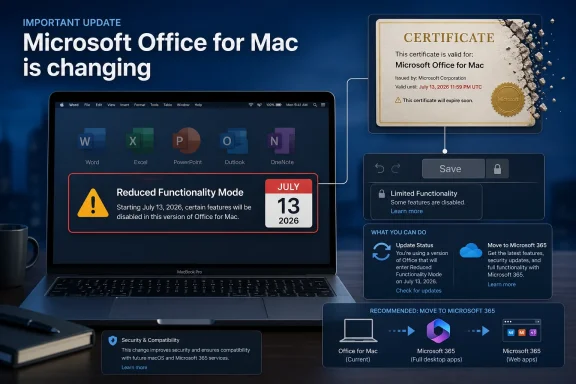
Microsoft Office for Mac update warning: reduced functionality mode begins July 13, 2026.Microsoft Turns a Support Deadline Into a Functionality Deadline​

End of support is supposed to mean the lights stay on but the landlord stops fixing the plumbing. Security patches end, compatibility gets shakier, and eventually the product becomes risky or inconvenient enough that users move on. In the old bargain, however, the bits already installed on your machine were still yours to run, especially when you bought a one-time license rather than renting a subscription.
Office 2019 for Mac is now exposing the weakness in that bargain. Microsoft ended support for the suite on October 10, 2023, which was not a surprise; Office products have published lifecycle dates, and anyone running old productivity software accepts some operational risk. What is different here is that the end of support did not merely freeze the product in time. It now prevents Microsoft from shipping the renewed certificate needed to keep license validation from collapsing into reduced functionality mode.
Microsoft’s framing is narrow and technically defensible. The certificate currently used for licensing expires July 13, 2026. Supported apps can be updated to builds that include the renewed certificate, while unsupported Office 2019 for Mac cannot be brought to the required version. In that version of events, the company is not remotely deleting anyone’s documents or switching off Office out of spite.
But users do not experience licensing architecture as architecture. They experience Word refusing to save a document, Excel refusing to edit a workbook, and Outlook losing the practical value that made the license worth buying in the first place. A certificate may be the trigger, but the policy choice is that Microsoft is not making an exception for the 2019 Mac release.

The Mac Version Is Where Perpetual Licensing Meets Cloud-Era Control​

The oddity of this episode is that it affects Mac and iOS users, not Windows and Android users. Microsoft’s own guidance says the issue is specific to Apple platforms and does not represent a security vulnerability or data-loss risk. That distinction matters because it undercuts the simplest outrage narrative: this is not a universal Office kill switch.
It is, instead, a platform-specific collision between app signing, license validation, product lifecycle policy, and Microsoft’s preference for subscription-era maintenance. Office for Mac has long been a different beast from Office for Windows. It uses different deployment tooling, leans on Microsoft AutoUpdate, follows Apple platform constraints, and historically has had its own rough edges around activation, volume licensing, and app bundles.
For Microsoft 365 users, the answer is straightforward: update the apps. For Office 2021 for Mac users, the company is also providing a path because that product remains supported until October 13, 2026. For Office 2019 for Mac users, the message is harsher: the product is out of support, it cannot be updated to the required build, and reinstalling it will not fix the certificate problem.
That is the difference between a product being old and a product becoming operationally dependent on a vendor’s ongoing blessing. The installed app may still be present. The user’s data may remain intact. But the paid editing capability becomes conditional on a validation chain that Microsoft is no longer maintaining.

The Quiet Support-Note Edit Is the Part Users Will Remember​

The Verge’s report is especially damaging because it highlights Microsoft’s changed language. When Microsoft discussed Office 2019 for Mac’s end of support in 2023, the company reportedly reassured users that their Office 2019 apps would continue to function. More recently, that language was changed to emphasize that users would not lose data instead.
That is a meaningful shift. “Your apps will continue to function” is a promise about software behavior. “Your data will not be lost” is a much narrower assurance, and one that does not address the reason people bought Office in the first place.
No one should pretend that unsupported software deserves indefinite free engineering work. Office 2019 for Mac is not new; it has been out of support for nearly three years. Microsoft can plausibly argue that customers were given a lifecycle, that continuing to run unsupported software is a choice, and that Office 2024 or Microsoft 365 are the supported migration paths.
Still, the optics are dreadful. A customer who bought a perpetual license did not necessarily buy perpetual security updates, but they reasonably expected the local applications to keep doing the core local work they were already doing. Microsoft’s revised wording makes the company look as if it discovered the gap between its old reassurance and its new certificate reality, then narrowed the promise after the fact.

Reduced Functionality Is a Polite Name for Read-Only Office​

Microsoft’s term reduced functionality mode sounds like an administrative state, but in daily use it is a cliff. Users will be able to open, view, and print existing documents. They will not be able to edit, save, save as, or create new files in the affected Office apps.
That distinction may satisfy a lawyer, but it will not satisfy someone who opens a contract, edits a spreadsheet for tax records, or tries to write a school paper. Productivity software is not valuable because it can display old work. It is valuable because it lets users keep working.
The inclusion of Outlook also complicates the picture. Documents are one thing; email workflows are another. Even if a user can still view existing material, losing full client functionality can break habits, archives, and small-office routines that have persisted for years precisely because standalone Office has been “good enough.”
The affected app list also cuts across the traditional Office bundle: Word, Excel, PowerPoint, Outlook, and OneNote. That makes this more than a niche Word-for-Mac complaint. It hits the entire productivity suite that many Mac users purchased to avoid a recurring subscription.

Microsoft 365 Gets a Patch, Office 2019 Gets a Lesson​

The cleanest reading of Microsoft’s move is that support status now defines not only future fixes but present viability. If you are on Microsoft 365, update. If you are on Office 2021, update. If you are on Office 2019 for Mac, move to Office 2024, subscribe to Microsoft 365, use the web apps, or migrate elsewhere.
That is not an accident of messaging. It is the business model speaking through infrastructure. Microsoft has spent years nudging Office customers from one-time purchases toward Microsoft 365, where continuous updates, cloud services, and subscription revenue are bundled into the pitch. The certificate deadline gives that pitch an unusually sharp edge.
The company still sells perpetual Office licenses, including Office 2024, so this is not a pure subscription-only story. But it does demonstrate how much even “perpetual” desktop software now depends on update channels, activation services, and platform trust mechanisms. A one-time license may be perpetual in accounting language while still being dependent on maintenance decisions the customer does not control.
That distinction will not comfort Office 2019 users. They paid for a standalone suite, and some of them deliberately avoided Microsoft 365 because they did not want a rental relationship. Now Microsoft is telling them that the non-rental path still ends at a date-driven validation wall.

Enterprise IT Will See a Small Fire With a Large Warning Label​

In managed environments, this is a contained operational problem. Inventory macOS and iOS devices, identify Office app versions below the required minimums, push updates through Microsoft AutoUpdate, Intune, Jamf, or another management tool, and communicate the deadline to users. For Microsoft 365 on Mac, the minimum Office app version is 16.83; for iOS and iPadOS, the relevant Microsoft guidance points admins toward version 2.93.
The bigger problem is unmanaged reality. Plenty of small businesses, nonprofits, consultants, and home offices run old Office installs because they work, because budgets are tight, or because the Mac in question handles a narrow task that nobody wants to disturb. Those are exactly the environments where a July deadline can become a surprise outage.
There is also a governance lesson here for IT teams that maintain software inventories but do not classify perpetual desktop apps as operational dependencies. If a local productivity suite can lose editing rights because of a certificate renewal path, then “installed” is not the same as “safe to rely on.” License validation needs to be treated as part of business continuity, not just procurement.
For regulated organizations, the answer is not to cling to Office 2019. Unsupported Office is already the wrong answer from a security standpoint. But the certificate episode gives IT a better argument for modernization than the usual vague appeal to updates: the risk is no longer theoretical vulnerability exposure; it is loss of core functionality on a known calendar date.

Consumers Will Hear “Buy Again” No Matter How Microsoft Explains It​

Microsoft’s recommended alternatives are predictable. Users can move to Office 2024, subscribe to Microsoft 365, or use Microsoft 365 web apps where available. Technically, that preserves access to the data and offers several ways to keep working.
Emotionally, however, the message is “buy Office again.” That is especially true for users who purchased Office 2019 for occasional local work and have no interest in cloud storage, Copilot features, Teams integration, or monthly billing. These users are not necessarily anti-Microsoft ideologues. Many are simply people who bought a familiar product and expected it to age like a tool rather than expire like a service.
That gap between vendor framing and customer perception is where trust erodes. Microsoft can say support ended in 2023, and it will be right. Users can say their paid software is being crippled in 2026, and they will also be right.
The uncomfortable truth is that modern software can make both statements true at the same time. That is why this incident is more important than the number of Office 2019 for Mac users affected. It illustrates a shift from software as a durable object to software as a continuously validated entitlement.

Apple Platform Users Are Used to Breakage, but This Feels Different​

Mac users are not strangers to old software breaking. Apple’s platform moves aggressively: 32-bit app support disappeared, notarization rules tightened, system extensions changed, and old macOS releases eventually lose compatibility with current applications. Anyone who has maintained Macs for a decade knows the platform trades long-term binary stability for security and architectural progress.
But this episode feels different because the app is not failing due to a new macOS release. The deadline is tied to a Microsoft licensing certificate. A user could have a working installation one day and a read-only productivity suite after the deadline, not because they upgraded macOS, changed hardware, or corrupted a file, but because the validation chain reached its expiration date.
That makes the incident more comparable to certificate-related service failures than ordinary app aging. Certificates expire by design; renewal is part of responsible software stewardship. When a company chooses not to renew or not to deliver a renewal to an older product, the line between technical necessity and business policy gets blurry.
Microsoft’s defenders will point out that unsupported products cannot expect indefinite updates, and they have a point. But users will ask why a narrow certificate update could not be issued for a paid product whose failure mode is so severe. The answer may be engineering complexity, lifecycle discipline, cost, or a refusal to reopen an unsupported branch. None of those answers will feel satisfying to customers staring at a disabled Save button.

The Real Damage Is to the Meaning of “Perpetual”​

The word perpetual has always been more complicated than consumers wanted it to be. It usually means the right to use a version of software indefinitely, not the right to receive fixes, compatibility updates, cloud services, or new platform support forever. That distinction is legitimate.
Yet the Office 2019 for Mac situation pushes the distinction into absurd territory. If a perpetual license depends on a certificate that expires and the vendor declines to ship the renewal, the user’s practical right to use the software is not indefinite. It lasts until the weakest required validation component expires.
This is why “no data is lost” is not enough. Data preservation is the floor, not the promise. If Word can open a document but not edit it, Microsoft has preserved the file while degrading the tool customers bought to work with it.
The industry has trained users to accept this slowly. Activation servers, app stores, subscription entitlements, online feature flags, and platform certificates have made software less like a boxed product and more like an administered relationship. Office 2019 for Mac is merely a visible example because Office is so familiar and the affected capability is so basic.

The July 13 Deadline Gives Users Just Enough Time to Choose​

There is still time before July 13, 2026, and users should not wait for the day their apps become read-only. The first step is to identify exactly what is installed. Many people do not know whether they are running Office 2019, Office 2021, Office 2024, or Microsoft 365 apps, because the applications all present themselves as Word, Excel, PowerPoint, Outlook, and OneNote.
For Office 2021 and Microsoft 365 users on Mac or iOS, the practical answer is to update to the required versions. For Office 2019 for Mac users, the answer is migration. That may mean buying Office 2024, subscribing to Microsoft 365, using the web versions for lighter work, or moving to alternatives such as LibreOffice, Apple’s iWork apps, Google Workspace, or another productivity suite.
The harder cases are organizations with templates, macros, add-ins, compliance workflows, or Outlook-dependent processes. Those users should test before switching. Spreadsheet fidelity, font substitution, macro compatibility, mail archive behavior, and document formatting still matter in the real world.
The clock is also a useful forcing function for backups and export hygiene. Before changing suites, users should ensure that critical documents are backed up in multiple locations and that Outlook data, OneNote notebooks, and locally stored files are accounted for. A licensing deadline is a bad time to discover that the only copy of a file lived inside a neglected local folder.

The Mac Office Certificate Cliff Leaves Little Room for Denial​

This is not a mystery outage, and that is the one mercy in the story. The date is known, the affected platforms are known, and the mitigation paths are known. What remains unresolved is whether Microsoft’s handling of Office 2019 for Mac will be remembered as routine lifecycle enforcement or as another example of perpetual software becoming less perpetual than buyers believed.
  • Office 2019 for Mac is scheduled to lose editing, saving, and document-creation capabilities on July 13, 2026, when the current licensing certificate expires.
  • Office 2021 for Mac and Microsoft 365 apps can avoid the problem by updating to supported builds that include the renewed certificate.
  • Windows and Android versions are not affected by this specific certificate issue.
  • Microsoft says user data is not at risk, but preserving files is not the same as preserving the paid editing functionality of Office.
  • Administrators should inventory Mac and iOS Office versions now, because unmanaged or unsupported devices are the most likely to surprise users after the deadline.
  • The safest migration paths for Office 2019 for Mac users are Office 2024, Microsoft 365, Microsoft’s web apps, or a tested move to a competing productivity suite.
Microsoft can still argue that it is following the lifecycle rules, but the Office 2019 for Mac certificate deadline shows how those rules now carry consequences that feel very different from the boxed-software era. The next fight over software ownership will not be about whether files disappear; it will be about whether the tools people paid for remain meaningfully usable when the vendor’s infrastructure moves on.

References​

  1. Primary source: The Verge
    Published: Wed, 10 Jun 2026 09:14:35 GMT
  2. Related coverage: windowscentral.com
  3. Official source: support.microsoft.com
  4. Related coverage: techspot.com
  5. Related coverage: macrumors.com
  6. Related coverage: macobserver.com
  1. Related coverage: tech.slashdot.org
  2. Related coverage: tidbits.com
  3. Related coverage: macgadget.de
  4. Official source: learn.microsoft.com
  5. Related coverage: bpb-us-e1.wpmucdn.com
 

Microsoft says Office 2019 for Mac will enter reduced functionality mode on July 13, 2026, because an expiring licensing certificate will leave Word, Excel, PowerPoint, Outlook, and OneNote able to open and print files but unable to edit, save, or create them. That is the plain operational fact; the larger story is about trust in perpetual software. Microsoft is not merely ending support for an old suite. It is demonstrating how much of modern “owned” productivity software still depends on infrastructure the vendor controls.

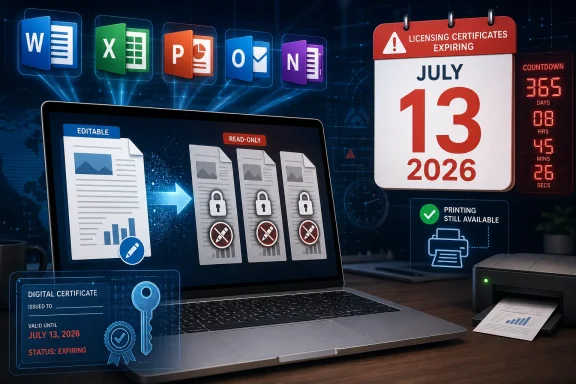
Laptop displays expiring licensing certificates for July 13, 2026 with countdown and digital document icons.Microsoft Turns a Certificate Date Into a Product Deadline​

The company’s explanation is technical, but the outcome is brutally simple. A Mac user who bought Office 2019 as a one-time purchase can wake up after July 13 and find the core bargain changed: documents still open, printers still work, but the editing engine is effectively fenced off.
Microsoft calls this reduced functionality mode, a phrase that has long done quiet work in Office licensing. In subscription land, it is the state an app enters when activation or entitlement fails. Here, the phrase lands differently because Office 2019 for Mac was sold as a perpetual license, not as a monthly service with an obvious end-of-payment cliff.
The distinction matters. Nobody reasonably expected Office 2019 for Mac to receive security patches forever. Microsoft ended support for that product on October 10, 2023, and the end of updates was already priced into the risk of using old software. But many users did expect an unsupported app to keep doing yesterday what it did the day before: open a local document, edit it, and save the result.
That expectation now collides with the certificate-based plumbing beneath Office on Apple platforms. Microsoft says updated apps include a renewed certificate and will keep working normally. Office 2019 for Mac, being out of support, does not get that renewal.

The Fine Print Finally Reaches the Document​

The anger here is not hard to understand. Microsoft’s own language around unsupported Office releases has historically leaned on a familiar assurance: support ends, updates stop, but the apps continue to function. That is the classic social contract of boxed software, even after the box disappeared.
The problem is that “continue to function” has become a fragile phrase. It can mean the binary still launches. It can mean Microsoft will not intentionally deactivate it. It can mean local files remain readable. Or, in the narrower interpretation now becoming visible, it can mean user data is not destroyed while the application itself is demoted to a viewer.
For ordinary users, those distinctions sound like lawyerly vapor. A spreadsheet you can inspect but not update is not a working spreadsheet tool. A Word document you can print but not revise is not a working word processor. If the app cannot create, edit, and save, the product’s practical purpose has been removed.
That does not automatically make Microsoft’s move malicious. Certificates expire, operating systems evolve, licensing systems require maintenance, and unsupported products eventually become brittle. But it does make the old promise of “perpetual” feel less like ownership and more like a long-term lease whose dependency chain was never fully explained at checkout.

The Mac Is the Blast Radius, Not the Whole War​

The immediate impact is confined to macOS and iOS. Microsoft’s guidance says Windows and Android are not affected by this certificate expiration, which gives the story an awkward platform-specific edge. Office 2019 on Windows has its own lifecycle issues, but this particular July 13 failure mode is an Apple-platform problem.
That distinction will not soothe affected Mac users. In mixed households, small businesses, schools, nonprofits, and consulting shops, Office for Mac often exists precisely because documents must round-trip cleanly with Windows users. The Mac version is not a decorative extra; it is part of the interoperability fabric that lets Word and Excel remain default business formats.
Microsoft 365 subscribers on older Apple operating systems are also in scope if they cannot update to a supported app version. Office 2021 for Mac users have a path if their OS and app versions can move forward. Office 2019 for Mac users are the hard case because their channel is no longer receiving updates.
That means the fix is not “reinstall Office.” It is not “run AutoUpdate again and hope.” It is a product transition: move to Microsoft 365, buy Office 2024, use the web apps, migrate to another suite, or preserve an isolated old environment with all the risks that implies.

Unsupported Software Is Not Supposed to Become a Trapdoor​

Microsoft has a strong argument on one point: running unsupported productivity software in 2026 is a bad idea. Office documents can carry macros, embedded content, and links to workflows that make them security-relevant. An unpatched office suite is not just an old typewriter; it is a parser for complex, externally supplied files.
But that security argument does not fully answer the complaint. Users are not asking Microsoft to backport new features or guarantee compatibility with future macOS releases. They are asking why a paid, local application loses editing rights because a licensing certificate expires years after purchase.
This is where the certificate story becomes less a technical footnote and more a governance issue. If a perpetual app depends on a renewable trust artifact to validate entitlement, the vendor has to decide what happens when that artifact reaches end-of-life. Microsoft’s decision, at least for Office 2019 for Mac, is not to ship the renewed certificate.
From an engineering-maintenance perspective, that may be tidy. From a customer-trust perspective, it looks like a time bomb that survived longer than the support window and then detonated in the user’s workflow.

The Subscription Incentive Is Impossible to Ignore​

Microsoft’s recommended paths are predictable. Subscribe to Microsoft 365, buy Office 2024, or use the browser-based Office apps with a Microsoft account. Each path keeps the user inside Microsoft’s productivity ecosystem while moving them away from Office 2019 for Mac.
That does not prove the certificate expiration was designed as a subscription funnel. Large software systems accumulate dependencies, and support windows exist for a reason. Still, the commercial gravity is obvious enough that Microsoft cannot expect users to ignore it.
For more than a decade, Microsoft has pushed Office from boxed suite to cloud-connected service. Microsoft 365 is the preferred vehicle because it gives the company recurring revenue, faster update cadence, identity integration, storage hooks, collaboration features, and a cleaner route for deploying AI services. Perpetual Office releases remain available, but they increasingly feel like tolerated exceptions rather than the center of the product strategy.
Office 2019 for Mac now becomes a case study in that transition. The product did not simply age out of support. It aged into a state where the practical remedy is to buy again or subscribe.

Enterprise IT Sees a Warning Label, Not Just a Mac Problem​

For enterprise administrators, the immediate lesson is inventory. Any managed Mac or iOS fleet still carrying old Office builds needs to be identified before July 13, not after the help desk starts receiving tickets from users who can no longer save edits. The same applies to nonprofits, labs, schools, and small businesses that bought Office once and stopped thinking about it.
The more durable lesson is architectural. Licensing, certificates, activation, and update channels are now operational dependencies. If they break, expire, or fall out of support, the result may look to users like application failure even if the local files and binaries are intact.
That is especially important in environments that deliberately freeze software. Some organizations keep old Mac hardware around for document compatibility, legacy workflows, or budget reasons. Others avoid major OS upgrades because one critical app or driver is fragile. Those strategies are increasingly vulnerable when software that appears local still relies on cryptographic or licensing freshness.
Admins should also resist framing this as a simple Apple-versus-Windows contrast. Windows is spared from this specific certificate issue, but the broader dependency model is not unique to macOS. The modern Office stack is tied to identity, activation, cloud services, policy enforcement, and update cadence across platforms. The Mac is merely where this particular weak seam is splitting open.

The Web Apps Are a Lifeboat With a Smaller Cabin​

Microsoft’s free web versions of Word, Excel, and PowerPoint will be enough for some users. If your documents are simple, your browser is current, and your workflow already lives in OneDrive, the web apps may feel less like a downgrade than they once did. Microsoft has spent years making browser-based Office credible.
But a lifeboat is not the same as the ship. Desktop Office still matters for advanced Excel models, complex formatting, offline work, automation, add-ins, local file workflows, mail merge, and organizations that do not want every document action mediated by a browser session. Outlook adds its own complexity because mail, calendaring, local archives, and account policies vary widely.
The web option also changes the privacy and control posture. A user who bought Office 2019 to work locally may not want to move documents into a cloud-backed workflow just to regain editing. A small organization with sensitive files may need to revisit policies before telling users to open everything through a Microsoft account.
This is why Microsoft’s “you can use the web apps” answer is true but incomplete. It solves access for some people. It does not preserve the original bargain for everyone.

Office 2024 Becomes the New Perpetual Escape Hatch​

For users who still want a one-time purchase, Office 2024 is the cleanest Microsoft-approved path. It restores the familiar desktop model without requiring a Microsoft 365 subscription, at least for now. That makes it the obvious recommendation for users who need local Office compatibility but refuse recurring billing.
Yet Office 2024 also inherits the question Office 2019 now raises. If perpetual Office depends on update channels and certificates that eventually expire, buyers need to understand not only the support lifecycle but the functional lifecycle. “No more security updates” is one kind of risk. “The app may later become unable to edit” is another.
Microsoft could help itself by being unusually explicit here. If Office 2024 will keep editing local files after support ends, say so in durable language. If some future certificate or activation dependency could limit functionality, say that too. The worst outcome is ambiguity, because ambiguity is where forum threads, outrage posts, and vendor mistrust thrive.
The company has every right to sell newer versions. It does not have an unlimited right to surprise customers about what “one-time purchase” means after the support window closes.

The Open-Source Alternative Gets a Marketing Gift​

LibreOffice, OnlyOffice, Apple’s iWork apps, and other alternatives will get renewed attention because of this episode. Not all of that attention will convert into migration. Microsoft Office’s file compatibility, especially for complex Word and Excel documents, remains a powerful lock-in.
Still, the pitch for alternatives becomes sharper when users can point to a date on which their paid Microsoft apps lose editing. Open-source advocates have long warned that proprietary formats and licensing systems create dependency risk. Office 2019 for Mac hands them a concrete example that does not require ideology to understand.
The trade-offs remain real. A business with heavily formatted Word templates, VBA-heavy Excel workbooks, or PowerPoint decks that must render exactly for clients will not casually switch. A household user writing letters and balancing a simple spreadsheet may switch in an afternoon.
The important point is that Microsoft has turned a maintenance problem into a competitive opening. Every user forced to reassess Office is a user who may discover that “good enough” has improved elsewhere.

Microsoft’s Language Is Doing Too Much Work​

The phrase reduced functionality mode is technically accurate and rhetorically evasive. It describes a state in Microsoft’s licensing machinery, but it softens the experience. For the user, the app has not been politely reduced; it has been demoted from tool to viewer.
Software companies often hide hard edges behind neutral administrative terms. “End of support” can mean no new patches. “Unsupported configuration” can mean you are on your own. “Reduced functionality” can mean the paid app no longer performs its core task.
That language gap matters because it shapes public reaction. A certificate update sounds mundane. A license validation issue sounds procedural. A read-only Office suite sounds like a broken promise.
Microsoft should not be surprised that users choose the last framing. It is the one that maps to what happens when they try to save a document.

The Real Risk Is the Shrinking Meaning of Ownership​

This episode sits inside a larger software-market shift. Consumers and businesses have been trained to accept that apps are services, licenses are revocable, and local software may depend on remote systems. Sometimes that bargain is worth it. Cloud collaboration, security response, cross-device sync, and continuous feature delivery are not imaginary benefits.
But productivity software occupies a special category. Documents are personal memory, business infrastructure, legal evidence, schoolwork, family records, and institutional knowledge. The tools used to edit those documents carry a deeper expectation of continuity than a streaming app or a game launcher.
When a productivity suite sold as a one-time purchase later loses editing, users hear a message Microsoft may not intend: your access to your own workflow is conditional on our maintenance priorities. Even if files remain safe and readable, the ability to keep working has been separated from the purchase.
That is the reputational cost. It is not just that Office 2019 for Mac is old. It is that the boundary between old and disabled is being drawn by a licensing dependency most buyers never knew existed.

July 13 Is Now a Deadline for More Than Office 2019​

The practical advice is not complicated, but the implications are larger than a routine upgrade nudge. Users and administrators have a little over a month to decide whether Office 2019 for Mac is still part of their working environment or merely a viewer waiting to happen.
  • Mac users running Office 2019 should assume that editing, saving, and creating files will stop working after July 13, 2026.
  • Microsoft 365 and Office 2021 users on macOS or iOS should update the operating system first and then update Office to a supported version that includes the renewed certificate.
  • Reinstalling Office 2019 for Mac is not a meaningful fix because the product is out of support and will not receive the certificate update.
  • Windows and Android users are not affected by this specific certificate expiration, though their own Office lifecycle deadlines still matter.
  • Organizations should inventory Macs and iOS devices now, because the first visible symptom may be users discovering they cannot save work.
  • Anyone buying perpetual Office today should treat support dates, activation dependencies, and post-support functionality as part of the purchase decision.
Microsoft can frame this as lifecycle hygiene, and technically it is. But the company has also reminded customers that perpetual software in 2026 may be perpetual only within the boundaries of certificates, activation systems, and vendor willingness to maintain the chain. The next phase of the Office business will not be judged only by feature lists or AI integrations; it will be judged by whether users believe that buying the software still means they can depend on it when the calendar turns.

References​

  1. Primary source: Engadget
    Published: Wed, 10 Jun 2026 14:38:18 GMT
  2. Official source: support.microsoft.com
  3. Official source: learn.microsoft.com
  4. Related coverage: macrumors.com
  5. Related coverage: techspot.com
  6. Related coverage: windowscentral.com
  1. Related coverage: office-watch.com
  2. Related coverage: devdigest.org
  3. Related coverage: tidbits.com
  4. Related coverage: macworld.com
  5. Official source: microsoft.com
  6. Official source: store.apple.com
 

Back
Top