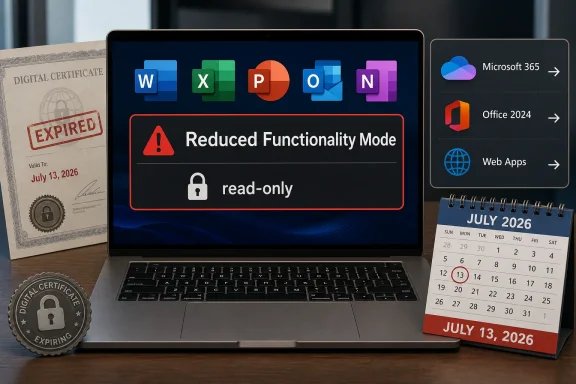
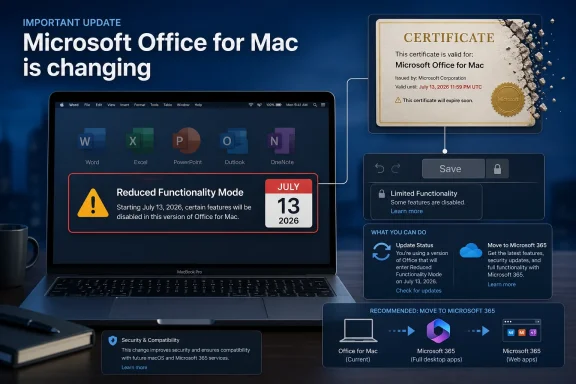
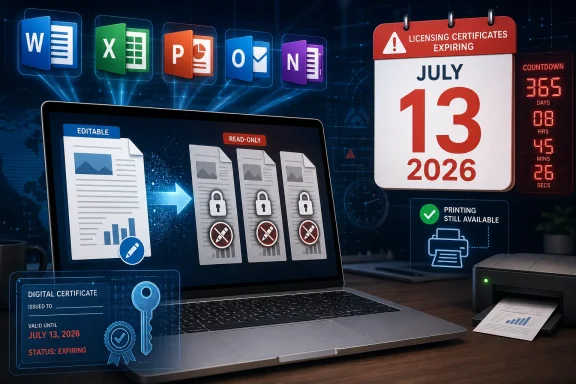
Microsoft says that from July 13, 2026, Microsoft 365 apps and Office 2019 or Office 2021 on older Apple operating systems may enter reduced functionality mode, leaving Word, Excel, PowerPoint, Outlook, and OneNote able to open or print files but not edit, save, or create them. The cutoff lands hardest on Macs that cannot run macOS 12 Monterey and on iPhones or iPads that cannot run iOS or iPadOS 17. It is not a sudden file-format change, and it is not limited to subscription customers. It is a reminder that “perpetual” software now often depends on moving certificates, supported operating systems, cloud validation, and vendor-controlled update channels.
The practical message from Microsoft is simple enough: update Office, update the operating system, or expect a read-only productivity suite. On the Mac, the company says users need macOS 12 Monterey or later before updating Office. On iPhone and iPad, the requirement is iOS 17 or iPadOS 17 or later.
That sounds like routine lifecycle hygiene until it reaches the desks and kitchen tables where old Apple hardware still does boring, valuable work. A 2014 MacBook Air that remains perfectly adequate for school documents, household spreadsheets, or a small nonprofit’s mail merge may suddenly be pushed out of Office editing not because the keyboard failed, the SSD died, or Word’s file format changed, but because the surrounding trust machinery aged out.
Microsoft’s answer is that unsupported platforms cannot keep receiving the updates needed to keep the apps fully functional. That is technically defensible. It is also strategically useful, because every support cutoff nudges users toward newer hardware, newer operating systems, and, most of all, Microsoft 365.
For WindowsForum readers, the Apple angle should not make this feel like someone else’s problem. This is the same software industry logic that Windows users have been living with through Windows 10’s retirement, Microsoft 365 app support boundaries, TPM-era hardware requirements, and the steady migration from boxed software to subscription entitlement.
The affected apps include the usual Office workhorses: Word, Excel, PowerPoint, Outlook, and OneNote. The affected customer base is broader than many users will expect. Microsoft says the issue can affect Microsoft 365 subscribers on macOS, iPhone, and iPad, as well as customers using non-subscription Office 2021 or Office 2019 on macOS.
That distinction matters because the subscription crowd already understands that Microsoft 365 is a living service. The more combustible part of the story is Office 2019 and Office 2021 for Mac, products many people bought precisely because they did not want a subscription. When a one-time purchase falls into a state where core editing features stop working, the semantic line between “unsupported” and “disabled” becomes very thin to the customer holding the receipt.
Microsoft is not saying existing documents are destroyed. It is not saying every old Mac becomes unusable. But a productivity suite that cannot save changes is functionally out of the productivity business, and users are unlikely to care whether the root cause is a certificate, lifecycle policy, licensing validation, or a support matrix.
That is a different kind of failure mode. It is not the familiar “you may be vulnerable if you keep using this.” It is closer to “the product may stop believing it is entitled to operate.” The former is a risk warning; the latter feels like a switch.
There are legitimate reasons for certificate rotation. Trust anchors expire. Cryptographic systems cannot be designed as if 2019 will last forever. If Office apps verify licenses, identities, or update channels using certificate chains, Microsoft has to maintain that plumbing or retire the environments where it cannot maintain it safely.
But the user experience still matters. If the customer bought Office 2019 for Mac as a perpetual product, the expectation was not infinite security support. It was that the installed apps would continue to perform their basic offline functions for as long as the machine could run them. A certificate-driven read-only deadline breaks that mental contract, even if it does not break the literal license agreement.
On the Mac side, the Monterey requirement is more forgiving than the mobile cutoff but still meaningful. macOS 12 runs on many Macs from roughly the mid-2010s onward, which means a decent chunk of Intel-era hardware survives the transition. But machines stuck on Big Sur, Catalina, Mojave, or older releases are being cut loose for modern Office purposes.
That creates an awkward triangle of responsibility. Apple decides which devices can run which operating systems. Microsoft decides which operating systems Office will support. Users are left to discover that a machine still capable of browsing the web, printing, and editing local files is no longer considered a safe or viable endpoint for the world’s dominant office suite.
The irony is that Apple hardware often lasts physically longer than its software support window. A 2015 iMac or MacBook can still feel responsive enough for basic work, especially with an SSD and modest expectations. But modern productivity platforms increasingly treat old operating systems as liabilities, not as stable baselines.
But this advice is not neutral. It moves local documents into cloud workflows. It pushes users toward Microsoft accounts. It turns a device-level software problem into a service relationship. That is exactly where Microsoft wants Office users to live.
For businesses already standardized on Microsoft 365, the shift may be barely noticeable. Admins can enforce minimum versions, report on managed devices, and decide whether an aging Mac fleet deserves another year of service. The pain is real, but it is visible inside the same management dashboards that already govern patching, endpoint security, and identity.
For individuals, schools, charities, and small offices, the transition is messier. These are the customers most likely to have one old Mac in the corner running a paid copy of Office that “just works.” They are also the least likely to have read Microsoft’s lifecycle notes before a deadline turns a working installation into a viewer.
Office 2019 is already an old product in Microsoft’s world. Office 2021 is not far behind, with its own support clock running down in 2026. Microsoft has since moved customers toward Office 2024 and Microsoft 365, but the strategic direction is clear: the best-supported, least-friction experience is the subscription.
That does not make Microsoft unique. Adobe, Autodesk, Intuit, and much of the professional software market have taken similar paths. The difference is that Office is not a niche creative tool. It is civic infrastructure for resumes, invoices, school assignments, legal templates, budgets, reports, and the countless small documents that keep daily life moving.
When that infrastructure depends on service validation and current operating systems, the industry’s definition of ownership changes. Users can have the installer, the license key, and the local files, yet still depend on a vendor-maintained chain of trust to keep editing them.
The minimum viable response is to inventory macOS and iOS versions, identify devices below macOS 12 or iOS/iPadOS 17, and confirm whether installed Office builds can be updated. Microsoft’s guidance for managed devices points to specific version thresholds, including Office build 16.83 or later on macOS and 2.93 or later on iOS and iPadOS.
The harder question is policy. If a device cannot move to a supported operating system, does it stay in service with web Office only? Does it get replaced? Does it move to LibreOffice or Apple’s iWork apps for local editing? Or does the organization accept read-only Office as a temporary state while users migrate?
Admins should also communicate early, because this is the kind of deadline that looks like a license failure to end users. The help desk ticket will not say “macOS 11 is below Microsoft’s support floor.” It will say “Word says I can’t edit my document.”
Still, the trust hit is real. A user who bought Office 2019 for Mac may not distinguish between end of support and feature loss. The fact that Microsoft can explain the difference does not mean customers will accept it. In consumer terms, “I paid once” carries a moral expectation that outlives the vendor’s servicing chart.
The industry has spent years teaching users that subscriptions are safer, fresher, and more convenient. Events like this teach a harsher lesson: non-subscription software is not necessarily independent software. It may still depend on activation systems, certificates, app-store policies, cloud services, and operating-system support boundaries that users do not control.
That is especially uncomfortable for archiving. Office documents are long-lived. People open ten-year-old spreadsheets because taxes, estates, audits, research projects, and family records do not follow vendor release cycles. A read-only mode preserves access, but it narrows agency. Users can see their past work; they just may not be able to keep working in the same toolchain.
None of those options is perfect. Web Office depends on browser compatibility, connectivity, and Microsoft account workflows. Replacement hardware costs money and creates e-waste. Alternative suites may handle simple documents well but can stumble on complex formatting, macros, advanced Excel workbooks, and business templates built around Microsoft’s assumptions.
The uncomfortable truth is that old hardware survives best when it is used for old workflows. But Office is not an old workflow anymore. Even when editing a local .docx file, modern Office sits inside an ecosystem of identity, licensing, cloud storage, telemetry, collaboration, certificates, app updates, and security baselines.
That ecosystem has benefits. It also has deadlines. July 13 is one of them.
Apple users sometimes experience this more quietly because operating system upgrades are free and hardware support is bundled into the platform. But the result can be just as strict. If the newest acceptable version of a critical app requires an OS your device cannot run, the practical cutoff has arrived.
That makes this Office change more than a Mac story. It is a cross-platform lesson in how productivity software now inherits the lifecycle rules of every layer beneath it. The app depends on the OS. The OS depends on hardware eligibility. The license depends on certificates and validation. The user depends on all of it remaining aligned.
For IT pros, the lesson is to stop treating “still boots” as the same thing as “still serviceable.” A device can be physically healthy and operationally obsolete. The gap between those two states is where support surprises live.
Microsoft’s July 13, 2026 cutoff will probably be remembered by most users as a nuisance, not a catastrophe: update if you can, use the web if you cannot, replace the device if the work matters enough. But for anyone who still thinks of Office as a product that sits obediently on a computer until the computer dies, this is the warning flare. The future of productivity software is not just file compatibility; it is eligibility, and eligibility now expires on a schedule.
 Microsoft Turns an Office Update Into a Hardware Retirement Notice
The practical message from Microsoft is simple enough: update Office, update the operating system, or expect a read-only productivity suite. On the Mac, the company says users need macOS 12 Monterey or later before updating Office. On iPhone and iPad, the requirement is iOS 17 or iPadOS 17 or later.That sounds like routine lifecycle hygiene until it reaches the desks and kitchen tables where old Apple hardware still does boring, valuable work. A 2014 MacBook Air that remains perfectly adequate for school documents, household spreadsheets, or a small nonprofit’s mail merge may suddenly be pushed out of Office editing not because the keyboard failed, the SSD died, or Word’s file format changed, but because the surrounding trust machinery aged out.
Microsoft’s answer is that unsupported platforms cannot keep receiving the updates needed to keep the apps fully functional. That is technically defensible. It is also strategically useful, because every support cutoff nudges users toward newer hardware, newer operating systems, and, most of all, Microsoft 365.
For WindowsForum readers, the Apple angle should not make this feel like someone else’s problem. This is the same software industry logic that Windows users have been living with through Windows 10’s retirement, Microsoft 365 app support boundaries, TPM-era hardware requirements, and the steady migration from boxed software to subscription entitlement.
Reduced Functionality Mode Is the Polite Name for Read-Only Office
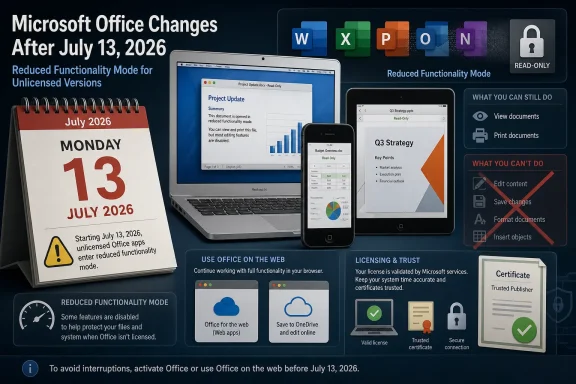
Microsoft’s phrase, reduced functionality mode, deserves translation. In this state, the Office apps can still open and print documents, but users cannot edit, save, or create new files. That is not a minor degradation for productivity software. That is the difference between owning a tool and owning a viewer.The affected apps include the usual Office workhorses: Word, Excel, PowerPoint, Outlook, and OneNote. The affected customer base is broader than many users will expect. Microsoft says the issue can affect Microsoft 365 subscribers on macOS, iPhone, and iPad, as well as customers using non-subscription Office 2021 or Office 2019 on macOS.
That distinction matters because the subscription crowd already understands that Microsoft 365 is a living service. The more combustible part of the story is Office 2019 and Office 2021 for Mac, products many people bought precisely because they did not want a subscription. When a one-time purchase falls into a state where core editing features stop working, the semantic line between “unsupported” and “disabled” becomes very thin to the customer holding the receipt.
Microsoft is not saying existing documents are destroyed. It is not saying every old Mac becomes unusable. But a productivity suite that cannot save changes is functionally out of the productivity business, and users are unlikely to care whether the root cause is a certificate, lifecycle policy, licensing validation, or a support matrix.
The Certificate Story Makes the Cutoff Feel Less Like Normal Support Policy
The Mac reporting around Office 2019 has focused heavily on an expiring certificate used to validate licensing. That detail is important because it changes the emotional texture of the story. End of support usually means no new features, no security fixes, and no compatibility guarantees. Here, users are being told that installed software may drop into a read-only state unless it can receive an update that older platforms cannot accept.That is a different kind of failure mode. It is not the familiar “you may be vulnerable if you keep using this.” It is closer to “the product may stop believing it is entitled to operate.” The former is a risk warning; the latter feels like a switch.
There are legitimate reasons for certificate rotation. Trust anchors expire. Cryptographic systems cannot be designed as if 2019 will last forever. If Office apps verify licenses, identities, or update channels using certificate chains, Microsoft has to maintain that plumbing or retire the environments where it cannot maintain it safely.
But the user experience still matters. If the customer bought Office 2019 for Mac as a perpetual product, the expectation was not infinite security support. It was that the installed apps would continue to perform their basic offline functions for as long as the machine could run them. A certificate-driven read-only deadline breaks that mental contract, even if it does not break the literal license agreement.
Apple’s Own Upgrade Wall Shapes Microsoft’s Decision
Microsoft is not acting in a vacuum. Apple’s operating system support model is aggressive by PC standards, and iOS is stricter still. When Microsoft sets iOS 17 as the mobile floor, it effectively excludes the iPhone 8, iPhone 8 Plus, iPhone X, and older devices from fully supported Office editing. Those phones are old, but they are not museum pieces; many remain in circulation as hand-me-down devices, secondary phones, point-of-sale tools, or basic communication devices.On the Mac side, the Monterey requirement is more forgiving than the mobile cutoff but still meaningful. macOS 12 runs on many Macs from roughly the mid-2010s onward, which means a decent chunk of Intel-era hardware survives the transition. But machines stuck on Big Sur, Catalina, Mojave, or older releases are being cut loose for modern Office purposes.
That creates an awkward triangle of responsibility. Apple decides which devices can run which operating systems. Microsoft decides which operating systems Office will support. Users are left to discover that a machine still capable of browsing the web, printing, and editing local files is no longer considered a safe or viable endpoint for the world’s dominant office suite.
The irony is that Apple hardware often lasts physically longer than its software support window. A 2015 iMac or MacBook can still feel responsive enough for basic work, especially with an SSD and modest expectations. But modern productivity platforms increasingly treat old operating systems as liabilities, not as stable baselines.
The Subscription Escape Hatch Is Convenient, but Not Neutral
Microsoft’s suggested workarounds are predictable: update the operating system and Office where possible, move files to OneDrive, use Microsoft 365, or use the free web apps at microsoft365.com. For many users, that will be good enough. The web versions of Word, Excel, and PowerPoint are capable, familiar, and available from devices that can run a supported browser.But this advice is not neutral. It moves local documents into cloud workflows. It pushes users toward Microsoft accounts. It turns a device-level software problem into a service relationship. That is exactly where Microsoft wants Office users to live.
For businesses already standardized on Microsoft 365, the shift may be barely noticeable. Admins can enforce minimum versions, report on managed devices, and decide whether an aging Mac fleet deserves another year of service. The pain is real, but it is visible inside the same management dashboards that already govern patching, endpoint security, and identity.
For individuals, schools, charities, and small offices, the transition is messier. These are the customers most likely to have one old Mac in the corner running a paid copy of Office that “just works.” They are also the least likely to have read Microsoft’s lifecycle notes before a deadline turns a working installation into a viewer.
Perpetual Office Keeps Losing the Fight Against Service Office
This episode belongs to a larger story: Microsoft still sells perpetual Office, but the center of gravity has moved decisively to Microsoft 365. The perpetual versions remain useful for buyers who need a fixed feature set, dislike recurring payments, or work in environments where subscriptions are awkward. Yet they increasingly exist within an ecosystem built for continuous servicing.Office 2019 is already an old product in Microsoft’s world. Office 2021 is not far behind, with its own support clock running down in 2026. Microsoft has since moved customers toward Office 2024 and Microsoft 365, but the strategic direction is clear: the best-supported, least-friction experience is the subscription.
That does not make Microsoft unique. Adobe, Autodesk, Intuit, and much of the professional software market have taken similar paths. The difference is that Office is not a niche creative tool. It is civic infrastructure for resumes, invoices, school assignments, legal templates, budgets, reports, and the countless small documents that keep daily life moving.
When that infrastructure depends on service validation and current operating systems, the industry’s definition of ownership changes. Users can have the installer, the license key, and the local files, yet still depend on a vendor-maintained chain of trust to keep editing them.
IT Departments Should Treat This as a Dry Run, Not a One-Off
For managed environments, July 13, 2026 should be treated as a compliance date. The action items are not complicated, but they are easy to miss because the affected devices may sit outside the main Windows fleet. Macs used by executives, designers, developers, faculty, or field staff often live in partial-management limbo: important enough to complain when Office breaks, but not always enrolled deeply enough for clean reporting.The minimum viable response is to inventory macOS and iOS versions, identify devices below macOS 12 or iOS/iPadOS 17, and confirm whether installed Office builds can be updated. Microsoft’s guidance for managed devices points to specific version thresholds, including Office build 16.83 or later on macOS and 2.93 or later on iOS and iPadOS.
The harder question is policy. If a device cannot move to a supported operating system, does it stay in service with web Office only? Does it get replaced? Does it move to LibreOffice or Apple’s iWork apps for local editing? Or does the organization accept read-only Office as a temporary state while users migrate?
Admins should also communicate early, because this is the kind of deadline that looks like a license failure to end users. The help desk ticket will not say “macOS 11 is below Microsoft’s support floor.” It will say “Word says I can’t edit my document.”
The Real Cost Is Paid in Trust, Not Just Upgrades
Microsoft will likely weather the criticism because most affected users have a path forward. Many Macs can update to Monterey or later. Many iPhones that cannot run iOS 17 are already outside the practical upgrade cycle for sensitive business use. The web apps are an escape route, and Microsoft 365 subscribers are accustomed to a moving baseline.Still, the trust hit is real. A user who bought Office 2019 for Mac may not distinguish between end of support and feature loss. The fact that Microsoft can explain the difference does not mean customers will accept it. In consumer terms, “I paid once” carries a moral expectation that outlives the vendor’s servicing chart.
The industry has spent years teaching users that subscriptions are safer, fresher, and more convenient. Events like this teach a harsher lesson: non-subscription software is not necessarily independent software. It may still depend on activation systems, certificates, app-store policies, cloud services, and operating-system support boundaries that users do not control.
That is especially uncomfortable for archiving. Office documents are long-lived. People open ten-year-old spreadsheets because taxes, estates, audits, research projects, and family records do not follow vendor release cycles. A read-only mode preserves access, but it narrows agency. Users can see their past work; they just may not be able to keep working in the same toolchain.
The July 13 Deadline Leaves Users With Few Elegant Choices
The short-term decision tree is blunt. If the device can run macOS 12 Monterey or later, update the operating system and then update Office. If an iPhone or iPad can run iOS or iPadOS 17, update it and install the required Office app versions. If the hardware cannot cross that line, plan for web Office, replacement hardware, or a non-Microsoft local editor.None of those options is perfect. Web Office depends on browser compatibility, connectivity, and Microsoft account workflows. Replacement hardware costs money and creates e-waste. Alternative suites may handle simple documents well but can stumble on complex formatting, macros, advanced Excel workbooks, and business templates built around Microsoft’s assumptions.
The uncomfortable truth is that old hardware survives best when it is used for old workflows. But Office is not an old workflow anymore. Even when editing a local .docx file, modern Office sits inside an ecosystem of identity, licensing, cloud storage, telemetry, collaboration, certificates, app updates, and security baselines.
That ecosystem has benefits. It also has deadlines. July 13 is one of them.
The Office Cutoff Gives Apple Users a Windows-Style Lifecycle Problem
Windows users will recognize the rhythm. A product remains technically usable, but the supported path narrows until the cost of staying put exceeds the cost of moving. Windows 10’s final stretch has made this logic painfully familiar: unsupported does not mean dead on day one, but it does mean the platform becomes harder to defend, insure, manage, and integrate.Apple users sometimes experience this more quietly because operating system upgrades are free and hardware support is bundled into the platform. But the result can be just as strict. If the newest acceptable version of a critical app requires an OS your device cannot run, the practical cutoff has arrived.
That makes this Office change more than a Mac story. It is a cross-platform lesson in how productivity software now inherits the lifecycle rules of every layer beneath it. The app depends on the OS. The OS depends on hardware eligibility. The license depends on certificates and validation. The user depends on all of it remaining aligned.
For IT pros, the lesson is to stop treating “still boots” as the same thing as “still serviceable.” A device can be physically healthy and operationally obsolete. The gap between those two states is where support surprises live.
The Calendar Now Belongs in Every Office Deployment Plan
The concrete lessons are not subtle, and they should be acted on before July 2026 becomes a help desk event. Microsoft has given users a date, a minimum OS floor, and a symptom to watch for. That is enough to plan, even if it is not enough to make everyone happy.- Organizations should inventory Macs, iPhones, and iPads running Office and flag anything below macOS 12 Monterey or iOS/iPadOS 17.
- Users of Office 2019 and Office 2021 for Mac should verify whether their installed apps can be updated before assuming a perpetual license will keep full editing rights available.
- Microsoft 365 subscribers should not assume the subscription alone solves the problem, because unsupported Apple operating systems can still block the required app updates.
- Older devices that cannot upgrade should be moved deliberately to web Office, alternative editors, or replacement plans rather than left to fail on the deadline.
- Anyone with important local Office files on aging Apple hardware should test the post-migration workflow now, especially if documents rely on macros, complex spreadsheets, custom fonts, or precise formatting.
Microsoft’s July 13, 2026 cutoff will probably be remembered by most users as a nuisance, not a catastrophe: update if you can, use the web if you cannot, replace the device if the work matters enough. But for anyone who still thinks of Office as a product that sits obediently on a computer until the computer dies, this is the warning flare. The future of productivity software is not just file compatibility; it is eligibility, and eligibility now expires on a schedule.
References
- Primary source: secnews.gr
Published: 2026-06-03T13:12:34.355051
Microsoft: End of support for older Macs and iPhones in Office
Microsoft is ending support for older Macs and iPhones in Microsoft 365, Office 2019, and Office 2021. Learn how to continue using your documents.www.secnews.gr - Official source: support.microsoft.com
Update Microsoft 365 or Office on your macOS or iOS device - Microsoft Support
 support.microsoft.com
- Related coverage: macrumors.com
Microsoft Office 2019 for Mac Will Soon Stop Letting You Edit Documents
Microsoft will prevent Office 2019 for Mac owners from editing their documents from July 13, a restriction the company is attributing to the productivity suite's expiring digital certificate. The Office 2019 apps affected include Word, Excel, PowerPoint, Outlook, and OneNote. Once the...www.macrumors.com - Official source: learn.microsoft.com
Certificate update for Microsoft 365 apps on managed macOS and iOS devices - Microsoft 365 Apps | Microsoft Learn
A licensing update for Microsoft 365 apps on macOS and iOSlearn.microsoft.com - Related coverage: devdigest.org
Microsoft Office 2019 for Mac Forced to View-Only July 2026 | Devdigest
Microsoft will remotely degrade perpetually-licensed Office 2019 for Mac and iOS to view-only mode on July 13, 2026, due to an expiring license-validation certidevdigest.org - Related coverage: macworld.com
Microsoft warns that some Office files might not work on your Mac next month | Macworld
The fix involves updating iOS, macOS, and Microsoft 365 or Office.www.macworld.com
- Related coverage: macobserver.com
Microsoft Says These Office Apps Will Soon Lose Editing Support
Microsoft will block editing and saving in Office 2019 for Mac on July 13, leaving users with limited functionality.www.macobserver.com - Related coverage: mactrast.com
PSA: Microsoft Office 2019 for Mac Will Soon Block You From Editing Your Documents
Microsoft will stop allowing Office for Mac 2019 owners from editing their documents on July 13. The company blames an expiring digital certificate.www.mactrast.com