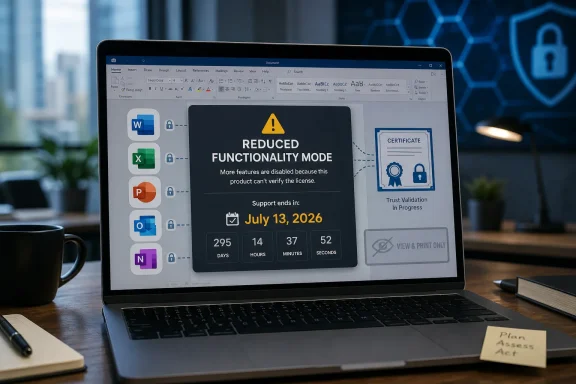
Microsoft says some Office and Microsoft 365 apps on macOS and iOS will enter reduced functionality mode after July 13, 2026, unless they are updated to builds carrying a renewed licensing certificate, with Office 2019 for Mac users left without an update path. That is not merely an obscure certificate-maintenance problem. It is a collision between modern cloud-era licensing machinery and the older promise implied by a perpetual desktop software purchase. The controversy is happening because Microsoft can plausibly say the files are safe and the product is out of support, while customers can plausibly say they bought software that should not lose editing rights because a certificate expired.
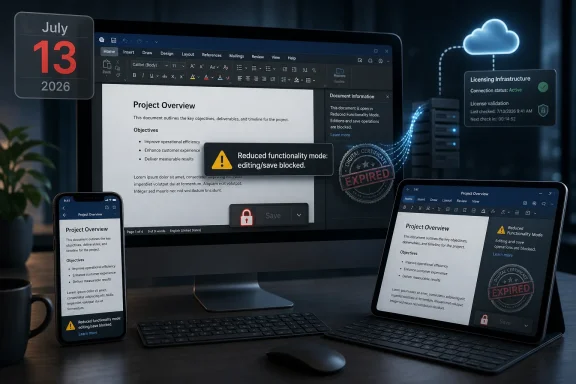
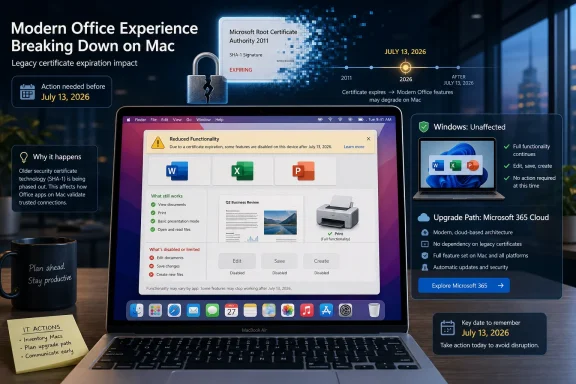
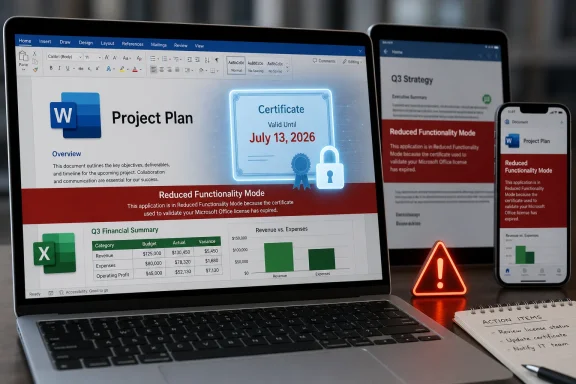
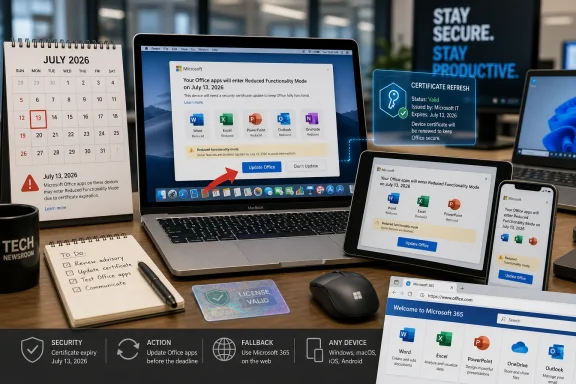
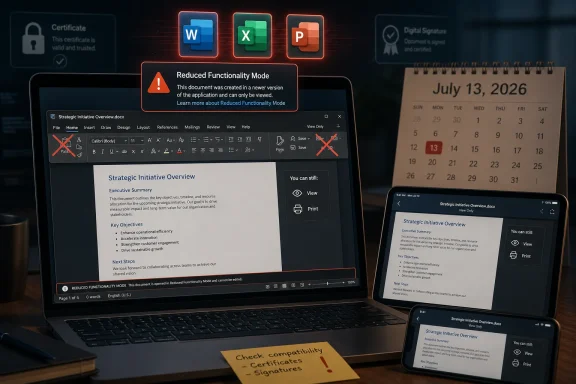
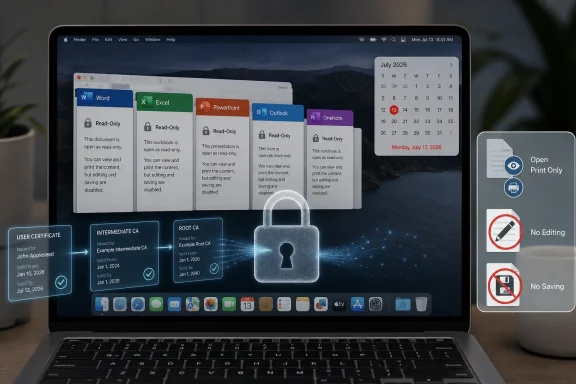
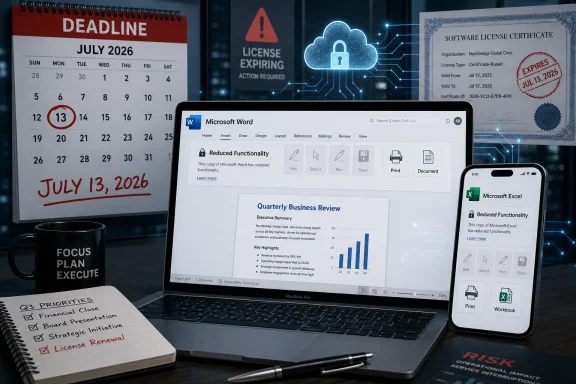
The mechanics are simple enough. Microsoft 365 and Office apps on Apple platforms use a digital certificate as part of license validation, and the certificate currently in use expires on July 13, 2026. Apps updated to the required versions include the renewed certificate; apps that are not updated can fall into what Microsoft calls reduced functionality mode, where documents can be opened, viewed, and printed, but not edited, saved, or newly created.
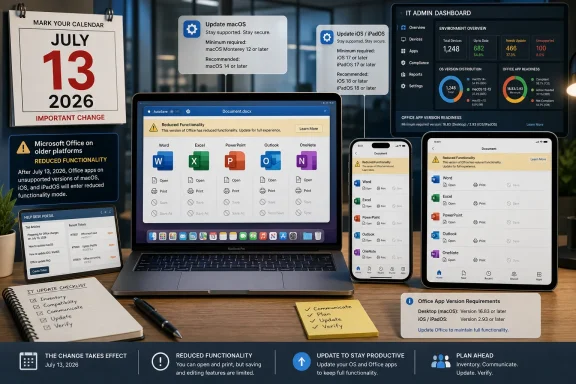
For Microsoft 365 subscribers on current hardware, this is mostly an IT hygiene exercise. Get macOS or iOS to a supported level, update the apps, verify the versions, and move on. For administrators, the company’s guidance is conventional fleet management: inventory devices, push updates through Intune, Microsoft AutoUpdate, MDM, or other tools, and communicate to users before the deadline.
The heat comes from the one-time-purchase versions. Office 2021 for Mac can avoid the cliff if it is updated to version 16.83 or later on macOS 12 Monterey or newer. iPhone and iPad apps need version 2.93 or later on iOS 17.0 or newer. But Office 2019 for Mac, which reached end of support on October 10, 2023, cannot be updated to the required version.
That distinction changes the story from “patch your software” to “your paid desktop suite may become view-only.” Microsoft’s support page says Office 2019 for Mac cannot resolve the issue by updating or reinstalling. The options it presents are essentially to use Microsoft 365 on the web, subscribe to Microsoft 365, or move to a newer Office product.
There is an important technical truth inside Microsoft’s position: unsupported software does eventually rot. Certificates expire, operating systems change APIs, authentication systems are replaced, and old apps become brittle in ways vendors cannot support forever. But there is also a consumer-trust truth inside the backlash: when an app continues to run locally, users do not expect its core edit-and-save capability to depend on a remote licensing architecture that expires years after purchase.
That is the part of the argument Microsoft would rather keep at the center. Office 2019 is no longer supported, and unsupported software is not entitled to new engineering work. From a lifecycle-policy perspective, a certificate refresh is still an update, and Microsoft has drawn a product boundary: Office 2019 is outside it.
The customer’s objection is that this does not feel like a normal end-of-support event. Traditionally, when Office went out of support, the risk shifted to the user. You stopped getting security fixes, bug fixes, and compatibility updates, but the installed application kept doing what it had done the day before. It might become unsafe or increasingly incompatible, but it was not deliberately pushed into a mode that disables editing.
That distinction matters because Office is not a niche tool. It is a document infrastructure layer for schools, small businesses, nonprofits, households, and professionals who may buy a one-time license precisely because they do not want a recurring software bill. A user who bought Office 2019 for a Mac in good faith may reasonably have expected that by 2026 it would be old, unsupported, and perhaps unwise to use for sensitive work. They did not necessarily expect it to become a read-only viewer because a licensing certificate aged out.
This is where the controversy becomes bigger than Office 2019. The industry has spent a decade blurring the border between locally installed software and cloud-governed entitlements. Activation, identity, telemetry, sync, AI features, collaboration, app-store distribution, and subscription bundling have all normalized the idea that desktop applications keep checking in. But when the software was marketed as a one-time purchase, users still hear an older promise: I bought this copy; it is mine to use.
Yet the July 2026 certificate event treats them very differently. Office 2021 for Mac users with compatible Macs can update to version 16.83 or newer and continue editing. Office 2019 for Mac users cannot. The same kind of purchase leads to different outcomes because one product train is still close enough to the current Office codebase to receive the certificate-bearing build and the other is not.
This is the kind of nuance that makes sense inside a product lifecycle spreadsheet and lands badly in public. Microsoft can say the newer perpetual product remains serviceable. Users can say the older perpetual product is being functionally downgraded. Both statements can be true, and that is precisely why the company’s messaging has struggled.
There is also an Apple-platform wrinkle. Microsoft says the certificate expiration affects macOS and iOS, not Windows or Android. On Macs, the required Office version also requires macOS 12 Monterey or later. That means some users face a chain of dependencies: a newer Office build requires a newer operating system, the newer operating system requires compatible hardware, and incompatible hardware leaves the user with web apps, a new Mac, a subscription, or a new Office license.
Enterprise IT departments are used to this logic. They plan refresh cycles, track supported OS baselines, and treat productivity software as a managed service. But the controversy is not being driven only by enterprise IT. It is being driven by the gulf between managed-device assumptions and retail-license expectations.
A home user does not think like a compliance dashboard. A retired accountant, a family business, or a teacher with a MacBook that still works may see no reason an old copy of Word should stop saving documents. To them, the certificate is not a lifecycle artifact. It is a vendor-controlled switch.
This does not automatically prove bad faith. Support pages are revised constantly, and old language often reflects assumptions that later engineering realities complicate. It is entirely possible that the certificate deadline was not front-of-mind when the older “continue to function” wording was written. Documentation teams often inherit product behavior rather than define it.
But optics matter, and here the optics are brutal. Customers who see a one-time-purchase product losing edit-and-save rights after a certificate expiration are already primed to suspect subscription pressure. When they also see language change from “will continue to function” to a more careful assurance that files are not lost, they infer that Microsoft is retrofitting the paper trail to match a decision it does not want to defend plainly.
Microsoft’s strongest possible statement would be direct: Office 2019 for Mac is out of support, its licensing certificate dependency is expiring, and the company will not ship a certificate-only update for that retired product. Instead, the support language routes users toward web apps, subscriptions, and newer perpetual versions. That may be commercially rational, but it reads less like a technical inevitability and more like a funnel.
This is the reputational risk of subscription-first software businesses. Even when the engineering explanation is real, the business model colors every interpretation. If the offered remedy includes a Microsoft 365 trial that requires a payment method and rolls into a paid subscription unless canceled, many users will not see customer care. They will see conversion strategy.
But for a productivity application, editing is not an optional perk. The ability to create, modify, and save documents is the core value of Word, Excel, and PowerPoint. A spreadsheet app that can only view spreadsheets is not the same product in any meaningful everyday sense, even if it avoids the catastrophic label of data loss.
The distinction between file access and software functionality will likely shape the argument. Microsoft can say users still have their documents. Critics can say users no longer have the working software they bought. The former is technically reassuring; the latter is commercially and emotionally more salient.
The issue is especially sharp for small organizations. A company with a few Macs and Office 2019 licenses may not have formal asset management or a Microsoft 365 admin center. It may have bought perpetual Office to keep costs predictable. Its choices now are not just technical but financial: move to web apps with limitations, buy Office Home 2024 or another one-time product, subscribe to Microsoft 365, or migrate away from Office.
Migration sounds easier in comment threads than in real workflows. LibreOffice, OnlyOffice, Pages, Numbers, and Keynote can handle many documents well enough, and for some users they are excellent replacements. But Microsoft Office file formats remain the default currency of business collaboration, especially when documents involve complex Excel workbooks, tracked changes, macros, templates, or multi-party editing expectations.
That is why this story is sticky. The users most motivated to avoid subscriptions are often the same users with the least appetite for a messy document-compatibility migration. Microsoft knows this. So do the users.
The enterprise risk is not philosophical; it is operational. If a device is still on an old Office build after July 13, 2026, users may suddenly be able to open a file but not save the contract, spreadsheet, slide deck, or report they were working on. Help desks will receive the blame even if the root cause was a licensing certificate deadline announced months earlier.
Administrators also need to treat unsupported Apple hardware as a separate problem. If the Mac cannot run macOS 12 Monterey or later, it cannot meet Microsoft’s stated app baseline. That means the remediation path may involve hardware replacement, not just software deployment.
Consumers and small businesses encounter the same dependency chain without the vocabulary. They may only see that Word worked yesterday and refuses to edit after the deadline. They may not know whether they have Microsoft 365, Office 2021, Office 2019, a Mac App Store install, a retail license, or an old installer tied to a Microsoft account.
That confusion is not accidental in the broad sense. Office branding has become a layered product family spanning subscriptions, web apps, mobile apps, LTSC releases, consumer perpetual editions, enterprise channels, and cloud services. Microsoft benefits from the breadth of that ecosystem, but it also owns the support burden when ordinary customers cannot tell which version of “Office” they purchased and what rights come with it.
But security arguments lose force when the fix appears narrowly withheld. If the renewed certificate is what prevents reduced functionality, users will ask why Microsoft cannot issue a minimal certificate-only update for Office 2019 for Mac. Microsoft’s answer is likely that Office 2019’s support lifecycle is over and that rebuilding, testing, signing, distributing, and supporting even a narrow update is not trivial. That answer may be true, but it will not satisfy people who see the product as otherwise functional.
The more honest framing is that this is not only about security or certificates. It is about Microsoft’s chosen boundary for old perpetual software in a subscription era. The company is saying, in effect, that Office 2019 for Mac is no longer a product it will keep operational when its licensing dependency expires. That is a business and lifecycle decision riding on top of a technical event.
Users are also right to notice asymmetry. When a vendor’s infrastructure is required to keep a paid app working, the vendor’s operational decisions become part of the product. If the vendor lets a certificate path expire for an unsupported product, the user experiences that not as natural decay but as a remote dependency failure.
That does not mean every unsupported product deserves indefinite patches. It does mean vendors should be careful when selling perpetual licenses for software that depends on revocable or expiring validation mechanisms. The more cloud-controlled the entitlement, the weaker the old “buy once, use as long as you like” intuition becomes.
A certificate-only grace update would be the obvious pressure-release valve. It would not require Microsoft to resume full support, add features, or certify compatibility indefinitely. It could be framed as a one-time lifecycle exception to preserve core functionality for existing perpetual-license customers. The company may have engineering reasons not to do this, but if it wants to calm the backlash, it needs to explain them.
Another option would be a clearer no-cost entitlement path for affected Office 2019 for Mac customers. Microsoft could offer a limited upgrade to Office 2024 for Mac, a deeply discounted perpetual license, or a Microsoft 365 term that does not require the dark-pattern-adjacent dance of payment method capture and auto-renewal. Such a move would cost money but buy goodwill.
The least satisfying option is silence wrapped in support-page prose. The more users discover the deadline through email warnings, forum posts, and social media outrage, the more the issue looks like a stealth downgrade. A company of Microsoft’s scale does not get the benefit of appearing surprised by its own licensing architecture.
The correct standard here is not whether Microsoft can legally end support. It almost certainly can. The better standard is whether Microsoft is preserving reasonable customer expectations for a product category it continued to sell as a non-subscription alternative. On that measure, the Office 2019 for Mac outcome looks unnecessarily harsh.
 Microsoft Turns a Certificate Deadline Into a Trust Deadline
The mechanics are simple enough. Microsoft 365 and Office apps on Apple platforms use a digital certificate as part of license validation, and the certificate currently in use expires on July 13, 2026. Apps updated to the required versions include the renewed certificate; apps that are not updated can fall into what Microsoft calls reduced functionality mode, where documents can be opened, viewed, and printed, but not edited, saved, or newly created.For Microsoft 365 subscribers on current hardware, this is mostly an IT hygiene exercise. Get macOS or iOS to a supported level, update the apps, verify the versions, and move on. For administrators, the company’s guidance is conventional fleet management: inventory devices, push updates through Intune, Microsoft AutoUpdate, MDM, or other tools, and communicate to users before the deadline.
The heat comes from the one-time-purchase versions. Office 2021 for Mac can avoid the cliff if it is updated to version 16.83 or later on macOS 12 Monterey or newer. iPhone and iPad apps need version 2.93 or later on iOS 17.0 or newer. But Office 2019 for Mac, which reached end of support on October 10, 2023, cannot be updated to the required version.
That distinction changes the story from “patch your software” to “your paid desktop suite may become view-only.” Microsoft’s support page says Office 2019 for Mac cannot resolve the issue by updating or reinstalling. The options it presents are essentially to use Microsoft 365 on the web, subscribe to Microsoft 365, or move to a newer Office product.
There is an important technical truth inside Microsoft’s position: unsupported software does eventually rot. Certificates expire, operating systems change APIs, authentication systems are replaced, and old apps become brittle in ways vendors cannot support forever. But there is also a consumer-trust truth inside the backlash: when an app continues to run locally, users do not expect its core edit-and-save capability to depend on a remote licensing architecture that expires years after purchase.
The Perpetual License Was Always Less Permanent Than It Sounded
The phrase “one-time purchase” has always done more emotional work than legal work. Microsoft did not sell Office 2019 or Office 2021 for Mac as a subscription, but neither did it promise endless updates, endless compatibility, or indefinite support on every future Mac. Office 2019 for Mac had a defined support lifecycle, and that lifecycle ended in 2023.That is the part of the argument Microsoft would rather keep at the center. Office 2019 is no longer supported, and unsupported software is not entitled to new engineering work. From a lifecycle-policy perspective, a certificate refresh is still an update, and Microsoft has drawn a product boundary: Office 2019 is outside it.
The customer’s objection is that this does not feel like a normal end-of-support event. Traditionally, when Office went out of support, the risk shifted to the user. You stopped getting security fixes, bug fixes, and compatibility updates, but the installed application kept doing what it had done the day before. It might become unsafe or increasingly incompatible, but it was not deliberately pushed into a mode that disables editing.
That distinction matters because Office is not a niche tool. It is a document infrastructure layer for schools, small businesses, nonprofits, households, and professionals who may buy a one-time license precisely because they do not want a recurring software bill. A user who bought Office 2019 for a Mac in good faith may reasonably have expected that by 2026 it would be old, unsupported, and perhaps unwise to use for sensitive work. They did not necessarily expect it to become a read-only viewer because a licensing certificate aged out.
This is where the controversy becomes bigger than Office 2019. The industry has spent a decade blurring the border between locally installed software and cloud-governed entitlements. Activation, identity, telemetry, sync, AI features, collaboration, app-store distribution, and subscription bundling have all normalized the idea that desktop applications keep checking in. But when the software was marketed as a one-time purchase, users still hear an older promise: I bought this copy; it is mine to use.
Office 2021 Gets a Lifeline, Office 2019 Gets a Wall
The practical split between Office 2021 and Office 2019 is likely to confuse ordinary users. Both were sold as non-subscription Office for Mac products. Both sit outside the monthly Microsoft 365 subscription pitch. Both can still be found in households and small offices where users deliberately avoided subscription licensing.Yet the July 2026 certificate event treats them very differently. Office 2021 for Mac users with compatible Macs can update to version 16.83 or newer and continue editing. Office 2019 for Mac users cannot. The same kind of purchase leads to different outcomes because one product train is still close enough to the current Office codebase to receive the certificate-bearing build and the other is not.
This is the kind of nuance that makes sense inside a product lifecycle spreadsheet and lands badly in public. Microsoft can say the newer perpetual product remains serviceable. Users can say the older perpetual product is being functionally downgraded. Both statements can be true, and that is precisely why the company’s messaging has struggled.
There is also an Apple-platform wrinkle. Microsoft says the certificate expiration affects macOS and iOS, not Windows or Android. On Macs, the required Office version also requires macOS 12 Monterey or later. That means some users face a chain of dependencies: a newer Office build requires a newer operating system, the newer operating system requires compatible hardware, and incompatible hardware leaves the user with web apps, a new Mac, a subscription, or a new Office license.
Enterprise IT departments are used to this logic. They plan refresh cycles, track supported OS baselines, and treat productivity software as a managed service. But the controversy is not being driven only by enterprise IT. It is being driven by the gulf between managed-device assumptions and retail-license expectations.
A home user does not think like a compliance dashboard. A retired accountant, a family business, or a teacher with a MacBook that still works may see no reason an old copy of Word should stop saving documents. To them, the certificate is not a lifecycle artifact. It is a vendor-controlled switch.
The Wording Change Made the Optics Worse
One reason the controversy has taken off is the reported change in Microsoft’s wording around Office 2019 for Mac end of support. Earlier versions of Microsoft’s support language said Office 2019 apps would continue to function after support ended, while newer text emphasizes that data will not be lost and will remain accessible through corresponding Microsoft 365 or Office products. The removal of reassuring language has become a focal point because it appears to narrow the promise after the fact.This does not automatically prove bad faith. Support pages are revised constantly, and old language often reflects assumptions that later engineering realities complicate. It is entirely possible that the certificate deadline was not front-of-mind when the older “continue to function” wording was written. Documentation teams often inherit product behavior rather than define it.
But optics matter, and here the optics are brutal. Customers who see a one-time-purchase product losing edit-and-save rights after a certificate expiration are already primed to suspect subscription pressure. When they also see language change from “will continue to function” to a more careful assurance that files are not lost, they infer that Microsoft is retrofitting the paper trail to match a decision it does not want to defend plainly.
Microsoft’s strongest possible statement would be direct: Office 2019 for Mac is out of support, its licensing certificate dependency is expiring, and the company will not ship a certificate-only update for that retired product. Instead, the support language routes users toward web apps, subscriptions, and newer perpetual versions. That may be commercially rational, but it reads less like a technical inevitability and more like a funnel.
This is the reputational risk of subscription-first software businesses. Even when the engineering explanation is real, the business model colors every interpretation. If the offered remedy includes a Microsoft 365 trial that requires a payment method and rolls into a paid subscription unless canceled, many users will not see customer care. They will see conversion strategy.
Read-Only Is Not Data Loss, But It Is Still a Product Loss
Microsoft is careful to say files are safe. That is an important assurance. Documents are not being deleted, encrypted, or trapped inside the old app. Users can open, view, and print them, and they can use newer Office products, Microsoft 365 on the web, or other compatible suites to keep working.But for a productivity application, editing is not an optional perk. The ability to create, modify, and save documents is the core value of Word, Excel, and PowerPoint. A spreadsheet app that can only view spreadsheets is not the same product in any meaningful everyday sense, even if it avoids the catastrophic label of data loss.
The distinction between file access and software functionality will likely shape the argument. Microsoft can say users still have their documents. Critics can say users no longer have the working software they bought. The former is technically reassuring; the latter is commercially and emotionally more salient.
The issue is especially sharp for small organizations. A company with a few Macs and Office 2019 licenses may not have formal asset management or a Microsoft 365 admin center. It may have bought perpetual Office to keep costs predictable. Its choices now are not just technical but financial: move to web apps with limitations, buy Office Home 2024 or another one-time product, subscribe to Microsoft 365, or migrate away from Office.
Migration sounds easier in comment threads than in real workflows. LibreOffice, OnlyOffice, Pages, Numbers, and Keynote can handle many documents well enough, and for some users they are excellent replacements. But Microsoft Office file formats remain the default currency of business collaboration, especially when documents involve complex Excel workbooks, tracked changes, macros, templates, or multi-party editing expectations.
That is why this story is sticky. The users most motivated to avoid subscriptions are often the same users with the least appetite for a messy document-compatibility migration. Microsoft knows this. So do the users.
Enterprise IT Sees a Patch Window, Consumers See a Broken Promise
For managed environments running Microsoft 365 Apps, the July 2026 date is a planning milestone. Admins need to identify Macs and iPhones running versions below the minimum, check OS compatibility, push updates, and make sure users do not ignore prompts. This is mundane but important work, especially in organizations with older Macs, locked-down update policies, or field devices that miss normal maintenance windows.The enterprise risk is not philosophical; it is operational. If a device is still on an old Office build after July 13, 2026, users may suddenly be able to open a file but not save the contract, spreadsheet, slide deck, or report they were working on. Help desks will receive the blame even if the root cause was a licensing certificate deadline announced months earlier.
Administrators also need to treat unsupported Apple hardware as a separate problem. If the Mac cannot run macOS 12 Monterey or later, it cannot meet Microsoft’s stated app baseline. That means the remediation path may involve hardware replacement, not just software deployment.
Consumers and small businesses encounter the same dependency chain without the vocabulary. They may only see that Word worked yesterday and refuses to edit after the deadline. They may not know whether they have Microsoft 365, Office 2021, Office 2019, a Mac App Store install, a retail license, or an old installer tied to a Microsoft account.
That confusion is not accidental in the broad sense. Office branding has become a layered product family spanning subscriptions, web apps, mobile apps, LTSC releases, consumer perpetual editions, enterprise channels, and cloud services. Microsoft benefits from the breadth of that ecosystem, but it also owns the support burden when ordinary customers cannot tell which version of “Office” they purchased and what rights come with it.
The Security Argument Is Real, but It Does Not End the Debate
There is a defensible security case for moving users off old Office builds. Office documents are a long-standing attack surface. Unsupported productivity software that opens files from email, cloud storage, and outside organizations is a genuine risk. Microsoft does not want stale clients validating licenses through old components indefinitely.But security arguments lose force when the fix appears narrowly withheld. If the renewed certificate is what prevents reduced functionality, users will ask why Microsoft cannot issue a minimal certificate-only update for Office 2019 for Mac. Microsoft’s answer is likely that Office 2019’s support lifecycle is over and that rebuilding, testing, signing, distributing, and supporting even a narrow update is not trivial. That answer may be true, but it will not satisfy people who see the product as otherwise functional.
The more honest framing is that this is not only about security or certificates. It is about Microsoft’s chosen boundary for old perpetual software in a subscription era. The company is saying, in effect, that Office 2019 for Mac is no longer a product it will keep operational when its licensing dependency expires. That is a business and lifecycle decision riding on top of a technical event.
Users are also right to notice asymmetry. When a vendor’s infrastructure is required to keep a paid app working, the vendor’s operational decisions become part of the product. If the vendor lets a certificate path expire for an unsupported product, the user experiences that not as natural decay but as a remote dependency failure.
That does not mean every unsupported product deserves indefinite patches. It does mean vendors should be careful when selling perpetual licenses for software that depends on revocable or expiring validation mechanisms. The more cloud-controlled the entitlement, the weaker the old “buy once, use as long as you like” intuition becomes.
Microsoft’s Options Are Narrower Than Its Critics Want, but Wider Than Its Script Suggests
Microsoft’s published user-facing options are practical but politically tone-deaf. Use read-only mode. Use Microsoft 365 on the web. Subscribe to Microsoft 365. Buy a newer one-time Office product. Each is a path out of the immediate problem, but none directly preserves the original Office 2019 for Mac editing experience.A certificate-only grace update would be the obvious pressure-release valve. It would not require Microsoft to resume full support, add features, or certify compatibility indefinitely. It could be framed as a one-time lifecycle exception to preserve core functionality for existing perpetual-license customers. The company may have engineering reasons not to do this, but if it wants to calm the backlash, it needs to explain them.
Another option would be a clearer no-cost entitlement path for affected Office 2019 for Mac customers. Microsoft could offer a limited upgrade to Office 2024 for Mac, a deeply discounted perpetual license, or a Microsoft 365 term that does not require the dark-pattern-adjacent dance of payment method capture and auto-renewal. Such a move would cost money but buy goodwill.
The least satisfying option is silence wrapped in support-page prose. The more users discover the deadline through email warnings, forum posts, and social media outrage, the more the issue looks like a stealth downgrade. A company of Microsoft’s scale does not get the benefit of appearing surprised by its own licensing architecture.
The correct standard here is not whether Microsoft can legally end support. It almost certainly can. The better standard is whether Microsoft is preserving reasonable customer expectations for a product category it continued to sell as a non-subscription alternative. On that measure, the Office 2019 for Mac outcome looks unnecessarily harsh.
The July 2026 Office Cliff Leaves Mac Users With Uneven Exits
By now the practical picture is clear enough, even if the emotions around it are not. The certificate deadline is real, the affected platforms are Apple’s, and Office 2019 for Mac is the product with the least forgiving path. Users should not wait until July 2026 to find out which side of the line they are on.- Users running Microsoft 365 or Office 2021 for Mac should update macOS first if needed, then update Office to version 16.83 or later before July 13, 2026.
- iPhone and iPad users need iOS or iPadOS 17.0 or later and Microsoft’s Office apps at version 2.93 or later to avoid reduced functionality.
- Office 2019 for Mac reached end of support on October 10, 2023, and Microsoft says it cannot be updated to the required version.
- Reduced functionality mode still allows opening, viewing, and printing files, but it removes editing, saving, saving as, and creating new files.
- Windows and Android versions are not part of this particular certificate-expiration issue.
- Anyone relying on Office 2019 for Mac for business-critical work should test a replacement workflow now, not during the week the certificate expires.
References
- Primary source: GIGAZINE
Published: 2026-06-01T12:12:07.264843
The move to 'read-only' mode in Microsoft Office 2019 and 2021 for Mac, which prevents editing, is causing a lot of controversy. - GIGAZINE
Controversy has arisen over the planned transition of some Microsoft Office 2019 and 2021 applications for Mac to read-only mode after July 13, 2026. While older versions will still be able to open and view Word, Excel, PowerPoint, Outlook, and OneNote files, full functionality such as editing...gigazine.net - Official source: support.microsoft.com
Update Microsoft 365 or Office on your macOS or iOS device - Microsoft Support
 support.microsoft.com
- Official source: learn.microsoft.com
Certificate update for Microsoft 365 apps on managed macOS and iOS devices - Microsoft 365 Apps | Microsoft Learn
A licensing update for Microsoft 365 apps on macOS and iOSlearn.microsoft.com - Related coverage: help.blacknight.com
Microsoft Office 2016 & 2019 - Support Ended 14th October 2025 – Blacknight - Customer Service / Technical Support Centre
This applies to both Windows & macOS users of Microsoft Office 2016 & Microsoft Office 2019.As of Tuesday 14th October 2025,...help.blacknight.com - Related coverage: macuser.org.uk
Office licenses 2016 and 2019 out of support - Mac user
Microsoft Office is a staple for productivity, but like all software, its versions eventually reach end of support (EOS). For Mac users, Office 2016 and Office 2019 are either already out of support or nearing the end of their lifecycle. This means no more security updates, bug fixes, or...macuser.org.uk - Related coverage: macwelt.de
Microsoft schaltet Office 2019 für Mac- und iOS-Nutzer ab - Macwelt
Das Office-Paket 2019 wurde noch im Oktober 2025 abgekündigt, in anderthalb Monaten verlieren die Programme die gesamte Funktionalität.www.macwelt.de
- Related coverage: licensingschool.co.uk
- Official source: marketingassets.microsoft.com
Farewell Microsoft Office 2016 and 2019— It’s Time to Upgrade to What’s Next
PDF documentmarketingassets.microsoft.com
- Official source: download.microsoft.com
- Related coverage: cloudchampion.at
- Official source: techcommunity.microsoft.com
Preparing for key End of Support milestones coming in 2025
Microsoft Buildtechcommunity.microsoft.com