

Microsoft’s long-running Office toolkit has been retooled for the AI era — and if recent promotional copy is to be believed, you can snag a one-time, lifetime license to Microsoft Office 2024 Home & Business for roughly the cost of a single month of some subscriptions. The deal language that circulated across consumer news sites promised traditional Office staples — Word, Excel, PowerPoint, Outlook, and OneNote — now augmented with AI-driven suggestions, data analysis helpers, distraction-reducing modes, and improved media tools in PowerPoint. But before you click “buy,” there are important technical realities, licensing caveats, and security trade-offs to understand. This feature unpacks what Office 2024 actually delivers, how persistent the new AI features are, why a one-time license can sometimes be cheaper than a subscription (and when it isn’t), and — crucially — the red flags when you hunt bargains on third-party marketplaces.
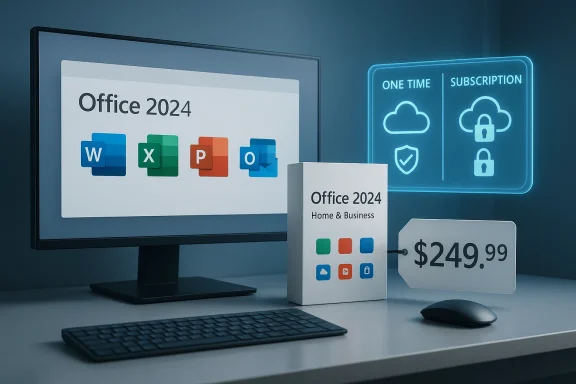
Microsoft released Office 2024 as the current perpetual (one-time purchase) edition of its consumer and small‑business productivity suite. Office 2024 is offered in two mainstream retail flavors: Office Home 2024 (Word, Excel, PowerPoint, OneNote) and Office Home & Business 2024 (adds Outlook and commercial use rights). Unlike Microsoft 365 subscriptions, the perpetual Office 2024 purchase is a single-payment license that installs classic desktop apps for a single PC or Mac and does not include the continuous feature stream and cloud services bundled with Microsoft 365.
The recent consumer headlines have focused on steep discounts offered by third-party retailers for the Office 2024 Home & Business lifetime license. Those promotions lower the usual retail MSRP substantially for a limited window — which makes headline-grabbing prices attractive, but also increases the chance that shoppers overlook subtle differences in what they’re buying. Understanding the difference between the product, the platform it uses, and the vendor selling it is essential.
Buy smart: verify the vendor, understand what features are included versus subscription‑only, and treat bargain listings with healthy skepticism. When the math and the licensing terms both line up with your needs, Office 2024 can be a reliable, long‑lasting productivity platform — but the real win is knowing you bought the right product for how you actually work.
Source: AOL.com Get the Microsoft Office tools you’ve always relied on — now with AI capabilities
 Background / Overview
Microsoft released Office 2024 as the current perpetual (one-time purchase) edition of its consumer and small‑business productivity suite. Office 2024 is offered in two mainstream retail flavors: Office Home 2024 (Word, Excel, PowerPoint, OneNote) and Office Home & Business 2024 (adds Outlook and commercial use rights). Unlike Microsoft 365 subscriptions, the perpetual Office 2024 purchase is a single-payment license that installs classic desktop apps for a single PC or Mac and does not include the continuous feature stream and cloud services bundled with Microsoft 365.The recent consumer headlines have focused on steep discounts offered by third-party retailers for the Office 2024 Home & Business lifetime license. Those promotions lower the usual retail MSRP substantially for a limited window — which makes headline-grabbing prices attractive, but also increases the chance that shoppers overlook subtle differences in what they’re buying. Understanding the difference between the product, the platform it uses, and the vendor selling it is essential.
What’s included in Office 2024 Home & Business
In plain terms, Office 2024 Home & Business bundles the core desktop apps most people rely on:- Word 2024 — modernized word processing with improved writing suggestions and usability refinements.
- Excel 2024 — faster formula handling, new functions and charting behaviors, and better large‑sheet performance.
- PowerPoint 2024 — design and recording tools for richer presentation captures (voice, video, captions).
- Outlook 2024 — desktop email, calendar, tasks and contact management (included only in Home & Business).
- OneNote 2024 — note-taking with richer inking and organizational tools.
- Office 2024 is licensed for one PC or one Mac per retail purchase, unless the vendor explicitly says otherwise.
- The product is a perpetual license — you own that version forever — but it does not guarantee free upgrades to the next major Office release.
- Microsoft requires a Microsoft account and an internet connection for activation and the initial setup flow.
The AI capabilities: what they actually are — and what they aren’t
The marketing shorthand “AI capabilities” has been applied generously. Here’s a clearer breakdown of the practical AI features baked into Office 2024 and how they compare with Microsoft’s subscription AI offerings.Built‑in, on‑client intelligence
Office 2024 includes built-in intelligent features that assist day‑to‑day tasks without requiring a Copilot subscription. Examples include:- Writing and formatting suggestions in Word — completions, smarter grammar/style suggestions, and helpful templates.
- Design/format suggestions in PowerPoint — layout and visual recommendations to make slides look more polished.
- Improved Excel functions and chart behaviors — dynamic arrays, enhanced image handling, and performance improvements that make analyzing large sheets quicker.
Cloud‑powered, subscription‑grade Copilot features
What Office 2024 does not include by default is full access to Microsoft’s premium Copilot experiences. Copilot — and Copilot Pro or Premium tiers — are subscription services that bring heavier cloud‑based LLM (large language model) capabilities into Office apps: deep document summarization, multi‑document reasoning, advanced natural‑language spreadsheet analysis, and higher‑capacity model access. Those features typically require:- A Microsoft 365 subscription or a separate Copilot subscription.
- Cloud processing (data sent to Microsoft’s servers for interpretation).
- Distinct licensing and usage limits that subscriptions manage.
Specific features commonly referenced in promotional copy
- Focus Mode in Word: A distraction‑reduction UI that hides toolbars and other chrome, allowing you to concentrate on text. This is largely a UI/UX enhancement rather than a generative AI feature.
- PowerPoint recording with voice/video and closed captions: PowerPoint has long supported slide‑show recording, video capture of presenter feed (Cameo), and caption/subtitle integration. Office 2024 refines the experience and integrates teleprompter-style notes and auto-caption workflows in the recording UI.
- Excel data analysis helpers: New functions, improved formula handling, dynamic charts that update when arrays change, and faster processing of large data sets. Some higher-level, natural‑language “analyze my data” features may require a subscription to access the more powerful AI models.
Why the one‑time license deal looks attractive (and when it’s not)
A heavily discounted one‑time license can look like a steal, but the financial and practical calculus depends on how you work.- If you only need the classic desktop apps for a single device and don’t care about 1 TB OneDrive, frequent feature updates, or the most powerful Copilot features, a one‑time purchase (especially on sale) can be the lowest‑cost path over a 2–4 year horizon.
- If you need multi‑device installs, cloud storage, family sharing, or advanced AI features, a Microsoft 365 subscription often wins in total value despite its recurring cost.
- Microsoft 365 Personal: monthly or annual subscription that covers a single user on multiple devices and includes Copilot tiers on paid plans.
- Microsoft 365 Family: shared plan for up to six people, includes OneDrive storage and other extras; better for households.
- Office 2024 Home & Business: one user, one device, perpetual ownership for the purchased version.
The vendor issue: authorized retailers vs gray‑market keys
A critical part of this story is where you buy the discounted license. Big consumer deal sites and third‑party marketplaces sometimes offer deep discounts on perpetual Office licenses — often via legitimate promotions. However, there are important and recurring problems to watch for:- Some discounted keys are resold volume or OEM keys that are not meant for single‑user retail resale. Those keys may be rejected by Microsoft’s consumer activation servers or work only temporarily.
- Redemption and activation irregularities can leave buyers with keys that “accept” but do not permit downloads or genuine activation, or that later become blocked.
- Products sold as “lifetime” can be non‑transferable and bound to a Microsoft account in ways that complicate device changes or account consolidation.
- Refund and support experiences vary widely if the seller is not an authorized Microsoft channel.
- Product listings that promise multi‑device installs for “one device” pricing.
- Delivery by private email with links that are not Microsoft domains or that instruct you to download from a cloud storage link.
- Sellers using ambiguous names like “Professional Plus” for consumer purchases — that often signals volume licensing kits that won’t register on consumer channels.
- Extremely low price points on platforms known for grey‑market keys without any vendor provenance or authorized reseller badge.
Activation and setup: what to expect
If you buy a legitimate Office 2024 retail license, the activation flow typically looks like this:- Sign in to the Microsoft account you want associated with the license.
- Redeem your product key (if provided) on Microsoft’s official setup/redeem page or check the Services & Subscriptions area of your Microsoft account if the purchase was digital and automatically associated.
- Download the Office 2024 installer from Microsoft and run the setup on the PC or Mac you intend to use.
- Sign into Office apps with the same Microsoft account to complete activation and access any online entitlements.
Privacy and AI: where your data goes
AI features differ in their data handling:- Local, UI‑level helpers (like Focus Mode) do not require cloud processing and keep data on your machine.
- Advanced language and Copilot-style reasoning generally involve sending content to cloud models for processing, which has implications for privacy and compliance. Subscription Copilot features explicitly operate with Microsoft’s cloud services and are governed by Microsoft’s privacy and data processing terms.
Practical buying checklist
Before you buy a discounted Office 2024 Home & Business license, run through this checklist:- Confirm the seller is an authorized retailer or a reputable marketplace with buyer protection.
- Verify whether the license is one device / one Microsoft account and how transfer or reinstallation is handled.
- Check if the listing includes a legitimate Microsoft product code and whether the download comes from Microsoft servers.
- Read user reviews focused specifically on activation success and post-purchase support experiences.
- Understand that advanced Copilot features are not automatically included and may require a Microsoft 365 or Copilot subscription.
How to decide: subscription or perpetual license?
Use this simple decision flow to pick the right path:- Do you need multi‑device access, 1 TB cloud storage, family sharing, or continuous feature updates? If yes — consider Microsoft 365 Family or Personal.
- Do you want to avoid recurring payments, only use Office on one primary machine, and don’t need Copilot‑level AI? If yes — a one‑time Office 2024 retail license may be the lower‑cost choice.
- Do you handle sensitive enterprise data requiring governance and tenant‑controlled AI? If yes — consult business licensing and consider Microsoft’s paid Copilot business tiers or enterprise contracts.
Practical recommendations and next steps
- If you need Office on multiple devices or share with family members, favor Microsoft 365 Family for the wider coverage and bundled services.
- If you’re a small business that requires Outlook and classic desktop apps but wants to avoid subscriptions, a legitimate Office 2024 Home & Business retail license is an appropriate fit — but buy it from Microsoft or an authorized merchant.
- If you consider buying a deeply discounted key from a deal site, look for verifiable seller credentials and transparent activation guidance. Keep receipts and transaction IDs until you confirm the key works.
- If you’ve already bought a key and activation fails, gather purchase documentation and contact the seller first; if they cannot redeem or support the key, request a refund through your payment provider and raise the activation issue with Microsoft if needed.
Conclusion
Microsoft Office 2024 modernizes familiar productivity apps with useful AI enhancements, faster performance, and refined media tools. For many users, those incremental improvements — combined with the permanence of a perpetual license — are precisely what’s needed. A time‑limited sale that offers Office 2024 Home & Business for roughly $100 can be an excellent deal for a single user on one machine who values a predictable, one‑and‑done cost. But the catch is real: the most capable AI experiences remain tied to Microsoft’s subscription ecosystem; discounted keys from third parties can be a gamble; and perpetual purchases for a single device lack the flexibility and cloud benefits of Microsoft 365.Buy smart: verify the vendor, understand what features are included versus subscription‑only, and treat bargain listings with healthy skepticism. When the math and the licensing terms both line up with your needs, Office 2024 can be a reliable, long‑lasting productivity platform — but the real win is knowing you bought the right product for how you actually work.
Source: AOL.com Get the Microsoft Office tools you’ve always relied on — now with AI capabilities
