Microsoft says some Office and Microsoft 365 apps on macOS and iOS will enter reduced functionality mode after July 13, 2026, unless they are updated to builds carrying a renewed licensing certificate, with Office 2019 for Mac users left without an update path. That is not merely an obscure certificate-maintenance problem. It is a collision between modern cloud-era licensing machinery and the older promise implied by a perpetual desktop software purchase. The controversy is happening because Microsoft can plausibly say the files are safe and the product is out of support, while customers can plausibly say they bought software that should not lose editing rights because a certificate expired.

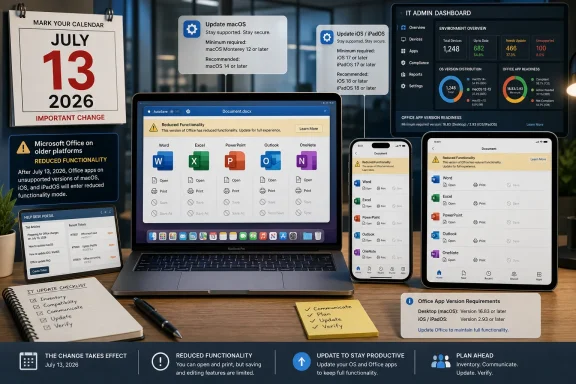
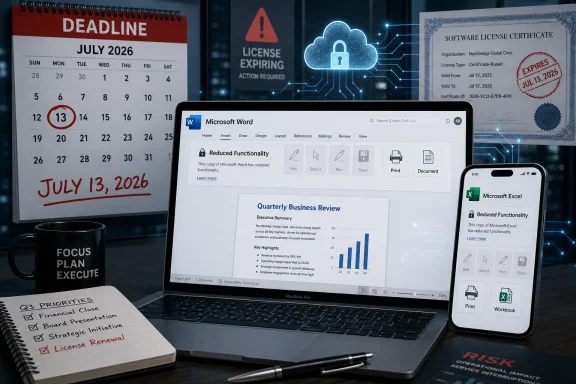
Office scene with a laptop showing Word/Excel “reduced functionality” and a deadline marked July 13, 2026.Microsoft Turns a Certificate Deadline Into a Trust Deadline​

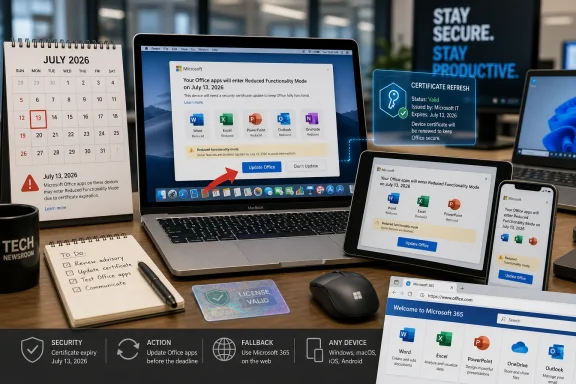
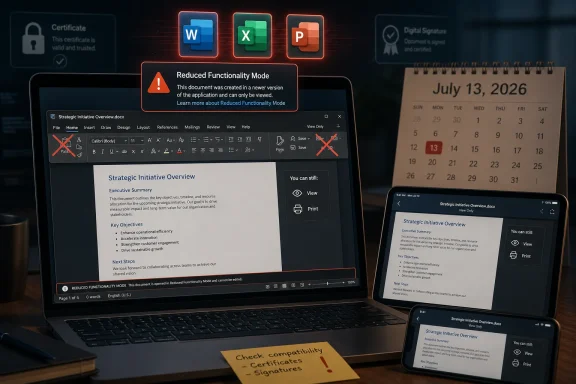
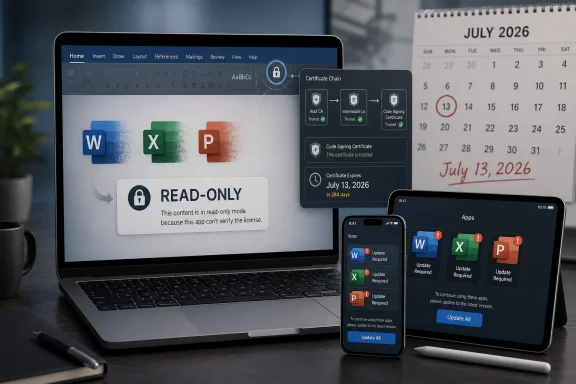
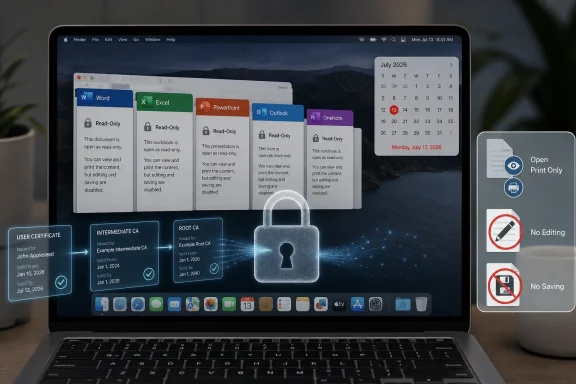
The mechanics are simple enough. Microsoft 365 and Office apps on Apple platforms use a digital certificate as part of license validation, and the certificate currently in use expires on July 13, 2026. Apps updated to the required versions include the renewed certificate; apps that are not updated can fall into what Microsoft calls reduced functionality mode, where documents can be opened, viewed, and printed, but not edited, saved, or newly created.
For Microsoft 365 subscribers on current hardware, this is mostly an IT hygiene exercise. Get macOS or iOS to a supported level, update the apps, verify the versions, and move on. For administrators, the company’s guidance is conventional fleet management: inventory devices, push updates through Intune, Microsoft AutoUpdate, MDM, or other tools, and communicate to users before the deadline.
The heat comes from the one-time-purchase versions. Office 2021 for Mac can avoid the cliff if it is updated to version 16.83 or later on macOS 12 Monterey or newer. iPhone and iPad apps need version 2.93 or later on iOS 17.0 or newer. But Office 2019 for Mac, which reached end of support on October 10, 2023, cannot be updated to the required version.
That distinction changes the story from “patch your software” to “your paid desktop suite may become view-only.” Microsoft’s support page says Office 2019 for Mac cannot resolve the issue by updating or reinstalling. The options it presents are essentially to use Microsoft 365 on the web, subscribe to Microsoft 365, or move to a newer Office product.
There is an important technical truth inside Microsoft’s position: unsupported software does eventually rot. Certificates expire, operating systems change APIs, authentication systems are replaced, and old apps become brittle in ways vendors cannot support forever. But there is also a consumer-trust truth inside the backlash: when an app continues to run locally, users do not expect its core edit-and-save capability to depend on a remote licensing architecture that expires years after purchase.

The Perpetual License Was Always Less Permanent Than It Sounded​

The phrase “one-time purchase” has always done more emotional work than legal work. Microsoft did not sell Office 2019 or Office 2021 for Mac as a subscription, but neither did it promise endless updates, endless compatibility, or indefinite support on every future Mac. Office 2019 for Mac had a defined support lifecycle, and that lifecycle ended in 2023.
That is the part of the argument Microsoft would rather keep at the center. Office 2019 is no longer supported, and unsupported software is not entitled to new engineering work. From a lifecycle-policy perspective, a certificate refresh is still an update, and Microsoft has drawn a product boundary: Office 2019 is outside it.
The customer’s objection is that this does not feel like a normal end-of-support event. Traditionally, when Office went out of support, the risk shifted to the user. You stopped getting security fixes, bug fixes, and compatibility updates, but the installed application kept doing what it had done the day before. It might become unsafe or increasingly incompatible, but it was not deliberately pushed into a mode that disables editing.
That distinction matters because Office is not a niche tool. It is a document infrastructure layer for schools, small businesses, nonprofits, households, and professionals who may buy a one-time license precisely because they do not want a recurring software bill. A user who bought Office 2019 for a Mac in good faith may reasonably have expected that by 2026 it would be old, unsupported, and perhaps unwise to use for sensitive work. They did not necessarily expect it to become a read-only viewer because a licensing certificate aged out.
This is where the controversy becomes bigger than Office 2019. The industry has spent a decade blurring the border between locally installed software and cloud-governed entitlements. Activation, identity, telemetry, sync, AI features, collaboration, app-store distribution, and subscription bundling have all normalized the idea that desktop applications keep checking in. But when the software was marketed as a one-time purchase, users still hear an older promise: I bought this copy; it is mine to use.

Office 2021 Gets a Lifeline, Office 2019 Gets a Wall​

The practical split between Office 2021 and Office 2019 is likely to confuse ordinary users. Both were sold as non-subscription Office for Mac products. Both sit outside the monthly Microsoft 365 subscription pitch. Both can still be found in households and small offices where users deliberately avoided subscription licensing.
Yet the July 2026 certificate event treats them very differently. Office 2021 for Mac users with compatible Macs can update to version 16.83 or newer and continue editing. Office 2019 for Mac users cannot. The same kind of purchase leads to different outcomes because one product train is still close enough to the current Office codebase to receive the certificate-bearing build and the other is not.
This is the kind of nuance that makes sense inside a product lifecycle spreadsheet and lands badly in public. Microsoft can say the newer perpetual product remains serviceable. Users can say the older perpetual product is being functionally downgraded. Both statements can be true, and that is precisely why the company’s messaging has struggled.
There is also an Apple-platform wrinkle. Microsoft says the certificate expiration affects macOS and iOS, not Windows or Android. On Macs, the required Office version also requires macOS 12 Monterey or later. That means some users face a chain of dependencies: a newer Office build requires a newer operating system, the newer operating system requires compatible hardware, and incompatible hardware leaves the user with web apps, a new Mac, a subscription, or a new Office license.
Enterprise IT departments are used to this logic. They plan refresh cycles, track supported OS baselines, and treat productivity software as a managed service. But the controversy is not being driven only by enterprise IT. It is being driven by the gulf between managed-device assumptions and retail-license expectations.
A home user does not think like a compliance dashboard. A retired accountant, a family business, or a teacher with a MacBook that still works may see no reason an old copy of Word should stop saving documents. To them, the certificate is not a lifecycle artifact. It is a vendor-controlled switch.

The Wording Change Made the Optics Worse​

One reason the controversy has taken off is the reported change in Microsoft’s wording around Office 2019 for Mac end of support. Earlier versions of Microsoft’s support language said Office 2019 apps would continue to function after support ended, while newer text emphasizes that data will not be lost and will remain accessible through corresponding Microsoft 365 or Office products. The removal of reassuring language has become a focal point because it appears to narrow the promise after the fact.
This does not automatically prove bad faith. Support pages are revised constantly, and old language often reflects assumptions that later engineering realities complicate. It is entirely possible that the certificate deadline was not front-of-mind when the older “continue to function” wording was written. Documentation teams often inherit product behavior rather than define it.
But optics matter, and here the optics are brutal. Customers who see a one-time-purchase product losing edit-and-save rights after a certificate expiration are already primed to suspect subscription pressure. When they also see language change from “will continue to function” to a more careful assurance that files are not lost, they infer that Microsoft is retrofitting the paper trail to match a decision it does not want to defend plainly.
Microsoft’s strongest possible statement would be direct: Office 2019 for Mac is out of support, its licensing certificate dependency is expiring, and the company will not ship a certificate-only update for that retired product. Instead, the support language routes users toward web apps, subscriptions, and newer perpetual versions. That may be commercially rational, but it reads less like a technical inevitability and more like a funnel.
This is the reputational risk of subscription-first software businesses. Even when the engineering explanation is real, the business model colors every interpretation. If the offered remedy includes a Microsoft 365 trial that requires a payment method and rolls into a paid subscription unless canceled, many users will not see customer care. They will see conversion strategy.

Read-Only Is Not Data Loss, But It Is Still a Product Loss​

Microsoft is careful to say files are safe. That is an important assurance. Documents are not being deleted, encrypted, or trapped inside the old app. Users can open, view, and print them, and they can use newer Office products, Microsoft 365 on the web, or other compatible suites to keep working.
But for a productivity application, editing is not an optional perk. The ability to create, modify, and save documents is the core value of Word, Excel, and PowerPoint. A spreadsheet app that can only view spreadsheets is not the same product in any meaningful everyday sense, even if it avoids the catastrophic label of data loss.
The distinction between file access and software functionality will likely shape the argument. Microsoft can say users still have their documents. Critics can say users no longer have the working software they bought. The former is technically reassuring; the latter is commercially and emotionally more salient.
The issue is especially sharp for small organizations. A company with a few Macs and Office 2019 licenses may not have formal asset management or a Microsoft 365 admin center. It may have bought perpetual Office to keep costs predictable. Its choices now are not just technical but financial: move to web apps with limitations, buy Office Home 2024 or another one-time product, subscribe to Microsoft 365, or migrate away from Office.
Migration sounds easier in comment threads than in real workflows. LibreOffice, OnlyOffice, Pages, Numbers, and Keynote can handle many documents well enough, and for some users they are excellent replacements. But Microsoft Office file formats remain the default currency of business collaboration, especially when documents involve complex Excel workbooks, tracked changes, macros, templates, or multi-party editing expectations.
That is why this story is sticky. The users most motivated to avoid subscriptions are often the same users with the least appetite for a messy document-compatibility migration. Microsoft knows this. So do the users.

Enterprise IT Sees a Patch Window, Consumers See a Broken Promise​

For managed environments running Microsoft 365 Apps, the July 2026 date is a planning milestone. Admins need to identify Macs and iPhones running versions below the minimum, check OS compatibility, push updates, and make sure users do not ignore prompts. This is mundane but important work, especially in organizations with older Macs, locked-down update policies, or field devices that miss normal maintenance windows.
The enterprise risk is not philosophical; it is operational. If a device is still on an old Office build after July 13, 2026, users may suddenly be able to open a file but not save the contract, spreadsheet, slide deck, or report they were working on. Help desks will receive the blame even if the root cause was a licensing certificate deadline announced months earlier.
Administrators also need to treat unsupported Apple hardware as a separate problem. If the Mac cannot run macOS 12 Monterey or later, it cannot meet Microsoft’s stated app baseline. That means the remediation path may involve hardware replacement, not just software deployment.
Consumers and small businesses encounter the same dependency chain without the vocabulary. They may only see that Word worked yesterday and refuses to edit after the deadline. They may not know whether they have Microsoft 365, Office 2021, Office 2019, a Mac App Store install, a retail license, or an old installer tied to a Microsoft account.
That confusion is not accidental in the broad sense. Office branding has become a layered product family spanning subscriptions, web apps, mobile apps, LTSC releases, consumer perpetual editions, enterprise channels, and cloud services. Microsoft benefits from the breadth of that ecosystem, but it also owns the support burden when ordinary customers cannot tell which version of “Office” they purchased and what rights come with it.

The Security Argument Is Real, but It Does Not End the Debate​

There is a defensible security case for moving users off old Office builds. Office documents are a long-standing attack surface. Unsupported productivity software that opens files from email, cloud storage, and outside organizations is a genuine risk. Microsoft does not want stale clients validating licenses through old components indefinitely.
But security arguments lose force when the fix appears narrowly withheld. If the renewed certificate is what prevents reduced functionality, users will ask why Microsoft cannot issue a minimal certificate-only update for Office 2019 for Mac. Microsoft’s answer is likely that Office 2019’s support lifecycle is over and that rebuilding, testing, signing, distributing, and supporting even a narrow update is not trivial. That answer may be true, but it will not satisfy people who see the product as otherwise functional.
The more honest framing is that this is not only about security or certificates. It is about Microsoft’s chosen boundary for old perpetual software in a subscription era. The company is saying, in effect, that Office 2019 for Mac is no longer a product it will keep operational when its licensing dependency expires. That is a business and lifecycle decision riding on top of a technical event.
Users are also right to notice asymmetry. When a vendor’s infrastructure is required to keep a paid app working, the vendor’s operational decisions become part of the product. If the vendor lets a certificate path expire for an unsupported product, the user experiences that not as natural decay but as a remote dependency failure.
That does not mean every unsupported product deserves indefinite patches. It does mean vendors should be careful when selling perpetual licenses for software that depends on revocable or expiring validation mechanisms. The more cloud-controlled the entitlement, the weaker the old “buy once, use as long as you like” intuition becomes.

Microsoft’s Options Are Narrower Than Its Critics Want, but Wider Than Its Script Suggests​

Microsoft’s published user-facing options are practical but politically tone-deaf. Use read-only mode. Use Microsoft 365 on the web. Subscribe to Microsoft 365. Buy a newer one-time Office product. Each is a path out of the immediate problem, but none directly preserves the original Office 2019 for Mac editing experience.
A certificate-only grace update would be the obvious pressure-release valve. It would not require Microsoft to resume full support, add features, or certify compatibility indefinitely. It could be framed as a one-time lifecycle exception to preserve core functionality for existing perpetual-license customers. The company may have engineering reasons not to do this, but if it wants to calm the backlash, it needs to explain them.
Another option would be a clearer no-cost entitlement path for affected Office 2019 for Mac customers. Microsoft could offer a limited upgrade to Office 2024 for Mac, a deeply discounted perpetual license, or a Microsoft 365 term that does not require the dark-pattern-adjacent dance of payment method capture and auto-renewal. Such a move would cost money but buy goodwill.
The least satisfying option is silence wrapped in support-page prose. The more users discover the deadline through email warnings, forum posts, and social media outrage, the more the issue looks like a stealth downgrade. A company of Microsoft’s scale does not get the benefit of appearing surprised by its own licensing architecture.
The correct standard here is not whether Microsoft can legally end support. It almost certainly can. The better standard is whether Microsoft is preserving reasonable customer expectations for a product category it continued to sell as a non-subscription alternative. On that measure, the Office 2019 for Mac outcome looks unnecessarily harsh.
The July 2026 Office Cliff Leaves Mac Users With Uneven Exits​

By now the practical picture is clear enough, even if the emotions around it are not. The certificate deadline is real, the affected platforms are Apple’s, and Office 2019 for Mac is the product with the least forgiving path. Users should not wait until July 2026 to find out which side of the line they are on.
  • Users running Microsoft 365 or Office 2021 for Mac should update macOS first if needed, then update Office to version 16.83 or later before July 13, 2026.
  • iPhone and iPad users need iOS or iPadOS 17.0 or later and Microsoft’s Office apps at version 2.93 or later to avoid reduced functionality.
  • Office 2019 for Mac reached end of support on October 10, 2023, and Microsoft says it cannot be updated to the required version.
  • Reduced functionality mode still allows opening, viewing, and printing files, but it removes editing, saving, saving as, and creating new files.
  • Windows and Android versions are not part of this particular certificate-expiration issue.
  • Anyone relying on Office 2019 for Mac for business-critical work should test a replacement workflow now, not during the week the certificate expires.
The deeper lesson is that “perpetual” software has become a weaker promise whenever activation, certificates, cloud identity, and vendor-controlled services sit underneath the app. Microsoft may yet soften the blow for Office 2019 for Mac users, and it should, because the cost of a narrow exception may be smaller than the reputational damage of making a paid desktop suite read-only. If it does not, July 13, 2026 will be remembered less as a certificate deadline than as another marker in the long retreat from software ownership toward software permission.

References​

  1. Primary source: GIGAZINE
    Published: 2026-06-01T12:12:07.264843
  2. Official source: support.microsoft.com
  3. Official source: learn.microsoft.com
  4. Related coverage: help.blacknight.com
  5. Related coverage: macuser.org.uk
  6. Related coverage: macwelt.de
 

Microsoft says some Office for Mac and iOS installations will lose the ability to create, edit, or save files after July 13, 2026, unless the apps are updated to versions carrying a renewed licensing certificate. The practical casualty is Office 2019 for Mac, a one-time-purchase suite that left support in October 2023 and will not receive the update Microsoft says is required. For customers who bought “perpetual” Office expecting old-fashioned software permanence, the episode lands as more than a maintenance notice. It is a reminder that modern desktop software can be sold like a product, governed like a service, and retired by infrastructure the user never sees.

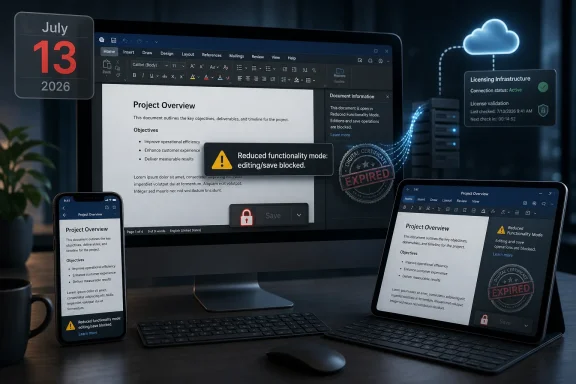
Digital devices show a project document with “Reduced functionality mode” and an “EXPIRED” watermark.A Perpetual License Meets a Service-World Kill Switch​

The core fact is simple enough: a certificate used by Microsoft’s Office apps on macOS and iOS is expiring. If the apps cannot validate properly after the July 13, 2026 deadline, Microsoft says they may enter reduced functionality mode, meaning users can open and print existing documents but cannot create new files, edit existing ones, or save changes.
That phrase sounds bureaucratic, but for a productivity suite it describes a near-total loss of purpose. Word without editing is a document viewer. Excel without saving is a museum case for spreadsheets. PowerPoint without creation is a rehearsal room with the door locked.
Microsoft’s guidance is also simple in the way vendor guidance often is: update your operating system, update your Office apps, and move on. On supported Microsoft 365 installations, and on Office versions still eligible for updates, that is likely to be the end of the story. The certificate renewal arrives through an app update, the licensing machinery keeps working, and most users never learn why a date in July mattered.
Office 2019 for Mac is where the machinery becomes visible. That product reached end of support on October 10, 2023. Because Microsoft no longer ships updates for it, the renewed certificate will not be delivered to those installations. The software can be locally installed, fully paid for, and still pushed into read-only behavior because a trust component outside the customer’s control ages out.
That is why the outrage has stuck. This is not a case where an online-only service is shutting down, or where a cloud feature no longer works because the server side changed. It is a desktop app suite, bought under the familiar mental model of permanent use, losing core local functionality because the modern licensing stack has a timer embedded in it.

Microsoft’s Legal Answer Is Not the Same as the Customer’s Expectation​

Microsoft is on firmer procedural ground than angry customers may want to admit. Office 2019 for Mac is out of support. End of support has a meaning: no new feature updates, no security fixes, and no engineering work to maintain compatibility with changing operating systems, services, or underlying trust infrastructure. If a certificate renewal requires an application update, an unsupported app is, by definition, outside the update stream.
But the customer expectation around perpetual software was never “Microsoft will support this forever.” It was closer to “the version I bought will keep doing the things it did, on the machine where it already works, until something external breaks it.” That bargain was always messier than nostalgia suggests, especially on macOS, where OS changes can break old binaries. Still, there is a meaningful difference between an app aging into incompatibility and an app being functionally limited because its own licensing certificate expires.
That distinction is the heart of the dispute. Microsoft can argue that support ended in 2023 and users had years of notice. Customers can argue that “end of support” traditionally meant “you are on your own,” not “a future licensing event will take away editing.” Both statements can be true, and the friction between them is exactly where the modern software economy lives.
This is also why the word “perpetual” has become so slippery. A perpetual license does not necessarily mean perpetual support, perpetual compatibility, or perpetual activation infrastructure. It may mean only that the customer has the right to use a particular version subject to license terms, technical dependencies, and whatever validation mechanisms the product requires.
That may satisfy lawyers. It does not satisfy users who bought a local productivity suite rather than a subscription precisely to avoid being dependent on Microsoft’s service cadence.

The Certificate Is the Messenger, Not the Whole Story​

It is tempting to reduce the episode to a single expired certificate, because certificates sound technical, neutral, and boring. Certificates expire all the time. Responsible software vendors rotate them. Unsupported software, by its nature, eventually misses those rotations.
But certificates are also governance tools. They decide what software is trusted, what licenses are valid, what components can talk to one another, and what a user is allowed to do. When those tools sit between a person and their documents, an expiration date becomes a product policy.
The especially uncomfortable point for Microsoft is that the fix exists. The renewed certificate is included in newer Office builds. Users on supported versions can receive it. The barrier for Office 2019 is not that the problem is technically unknowable, but that the product is outside the company’s servicing boundary.
From an engineering organization’s perspective, that boundary matters. Supporting every old release indefinitely creates cost, complexity, and security exposure. Shipping updates to unsupported products can also create expectations that end-of-support dates are negotiable. Vendors draw lines because, without them, old software becomes permanent infrastructure.
From the customer’s perspective, however, the line looks selectively rigid. Microsoft is willing to sell Office 2024, sell Microsoft 365 subscriptions, and provide web apps. It is not willing to deliver a narrow certificate update to a suite many customers still use because it remains good enough. The result is an event that feels less like entropy and more like leverage.

Mac Users Are Seeing the Future Windows Users Already Know​

WindowsForum readers should resist the temptation to treat this as a Mac-only drama. The affected product is Office for Mac, and the immediate platform details involve macOS and iOS. But the governing model is familiar to anyone managing Windows endpoints in 2026: local software increasingly depends on cloud identity, signed components, account state, licensing services, and vendor-controlled update channels.
Windows itself has been moving in that direction for years. Microsoft 365 Apps are serviced continuously. Entra ID, OneDrive, Defender, Intune, and Windows Update for Business all assume an environment where devices and users are constantly evaluated. Even standalone Office on Windows is not culturally separate from that universe anymore; it is the shrinking island beside a subscription continent.
For sysadmins, the lesson is not “never buy Microsoft.” Microsoft Office remains the default productivity layer in much of the enterprise because file fidelity, macros, Exchange integration, identity integration, and user training all matter. The lesson is that procurement language must catch up to operational reality.
A one-time purchase no longer means what it meant in the Office 2003 era. It may reduce recurring licensing spend, but it does not remove dependency on Microsoft’s servicing choices. It may avoid feature churn, but it does not guarantee that activation, signing, or security plumbing will remain viable past a support date.
That should make IT departments more precise when they evaluate “perpetual” software. The relevant question is not merely when support ends. It is whether the software contains time-bound components that can disable core workflows, whether those components can be renewed without a full-version upgrade, and what happens when the vendor stops issuing updates.

The Real Pain Is in Small Offices, Home Users, and Forgotten Macs​

Large enterprises are less likely to be blindsided. They tend to run Microsoft 365 Apps, maintain device management, and track support matrices because auditors and cyber insurers force the issue. Their pain is real but procedural: identify stale Office builds, push updates, retire unsupported macOS versions, and communicate the deadline.
The sharper pain lands elsewhere. Small businesses that bought Office 2019 for a handful of Macs may not have a dedicated admin watching certificate bulletins. Families may have an old iMac that still handles school forms, tax spreadsheets, or community newsletters. Nonprofits and local organizations often stretch software purchases as long as possible because budgets reward frugality, not lifecycle hygiene.
For those users, the failure mode will be brutal because it will look like a licensing malfunction. A document opens. The content is visible. The software may appear intact. Then the user discovers that saving or editing is blocked, and the explanation is not “your file is corrupted” but “your Office version cannot satisfy Microsoft’s current validation requirements.”
That kind of failure creates distrust because it violates the ordinary user’s sense of ownership. People understand that old apps may stop launching on new operating systems. They understand that new features require new versions. They are less prepared for an app they already own, on a device where it already runs, to remain present while its essential verbs are removed.
Microsoft will point users toward Microsoft 365, Office 2024, and web-based Microsoft 365 apps. Those are practical answers, and for many people they will be the easiest path forward. But practical is not the same as satisfying. When a vendor’s solution to a paid product becoming read-only is “buy the newer paid product or subscribe,” the optics do not need embellishment.

Office 2021 Owners Should Read This as a Warning, Not a Footnote​

Office 2021 for Mac is in a different position today because it remains within its support window until October 13, 2026. Supported users who update to the necessary build should avoid the July certificate cliff. That distinction matters, because not every one-time-purchase Office user is in the same immediate boat.
But Office 2021’s own support deadline is close enough to make the broader pattern hard to ignore. After October 2026, Office 2021 exits support. Microsoft says those apps should continue working, but this Office 2019 episode gives users a concrete reason to ask what “continue working” means when licensing certificates, OS requirements, and app updates all interact.
That does not mean Office 2021 will inevitably suffer the same fate on the same timeline. The correct conclusion is narrower and more useful: one-time-purchase Office is no longer a “buy it and forget it” product in any responsible IT plan. It is a fixed-lifecycle product with dependencies that may outlive the support promise only if nothing important changes.
This is particularly relevant for organizations that bought Office 2021 as a hedge against subscription cost. That hedge may still make sense in some environments, especially disconnected or tightly controlled systems. But the financial analysis has to include migration labor, compatibility testing, security exposure after support ends, and the possibility that a future trust-chain event forces action earlier than planned.
The old desktop-software bargain was predictable in a rough-and-ready way. You bought a version, skipped the next one, maybe skipped another, and upgraded when file formats, hardware, or operating systems forced your hand. The new bargain is more formal, more secure, and less forgiving. Calendars matter now.

Apple’s Platform Makes the Break More Visible​

There is also a macOS-specific dimension here. Apple’s platform security model depends heavily on certificates, signing, notarization, and OS-level trust decisions. That model improves security, but it also means old software ages in public. When an app’s trust assumptions fall behind the platform, the user sees the break.
Microsoft’s support note places the remedy in a matrix of supported operating systems and app versions. On macOS, users need sufficiently recent Office builds, and those builds have minimum OS requirements. On iPhone and iPad, the Office mobile apps similarly need versions that can carry the updated certificate. The result is not only an Office upgrade question, but an operating system and device support question.
That matters for older Macs that cannot move beyond a certain macOS release. A user may be willing to buy Office 2024 or subscribe to Microsoft 365, only to discover that the device itself is outside the supported path. In that case, a certificate deadline becomes a hardware lifecycle event.
Apple users are familiar with this pattern from the operating system side. Old Macs drop off the newest macOS release. Security updates narrow. Apps gradually require newer frameworks. But Microsoft’s Office deadline adds a sharper twist because the affected functionality is not some advanced cloud feature; it is editing documents.
That is why the story has traveled quickly through Mac communities. It is not just about Office. It is about the growing sense that purchased software is becoming conditional in ways that were poorly understood at the time of purchase.

Alternatives Exist, but Switching Is Not Free​

Every time Microsoft angers Office users, alternatives get a fresh marketing opportunity. Apple’s Pages, Numbers, and Keynote are free for Mac users and good enough for many household and school tasks. LibreOffice remains a serious open-source suite with broad format support and the crucial virtue of not being tied to a Microsoft subscription.
But anyone who tells businesses to “just switch” is skipping the expensive part. Office is not merely a bundle of apps. It is a file format ecosystem, a macro environment, a collaboration workflow, an email and calendar client, and a set of habits embedded across decades. Excel, in particular, is less an application than a shadow business platform.
That does not mean alternatives are irrelevant. For users with straightforward documents, basic spreadsheets, and no dependence on complex formatting or Visual Basic for Applications, this is a rational moment to test them. If Office 2019 was attractive because it avoided subscription lock-in, then LibreOffice deserves a serious look precisely because its governance model is different.
Apple’s iWork suite is also more capable than its reputation in Windows-heavy offices suggests. Pages and Keynote are elegant for many consumer and creative workflows, and Numbers has its fans. The problem is not whether they can create documents. The problem is whether they can survive contact with the Office files, templates, macros, and collaborators that dominate mixed environments.
The most honest advice is therefore segmented. Casual users should consider whether they need Microsoft Office at all. Small organizations should inventory their document workflows before reflexively subscribing. Enterprises should treat this as one more data point in a larger lifecycle and identity-management strategy.

Trust Is Now a Lifecycle Feature​

The most damaging part of this episode for Microsoft is not the number of affected users. Office 2019 for Mac is old by Microsoft’s support calendar, and the company can reasonably expect many customers to have moved on. The deeper issue is that trust, once weakened, changes how customers interpret every future lifecycle notice.
When Microsoft says a product is “perpetual,” users will ask what hidden dependencies govern that permanence. When Microsoft says unsupported software will continue to function, users will ask whether “function” includes the ability to save work. When Microsoft recommends Microsoft 365 as the safer path, users will hear both a practical recommendation and a commercial incentive.
That is a hard knot for Microsoft to untangle because all of those interpretations contain some truth. Subscription software does give Microsoft a cleaner way to keep certificates, security fixes, and compatibility updates flowing. It also gives Microsoft recurring revenue and more control over the customer relationship. The same mechanism that improves maintainability also increases vendor power.
The answer cannot simply be better messaging, though Microsoft could certainly use clearer language around what perpetual Office does and does not guarantee after support ends. The answer is product design that distinguishes between unsupported risk and deliberate functional disablement. If a local app can safely continue editing local documents after its support window, customers will expect it to do so.
Where that is not possible, vendors should say so plainly at purchase time and at end-of-support time. Not in license prose, not in lifecycle tables, but in human language: after this date, a required certificate may expire, and editing may stop unless you upgrade. That kind of candor would not eliminate anger, but it would make the bargain visible.

The July Deadline Turns Office Licensing Into an Admin Problem​

For WindowsForum’s IT audience, the immediate task is less philosophical. If your environment includes Macs, iPhones, or iPads running Office, you need to know which versions are installed, which operating systems they run on, and whether they can update before July 13, 2026. Waiting until users report read-only documents is the most expensive way to learn your inventory.
The same applies to consultants and managed service providers supporting small businesses. This is the kind of deadline that hides in plain sight until a client’s payroll spreadsheet, grant proposal, or legal document suddenly becomes uneditable. The fix may be easy, but only if it is planned.
Administrators should also be careful in how they communicate the issue. Calling it “Microsoft bricking Office” will resonate emotionally but may obscure the support lifecycle reality. Calling it “just an unsupported app” will sound dismissive to users who paid for the software and still rely on it. The useful framing is narrower: old Office builds need a certificate update; supported builds can receive it; Office 2019 for Mac cannot because it is out of support.
That framing leaves room for user frustration without sacrificing accuracy. It also helps organizations make decisions instead of arguing about motives. Some will upgrade to Microsoft 365. Some will buy Office 2024. Some will move light users to web apps or alternative suites. Some will retire old Macs. The bad outcome is pretending nothing changed.

The Calendar, Not the Installer, Now Owns the Suite​

The practical takeaways are less about one Mac suite than about the new terms of ownership for productivity software. Microsoft’s July deadline shows how support policy, certificate infrastructure, and subscription strategy can converge on a user’s ability to save a document.
  • Office 2019 for Mac users should assume the suite will become effectively read-only after July 13, 2026, unless Microsoft changes course.
  • Microsoft 365 and supported Office users on macOS and iOS should update their apps and operating systems before the deadline rather than waiting for reduced functionality mode to appear.
  • Office 2021 for Mac users are not in the same immediate position as Office 2019 users, but their October 13, 2026 support deadline now deserves serious planning.
  • Small businesses and home users should inventory old Macs and Office versions because the most disruptive failures will happen on machines nobody actively manages.
  • Alternatives such as LibreOffice and Apple’s iWork are credible for simple workflows, but organizations dependent on Excel macros, Outlook, or strict Office formatting need migration testing before switching.
The uncomfortable lesson is that desktop software ownership has become conditional even when the receipt says “one-time purchase.” Microsoft may be following its support policy, and the certificate problem may be technically ordinary, but the user experience is extraordinary: a paid productivity suite that can still launch, still open your work, and still refuse to let you change it. As July 2026 approaches, the smartest users and administrators will treat Office not as a static installation but as a living dependency with an expiration calendar attached.

References​

  1. Primary source: MacTrast
    Published: 2026-06-02T18:12:13.332692
  2. Independent coverage: applemust.com
    Published: Tue, 02 Jun 2026 15:11:17 GMT
  3. Independent coverage: MacRumors
    Published: Tue, 02 Jun 2026 13:31:46 GMT
  4. Official source: support.microsoft.com
  5. Official source: learn.microsoft.com
  6. Related coverage: macuser.org.uk
  1. Related coverage: tidbits.com
  2. Related coverage: gearbriefly.com
  3. Related coverage: blog-en.topedia.com
  4. Related coverage: piunikaweb.com
  5. Official source: microsoft.com
  6. Related coverage: licensingschool.co.uk
 

Microsoft says that starting July 13, 2026, some Office and Microsoft 365 apps on macOS, iPhone, and iPad will fall into reduced functionality mode if they cannot be updated to versions that meet Microsoft’s newer certificate and operating-system requirements. That is not the same as Microsoft killing every copy of Office 2019 everywhere, but for Office 2019 for Mac users, the distinction may feel academic. Their apps may still open and print documents, yet the paid-for suite’s useful work — editing, saving, and creating files — is the part Microsoft says will stop. The real story is not a single date on a support page; it is the shrinking space left for software that was sold as something you could keep.

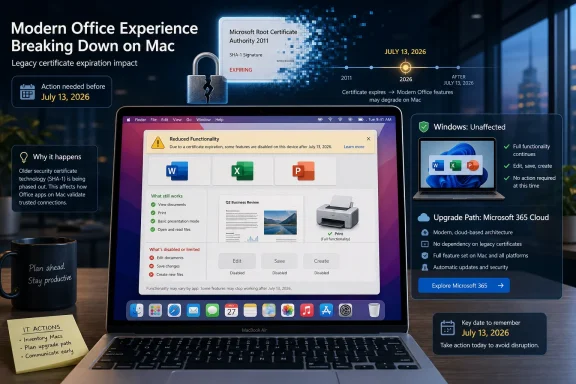
Infographic shows a July 13, 2026 certificate expiry warning for Microsoft Office on Mac, with upgrade guidance.The Headline Is Too Broad, but the Grievance Is Real​

The viral version of this story is easy to summarize and easier to rage-share: Microsoft is supposedly killing Office 2019 on July 13, 2026, remotely blocking installations, and turning a “lifetime” license into a subscription sales funnel. That framing overreaches in one important way. Microsoft’s own documentation says the July 2026 certificate problem applies to Office and Microsoft 365 apps on macOS and iOS, not to Windows or Android.
That caveat matters, especially for a WindowsForum audience. Office 2019 on Windows is not being newly “bricked” on July 13, 2026, according to the support material Microsoft has published. The Windows version already reached the end of support on October 14, 2025, and Microsoft’s language around that product has long been the familiar end-of-life boilerplate: no more security fixes, no more bug fixes, no more support, with continued use at the customer’s risk.
But caveats should not become camouflage. For Office 2019 for Mac, Microsoft’s document is blunt enough to deserve scrutiny. Office 2019 for Mac reached end of support on October 10, 2023, cannot be updated to the required version, and Microsoft says the July 2026 reduced-functionality issue cannot be resolved by reinstalling or updating that product.
That is a meaningful change in the ordinary consumer understanding of a one-time software purchase. A perpetual license was never a promise of perpetual patches, but buyers reasonably expected the installed application to keep performing its basic job as long as the operating system and hardware allowed it. When the app can open a document but no longer save edits, the line between “unsupported” and “disabled” becomes more than semantic.

Microsoft’s Certificate Problem Becomes a Trust Problem​

Microsoft describes the July 2026 issue as a certificate expiration and validation problem. The certificate is used to validate Office licenses, and once the affected apps fall out of the supported update path, the software can enter reduced functionality mode. That mode is not a crash, a deletion, or a file lockout; Microsoft says users can still open, view, and print files.
For many users, however, viewing and printing are not why Office was purchased. Word without editing, Excel without saving, and PowerPoint without creating new decks are not productivity applications in the ordinary sense. They are document viewers wearing the skins of applications people once bought to do work.
Microsoft’s recommended escape routes are predictable. Users can update their operating system, update their Office apps where possible, use Microsoft 365 on the web, move to a newer one-time Office release where supported, or subscribe to Microsoft 365. For Microsoft 365 subscribers and Office 2021 users on sufficiently modern Apple devices, that may be a nuisance rather than a cliff.
For Office 2019 for Mac owners, the cliff is built into the support page. Microsoft says the product cannot be updated to the required version. That leaves the user with a paid license that survives as account history but not as a functioning editor.
The company can argue, with some justification, that certificates expire, security models evolve, and old clients cannot be supported forever. But that argument lands differently when the product was sold as a non-subscription alternative. A perpetual license that depends on a remote validation chain the vendor later lets expire is perpetual only in the narrowest legal sense.

Windows Users Should Not Ignore a Mac-Specific Warning​

It would be tempting for Windows users to treat this as an Apple-platform mess. The affected July 2026 support page explicitly says Windows and Android are not affected by this certificate expiration. That should stop the lazier panic: Microsoft has not announced that Office 2019 for Windows will stop editing documents on July 13, 2026.
Still, Windows users should pay attention because the same design philosophy is spreading through the software stack. Activation, cloud identity, update channels, online templates, connected features, AI assistants, storage prompts, and account-based entitlement checks all make modern productivity software less like a boxed tool and more like a controlled endpoint. The operating system may be local, but the permission structure increasingly lives elsewhere.
Office 2019 for Windows already sits outside support. That means no security updates for newly discovered vulnerabilities, no official technical help, and no guarantee that future Windows changes will preserve compatibility. In practical terms, many copies may continue running for years; in risk terms, they have moved into the same category as any unsupported business-critical software.
That distinction is familiar to sysadmins. Unsupported does not mean inoperable. It means the organization now owns the risk, the compensating controls, the compatibility testing, and the awkward conversation after the next document-parsing vulnerability lands in the wild.
The Mac certificate issue adds another layer. It shows that even when software is locally installed, a vendor-controlled entitlement mechanism can become the point of failure. Windows users may not face this exact July 2026 event, but they live in the same licensing era.

“Lifetime” Was Always a Marketing Word with an Asterisk​

The word “lifetime” has done extraordinary work in software retail. It suggests permanence without specifying whose life is being measured: the buyer’s, the product’s, the device’s, the activation server’s, the certificate chain’s, or the vendor’s patience. In boxed-software days, the ambiguity was less visible because the bits on the disc and the product key in the sleeve could often outlive official support by a decade.
Office 2019 arrived in September 2018 as a compromise product for customers who did not want Office as a subscription. It was never Microsoft’s preferred future. Even then, the company positioned perpetual Office as a narrower release, without the continuous feature stream of Microsoft 365, and with a shorter support runway than many long-time Office buyers had come to expect.
The commercial gravity was obvious. Microsoft 365 turns Office from a major upgrade cycle into recurring revenue. It gives Microsoft predictable cash flow, easier telemetry, faster feature deployment, tighter identity integration, and a cleaner path to bundling cloud storage, Teams, Copilot, security services, and administrative controls.
Customers bought Office 2019 for the opposite reason. They wanted bounded cost, bounded change, and bounded dependency. They were not necessarily anti-cloud zealots; many were households, schools, small offices, consultants, and budget-constrained organizations that had a simple requirement: open the same documents tomorrow with the same tools bought yesterday.
The July 2026 Mac issue exposes the weakness in that bargain. A one-time purchase can still be dependent on infrastructure that the buyer does not control. The software may be installed locally, but the right to use it remains technically mediated.

End of Support Used to Mean Risk; Now It Can Mean Reduced Function​

The old end-of-support model was unpleasant but legible. A vendor stopped patching a product, users could keep running it, and the consequences accumulated over time. Security risk rose, compatibility worsened, and support desks became less sympathetic, but the software did not usually wake up one morning and decide that saving files was above its pay grade.
Modern software has blurred that line. Subscription checks, cloud licensing, certificate validation, signed update channels, and identity-bound features make the act of running an application dependent on an ecosystem. When that ecosystem changes, old software can degrade not because the local binary is incapable of working, but because the surrounding trust machinery no longer blesses it.
Microsoft’s language is careful. The company is not saying your files are unsafe or that the documents disappear. It says affected users can still open and print. That is a legally and technically important distinction.
But productivity software is not purchased merely to preserve the right to look at old files. If a spreadsheet cannot be edited and saved, the user’s workflow has been broken. If a local government office, small business, or nonprofit has machines that still run Office 2019 for Mac because the hardware and the workload were stable, Microsoft’s answer is effectively migration.
This is why the anger has traction even where the viral headline is sloppy. Users are not only reacting to a support deadline. They are reacting to the realization that “unsupported” can now be enforced through functional degradation.

The Subscription Push Is Obvious Because Microsoft Keeps Saying It Quietly​

Microsoft does not need to say “subscribe or else” for the direction of travel to be clear. Its support pages point users toward Microsoft 365 on the web, Microsoft 365 subscriptions, newer Office releases, and newer operating systems. That is sensible support guidance from Microsoft’s perspective, but it also channels every legacy inconvenience into the same commercial destination.
The subscription model is not automatically bad. For many users, Microsoft 365 is a better product than Office 2019 ever was. It includes ongoing updates, cloud storage, cross-device access, collaboration features, security improvements, and a constant stream of fixes. For businesses, the administrative and compliance story can be stronger than scattered perpetual installs.
But subscriptions change the customer’s leverage. A customer who bought Office every six or seven years could decide when the upgrade was worth it. A subscriber pays continuously, accepts continuous change, and lives with the possibility of plan reshuffling, feature gating, storage nudges, AI bundling, and price increases.
That shift matters most for the people Microsoft’s marketing tends to smooth over: the retired user with a stable Mac, the volunteer treasurer keeping spreadsheets, the sole proprietor sending invoices, the small office that bought perpetual licenses because subscriptions were one more monthly bill. These users are not edge cases in the moral economy of software ownership. They are exactly the people perpetual licenses were supposed to serve.
The Mac certificate deadline tells them the old deal has conditions they may not have understood. They bought a product, but they also bought into a validation system. That system now has an expiration date.

Office 2024 Is an Escape Hatch, Not a Return to the Old World​

Microsoft still sells one-time-purchase Office. Office 2024 exists, and for users who dislike subscriptions, it is the obvious upgrade path if their hardware and operating system meet the requirements. That matters because the story is not as simple as “Microsoft has abolished perpetual Office.”
But Office 2024 is not the old boxed-software universe restored. It is a modern perpetual license living inside a modern service ecosystem. It has a fixed support lifecycle, platform requirements, account-based installation flows, and fewer guarantees than many customers intuitively associate with the word “own.”
For IT departments, the realistic comparison is not nostalgia versus greed. It is risk, cost, and control. Microsoft 365 may reduce some risks while increasing dependency. Office LTSC and perpetual releases may reduce change velocity while increasing lifecycle pressure. LibreOffice or other alternatives may lower licensing costs while raising document fidelity and training issues.
The practical answer will differ by environment. A school district with Microsoft identity already embedded may accept Microsoft 365 as the least-bad operational choice. A small business with light document needs may decide that a newer perpetual Office license buys enough time. A home user with simple documents may finally decide that LibreOffice, Apple’s iWork apps, or web-based tools are good enough.
The key is to stop treating “one-time purchase” as a synonym for “outside the vendor’s reach.” In 2026, that is no longer a safe assumption.

Sysadmins Will See a Lifecycle Incident, Not Just a Consumer Outrage​

Enterprise IT has spent years learning that software lifecycles are not paperwork. They are operational facts. When a product exits support, the security team sees exposure, the help desk sees ticket ambiguity, procurement sees emergency spending, and line-of-business teams see disruption where they expected continuity.
The Office 2019 for Mac issue is especially annoying because it can hide in low-volume corners of an estate. A company may have standardized on Microsoft 365 for Windows while leaving a handful of Macs on older perpetual Office builds. Those machines may belong to executives, designers, finance staff, or users who are least tolerant of surprise workflow failures.
The July 13, 2026 date gives administrators time, but not an excuse to wait. The inventory question is specific: which Macs are running Office 2019, which are running Office 2021, which are on Microsoft 365, which operating-system versions are present, and which devices cannot move to macOS 12 or later? That is not difficult work, but it is exactly the sort of work that becomes expensive when discovered after the deadline.
The document-handling risk is also broader than Office itself. Unsupported productivity apps are attractive targets because documents remain a common delivery vehicle for phishing, macros, embedded content, and exploit chains. Even if a business is willing to tolerate feature stagnation, tolerating unpatched document software is a different decision.
This is where Microsoft’s position is strongest. The company can credibly argue that unsupported Office clients are a security and reliability liability. The problem is that a sound lifecycle argument becomes harder to accept when the remedy so neatly aligns with recurring revenue.

Apple Hardware Makes the Squeeze Feel Sharper​

The Apple angle matters because macOS support is itself a moving target. Microsoft supports Office on recent macOS versions, Apple drops older Macs from new macOS releases, and users with otherwise functional hardware can get trapped between both companies’ lifecycle policies. A Mac that feels perfectly usable for writing, spreadsheets, and email can become ineligible for the software update that keeps Office fully functional.
That dynamic is not unique to Microsoft. Apple’s own ecosystem is full of OS-version gates, notarization changes, security requirements, and App Store constraints. The difference is that Office sits at the center of work that users often consider platform-neutral. A Word document is supposed to be portable; the software used to edit it is increasingly less so.
For Office 2021 and Microsoft 365 users on Apple devices, Microsoft’s advice is straightforward: update the OS, then update the apps. For users on hardware that cannot update far enough, the alternatives become web apps, newer hardware, or different software. For Office 2019 for Mac users, even newer macOS does not appear to save the old suite because the app itself cannot be updated to the required version.
That creates the most combustible version of the ownership dispute. The blocker is not necessarily that the user’s Mac cannot run a word processor. It is that the version of Word they bought cannot satisfy the licensing and certificate conditions Microsoft now requires.
A platform lifecycle story becomes a licensing story, and then a trust story. That is why this has escaped the boundaries of ordinary support documentation.

Adobe Showed the Destination, but Office Makes It Mainstream​

Comparisons to Adobe are inevitable. Creative Cloud trained an entire industry to accept that professional software could become a subscription by default. Designers who once bought boxed versions of Photoshop and Illustrator gradually moved into a world where access, updates, fonts, cloud assets, and collaboration lived behind recurring payments.
Office is different because Office is more ordinary. Photoshop is a professional tool for a narrower market. Word and Excel are civic infrastructure in everything but name. They sit in homes, churches, schools, courts, clinics, municipalities, small businesses, and government departments.
That scale changes the politics of software ownership. When a creative tool becomes subscription-only, professionals may grumble and pass the cost along. When a general-purpose office suite turns the screws on legacy perpetual use, the effect is felt by people who never thought of themselves as participants in a platform strategy.
Microsoft has not moved as aggressively as Adobe in abolishing perpetual licensing. That restraint is worth acknowledging. Office 2024 exists, and volume-licensed long-term servicing editions remain part of the enterprise landscape.
But the center of gravity is unmistakable. Microsoft’s innovation, marketing, pricing energy, AI integration, and administrative tooling all orbit Microsoft 365. Perpetual Office remains available, but it increasingly feels like a side road with toll booths ahead.

The Legal Meaning of Ownership Is Losing to the Technical Meaning of Access​

Software ownership has always been more limited than consumers liked to imagine. Most users bought licenses, not property in the software itself. The vendor retained copyright, imposed terms, restricted copying, and defined permitted use. The “own it” feeling came from practical control, not legal purity.
That practical control is what is fading. A disc, a serial number, and an offline installer gave users a kind of rough autonomy. Activation servers weakened it. Account-bound installers weakened it further. Cloud-connected features, expiring certificates, and subscription entitlements turn that autonomy into an implementation detail the vendor can revise.
The Office 2019 for Mac dispute sits precisely at that fault line. Microsoft can say the license still exists, the files remain accessible, and the product is long out of support. Users can reply that a license to view but not edit is not what they understood themselves to have purchased.
Both statements can be true, which is why the issue is bigger than one support article. The law may treat this as a license lifecycle. The customer experiences it as a product losing its core function.
That gap is where regulatory and consumer-protection fights are likely to grow. As cars, games, smart-home devices, creative tools, and office suites all become dependent on remote services, the old language of sale and ownership becomes less descriptive of reality. Buyers are being asked to accept access as ownership while vendors reserve the technical power to narrow that access later.

The Security Argument Deserves Respect, but Not a Blank Check​

It is too easy to dismiss Microsoft’s position as pure rent-seeking. Old Office clients really are risky. Document parsers are complex, attackers love file formats, and unsupported software becomes more dangerous with every month that passes without patches. In managed environments, running unpatched Office should require a conscious exception, not inertia.
Certificates also exist for reasons. Trust chains expire, cryptographic standards evolve, and vendors cannot preserve every old validation path forever without increasing operational and security complexity. A world where every ancient client remains fully blessed indefinitely is not a serious security model.
But security arguments can become all-purpose solvents for user rights. If every vendor-controlled shutdown is justified by risk, buyers have no stable expectations. The right balance should distinguish between ending updates, warning users, blocking unsafe network behavior, and disabling the core local functions of paid software.
Microsoft’s handling of this event would look better if the company offered a clearer perpetual-license bridge for Office 2019 for Mac owners. A discounted upgrade, a long-term offline validation tool, or a transparent technical explanation of why editing must be disabled would not satisfy everyone, but it would acknowledge the ownership expectation Microsoft benefited from when it sold the product.
Instead, the public message effectively points users toward newer software or Microsoft 365. That may be rational lifecycle management. It also looks exactly like the subscription funnel critics accuse Microsoft of building.

The July 2026 Date Should Change Upgrade Planning Now​

For individual users, the immediate task is not to panic; it is to identify what is actually installed. Office 2019 for Windows is in a different position from Office 2019 for Mac. Office 2021 for Mac is in a different position from Office 2019 for Mac. Microsoft 365 on an updatable Mac is in a different position from Microsoft 365 on hardware stuck behind the required OS level.
That nuance matters because bad information produces bad spending. A Windows user who reads the viral headline may buy a Microsoft 365 subscription unnecessarily out of fear that Office 2019 will stop launching in July 2026. A Mac user who dismisses the story as internet outrage may wake up to read-only Office apps and a workday full of migration chores.
For households, the practical choice is simple but not painless. If Office 2019 for Mac is still in use, assume it is living on borrowed time for editing and saving. Export important templates, verify that documents open cleanly in alternative tools, and decide whether the next step is Office 2024, Microsoft 365, the web apps, or a non-Microsoft suite.
For small businesses, the decision should be documented. If you stay on unsupported Office, say why, limit exposure, and understand the risk. If you move to Microsoft 365, budget for recurring cost and account administration. If you choose perpetual Office again, calendar the next support deadline on the day of purchase.
For larger IT shops, this should become part of asset management rather than a one-off help desk bulletin. Query installations, segment by platform, compare OS eligibility, and communicate the difference between end of support and reduced functionality. Users do not need a lecture on certificates; they need to know whether they can save a document on July 14, 2026.

The Real Lesson Is Hidden in the Fine Print​

Microsoft’s July 2026 Office change is not the universal Office 2019 death sentence some headlines claim, but it is a sharp warning about what modern software ownership has become. The facts are narrower than the outrage. The implications are wider than the support page.
  • Office 2019 for Windows is not covered by Microsoft’s July 13, 2026 macOS and iOS certificate warning, though it already left support on October 14, 2025.
  • Office 2019 for Mac is the product facing the hardest outcome because Microsoft says it cannot be updated to the required version.
  • Affected Apple-platform users should expect reduced functionality mode, meaning they can open and print files but cannot edit, save, or create them.
  • Microsoft 365 and Office 2021 users on Apple devices may be able to avoid the problem by updating both the operating system and the Office apps, assuming their hardware supports the required OS.
  • The safest planning assumption is that perpetual Office now means a fixed lifecycle, not indefinite practical control.
  • The broader risk is not one expired certificate but the growing dependence of local software on remote validation, account entitlement, and vendor-controlled update paths.
The uncomfortable truth is that Microsoft does not have to abolish perpetual Office to make the subscription future win; it only has to make the perpetual path narrower, shorter, and more conditional with every lifecycle turn. July 13, 2026, should therefore be read less as the day Office 2019 “dies” everywhere and more as a preview of the bargain customers will increasingly be offered: your files may be yours, but the tools that make them useful will remain on someone else’s clock.

References​

  1. Primary source: appel-aura-ecologie.fr
    Published: 2026-06-02T06:12:13.342144
  2. Official source: support.microsoft.com
  3. Official source: learn.microsoft.com
  4. Official source: microsoft.com
  5. Related coverage: windowscentral.com
  6. Related coverage: 3ds.com
  1. Related coverage: pcworld.com
  2. Related coverage: appleinsider.com
  3. Official source: marketingassets.microsoft.com
  4. Related coverage: ashgabattimes.com
  5. Official source: download.microsoft.com
 

Microsoft says some Office apps on macOS, iPhone, and iPad will lose the ability to create, edit, or save files starting July 13, 2026, unless they are updated to versions carrying a renewed license-validation certificate. The sharpest impact lands on Office 2019 for Mac, which is already out of support and cannot receive the required update. That makes this less a routine maintenance notice than a reminder that “perpetual” software increasingly depends on infrastructure the vendor still controls. For users who bought Office to avoid subscriptions, the certificate clock is now the real licensing authority.

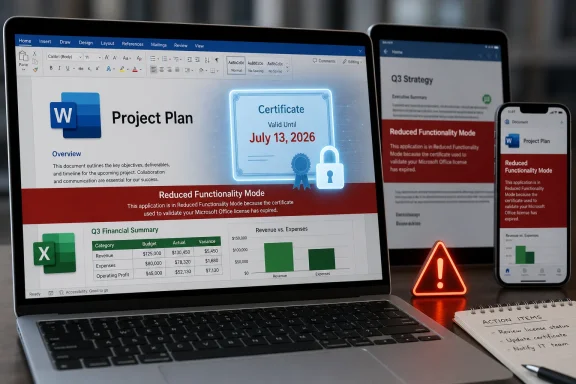
Laptops and phones display project documents with a “Reduced Functionality Mode” licensing warning.Microsoft Turns a Certificate Deadline Into a Product Deadline​

The proximate cause is mundane: a digital certificate used to validate Office licensing is expiring. Microsoft has renewed the certificate, but the fix is delivered through newer Office app versions rather than through a special one-off patch for retired software. Supported Microsoft 365 and Office 2021 users can avoid the problem by updating their apps and, where necessary, their operating systems.
Office 2019 for Mac users are in a different category. Microsoft ended support for that suite on October 10, 2023, and the company’s current guidance says updating or reinstalling Office 2019 for Mac will not resolve the issue. Once the certificate deadline arrives, affected copies of Word, Excel, PowerPoint, Outlook, and OneNote can still open and print files, but they will no longer create, edit, or save them.
That is the kind of technical explanation that is accurate and still unsatisfying. A certificate expiring is not a novel event; it is a predictable calendar problem. The controversy is not that Microsoft needed to rotate trust material, but that the rotation is functionally ending editing support for a one-time-purchase product that many customers reasonably understood as usable indefinitely on compatible hardware.
Microsoft would argue that Office 2019 for Mac already had a defined support lifecycle and that unsupported products cannot expect ongoing patches. That position is coherent in the language of enterprise lifecycle management. It is much harder to defend in the language of ordinary software ownership, where “unsupported” has historically meant “no fixes if it breaks,” not “a known date will deliberately push core features into read-only mode.”

The Words “Reduced Functionality” Do a Lot of Work​

Microsoft calls the post-deadline state reduced functionality mode, a phrase longtime Office users may remember from activation failures and expired subscriptions. It sounds clinical, almost harmless. In practice, it means the apps become viewers for the documents they were purchased to produce.
For Word and Excel, that distinction matters immediately. A family budget spreadsheet, a school assignment, a local business invoice template, a club newsletter, or an archived legal letter remains accessible, but not meaningfully usable inside the software that created it. The files are not encrypted, destroyed, or held hostage. But the workflow is broken at the point where Office’s value actually lives: editing and saving.
The same issue can hit certain Office apps on iPhone and iPad that cannot be updated to the required version. Microsoft’s published guidance says iOS and iPadOS users need app version 2.93 on iOS 17 or later, while Mac users need version 16.83 or later on macOS 12 Monterey or newer. Those requirements pull operating-system support into what looks, on the surface, like an Office licensing issue.
That is one reason this story will resonate beyond the shrinking population of Office 2019 for Mac users. Modern application trust chains span the app, the operating system, the app store, the license service, and the certificate authority. When one piece ages out, the vendor can say the product is merely following its support policy. The user experiences something simpler: yesterday the app edited documents, tomorrow it does not.

Office 2019 Becomes a Case Study in Conditional Ownership​

The Mac version of Office 2019 was sold as a perpetual license, not a Microsoft 365 subscription. That distinction is the emotional center of the backlash. Buyers did not expect new features forever, but many expected the local apps to keep performing their original functions as long as the computer and operating system could run them.
Perpetual software has never meant infinite support. Security updates, compatibility fixes, cloud integrations, and helpdesk assistance have always had end dates. But the old bargain was legible: the vendor stopped improving the product, and the customer accepted the risk of continuing to use it. The software might become insecure or incompatible over time, but it did not usually encounter a vendor-controlled credential that made editing unavailable on a fixed future date.
This is the difference between decay and enforcement. Old software naturally decays as operating systems move on, file formats change, and hardware disappears. A certificate expiry is different because it is not an accidental incompatibility; it is a predictable dependency built into the product’s ability to prove that it is licensed. That makes the support lifecycle feel less like a warranty period and more like a fuse.
Microsoft’s defense is likely to rest on security and licensing integrity. Certificates expire for good reasons, and vendors should not casually keep old trust chains alive forever. But the company’s decision not to provide a narrow certificate update for Office 2019 for Mac transforms a security hygiene issue into a customer-rights argument. The apps are not being disabled because they cannot run. They are being disabled because Microsoft will not update the licensing component that lets them continue running fully.

The Subscription Strategy Is the Unavoidable Subtext​

Microsoft recommends that affected users move to the free Microsoft 365 web apps or upgrade to a supported Microsoft 365 subscription. That recommendation is predictable, and in many cases practical. The web apps are good enough for light editing, and Microsoft 365 is the product Microsoft wants consumers and businesses to standardize on.
But this is precisely why the optics are poor. When a paid perpetual product loses editing capability and the official path forward points toward a subscription, customers do not see lifecycle management; they see an upsell enforced by infrastructure. Even if the certificate problem is technically genuine, the commercial direction is impossible to miss.
Microsoft has spent more than a decade shifting Office from boxed software to a service. The company has largely succeeded because Microsoft 365 is genuinely useful: constant updates, cloud storage, multi-device installs, collaboration features, and security improvements are real benefits. For organizations, the subscription model also simplifies deployment and compliance in ways old perpetual licensing never did.
Still, there is a meaningful difference between making the subscription better and making the old perpetual product worse. The former wins customers through value. The latter risks confirming the suspicion that local software ownership has become a polite fiction whenever activation and licensing checks remain tethered to vendor-maintained systems.

Mac Users Feel the Pain First, but Windows Users Should Pay Attention​

This episode is specific to macOS and iOS Office apps, but Windows users should not treat it as a Mac-only oddity. The broader lesson applies across platforms: software that depends on online activation, license validation, certificates, or cloud entitlement checks can lose core functionality for reasons unrelated to the user’s files or hardware.
Windows administrators already live with this reality. They manage certificate lifetimes, token expiration, device compliance, identity providers, conditional access policies, and update rings. They know that a modern desktop is less a sealed appliance than a bundle of negotiated permissions. What makes the Office 2019 for Mac case striking is that the same logic is now visible to ordinary users who thought they bought a traditional productivity suite.
For IT departments, the practical response is inventory. Any organization still running Office 2019 for Mac should identify those installations well before July 13, 2026, especially in departments where Macs are lightly managed or personally owned. The danger is not data loss but operational surprise: users discovering during a deadline that Word can open a document but not save changes.
There is also a device-lifecycle issue. Microsoft’s supported path requires newer Office versions and newer Apple operating systems. Some Macs and iPads that are perfectly serviceable for light productivity may not meet those requirements. That turns an Office certificate event into a hardware planning problem, especially for schools, nonprofits, and small businesses that stretch devices beyond corporate refresh cycles.

The Files Are Safe, but the Workflow Is Not​

Microsoft is right to emphasize that documents remain safe. The certificate validates the Office license; it does not alter the underlying files or make stored documents insecure. Users should still be able to open, view, print, copy, and migrate their files.
That reassurance matters, but it does not fully answer the problem. A document that can only be viewed inside the user’s chosen editor is not equivalent to a document that remains editable in the environment where templates, macros, fonts, formatting, and habits live. Migration is possible, but migration is work. It also carries risk for complex spreadsheets, heavily formatted documents, and presentations that do not translate cleanly outside Office.
The distinction is especially important for users who bought Office 2019 precisely because they wanted local software. Many such users are not anti-Microsoft absolutists; they simply prefer a stable, offline-capable tool that does not require an annual subscription. For them, the promise of local productivity is that the app remains there when the network, the account system, or the vendor’s current business model is not.
That promise is now narrower than it looked. Office 2019 for Mac will not become useless overnight, but it will stop being Office in the way most people mean the word. A read-only Word is not a word processor. A read-only Excel is not a spreadsheet application. A read-only PowerPoint is not a presentation tool for anyone still assembling slides at 11 p.m.

The Real Cost Falls on the Least Managed Machines​

Large enterprises are probably the least vulnerable group here. They tend to run supported Microsoft 365 Apps, manage update channels, and track software lifecycle dates. If they still have Office 2019 for Mac deployed, this notice becomes another item in a migration plan.
The messy middle is different. Small businesses, independent professionals, churches, volunteer groups, local governments, and home users often buy perpetual software because it is predictable. They may not follow Microsoft lifecycle pages. They may not know which Office build they have. They may not discover the problem until the first time an app drops into reduced functionality mode.
That creates a support burden far outside Microsoft. Local IT consultants, managed service providers, Apple repair shops, family tech helpers, and forum communities will be the ones explaining why reinstalling Office does not help. They will also be the ones sorting out whether a machine can run macOS 12 or later, whether an iPad can run iOS 17, whether Microsoft 365 web apps are sufficient, or whether LibreOffice, Apple iWork, Google Docs, or another suite is a better fit.
The most frustrating cases will involve users who have done nothing wrong. Their license was legitimate. Their files are intact. Their hardware may still work. But the software’s licensing trust chain has reached a date the product can no longer survive without an update it will not receive.

Microsoft’s Lifecycle Logic Is Consistent and Still Customer-Hostile​

It is tempting to frame this as Microsoft simply “bricking” Office 2019 for Mac. That captures the anger but not the full mechanism. The apps retain some function, and Microsoft has been clear that the underlying documents are unaffected. The more precise criticism is that Microsoft is allowing a known licensing dependency to strip core functionality from a perpetual product rather than issuing a minimal compatibility update.
The company can say support ended in 2023. It can say customers had years to move. It can say supported Office versions have a fix. All of that is true. None of it changes the fact that July 13, 2026, will feel to affected users like a switch being thrown remotely on software they already paid for.
This is where Microsoft’s enterprise discipline collides with consumer expectation. Lifecycle charts make sense to procurement departments. They do not map neatly onto the cultural memory of shrink-wrapped software, where the final supported version might be frozen in amber but would keep working until the operating system itself broke it. Microsoft is not alone in this shift, but Office is important enough that it becomes the example everyone understands.
The company also has to contend with its own success. Office file formats are embedded in decades of personal, educational, and business workflows. When Microsoft changes the terms of access to editing, even indirectly through certificate policy, it is not merely retiring an old app. It is altering the practical accessibility of work habits built around one of the most dominant software suites ever sold.

A July 2026 Deadline That Admins Should Treat Like a Migration Project​

The prudent move is to treat July 13, 2026, as a hard operational deadline, not as a vague advisory. If Office 2019 for Mac is still installed anywhere important, the question is not whether it will be pleasant to replace. The question is whether the replacement happens before users are forced into read-only mode.
For individual users, the first step is simple: check the Office version and the macOS or iOS version. If the apps can be updated to the supported builds Microsoft specifies, do it. If the device cannot support the required operating system or the Office product is Office 2019 for Mac, the user needs a replacement plan.
For organizations, the better response is to stop treating old Office installs as harmless leftovers. They are now a measurable risk with a calendar date. That risk belongs in asset management, helpdesk scripting, user communications, and budget planning.
The alternatives are familiar, but none are perfectly neutral. Microsoft 365 preserves compatibility and minimizes user retraining, but it moves the customer into subscription licensing. Microsoft 365 web apps reduce cost but may not cover advanced workflows. Office 2021 and newer perpetual editions may appeal to subscription holdouts, but they too live inside defined support windows. Non-Microsoft suites can work well, but file fidelity and macro compatibility need testing before a mass switch.

The Certificate Story Exposes the Hidden Plumbing of Modern Apps​

The deeper lesson is that modern software ownership is increasingly mediated by invisible infrastructure. Certificates, activation services, app-store policies, account entitlements, and cloud-backed identity systems are now part of the product, even when the product looks like a traditional local application. The executable on disk is only one piece of the thing the customer thinks they own.
That does not make certificates bad. Expiring credentials are a cornerstone of secure computing, and indefinite trust is its own risk. But vendors choose how to handle predictable expirations. They can design products to fail gracefully, issue narrow updates, publish long lead times, or separate license validation from critical offline functionality in older perpetual software.
Microsoft has chosen a support-bound answer. Supported customers get the renewed certificate through updates. Unsupported Office 2019 for Mac customers do not. From Redmond’s perspective, that is a clean lifecycle policy. From the user’s desk, it looks like the border between software and service has moved again.
The irony is that this may push some users away from the very trust Microsoft needs for subscriptions. Microsoft 365 depends on customers believing that ongoing payment buys reliability, continuity, and reduced surprises. If the lesson customers absorb is instead that Microsoft can redefine the usefulness of old purchases through licensing infrastructure, the subscription pitch becomes more efficient but less beloved.

The Practical Reading of Microsoft’s Office Clock​

The immediate response should be calm, not complacent. This is not a file-destruction event, and panic migration is unnecessary. But anyone still relying on Office 2019 for Mac should assume that the editing deadline is real.
  • Office 2019 for Mac is the product most clearly trapped because it is out of support and cannot receive the renewed certificate update.
  • Supported Microsoft 365 and Office 2021 installations can avoid reduced functionality mode by updating to the required app and operating-system versions.
  • Reinstalling Office 2019 for Mac is not a workaround because the issue is tied to an expiring license-validation certificate and the absence of updates.
  • The affected files remain accessible, but users may need another editor or a newer Office version to continue creating and saving work.
  • IT teams should inventory Macs, iPhones, and iPads running older Office builds before July 13, 2026, rather than waiting for helpdesk tickets after the switch flips.
  • Users who bought perpetual Office to avoid subscriptions should evaluate alternatives now, while they can still compare compatibility on their own schedule.
Microsoft’s certificate deadline is not the end of Office on the Mac, and it is not even the end of perpetual Office as a category. But it is a bright warning flare over a software market where ownership, support, security, and licensing are no longer separate concepts. The safest assumption for the next decade is that any app with an activation chain has a dependency calendar, and the users who know those dates first will be the ones least likely to lose a working day to someone else’s definition of “reduced functionality.”

References​

  1. Primary source: The Mac Observer
    Published: Tue, 02 Jun 2026 17:09:27 GMT
  2. Official source: support.microsoft.com
  3. Related coverage: macrumors.com
  4. Official source: learn.microsoft.com
  5. Related coverage: tidbits.com
  6. Related coverage: gearbriefly.com
  1. Related coverage: macg.co
  2. Related coverage: jimmytechsf.com
  3. Related coverage: ebisuda.net
  4. Related coverage: webpronews.com
 

Microsoft says Office 2019 for Mac installations that cannot receive the required certificate update will enter reduced functionality mode on July 13, 2026, leaving Word, Excel, PowerPoint, Outlook, and OneNote able to open and print files but unable to create, edit, or save them. That is not the ordinary afterlife users expect from a perpetual software license. It is a sharp reminder that in 2026, “owned” software can still depend on a vendor-controlled chain of trust, update eligibility, and lifecycle policy. The result is a small certificate story with much larger implications for anyone trying to keep stable productivity software running past the subscription era’s preferred expiration date.

Laptop display shows Microsoft 365 change notice: July 13, 2026, reduced functionality and expired validation.Microsoft’s Certificate Problem Becomes the Customer’s Deadline​

The immediate mechanics are straightforward. Microsoft’s Office apps on macOS and iOS depend on a certificate used in the licensing and validation process, and the current certificate expires on July 13, 2026. Apps updated to a supported build include the renewed certificate and continue working normally. Apps that cannot be updated far enough do not.
That distinction is where Office 2019 for Mac falls through the trapdoor. Microsoft ended support for Office 2019 for Mac on October 10, 2023, which means it no longer receives the kind of update that would carry the renewed certificate. The software is not suddenly forgetting how to edit a spreadsheet or save a Word file; it is being placed into reduced functionality mode because the licensing infrastructure around it no longer satisfies the platform’s expectations.
For users, the difference between “unsupported” and “disabled” will feel academic. A product can be out of support and still function for years, especially in environments that value predictability over novelty. What is new here is the practical consequence: a paid, perpetual Office suite becomes a document viewer unless the user moves to something newer.
Microsoft is not hiding the operational effect. The company’s support guidance says affected apps will still open and print files, but editing, saving, creating new documents, and access to full features will stop. That phrasing matters because it frames the event not as a bug, not as a corrupted installation, and not as a user error, but as a lifecycle boundary enforced by the product itself.

The Perpetual License Was Always Less Permanent Than It Looked​

The backlash is predictable because Office 2019 was sold into a mental model that still matters to many users: pay once, install locally, keep using it. That model never promised eternal updates, eternal compatibility, or eternal support. But most buyers reasonably understood “perpetual” to mean the core application would keep doing its core job on a machine where it already worked.
Microsoft’s legal and support language has always left itself room to maneuver. Software activation, licensing checks, certificates, online services, and operating system trust stores all sit between the user and the executable. The old boxed-software fantasy of a program that can run indefinitely in splendid isolation has been fading for decades.
Still, this case cuts differently from the usual end-of-support warning. When an unsupported version stops receiving security fixes, the risk shifts to the customer. When a future macOS release breaks an old application, the blame is shared between platform churn and vendor lifecycle policy. Here, the trigger is neither a new Office feature nor a newly discovered security flaw; it is a certificate expiration that Microsoft has already addressed for supported builds.
That is why this story has landed so badly among Mac users. The technical fix exists, but Office 2019 is outside the update channel that would receive it. Microsoft can truthfully say the product is out of support. Customers can truthfully say the software they bought is being made materially less useful by a vendor-controlled dependency.

End of Support Is Not the Same as End of Use​

There is a defensible version of Microsoft’s position. Office 2019 for Mac has been unsupported for more than two and a half years by the time the July 2026 deadline arrives. Unsupported productivity software is a security and compliance risk, especially when it handles email attachments, macros, documents from outside parties, and corporate data. From an enterprise perspective, old Office builds are not charming antiques; they are attack surface.
But consumer trust is not governed only by lifecycle charts. A retiree using Word for letters, a small nonprofit maintaining Excel rosters, or a student with an old MacBook may not care about modern collaboration, Copilot hooks, or the newest Outlook architecture. They bought a desktop suite because they wanted local tools with a clear cost.
The practical experience on July 13 will not be “Microsoft no longer provides updates.” It will be “Microsoft Office will not let me save my document.” That is a different emotional and operational category.
This is the uncomfortable line Microsoft is walking. The company wants the industry to accept that unsupported software should be replaced, but it also wants customers to continue trusting the idea of a one-time Office purchase. Office 2024 still exists as a non-subscription option. Yet every story like this makes the next perpetual license feel less like ownership and more like a longer rental with better marketing.

The Mac Makes the Weak Link Easier to See​

This is a Mac story first because Apple’s platforms are strict about trust, signing, certificates, and operating system support windows. That is generally a security advantage. It is also a forcing function that exposes dependencies users never see until they fail.
On macOS, the compatibility chain is not just “does the app launch?” It is whether the operating system still supports the app, whether the app can update, whether the license validation components are current, and whether the certificate chain remains trusted. If any link is too old, the user can end up with a product that technically runs but refuses to perform its most valuable actions.
The same issue extends to older Office apps on iPhone and iPad that cannot be updated to the required versions. That matters because iOS and iPadOS users are even more dependent on the App Store update path. If a device is too old to run the required operating system, the app may be trapped below the certificate-renewal build.
This is not unique to Microsoft. The entire software industry has moved toward signed code, cloud validation, subscription entitlements, and fast-moving platform baselines. But Office is not a niche utility. It is the default document language of business, education, government, and countless households. When Office changes the definition of “still works,” the blast radius is unusually broad.

Microsoft’s Subscription Strategy Sits Behind the Technical Explanation​

It would be too simple to call this only a subscription push. Microsoft has legitimate reasons to avoid patching an unsupported Office branch forever. Backporting even a narrow certificate update has testing, packaging, legal, and support implications, especially across old macOS versions and older iOS devices.
But it would be equally naïve to pretend the business model is irrelevant. Microsoft 365 is the company’s preferred future for Office: constantly updated apps, cloud storage, collaboration, identity integration, security controls, and increasingly AI-driven features. The subscription model creates recurring revenue and gives Microsoft a much tighter grip on supported configurations.
Office 2019 belongs to a different era. It was a snapshot release, not a living service. It did not promise the continuous feature stream of Microsoft 365, and it was never going to be the platform for Microsoft’s newest productivity ambitions. The certificate deadline simply reveals how little independence a “snapshot” product has when its licensing still depends on modern validation infrastructure.
That is the source of the anger. Users are not only reacting to lost editing rights. They are reacting to the feeling that the old bargain has been quietly rewritten after purchase. A perpetual license may survive the marketing page, but its practical durability now depends on update access that Microsoft can close.

Office 2021 Gets a Reprieve, Not a Free Pass​

Office 2021 for Mac is in a better position, but not an immortal one. Microsoft’s guidance indicates that Office 2021 installations can avoid the July 2026 certificate problem if the Mac is on a supported operating system and Office is updated to the required version. For many users, that will mean updating macOS first, then updating Office.
That is an important distinction for administrators. The certificate event is not simply “all old Office for Mac versions break.” It is a compatibility and update-baseline event. If the app can reach the needed build, it should continue to function normally.
The reprieve is also temporary in a broader lifecycle sense. Office 2021 reaches end of support on October 13, 2026, only three months after the certificate deadline. That does not mean it will immediately become read-only on that date, but it does mean customers relying on Office 2021 as their escape hatch are buying time, not settling the long-term question.
Office 2024 is the cleaner one-time-purchase path for users who want to stay with Microsoft but avoid a subscription. It will not deliver the full Microsoft 365 experience, and it is still a lifecycle-bound product. But for users who dislike renting software, it is the official successor that keeps the old purchasing model alive, at least for now.

Administrators Should Treat This as an Inventory Problem, Not a Help Desk Surprise​

For IT departments, the worst response is to wait for users to discover the failure by trying to save a document in mid-July. The right response starts with inventory. Any managed Mac fleet should identify Office version, license type, macOS version, update channel, and whether the installed apps can reach the required build.
The problem is especially likely to surface in neglected corners: lab Macs, front-desk machines, shared nonprofit workstations, home-office systems outside device management, and older Macs kept alive because they still do one job well. Those machines often avoid major updates precisely because they are stable. Stability now becomes the reason they are at risk.
There is also a communication task. Users need to understand that reinstalling Office 2019 for Mac will not fix this. If the product cannot receive the certificate-renewal update, a fresh install only recreates the same unsupported state. That distinction will save hours of circular troubleshooting.
Organizations with compliance obligations should be even more direct. An unsupported Office build that can no longer edit files is both a productivity risk and a governance warning sign. If a business still depends on Office 2019 for Mac in 2026, the certificate deadline is not the beginning of the problem; it is the moment the hidden debt becomes visible.

Alternatives Are Real, but Compatibility Still Has Gravity​

The obvious alternatives are familiar. Microsoft offers free web versions of Word, Excel, and PowerPoint for users whose needs are basic and whose files can live comfortably in a browser-based workflow. Microsoft 365 provides the most complete continuity for users already invested in OneDrive, Outlook, Teams, and cross-device Office use. Office 2024 provides a one-time-purchase option for those who want desktop apps without a monthly bill.
Outside Microsoft’s ecosystem, Apple’s Pages, Numbers, and Keynote remain capable and free on modern Macs. LibreOffice remains the default open-source answer for users who want local document editing without vendor lock-in. Other suites, including cloud-first editors and open-source office packages, can handle many everyday files well enough.
The phrase “well enough” is doing heavy lifting. Office file compatibility is not just about opening a .docx or .xlsx. It is about tracked changes, complex tables, macros, pivot tables, embedded objects, corporate templates, accessibility metadata, Outlook workflows, and the countless minor formatting expectations that become major problems in professional environments.
That is why Microsoft has so much leverage. Users may resent the subscription model, but many cannot casually walk away from Office document fidelity. The deeper an organization’s history with Office files, the more expensive every alternative becomes, even if the software itself is free.

The Trust Cost May Outlast the Certificate​

The most damaging part of this episode is not the number of users affected. It is the precedent users will remember. Microsoft can say Office 2019 for Mac has been out of support since 2023, and that is true. But users will remember that a one-time-purchase Office suite lost editing and saving because a certificate aged out.
That perception matters in a market where Microsoft is still selling non-subscription Office. If the customer’s lesson is that perpetual Office can become functionally conditional years after purchase, the value proposition weakens. A one-time purchase is supposed to trade new features for predictability. If predictability disappears, the trade looks worse.
There is also a broader industry lesson. Security infrastructure is essential, but it can become a control plane. Certificates, signatures, activation servers, identity systems, and app stores are all justified as ways to protect users and developers. They also give vendors the power to change whether old software remains useful.
That tension is not going away. The more software depends on validation and services, the less meaningful the old distinction between “local app” and “cloud service” becomes. Office 2019 for Mac is being caught in that transition, and its users are discovering that local installation does not necessarily mean local autonomy.

The July 13 Deadline Leaves Users With a Narrow Set of Sensible Moves​

The path forward is not mysterious, but it does require action before the deadline. Users should confirm what version of Office they have, what version of macOS they are running, and whether their apps can update to the required build. Waiting until reduced functionality mode appears is the least efficient way to make the decision.
  • Office 2019 for Mac users should assume the desktop apps will become view-and-print tools on July 13, 2026, unless Microsoft changes course.
  • Office 2021 for Mac users should update macOS and Office promptly if their devices can reach the required supported versions.
  • Reinstalling Office 2019 for Mac is not a fix because the missing piece is an unavailable update, not a damaged installation.
  • Microsoft 365 is the path of least resistance for users who need full Office compatibility and continuous updates across devices.
  • Office 2024 is the official one-time-purchase replacement for users who want to avoid a subscription while staying inside Microsoft’s desktop ecosystem.
  • Users moving to Pages, Numbers, Keynote, LibreOffice, or another suite should test real documents before committing, especially files with macros, complex formatting, or business-critical spreadsheets.
This is the rare software lifecycle story that is both mundane and revealing. A certificate expires, an unsupported branch cannot be updated, and a vendor points users toward newer products. But the lesson for WindowsForum readers is bigger than one Mac Office release: modern productivity software is only as durable as the infrastructure that licenses, signs, and updates it. July 13, 2026, will not end the debate over software ownership, but it will give users one more reason to ask whether “perpetual” still means what they thought it meant.

References​

  1. Primary source: secnews.gr
    Published: 2026-06-02T15:12:07.336402
  2. Official source: support.microsoft.com
  3. Related coverage: macrumors.com
  4. Related coverage: devdigest.org
  5. Official source: learn.microsoft.com
  6. Related coverage: tidbits.com
  1. Related coverage: gearbriefly.com
  2. Related coverage: talk.tidbits.com
  3. Related coverage: macg.co
  4. Related coverage: byteiota.com
  5. Official source: microsoft.com
  6. Related coverage: bpb-us-e1.wpmucdn.com
  7. Related coverage: heise.de
  8. Official source: techcommunity.microsoft.com
  9. Related coverage: unanswered.io
  10. Related coverage: techspot.com
  11. Related coverage: windowscentral.com
  12. Official source: download.microsoft.com
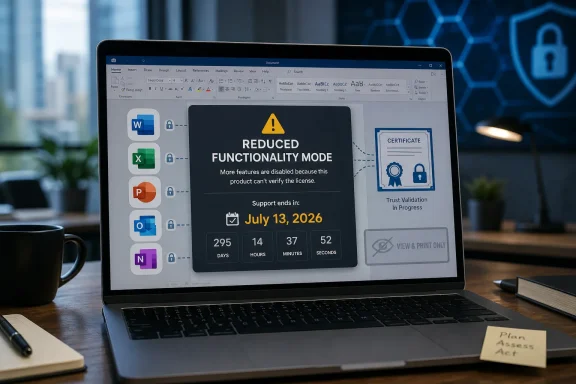
 

Microsoft says that on July 13, 2026, Office and Microsoft 365 apps on older Macs, iPhones, and iPads may fall into reduced functionality mode, leaving users able to open and print files but unable to edit, save, or create documents. The warning is narrow in platform scope but broad in emotional effect, because it turns a licensing certificate into a deadline for people who thought their installed productivity suite was settled business. The practical fix is simple for supported devices: update macOS, iOS, iPadOS, and Office. The harder story is what happens to users whose hardware or software purchase no longer fits Microsoft’s modern servicing machine.

Office update notice collage showing July 13, 2026 “reduced functionality” for Microsoft apps on older platforms.Microsoft Turns a Certificate Expiration Into a Productivity Deadline​

This is not a classic end-of-support story where an application merely stops receiving patches and users accept the risk of staying behind. Microsoft’s own guidance frames the July 13 date around a licensing certificate used by Microsoft 365 apps on Apple platforms. Apps with the renewed certificate continue working; apps below the required versions can enter reduced functionality mode.
That distinction matters. A certificate expiration sounds like back-office plumbing, the kind of thing users should never have to understand. But here it becomes the thing standing between a paid user and the ability to save a Word document.
Microsoft says the affected apps include Word, Excel, PowerPoint, Outlook, and OneNote on macOS and iOS or iPadOS. In reduced functionality mode, users can open, view, and print existing files, but cannot edit, save, use Save As, or create new files. That is not data loss, but for anyone trying to finish a tax spreadsheet, edit a school paper, or update a client deck, it will feel close enough to an outage.
The official minimums are macOS 12 Monterey or later with Office for Mac version 16.83 or later, and iOS or iPadOS 17 or later with Office app version 2.93 or later. Microsoft says Windows and Android devices are not affected, which reinforces that this is not an Office-wide collapse but a platform-specific licensing transition.

The Consumer Fix Is Easy Until the Hardware Says No​

For many users, the July warning will be boring in the best possible way. If the Mac can run Monterey or later, Microsoft AutoUpdate should get Office to a safe version. If the iPhone or iPad can run iOS 17 or iPadOS 17, the App Store update path should do the same.
That leaves a large population of edge cases, and edge cases are where platform policy becomes personal. Some older Macs cannot move to macOS 12. Some older iPhones and iPads cannot move to iOS 17. Some users are running Office 2019 for Mac, which is already out of support, and Microsoft is not offering the same neat update path as it is for current Microsoft 365 installations.
The advice for those users is familiar but unsatisfying: use Microsoft 365 on the web, move to a supported device, or change software. For a subscription customer, that is an inconvenience. For a one-time-purchase Office user, especially someone who bought Office 2019 believing they had a durable local tool, it lands differently.
Microsoft can truthfully say that unsupported software cannot be expected to receive indefinite fixes. It can also truthfully say that the files remain accessible. But the customer’s lived experience is more blunt: yesterday the app edited documents, after the deadline it may not, and the explanation involves licensing infrastructure rather than a missing feature or obvious security defect.

Office 2019 Becomes the Uncomfortable Test Case​

Office 2019 for Mac is the sharpest part of this story because it sits at the intersection of old software expectations and modern cloud licensing. It was sold as a perpetual version, not a subscription. Perpetual never meant infinite support, but many users reasonably understood it to mean that the installed app would keep doing its core job on the machine where it already ran.
Microsoft ended support for Office 2019 for Mac in October 2023. From the company’s perspective, that matters enormously. Unsupported products do not get the engineering work needed to follow every certificate, operating system, and licensing-service change indefinitely.
From the user’s perspective, the distinction is less comforting. A word processor that stops saving documents because it cannot satisfy a licensing check feels less like natural aging and more like remote dependency finally asserting itself. That is the broader lesson: even “perpetual” software can contain moving parts that are not perpetual at all.
Office 2021 for Mac occupies a slightly different but still awkward position. It has a more recent support window than Office 2019, but Microsoft’s broader lifecycle still points users toward current supported builds and, increasingly, Microsoft 365. The industry has spent a decade teaching customers that productivity software is a service. Events like this remind them that even the desktop app is now tied to service-era assumptions.

Administrators Get a Manageable Problem With a Messaging Problem​

For enterprise IT, this is not primarily a mystery; it is an inventory and compliance exercise. Microsoft’s administrator guidance says to identify managed macOS devices running Microsoft 365 apps earlier than version 16.83 and iOS or iPadOS devices running apps earlier than version 2.93. Then admins should deploy updates through familiar channels such as Intune, Microsoft AutoUpdate policies, app store management, or existing inventory tools.
That makes the remediation straightforward in well-managed environments. The complication is that Apple fleets are often uneven. A company may have corporate Macs managed through MDM, contractor machines outside central control, executive iPads treated as exceptions, and personal devices with Office installed under bring-your-own-device policies.
The most dangerous machines are not necessarily the oldest ones; they are the ones nobody owns operationally. A MacBook used once a month for finance sign-offs, an iPad in a conference room, or a home machine tied to a small business account can miss the warning until a user discovers that Save is gone. In that moment, the help desk inherits both a technical issue and a trust issue.
Microsoft’s guidance that users should contact their help desk rather than troubleshoot independently is sound. But admins still need to communicate clearly before July 13. “Update Office” is not enough. Users need to know that older Apple OS versions may block the Office update, and that unsupported hardware may require a web-app workaround or replacement plan.

The Web App Escape Hatch Is Useful, Not Equivalent​

Microsoft’s fallback is Microsoft 365 on the web, and for many workflows that is a reasonable bridge. Word, Excel, and PowerPoint in the browser are capable enough for a surprising amount of daily work. They also avoid the expired local certificate problem because the user is operating inside Microsoft’s service environment rather than depending on an old installed build.
But web apps are not a perfect replacement for local Office. Offline work, complex Excel files, legacy macros, add-ins, local templates, mail merge workflows, and certain document formatting expectations can still push users back toward the desktop suite. The browser version may preserve access, but it does not erase the disruption.
This is especially important for small offices and households that stretch hardware longer than enterprise refresh cycles. A ten-year-old Mac running an older version of Office may be perfectly adequate for letters, spreadsheets, and family records. The fact that it cannot run Microsoft’s required modern stack does not make the user’s need disappear.
There is a class dimension here that the tech industry rarely says out loud. Update-first software policies assume that devices, operating systems, and subscriptions can all move in sync. Real users often live with staggered purchases, inherited hardware, old licenses, and workflows that are stable precisely because they have not changed.

Apple’s Long Tail Collides With Microsoft’s Service Rhythm​

The irony is that Apple hardware often lasts long enough to make this kind of deadline painful. A Mac can remain physically usable, pleasant, and fast enough years after it falls off the latest macOS support list. The same is true for iPads used as writing machines, reading devices, or light productivity terminals.
Microsoft, meanwhile, supports Microsoft 365 apps on a rolling set of recent macOS releases. That policy is rational for security, testing, and engineering capacity. It also means the Office support window is not really defined only by Microsoft; it is defined by the intersection of Microsoft’s app lifecycle and Apple’s OS lifecycle.
This is where the July 2026 change becomes more than a Microsoft story. It is a case study in modern platform dependency. Your document editor depends on a Microsoft license system, an Apple operating system version, app store or updater availability, and hardware eligibility. When any layer ages out, the whole stack can become fragile.
Windows users should not treat this as Mac-only trivia. The specific certificate issue does not affect Windows, according to Microsoft. But the architecture of dependency is familiar to anyone who has watched local apps become account-bound, cloud-activated, and policy-driven.

Microsoft Is Technically Right and Still Inviting Blowback​

Microsoft has a strong technical defense. The company disclosed the date ahead of time. It provided minimum versions. It said customer data is not at risk. It gave administrators deployment guidance and users a route back to full functionality on supported devices.
That does not make the optics good. Telling users that they can open and print but not save documents is a sentence almost designed to trigger the word bricked, even if that word is technically imprecise. Microsoft is not deleting files or disabling the operating system. It is, however, reducing a productivity app to a viewer unless the software can satisfy the new licensing requirements.
The blowback is predictable because Office is not a novelty app. It is infrastructure. People build personal archives, business processes, school assignments, contracts, spreadsheets, and institutional memory around it. When infrastructure changes behavior, users judge the result, not the certificate chain.
There is also a messaging gap between enterprise and consumer expectations. Enterprise admins understand lifecycle tables and compliance deadlines. Home users often understand only that they paid for Office once and now Microsoft is telling them to update, subscribe, use the web, or move devices.

The Real Risk Is the Quiet Failure on July 13​

The nightmare scenario is not a headline-grabbing outage across millions of current devices. It is a quieter wave of avoidable interruptions among people who missed the memo. A user opens Word on July 14, edits a document, and discovers that saving is unavailable. A small business owner opens Excel on an older Mac before a meeting and finds that the workbook is now effectively read-only.
That is why the most important work happens before the deadline. Users should open an Office app and check its version. Mac users should confirm whether their machine can run macOS 12 Monterey or later. iPhone and iPad users should confirm whether they can run iOS or iPadOS 17. If the device cannot meet those requirements, they should test the web apps or another office suite before the deadline, not after it.
Administrators should treat this as a communications exercise as much as a patching exercise. The fix may be technical, but the failure mode is human: unmanaged devices, ignored prompts, old hardware, and assumptions about perpetual software. The best remediation plan is the one that prevents the user from learning the phrase “reduced functionality mode” during a deadline.
Microsoft also needs to be careful with the language it uses around affected one-time-purchase customers. “Unsupported” may be accurate, but it is not always persuasive. If a licensing mechanism is what tips an installed app from editable to read-only, users will expect a better explanation than lifecycle policy alone.

The July 13 Checklist Belongs on Every Apple-Fleet Admin’s Wall​

The concrete action items are not complicated, which is exactly why delay would be hard to defend. This is a calendar-driven issue with known version thresholds and a visible user impact. The organizations that suffer from it will mostly be the ones that assumed Apple devices were somebody else’s problem.
  • Macs need to be on macOS 12 Monterey or later and Office for Mac version 16.83 or later to avoid the reduced-functionality deadline.
  • iPhones and iPads need to be on iOS or iPadOS 17 or later with Office apps at version 2.93 or later.
  • Office 2019 for Mac users face the least comfortable path because that product is already out of support and may not receive a rescue update.
  • Windows and Android Office installations are not part of this specific certificate issue.
  • Users with devices that cannot be upgraded should test Microsoft 365 on the web or an alternative device before July 13, 2026.
  • Administrators should inventory unmanaged and lightly managed Apple devices, because those are the machines most likely to surprise the help desk.
Microsoft’s July 13 deadline is not the end of Office on Apple platforms, and for current devices it should be little more than a forced housekeeping reminder. But it is a revealing moment in the long shift from software as a thing you own to software as a relationship you must keep current. The users who update in time will move on quickly; the users who cannot will be left with the industry’s least satisfying answer to an old promise: your files are still there, but the app you bought may no longer be the tool that edits them.

References​

  1. Primary source: Macworld
    Published: Wed, 03 Jun 2026 09:00:00 GMT
  2. Official source: support.microsoft.com
  3. Official source: learn.microsoft.com
  4. Related coverage: macrumors.com
  5. Related coverage: gearbriefly.com
  6. Related coverage: jimmytechsf.com
  1. Related coverage: windowsforum.com
  2. Related coverage: vintageapple.org
 

Microsoft will put older macOS, iOS, and iPadOS installations into Microsoft 365 “reduced functionality mode” on July 13, 2026, unless Office apps are updated to supported versions that include a renewed licensing certificate for Word, Excel, PowerPoint, Outlook, and OneNote. That sounds like a maintenance footnote until it lands on a real desk, with a real deadline, and a user who suddenly cannot save a spreadsheet. The company is framing the change as a certificate refresh rather than a security incident or a data-risk event, and that distinction matters. But for anyone keeping older Apple hardware alive in a home office, school, nonprofit, or mixed-platform workplace, the practical effect is simpler: the document still opens, but work stops.

Office devices show a Microsoft Office “Reduced Functionality Mode” warning for July 13, 2026 certificate renewal.Microsoft Turns a Certificate Expiry Into a Hardware Reckoning​

The immediate trigger is not a redesign of Office, a new subscription tier, or an Apple-platform retreat. Microsoft says the affected apps rely on a digital certificate used to validate licensing, and that certificate expires on July 13, 2026. Apps updated to the required versions already contain the renewed certificate; apps below the threshold fall back into reduced functionality mode.
That phrase is doing a lot of work. In Microsoft’s vocabulary, reduced functionality mode does not mean your files vanish, your account is canceled, or your device is infected. It means the apps become mostly readers: users can open, view, and print files, but cannot create new files, edit existing ones, save changes, or use the full feature set.
The minimum versions are clear enough. Macs need Microsoft 365 apps at version 16.83 or later, and iPhones or iPads need version 2.93 or later. The operating-system floor is equally important: macOS 12 Monterey or later on the Mac, and iOS or iPadOS 17.0 or later on mobile devices.
That is where this stops being a neat app-update story. A Mac or iPhone that cannot run the necessary operating system cannot receive the necessary Office update, and a device that cannot receive the update is headed for read-only Office after the deadline. The certificate is the fuse, but the unsupported operating system is the powder keg.

The Apps Still Open, Which Is Why This Will Confuse People​

Microsoft is avoiding the optics of a hard cutoff. The affected apps do not simply refuse to launch on July 13. A user can still open a Word document, inspect a PowerPoint deck, print a file for a meeting, or look at an Excel workbook they created years ago.
That softer failure mode may actually make the support burden worse. “Office won’t open” is clean. “Office opens but will not let me type” is the kind of symptom that sends users through the familiar cycle of checking storage, restarting the app, signing out and back in, blaming OneDrive, blaming the keyboard, and eventually blaming IT.
The company’s recommended remediation is mundane: update the apps, update the operating system if necessary, and use Microsoft 365 for the web as an interim option if the device cannot be brought into compliance quickly. For managed environments, Microsoft points administrators toward Intune, Microsoft AutoUpdate policies, MDM app-update controls, Configuration Manager inventory, and the msupdate command-line tool on macOS.
That is all sensible guidance. It is also the sort of guidance that assumes an organization already has a clean inventory of Mac and iOS app versions, knows which devices are personally owned, and can distinguish a temporarily stale Office build from a permanently stranded operating system. Many real-world fleets are not that tidy.

The Old Mac in the Corner Is Now an Office Risk​

The timing gives administrators more than a year to act, but the scope is broader than the headline suggests. The issue affects Microsoft 365 apps on macOS and iOS, and Microsoft says Windows and Android devices are not affected because they handle this validation differently. That means the risk concentrates in the exact places where Apple devices often sit outside the normal Windows management rhythm.
In a Windows-first organization, Macs are frequently executive machines, creative-team workstations, developer laptops, lab machines, or special-purpose devices procured outside the main refresh plan. iPhones and iPads are even more slippery. They may be enrolled in MDM, lightly managed through app protection policies, or entirely unmanaged while still being used to edit work files.
That last category is the one likely to generate surprise. A user with an old iPad that has been good enough for marking up Word documents may not know or care which iPadOS version it runs. A contractor using an older iPhone to revise PowerPoint notes may discover the problem only when a deadline is already in motion.
For Microsoft, this is not a platform abandonment story. Office continues on the Mac, and Microsoft has spent years making Microsoft 365 a cross-platform subscription rather than a Windows-only product. But cross-platform no longer means timeless. It means the subscription follows you across supported versions of each ecosystem, and Apple’s own operating-system support ladder becomes part of Microsoft’s effective Office support boundary.

Apple’s Long Tail Meets Microsoft’s Service Model​

Apple hardware ages unusually well. That is part of its appeal and part of the complication here. A decade-old Mac may still browse the web, join video calls, sync email, and run familiar productivity workflows, especially in homes, schools, and small businesses where “working fine” is the only refresh metric that matters.
Microsoft 365, by contrast, is not just a box of local binaries. It is a licensing system, a service connection, a security-update pipeline, a collaboration layer, and a constantly changing client family. The local app may look like traditional Office, but it depends on infrastructure that Microsoft must keep rotating and validating.
The result is an uncomfortable mismatch. Users think in terms of devices and ownership: “I bought this Mac, I bought Office, and the document is mine.” Microsoft thinks in terms of support matrices, certificates, licensing validation, and update channels. Both perspectives are understandable; only one determines whether the Save button works after July 13, 2026.
This is particularly sensitive for one-time-purchase Office customers on older Macs. Microsoft’s enterprise certificate guidance is explicitly about Microsoft 365 subscription plans, while consumer support material also points users of Office 2019 and Office 2021 for Mac toward update guidance. The safe reading is that users should not assume a perpetual Office license means perpetual edit capability on an unpatched Apple platform. In the modern Office world, “perpetual” increasingly describes the license model, not the surrounding compatibility environment.

The Web App Is a Lifeboat, Not a Fleet Strategy​

Microsoft’s fallback is predictable: use Microsoft 365 on the web from a supported browser. For many users, that will work well enough. Word, Excel, and PowerPoint on the web have matured into capable tools for everyday editing, collaboration, and file access, and they remove a large part of the local app-version problem.
But the web version is not a perfect substitute for every workflow. Some advanced Excel workbooks, complex Word templates, add-ins, offline work habits, local file integrations, and line-of-business document processes still depend on desktop Office. Users who only need to fix a typo can survive in a browser. Users who live inside heavily customized spreadsheets may not.
There is also the browser problem. If the device is old enough that it cannot run a supported operating system, it may also be old enough to struggle with current browser support. The web app is a bridge for many affected users, but not a permanent answer for organizations that need predictable productivity tooling.
For IT departments, the better lesson is not “tell people to use the web.” It is to treat the July 2026 date as an inventory deadline. Which Apple devices are below macOS 12 or iOS 17? Which have Office builds below 16.83 or 2.93? Which are managed, which are personally owned, and which are business-critical despite being invisible to the normal endpoint reports?

Microsoft’s Calendar Is Now Part of Apple Fleet Management​

There is a temptation to treat this as another example of software vendors forcing upgrades. That is not entirely wrong, but it is incomplete. Certificates expire. Licensing systems must rotate trust anchors. Unsupported operating systems eventually become impossible to service without dragging the whole product backward.
The more interesting point is that Microsoft has effectively turned a licensing certificate deadline into a fleet-management forcing function. The company is not merely saying, “You will stop receiving updates.” It is saying that without a sufficiently current app and operating system, core editing functions will be withheld.
That is a sharper edge than the older, quieter model of unsupported software. Historically, many users continued running old Office builds for years, accepting missing features and increased security risk in exchange for stability. The software might become less safe or less compatible over time, but it did not always immediately lose the ability to edit a local document.
Cloud-era Office changes that bargain. Licensing validation, identity, collaboration, and update servicing are part of the product experience. If one of those rails reaches end of life, the desktop app can become constrained even though the binary is still installed and the file is still on the disk.

The Windows Angle Is the Absence of Drama​

For WindowsForum readers, the most notable Windows detail is that there is no Windows action item attached to this specific certificate issue. Microsoft says Windows and Android devices are not affected. That should not be mistaken for a general promise that Windows Office installations are immune to support cliffs, only that this particular macOS and iOS licensing-certificate event is platform-specific.
Still, the contrast is revealing. In Windows environments, Office servicing is usually bound tightly to Microsoft’s own management stack. Administrators can inspect versions, deploy updates, enforce policies, and map support status against Windows lifecycle dates with tools built for that world.
Apple endpoints often sit beside that system rather than inside it. Even when Macs and iPhones are enrolled, they may be managed with a lighter touch, especially in organizations that standardized on Windows decades ago and added Apple support later. The July 2026 deadline is a reminder that mixed-platform productivity is only as reliable as the weakest update channel in the fleet.
This is also a useful moment to audit assumptions around bring-your-own-device access. If a user can open a corporate document on an unmanaged iPad today, can the organization communicate an app-certificate deadline to that user tomorrow? If not, the first help-desk ticket may be the first evidence that the device existed.

Users Will Experience a Policy Decision as a Broken Button​

Microsoft is correct to say that files are safe and that this is not a security vulnerability. Those assurances are important, especially because certificate language can sound alarming to non-specialists. But they do not address the emotional reality of a user locked out of editing their own work.
From the user’s side, the distinction between “data at risk” and “productivity blocked” can feel academic. A dissertation draft, tax workbook, volunteer roster, school presentation, or small-business invoice that can only be viewed is still a problem. The fact that the file has not been damaged is cold comfort if the user cannot make the next change.
That gap between technical cause and lived impact is where Microsoft must communicate carefully. “Update required by July 13, 2026” is the right message for administrators. “Your device may be too old to keep editing Office documents in the desktop apps” is the message many consumers and small organizations actually need to hear.
It is also where Apple’s reputation for longevity complicates expectations. A user may reasonably believe an old Mac is still useful because it continues to do many things well. Microsoft’s deadline introduces a narrower definition of useful: not whether the hardware boots, but whether the full chain of operating system, app version, certificate, license, and service connection remains intact.

The Practical Fix Is Boring, Which Is Why It Needs to Start Early​

There is no clever workaround that should be the centerpiece of a serious plan. The durable fix is to update Office, update macOS or iOS where the hardware permits, and replace devices that cannot reach the required floor if desktop Office editing is still required. That is not exciting, but it is the kind of maintenance that prevents a certificate story from becoming a business interruption.
For consumers, the first step is simple: check whether the device can run the required operating system, then update the Office apps. On a Mac, Microsoft AutoUpdate is the normal path from inside an Office app. On iPhone and iPad, the App Store handles the update if the device is eligible.
For administrators, the work is more structured. Inventory app versions first, because not every affected device is necessarily on an unsupported operating system. Then separate devices that simply need an Office update from devices that need an OS upgrade, and finally from devices that cannot be upgraded at all.
That last group is where budget meets policy. If a Mac cannot move beyond an old macOS release, and a user depends on desktop Office, the organization has to choose between hardware replacement, a workflow shift to the web, or accepting reduced functionality. The worst option is pretending the deadline will be noticed organically.

July 13 Is a Test of the Forgotten Endpoint​

The facts are concrete enough now that this should not become a surprise outage. The broader lesson is that Microsoft 365’s convenience rests on a support contract that spans more than the subscription bill.
  • Microsoft 365 apps on affected Macs, iPhones, and iPads need updates before July 13, 2026, to avoid reduced functionality mode.
  • Macs must be on macOS 12 Monterey or later and Office version 16.83 or later for this particular requirement.
  • iPhones and iPads must be on iOS or iPadOS 17.0 or later and Office app version 2.93 or later.
  • Reduced functionality mode still allows viewing and printing, but it blocks creating, editing, and saving Office files.
  • Microsoft says the issue is related to licensing-certificate validation, not a security vulnerability or a customer-data exposure.
  • Windows and Android devices are not affected by this specific macOS and iOS certificate deadline.
The machines most likely to fail this test are not necessarily the oldest devices in the building. They are the ones nobody is watching: the spare MacBook in a field office, the iPad used by a board member, the personal iPhone that occasionally edits a work document, the family Mac that still runs Office because it always has. Microsoft has given users and administrators a long runway, but the direction of travel is unmistakable: productivity software is becoming less tolerant of unsupported islands, and the next support cliff will feel less like an upgrade prompt than a locked door unless organizations start mapping those islands now.

References​

  1. Primary source: iPhone in Canada
    Published: Wed, 03 Jun 2026 12:00:55 GMT
  2. Independent coverage: 9to5Mac
    Published: Wed, 03 Jun 2026 10:58:00 GMT
  3. Official source: support.microsoft.com
  4. Official source: learn.microsoft.com
  5. Related coverage: macworld.com
  6. Official source: microsoft.com
 

Microsoft will push affected Office apps on macOS, iPhone, and iPad into reduced functionality mode on July 13, 2026, leaving Office 2019 for Mac users able to open and print documents but unable to edit, save, or create files. The immediate trigger is an expiring licensing certificate, but the larger story is Microsoft’s tightening definition of what “supported” productivity software now means. For Mac users who bought Office as a one-time purchase, the practical consequence is blunt: the files survive, but the local editing workflow may not.

Three screens show locked office files and an “EXPIRE” document concept with a July 13, 2026 calendar.A Perpetual License Meets a Calendar It Cannot Outrun​

Office 2019 for Mac has been living on borrowed time since October 10, 2023, when Microsoft ended support for the suite. That date mattered in the usual ways: no new features, no security fixes, no compatibility promises, and no sympathy from support channels when macOS moved on. But for many users, unsupported software still meant usable software.
That distinction is now collapsing. Microsoft’s July 13, 2026 cutoff turns Office 2019 from an old-but-working suite into something closer to a document viewer on affected Apple devices. Word, Excel, PowerPoint, Outlook, and OneNote may still launch, and your documents may still display, but the core bargain of office software — creating and editing work — is being withdrawn.
Microsoft frames the issue as a certificate and licensing update affecting Office and Microsoft 365 apps on macOS and iOS. That is technically important, because this is not a universal Office apocalypse. Windows and Android users are not in the blast radius, and newer Office builds on supported Apple operating systems can be updated past the problem.
But the optics are far messier than the technical explanation. Office 2019 for Mac was sold as a perpetual license, and ordinary users do not hear “perpetual” as “perpetual until a licensing certificate ages out after support ends.” They hear it as “I bought this version, so I can keep using this version.” Microsoft’s support lifecycle may have said otherwise, but this is the kind of distinction that makes sense in a licensing department long before it makes sense at a kitchen table, a small business desk, or a school office with aging iMacs.

The Certificate Is the Trigger, Not the Whole Story​

The narrow fix for supported users is straightforward: update the operating system, then update the Office apps. Microsoft says Microsoft 365 and Office 2021 users need macOS 12 Monterey or later on the Mac, iOS 17 or later on iPhone and iPad, and Office builds at least version 16.83 on macOS or 2.93 on iOS. If those conditions are met, the apps should retain normal editing and saving capabilities.
Office 2019 users are in a different position. Because the suite is out of support, it is not getting the updated build needed to refresh the licensing path. That makes the certificate issue feel less like a bug and more like the enforcement mechanism for a support decision that had already been made.
This is where the controversy sits. Microsoft can reasonably argue that unsupported software cannot receive indefinite infrastructure maintenance. Certificates expire, operating systems move forward, and licensing systems are not frozen in amber. Yet customers can reasonably reply that a document editor should not lose local editing rights merely because a vendor-side validation mechanism has reached the end of its planned life.
The awkwardness is amplified by the product category. Office is not a game with sunset servers or a cloud service whose entire function depends on a live backend. It is productivity software that many people still think of as fundamentally local. Even if modern Office activation and licensing have long relied on online validation, the mental model of “my copy of Word on my Mac” remains stubbornly desktop-era.
Microsoft’s answer is that the path forward is to use a supported version: Microsoft 365, Office 2024, or the web apps. That is a clean support matrix. It is also a reminder that the software industry’s preferred solution to old software is rarely “keep using what you paid for.”

Mac Users Get the Pain First Because Apple’s Platform Moves Fast​

The Apple-specific nature of this cutoff is not incidental. Microsoft’s notice applies to macOS and iOS, and it intersects with Apple’s own aggressive operating system lifecycle. If your Mac cannot move beyond macOS 11 Big Sur, or your iPhone or iPad cannot move beyond iOS 16, you are boxed out of the supported app versions Microsoft now requires.
That leaves users with three basic realities. A reasonably recent Apple device can be upgraded to a supported OS, after which Microsoft 365 or Office 2021 can be updated to a safe build. An Office 2019 user on compatible hardware can buy Office 2024 or subscribe to Microsoft 365. And a user on older Apple hardware can move to Microsoft 365 on the web, or migrate to another office suite entirely.
For IT departments, this is less about emotion and more about asset inventory. The July date creates a mini audit requirement: which Macs are still on Big Sur or older, which iPads are stuck before iOS 17, which installations are Office 2019 rather than Microsoft 365, and which users rely on local editing when offline? The problem is not just whether Word opens. It is whether a finance spreadsheet, a board presentation, or a grant application becomes read-only at the wrong moment.
The Mac has always occupied an odd place in Microsoft’s enterprise software world. Microsoft wants Office to be everywhere, but it does not control the Apple platform beneath it. That means Office for Mac customers live at the intersection of two vendors’ lifecycles: Apple decides which hardware keeps receiving modern OS releases, and Microsoft decides which Office builds remain trusted and supported.
That double dependency matters most at the edges. A 2014 or 2015 Mac that still feels perfectly usable for writing, email, and spreadsheets may no longer qualify for the combination of macOS and Office required after July 13, 2026. For home users, that is annoying. For small offices and nonprofits, it can turn into an unplanned hardware and software procurement problem.

The One-Time Purchase Is Becoming the Least Comfortable Option​

Microsoft still sells non-subscription Office, and Office 2024 exists for customers who want a one-time purchase rather than Microsoft 365. But the Office 2019 episode makes the trade-off more visible. A perpetual license gives you a fixed version, not a permanent entitlement to the vendor’s changing security, licensing, and compatibility infrastructure.
That distinction used to feel academic. In the boxed-software era, an unsupported copy of Office might become risky or incompatible, but it generally did not flip into a mode that blocked editing. You could keep an old installer, avoid upgrading the OS, and accept the risk. The modern stack is less forgiving because activation, identity, certificates, cloud storage hooks, and operating system trust stores all participate in whether the application behaves normally.
Microsoft 365 is built for that world. It receives the moving parts as part of the subscription. Office 2024 sits somewhere in the middle: newer than Office 2019, compatible with current expectations, but still governed by its own lifecycle. Office 2021 for Mac is also nearing its own end-of-support milestone in October 2026, which means anyone treating Office 2021 as a long-term refuge should read the calendar carefully.
This is not merely Microsoft nudging customers toward subscriptions, though it is certainly convenient for Microsoft that the most durable answer is Microsoft 365. It is the broader software economy making “buy once, use indefinitely” harder to maintain in practice. A productivity suite that authenticates licenses, syncs to cloud storage, integrates with online templates, and depends on signed components is less independent than the old desktop metaphor suggests.
For users who dislike subscriptions, Office 2024 is the immediate Microsoft-sanctioned answer. But this incident weakens the psychological comfort of the perpetual model. If “perpetual” does not mean “immune from future reduced functionality,” buyers will increasingly judge the one-time purchase not by ownership language but by how long they expect the vendor’s infrastructure to keep honoring it.

The Web Version Is a Lifeboat, Not a Full Replacement​

Microsoft’s free web apps are the official escape hatch for users who cannot update their Apple devices or do not want to buy another desktop Office license. For basic Word documents, simple spreadsheets, and ordinary PowerPoint edits, that may be enough. A browser-based editor is also platform-agnostic, which neatly sidesteps the macOS and iOS certificate problem.
But web Office is not a perfect substitute for desktop Office, especially for the kind of user most likely to have held onto Office 2019 in the first place. Macros, complex formatting, large spreadsheets, add-ins, offline work, local automation, and deeply ingrained Finder-based file habits can all turn a “just use the web” recommendation into a workflow redesign.
That matters because the affected population is not only enthusiasts clinging to old software out of nostalgia. It includes occasional users who bought Office 2019 precisely to avoid thinking about software again. It includes small businesses that never moved to Microsoft 365 because shared local files and email attachments worked well enough. It includes families with old Macs used for school forms, tax documents, and household spreadsheets.
The browser is a reasonable emergency tool. It is not necessarily a satisfying answer to someone who purchased desktop Office because they wanted desktop Office. Microsoft can point out that files remain accessible, and that is true. But editable access through a web app is not the same product experience as local editing in the software someone paid for years ago.
There is also a trust issue. When users are told they can keep editing their own files by moving to the cloud, the vendor may see continuity; the user may see leverage. The files are still theirs, but the path to editing them has shifted from a local application to a service Microsoft controls more directly.

The Windows Crowd Should Not Look Away Too Quickly​

The immediate warning says Windows and Android are not affected by this certificate expiration. That is important, and Windows users should not panic about Office 2019 suddenly becoming read-only because of this specific Apple-platform issue. The July 2026 change is not a universal shutdown of Office 2019 across every device.
Still, Windows users should pay attention to the direction of travel. Office 2019 for Windows has its own lifecycle realities, and Microsoft has already ended or scheduled the end of support for multiple perpetual Office generations. The fact that this certificate event is Apple-specific does not mean desktop Office on Windows is exempt from the same larger pressures.
The lesson is not that every old Office installation is about to be bricked. The lesson is that unsupported productivity software is increasingly exposed to dependencies users cannot see. A licensing component, a certificate chain, an identity endpoint, a cloud authentication change, or an operating system trust decision can have practical consequences that look, to the user, like a product being remotely degraded.
That is a difficult message for WindowsForum readers, because many of us have long treated local software as a hedge against cloud volatility. Keep the installer, keep the license key, keep the hardware running, and you can keep the workflow alive. That logic still works for some tools, but it is less reliable for mainstream commercial software tied to activation and vendor-maintained trust.
The prudent Windows takeaway is to document what you depend on before the lifecycle date arrives. If an old Office version is critical, know the support status, keep tested alternatives available, and avoid discovering licensing behavior during a deadline. Unsupported does not always mean unusable, but it increasingly means unpredictable.

Microsoft’s Messaging Is Technically Accurate and Politically Tone-Deaf​

Microsoft’s support language is careful. It describes reduced functionality mode, lists affected platforms, gives minimum app versions, and explains the OS requirements. For administrators, there is also managed-device guidance that frames the issue as a licensing update and certificate replacement.
That is useful information, but it does not fully answer the emotional charge of the story. Users are not upset because they cannot understand that certificates expire. They are upset because a paid, perpetual Office suite is being pushed into read-only behavior years after purchase, and the cleanest fix is to buy something newer or subscribe.
The company’s strongest defense is that Office 2019 for Mac has been unsupported since 2023. Microsoft did not promise indefinite updates, and keeping obsolete builds alive on aging operating systems is not free. Security teams hate immortal software for good reason.
The company’s weakest position is that the consequence feels disproportionate. A lack of security updates is one thing; blocking editing is another. Even if reduced functionality mode is a normal licensing state inside Microsoft’s architecture, it lands with users as a loss of capability in software they believed they owned.
This is where vendor vocabulary and customer vocabulary diverge. Microsoft says “reduced functionality mode.” Users say “read-only.” Microsoft says “update to a supported version.” Users say “pay again.” Both descriptions contain truth, but only one sounds like it was written by someone who has to finish a spreadsheet on July 14.

The Practical Escape Plan Starts With Inventory, Not Outrage​

The worst response to this news is to wait until the cutoff and then troubleshoot in a panic. The second-worst response is to assume that because files open today, the setup is safe indefinitely. The next six weeks should be used to identify where Office 2019 for Mac still exists and whether the affected devices can run supported software.
On a Mac, users should check both the macOS version and the Office version. If the machine can run macOS 12 Monterey or later, that at least preserves the option of using current Microsoft 365 apps or Office 2024. If it is stuck on macOS 11 Big Sur or older, the local Microsoft path narrows sharply.
On iPhone and iPad, the iOS or iPadOS version matters just as much. Microsoft’s stated requirement is iOS 17 or later for the supported mobile apps. Devices that cannot reach that level may need to rely on the web apps or another compatible device.
For organizations, this is a communications problem as well as a technical one. Users need to know that their files are not being deleted, that they can still be transferred, and that a compatible device can still open and edit them with supported software. Panic thrives in ambiguity, and the phrase “Office will stop working” is too vague to be useful.
Backups also matter. Before changing Office versions, migrating to Microsoft 365, or moving documents into another suite, users should make copies of important files. Compatibility is usually good across modern office formats, but anyone who has managed complex Word templates or Excel workbooks knows that “usually” is not the same as “always.”

The Real Choice Is Between Paying Microsoft Again and Leaving Microsoft’s Desktop Stack​

For many users, the simplest answer will be Microsoft 365. It keeps Office current, tracks Microsoft’s support model, and reduces the odds of being surprised by this particular kind of lifecycle event. It is also exactly the recurring-revenue path Microsoft would prefer.
Office 2024 is the compromise for subscription-averse users who still want Microsoft’s desktop apps. It restores local editing on supported Apple hardware without committing to a monthly or annual plan. But it should be purchased with eyes open: it is a fixed-generation product, not an escape from lifecycle policy.
The more radical answer is to leave Microsoft Office on the desktop. Apple’s Pages, Numbers, and Keynote are good enough for many consumer workflows, and LibreOffice remains a serious option for users who value local control and open-source availability. The trade-off is compatibility, especially in mixed environments where Microsoft formats are not just common but expected.
For professionals, the decision hinges on friction. If clients, schools, regulators, or colleagues expect high-fidelity Office documents, staying inside Microsoft’s ecosystem may be cheaper than fighting format drift. If the work is mostly personal or internal, this July deadline is a useful moment to ask whether Office is still necessary at all.
That is the uncomfortable power Microsoft retains. The company does not need to make every user happy with lifecycle policy if the cost of leaving is higher than the cost of upgrading. Office is not merely an app suite; it is a compatibility standard with a purchase button attached.

July 13 Turns a Support Policy Into a Desk-Side Problem​

The important details are concrete enough that affected users can act now. The danger is treating this as abstract licensing drama until the day documents stop saving locally.
  • Office 2019 for Mac reached end of support on October 10, 2023, and Microsoft is not providing the updated Office build needed to avoid the July 13, 2026 reduced-functionality event.
  • Affected Office apps on macOS, iPhone, and iPad will still open and print files, but they may not edit, save, or create documents after the cutoff.
  • Microsoft 365 and Office 2021 users on Apple devices should update to macOS 12 Monterey or later, iOS 17 or later, Office version 16.83 or later on Mac, and version 2.93 or later on iPhone and iPad.
  • Office 2019 users who want supported local editing in Microsoft’s desktop apps need to move to Microsoft 365 or Office 2024 on compatible Apple hardware.
  • Users with Apple devices that cannot run the required operating systems should test Microsoft 365 on the web or another office suite before the deadline.
  • Windows and Android are not affected by this specific certificate expiration, but unsupported Office installations remain a lifecycle risk that should be planned around.
The July cutoff is not just another reminder to patch. It is a preview of how desktop software ages in a world where local apps depend on remote licensing, signed components, and platform trust decisions. Microsoft may be within its support rights, but users are also right to see a warning flare: the more productivity software becomes a service-shaped thing wearing a desktop icon, the less “I bought it once” guarantees what people think it does.

References​

  1. Primary source: PCMag Australia
    Published: Wed, 03 Jun 2026 14:32:21 GMT
  2. Official source: support.microsoft.com
  3. Official source: learn.microsoft.com
  4. Related coverage: macrumors.com
  5. Related coverage: devdigest.org
  6. Related coverage: tidbits.com
  1. Related coverage: macobserver.com
  2. Official source: microsoft.com
 

Microsoft says that starting July 13, 2026, Office apps on macOS, iPhone, and iPad may fall into reduced functionality mode unless they run supported operating systems and app versions, with Office 2019 for Mac uniquely unable to update its way out. That is the dry version of the story. The more useful version is that Microsoft has turned an expired support lifecycle into a practical functionality cliff for some perpetual-license customers. The company can defend the policy on lifecycle grounds, but it should not be surprised when users hear something simpler: the software they bought now has an unseen expiration date.

Laptop and tablets show a Word document in Reduced Functionality Mode with compatibility warnings.Microsoft’s Lifetime License Meets Microsoft’s Calendar​

The controversy lands because “perpetual license” and “lifetime license” have always sounded sturdier than they really are. Microsoft did not promise infinite updates for Office 2019 for Mac, and the product’s support clock was not hidden: Office 2019 for Mac launched in 2018 and reached end of support on October 10, 2023. For security-minded administrators, that date already mattered.
But consumers do not experience software through lifecycle tables. They experience it through the practical question of whether Word opens a document, Excel saves a spreadsheet, or PowerPoint lets them make one more deck for a school board meeting. When Microsoft’s own support language previously reassured users that Office 2019 apps would continue to function, the ordinary reading was not “until a future certificate or platform dependency says otherwise.”
That is why this story has legs. It is not merely another “old software stops getting updates” article. It is a collision between the lawyerly meaning of support and the human meaning of ownership.
Microsoft’s new guidance says affected Office apps may still open, view, and print files, but cannot edit, save, or create documents. The phrase reduced functionality mode is technically accurate and emotionally tone-deaf. For a productivity suite, losing editing and saving is not reduced utility; it is the loss of the main event.

The Mac Is Where the Abstraction Breaks​

The awkwardness is sharper on Apple platforms because the problem is platform-specific. Microsoft says Windows and Android are not affected by this certificate expiration, while macOS and iOS are. That distinction matters because it turns a general lifecycle policy into a visibly unequal outcome.
The Mac version of Office has always lived at the edge of two companies’ ecosystems. It depends on Microsoft’s licensing, update, identity, and Office code, but it also depends on Apple’s operating system policy, certificate stores, notarization expectations, and hardware support matrix. Users see one app icon; underneath, the product is a stack of dependencies with different expiration dates.
Microsoft’s guidance sets the minimum escape hatch at macOS 12 Monterey or later for Macs and iOS 17 or later for iPhones and iPads, paired with current Office app versions. That is manageable for newer hardware and current Microsoft 365 customers. It is far less reassuring for anyone whose Mac cannot run Monterey, whose iPad cannot run iOS 17, or whose Office 2019 license is stuck on a final build that cannot be updated to the required version.
This is the part that makes the “second-class citizens” framing resonate, even if it is too simplistic. Microsoft is not necessarily punishing Mac users because they are Mac users. But the operational result is that Mac Office 2019 customers face a failure mode that Windows Office 2019 users do not appear to face in the same way.
For Microsoft, that may be an engineering artifact. For customers, it looks like discrimination by platform.

End of Support Was Supposed to Mean Risk, Not Read-Only​

End of support traditionally means no more bug fixes, no more security patches, and no more official help when something breaks. It does not usually mean that a core local feature is deliberately or effectively withdrawn years later. That distinction is the heart of the backlash.
A rational administrator would not run unsupported Office indefinitely in a regulated environment. Unsupported productivity software can become a security and compliance liability, especially when it handles attachments, macros, templates, and third-party documents. Microsoft is right to tell users to move to a supported release.
But there is a difference between saying “this old product is unsafe and unsupported” and saying “this old product can no longer save a document.” One is a warning. The other is a functional lockout.
Microsoft’s position is easier to defend when the affected product is Microsoft 365, because subscription software is explicitly a moving service. It is harder to defend when the affected product is a one-time purchase. The whole psychological bargain of a perpetual license is that the buyer accepts eventual stagnation in exchange for continued local use.
That bargain was never as absolute as buyers imagined. Activation servers, certificates, identity checks, and platform trust chains have made modern “local” software less local than the boxed software era. Still, Microsoft sold Office 2019 into a world where many users believed that if they kept a compatible Mac, they could keep using the apps.
Now those users are learning that compatibility is not just a matter of whether the binary launches.

The Certificate Explanation Is Technically Plausible and Politically Disastrous​

Microsoft says the issue relates to a certificate used to validate the Office license, and that it does not affect the security of user files or devices. That explanation is plausible. Modern software uses certificates everywhere, and certificate expiration is one of the least glamorous ways for old systems to fail.
But certificate problems are also a classic case where internal engineering reality sounds absurd to customers. A buyer does not care that a validation certificate aged out. A buyer cares that a product marketed as a one-time purchase now refuses to perform the function it was purchased for.
The comparison with web browsers is useful. When an old browser can no longer validate modern websites, most users understand that the internet has moved on. But Word documents are not the open web. They feel like personal property, local files, and private archives. If the app can display the document but will not let the licensed user edit it, the failure feels imposed rather than natural.
That is why Microsoft’s communication needed more humility than it appears to have offered. The company could have framed the situation as a legacy licensing infrastructure problem, apologized for the disruption, and provided a no-cost mitigation for Office 2019 for Mac customers. Instead, the practical advice is to use the web apps, subscribe to Microsoft 365, or buy a newer Office release.
Those options are not irrational. They are also exactly the options that make users suspect this was the destination all along.

Subscriptions Win When Perpetual Licenses Become Fragile​

Microsoft has spent more than a decade moving Office from a packaged product to a subscription and cloud service. The company’s business logic is obvious: recurring revenue is better than episodic upgrades, and Microsoft 365 gives Redmond a stronger identity, storage, collaboration, and AI story than a frozen copy of Office ever could.
The danger is that each rough edge in the old perpetual model becomes evidence for the subscription model. If the old license stops working cleanly, the customer is nudged toward Microsoft 365. If the old Mac cannot receive the required app update, the customer is nudged toward the web. If a one-time purchase becomes operationally brittle, the subscription starts to look less like convenience and more like tribute.
That does not mean Microsoft engineered the certificate cliff as a dark pattern. It does mean the company benefits from the direction of travel. When incentives and outcomes align this neatly, users do not need a conspiracy theory to become cynical.
This also complicates Microsoft’s remaining perpetual Office business. Office 2024 exists, and Microsoft still sells one-time-purchase Office editions for customers who dislike subscriptions. But the Office 2019 for Mac episode tells buyers that “one-time purchase” now carries an asterisk: the product may outlive support, but support-adjacent infrastructure can still define how useful it remains.
That is not a great sales pitch for the next perpetual version.

Apple Users Are Not the Only Ones Watching​

Windows users may be tempted to see this as a Mac problem and move on. They should resist the temptation. The larger story is about software ownership in an era when desktop applications are tied to cloud identity, activation checks, app stores, certificates, and vendor-controlled update channels.
Windows has its own version of this bargain. Office 2016 and Office 2019 reached end of support on Windows in October 2025, and Windows 10’s own mainstream consumer support ended the same month. Microsoft has also been increasingly explicit that the newest Office and Microsoft 365 experiences belong on supported Windows releases, especially Windows 11.
The difference is that Windows customers are used to Microsoft’s lifecycle machinery because they live inside it. They get upgrade nag screens, compatibility warnings, servicing channels, and policy documentation. Mac customers buying Office often expect an app, not an administrative relationship.
For IT departments, the lesson is blunt. Perpetual Office is no longer a set-and-forget asset, even outside Windows. License type, operating system version, app build, hardware support, and certificate dependencies all belong in the same inventory conversation.
That is especially true for schools, small businesses, nonprofits, and home offices that bought Office 2019 precisely to avoid recurring subscription costs. Those are also the organizations least likely to have a dedicated software asset management process. They may discover the problem only when a user can no longer save a file.

Microsoft’s Communication Problem Is Bigger Than This One Support Page​

The most damaging part of the story is not that Office 2019 for Mac is unsupported. That is old news. The damaging part is that Microsoft’s own messaging appears to have shifted from “your apps will continue to function” to “this issue cannot be resolved by updating or reinstalling Office 2019 for Mac.”
Companies update support pages all the time, and support pages are not contracts. But trust is built on plain-language expectations, not just license agreements. If a vendor tells customers a product will continue to function after end of support, the vendor should expect customers to remember that sentence.
Microsoft could argue that the apps still technically function because they can open and print files. That would be the kind of argument that wins a compliance review and loses a customer. Productivity software that cannot save work is not functioning in the sense ordinary users mean.
This is where Microsoft’s institutional voice hurts it. The company often writes support articles as if customers are endpoints in a remediation workflow. Update this, install that, subscribe here, contact your administrator. That style works for a patching guide; it fails when the issue is perceived as broken trust.
A better message would start by acknowledging the mismatch between customer expectations and the upcoming behavior. Microsoft does not need to confess villainy to say, “We understand that perpetual-license customers expected continued local editing after support ended, and we are providing a transition path.” The absence of that tone is why the story reads as indifference.

The Real Casualty Is the Meaning of “Perpetual”​

The Office 2019 for Mac dust-up is a reminder that “perpetual” has become a narrow licensing term, not a promise of durable utility. It means the right to use a version, subject to the license terms, platform requirements, activation mechanisms, and whatever infrastructure the vendor still maintains. That may be legally coherent, but it is far from the meaning many buyers attach to the word.
This gap between legal language and consumer intuition is widening across the software industry. Games disappear from storefronts. Smart-home devices lose cloud backends. Creative tools deprecate activation servers. Enterprise apps become unusable when identity or certificate chains shift underneath them.
Office is different only because it is so mundane. Word and Excel are not gadgets or entertainment libraries. They are part of the administrative plumbing of daily life, from tax records to résumés to school assignments. When Office becomes fragile, people notice because their own documents are the things trapped behind the change.
The irony is that Microsoft has long understood backward compatibility better than almost anyone in technology. Windows owes much of its dominance to the promise that old software keeps running long after competitors would have cut it loose. That history makes the Mac Office decision feel even more jarring.
Microsoft is not merely another SaaS vendor telling customers to move along. It is the company that trained generations of users to expect old productivity software to keep opening old productivity files.

Administrators Should Treat This as a Dry Run​

For sysadmins, the practical response is not outrage; it is inventory. Any organization with Macs, iPhones, or iPads using Office should identify the installed Office edition, app version, OS version, hardware support ceiling, and licensing model well before July 13, 2026. Waiting until the failure mode appears is a recipe for desk-side chaos.
The highest-risk population is not the managed Microsoft 365 fleet. Those devices can usually be updated if the hardware supports the required operating system. The higher-risk population is the long tail: old Macs in offices, shared machines in nonprofits, lab devices in education, family-owned business systems, and users with personally purchased Office 2019 licenses.
There is also a documentation problem. Many users do not know whether they have Microsoft 365, Office 2021, Office 2019, or a mobile app tied to a subscription. They just know they have Word. Microsoft’s own guidance tells users to check the About screen because the branding has become opaque even to paying customers.
Organizations should also decide whether Office on the web is an acceptable fallback. For some users, it will be fine. For others, it will collide with file location, offline access, macro behavior, privacy expectations, add-ins, templates, or workflows built around local Office apps.
The worst answer is to assume that because files are safe, operations are safe. Files that cannot be edited in the user’s normal workflow are still an operational disruption.

The Takeaway Is Not Anti-Mac, It Is Anti-Ambiguity​

The immediate story is narrow, but the lesson is broad. Microsoft can call this a certificate and lifecycle issue, and that may be technically correct. Customers can call it a broken promise, and that may be emotionally correct. Both readings can be true at the same time.
  • Office 2019 for Mac reached end of support on October 10, 2023, and Microsoft says it cannot be updated to the app version required to avoid the July 13, 2026 reduced functionality scenario.
  • Microsoft says affected Office apps on macOS, iPhone, and iPad may still open and print files, but may not be able to edit, save, or create files after the cutoff.
  • Microsoft 365 and Office 2021 users generally have a path forward by updating to supported operating systems and supported app versions, while Office 2019 for Mac users do not have that same update path.
  • Windows and Android are not affected by this particular certificate expiration, which makes the Mac and iOS impact look harsher even if the underlying cause is platform-specific.
  • IT departments should inventory Office edition, OS version, hardware eligibility, and fallback workflows now rather than treating July 2026 as a distant consumer-support nuisance.
Microsoft still has time to blunt the damage before July 13, 2026. It could ship a special validation update for Office 2019 for Mac, offer affected perpetual-license customers a free or discounted move to Office 2024, or at least communicate the change with the seriousness it deserves. If it does none of those things, the lesson users take away will not be about certificates or lifecycle tables. It will be that in the modern Office economy, ownership lasts only as long as the vendor’s infrastructure says it does.

References​

  1. Primary source: Wccftech
    Published: Wed, 03 Jun 2026 18:16:00 GMT
  2. Official source: support.microsoft.com
  3. Official source: learn.microsoft.com
  4. Related coverage: macobserver.com
  5. Related coverage: macworld.com
  6. Related coverage: macgadget.de
 

Beginning July 13, 2026, Microsoft Office and Microsoft 365 apps on Macs, iPhones, and iPads running older Apple operating systems may enter reduced functionality mode, allowing users to open and print files but not edit, save, or create documents. The immediate trigger is not a new Windows feature, an AI upsell, or a cloud outage, but a licensing certificate change colliding with Microsoft’s support boundaries for Apple platforms. That makes the story smaller than “Microsoft bricks Office,” but more revealing than a routine support bulletin. It is a reminder that modern productivity software is no longer just an app on a disk; it is a chain of certificates, operating-system policies, app-store updates, and vendor lifecycle decisions.

Office laptops and phone display document icons while a certificate chain graphic shows code-signing validation.Microsoft Turns a Certificate Deadline Into a Platform Boundary​

Microsoft’s guidance is blunt in the way support documents often are: after July 13, devices that cannot run the required Office or Microsoft 365 app versions may lose editing capabilities. Word, Excel, PowerPoint, Outlook, and OneNote will still open, and existing files are not supposed to vanish. But for affected users, “read-only” is not a cosmetic limitation. It is the difference between having Office and having a viewer for Office files.
The company says the issue stems from a digital certificate used for license validation. Updated versions of the apps include a renewed certificate, while older versions do not. Once the old certificate expires, affected apps can no longer validate licensing in the expected way and fall back to reduced functionality mode.
That framing matters because it cuts against the most inflammatory interpretation. Microsoft is not saying it is deleting documents, remotely wiping installations, or making Windows and Android users endure the same deadline. It is saying that Office on macOS, iOS, and iPadOS must be modern enough to carry the new licensing machinery.
But the practical effect for some users will feel much less clinical. If a Mac cannot move to macOS 12 Monterey or later, or an iPhone or iPad cannot move to iOS or iPadOS 17 or later, the neat distinction between “certificate expiration” and “software disabled” will not matter much at the kitchen table, the school office, or the nonprofit front desk.

The Minimum Versions Are the Real News​

The hard floor is now clear. Macs need macOS 12 Monterey or later and Office version 16.83 or later. iPhones and iPads need iOS 17 or iPadOS 17 or later and app version 2.93 or later.
For many WindowsForum readers, those version numbers will sound almost conservative. Monterey is not exactly fresh; Apple released it in 2021. iOS 17 arrived in 2023. Microsoft is not demanding the absolute newest Apple software in 2026.
That is the sysadmin view. The consumer view is different. Old Macs often live long second lives because they remain excellent document machines, family computers, point-of-sale terminals, lab workstations, and church-office desktops. iPhones and iPads are even more likely to be passed down after they age out of Apple’s newest feature set.
The collision happens precisely where these lifecycle assumptions diverge. Microsoft looks at unsupported operating systems and sees an update risk. Users look at a machine that still boots, still opens spreadsheets, and still prints envelopes, and they see a working computer.
That gap is where the backlash will live.

Office 2019 for Mac Is the Uncomfortable Edge Case​

The ugliest part of this change is Office 2019 for Mac. Microsoft’s consumer-facing support page says Office 2019 for Mac reached end of support on October 10, 2023, and cannot be updated to the required version. In plain English, there is no patch path that turns Office 2019 for Mac into a compliant Office build.
That is where the debate shifts from maintenance hygiene to ownership. Microsoft can argue, correctly, that Office 2019 is out of support and has been for years. Users can argue, also understandably, that a perpetual license should not become practically read-only because a licensing certificate aged out.
Both claims can be true. “Perpetual” has never meant “supported forever,” but ordinary buyers do not parse software lifecycle language with the cold precision of an enterprise licensing desk. They bought Office, installed Office, and used Office. If July 13 turns that installation into a reader, the legal fine print may be accurate without being satisfying.
Office 2021 for Mac is in a less dire but still time-limited position. Microsoft says most Office 2021 users can resolve the issue by updating the operating system and apps, but Office 2021 itself reaches end of support on October 13, 2026. That means July’s certificate deadline is not the end of the road for Office 2021, but it is another signpost on the same road.

The Cloud Did Not Kill the Desktop; It Made the Desktop Conditional​

This is the bigger story. For decades, Office was the canonical example of durable desktop software. A version of Word or Excel might get old, unsupported, and increasingly cranky, but it remained a local tool. If the operating system would launch it, you could usually keep writing.
Microsoft 365 changed the center of gravity. The apps are still native, and Office on the Mac is not merely a web wrapper. But activation, entitlement, security posture, collaboration, storage integration, and update delivery all now depend on a broader service fabric.
That fabric has benefits. It gives Microsoft a way to revoke broken components, respond to platform changes, ship security fixes, and keep Office consistent across devices. It also means old software can fail in ways that feel external to the user’s machine. A certificate expires somewhere in the licensing chain, and a local app that worked yesterday may lose write access tomorrow.
This is not unique to Microsoft. Apple, Adobe, Google, and many security vendors all operate in the same age of signed components, cloud validation, and platform trust stores. But Office occupies a special psychological place because documents are among the most personal and business-critical files people own. When a photo app drops support, users grumble. When Word or Excel goes read-only, workflows stop.

Windows Users Are Spared This Time, But Not Exempt From the Lesson​

Microsoft’s documentation says Windows and Android are not affected by this particular certificate issue. That will reassure many readers here, but it should not make the Windows world smug. The Apple-specific nature of this event does not make it irrelevant to Windows administrators.
The pattern is familiar. A vendor tightens support around current operating systems, current app builds, and current validation infrastructure. Devices outside that envelope may continue to boot, but they become second-class citizens in the productivity stack.
Windows admins have lived through versions of this with TLS changes, authentication defaults, Exchange Online deprecations, Outlook connectivity changes, and Microsoft 365 Apps support boundaries. The phrase may differ, but the operational burden is the same: inventory first, communicate early, and do not discover the unsupported device on the day the executive assistant cannot save a board deck.
For organizations with mixed fleets, the July 13 date should become a ticket queue now, not a help-desk fire drill later. The affected devices are knowable. The app versions are knowable. The users who cannot upgrade are knowable. Waiting turns a certificate maintenance event into an avoidable business interruption.

The Managed Fleet Has the Easier Problem​

In enterprise and education environments, Microsoft’s advice is straightforward. Use Intune, mobile-device-management tooling, Microsoft AutoUpdate on macOS, app update policies on iOS and iPadOS, and device inventory reports to find machines below the minimum app versions.
That does not make the work trivial, but it makes it legible. A well-managed fleet should be able to identify Macs running Office versions earlier than 16.83, iPhones and iPads running Microsoft 365 apps earlier than 2.93, and devices whose operating systems cannot support the required app update. The remaining problem is change management.
The bigger headache is the unmanaged edge: faculty-owned devices, contractor laptops, personally owned iPads enrolled only lightly, legacy Macs in departments that never quite made it into central IT, and small businesses where “the server” is a shared folder and a printer. Those are the places where this change will be discovered by a user opening a document, not by an admin dashboard.
Microsoft’s support page says users with devices that cannot be updated should expect an email associated with their Office or Microsoft 365 account. That may help, but email is a weak vessel for operational change. It will be missed, filtered, ignored, or misunderstood by exactly the users most likely to be surprised.

Apple’s Long Hardware Tail Meets Microsoft’s Shorter App Tail​

Apple devices tend to last. That is one of their selling points, and in many cases it is true. A decade-old Mac can still feel responsive for document editing, email, browsing, and light media work if the storage is healthy and the battery is not the issue.
But Apple’s software support is not infinite, and Microsoft’s Office support sits on top of Apple’s operating-system floor. If a Mac cannot run Monterey, it cannot install the required Office update. If an iPhone or iPad cannot run iOS or iPadOS 17, it cannot receive the compliant app version.
The iOS side is especially visible because iOS 17 dropped several beloved older iPhones, including the iPhone 8, iPhone 8 Plus, and iPhone X generation. Those devices are not museum pieces. Many are still in drawers, classrooms, repair shops, and family hand-me-down chains.
On the Mac side, the affected population will be more scattered but no less real. Older Intel Macs that topped out before Monterey have already been living on borrowed time for many cloud-connected workflows. July’s Office deadline makes that borrowed time more expensive.

The Web Apps Are a Workaround, Not a Replacement for Everyone​

Microsoft’s recommended fallback is predictable: use Microsoft 365 on the web, move to another supported device, or subscribe to Microsoft 365 if an old perpetual copy cannot be updated. For some users, that is perfectly reasonable. Word, Excel, and PowerPoint on the web are capable enough for everyday editing, and files stored in OneDrive move across devices cleanly.
But web apps are not a universal replacement for local Office. Browser compatibility, offline use, complex documents, macros, add-ins, accessibility workflows, file-server habits, and institutional policies all complicate the story. A user who has spent years opening local files from a shared drive may not experience the web as a frictionless escape hatch.
The web also subtly changes the trust relationship. The old promise was that the document editor lived on the computer. The new promise is that access follows the account, provided the browser, network, subscription, identity state, and service are all in good order.
That is often better for collaboration and recovery. It is not always better for autonomy.

Microsoft’s Messaging Is Technically Correct and Politically Vulnerable​

Microsoft has tried to draw a narrow boundary around the issue. It says no customer data is at risk. It says this is not a security vulnerability. It says updated apps will keep working. It says the issue affects macOS and iOS, not Windows and Android. Each of those points is important.
The problem is that the user-facing symptom is dramatic. “You can open and print, but you cannot edit, save, or create” sounds like a product losing its main purpose. No amount of certificate architecture will make that feel routine to someone who paid for Office 2019 and still has the installer in a folder.
This is where Microsoft’s subscription strategy becomes part of the perception, whether or not it is the technical cause. When the official path for some stranded users is “use the web apps” or “subscribe to Microsoft 365,” critics will inevitably see the episode as another shove away from perpetual software.
The fairer reading is more nuanced. Microsoft is not newly ending support for Office 2019; that support ended in 2023. But the certificate deadline turns an already-ended support relationship into a fresh functional cliff. That is why this story will travel farther than a normal lifecycle notice.

The Support Clock Has Become a Product Feature​

Software used to have two clocks. One was the version number. The other was the user’s tolerance for old bugs. If the application still did what the user needed, many people simply stayed put.
Modern productivity software has more clocks. There is the operating-system clock, the app update clock, the certificate clock, the identity-provider clock, the app-store policy clock, and the security-baseline clock. The user sees one icon in the Dock or on the home screen. Underneath it is a calendar full of deadlines.
This is a rational response to real risks. Stale clients create security exposure. Old authentication flows become liabilities. Expired certificates must be replaced. Vendors cannot support every platform combination indefinitely.
Yet it also means “it still works for me” has become less durable as an argument. The fact that a machine remains useful is no longer enough. It must remain inside the vendor’s supported trust boundary.
For home users, that is frustrating. For IT pros, it is governance. For Microsoft, it is the cost of running Office as both a local app and a cloud service. For everyone else, it is another step away from the old personal-computing assumption that software you bought would degrade slowly rather than encounter a date-stamped wall.

The July Office Deadline Gives Admins a Narrow Checklist​

The practical advice is not complicated, which is why affected organizations should act before it becomes urgent. This is a calendar problem with version numbers attached, not a mysterious outage.
  • Macs must be running macOS 12 Monterey or later and Office or Microsoft 365 app version 16.83 or later to avoid the reduced-functionality scenario.
  • iPhones and iPads must be running iOS 17 or iPadOS 17 or later and Microsoft 365 app version 2.93 or later.
  • Office 2019 for Mac cannot be updated to the required version, so reinstalling it is not a durable fix.
  • Office 2021 for Mac users should update now, but they also need to remember that Office 2021 support ends on October 13, 2026.
  • Windows and Android users are not affected by this specific certificate expiration, though mixed-device organizations should still audit Apple endpoints.
  • Users with hardware that cannot upgrade should plan around Microsoft 365 on the web, a supported device, or a different productivity suite before July 13 arrives.
The most important task is communication. A technically accurate notice buried in a support portal will not prepare users who think of Office as a purchased tool rather than a lifecycle-managed service. If the first message they see is a read-only document, IT has already lost the narrative.
Microsoft’s July 13 deadline is not the end of Office on Apple devices, and for most supported Macs, iPhones, and iPads it will pass as another invisible update. But for older hardware and perpetual-license holdouts, it is a sharp illustration of where productivity software has gone: away from static ownership and toward continuously validated access. The responsible move is to update what can be updated, replace or reassign what cannot, and treat every future “minor” certificate or lifecycle notice as a real operational deadline rather than administrative background noise.

References​

  1. Primary source: powerpage.org
    Published: Thu, 04 Jun 2026 09:03:57 GMT
  2. Official source: learn.microsoft.com
  3. Official source: support.microsoft.com
  4. Official source: store.apple.com
 

Microsoft is warning Office users on Macs, iPhones, and iPads that a licensing certificate change taking effect on July 13, 2026, may push outdated Office installations into reduced functionality mode, leaving affected apps able to open and print documents but unable to create, edit, or save files. The practical effect is bigger than a routine support notice because it turns an invisible trust component into a productivity deadline. For Office 2019 for Mac customers, especially, Microsoft’s message is blunt: the product is out of support, cannot receive the required update, and may become read-only. That makes this less a Mac footnote than a case study in what perpetual software now means when activation, certificates, and platform support are still controlled from the outside.

Laptop and tablet show Microsoft Office read-only and update-required warnings, with a July 2026 calendar.Microsoft Turns a Certificate Expiry Into a Product Deadline​

The trigger is not a flashy feature removal or a new subscription tier. It is a security certificate used by Office to validate licensing on Apple platforms, and Microsoft says older clients need updated software to keep passing that validation after July 13, 2026. If they cannot, Office drops into the same kind of reduced functionality mode users normally associate with an unlicensed or expired installation.
That is the unsettling part. A certificate is supposed to be plumbing: necessary, boring, and mostly invisible. But in a locally installed productivity suite, that plumbing can become the difference between “I own this software” and “I can only look at my files.”
Microsoft’s stated fix is straightforward for supported products. On macOS, users need macOS 12 Monterey or later and Office version 16.83 or newer. On iPhone and iPad, they need iOS or iPadOS 17.0 or later and Office app version 2.93 or newer. Systems that meet those requirements should receive the updated certificate and continue working normally.
The problem is that Office 2019 for Mac lives on the wrong side of that line. It reached end of support on October 10, 2023, and Microsoft no longer ships updates for it. Because Office 2019 for Mac is capped below the required version, the certificate fix is effectively unavailable to those customers.

Office 2019 for Mac Becomes the Cautionary Tale​

Office 2019 for Mac was sold as a one-time purchase, not a subscription. That distinction matters because many of its users bought it precisely to avoid Microsoft 365’s recurring payments. They accepted the usual trade-off: no continuing feature stream, no indefinite support, and eventually no security updates.
What many did not expect was a later licensing dependency that could remove editing and saving after support had already ended. Microsoft has long told customers that unsupported software is risky and that it may become incompatible with newer systems. That is a different proposition from a still-installed app entering a read-only state because a certificate path can no longer be refreshed.
This is where Microsoft’s legal and technical position may diverge from customer expectations. From Redmond’s point of view, Office 2019 for Mac is no longer supported, and unsupported products do not receive the updates needed to maintain compatibility with a changing security environment. From a user’s point of view, Word, Excel, PowerPoint, and Outlook did not wear out. The files are still there, the apps still launch, and the missing piece is a vendor-issued certificate.
That distinction will not comfort someone who bought Office 2019 to keep an older Mac useful. For those users, the July 2026 date functions like a second, more concrete end-of-life milestone. The first ended support; the second threatens day-to-day work.

The Fine Print of “Perpetual” Was Always Doing Too Much Work​

The Office 2019 episode exposes the ambiguity behind the word perpetual. In software licensing, perpetual usually means the right to use a particular version indefinitely, subject to license terms. It does not mean the vendor must patch it forever, keep online services compatible forever, or preserve every activation and trust mechanism forever.
That distinction is defensible in the abstract. Modern office suites are not isolated binaries sitting on a shelf. They interact with cloud storage, identity systems, mail services, fonts, templates, collaboration features, app stores, operating-system security policies, and certificate authorities. Even a “local” app increasingly depends on remote or time-bound infrastructure.
But the consumer understanding of perpetual software is simpler: if I paid once, the app should keep doing the thing it did when I bought it. Office 2019 for Mac now sits at the collision point between those two meanings. Microsoft can say it is honoring the support lifecycle; users can reasonably respond that a paid-up local editor should not become view-only because of an expiring certificate.
This is why the controversy is not merely about whether customers should update. Most should. It is about whether an end-of-support date should allow a vendor to let core paid functionality fail when the failure is predictable, date-certain, and apparently tied to licensing infrastructure rather than an unforeseeable operating-system break.

Supported Users Get a Checklist, Unsupported Users Get a Wall​

For Microsoft 365 subscribers and Office 2021 for Mac users, the fix is relatively mundane. Update macOS to Monterey or later, update Office to version 16.83 or later, and make sure managed devices receive the required builds before the deadline. This is the kind of hygiene IT departments already perform, though the July 2026 date gives it a harder edge.
Office 2021 for Mac has its own clock ticking. Microsoft says support for Office 2021 ends on October 13, 2026, only three months after the certificate deadline. That means Office 2021 users may be able to clear this particular hurdle, but they are still approaching the end of their support runway.
For iPhone and iPad users, the requirement is also clear but potentially disruptive. Devices must be on iOS or iPadOS 17.0 or later and use Office app version 2.93 or newer. Older Apple hardware that cannot run those operating systems may fall into the same trap: the apps can still open documents, but editing and saving may stop.
The crucial difference is that supported Office versions have an update path. Office 2019 for Mac does not. Microsoft’s guidance effectively tells those customers to move to Microsoft 365, buy a newer one-time-purchase Office release, or use the web apps where available. That may be practical advice, but it also confirms the practical death of Office 2019 for Mac as a full local editing suite.

Enterprise IT Should Treat This as an Asset Inventory Problem​

For administrators, the July 2026 certificate change is less a philosophical debate than an inventory and compliance chore. The affected population is easy to underestimate because Macs often sit outside the strictest Windows endpoint-management routines. Creative teams, executives, contractors, education departments, and small offices may all have older Office builds that nobody has audited in years.
The risk is not that every Mac suddenly breaks. The risk is uneven failure. One department updates cleanly, another discovers too late that its Macs are stuck on Big Sur, and a third has a handful of Office 2019 installs that were purchased years ago to avoid subscription creep. The result is a support desk mess that looks like a licensing problem, an Office problem, and a macOS problem all at once.
Managed environments should verify three things well before July 2026: OS eligibility, Office build number, and license channel. The build number matters because the certificate requirement is attached to specific Office versions. The license channel matters because two machines running visually similar Office apps may have very different update rights.
This is also a documentation problem. Users need to know that “Office still opens” is not proof that Office will remain usable after the cutoff. Reduced functionality mode is deceptive because it preserves enough behavior to look like a partial glitch. The real failure appears when a user tries to edit a spreadsheet, save a contract, or create a presentation under deadline.

Windows and Android Sit Outside This Particular Blast Radius​

Microsoft’s warning is limited to Apple platforms. Windows and Android users are not being told to meet equivalent certificate-update requirements for this specific July 2026 change. That does not make those platforms immune to lifecycle deadlines, but it does mean this particular disruption is rooted in the Office-on-Apple stack.
For WindowsForum readers, that distinction is worth underlining. This is not a general Office shutdown, and it is not a sign that Office 2019 for Windows will necessarily follow the same July 2026 path. Office lifecycle policy on Windows has its own dates and complications, especially around Windows 10, Office 2016, Office 2019, and Office LTSC.
Still, the Mac incident has relevance for Windows administrators because the underlying pattern is cross-platform. The more licensing and identity logic becomes certificate-bound, service-bound, and update-dependent, the less meaningful it is to think of desktop software as static. A product can be locally installed and still depend on a vendor-maintained chain of trust.
That is not inherently sinister. Certificates expire for good security reasons, and letting old cryptographic material linger indefinitely is a real risk. The uncomfortable question is who bears the cost when security hygiene collides with a paid product that customers expected to keep using.

Microsoft’s Subscription Strategy Gains Another Nudge​

Microsoft does not need to say “subscribe or else” for this change to push users in that direction. The path of least resistance for many affected customers will be Microsoft 365, because it keeps the apps current and absorbs these maintenance events into the subscription. That is precisely the value proposition Microsoft has spent the last decade building.
There is also Office 2024 for customers who still want a one-time purchase. That option matters because Microsoft can argue it is not forcing every Mac user into a subscription. But a newer perpetual license still lives inside the same lifecycle model: support ends, updates stop, and future compatibility is not guaranteed forever.
The optics are rough because Office 2019’s failure mode touches creation and saving, not some peripheral online feature. If a collaboration service stops working in an old app, users may grumble but understand. If Word becomes read-only, the difference between subscription software and owned software suddenly feels academic.
Microsoft’s strongest defense is that Office 2019 for Mac is nearly three years out of support by the time the certificate change arrives. Its weakest point is that the date-certain failure was avoidable enough to look policy-driven rather than technically inevitable. In public perception, that distinction matters as much as the engineering details.

The Real Deadline Is Earlier Than July 2026​

Anyone waiting until July 13, 2026, to respond is already planning badly. The real operational deadline is the last safe maintenance window before that date. For businesses, schools, and nonprofits, that could be weeks or months earlier, depending on procurement cycles and device-management cadence.
The first step is discovery. Users can check their Office version from within the apps, while administrators should query managed fleets. Any Mac below Office 16.83 or below macOS 12 needs attention. Any Office 2019 for Mac installation should be treated as a migration candidate, not a patch candidate.
The next step is deciding whether the organization wants Microsoft 365, Office 2024, web apps, or an alternative office suite. That decision should not be made under outage pressure. It involves file compatibility, macro use, Outlook workflows, OneDrive or SharePoint integration, and the politics of recurring software spend.
Home users face a simpler but more emotional version of the same choice. If Office 2019 for Mac is still doing the job, replacing it feels wasteful. But the July 2026 warning means the cost of doing nothing may be losing edit access at exactly the wrong moment.

The July 2026 Office Cutoff Leaves Mac Users With Few Comfortable Answers​

The practical message is simple, but the implications are not. Microsoft has given users enough notice to avoid surprise, yet the notice also confirms that some paid-up installations are headed for a read-only future.
  • Office for Mac users should verify that they are running version 16.83 or newer before July 13, 2026.
  • Mac users also need macOS 12 Monterey or later for the certificate update path Microsoft describes.
  • iPhone and iPad users need iOS or iPadOS 17.0 or later and Office app version 2.93 or newer.
  • Office 2019 for Mac users should assume there is no supported fix because the product ended support on October 10, 2023.
  • Office 2021 for Mac users can avoid this certificate issue by updating, but that product reaches end of support on October 13, 2026.
  • Windows and Android users are not affected by this specific Apple-platform certificate migration.
Microsoft’s warning is useful precisely because it is early. It gives administrators and home users time to move deliberately instead of discovering the problem through a failed save dialog. But it also sharpens a larger truth about modern desktop software: ownership is increasingly bounded by update rights, certificate lifetimes, and vendor-controlled validation systems. Office 2019 for Mac may be the immediate casualty, yet the lesson travels further than the Mac. In the next era of productivity software, the question will not be whether an app is installed; it will be whether every invisible dependency behind that app is still allowed to say yes.

References​

  1. Primary source: Windows Report
    Published: 2026-06-04T07:12:09.687035
  2. Official source: support.microsoft.com
  3. Related coverage: macrumors.com
  4. Official source: learn.microsoft.com
  5. Related coverage: macobserver.com
  6. Related coverage: applemagazine.com
  1. Related coverage: tidbits.com
  2. Related coverage: gearbriefly.com
  3. Related coverage: heise.de
  4. Related coverage: office-watch.com
  5. Related coverage: windowscentral.com
  6. Official source: microsoft.com
 

Back
Top