

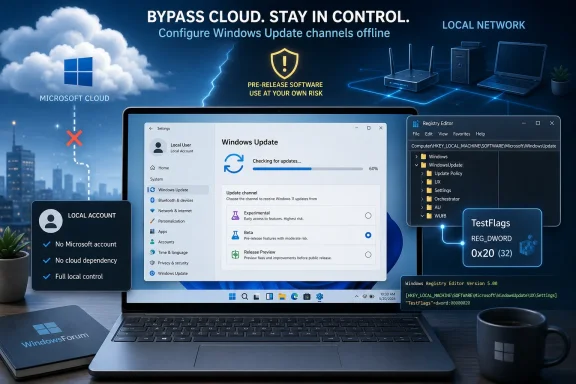
Microsoft’s Windows Insider Program can now be joined unofficially on local-account Windows 11 systems through OfflineInsiderEnroll 2.6.6, a third-party script updated in June 2026 to support Microsoft’s new Experimental, Beta, and Release Preview testing layout. That does not make it an official Microsoft path, nor does it erase the risk of running pre-release Windows code. But it does expose a familiar tension in modern Windows: Microsoft wants preview testing tied to identity, telemetry, and service-managed state, while power users keep finding the registry levers underneath.
The news is not that someone found a magic bypass for Windows Update. The more interesting story is that Microsoft’s Insider architecture still appears willing to honor local configuration when the right values are present, even as the company’s consumer-facing setup experience increasingly nudges users toward Microsoft accounts. OfflineInsiderEnroll is therefore less a hack in the cinematic sense than a reminder that Windows remains a layered operating system, with policy, registry state, cloud enrollment, and update targeting all pulling on the same machine.
Microsoft has spent years rearranging the Windows Insider Program in search of a structure ordinary testers can understand. Rings became channels. Channels multiplied. Canary arrived as a place for the earliest platform work, Dev became a sometimes-confusing home for features not tied to a specific release, Beta was treated as the safer runway, and Release Preview became the last stop before broad availability.
In spring 2026, Microsoft began another reset. The company started moving the program toward a simpler model built around Experimental and Beta, with Release Preview continuing to serve users who want late-stage builds. Under the new language, Experimental is where the earliest features and platform work are meant to surface, including branches such as Experimental for 26H1 and Experimental for future platform development.
That restructure matters because OfflineInsiderEnroll’s latest update is not merely keeping an old batch file alive. Version 2.6.6 reportedly adds support for Microsoft’s new Insider channel layout, allowing users to select from the newer Experimental options as well as Beta and Release Preview. In other words, the script has followed Microsoft’s map redraw almost immediately.
That is exactly the kind of thing Windows enthusiasts notice. When Microsoft changes a program’s public interface, there is often a lag before unofficial tools catch up. Here, the lag appears short enough to reinforce the tool’s reputation as a practical switchboard for testers who know what they are doing and are willing to accept the consequences.
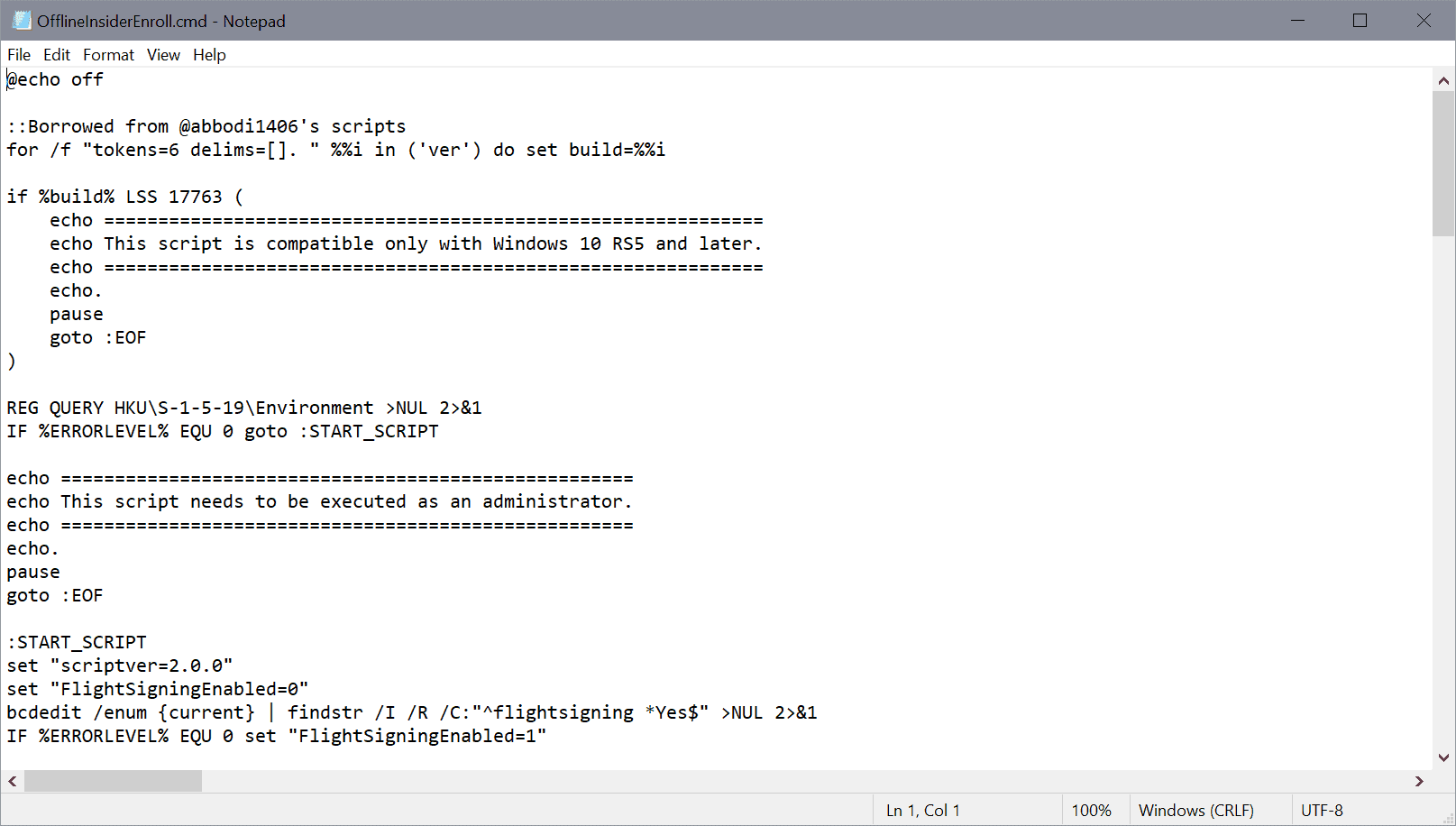
OfflineInsiderEnroll cuts across that model by configuring the local Windows Insider state directly. The script is described as enabling Insider builds on machines not signed in with a Microsoft account, while still using normal Windows Update delivery. That last part is important: it does not replace Windows Update with a shadow update service. It sets the conditions under which Windows Update offers preview builds.
The key detail is an undocumented registry value known as
This is the unglamorous reality behind many Windows “bypasses.” They are not necessarily defeating cryptography or breaking into Microsoft’s servers. They are often taking advantage of legacy compatibility, test hooks, policy assumptions, or a lack of validation between two subsystems that were built to trust a particular local state.
That is powerful because it moves Insider participation from an account-mediated workflow to a local administrative action. For enthusiasts, that means a spare test box can be pointed at Beta or Experimental without converting the machine to a Microsoft-account setup. For lab administrators, it means quick channel switching on systems where identity plumbing is deliberately minimal.
But it is also fragile. The entire mechanism depends on behavior Microsoft can change. If Windows Update begins validating Insider entitlement differently, if the enrollment client stops honoring the same registry state, or if Microsoft closes the
That should not be read as a moral judgment on the tool. Windows power users have long relied on registry-level controls to expose capabilities Microsoft’s official UI hides, delays, or reserves for specific audiences. The risk is not that such tools exist; the risk is forgetting that they operate outside the support contract.
That changes the psychological contract of the Insider Program. Historically, joining a preview channel meant accepting a stream of builds and whatever controlled rollout lottery Microsoft attached to them. The new approach suggests Microsoft wants testers to have more visible agency over feature exposure, while still keeping that agency inside the official Insider settings UI and account framework.
OfflineInsiderEnroll occupies the awkward space just outside that framework. It can get a machine onto the train, but it does not make the user an official passenger in Microsoft’s telemetry and feedback model in the same way normal enrollment does. If Microsoft’s future Insider design increasingly depends on account-linked experiments, cloud-controlled flags, and targeted feedback loops, local enrollment tricks may become less complete even if they still deliver builds.
That is the broader direction to watch. Microsoft is not simply shipping Windows builds; it is managing experiments. A build number is now only part of the story. The feature state of a Windows 11 PC may depend on channel, region, hardware, account, rollout cohort, policy, and feature flag state, all layered together.
OfflineInsiderEnroll speaks to that culture. It treats Insider enrollment as a machine state rather than an identity state. That feels natural to administrators and longtime Windows users who remember when operating system servicing was mostly a device-level matter.
Microsoft sees the world differently now. Windows is still an operating system, but it is also a service surface. Insider builds are not merely files sent to a PC; they are part of a feedback system designed to tell Microsoft what broke, what users clicked, what hardware combinations matter, and which staged features are safe to expand.
Both views can be true at once. The user may reasonably want to test a preview build without binding the device to a consumer account. Microsoft may reasonably want preview testers enrolled in a system that maximizes feedback and reduces ambiguity. OfflineInsiderEnroll exists because Windows still leaves enough room for the first worldview to route around the second.
The problem is not only supportability. Insider builds can alter drivers, security behavior, application compatibility, and servicing baselines. A machine that drifts into Experimental because someone ran a script is no longer just a curious endpoint; it is a change-management incident waiting to happen.
There is also the question of rollback. Microsoft has been working to make channel movement less punishing, including scenarios where users can move among preview tracks or leave without a clean install when they remain on the same Windows core version. But Insider history is littered with exceptions. Once a device moves too far ahead, returning to stable Windows can still require waiting for public builds to catch up or performing a clean installation.
That reality should shape how IT pros think about OfflineInsiderEnroll. It may be useful in a lab, on a sacrificial test laptop, or inside a VM. It should not become a casual production tactic just because it is small, free, and effective.
OfflineInsiderEnroll appears to solve a narrow and real problem: accessing Insider builds without signing the device into a Microsoft account. It does so by using known local configuration behavior, and it has been around long enough to earn attention from Windows hobbyists. That does not make it endorsed, guaranteed, or wise for every machine.
The more balanced view is that tools like this are part of the Windows ecosystem’s immune system. They test the boundaries of Microsoft’s design decisions. They reveal which requirements are hard gates and which are policy preferences enforced by UI and service checks. They give advanced users options before Microsoft is ready, or willing, to expose those options officially.
Microsoft may not love that dynamic, but Windows has benefited from it for decades. From deployment scripts to debloat utilities to feature togglers, the enthusiast layer often discovers operational truths before official documentation catches up. The price of that discovery is breakage.
The script’s small size is an advantage here. A command file is far easier to inspect than an opaque executable. Advanced users can read the registry paths, understand the channel choices, and decide whether the changes are acceptable before running it.
The bigger security issue is not necessarily the script itself. It is the build stream the script enables. Insider builds are pre-release software. They may contain unfinished security features, regressions, debugging behavior, broken drivers, or compatibility changes that have not survived broad testing.
That does not mean Insider builds are unsafe by definition. Microsoft relies on them precisely because pre-release testing is how many bugs are found before general availability. But the user who bypasses official enrollment should be honest about the trade: they are gaining access while stepping outside the intended support and consent flow.
That calculus can change. If Microsoft decides local-only Insider configuration undermines feature-flag testing, telemetry quality, account policy, or servicing safety, it has several ways to respond. It could require stronger server-side enrollment checks before offering preview builds. It could change the registry contract. It could make the Settings app and Windows Update client more aggressive about reconciling local state with cloud enrollment.
The company may also choose not to bother. Enthusiasts who use OfflineInsiderEnroll are likely a tiny fraction of the Windows install base, and many of them are exactly the kind of users who file useful bug reports, diagnose regressions, and evangelize new features. Breaking their workflows might create more irritation than benefit.
Still, users should assume impermanence. The moment an unofficial method becomes operationally important, it becomes a liability. A test workflow that depends on undocumented registry behavior should always have a fallback path.
The script tells the counter-story. Even as Microsoft rationalizes the front door, power users are still interested in the side entrance. Not because they necessarily reject the Insider Program, but because they want to separate Windows testing from Microsoft account participation.
That distinction is becoming harder to preserve across Windows 11. Setup, backup, Store, Copilot-era services, synchronization, and feedback systems all work better—or at least work more completely—when attached to a Microsoft identity. Local accounts remain possible in many contexts, but they are no longer the gravitational center of the consumer Windows experience.
OfflineInsiderEnroll is therefore a small tool with a large symbolic footprint. It says that on Windows, local administrative control still matters. It also says that the boundary between supported configuration and working configuration remains porous.
The new Insider layout may make the choices easier to understand, but it does not make them risk-free. Experimental is still where Microsoft can place ideas that change, slip, or never ship. Beta is safer, but it is still pre-release. Release Preview is the closest to public Windows, but even there, updates can expose driver or app problems before the broader population sees them.
The most important discipline is to keep the purpose clear. If the goal is curiosity, a VM is often enough. If the goal is hardware validation, use representative hardware but isolate it from production work. If the goal is early access on a primary laptop, the user should be prepared for the occasional reminder that “preview” is not a decorative label.
The news is not that someone found a magic bypass for Windows Update. The more interesting story is that Microsoft’s Insider architecture still appears willing to honor local configuration when the right values are present, even as the company’s consumer-facing setup experience increasingly nudges users toward Microsoft accounts. OfflineInsiderEnroll is therefore less a hack in the cinematic sense than a reminder that Windows remains a layered operating system, with policy, registry state, cloud enrollment, and update targeting all pulling on the same machine.
 The Insider Program Is Becoming Simpler, but Not Necessarily More Open
Microsoft has spent years rearranging the Windows Insider Program in search of a structure ordinary testers can understand. Rings became channels. Channels multiplied. Canary arrived as a place for the earliest platform work, Dev became a sometimes-confusing home for features not tied to a specific release, Beta was treated as the safer runway, and Release Preview became the last stop before broad availability.In spring 2026, Microsoft began another reset. The company started moving the program toward a simpler model built around Experimental and Beta, with Release Preview continuing to serve users who want late-stage builds. Under the new language, Experimental is where the earliest features and platform work are meant to surface, including branches such as Experimental for 26H1 and Experimental for future platform development.
That restructure matters because OfflineInsiderEnroll’s latest update is not merely keeping an old batch file alive. Version 2.6.6 reportedly adds support for Microsoft’s new Insider channel layout, allowing users to select from the newer Experimental options as well as Beta and Release Preview. In other words, the script has followed Microsoft’s map redraw almost immediately.
That is exactly the kind of thing Windows enthusiasts notice. When Microsoft changes a program’s public interface, there is often a lag before unofficial tools catch up. Here, the lag appears short enough to reinforce the tool’s reputation as a practical switchboard for testers who know what they are doing and are willing to accept the consequences.
The Microsoft Account Requirement Was Always About More Than Sign-In
Microsoft account requirements are easy to caricature as mere login nagging, but for the Insider Program they serve several purposes. Enrollment gives Microsoft a known account, consent flow, telemetry posture, and feedback relationship. It also gives the company a service-side way to decide which devices are eligible for which preview experiences.OfflineInsiderEnroll cuts across that model by configuring the local Windows Insider state directly. The script is described as enabling Insider builds on machines not signed in with a Microsoft account, while still using normal Windows Update delivery. That last part is important: it does not replace Windows Update with a shadow update service. It sets the conditions under which Windows Update offers preview builds.
The key detail is an undocumented registry value known as
TestFlags. When set to 0x20, according to descriptions of the tool’s operation, Windows stops communicating with Microsoft’s online Insider enrollment services for that configuration path. That prevents the cloud enrollment service from overwriting the locally defined Insider settings, leaving the machine to present itself to Windows Update with the channel values the script has written.This is the unglamorous reality behind many Windows “bypasses.” They are not necessarily defeating cryptography or breaking into Microsoft’s servers. They are often taking advantage of legacy compatibility, test hooks, policy assumptions, or a lack of validation between two subsystems that were built to trust a particular local state.
A Registry Toggle Turns a Cloud Program Back Into a Local Decision
The practical result is deceptively simple. Run the script with elevated privileges, choose a channel, reboot or refresh update state as required, and Windows Update may begin offering Insider builds as if the device were enrolled. The tool also includes options to refresh the Insider cache, reset Insider settings, and stop Insider enrollment.That is powerful because it moves Insider participation from an account-mediated workflow to a local administrative action. For enthusiasts, that means a spare test box can be pointed at Beta or Experimental without converting the machine to a Microsoft-account setup. For lab administrators, it means quick channel switching on systems where identity plumbing is deliberately minimal.
But it is also fragile. The entire mechanism depends on behavior Microsoft can change. If Windows Update begins validating Insider entitlement differently, if the enrollment client stops honoring the same registry state, or if Microsoft closes the
TestFlags path, the script could break overnight. Unofficial tools built on undocumented behavior are always living on borrowed time.That should not be read as a moral judgment on the tool. Windows power users have long relied on registry-level controls to expose capabilities Microsoft’s official UI hides, delays, or reserves for specific audiences. The risk is not that such tools exist; the risk is forgetting that they operate outside the support contract.
Microsoft’s Feature-Flag Era Makes the Script More Interesting
The timing is what makes OfflineInsiderEnroll 2.6.6 worth more than a quick download note. Microsoft’s revamped Insider experience is not only about channel names. The company is also leaning harder into feature flags, allowing some testers in Experimental to enable new experiences before they roll out automatically.That changes the psychological contract of the Insider Program. Historically, joining a preview channel meant accepting a stream of builds and whatever controlled rollout lottery Microsoft attached to them. The new approach suggests Microsoft wants testers to have more visible agency over feature exposure, while still keeping that agency inside the official Insider settings UI and account framework.
OfflineInsiderEnroll occupies the awkward space just outside that framework. It can get a machine onto the train, but it does not make the user an official passenger in Microsoft’s telemetry and feedback model in the same way normal enrollment does. If Microsoft’s future Insider design increasingly depends on account-linked experiments, cloud-controlled flags, and targeted feedback loops, local enrollment tricks may become less complete even if they still deliver builds.
That is the broader direction to watch. Microsoft is not simply shipping Windows builds; it is managing experiments. A build number is now only part of the story. The feature state of a Windows 11 PC may depend on channel, region, hardware, account, rollout cohort, policy, and feature flag state, all layered together.
The Appeal Is Obvious to Anyone Who Keeps a Local Account Around
For many WindowsForum readers, the attraction of a tool like this requires no explanation. A local account remains the cleanest way to run a test machine without dragging in a personal identity, OneDrive prompts, Microsoft Store account state, synced settings, and the other connective tissue of modern Windows. Preview testing is often something you do on hardware that is explicitly not your daily driver.OfflineInsiderEnroll speaks to that culture. It treats Insider enrollment as a machine state rather than an identity state. That feels natural to administrators and longtime Windows users who remember when operating system servicing was mostly a device-level matter.
Microsoft sees the world differently now. Windows is still an operating system, but it is also a service surface. Insider builds are not merely files sent to a PC; they are part of a feedback system designed to tell Microsoft what broke, what users clicked, what hardware combinations matter, and which staged features are safe to expand.
Both views can be true at once. The user may reasonably want to test a preview build without binding the device to a consumer account. Microsoft may reasonably want preview testers enrolled in a system that maximizes feedback and reduces ambiguity. OfflineInsiderEnroll exists because Windows still leaves enough room for the first worldview to route around the second.
The Enterprise Lesson Is Caution, Not Convenience
It would be a mistake for business users to treat this as an enterprise enrollment shortcut. In managed environments, preview builds should be governed through documented Windows Insider Program for Business flows, Windows Update for Business policies, Intune, Group Policy, or other supported management paths. A script that rewrites Insider registry state may be clever, but clever is not the same thing as auditable.The problem is not only supportability. Insider builds can alter drivers, security behavior, application compatibility, and servicing baselines. A machine that drifts into Experimental because someone ran a script is no longer just a curious endpoint; it is a change-management incident waiting to happen.
There is also the question of rollback. Microsoft has been working to make channel movement less punishing, including scenarios where users can move among preview tracks or leave without a clean install when they remain on the same Windows core version. But Insider history is littered with exceptions. Once a device moves too far ahead, returning to stable Windows can still require waiting for public builds to catch up or performing a clean installation.
That reality should shape how IT pros think about OfflineInsiderEnroll. It may be useful in a lab, on a sacrificial test laptop, or inside a VM. It should not become a casual production tactic just because it is small, free, and effective.
Unsupported Does Not Mean Useless
Unofficial Windows tools tend to attract two lazy reactions. One camp treats them as inherently reckless, as if every registry script were malware in waiting. The other treats them as heroic liberations from Microsoft’s control. Neither framing is especially useful.OfflineInsiderEnroll appears to solve a narrow and real problem: accessing Insider builds without signing the device into a Microsoft account. It does so by using known local configuration behavior, and it has been around long enough to earn attention from Windows hobbyists. That does not make it endorsed, guaranteed, or wise for every machine.
The more balanced view is that tools like this are part of the Windows ecosystem’s immune system. They test the boundaries of Microsoft’s design decisions. They reveal which requirements are hard gates and which are policy preferences enforced by UI and service checks. They give advanced users options before Microsoft is ready, or willing, to expose those options officially.
Microsoft may not love that dynamic, but Windows has benefited from it for decades. From deployment scripts to debloat utilities to feature togglers, the enthusiast layer often discovers operational truths before official documentation catches up. The price of that discovery is breakage.
The Security Question Is Really a Trust Question
Any script that asks for administrator privileges deserves scrutiny. OfflineInsiderEnroll needs elevation because it modifies system-level Windows Insider configuration. That is expected for this kind of tool, but it still means users should inspect what they are running, obtain it from the project’s official repository, and avoid repackaged downloads from random mirrors.The script’s small size is an advantage here. A command file is far easier to inspect than an opaque executable. Advanced users can read the registry paths, understand the channel choices, and decide whether the changes are acceptable before running it.
The bigger security issue is not necessarily the script itself. It is the build stream the script enables. Insider builds are pre-release software. They may contain unfinished security features, regressions, debugging behavior, broken drivers, or compatibility changes that have not survived broad testing.
That does not mean Insider builds are unsafe by definition. Microsoft relies on them precisely because pre-release testing is how many bugs are found before general availability. But the user who bypasses official enrollment should be honest about the trade: they are gaining access while stepping outside the intended support and consent flow.
Microsoft Can Close the Door Whenever It Decides the Door Matters
The most revealing part of OfflineInsiderEnroll is not that it works. It is that the path has survived long enough to remain useful through multiple Insider reorganizations. That suggests Microsoft has either tolerated the behavior, considered the affected audience too small to prioritize, or avoided tightening validation because doing so could disturb legitimate servicing scenarios.That calculus can change. If Microsoft decides local-only Insider configuration undermines feature-flag testing, telemetry quality, account policy, or servicing safety, it has several ways to respond. It could require stronger server-side enrollment checks before offering preview builds. It could change the registry contract. It could make the Settings app and Windows Update client more aggressive about reconciling local state with cloud enrollment.
The company may also choose not to bother. Enthusiasts who use OfflineInsiderEnroll are likely a tiny fraction of the Windows install base, and many of them are exactly the kind of users who file useful bug reports, diagnose regressions, and evangelize new features. Breaking their workflows might create more irritation than benefit.
Still, users should assume impermanence. The moment an unofficial method becomes operationally important, it becomes a liability. A test workflow that depends on undocumented registry behavior should always have a fallback path.
The Real Story Is Control Over the Windows Testing Pipeline
OfflineInsiderEnroll 2.6.6 arrives at a moment when Microsoft is trying to make Insider testing feel more orderly. The Experimental and Beta model is meant to reduce confusion, feature flags are meant to make early testing more deliberate, and improved channel movement is meant to reduce the old fear of getting trapped on the wrong build train.The script tells the counter-story. Even as Microsoft rationalizes the front door, power users are still interested in the side entrance. Not because they necessarily reject the Insider Program, but because they want to separate Windows testing from Microsoft account participation.
That distinction is becoming harder to preserve across Windows 11. Setup, backup, Store, Copilot-era services, synchronization, and feedback systems all work better—or at least work more completely—when attached to a Microsoft identity. Local accounts remain possible in many contexts, but they are no longer the gravitational center of the consumer Windows experience.
OfflineInsiderEnroll is therefore a small tool with a large symbolic footprint. It says that on Windows, local administrative control still matters. It also says that the boundary between supported configuration and working configuration remains porous.
The Registry Switch Is Useful, but the Build Train Still Has Teeth
For anyone tempted to try the updated script, the practical advice is straightforward: use it as a lab tool, not as a lifestyle. Put it on a spare PC, a VM, or hardware you can reimage without drama. Back up anything you care about before moving channels, and assume that Experimental builds may behave like experiments rather than previews polished for daily use.The new Insider layout may make the choices easier to understand, but it does not make them risk-free. Experimental is still where Microsoft can place ideas that change, slip, or never ship. Beta is safer, but it is still pre-release. Release Preview is the closest to public Windows, but even there, updates can expose driver or app problems before the broader population sees them.
The most important discipline is to keep the purpose clear. If the goal is curiosity, a VM is often enough. If the goal is hardware validation, use representative hardware but isolate it from production work. If the goal is early access on a primary laptop, the user should be prepared for the occasional reminder that “preview” is not a decorative label.
A Small Script Shows Where the Windows Power Still Lives
OfflineInsiderEnroll’s update lands because Microsoft changed the Insider map, and the tool’s maintainer redrew the unofficial one to match. That alone makes the release notable for Windows tinkerers.- OfflineInsiderEnroll 2.6.6 reportedly adds support for Microsoft’s newer Experimental Insider channels alongside Beta and Release Preview.
- The script is designed for Windows systems that are not signed in with a Microsoft account but still want access to Insider builds through Windows Update.
- Its reported mechanism depends on the undocumented
TestFlagsregistry value, which can prevent online Insider enrollment services from overwriting local configuration. - The tool requires administrator privileges because it changes system-level Insider settings.
- The safest use case is a test PC or virtual machine, not a production endpoint or a machine that cannot be cleanly restored.
- Microsoft could change the servicing or enrollment checks at any time, so the method should be treated as convenient rather than durable.
References
- Primary source: Neowin
Published: 2026-06-05T08:22:07.409448
Unofficial script lets you install unreleased Windows 11 features without Microsoft Account
This unofficial script enables users to install and access unreleased Windows 11 features while bypassing the requirement for a Microsoft Account. www.neowin.net
- Official source: blogs.windows.com

We’re moving to Experimental and Beta! Announcing new builds for 24 April 2026
Hello Windows Insiders, Today is the day we’re beginning to move to the new Experimental and Beta channels as announced earlier this month blogs.windows.com
- Related coverage: gadgets360.com
- Related coverage: windowscentral.com

Windows Insider reboot starts with the first Experimental build
The first Experimental Preview build is here as Microsoft reorganizes the Windows Insider Program. www.windowscentral.com
- Official source: learn.microsoft.com

Flight Hub - Windows Insider Program
Flight schedules and status for Windows Insider Programlearn.microsoft.com - Related coverage: tomshardware.com
Microsoft simplifies Windows Insider program — fewer channels, and switching without wiping your device
The company will also make it easier to ensure you get all of the latest features.www.tomshardware.com
- Related coverage: pureinfotech.com
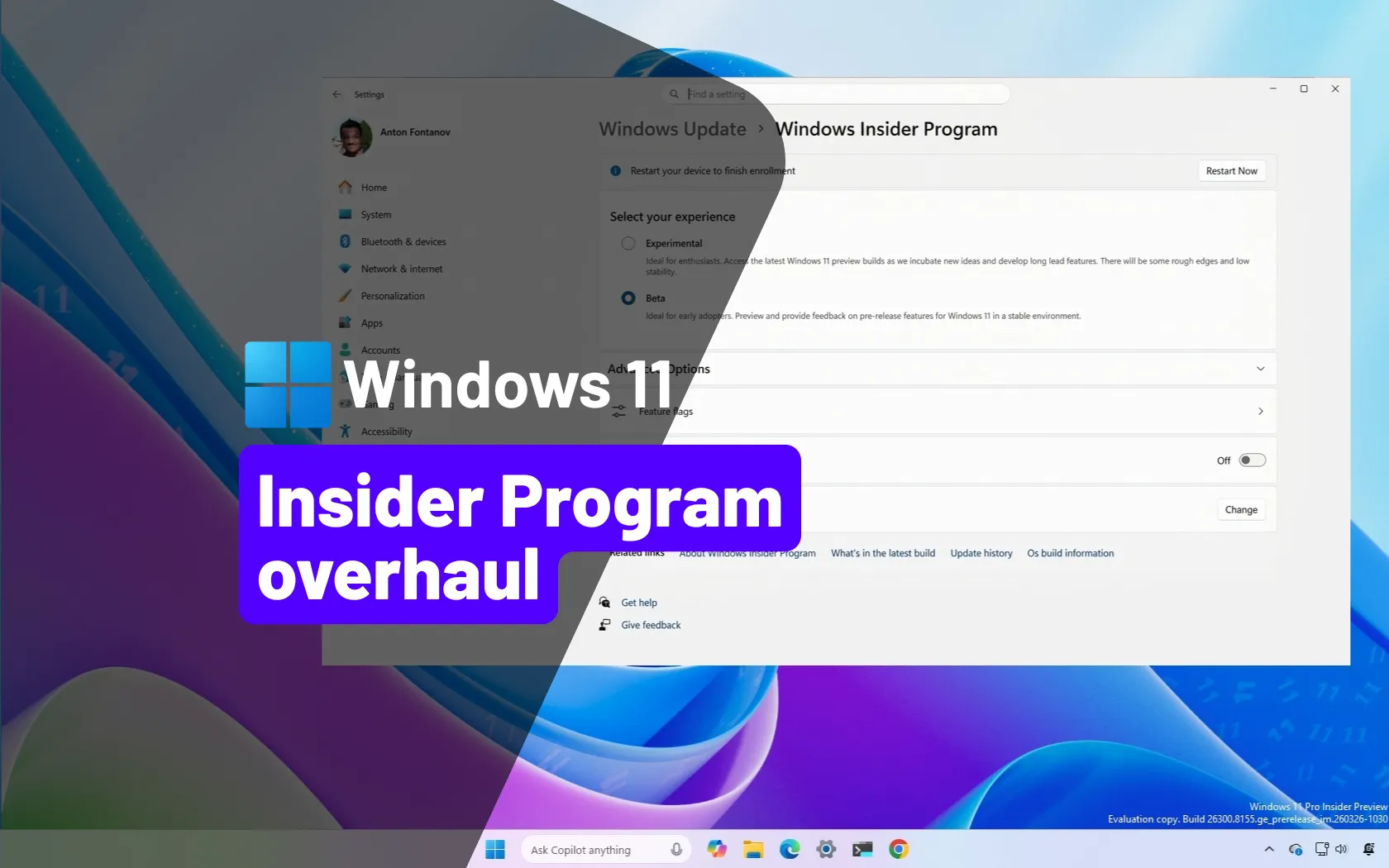
Microsoft overhauls Windows 11 Insider Program with new Experimental and Beta channels
Windows 11 Insider Program gets simpler with Experimental and Beta channels plus feature flag control for faster, predictable testing. pureinfotech.com
- Related coverage: arstechnica.com

Microsoft's "commitment to Windows quality" starts with overhaul of beta program
Windows Insider builds remain confusing, but they should be more predictable. arstechnica.com
- Related coverage: windowsreport.com
- Related coverage: windowsnews.ai
Windows 11 Insider Channels in 2026: Canary vs Dev vs Beta Explained
Windows 11 Insider channels in 2026: Canary for experimental daily builds, Dev for weekly feature testing, Beta for stable previews. Learn which channel...windowsnews.ai
- Related coverage: pcworld.com

Windows 11 testing is going back to the future with new Insider plans
Microsoft is bringing back the feel-good vibes of Windows 10 with a new approach to its Insider channels as well as in-person meetups throughout the coming months. www.pcworld.com
- Related coverage: ghacks.net
OfflineInsiderEnroll: Become a Windows 10 Insider without a Microsoft Account - gHacks Tech News
OfflineInsiderEnroll is a simple script to join the Windows Insider program on the machine it is executed on using a local account. www.ghacks.net
- Related coverage: tweakhound.com

Enroll In Windows 10 ESU - TweakHound
Optimize your computing experience, Performance, Tweak, Tweaker, Tweaking Windows, Tweak Guides, Tweakguides, Privacy, Security, Computer How-to, fix computer, Computer news and information, Windows Xp, Windows 7, Windows 10, Linux www.tweakhound.com
- Related coverage: techolay.net
- Related coverage: deepwiki.com

Windows Update and Servicing Systems | abbodi1406/BatUtil | DeepWiki
This document covers the core Windows update and image servicing tools that form the backbone of BatUtil. These systems provide automated installation and integration of Windows updates for Windows 10deepwiki.com
- Official source: download.microsoft.com
