

Samsung may be exploring a Galaxy tablet with a punch-hole front camera, after SamMobile found new rotation animations in One UI 9.0 beta firmware showing tablet-like devices with centered display cutouts on both long-edge and short-edge orientations. That is not the same as a product leak. It is a breadcrumb, and in Samsung land breadcrumbs often lead either to future hardware or to an artist’s generic placeholder. The interesting part is not that Samsung has accidentally “confirmed” a new tablet design, but that its own software is beginning to imagine one.
The front camera on a tablet is not a glamour component. It is the part everyone forgets until a video call starts, a face unlock attempt fails, or a landscape meeting makes the user look as if they are staring into the middle distance. Samsung’s Galaxy Tab line has lived in that awkward territory for years: tablets are increasingly productivity machines, but their camera placement still often reflects old assumptions about how people hold them.
On phones, Samsung helped normalize the punch-hole display. The company’s “Infinity-O” language made the centered or cornered camera cutout feel like a modern Android design signature rather than a compromise. On tablets, however, Samsung has been more conservative, using bezels or notches depending on the model and screen size.
That split has always looked a little strange. If a punch hole is acceptable on a pocket device where every millimeter matters, it should be even easier to justify on a tablet, where the panel is larger and the interruption is proportionally smaller. Yet tablets are also used differently: they rotate more often, spend more time in landscape, and are expected to behave like both consumption screens and lightweight laptops.
That is why the animations matter. They do not merely show a hole in a screen. They show Samsung thinking about orientation, camera position, and how a tablet-like device presents itself when it turns.
That distinction is where the story becomes more interesting than the usual firmware archaeology. A long-side centered camera suggests landscape-first tablet thinking, the same logic that has pushed laptop webcams and newer tablet cameras toward the edge users face during video calls. A short-side centered camera is more phone-like and more portrait-first, which could mean the animation is generic, transitional, or designed to cover multiple device classes.
The conservative interpretation is that Samsung’s software team needed fresh instructional artwork for One UI 9.0 and used stylized devices rather than actual hardware silhouettes. Companies do this constantly. Help screens, rotation prompts, onboarding animations, and settings illustrations are rarely product roadmaps.
But the aggressive interpretation is not absurd. Samsung does not create every asset in a vacuum. If One UI 9.0 is being prepared for the next wave of Galaxy hardware, and if its rotation animations now include punch-hole tablet imagery, it is at least plausible that the company is preparing its software for a tablet design that no longer relies on a notch or bezel camera.
Apple eventually moved the iPad’s front camera to the landscape edge on newer models, acknowledging what accessory makers and remote workers already knew: tablets are no longer just handheld media slabs. Samsung has already been attentive to landscape productivity through DeX, keyboard covers, multi-window features, and large-screen One UI changes. A long-edge punch hole would fit that direction.
The catch is that a punch hole in the long edge of a tablet display is visually more conspicuous in one common use case: watching video. A camera cutout centered on the long side could sit closer to the content area when the tablet is used horizontally. That is less of an issue on phones because users have been trained to ignore the intrusion, but tablets are sold partly as clean, immersive canvases.
This is why Samsung has not rushed. A bezel camera looks old-fashioned only when the bezel is already thin enough to make it seem unnecessary. A notch looks clumsy, but it can house more hardware while preserving symmetry. A punch hole looks modern, but it permanently punctures the display.
The Galaxy Tab S8 Ultra and later Ultra designs made the notch a point of discussion because Samsung had otherwise delivered expansive OLED displays that looked futuristic. The notch was not gigantic, but it disrupted the idea of a seamless canvas. For some users, it was easy to ignore. For others, it was the one design element that made a high-end Android tablet feel oddly behind Samsung’s own phones.
Samsung’s problem is that tablets need front cameras more than many people admit. A flagship tablet without a useful front camera would be mocked the moment someone tried to use it for a meeting, class, livestream, or family call. Under-display camera technology exists, including in Samsung’s foldables, but it still involves trade-offs in image quality and display uniformity.
A punch hole may be the least bad compromise. It is cleaner than a notch, more mature than under-display camera tech, and easier to explain than a bezel that thickens purely to hide a sensor. If the company is testing that design language in software, it would be following the same logic that drove the phone market several years earlier.
Samsung is especially vulnerable to this because One UI spans phones, tablets, foldables, watches, PCs, and an expanding set of connected-device features. A single animation may need to account for multiple form factors. That makes any one asset ambiguous, but it also means new assets can reveal where Samsung expects its interface to stretch next.
The One UI 9.0 timing adds another layer. As a beta based on Android 17, it is not merely a maintenance release. It represents Samsung’s next major software platform for upcoming Galaxy devices. If new device illustrations were created specifically for that branch, it suggests the company is refreshing the visual assumptions baked into the interface.
That does not mean a punch-hole Galaxy Tab is imminent. It does mean Samsung’s software is no longer treating the old tablet camera layout as the only visual default. In a company where hardware and software teams work toward coordinated launch windows, that is worth noticing.
Samsung has used generic device art across One UI for years. A drawn phone may not match any shipping phone. A drawn tablet may represent an abstract tablet rather than the Galaxy Tab S12 Ultra, Tab S11 FE, or some unreleased foldable-adjacent experiment. Designers optimize these assets for clarity, not leak accuracy.
There is also the possibility that Samsung needs one animation set to cover phones, foldables, and tablets. A device that looks tablet-like in one frame may simply be a stretched generic rectangle. The punch hole may be there because Samsung’s current design vocabulary says “modern Galaxy screen,” not because a specific tablet panel is being tooled.
That uncertainty is the story’s guardrail. The animation is interesting because it is new, because it differs from earlier firmware, and because it maps onto a real design question in Samsung’s tablet lineup. It is not enough to say Samsung is building such a tablet.
But design signals matter in premium hardware. Samsung sells its best tablets as devices that can replace a laptop for some users, compete with iPads for creators, and serve as the most polished Android large-screen experience available. A notch undermines that pitch because it looks like a temporary compromise that overstayed its welcome.
A punch hole would also align the tablet family more closely with Galaxy phones. Samsung likes ecosystem coherence: similar icons, similar gestures, similar AI features, similar lock screens, similar camera language. A modernized tablet front would make the lineup feel less split between phone-era design and tablet-era caution.
The move could also give Samsung a marketing line that is easy for buyers to understand. Thinner bezels, centered landscape camera, less intrusive cutout: that is simpler than explaining why a premium OLED tablet still has a notch while midrange phones abandoned that look years ago.
For IT pros and business buyers, this matters less as industrial design and more as usability. A tablet deployed for field work, healthcare, education, retail, or hybrid meetings needs to work naturally in the orientation its case and stand encourage. If the user is always in landscape, the camera should behave like a laptop webcam.
A punch hole could help Samsung reduce bezel thickness while keeping that camera in the right place. It would not solve every enterprise concern — manageability, update policy, accessory durability, and app compatibility still matter more — but it would remove one of the visible reminders that tablets remain ergonomically conflicted machines.
For consumers, the calculus is emotional as much as practical. A premium tablet should look premium when it is off, when it is playing video, and when it is sitting beside a laptop. The notch has always been a small visual tax. Samsung may finally be looking for a cleaner way to collect it.
A mainstream Tab S model could also benefit, especially if Samsung wants a consistent design language across the range. But the smaller the tablet, the easier it is to keep the camera in a bezel without making the device look dated. The larger the panel, the more a notch or asymmetrical camera treatment stands out.
There is also a supply-chain consideration. A punch-hole OLED tablet panel is not impossible, but it is still a panel choice with manufacturing, durability, and cost implications. Samsung Display knows this territory well from phones, yet tablet panels are not simply giant phone panels. Yield, lamination, camera alignment, and accessory tolerances all matter.
That makes the animation a possible early clue rather than a late-stage leak. If Samsung is preparing software assets now, the associated hardware could be months away, a generation away, or merely one option among several prototypes. Firmware can show direction before it shows commitment.
That is why a rotation animation is more than decorative. Rotation is one of the fundamental tablet behaviors. It sits at the intersection of hardware sensors, app layout, user posture, and system animation. If Samsung is revisiting how rotation is visually explained, it may also be revisiting the assumptions behind the devices being rotated.
At the same time, Samsung’s scale makes over-reading easy. A large software organization can produce assets that never map to a product. Designers can update a graphic because it looks old. Engineers can include a device shape because it covers more cases. Beta firmware can contain experiments, placeholders, and leftovers that never ship.
The correct stance is disciplined curiosity. The animations are not a launch plan, but they are not meaningless either.
What they do prove is that the old tablet camera compromise is still unresolved. Samsung has the phone design language, the display expertise, and the software ecosystem to make a punch-hole tablet plausible. The question is whether it believes the trade-off is now better than the notch, the bezel, or an under-display camera.
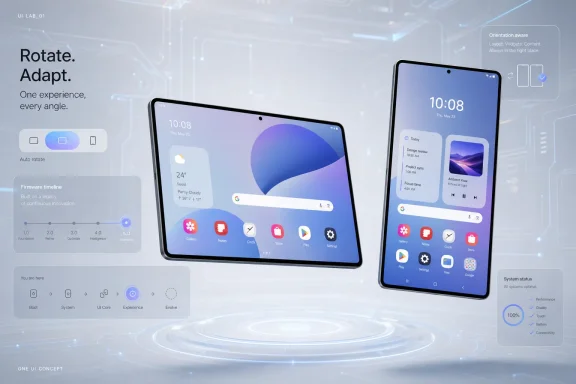 Samsung’s Tablet Camera Problem Has Always Been Bigger Than a Notch
The front camera on a tablet is not a glamour component. It is the part everyone forgets until a video call starts, a face unlock attempt fails, or a landscape meeting makes the user look as if they are staring into the middle distance. Samsung’s Galaxy Tab line has lived in that awkward territory for years: tablets are increasingly productivity machines, but their camera placement still often reflects old assumptions about how people hold them.On phones, Samsung helped normalize the punch-hole display. The company’s “Infinity-O” language made the centered or cornered camera cutout feel like a modern Android design signature rather than a compromise. On tablets, however, Samsung has been more conservative, using bezels or notches depending on the model and screen size.
That split has always looked a little strange. If a punch hole is acceptable on a pocket device where every millimeter matters, it should be even easier to justify on a tablet, where the panel is larger and the interruption is proportionally smaller. Yet tablets are also used differently: they rotate more often, spend more time in landscape, and are expected to behave like both consumption screens and lightweight laptops.
That is why the animations matter. They do not merely show a hole in a screen. They show Samsung thinking about orientation, camera position, and how a tablet-like device presents itself when it turns.
A Beta Animation Is Evidence, Not Proof
SamMobile’s finding is modest but specific: the animations reportedly appear in One UI 9.0 beta firmware and were not found in One UI 8.5. One animation shows a tablet-like device with a punch-hole camera centered along the long side of the display. Another shows the cutout centered on the shorter side, closer to the way many smartphones are drawn.That distinction is where the story becomes more interesting than the usual firmware archaeology. A long-side centered camera suggests landscape-first tablet thinking, the same logic that has pushed laptop webcams and newer tablet cameras toward the edge users face during video calls. A short-side centered camera is more phone-like and more portrait-first, which could mean the animation is generic, transitional, or designed to cover multiple device classes.
The conservative interpretation is that Samsung’s software team needed fresh instructional artwork for One UI 9.0 and used stylized devices rather than actual hardware silhouettes. Companies do this constantly. Help screens, rotation prompts, onboarding animations, and settings illustrations are rarely product roadmaps.
But the aggressive interpretation is not absurd. Samsung does not create every asset in a vacuum. If One UI 9.0 is being prepared for the next wave of Galaxy hardware, and if its rotation animations now include punch-hole tablet imagery, it is at least plausible that the company is preparing its software for a tablet design that no longer relies on a notch or bezel camera.
The Long Edge Is the Tell
If Samsung ever moves a Galaxy Tab front camera into a punch hole, the long edge is the place that makes the most sense. The pandemic-era shift to video calls permanently changed tablet ergonomics. A tablet propped in a keyboard case is a landscape device, and a camera on the short side makes the user appear off-axis.Apple eventually moved the iPad’s front camera to the landscape edge on newer models, acknowledging what accessory makers and remote workers already knew: tablets are no longer just handheld media slabs. Samsung has already been attentive to landscape productivity through DeX, keyboard covers, multi-window features, and large-screen One UI changes. A long-edge punch hole would fit that direction.
The catch is that a punch hole in the long edge of a tablet display is visually more conspicuous in one common use case: watching video. A camera cutout centered on the long side could sit closer to the content area when the tablet is used horizontally. That is less of an issue on phones because users have been trained to ignore the intrusion, but tablets are sold partly as clean, immersive canvases.
This is why Samsung has not rushed. A bezel camera looks old-fashioned only when the bezel is already thin enough to make it seem unnecessary. A notch looks clumsy, but it can house more hardware while preserving symmetry. A punch hole looks modern, but it permanently punctures the display.
The Ultra Models Made the Compromise Impossible to Ignore
Samsung’s biggest Galaxy Tab Ultra models are where the camera debate becomes most visible. A small tablet can hide a front camera in a bezel without much drama. A 14-inch-class premium tablet, marketed for work, drawing, video, and entertainment, invites harsher judgment.The Galaxy Tab S8 Ultra and later Ultra designs made the notch a point of discussion because Samsung had otherwise delivered expansive OLED displays that looked futuristic. The notch was not gigantic, but it disrupted the idea of a seamless canvas. For some users, it was easy to ignore. For others, it was the one design element that made a high-end Android tablet feel oddly behind Samsung’s own phones.
Samsung’s problem is that tablets need front cameras more than many people admit. A flagship tablet without a useful front camera would be mocked the moment someone tried to use it for a meeting, class, livestream, or family call. Under-display camera technology exists, including in Samsung’s foldables, but it still involves trade-offs in image quality and display uniformity.
A punch hole may be the least bad compromise. It is cleaner than a notch, more mature than under-display camera tech, and easier to explain than a bezel that thickens purely to hide a sensor. If the company is testing that design language in software, it would be following the same logic that drove the phone market several years earlier.
One UI 9.0 Is Becoming a Hardware Teaser Whether Samsung Wants It or Not
Firmware has become one of the technology industry’s most reliable rumor machines. Before products are announced, their codenames, icons, supported layouts, animations, and configuration files often appear in beta builds. Sometimes those traces are meaningful. Sometimes they are dead ends.Samsung is especially vulnerable to this because One UI spans phones, tablets, foldables, watches, PCs, and an expanding set of connected-device features. A single animation may need to account for multiple form factors. That makes any one asset ambiguous, but it also means new assets can reveal where Samsung expects its interface to stretch next.
The One UI 9.0 timing adds another layer. As a beta based on Android 17, it is not merely a maintenance release. It represents Samsung’s next major software platform for upcoming Galaxy devices. If new device illustrations were created specifically for that branch, it suggests the company is refreshing the visual assumptions baked into the interface.
That does not mean a punch-hole Galaxy Tab is imminent. It does mean Samsung’s software is no longer treating the old tablet camera layout as the only visual default. In a company where hardware and software teams work toward coordinated launch windows, that is worth noticing.
Generic Art Has Fooled People Before
There is a reason SamMobile itself treated the finding cautiously. Device illustrations in firmware are not product renders. They are often simplified shapes meant to communicate gestures, rotation, setup steps, or screen behavior without implying exact bezels, buttons, camera modules, or model identity.Samsung has used generic device art across One UI for years. A drawn phone may not match any shipping phone. A drawn tablet may represent an abstract tablet rather than the Galaxy Tab S12 Ultra, Tab S11 FE, or some unreleased foldable-adjacent experiment. Designers optimize these assets for clarity, not leak accuracy.
There is also the possibility that Samsung needs one animation set to cover phones, foldables, and tablets. A device that looks tablet-like in one frame may simply be a stretched generic rectangle. The punch hole may be there because Samsung’s current design vocabulary says “modern Galaxy screen,” not because a specific tablet panel is being tooled.
That uncertainty is the story’s guardrail. The animation is interesting because it is new, because it differs from earlier firmware, and because it maps onto a real design question in Samsung’s tablet lineup. It is not enough to say Samsung is building such a tablet.
A Punch-Hole Tablet Would Be a Small Design Change With Large Signaling Value
If Samsung ships a Galaxy Tab with a punch-hole display, the practical change may be minor. Users would still have a camera interruption somewhere on the panel. Video calls would still depend on sensor quality, lens placement, software correction, and lighting. A punch hole alone would not transform the tablet experience.But design signals matter in premium hardware. Samsung sells its best tablets as devices that can replace a laptop for some users, compete with iPads for creators, and serve as the most polished Android large-screen experience available. A notch undermines that pitch because it looks like a temporary compromise that overstayed its welcome.
A punch hole would also align the tablet family more closely with Galaxy phones. Samsung likes ecosystem coherence: similar icons, similar gestures, similar AI features, similar lock screens, similar camera language. A modernized tablet front would make the lineup feel less split between phone-era design and tablet-era caution.
The move could also give Samsung a marketing line that is easy for buyers to understand. Thinner bezels, centered landscape camera, less intrusive cutout: that is simpler than explaining why a premium OLED tablet still has a notch while midrange phones abandoned that look years ago.
The Real Fight Is Landscape Computing
The bigger context is that tablets are being pulled toward laptops. Samsung DeX, keyboard covers, external display support, stylus workflows, and multi-window multitasking all push the Galaxy Tab line beyond passive media consumption. A camera centered on the long edge would be part of that same evolution.For IT pros and business buyers, this matters less as industrial design and more as usability. A tablet deployed for field work, healthcare, education, retail, or hybrid meetings needs to work naturally in the orientation its case and stand encourage. If the user is always in landscape, the camera should behave like a laptop webcam.
A punch hole could help Samsung reduce bezel thickness while keeping that camera in the right place. It would not solve every enterprise concern — manageability, update policy, accessory durability, and app compatibility still matter more — but it would remove one of the visible reminders that tablets remain ergonomically conflicted machines.
For consumers, the calculus is emotional as much as practical. A premium tablet should look premium when it is off, when it is playing video, and when it is sitting beside a laptop. The notch has always been a small visual tax. Samsung may finally be looking for a cleaner way to collect it.
The Safer Bet Is a Future Ultra, Not an Immediate Revolution
If this design ever appears, the most logical destination would be a high-end Galaxy Tab model rather than a budget tablet. Samsung usually reserves its more visible display experiments for premium devices, where thinner bezels and cleaner industrial design help justify higher prices. The Ultra line, in particular, has the screen real estate and price tier to make the change meaningful.A mainstream Tab S model could also benefit, especially if Samsung wants a consistent design language across the range. But the smaller the tablet, the easier it is to keep the camera in a bezel without making the device look dated. The larger the panel, the more a notch or asymmetrical camera treatment stands out.
There is also a supply-chain consideration. A punch-hole OLED tablet panel is not impossible, but it is still a panel choice with manufacturing, durability, and cost implications. Samsung Display knows this territory well from phones, yet tablet panels are not simply giant phone panels. Yield, lamination, camera alignment, and accessory tolerances all matter.
That makes the animation a possible early clue rather than a late-stage leak. If Samsung is preparing software assets now, the associated hardware could be months away, a generation away, or merely one option among several prototypes. Firmware can show direction before it shows commitment.
The Software Clue Fits Samsung’s Broader Pattern
Samsung often tests ideas across categories before they become obvious to buyers. Foldable interface work influences tablets. Tablet multitasking influences phones. Phone camera cutouts influence the visual language of every device illustration. One UI is the connective tissue that makes these experiments look coordinated.That is why a rotation animation is more than decorative. Rotation is one of the fundamental tablet behaviors. It sits at the intersection of hardware sensors, app layout, user posture, and system animation. If Samsung is revisiting how rotation is visually explained, it may also be revisiting the assumptions behind the devices being rotated.
At the same time, Samsung’s scale makes over-reading easy. A large software organization can produce assets that never map to a product. Designers can update a graphic because it looks old. Engineers can include a device shape because it covers more cases. Beta firmware can contain experiments, placeholders, and leftovers that never ship.
The correct stance is disciplined curiosity. The animations are not a launch plan, but they are not meaningless either.
The Clue in One UI 9.0 Is Smaller Than the Argument It Opens
For now, the safest answer is that Samsung could be working on a tablet with a punch-hole display, but the evidence stops short of confirming it. The One UI 9.0 beta animations show a tablet-like device with a centered cutout, and their apparent absence from One UI 8.5 makes them notable. They do not prove a Galaxy Tab redesign.What they do prove is that the old tablet camera compromise is still unresolved. Samsung has the phone design language, the display expertise, and the software ecosystem to make a punch-hole tablet plausible. The question is whether it believes the trade-off is now better than the notch, the bezel, or an under-display camera.
- The One UI 9.0 beta animations reportedly show tablet-like devices with punch-hole front cameras in both landscape-style and portrait-style placements.
- The finding is not proof of an unreleased Galaxy Tab, because Samsung often uses generic device illustrations inside help screens and system tutorials.
- A long-edge centered punch hole would make the most sense for landscape video calls, keyboard cases, and DeX-style tablet productivity.
- A punch-hole design would likely be more about premium polish than radical new functionality, since the camera interruption would still exist.
- The most plausible target, if Samsung proceeds, would be a future high-end Galaxy Tab model where display design carries more marketing weight.
References
- Primary source: SamMobile
Published: 2026-06-24T15:10:13.228242
Is Samsung working on a tablet with a punch-hole display? - SamMobile
Samsung fans have long wondered why it continues to use notches or bezel-mounted front cameras on its tablets instead of a punch-hole design. - SamMobilewww.sammobile.com - Related coverage: androidcentral.com
Samsung apparently started One UI 9 tests, and I'm crying in my lack of One UI 8.5 | Android Central
Yeah, that sounds about right, doesn't it?www.androidcentral.com - Related coverage: notebookcheck.com
Samsung: Erste Hinweise auf One UI 9.0 - Notebookcheck News
Viele Samsung-Kunden warten nach wie vor auf Android 16, welches mit der One UI 8 via OTA-Update verteilt werden soll. Einem aktuellem Medienbericht zufolge arbeitet Samsung jedoch bereits an der hauseigenen Benutzeroberfläche One UI 9.0, welche vermutlich auf Android 17 basiert. www.notebookcheck.com
- Related coverage: gadgets360.com
- Related coverage: techradar.com
One UI 9 beta begins rolling out to Samsung Galaxy S26 users — here are the 5 biggest upgrades to Quick Panel, Notes, and more | TechRadar
One beta with five upgradeswww.techradar.com - Related coverage: phonearena.com
Samsung Galaxy Tab S11 Ultra spotted in real-world image sporting an infamous design - PhoneArena
A real-world image of the Samsung Galaxy Tab S11 Ultra brings somewhat disappointing news.www.phonearena.com
- Related coverage: tecmundo.com.br
Samsung lança One UI 9 beta com Android 17 | Software
A nova versão da interface da Samsung traz mais opções de personalização, melhorias em acessibilidade e segurança reforçada.www.tecmundo.com.br - Related coverage: sammyfans.com
Samsung Galaxy S25 reportedly begins internal Android 17-based One UI 9 testing
Samsung has laid the internal foundation of Android 17-based One UI 9 update for the Galaxy S25 series. The company has reportedly started testing the next major OS on last year’s Galaxy S smartphone lineup. Galaxy S25 series was the first to join the One UI 8 Beta Program, based on Android 16...www.sammyfans.com - Related coverage: macrumors.com
What's Notch to Like? Samsung Accidentally Leaks Its New Flagship Galaxy Tab
Despite mocking the display notch when it first appeared on the iPhone X, Samsung's opinion of notches appears to have swung from one extreme to the other as the company now thinks they don't look so bad on tablet devices either. Spotted by 91Mobiles, the picture above briefly appeared...www.macrumors.com
