Windows already ships a decent set of utilities, but a handful of small, focused open‑source apps deliver everyday quality‑of‑life features so clean and well‑engineered that they deserve serious consideration from Microsoft — either as built‑in capabilities, tightly integrated optional components, or first‑party adoptees through PowerToys or the Microsoft Store.
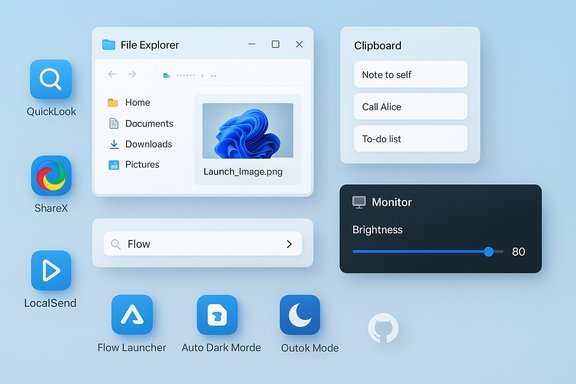
Windows 11 includes many useful built‑ins: Snipping Tool, File Explorer, the clipboard panel (Win + V), and the Start menu. Those apps solve common problems, but they leave predictable gaps: lightweight file previewing, persistent clipboard history, reliable local file transfer, single‑key file peeking, brightness control for external displays, and time‑based theme switching. The open‑source community has filled those gaps with polished utilities — QuickLook, ShareX, LocalSend, Ditto, Flow Launcher, Monitorian, and Auto Dark Mode — each small in scope but large in everyday impact.
This article examines those seven utilities, verifies their key technical claims, and weighs the pros and cons of Microsoft adopting them (or their features) into Windows. The goal is to provide Windows users and decision‑makers with a pragmatic roadmap: what to integrate, what to emulate, and what to leave as thriving community projects.
These seven apps share a few traits that make them compelling candidates for OS‑level support:
Microsoft has several pragmatic paths: implement core features natively, adopt UX patterns into PowerToys, or partner with upstream projects and offer curated Store bundles. Legal realities (GPL vs MIT) and security responsibilities mean direct wholesale bundling of every community app is unlikely; but the functional ideas are ripe for first‑party adoption.
For users, the current reality is straightforward: installing a small set of open‑source utilities yields large productivity gains today. For Microsoft, the choice is equally clear: adopt the best community ideas responsibly, and Windows will not only catch up with small but meaningful user expectations — it will demonstrate that the company can partner with the open‑source ecosystem to deliver smarter, safer defaults for hundreds of millions of users.
Source: MakeUseOf 7 open-source apps so good, Microsoft should build them into Windows
 Background
Windows 11 includes many useful built‑ins: Snipping Tool, File Explorer, the clipboard panel (Win + V), and the Start menu. Those apps solve common problems, but they leave predictable gaps: lightweight file previewing, persistent clipboard history, reliable local file transfer, single‑key file peeking, brightness control for external displays, and time‑based theme switching. The open‑source community has filled those gaps with polished utilities — QuickLook, ShareX, LocalSend, Ditto, Flow Launcher, Monitorian, and Auto Dark Mode — each small in scope but large in everyday impact.This article examines those seven utilities, verifies their key technical claims, and weighs the pros and cons of Microsoft adopting them (or their features) into Windows. The goal is to provide Windows users and decision‑makers with a pragmatic roadmap: what to integrate, what to emulate, and what to leave as thriving community projects.
Why these small apps matter
Everyday productivity improvements add up. A single keystroke that previews a file, an always‑available clipboard history, or an easy way to dim an external monitor saves seconds dozens of times per day. For knowledge workers, developers, and content creators, those seconds compound into real time savings and fewer context switches.These seven apps share a few traits that make them compelling candidates for OS‑level support:
- They are focused: each solves a narrowly defined problem extremely well.
- They are mature: active communities, regular releases, and well‑documented features.
- They are cross‑platform or modular: many work independently from the OS shell, making integration less risky.
- They expose clear user‑value that Windows currently lacks or implements only partially.
QuickLook — macOS‑style spacebar previews for Windows
What it is and why it matters
QuickLook brings macOS’s Quick Look behavior to Windows: press the Spacebar on a selected file in File Explorer and get an instant, lightweight preview without launching a full app. For users who sift through images, PDFs, Markdown, Office documents or video files all day, QuickLook eliminates a tedious open‑check‑close loop.Technical snapshot
- Supports images, video, PDFs, Office files and dozens more via plugins.
- Hooks into File Explorer selection; activation uses the Spacebar by default.
- HiDPI and touch friendly; supports preview in Open/Save dialogs and some third‑party file managers.
- Licensed under GPL‑3.0.
Strengths
- Instant file triage — fast previews reduce context switches.
- Extensible plugin model covers niche formats.
- Lightweight UI and predictable keyboard workflow.
Caveats and risks
- GPL‑3.0 license means redistribution by a large vendor requires GPL compliance (source distribution, license notices) and careful legal review.
- Preview handlers depend on file handlers/codecs on the host system — exotic codecs still require system support.
- Security posture needs attention: previewing potentially hostile file types must honor Windows security zones and prevent silent execution of embedded content.
How Microsoft could adopt this
- Option A: Fold QuickLook’s UX into PowerToys Peek, adding plugin extensibility and Spacebar activation as defaults.
- Option B: Partner upstream, sponsor development, and ship PowerToys Peek as an official curated “Peek” experience that integrates into File Explorer while preserving the open‑source project’s autonomy.
- Option C: Implement a sandboxed, OS‑level preview API that third‑party apps can register with, offering QuickLook‑style UX but with OS‑managed security boundaries.
ShareX — the Swiss Army knife of screenshots and quick editing
What it is and why it matters
ShareX is the feature‑dense screenshot and screen‑recording tool many power users install first on new Windows PCs. Beyond captures, its strengths include an image history, a capable built‑in editor (smart eraser, annotations, magnifier, step counters), automated workflows and dozens of upload destinations.Technical snapshot
- Screenshot, screen record (video/GIF), OCR and scrolling captures.
- Persistent image history with import, tagging and quick re‑use.
- Built‑in image editor with a smart eraser that blends background to hide sensitive data.
- Supports automated “after capture” workflows and uploads to many services.
- Licensed under GPL‑3.0.
Strengths
- Extremely mature and deep feature set for both casual and professional use.
- Automation hooks let users build one‑click workflows (capture → annotate → upload → copy link).
- Built‑in editor avoids constant context switches to other apps.
Caveats and risks
- GPL‑3.0 again raises redistribution/licensing considerations for bundling with a proprietary OS.
- A built‑in Windows version would need very careful privacy controls around automated uploads and default destinations.
- Microsoft’s Snipping Tool has been improving (live annotation, screen recording) — integrating ShareX wholesale risks feature bloat for casual users.
How Microsoft could adopt this
- Adopt ShareX ideas into Snipping Tool: add history, a richer editor (including the smart eraser), and robust export/workflow actions without importing third‑party uploaders by default.
- Collaborate with the ShareX project on a “core editor” module under a permissive license if contributors agree, or provide first‑party equivalents that respect user privacy by default.
- Offer Snipping Tool Pro features via an optional PowerToys or Store add‑on, leaving advanced ShareX workflows to the community.
LocalSend — fast, private local file transfer without the cloud
What it is and why it matters
LocalSend provides AirDrop‑style transfers across LAN devices without relying on cloud servers. It’s cross‑platform (Windows, macOS, Linux, Android, iOS), uses end‑to‑end encryption over the local network, and is designed for reliability where built‑in Quick Share implementations can be flaky.Technical snapshot
- Uses local network discovery and HTTPS with dynamically generated certs.
- Cross‑platform apps and a web UI; works offline on a LAN.
- MIT license (per project distribution), permissive and simple for vendors to adopt.
Strengths
- Reliable peer‑to‑peer transfer without cloud syncing or complex pairing.
- Open design is transportable into first‑party apps easily.
- Permissive license makes corporate adoption straightforward.
Caveats and risks
- Local network discovery can conflict with enterprise networks or strict roaming policies; enterprise configurations will need management controls.
- Mobile/desktop firewall and NAT behaviors can still complicate discovery on certain networks.
- Anecdotal reliability claims are user‑specific; broad deployment would require robust telemetry and QA across varied network topologies.
How Microsoft could adopt this
- Integrate LocalSend features into Phone Link / Quick Share: provide a “Local transfer” option that uses E2EE within a trusted network, with enterprise policy controls and telemetry opt‑out.
- Offer LocalSend as a curated Microsoft Store app or ship it within an optional “Connectivity” bundle so users can enable it without forcing system‑level changes.
Ditto — unlimited, persistent clipboard history
What it is and why it matters
Windows’ built‑in clipboard history (Win + V) is helpful but intentionally conservative: it stores up to 25 items and clears unpinned items on restart. Ditto replaces that with a searchable, persistent database that can hold hundreds or thousands of items, supports editing before pasting, groups, and local network sync.Technical snapshot
- Stores text, images and other clipboard formats persistently across reboots.
- Fast search, groups/favorites, keyboard hotkey (configurable).
- Can sync across machines over secure channels.
- Licensed under GPL‑3.0.
Strengths
- Restores long‑term productivity with searchable history.
- Edit‑before‑paste and paste formatting options are practical for repetitive workflows.
- Lightweight and battle‑tested across decades.
Caveats and risks
- Storing large amounts of clipboard content raises privacy/security questions — sensitive data could persist unless protected by secure storage and enterprise policies.
- GPL‑3.0 redistribution considerations again apply if Microsoft bundles Ditto’s code.
- Sync across devices must be opt‑in and properly encrypted to avoid accidental exfiltration of secrets.
How Microsoft could adopt this
- Expand Win + V into a robust, privacy‑aware clipboard manager with configurable retention, encryption at rest, enterprise policy controls, and search.
- Provide a “pro” clipboard option in Settings > System > Clipboard (allowing admins to cap retention or enforce encryption) — or adopt parts of Ditto upstream while keeping the codebase community‑managed.
Flow Launcher — Spotlight‑style launcher with Everything integration
What it is and why it matters
Flow Launcher is a keyboard‑driven launcher that replaces or augments the Start menu. It integrates with Everything (the fast file indexer), supports plugins for Spotify, bookmarks, calculations, and lets users operate their system without touching the mouse.Technical snapshot
- Hotkey‑triggered launcher (default Alt + Space) for apps, files, commands.
- Plugin ecosystem and integration point for Everything for near‑instant file results.
- Free and open source with a polished plugin store/installer.
Strengths
- Keyboard‑first workflow increases speed for power users.
- Everything integration addresses Windows Search’s known latency and scope problems.
- Very extensible via plugins.
Caveats and risks
- Windows already has PowerToys Run and Windows Search; adding Flow Launcher features into core search requires balancing ecosystem compatibility and developer APIs.
- Tight integration with Everything (a separate indexer) means Microsoft would either need to partner with Voidtools or improve its native indexer significantly.
- Plugins can vary in quality and security; a central vetting process is necessary.
How Microsoft could adopt this
- Improve Windows Search/Start performance and provide an official plugin API so Flow Launcher‑style plugins can run securely in a managed environment.
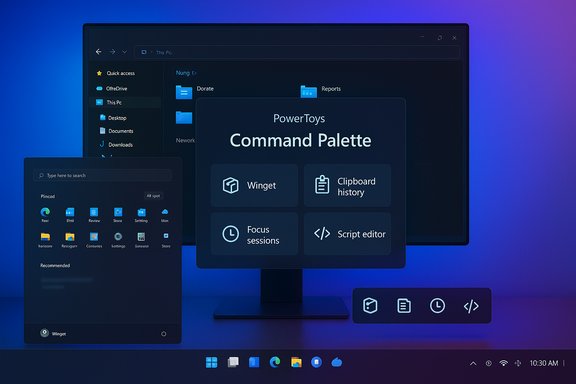
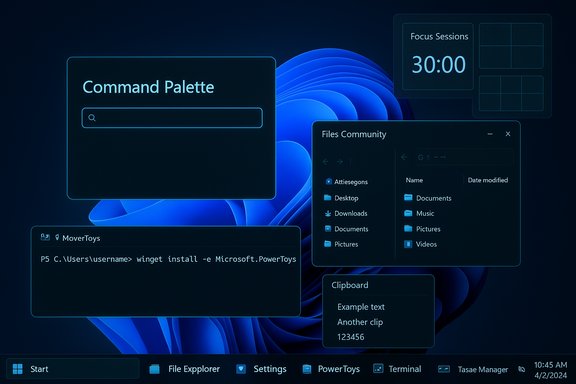
- Offer a first‑party “Command Palette” and plugin manager inspired by Flow Launcher inside PowerToys Run (or merge efforts).
- Partner with the Everything author for optional integration in Pro/Dev SKUs where rapid local search is essential.
Monitorian — DDC/CI brightness control for external monitors
What it is and why it matters
Monitorian exposes DDC/CI brightness controls for external monitors from a simple tray interface. It solves the irritating need to punch tiny OSD buttons on monitors to adjust brightness or to sync multiple displays.Technical snapshot
- Uses DDC/CI to query and set monitor brightness and contrast.
- Detects whether a monitor supports DDC/CI and only shows controllable devices.
- Works with a wide array of modern external monitors.
- MIT license (project is permissively licensed).
Strengths
- Small, single‑purpose, and reliably solves a common annoyance.
- Works without vendor drivers if monitors support DDC/CI.
- Low overhead and easy to ship as an optional feature.
Caveats and risks
- DDC/CI support varies by hardware, cable, docking station or GPU — some configurations won’t expose controls.
- There’s limited exposure to advanced color/contrast calibration concerns; Monitorian is for brightness convenience, not color‑accurate calibration.
- System‑level integration must handle permissions and driver conflicts.
How Microsoft could adopt this
- Add external monitor brightness sliders to Settings > System > Display tied to DDC/CI where available.
- Provide APIs that let third‑party apps change brightness with user consent, and allow IT admins to disable such control in managed environments.
Auto Dark Mode — automatic light/dark theme switching
What it is and why it matters
Auto Dark Mode fills a surprisingly persistent omission in Windows: automatic theme switching based on time, sunrise/sunset, or custom schedules. The app also syncs wallpaper changes and offers advanced options (delays, scripts, battery‑aware behavior).Technical snapshot
- Supports scheduled switching, sunrise/sunset, wallpaper swaps, and script hooks.
- Lightweight background app with optional auto‑update.
- GPL‑3.0 license (one of several community implementations).
Strengths
- Fulfills a common UX expectation already present on phones and macOS.
- Small battery‑aware features and gamer‑friendly options (suspend while fullscreen).
- Users can customize transitions and tie changes to automations.
Caveats and risks
- Microsoft has already started taking lessons from the community: PowerToys recently added a Light Switch/auto‑switch capability, showing Microsoft may prefer to surface this capability via PowerToys first.
- OS‑level theme switching has deeper implications for legacy apps and theme inconsistencies across the shell.
- Scheduling and location use implies location‑based services and associated privacy choices.
How Microsoft could adopt this
- Promote Light Switch from PowerToys to a native OS feature with enterprise policy and privacy controls, or surface the option in Settings > Personalization with the same granularity offered by Auto Dark Mode.
- Allow third‑party apps to register theme hooks (wallpaper, accent, cursor) so the OS can coordinate theme changes cleanly.
Legal and engineering reality check: licensing, security, and maintenance
Bringing open‑source projects into a first‑party Windows build is not purely a UX choice — it’s legal, operational and strategic.- Licensing: Several of the apps above use GPL‑3.0 (ShareX, QuickLook variants, Ditto, Auto Dark Mode projects), which requires that anyone distributing binaries also make corresponding source code available under GPL terms. An OS vendor can redistribute GPL applications, but the vendor must comply with the license terms — something Microsoft has historically done with GPL packages included in various offerings, but which requires legal review and a plan for ongoing source availability.
- Permissive options: LocalSend and Monitorian use permissive licenses (MIT), making adoption far simpler.
- Security and trust: Bundling a third‑party app means accepting long‑term security responsibility: patch cadence, vulnerability disclosure, telemetry handling, and secure defaults must be defined. Microsoft could mitigate risk by:
- Upstream collaboration and sponsorship.
- Shipping as a curated optional component (PowerToys or Store), not as mandatory bloatware.
- Auditing and hardening vendor code before official inclusion.
- Maintenance burden: The community maintains many of these projects on volunteer and sponsored timeframes. If Microsoft adopts functionality, it should invest in the upstream communities rather than fork and abandon the source — sponsorship, patches, or dedicated contributors are win‑wins.
Recommendations: three practical paths Microsoft should consider
- Ship features — not necessarily every third‑party binary.
- Implement the core user experiences (spacebar preview, persistent clipboard, auto theme switching, monitor brightness sliders) in first‑party code or PowerToys while preserving plugin/extensibility points that the community can use.
- Partner and sponsor the community.
- Work with maintainers to upstream improvements, offer security audits, and contribute code rather than closing the source. For permissively licensed projects, direct inclusion is straightforward; for GPL projects, work with maintainers on dual‑licensing options or keep the OSS project intact while shipping a Microsoft‑branded distribution that meets GPL obligations.
- Make opt‑in integrations simple and discoverable.
- Offer a “Windows Productivity Pack” in the Microsoft Store or as a PowerToys set that bundles curated open‑source apps with Microsoft‑backed quality checks, optional telemetry, and enterprise policy toggles. This preserves user choice and avoids forcing heavier changes into the core OS.
Final analysis — what Microsoft should actually include (prioritization)
- Clipboard: Expand Win + V with persistent, encrypted, and searchable history, and enterprise policies. High impact, moderate complexity, strong privacy requirements.
- File preview/peek (QuickLook UX): Elevate PowerToys Peek into an OS‑first capability with Spacebar activation and a secure plugin API. High UX value, lower legal complexity if implemented in first‑party code.
- Auto theme switching: Move from PowerToys Light Switch to native Settings with location, schedules and wallpaper sync. Low risk, high user delight.
- External monitor brightness: Add DDC/CI support in Display settings or as an optional system tray utility with driver fallback. Small engineering effort, large convenience.
- Launcher/search (Flow Launcher ideas): Improve Windows Search indexing speed and offer a PowerToys Run plugin marketplace that can safely incorporate Everything‑like indexing for advanced users.
- Local file transfer (LocalSend): Integrate a secure local transfer mode into Phone Link/Quick Share with clear privacy defaults and enterprise control. Permissive license makes this easy.
- Advanced screenshot workflows (ShareX): Adopt editor and history ideas into Snipping Tool while leaving full ShareX as a curated store app for power users.
Conclusion
The open‑source ecosystem has built elegant, focused tools that address everyday frictions in Windows. Many of their features — spacebar file previewing, persistent clipboard history, local encrypted file transfer, fast keyboard launchers, and DDC/CI brightness control — are no longer niche requests but mainstream expectations.Microsoft has several pragmatic paths: implement core features natively, adopt UX patterns into PowerToys, or partner with upstream projects and offer curated Store bundles. Legal realities (GPL vs MIT) and security responsibilities mean direct wholesale bundling of every community app is unlikely; but the functional ideas are ripe for first‑party adoption.
For users, the current reality is straightforward: installing a small set of open‑source utilities yields large productivity gains today. For Microsoft, the choice is equally clear: adopt the best community ideas responsibly, and Windows will not only catch up with small but meaningful user expectations — it will demonstrate that the company can partner with the open‑source ecosystem to deliver smarter, safer defaults for hundreds of millions of users.
Source: MakeUseOf 7 open-source apps so good, Microsoft should build them into Windows