

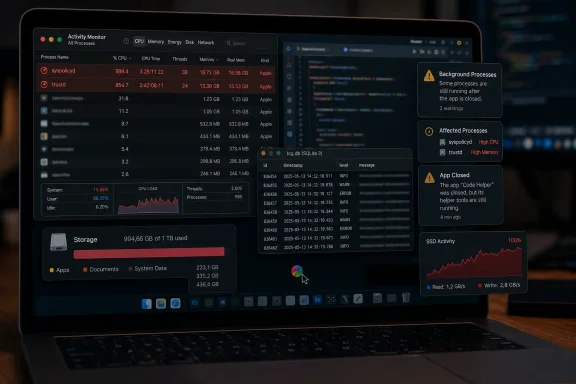
OpenAI’s Codex desktop app is again drawing complaints from Mac users who say it can leave their systems sluggish long after the app is closed, reviving concern over a June logging defect that generated unusually heavy SSD writes. Recent reports point to two potentially separate problems: continued local storage churn in some installations and a macOS system-policy process that can remain stuck at high CPU and memory use.
Cyber Kendra first highlighted the renewed reports after a Reddit thread on July 18 collected accounts of MacBooks becoming broadly unresponsive while Codex was open or idle. Users described browser stalls, delayed typing, erratic mouse tracking and poor graphics performance; several said restarting macOS was the only dependable way to restore normal behavior. A second discussion includes similar reports from Windows users, suggesting the latest wave of desktop-client performance complaints may not be exclusively a Mac issue.
The important distinction is that this is not yet proof of a single, universal Codex bug. Some users report no trouble at all on comparable Apple Silicon hardware, while others see severe lag on high-memory systems. But the pattern matters because it follows closely behind a confirmed Codex local-logging issue that OpenAI had already patched.
The original SSD-wear concern emerged through an OpenAI Codex GitHub report describing a local SQLite diagnostic database at
That behavior is consequential because SQLite does not simply append an occasional text line. Under sustained use, database and write-ahead-log activity can turn frequent diagnostic events into a continuous stream of writes. In the most widely cited report, Apache Flink PMC member Rui Fan estimated 37 TB written to an SSD after roughly 21 days of uptime, projecting an annualized rate far beyond what a consumer drive would normally be expected to absorb.
OpenAI addressed the report in Codex 0.142.0, released June 22, with changes intended to cut local log volume. The original reporter measured an approximately 85% reduction after the update. That is a meaningful improvement, and it is important not to describe the earlier TRACE-logging behavior as entirely unfixed.
Yet GitHub issue #29876, filed shortly afterward, argued that the reduction did not end anomalous write activity everywhere. The reporter measured roughly 207 MB per minute of writes while Codex was largely idle on a MacBook Air with an M4 chip, and identified a
Neither the rate nor the cache-growth observation establishes that every Codex installation remains hazardous to SSD endurance. They do establish that updating to 0.142.0 did not necessarily eliminate abnormal local activity for all affected users. OpenAI’s public GitHub activity has documented continuing fixes and issue reports around Codex state, logging and desktop-app behavior, but the company had not issued a broad public statement on the weekend’s renewed performance complaints as of July 19.
The issue reporter recorded
That behavior closely resembles the Reddit accounts. A system that is slow only while an application computes could reasonably be explained by ordinary CPU, GPU or RAM pressure. A system that stays slow after the application quits points more plausibly to a background service, a stalled driver, a lingering helper process or a system-level cache and policy component.
The GitHub report says the Codex Computer Use helper was signed and notarized, which makes a simple unsigned-app explanation less convincing. It does not, however, clear Codex of involvement. An application can be properly signed and still trigger costly or repeated validation if its update, helper-launch or component-management behavior interacts badly with macOS policy services.
Activity Monitor is the fastest way to distinguish an app-level slowdown from a likely Gatekeeper issue. Search for
Users concerned about writes should avoid relying on a single momentary read/write figure. What matters is cumulative host writes over time and whether the number continues rising quickly while Codex is idle. On Windows, CrystalDiskInfo exposes a drive’s Total Host Writes value on many NVMe SSDs. macOS users may obtain SMART information through tools such as
The community workaround of redirecting
For users whose Macs become unresponsive, quitting Codex and rebooting remains the low-risk recovery path. Force-killing system policy processes may temporarily restore responsiveness, but it is an administrator-level workaround with unpredictable side effects and should not be treated as a permanent repair.
Still, the operational lesson transfers cleanly. AI coding agents are now desktop software with local databases, caches, helper binaries, browser automation components and long-lived background activity. IT teams should monitor the same basics they would for any heavy developer tool: process lifetime, disk-write rates, cache growth, memory retention, child processes and post-exit cleanup.
For now, the safest conclusion is narrower than the headline: OpenAI’s June logging fix appears to have mitigated a confirmed high-write flaw, but it has not silenced reports of unusually heavy local activity or severe desktop performance regressions. The unresolved milestone is whether OpenAI can reproduce and address the apparent Codex–Gatekeeper interaction—because until then, a Mac reboot remains an unacceptable part of the Codex workflow for the users hit hardest.
Cyber Kendra first highlighted the renewed reports after a Reddit thread on July 18 collected accounts of MacBooks becoming broadly unresponsive while Codex was open or idle. Users described browser stalls, delayed typing, erratic mouse tracking and poor graphics performance; several said restarting macOS was the only dependable way to restore normal behavior. A second discussion includes similar reports from Windows users, suggesting the latest wave of desktop-client performance complaints may not be exclusively a Mac issue.
The important distinction is that this is not yet proof of a single, universal Codex bug. Some users report no trouble at all on comparable Apple Silicon hardware, while others see severe lag on high-memory systems. But the pattern matters because it follows closely behind a confirmed Codex local-logging issue that OpenAI had already patched.
 The logging fix reduced writes, but did not settle every report
The original SSD-wear concern emerged through an OpenAI Codex GitHub report describing a local SQLite diagnostic database at ~/.codex/logs_2.sqlite. According to the report, Codex was persisting extremely verbose TRACE-level telemetry even where the RUST_LOG environment variable should have limited that output.That behavior is consequential because SQLite does not simply append an occasional text line. Under sustained use, database and write-ahead-log activity can turn frequent diagnostic events into a continuous stream of writes. In the most widely cited report, Apache Flink PMC member Rui Fan estimated 37 TB written to an SSD after roughly 21 days of uptime, projecting an annualized rate far beyond what a consumer drive would normally be expected to absorb.
OpenAI addressed the report in Codex 0.142.0, released June 22, with changes intended to cut local log volume. The original reporter measured an approximately 85% reduction after the update. That is a meaningful improvement, and it is important not to describe the earlier TRACE-logging behavior as entirely unfixed.
Yet GitHub issue #29876, filed shortly afterward, argued that the reduction did not end anomalous write activity everywhere. The reporter measured roughly 207 MB per minute of writes while Codex was largely idle on a MacBook Air with an M4 chip, and identified a
code_sign_clone cache folder that had grown to 12 GB.Neither the rate nor the cache-growth observation establishes that every Codex installation remains hazardous to SSD endurance. They do establish that updating to 0.142.0 did not necessarily eliminate abnormal local activity for all affected users. OpenAI’s public GitHub activity has documented continuing fixes and issue reports around Codex state, logging and desktop-app behavior, but the company had not issued a broad public statement on the weekend’s renewed performance complaints as of July 19.
A Gatekeeper loop better fits the “lag after exit” symptom
The more troubling Mac-specific clue is an open GitHub issue, #25719, which describes Codex Desktop repeatedly provokingsyspolicyd and, in some cases, trustd. Those are macOS services involved in Gatekeeper and code-signing policy checks. They are not Codex processes, so simply closing Codex does not always end the resource consumption once the system service is wedged.The issue reporter recorded
syspolicyd at roughly 100% to 200% CPU usage and consuming multiple gigabytes of memory after launching Codex Desktop. In later testing, the reporter said the service could remain busy even after the Codex Computer Use helper was no longer visible in the process list. Other contributors to the GitHub discussion suggested repeated validation, relaunching, cache misses or file-descriptor pressure as possible mechanisms, but those explanations remain community analysis rather than an OpenAI-confirmed root cause.That behavior closely resembles the Reddit accounts. A system that is slow only while an application computes could reasonably be explained by ordinary CPU, GPU or RAM pressure. A system that stays slow after the application quits points more plausibly to a background service, a stalled driver, a lingering helper process or a system-level cache and policy component.
syspolicyd also helps explain why affected users report a machine-wide effect rather than a slow Codex window. If Gatekeeper’s policy daemon is consuming cores and memory or is stuck checking application components, opening unrelated apps can become slower, and graphics or input responsiveness can suffer as the rest of macOS competes for system resources.The GitHub report says the Codex Computer Use helper was signed and notarized, which makes a simple unsigned-app explanation less convincing. It does not, however, clear Codex of involvement. An application can be properly signed and still trigger costly or repeated validation if its update, helper-launch or component-management behavior interacts badly with macOS policy services.
Mac users should separate diagnosis from mitigation
For affected Mac users, the first practical step is to update Codex or the ChatGPT desktop client that now delivers the Codex experience, then verify whether the system remains active when no task is running. The June logging fix is still worth having even if it does not address every present-day complaint.Activity Monitor is the fastest way to distinguish an app-level slowdown from a likely Gatekeeper issue. Search for
syspolicyd, trustd, Codex, and Codex-related helper processes; sort by CPU and Memory; then compare the system before Codex opens, while it is open, and after it closes. A persistent spike in syspolicyd after Codex quits is useful evidence for the open macOS-specific issue.Users concerned about writes should avoid relying on a single momentary read/write figure. What matters is cumulative host writes over time and whether the number continues rising quickly while Codex is idle. On Windows, CrystalDiskInfo exposes a drive’s Total Host Writes value on many NVMe SSDs. macOS users may obtain SMART information through tools such as
smartctl, although Apple hardware, device permissions and controller reporting can make that data less straightforward than it is on a typical Windows PC.The community workaround of redirecting
logs_2.sqlite to RAM-backed storage deserves particular caution. It can reduce flash writes, but it also means crash or reboot can discard diagnostic data, and it changes a file Codex may expect to be persistent. It is a stopgap for technically confident users, not a substitute for a vendor fix. Creating a symlink also will not resolve a syspolicyd loop if the lag is being caused by helper validation rather than SQLite logging.For users whose Macs become unresponsive, quitting Codex and rebooting remains the low-risk recovery path. Force-killing system policy processes may temporarily restore responsiveness, but it is an administrator-level workaround with unpredictable side effects and should not be treated as a permanent repair.
Windows administrators should not dismiss this as an Apple-only story
The original SSD-write problem was not inherently tied to macOS. The affected~/.codex state and logging behavior originated in Codex’s local tooling, and Windows users have their own reports of desktop-client lag, freezes and mouse stutter in recent days. The symptoms may be different: Windows does not use Gatekeeper’s syspolicyd, so a matching Mac root cause cannot be assumed.Still, the operational lesson transfers cleanly. AI coding agents are now desktop software with local databases, caches, helper binaries, browser automation components and long-lived background activity. IT teams should monitor the same basics they would for any heavy developer tool: process lifetime, disk-write rates, cache growth, memory retention, child processes and post-exit cleanup.
For now, the safest conclusion is narrower than the headline: OpenAI’s June logging fix appears to have mitigated a confirmed high-write flaw, but it has not silenced reports of unusually heavy local activity or severe desktop performance regressions. The unresolved milestone is whether OpenAI can reproduce and address the apparent Codex–Gatekeeper interaction—because until then, a Mac reboot remains an unacceptable part of the Codex workflow for the users hit hardest.
References
- Primary source: cyberkendra.com
Published: 2026-07-19T19:58:00+00:00
Codex App Still Straining Mac SSDs Despite OpenAI Fix - Cyber Kendra
Mac users report OpenAI's Codex app still causes system lag and heavy SSD writes weeks after a logging fix. Here's how to check your drive health.www.cyberkendra.com - Official source: github.com
Codex Desktop for macOS repeatedly triggers `syspolicyd` / `trustd` CPU and memory runaway · Issue #25719 · openai/codex · GitHub
What version of the Codex App are you using (From “About Codex” dialog)? Codex Desktop: 26.527.60818 Codex build: 3437 What subscription do you have? plus What platform is your computer? Darwin 25.5.0 arm64 arm What issue are you seeing?... github.com