

Microsoft is quietly lining up a two-pronged strategy that could reshape both Windows 11 and Microsoft 365: one track aimed at fixing the Windows experience itself, and another aimed at turning Microsoft 365 into a more autonomous AI execution layer. The headline development is OpenClaw, which Microsoft is reportedly bringing into Microsoft 365 as part of a broader push toward personal AI agents at work. At the same time, the company appears to be tightening its focus on performance, native apps, and a cleaner Windows stack, reflecting an effort to make the platform feel faster and more coherent for users.
Microsoft’s AI story has been evolving in two different directions at once. On one side, the company has pushed Copilot deeper into Windows and Microsoft 365, steadily moving from suggestion-based assistance toward more agentic behavior. On the other side, it has faced persistent criticism about Windows 11 performance, UI inconsistency, and the heavy footprint of mixed app frameworks that can make the operating system feel less polished than users expect. Those two realities are now converging into one bigger strategic question: can Microsoft make AI more useful without making Windows feel heavier or more fragmented?
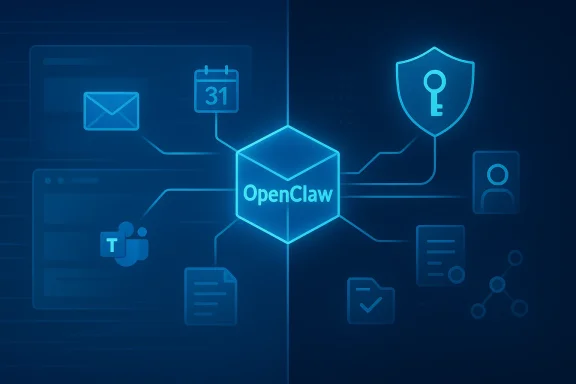
The OpenClaw push appears to fit into a broader industry transition away from simple chat assistants and toward systems that can carry out tasks end to end. In the material surfaced from WindowsForum’s coverage, OpenClaw is described as a workflow-orchestration layer that can read email, update documents, call APIs, and manage multi-step tasks across services. That framing matters because it changes the user’s relationship to software: instead of asking for help one prompt at a time, people begin delegating whole jobs.
This is also happening as Microsoft sharpens its enterprise AI narrative. The same March 2026 reporting cycle around Copilot Cowork and the Frontier suite shows that Microsoft is not just shipping features, but reorganizing how it thinks about AI governance, identity, and security. In that context, OpenClaw looks less like a side project and more like another piece of the same architecture: a way to make Microsoft 365 more agentic while keeping everything inside Microsoft’s trust boundaries.
A notable detail in the uploaded material is the emphasis on native Windows app development. Microsoft is reportedly assembling internal teams focused on improving Windows 11’s performance and consistency, while Rudy Huyn’s work points toward a stronger push for native app experiences over WebView-heavy or Electron-based interfaces. That suggests the company understands a key truth: AI will not be enough if users still perceive the core OS as slow, inconsistent, or bloated.
That language is important because it signals a shift in product philosophy. Traditional productivity software assumes the human remains the executor and the software is a tool. Agentic software assumes the human sets intent, then the system handles sequencing, checking, and completion. If Microsoft succeeds, Microsoft 365 becomes less like a suite of apps and more like a managed action layer spanning email, meetings, documents, and enterprise workflows.
A delegated system also changes what users expect from Microsoft 365. Instead of manually chaining actions across Outlook, Teams, Calendar, and third-party apps, users may ask the system to resolve the task for them. That could include scheduling, follow-up email, status gathering, and even external service interactions where APIs are available. In practical terms, Microsoft is trying to eliminate glue work.
That design choice also reveals the likely adoption strategy. If the system lives inside Teams, it can be introduced as an extension of existing workflows rather than as an entirely new interface to learn. This lowers friction, but it also increases Microsoft’s responsibility to make permissions, approvals, and audit trails feel natural rather than bolted on. In other words, integration is the feature, but governance has to be the foundation.
The push toward native apps suggests Microsoft is trying to reverse some of the drift that has made Windows feel less cohesive over time. Users have long complained about apps built on mixed frameworks that look and behave differently from one another. Moving toward more native experiences could reduce lag, improve responsiveness, and make the whole platform feel more intentional. That matters even more if Microsoft expects users to trust Windows as the execution environment for agentic AI.
If Microsoft is serious about making Windows 11 a better base for AI-driven work, then responsiveness becomes strategic. A sluggish shell, delayed context menus, or uneven app behavior can undermine the feeling of intelligence that AI is supposed to deliver. Users may forgive occasional AI errors, but they are far less forgiving of an operating system that feels slow in everyday use.
That also raises the stakes around security. If agents are going to operate inside the OS and across cloud services, Microsoft has to ensure that the environment is controlled enough to prevent abuse, data leakage, and privilege escalation. The company’s enterprise messaging around control planes and governance suggests it understands this shift very well.
This is where the product becomes interesting for real work. Most office tasks are not linear, and most people do not spend their day in one app. They move between email, spreadsheets, tickets, calendars, chat, and internal systems. A well-designed agent can reduce that constant context switching and handle the repetitive connective tissue in the background.
The Teams plugin detail suggests Microsoft is thinking beyond raw capability and toward embedded workflow use. That is a smart move because it keeps the agent close to the social and collaborative fabric of work. The more the system can operate where users already coordinate tasks, the more likely it is to become habitual rather than experimental.
Potential first-wave use cases likely include:
It also explains why Microsoft would want tight integration with its own cloud services. If OpenClaw can move through Microsoft 365 with first-party permissions and service hooks, it can be more reliable, more auditable, and easier to govern. That is a major advantage over third-party bots that rely on browser automation alone.
That is why the reporting around Microsoft’s AI strategy keeps returning to governance language. The company appears to understand that an agent capable of taking action is also a new risk surface. In the enterprise, that means the discussion moves quickly from “what can it do?” to “who can it access?” and “how do we audit what it did?”
There is also a psychological shift here. Users are often willing to tolerate an assistant that suggests, but less willing to trust one that acts. The more OpenClaw automates, the more it must earn confidence through predictable behavior, transparent controls, and clear boundaries. That is true whether the user is a consumer, a freelancer, or an enterprise employee.
But the same logic cuts both ways. The more Microsoft embeds governance, the more friction it may add. If the controls become too heavyweight, the system risks losing the agility that makes agentic software attractive in the first place. The winning design will probably be the one that feels nearly invisible during normal use but still gives administrators meaningful intervention points.
This is especially important because the agent model changes how failure works. A conventional app usually fails locally and visibly. An agent can fail silently, or worse, continue making decisions based on bad context, poisoned memory, or maliciously crafted inputs. That means the damage is often cumulative rather than immediate.
That framing is persuasive because it aligns with how organizations already manage users, devices, and permissions. If an agent can be inventoried, monitored, and restricted in the same operational vocabulary as other enterprise assets, then adoption becomes more realistic. Without that, the whole idea risks being dismissed as clever but operationally reckless.
That is why deployment model matters so much. The analysis in the uploaded threads repeatedly argues that agents should live in isolated environments, use dedicated credentials, and be monitored continuously. That is a more mature approach than simply letting them loose on a normal workstation because the convenience of easy deployment can hide the operational cost of poor isolation.
The competitive threat is twofold. First, Microsoft must prevent rivals from defining the agent category before Microsoft does. Second, it must avoid fragmenting its own user experience by promising AI everywhere while still supporting a performance-heavy Windows ecosystem. If it gets this right, Microsoft can own both the execution layer and the governance layer.
But competitors can still attack the gaps. If a rival offers better guardrails, simpler workflows, or lighter-weight deployments, it can appeal to organizations that want agentic AI without deep Microsoft dependency. That is why the next phase of competition may be less about model quality and more about trust, policy, and integration.
At the same time, the hybrid nature of OpenClaw introduces complexity. If the system can use APIs, emulate desktop actions, and maintain state across sessions, then the security and support burden rises accordingly. Competitors may find opportunity in promising narrower but more reliable capabilities. That tradeoff could become one of the defining splits in the agent market.
There is also a design opportunity on the Windows side. If Microsoft can improve performance and move more apps toward native experiences, it can make the entire ecosystem feel faster, cleaner, and more trustworthy. That would amplify the AI story instead of distracting from it.
There is also the risk of overload. Microsoft is trying to improve Windows, expand Microsoft 365, deepen AI, and harden security all at once. That is ambitious, but it can also create a sense of fragmentation if the company delivers too many overlapping messages or feature sets that do not feel coherent in practice.
The Windows side will be just as important. If the performance and native-app push translates into a visibly better Windows 11 experience, it will help Microsoft argue that its AI ambitions are built on a cleaner foundation. If not, the company risks asking users to believe in a more intelligent future while they are still frustrated by the basics.
Source: Windows Report https://windowsreport.com/microsoft-365-set-to-get-openclaw-and-personal-ai-agents/
 Background
Microsoft’s AI story has been evolving in two different directions at once. On one side, the company has pushed Copilot deeper into Windows and Microsoft 365, steadily moving from suggestion-based assistance toward more agentic behavior. On the other side, it has faced persistent criticism about Windows 11 performance, UI inconsistency, and the heavy footprint of mixed app frameworks that can make the operating system feel less polished than users expect. Those two realities are now converging into one bigger strategic question: can Microsoft make AI more useful without making Windows feel heavier or more fragmented?The OpenClaw push appears to fit into a broader industry transition away from simple chat assistants and toward systems that can carry out tasks end to end. In the material surfaced from WindowsForum’s coverage, OpenClaw is described as a workflow-orchestration layer that can read email, update documents, call APIs, and manage multi-step tasks across services. That framing matters because it changes the user’s relationship to software: instead of asking for help one prompt at a time, people begin delegating whole jobs.
This is also happening as Microsoft sharpens its enterprise AI narrative. The same March 2026 reporting cycle around Copilot Cowork and the Frontier suite shows that Microsoft is not just shipping features, but reorganizing how it thinks about AI governance, identity, and security. In that context, OpenClaw looks less like a side project and more like another piece of the same architecture: a way to make Microsoft 365 more agentic while keeping everything inside Microsoft’s trust boundaries.
A notable detail in the uploaded material is the emphasis on native Windows app development. Microsoft is reportedly assembling internal teams focused on improving Windows 11’s performance and consistency, while Rudy Huyn’s work points toward a stronger push for native app experiences over WebView-heavy or Electron-based interfaces. That suggests the company understands a key truth: AI will not be enough if users still perceive the core OS as slow, inconsistent, or bloated.
What Microsoft Is Actually Building
The clearest reading of the available reporting is that Microsoft is trying to build a more capable, more proactive workplace assistant inside Microsoft 365 rather than merely bolting another chatbot onto Office apps. OpenClaw is being positioned as a system that can act on behalf of users, not just respond to them. The goal, according to the quoted Omar Shahine post, is to “usher in a new generation of workplace proactive assistants” that can take tasks end to end and intervene proactively when needed.That language is important because it signals a shift in product philosophy. Traditional productivity software assumes the human remains the executor and the software is a tool. Agentic software assumes the human sets intent, then the system handles sequencing, checking, and completion. If Microsoft succeeds, Microsoft 365 becomes less like a suite of apps and more like a managed action layer spanning email, meetings, documents, and enterprise workflows.
From prompts to delegated work
The article material repeatedly distinguishes between a chatbot and a true agent. A chatbot answers a question, summarizes a document, or drafts content. An agent like OpenClaw is meant to inspect the inbox, decide what matters, act on it, and return with a result. That difference is not cosmetic; it is the difference between assistance and delegation.A delegated system also changes what users expect from Microsoft 365. Instead of manually chaining actions across Outlook, Teams, Calendar, and third-party apps, users may ask the system to resolve the task for them. That could include scheduling, follow-up email, status gathering, and even external service interactions where APIs are available. In practical terms, Microsoft is trying to eliminate glue work.
- Prompting asks for help.
- Delegation hands over execution.
- Agentic workflows turn many small tasks into one managed process.
- Microsoft 365 becomes the control surface for that process.
- OpenClaw appears to be the execution engine for the new model.
Why Teams integration matters
One of the most revealing details in the source material is the mention of a Teams plugin for OpenClaw. That implies Microsoft does not want this capability to live as a separate product that users visit occasionally. It wants OpenClaw to appear where work already happens, inside the collaboration layer employees use all day.That design choice also reveals the likely adoption strategy. If the system lives inside Teams, it can be introduced as an extension of existing workflows rather than as an entirely new interface to learn. This lowers friction, but it also increases Microsoft’s responsibility to make permissions, approvals, and audit trails feel natural rather than bolted on. In other words, integration is the feature, but governance has to be the foundation.
Why This Matters for Windows 11
The Windows side of the story is easy to overlook, but it may be just as important as the Microsoft 365 piece. Microsoft is reportedly building a new internal team focused on fixing longstanding Windows 11 issues, especially around performance and consistency. That is not just housekeeping; it is a recognition that a more ambitious AI layer will only be credible if the underlying operating system feels dependable.The push toward native apps suggests Microsoft is trying to reverse some of the drift that has made Windows feel less cohesive over time. Users have long complained about apps built on mixed frameworks that look and behave differently from one another. Moving toward more native experiences could reduce lag, improve responsiveness, and make the whole platform feel more intentional. That matters even more if Microsoft expects users to trust Windows as the execution environment for agentic AI.
Native apps versus mixed frameworks
The criticism of WebView and Electron in the reporting is not really about ideology. It is about the user experience cost of abstraction. Those frameworks can speed development, but they often produce apps that are heavier, less integrated, and sometimes visually inconsistent with the rest of the OS. For a company trying to sell premium productivity and AI experiences, that inconsistency becomes a liability.If Microsoft is serious about making Windows 11 a better base for AI-driven work, then responsiveness becomes strategic. A sluggish shell, delayed context menus, or uneven app behavior can undermine the feeling of intelligence that AI is supposed to deliver. Users may forgive occasional AI errors, but they are far less forgiving of an operating system that feels slow in everyday use.
- Native UI can improve perceived quality.
- Faster app loading matters in daily productivity.
- Consistency strengthens user trust.
- Lower overhead helps battery life and responsiveness.
- Better OS polish supports Microsoft’s AI credibility.
The OS as an execution layer
The deeper strategic point is that Windows may be evolving from a desktop shell into a task execution platform for AI. That means the operating system is no longer just the place where software runs; it is the place where agents act. Once that happens, reliability, permissions, and identity management become core Windows concerns, not just IT concerns.That also raises the stakes around security. If agents are going to operate inside the OS and across cloud services, Microsoft has to ensure that the environment is controlled enough to prevent abuse, data leakage, and privilege escalation. The company’s enterprise messaging around control planes and governance suggests it understands this shift very well.
OpenClaw as a Productivity Engine
The source material presents OpenClaw as more than a generic AI helper. It is framed as a workflow orchestration system that can chain together APIs, tool invocations, and stateful decisions. That makes it a closer cousin to automation platforms than to casual chatbots, but with much more flexibility than older scripting approaches.This is where the product becomes interesting for real work. Most office tasks are not linear, and most people do not spend their day in one app. They move between email, spreadsheets, tickets, calendars, chat, and internal systems. A well-designed agent can reduce that constant context switching and handle the repetitive connective tissue in the background.
What it can automate first
The reported early capabilities make sense as a starting point because they are common, bounded, and easy to evaluate. Inbox management, email drafting, calendar organization, and similar coordination tasks are valuable but low-risk enough to serve as proof points. If Microsoft can make those reliable, it creates a path to more ambitious scenarios later.The Teams plugin detail suggests Microsoft is thinking beyond raw capability and toward embedded workflow use. That is a smart move because it keeps the agent close to the social and collaborative fabric of work. The more the system can operate where users already coordinate tasks, the more likely it is to become habitual rather than experimental.
Potential first-wave use cases likely include:
- Inbox triage and message prioritization
- Meeting scheduling and rescheduling
- Routine email follow-ups
- Calendar coordination
- Status gathering across internal tools
- Task handoff between Teams and Microsoft 365 apps
Why APIs matter more than UI tricks
A major theme in the uploaded analysis is that OpenClaw’s value comes from treating work as a chain of API calls rather than a brittle sequence of clicks. That matters because API-driven automation is more durable than screen scraping and less sensitive to cosmetic UI changes. In enterprise environments, that durability is often what separates a demo from a deployable system.It also explains why Microsoft would want tight integration with its own cloud services. If OpenClaw can move through Microsoft 365 with first-party permissions and service hooks, it can be more reliable, more auditable, and easier to govern. That is a major advantage over third-party bots that rely on browser automation alone.
The Enterprise Versus Consumer Divide
The consumer appeal of personal AI agents is obvious: people want software that saves time, reduces repetitive effort, and handles tedious digital chores. But Microsoft’s real economic leverage is in enterprise adoption, where small time savings multiplied across thousands of workers become meaningful productivity gains. The trick is that enterprises do not buy novelty; they buy control, compliance, and reliability.That is why the reporting around Microsoft’s AI strategy keeps returning to governance language. The company appears to understand that an agent capable of taking action is also a new risk surface. In the enterprise, that means the discussion moves quickly from “what can it do?” to “who can it access?” and “how do we audit what it did?”
Consumer expectations are simpler, but not trivial
For consumers and power users, the value proposition is more immediate and less bureaucratic. They want something that can organize messages, manage downloads, clean up digital clutter, and take repetitive tasks off their plate. That market may be less demanding on compliance, but it is still unforgiving if the assistant feels unreliable or intrusive.There is also a psychological shift here. Users are often willing to tolerate an assistant that suggests, but less willing to trust one that acts. The more OpenClaw automates, the more it must earn confidence through predictable behavior, transparent controls, and clear boundaries. That is true whether the user is a consumer, a freelancer, or an enterprise employee.
- Consumers want convenience.
- Enterprises want governable automation.
- Power users want flexibility without complexity.
- IT teams want policies that actually enforce.
- Microsoft wants all four segments, but on its own platform.
Enterprise adoption will hinge on controls
The stronger enterprise case is tied to identity, auditability, and access management. Microsoft’s broader Frontier and Agent 365 direction shows it is thinking about agents as governed assets, not just utilities. That gives the company a credible story for CIOs and CISOs who need guardrails before they will deploy autonomous systems at scale.But the same logic cuts both ways. The more Microsoft embeds governance, the more friction it may add. If the controls become too heavyweight, the system risks losing the agility that makes agentic software attractive in the first place. The winning design will probably be the one that feels nearly invisible during normal use but still gives administrators meaningful intervention points.
Security and Trust Will Decide the Outcome
The strongest warning in the source material is that agentic automation should not be treated like ordinary desktop software. OpenClaw-style systems can hold credentials, ingest external content, execute actions, and interact with services in ways that make them inherently higher-risk than typical productivity apps. That makes security posture a central product feature, not a back-office concern.This is especially important because the agent model changes how failure works. A conventional app usually fails locally and visibly. An agent can fail silently, or worse, continue making decisions based on bad context, poisoned memory, or maliciously crafted inputs. That means the damage is often cumulative rather than immediate.
Why Microsoft keeps talking about governance
The enterprise-focused announcements around Agent 365, Defender, Entra, Purview, Sentinel, and Security Copilot are not separate from OpenClaw; they are the safety net around the entire agentic strategy. Microsoft is effectively saying that if agents are going to be part of the workplace, then security tools must understand agents as first-class identities and workflows.That framing is persuasive because it aligns with how organizations already manage users, devices, and permissions. If an agent can be inventoried, monitored, and restricted in the same operational vocabulary as other enterprise assets, then adoption becomes more realistic. Without that, the whole idea risks being dismissed as clever but operationally reckless.
The practical attack surface
The source material points to several likely failure modes: prompt injection, credential exposure, malicious skills, weak audit trails, and over-privileged deployments. Each of those risks is manageable on its own, but together they make clear why a personal AI agent is not just a feature. It is a system with its own lifecycle and threat model.That is why deployment model matters so much. The analysis in the uploaded threads repeatedly argues that agents should live in isolated environments, use dedicated credentials, and be monitored continuously. That is a more mature approach than simply letting them loose on a normal workstation because the convenience of easy deployment can hide the operational cost of poor isolation.
- Prompt injection can distort decisions.
- Persistent credentials increase blast radius.
- Malicious extensions can compromise workflows.
- Poor audit logs weaken incident response.
- Over-privileged access turns small mistakes into major exposure.
Competitive Implications
Microsoft is not building OpenClaw in a vacuum. It is responding to a market where productivity suites, browser-based assistants, enterprise automation tools, and rival AI ecosystems are all racing toward the same destination: autonomous work. That makes this announcement strategically significant even if many specifics remain undisclosed.The competitive threat is twofold. First, Microsoft must prevent rivals from defining the agent category before Microsoft does. Second, it must avoid fragmenting its own user experience by promising AI everywhere while still supporting a performance-heavy Windows ecosystem. If it gets this right, Microsoft can own both the execution layer and the governance layer.
Against other productivity suites
Microsoft’s biggest advantage is distribution. Microsoft 365 already sits at the center of work for millions of users, which means any agent inserted there immediately has access to existing habits, data flows, and identity structures. That is a huge advantage over standalone AI tools that must convince users to change behavior first.But competitors can still attack the gaps. If a rival offers better guardrails, simpler workflows, or lighter-weight deployments, it can appeal to organizations that want agentic AI without deep Microsoft dependency. That is why the next phase of competition may be less about model quality and more about trust, policy, and integration.
Against workflow automation vendors
OpenClaw also overlaps with traditional RPA and workflow platforms. The difference is that Microsoft can combine system-level integration, cloud identity, and AI reasoning in a way older automation vendors may struggle to match. That could make it difficult for pure-play automation tools to compete unless they offer stronger specialization or better independence.At the same time, the hybrid nature of OpenClaw introduces complexity. If the system can use APIs, emulate desktop actions, and maintain state across sessions, then the security and support burden rises accordingly. Competitors may find opportunity in promising narrower but more reliable capabilities. That tradeoff could become one of the defining splits in the agent market.
- Microsoft’s distribution is a major advantage.
- Competitors can differentiate on simplicity or safety.
- Automation vendors may face pressure from agentic features.
- Trust and governance may matter more than raw capability.
- Platform integration could determine market winners.
Strengths and Opportunities
Microsoft’s current direction has several clear strengths. The most obvious is that it is building on products people already use every day, which makes adoption much easier than launching a separate AI platform from scratch. The second is that the company appears to be pairing innovation with governance, which is exactly what enterprise buyers want when they hear “autonomous agents.”There is also a design opportunity on the Windows side. If Microsoft can improve performance and move more apps toward native experiences, it can make the entire ecosystem feel faster, cleaner, and more trustworthy. That would amplify the AI story instead of distracting from it.
- Distribution advantage through Microsoft 365
- Embedded workflows via Teams and Office
- Enterprise trust through existing security tooling
- Native app modernization on Windows 11
- API-first automation that is more durable than brittle scripts
- Proactive assistance that can save real time
- Platform-level control that rivals may struggle to match
Risks and Concerns
The biggest risk is that Microsoft may be reaching for autonomy faster than users are ready to trust it. Agents that can act are fundamentally different from assistants that only suggest, and that shift demands much stronger controls, clearer boundaries, and better recovery options. If Microsoft gets that wrong, the backlash could be immediate and wide-ranging.There is also the risk of overload. Microsoft is trying to improve Windows, expand Microsoft 365, deepen AI, and harden security all at once. That is ambitious, but it can also create a sense of fragmentation if the company delivers too many overlapping messages or feature sets that do not feel coherent in practice.
- Over-permissioned agents could create serious security incidents
- Confusing product overlap may weaken the user story
- UI inconsistency could undermine trust in the platform
- Governance friction may slow adoption
- Agent failures may be harder to diagnose than ordinary bugs
- Enterprise skepticism may rise if controls feel incomplete
- Consumer confusion may grow if AI features appear scattered
Looking Ahead
The next few months will likely determine whether OpenClaw becomes a meaningful Microsoft 365 capability or remains part of a broader experimental wave. The most important signals to watch are not flashy demos, but whether Microsoft can make the system usable, governable, and clearly valuable in ordinary work scenarios. If it can, then the company may have found a practical path to personal AI agents that people will actually trust.The Windows side will be just as important. If the performance and native-app push translates into a visibly better Windows 11 experience, it will help Microsoft argue that its AI ambitions are built on a cleaner foundation. If not, the company risks asking users to believe in a more intelligent future while they are still frustrated by the basics.
- Watch for Teams-native agent workflows
- Watch for explicit governance controls
- Watch for native app improvements in Windows 11
- Watch for enterprise pricing and packaging
- Watch for clearer boundaries between Copilot and OpenClaw
- Watch for how much autonomy Microsoft allows by default
Source: Windows Report https://windowsreport.com/microsoft-365-set-to-get-openclaw-and-personal-ai-agents/
