

OpenClaw is rapidly emerging as more than just another AI assistant experiment for Windows users. It is becoming a case study in how API-driven workflows, local automation, and agentic execution can reshape productivity — while also forcing a hard conversation about security, isolation, and trust. Microsoft’s own security guidance now says the runtime is not appropriate for a standard personal or enterprise workstation, which underscores just how disruptive this new class of tooling has become.
For years, Windows productivity has been defined by a familiar stack: keyboard shortcuts, desktop apps, scripts, Power Automate flows, and cloud services stitched together by users who wanted to do more with less clicking. The rise of LLMs changed the center of gravity. Instead of simply automating a single repetitive task, users now expect software to understand intent, sequence actions, and operate across multiple systems with minimal supervision. OpenClaw sits directly in that transition.
The appeal is obvious. A well-designed agent can inspect email, update documents, call APIs, move files, manage browser-based tasks, and return with a summary that feels closer to a teammate than a macro. That is precisely why productivity teams, developers, and operations staff are watching OpenClaw-style platforms so closely. They promise to compress workflows that once required a chain of separate tools into a single prompt-driven loop.
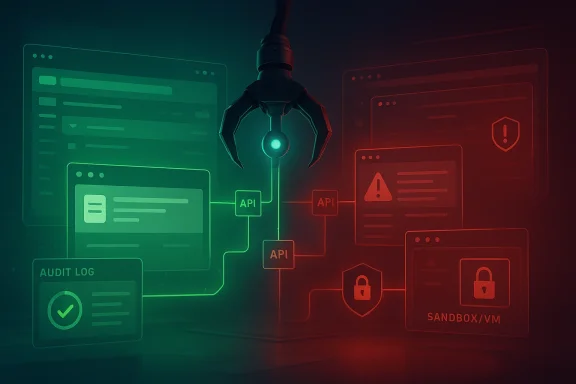
At the same time, Microsoft’s February 2026 security guidance reframes the story in unusually blunt terms. The company says OpenClaw should be treated as untrusted code execution with persistent credentials, and warns that it should not run on a standard workstation. That is a major signal, because desktop automation has traditionally been judged by convenience and reliability, not by whether the tool itself is effectively part of the attack surface.
The resulting tension defines the current moment. On one side is the productivity upside: better orchestration, fewer context switches, faster execution, and a more natural interface for complex work. On the other side is the reality that an agent capable of taking actions across a machine, browser, inbox, and API surface can also be manipulated by malicious content, poisoned instructions, or compromised plugins.
What makes this especially relevant for Windows users is that the platform has always been the center of business productivity. The more Windows becomes the execution layer for agentic workflows, the more the old boundaries between app, OS, identity, and data protection begin to blur. In that sense, OpenClaw is not just a tool. It is a preview of how the next generation of Windows work may be organized.
This matters because most real office work is not linear. Users do not just “send an email” or “update a spreadsheet.” They gather information, reconcile discrepancies, ask follow-up questions, decide whether a file should be attached, and then repeat the process in another system. A platform built around workflow orchestration can handle that messiness better than brittle macro automation.
The practical advantage is flexibility. A single OpenClaw workflow can read a ticket, query an internal API, summarize a document, and draft a response. That can save time in environments where employees spend a large share of their day moving data between SaaS tools rather than producing analysis or judgment. That is the promise, and it is one reason the category is gaining attention so quickly.
The deeper value is that APIs create a layer of abstraction above the GUI. If the endpoint stays stable, the workflow can survive UI redesigns, browser updates, or layout changes that would break screen-scraping automation. In enterprise settings, that stability is often what separates a toy demo from a real productivity system.
Key implications include:
That is especially true for repetitive operational roles. Support staff, analysts, project coordinators, and developers all spend time on low-value coordination tasks that are easy to describe but tedious to execute. OpenClaw-style automation promises to turn those descriptions into sequences the machine can perform with minimal supervision.
The consumer story is different but still compelling. Power users want a system that can manage downloads, organize files, draft messages, and monitor multiple inputs without forcing them to become full-time scripters. The more the platform can translate plain-language instructions into safe, bounded actions, the more it resembles a practical productivity assistant rather than a research demo.
Consumers, by contrast, will judge the system on convenience and results. They will tolerate more risk if the payoff is a faster workflow at home or in a small business setting. But that tolerance can create a false sense of security, especially when an agent has access to credentials, local files, and third-party services in the same session.
In practice, the split is likely to be this:
This is a profound shift from the normal model of application security. Traditional software assumes the app is trusted and the input is suspect. OpenClaw collapses that distinction, because the platform itself can be asked to fetch new tools, follow external instructions, and persist state across sessions. In that world, a prompt injection is not just a bad answer; it can become a path to tool misuse.
Microsoft’s guidance is unusually direct because the risk is unusually broad. The company says the safe posture is isolation, dedicated credentials, and non-sensitive data. That is not the language of a light warning; it is the language of a system that can become dangerous if treated like a normal app installed on a work laptop.
That risk gets worse when the agent has broad permissions. A compromised workflow does not just answer incorrectly; it can exfiltrate data, alter persistent memory, or trigger code execution through a malicious skill. This is why researchers keep describing these systems as multi-stage compromise chains rather than isolated bugs.
A useful way to think about the threat is:
That matters because desktop convenience and operational safety are pulling in opposite directions. If users can simply install an agent on their primary workstation, adoption will be easy but risky. If the tool requires a hardened, separate environment, the friction rises, but so does the chance of enterprise acceptance. That tradeoff will shape the category’s trajectory through 2026.
Cloud hosting also changes the equation. Microsoft Community Hub posts about running OpenClaw on Azure Container Apps and Azure App Service reflect a growing belief that the agent should be separated from the user’s daily machine. That architecture reduces some endpoint risk, but it shifts the burden to identity, networking, and cloud configuration.
This also means organizations will need recovery plans. Snapshottable state, rebuildable environments, and clean credential rotation become part of normal operations rather than emergency practices. In other words, OpenClaw pushes productivity teams closer to security engineering discipline.
The deployment lesson is straightforward:
That hybrid design is why people are excited. It can use APIs when available, simulate desktop actions when necessary, and coordinate multi-step sequences across services that were never designed to talk to one another. In practical terms, that turns a lot of “glue work” into something an agent can own end to end.
But the same hybrid nature creates complexity. If a workflow can fall back from API to GUI, the security boundary becomes harder to reason about. If it can execute downloaded skills, the supply chain expands. If it keeps memory across sessions, the possibility of long-term manipulation increases.
This is why security researchers have started to model agent failures as trajectories. They are not looking for a single bad output, but for chains of decisions that accumulate risk. That approach is more realistic for OpenClaw than judging one interaction at a time.
Comparative strengths include:
For Microsoft, the challenge is delicate. The company benefits if customers embrace AI-driven productivity, but it also has to make clear that some forms of autonomy are too risky for normal endpoints. That explains the tone of the security blog: support the innovation, but narrow the deployment model.
For rivals, the opening is obvious. If they can deliver similar workflow power with better guardrails, they can claim a security advantage. But if they overcorrect and make the product too constrained, they risk losing the very flexibility that made these platforms compelling in the first place.
If OpenClaw can become the standard for orchestrated desktop and API workflows, it may pressure others to follow with safer agent runtimes. If not, the market could fragment into cautious enterprise tooling on one side and powerful but risky enthusiast automation on the other. Either way, the bar has been raised.
Competitive takeaways:
The Windows productivity story is still attractive, and arguably more so now that users are looking for ways to reduce manual effort without buying a whole new software stack. But the industry is learning that agentic convenience has to be paid for with disciplined deployment. That will likely push OpenClaw-style runtimes toward dedicated environments and away from casual workstation installs.
What to watch next:
Source: Windows Report https://windowsreport.com/openclaw-and-api-driven-workflows/
 Background
For years, Windows productivity has been defined by a familiar stack: keyboard shortcuts, desktop apps, scripts, Power Automate flows, and cloud services stitched together by users who wanted to do more with less clicking. The rise of LLMs changed the center of gravity. Instead of simply automating a single repetitive task, users now expect software to understand intent, sequence actions, and operate across multiple systems with minimal supervision. OpenClaw sits directly in that transition.The appeal is obvious. A well-designed agent can inspect email, update documents, call APIs, move files, manage browser-based tasks, and return with a summary that feels closer to a teammate than a macro. That is precisely why productivity teams, developers, and operations staff are watching OpenClaw-style platforms so closely. They promise to compress workflows that once required a chain of separate tools into a single prompt-driven loop.
At the same time, Microsoft’s February 2026 security guidance reframes the story in unusually blunt terms. The company says OpenClaw should be treated as untrusted code execution with persistent credentials, and warns that it should not run on a standard workstation. That is a major signal, because desktop automation has traditionally been judged by convenience and reliability, not by whether the tool itself is effectively part of the attack surface.
The resulting tension defines the current moment. On one side is the productivity upside: better orchestration, fewer context switches, faster execution, and a more natural interface for complex work. On the other side is the reality that an agent capable of taking actions across a machine, browser, inbox, and API surface can also be manipulated by malicious content, poisoned instructions, or compromised plugins.
What makes this especially relevant for Windows users is that the platform has always been the center of business productivity. The more Windows becomes the execution layer for agentic workflows, the more the old boundaries between app, OS, identity, and data protection begin to blur. In that sense, OpenClaw is not just a tool. It is a preview of how the next generation of Windows work may be organized.
What OpenClaw Actually Changes
OpenClaw’s biggest innovation is not that it can automate a task. Windows has had automation for decades. The change is that OpenClaw treats work as a chain of API calls, tool invocations, and stateful decisions, rather than a fixed script. That means it can adapt midstream when the shape of the task changes, which is exactly what makes it attractive for productivity-heavy environments.This matters because most real office work is not linear. Users do not just “send an email” or “update a spreadsheet.” They gather information, reconcile discrepancies, ask follow-up questions, decide whether a file should be attached, and then repeat the process in another system. A platform built around workflow orchestration can handle that messiness better than brittle macro automation.
The practical advantage is flexibility. A single OpenClaw workflow can read a ticket, query an internal API, summarize a document, and draft a response. That can save time in environments where employees spend a large share of their day moving data between SaaS tools rather than producing analysis or judgment. That is the promise, and it is one reason the category is gaining attention so quickly.
Why API-Driven Workflows Matter
API-driven workflows reduce friction in ways Windows users can immediately feel. Instead of manually opening apps and copying values, the agent can make structured requests, validate results, and pass outputs downstream. This creates a more deterministic path for routine operations, especially in teams that already rely on internal services and standardized data contracts.The deeper value is that APIs create a layer of abstraction above the GUI. If the endpoint stays stable, the workflow can survive UI redesigns, browser updates, or layout changes that would break screen-scraping automation. In enterprise settings, that stability is often what separates a toy demo from a real productivity system.
Key implications include:
- Less manual transcription between applications.
- Faster repeatability for common knowledge-work tasks.
- Better integration with existing enterprise systems.
- Lower dependency on brittle UI automation where APIs exist.
- More auditable action paths when logs are retained properly.
The Windows Productivity Angle
For Windows users, the appeal of OpenClaw is not abstract. It maps neatly onto the realities of corporate desktops, hybrid work, and software sprawl. Teams increasingly work inside a patchwork of browsers, chat tools, email, line-of-business apps, and cloud dashboards. An agent that can bridge those islands becomes immediately useful.That is especially true for repetitive operational roles. Support staff, analysts, project coordinators, and developers all spend time on low-value coordination tasks that are easy to describe but tedious to execute. OpenClaw-style automation promises to turn those descriptions into sequences the machine can perform with minimal supervision.
The consumer story is different but still compelling. Power users want a system that can manage downloads, organize files, draft messages, and monitor multiple inputs without forcing them to become full-time scripters. The more the platform can translate plain-language instructions into safe, bounded actions, the more it resembles a practical productivity assistant rather than a research demo.
Enterprise vs Consumer Impact
Enterprise adoption will likely be shaped by governance, identity, and auditability. Companies will care less about whether OpenClaw can do clever things and more about whether it can do them safely, repeatedly, and under policy control. That explains why Microsoft’s security framing is so important: it forces the conversation away from enthusiasm and toward operational discipline.Consumers, by contrast, will judge the system on convenience and results. They will tolerate more risk if the payoff is a faster workflow at home or in a small business setting. But that tolerance can create a false sense of security, especially when an agent has access to credentials, local files, and third-party services in the same session.
In practice, the split is likely to be this:
- Enterprises will demand isolation, logging, and permission scoping.
- Consumers will prioritize ease of use and visible time savings.
- Power users will sit in the middle, pushing the limits of what is safe and practical.
- IT teams will want deployment patterns that do not turn a workstation into a server.
- Security teams will insist on controls before scale-up begins.
Why Security Became the Main Story
The reason OpenClaw is making headlines for security is simple: it does not behave like ordinary desktop software. Microsoft says the runtime can ingest untrusted text, download and execute skills from external sources, and act using assigned credentials. That combination creates a single execution loop where the instruction stream and the code stream are both potentially hostile.This is a profound shift from the normal model of application security. Traditional software assumes the app is trusted and the input is suspect. OpenClaw collapses that distinction, because the platform itself can be asked to fetch new tools, follow external instructions, and persist state across sessions. In that world, a prompt injection is not just a bad answer; it can become a path to tool misuse.
Microsoft’s guidance is unusually direct because the risk is unusually broad. The company says the safe posture is isolation, dedicated credentials, and non-sensitive data. That is not the language of a light warning; it is the language of a system that can become dangerous if treated like a normal app installed on a work laptop.
Indirect Prompt Injection and Tool Abuse
One of the biggest hazards is indirect prompt injection. In plain terms, malicious instructions can be hidden inside content the agent later ingests from shared feeds, webpages, or documents. If the model treats that content as actionable guidance, it may take steps the human operator never intended.That risk gets worse when the agent has broad permissions. A compromised workflow does not just answer incorrectly; it can exfiltrate data, alter persistent memory, or trigger code execution through a malicious skill. This is why researchers keep describing these systems as multi-stage compromise chains rather than isolated bugs.
A useful way to think about the threat is:
- The agent receives untrusted external content.
- The content influences its reasoning or state.
- The agent invokes a high-impact tool.
- The tool action produces a sensitive or destructive result.
Deployment Models Will Decide the Winners
The real competition will not be about who can ship the flashiest agent demo. It will be about who can package these workflows into deployment models that satisfy IT. Microsoft’s guidance points toward a future where OpenClaw-like runtimes live in isolated VMs, dedicated boxes, or controlled cloud environments rather than on everyday endpoints.That matters because desktop convenience and operational safety are pulling in opposite directions. If users can simply install an agent on their primary workstation, adoption will be easy but risky. If the tool requires a hardened, separate environment, the friction rises, but so does the chance of enterprise acceptance. That tradeoff will shape the category’s trajectory through 2026.
Cloud hosting also changes the equation. Microsoft Community Hub posts about running OpenClaw on Azure Container Apps and Azure App Service reflect a growing belief that the agent should be separated from the user’s daily machine. That architecture reduces some endpoint risk, but it shifts the burden to identity, networking, and cloud configuration.
Isolated, Disposable, and Monitored
The strongest deployment pattern is the one Microsoft effectively recommends: isolate the runtime, use dedicated credentials, and monitor continuously. In that model, compromise is treated as a possibility, not a theoretical edge case. That is a more mature way to run agentic automation, even if it is less convenient.This also means organizations will need recovery plans. Snapshottable state, rebuildable environments, and clean credential rotation become part of normal operations rather than emergency practices. In other words, OpenClaw pushes productivity teams closer to security engineering discipline.
The deployment lesson is straightforward:
- Don’t run it like ordinary desktop software.
- Do separate identity from daily work accounts.
- Do keep sensitive data out of the initial evaluation path.
- Do assume that prompts, feeds, and tools can all be manipulated.
- Do build a rebuild process before you need one.
How It Compares With Traditional Automation
Traditional automation on Windows has usually fallen into one of three buckets: scripts, RPA, or cloud workflow tools. Scripts are powerful but rigid. RPA is visual and accessible but often fragile. Cloud workflow platforms are scalable but sometimes detached from local desktop context. OpenClaw tries to bridge all three.That hybrid design is why people are excited. It can use APIs when available, simulate desktop actions when necessary, and coordinate multi-step sequences across services that were never designed to talk to one another. In practical terms, that turns a lot of “glue work” into something an agent can own end to end.
But the same hybrid nature creates complexity. If a workflow can fall back from API to GUI, the security boundary becomes harder to reason about. If it can execute downloaded skills, the supply chain expands. If it keeps memory across sessions, the possibility of long-term manipulation increases.
A More Flexible but Riskier Stack
The practical difference from classic Windows automation is autonomy. A script does what it is told; an agent interprets and decides. That means better resilience in messy environments, but also more room for ambiguity, misinterpretation, and unsafe action. The smarter the workflow, the more careful the operator must be.This is why security researchers have started to model agent failures as trajectories. They are not looking for a single bad output, but for chains of decisions that accumulate risk. That approach is more realistic for OpenClaw than judging one interaction at a time.
Comparative strengths include:
- More adaptable than fixed scripts.
- More capable than basic RPA in multi-system tasks.
- More integrated than isolated chatbot tools.
- More dangerous if trust and permissions are not tightly scoped.
- More operationally demanding than ordinary desktop apps.
The Competitive Landscape
OpenClaw is not just competing against other agent frameworks. It is also competing against Microsoft’s own productivity ecosystem, from Windows automation to Copilot-adjacent workflows to enterprise management tools. That makes the category strategically interesting, because it sits near the boundary between consumer productivity and enterprise control.For Microsoft, the challenge is delicate. The company benefits if customers embrace AI-driven productivity, but it also has to make clear that some forms of autonomy are too risky for normal endpoints. That explains the tone of the security blog: support the innovation, but narrow the deployment model.
For rivals, the opening is obvious. If they can deliver similar workflow power with better guardrails, they can claim a security advantage. But if they overcorrect and make the product too constrained, they risk losing the very flexibility that made these platforms compelling in the first place.
What Vendors Need to Solve
The next phase of competition will likely center on governance features rather than raw model quality. Vendors will need stronger permission models, clearer approval gates, better lineage for tool calls, and more resilient policy enforcement. That is the difference between a demo and a deployable system.If OpenClaw can become the standard for orchestrated desktop and API workflows, it may pressure others to follow with safer agent runtimes. If not, the market could fragment into cautious enterprise tooling on one side and powerful but risky enthusiast automation on the other. Either way, the bar has been raised.
Competitive takeaways:
- Security posture is becoming a product feature.
- Isolation options may matter as much as model quality.
- Auditability will influence enterprise purchasing.
- Cloud deployment may win over workstation installs.
- Workflow breadth still matters for adoption.
Strengths and Opportunities
OpenClaw’s momentum makes sense because it addresses a real pain point: knowledge workers are drowning in repetitive coordination, and Windows remains where much of that work still happens. The opportunity is not just faster task completion, but a new productivity layer that can orchestrate work across apps, services, and APIs in a way humans no longer need to micromanage.- Reduced context switching across tools and tabs.
- Better fit for repetitive operations in support, finance, and IT.
- Potential to standardize workflows across teams.
- More time saved on glue work than with rigid automation alone.
- Improved scalability when tasks can be encoded as API steps.
- Greater accessibility for users who do not write code.
- A path toward hybrid automation that blends local and cloud execution.
Risks and Concerns
The biggest concern is that the same qualities making OpenClaw powerful also make it hazardous. A runtime that can ingest untrusted content, execute external skills, and act with credentials is not a conventional productivity app; it is a high-trust automation layer that can be steered into unsafe behavior if governance is weak.- Credential exposure if the environment is compromised.
- Prompt injection through web content, feeds, or documents.
- Persistent memory poisoning across sessions.
- Malicious skills or extensions entering the workflow.
- Over-privileged deployments on primary workstations.
- Weak audit trails that make investigation difficult.
- False confidence from successful demos that hide systemic risk.
Looking Ahead
The next phase will likely be defined by controls, not novelty. If OpenClaw and similar systems are going to stay in the market, they will need stronger identity boundaries, more explicit approval checkpoints, better logging, and clearer operational roles. The question is no longer whether agentic workflows are useful; it is whether they can be made governable at scale.The Windows productivity story is still attractive, and arguably more so now that users are looking for ways to reduce manual effort without buying a whole new software stack. But the industry is learning that agentic convenience has to be paid for with disciplined deployment. That will likely push OpenClaw-style runtimes toward dedicated environments and away from casual workstation installs.
What to watch next:
- More hardened deployment guidance from vendors and security teams.
- Cloud-hosted agent patterns that keep runtimes off daily-use PCs.
- Better policy controls for skills, domains, and private networks.
- Enterprise trials that validate whether isolation is practical.
- Research on prompt injection and state manipulation in long-running agents.
Source: Windows Report https://windowsreport.com/openclaw-and-api-driven-workflows/
Last edited:
