

Operational readiness for Windows Server 2019 on AWS EC2 is no longer optional — it’s the difference between a resilient, secure production service and a recurring operations crisis that drains budget and trust. This feature presents a practical, prioritized operational readiness checklist for IT teams and architects preparing Windows Server 2019 workloads for production on Amazon EC2, validates key technical points against authoritative documentation, and highlights the operational trade‑offs and risks you must test and govern before cutover.
Windows Server 2019 remains in active use across enterprises, but it is a platform in maintenance mode: mainstream support ended and extended support remains in effect through the lifecycle. Confirmed Microsoft lifecycle dates show Windows Server 2019’s mainstream end date and extended support timeline, which must be considered when planning long‑term patching and compliance strategies. AWS provides two primary operational pathways for Windows Server on EC2: License‑Included (LI) AMIs delivered by AWS (the most common path for shared tenancy) and Bring‑Your‑Own‑License (BYOL) options under specific Microsoft licensing agreements and tenancy models. AWS documentation and prescriptive guidance clarify both models and the practical limits of BYOL for post‑2019 licenses; these licensing choices materially affect architecture, auditability, and cost. The checklist below synthesizes cloud operational best practices — network segmentation, IAM-first identity, EBS sizing, Nitro/ENA networking, Systems Manager integration, and VSS-aware backups — into a prioritized readiness plan that you can adapt to workload criticality. Portions of this guidance align with practitioner checklists in the provided operational material and AWS/Microsoft documentation.
Operational readiness is an ongoing program, not a single checklist item. Prioritize the checklist tasks by workload criticality, rehearse failovers and restore procedures, and treat cost and compliance as first‑class signals in every release. The time invested in a methodical readiness program pays back in reduced incidents, predictable spend, and faster, safer innovation on the cloud.
Source: TechBullion Operational Readiness Checklist for Windows Server 2019 Deployments on AWS EC2
 Background
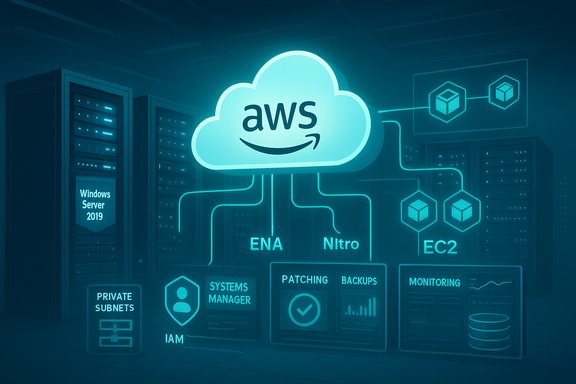
Windows Server 2019 remains in active use across enterprises, but it is a platform in maintenance mode: mainstream support ended and extended support remains in effect through the lifecycle. Confirmed Microsoft lifecycle dates show Windows Server 2019’s mainstream end date and extended support timeline, which must be considered when planning long‑term patching and compliance strategies. AWS provides two primary operational pathways for Windows Server on EC2: License‑Included (LI) AMIs delivered by AWS (the most common path for shared tenancy) and Bring‑Your‑Own‑License (BYOL) options under specific Microsoft licensing agreements and tenancy models. AWS documentation and prescriptive guidance clarify both models and the practical limits of BYOL for post‑2019 licenses; these licensing choices materially affect architecture, auditability, and cost. The checklist below synthesizes cloud operational best practices — network segmentation, IAM-first identity, EBS sizing, Nitro/ENA networking, Systems Manager integration, and VSS-aware backups — into a prioritized readiness plan that you can adapt to workload criticality. Portions of this guidance align with practitioner checklists in the provided operational material and AWS/Microsoft documentation.Planning and architecture: start with the workload, not the VM
Operational readiness begins in the architecture phase. Every production workload should be justified by measured requirements, not guesswork.Define workload requirements
- Document application type: web tier, database, line‑of‑business, or legacy. This drives instance family, EBS type, and high‑availability choices.
- Record CPU, memory, storage size, and IOPS needs based on real application profiling (Diskspd, SQLbench, application traces).
- Note network throughput and latency sensitivity; design for NIC capabilities (SR‑IOV/ENA) where low jitter matters.
- Set business goals: RTO and RPO values, allowed maintenance windows, and acceptable cost envelope.
Region, Availability Zones, and instance families
- Choose AWS region(s) by data residency, proximity to users, and availability of required instance families and features.
- Prefer Nitro‑based instances for modern Windows Server AMIs — Nitro supports UEFI boot, ENA enhanced networking, and better host‑level performance properties. Validate that your chosen AMIs and instance types are interoperable (some legacy instance types require BIOS‑prefixed AMIs).
- Match instance families to workload type:
- General purpose: balanced CPU/memory.
- Compute‑optimized: CPU‑bound tasks.
- Memory‑optimized: in‑memory caches, DBs.
- Storage‑optimized: heavy, high‑throughput disk workloads.
Licensing and cost readiness: model TCO and compliance early
Licensing decisions shape architecture, monitoring, and audit trails.Licensing models and operational impact
- License‑Included (LI) AMIs include Windows Server licensing in the EC2 hourly rate and are the default for most customers on shared tenancy. They simplify compliance but increase hourly cost compared with some BYOL scenarios.
- BYOL is available under License Mobility / Software Assurance for eligible licenses and for Dedicated Hosts/Instances in some cases. BYOL imposes image/media management responsibilities, requires import workflows, and is constrained by Microsoft’s post‑2019 rules for some newer releases. Model the cost and audit evidence needed to validate BYOL usage.
Cost controls and tagging
- Establish budgets, cost alerts, and CI/CD gates for instance launches.
- Enforce mandatory tags (environment, owner, application, cost center) through governance hooks and terraform/CloudFormation policies.
- Evaluate Reserved Instances, Savings Plans, or Dedicated Hosts based on projected steady state and licensing choices.
Security baseline and hardening: treat cloud instances like untrusted endpoints
Security is foundational. Cloud adds new primitives (IAM roles, security groups, VPCs) — use them.Identity and access
- Attach IAM roles to EC2 instances to grant AWS API permissions to agents (SSM, Secrets Manager) rather than embedding static credentials.
- Apply least‑privilege to all IAM policies and use session policies, permissions boundaries, and audit logs to scope actions.
- Integrate EC2 hosts with Active Directory via AWS Managed Microsoft AD or your on‑prem AD over secure links; document authentication fallbacks.
Network security
- Place Windows Server instances in private subnets and use an explicit bastion, AWS Systems Manager Session Manager, or VPN for administration; avoid exposing RDP directly to the internet.
- Use Security Groups as stateful host‑level firewalls and NACLs for subnet‑level restraint; keep inbound rules minimal.
- Enforce defensive network segmentation: management, cluster replication, and client subnets separated to limit blast radius.
OS hardening
- Apply the latest cumulative updates and SSUs in a controlled manner (pilot → staged rings).
- Disable unused services and legacy protocols; follow CIS Benchmarks or your internal hardening profile.
- Deploy endpoint protection (Windows Defender or equivalent) and enable EDR telemetry, tamper protection, and offline protections where possible.
Storage and disk configuration: right‑type, right‑size, right‑IO
Storage is a frequent source of production pain: misconfigured volumes cause I/O bottlenecks and unreliable backups.Choose the right EBS volume type
- gp3 is recommended for most general purpose workloads: independent provisioning of IOPS and throughput from capacity reduces cost and simplifies sizing. gp3 delivers single‑digit millisecond latency for many workloads.
- io2 / io2‑block‑express should be used for latency‑sensitive, high‑IOPS workloads (databases, heavy logging) — they provide much lower outlier latencies and stronger durability and consistency guarantees. Test application behavior on the chosen EBS class.
- Separate volumes for OS, application data, and logs to optimize snapshot, backup, and restore workflows.
NTFS, encryption, and performance validation
- Use NTFS with recommended allocation unit sizes for Windows server workloads.
- Enable volume encryption with AWS KMS (customer‑managed keys for tighter control) and validate recovery access.
- Benchmark disk performance under realistic queue depths — vendor lab numbers vary by Nitro firmware, EBS type, and instance family; a PoC with Diskspd and production‑like queue depth is essential.
Networking and hybrid connectivity: name resolution and resilience
Your EC2‑hosted Windows Server will often be part of a broader environment — hybrid connectivity must be tested end to end.VPC, DNS, and subnet design
- Use multiple subnets by tier (web, app, db) and avoid overly permissive routing rules.
- Integrate DNS resolution across environments: use Route 53 private hosted zones or forwarders for cross‑account / on‑prem name resolution and validate forward and reverse DNS entries for Kerberos and other domain services.
Hybrid connectivity
- For on‑prem integration, validate Site‑to‑Site VPN or AWS Direct Connect throughput and failover behavior.
- Test authentication, file access, and group policy application across the hybrid link; AD replication and time synchronization are common sources of failure.
High availability and fault tolerance: design for failure
Production readiness is about assuming and planning for failure.Instance‑level resilience
- Use Auto Scaling Groups and immutable image patterns (golden AMIs) where possible to reduce manual repair work.
- Design stateless application tiers; persist session state to managed caches or databases to allow instance replacement without user impact.
Data availability
- Use multi‑AZ database architectures where supported, or leverage managed services (RDS, FSx) to reduce cluster complexity.
- For clustered Windows services (S2D or guest clustering), validate network, ENA/EFA, and NVMe behavior; these configurations can be operationally complex and must be tested thoroughly.
Load balancing and failover testing
- Use Application Load Balancer or Network Load Balancer as appropriate.
- Validate health checks and simulate failover to confirm rolling updates and blue/green/Canary release strategies work without downtime.
Monitoring, logging, and alerting: instrument before production
“You cannot operate what you cannot observe.” This is true and actionable.Metrics and logs
- Enable CloudWatch metrics for EC2 and EBS; capture CPU, memory (via CloudWatch Agent), disk I/O, and network metrics.
- Centralize Windows Event Logs and application logs to a log aggregator or SIEM, and enable long‑term retention policies aligned with compliance needs.
Alerts and runbooks
- Define actionable alerts — avoid noise by using composite alarms and tiered thresholds.
- Integrate alerts with on‑call rotations, ticketing systems, and runbooks that include remediation steps and escalation paths.
Patch management and update strategy: staged, tested, repeatable
Unpatched systems are the most common operational risk.Controlled patching
- Choose between automatic updates for non‑critical systems and controlled update windows for production.
- Test patches in non‑production environments that mirror production (same AMIs, instance family, EBS types) before mass rollout.
Rollback and validation
- Document rollback procedures and maintain golden images for emergency restoration.
- Use Systems Manager Patch Manager or your configuration management toolchain to automate patch orchestration and reporting.
Backup, recovery, and disaster planning: verify restorability, not just backups
Backups are only useful when restores succeed.Backup configuration
- Use AWS Backup or orchestrated EBS snapshot schedules for volume backups.
- For transactional workloads (SQL Server), ensure backups are VSS‑aware and application‑consistent; combine EBS snapshots with native DB backups for reliable recovery points.
Recovery testing
- Perform regular restore tests that validate not only data integrity but full application functionality after recovery.
- Maintain documented RTO/RPO evidence and record gaps identified during tests.
Automation and configuration management: bake, don’t hand‑configure
Manual steps scale poorly and introduce drift.Infrastructure as code
- Use CloudFormation, CDK, Terraform, or ARM with version‑controlled templates to provision networking, IAM, and EC2 resources.
- Bake hardened AMIs with Packer and enforce image promotion pipelines.
Configuration management
- Enforce consistent state across environments with Desired State Configuration, Chef, Puppet, or Systems Manager State Manager.
- Detect and remediate drift automatically; tie remediation to change approvals to avoid configuration thrash.
Documentation and runbooks: make operational knowledge durable
Even excellent designs fail without accessible operational documentation.- Maintain architecture diagrams, runbooks for common incidents, backup and restore steps, and escalation paths.
- Keep on‑call runbooks short, prescriptive, and versioned with the same CI/CD that manages infrastructure.
Compliance and governance: continuous controls, not one‑time checks
Regulated workloads need repeatable, auditable controls.- Map controls to standards (ISO, SOC, PCI, HIPAA) and document responsibility boundaries between AWS (shared responsibility) and the customer.
- Enforce tagging, naming conventions, and guardrails (Service Control Policies, AWS Config rules).
- Maintain audit trails for administrative actions, IAM changes, and access to PII.
Critical analysis — strengths, risks, and testing priorities
This checklist synthesizes established cloud best practices and specific AWS‑Windows considerations. Several strengths stand out:- AWS provides robust building blocks (Nitro instances, EBS volume classes, Systems Manager) that, when combined with Windows Server, deliver scalable, resilient platforms. The AWS docs and prescriptive guidance confirm Nitro/ENA advantages and licensing pathways.
- License‑Included AMIs remove many audit and BYOL complexity pitfalls for most shared‑tenancy customers. However, BYOL remains valuable where enterprise licensing commitments exist and can substantially change TCO modeling.
- EBS choices (gp3 vs io2/io2‑block‑express) let teams balance cost and latency; AWS guidance recommends gp3 for general workloads and io2 for latency‑sensitive applications, but measured testing is indispensable.
- Performance claims in vendor labs are workload‑specific. Validate IOPS, latency, and CPU with Diskspd or equivalent under realistic queue depths and dataset shapes. Treat lab numbers as starting hypotheses, not guarantees.
- BYOL eligibility and licensing nuances can create audit exposure if misapplied. Validate license timelines, entitlement proofs, and the need for Dedicated Hosts early in planning; maintain audit logs to prove compliance.
- Clustered storage (Storage Spaces Direct) across EC2/EBS is operationally complex — test RDMA/SMB Direct, NIC choice, and EBS characteristics carefully and prefer managed alternatives (FSx, RDS) where operational risk outweighs control needs.
- Patch rollback complexity (SSU persistence) makes image‑level rollback and golden image hygiene essential for safe patching windows. Design rollback playbooks and preserve recovery images.
Operational readiness checklist — prioritized tasks before go‑live
- Inventory & sizing: capture CPU, memory, IOPS, and network profiles; select instance families and EBS classes.
- Licensing: choose LI or BYOL and document entitlements; set up AWS License Manager if BYOL.
- Security baseline: IAM roles, least‑privilege, private subnets, Systems Manager Session Manager in place.
- Storage layout: separate OS/data/log volumes; pick gp3 or io2 after PoC testing.
- Monitoring: CloudWatch, CloudWatch Agent for memory, centralized log shipping to SIEM.
- Backups: application‑consistent snapshots, AWS Backup schedules, and documented restore tests.
- Patch ring: pilot ring, staging, and production rings with rollback images in place.
- Automation: IaC templates, baked AMIs, Systems Manager State Manager enforcement.
- DR & HA tests: run failover drills across AZs/regions and validate DNS and load balancer reconfiguration.
- Runbooks & docs: step‑by‑step incident playbooks, ownership, and escalation ladders.
Conclusion
Windows Server 2019 on AWS EC2 can deliver scalable, resilient enterprise services when deployed with operational rigor. The architecture and operational primitives available on AWS — Nitro instances, ENA, flexible EBS classes, Systems Manager, and license‑included AMIs — remove many historical friction points, but they do not eliminate the need for disciplined planning, measurement, and governance. Validate performance claims with realistic PoCs, lock down licensing choices early, automate deployments and patching, and verify backups with full restores.Operational readiness is an ongoing program, not a single checklist item. Prioritize the checklist tasks by workload criticality, rehearse failovers and restore procedures, and treat cost and compliance as first‑class signals in every release. The time invested in a methodical readiness program pays back in reduced incidents, predictable spend, and faster, safer innovation on the cloud.
Source: TechBullion Operational Readiness Checklist for Windows Server 2019 Deployments on AWS EC2
