• Thread Author
Oracle and Microsoft are turning a long‑running alliance into a practical playbook for enterprise AI: Oracle’s database and lakehouse technologies are now deeply integrated into Azure, new GA features make real‑time data movement and key management enterprise‑ready, and both vendors are pushing interoperability so organizations can operationalize AI without wholesale cloud migrations.

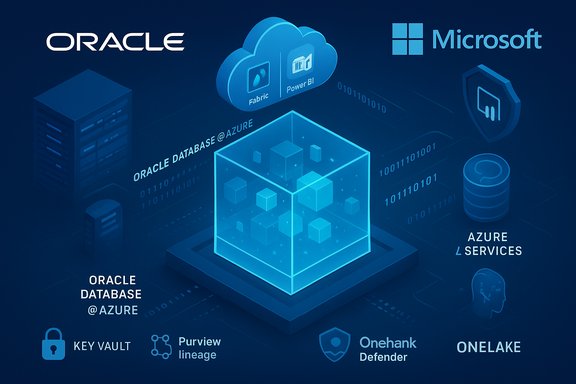
Blue-toned infographic showing Oracle Database on Azure with Azure services and cloud icons.Background​

The collaboration between Oracle and Microsoft began in earnest with the Oracle Database@Azure initiative, a colocated service that runs Oracle database services within Microsoft Azure data centers while the database itself remains managed by Oracle. That arrangement has expanded rapidly over the past year, with the offering now present in more than 30 Azure regions and new integrations that target AI workloads, governance and edge‑to‑cloud operations. Oracle has also repositioned its database portfolio around “AI‑native” capabilities—branded as Oracle AI Database (26ai)—and introduced an Autonomous AI Lakehouse that uses open formats like Apache Iceberg to bridge data silos. Microsoft, for its part, keeps enhancing Azure’s AI stack (Azure AI, Copilot Studio, Microsoft Fabric) and is positioning these services to access trusted data in Oracle systems with low latency and enterprise controls. Together, the vendors say this creates a practical path for enterprises to build AI applications that use sensitive corporate data without sacrificing governance, performance or compliance.

What was announced and why it matters​

Oracle Database@Azure: wider footprint and deeper integration​

The most visible development is geographic expansion and feature maturation for Oracle Database@Azure. Microsoft announced that Oracle Database@Azure is live in 31 regions with plans to expand further, and it has added support for Azure Key Vault to manage Transparent Data Encryption (TDE) keys for Exadata and Autonomous AI Database instances running inside Azure. That matters because enterprises operating across regulated jurisdictions require both local data residency and centralized key control. Microsoft’s messaging emphasizes a low‑latency, high‑performance posture — the whole point is to let Azure services (analytics, AI, visualization) access Oracle managed databases inside Azure datacenters with minimal friction. For organizations wrestling with the complexity of moving mission‑critical transactional data out of Oracle systems, this is framed as a compromise that preserves both the Oracle operational environment and Azure’s AI ecosystem.

Oracle Autonomous AI Lakehouse and 26ai: open, AI‑ready data​

Oracle made the Autonomous AI Lakehouse generally available and promoted Oracle AI Database 26ai as the “AI‑native” engine under the hood. The Lakehouse is built on the Apache Iceberg format to enable openness and interoperability with other analytics tooling — a clear move to reduce data friction and support AI model training and inference across cloud platforms and BI tools like Microsoft Fabric and Power BI. This addresses one of the largest practical bottlenecks for enterprise AI: getting curated, governed, and trusted data into model pipelines without a heavy ETL burden.

Real‑time replication and data movement: GoldenGate and OneLake mirroring​

Real‑time replication is now a first‑class scenario in the joint offering. Native OCI GoldenGate integration with Oracle Database@Azure is generally available, and Oracle Database mirroring into OneLake for Microsoft Fabric is in public preview. Those capabilities reduce the need for batch ETL and enable near real‑time operational analytics and AI features such as fraud detection, dynamic pricing, and responsive automation—workloads that require low latency and fresh data.

Security, governance and enterprise controls​

Both vendors are stressing enterprise controls: Azure Key Vault integration for TDE keys, interoperability with Microsoft Defender, Sentinel, Entra ID, and governance via Microsoft Purview are all part of the stack. These are not shiny extras—they are prerequisites for many regulated customers and therefore critical to driving adoption of AI‑enabled features in production. The announcement’s security elements are positioned as enabling compliance, centralized key lifecycle management, and simplified auditability across a hybrid, multicloud estate.

Technical verification and claims​

This section verifies a number of the technical claims in vendor messaging against independent documentation and coverage.
  • Oracle Database@Azure regional footprint: Microsoft’s Azure blog states the offering is live in 31 regions and plans to reach 33 regions within months. Oracle’s own product pages and recent coverage corroborate a 30+ region footprint, matching statements in vendor briefings. These are product announcements by the vendors and are verifiable through their official communications.
  • Oracle Autonomous AI Lakehouse and Apache Iceberg: Public documentation and multiple product posts confirm the Lakehouse is built on Apache Iceberg and is intended to interoperate with Microsoft Fabric and Power BI. This is consistent across vendor blogs and independent coverage of Oracle AI World.
  • GoldenGate native integration: Microsoft’s Azure community post lists native GoldenGate integration for Oracle Database@Azure as generally available, which aligns with Oracle’s migration and replication documentation for the service. Enterprises should still conduct network and operational validation for their particular workloads.
  • Network latency for Oracle Interconnect: Oracle’s Interconnect documentation and press statements claim sub‑millisecond to low‑millisecond network performance across the interconnect (Oracle FastConnect + Microsoft ExpressRoute) and advertise less than two milliseconds of round‑trip latency in some configurations. Network characteristics will vary by region, peering, and customer topology; these numbers are achievable in colocated datacenter scenarios but should be validated in the customer environment.
  • “AI‑native” database features (26ai): Oracle’s 26ai designation and the Autonomous AI Database capabilities (vector search, integrated model operations) are described in Oracle release notes and product marketing. Independent reporting from industry outlets corroborates the 26ai branding and the inclusion of vector/vector search features intended for LLM retrieval and embedding pipelines. Enterprises must test performance and cost under realistic model workloads.
Cautionary note: Some financial and strategic claims reported in media (for example large deals tied to AI infrastructure capacity or projected capital expenditures tied to Oracle’s expansion plans) come from third‑party reporting and interviews; those should be treated as reported information rather than independently verified facts unless confirmed by vendor SEC filings or formal press releases. One prominent example is reporting around OpenAI and large infrastructure deals; media coverage is credible but investors and procurement teams should seek direct vendor confirmation for contractual terms and timelines.

Strategic analysis — strengths and commercial implications​

Strength: Practical multicloud interoperability reduces migration anxiety​

The combined messaging addresses a perennial enterprise blocker: “data gravity.” Enterprises often cannot (or will not) move all of their transactional Oracle data to a different cloud for fear of downtime, cost or compliance risk. Oracle Database@Azure keeps the database in an Oracle‑managed environment inside Azure datacenters, enabling Azure’s analytics and AI services to access the data with low latency while preserving Oracle operational tooling. This pragmatic design lowers friction for AI pilots and production workloads by avoiding large‑scale rewrites or full data migrations.

Strength: Open formats and lakehouse approach enable cross‑platform AI​

By anchoring the Autonomous AI Lakehouse on Apache Iceberg and promoting connectors to Microsoft Fabric and Power BI, Oracle is selling openness rather than proprietary lock‑in. For enterprises that want to use multiple clouds and tooling, open table formats and catalog interoperability are essential. This repositioning is a deliberate strategic pivot by Oracle to be competitive in a multicloud AI economy.

Strength: Enterprise security and governance baked into the stack​

Azure Key Vault integration for Oracle TDE keys, Entra ID and Sentinel compatibility, and Purview governance workflows respond to one of the largest barriers for enterprise AI adoption—security and compliance. Vendors that ship AI capabilities without robust governance are unlikely to win large deals with banks, healthcare organizations, or government agencies. These integrations are therefore commercially significant.

Commercial implication: Lower friction may accelerate Copilot/LLM adoption​

By making it easier to expose curated, private corporate data to Azure AI services and no‑code tools like Copilot Studio, the joint stack reduces the time and effort required to turn LLMs and retrieval augmented generation (RAG) into business apps. Expect faster timelines for pilots and a higher probability of production rollout where governance is in place.

Risks, trade‑offs and what procurement teams should watch​

Risk: Hidden operational complexity and cost​

Multicloud “interoperability” often replaces one set of hard problems with another. Running Oracle‑managed services inside Azure datacenters introduces cross‑vendor operational dependencies: billing reconciliation, troubleshooting pathways, backup and DR responsibilities, and network egress/ingress cost modeling. Procurement and cloud architects must model TCO carefully and test failover scenarios in advance. Vendor claims on latency and pricing scenarios are helpful but require real‑world validation.

Risk: Governance gaps between control planes​

Although integrations with Purview, Sentinel and Entra ID are advertised, organizations must validate that policy enforcement, data lineage, PII redaction and DLP work uniformly across the Oracle control plane and Azure control plane. Any mismatch in telemetry or enforcement can create silent compliance gaps; governance teams should run end‑to‑end tests and maintain an inventory of where enforcement occurs. Do not assume a single console eliminates policy discrepancies.

Risk: Vendor lock‑in by another route​

The move toward open formats reduces one form of lock‑in, but heavy investments in vendor‑specific agent marketplaces, proprietary AI model ops, or specialized database features (e.g., vendor‑specific optimizations in 26ai) can create new forms of dependency. Architectures should emphasize standard formats, modular connectors, and escape plans for critical dataflows.

Risk: Security posture for model access to sensitive data​

Enabling Azure AI services to query sensitive Oracle data creates a new attack surface. Enterprises must enforce strict RBAC, encryption‑in‑transit and at‑rest, model input/output filtering, and observability on which prompts or flows expose data. Integration with centralized key management (Azure Key Vault) helps, but key rotation, cross‑tenant access and exposure via third‑party LLM vendors must be governed tightly.

Practical checklist: how to evaluate and pilot Oracle+Azure AI data solutions​

  • Map data loci and governance requirements.
  • Identify which Oracle databases contain regulated data (PII, PHI, financial) and which analytic use cases require access.
  • Classify data by sensitivity and regulatory regime before architecting access.
  • Run a low‑risk pilot with network and performance validation.
  • Validate latency, throughput, and GoldenGate replication performance for representative workloads.
  • Test failover and backup/restore scenarios across Oracle and Azure operational processes.
  • Validate end‑to‑end governance.
  • Configure DLP policies, Purview lineage, and Sentinel alerts. Confirm policies behave identically for data accessed via Oracle Database@Azure and via any mirrored copies in OneLake or Fabric.
  • Secure key management and identity flows.
  • Use Azure Key Vault (or equivalent HSM) for TDE keys if you require centralized key control, and test key rotation and recovery workflows.
  • Cost model and contractual clarity.
  • Request detailed pricing for Oracle services delivered inside Azure, including data transfer, GoldenGate licensing, and any cross‑vendor marketplace fees.
  • Define SLO, escalation, and incident response responsibilities across Oracle and Microsoft in the contract.
  • Design for portability.
  • Prefer Apache Iceberg or other open formats for lakehouse tables and maintain exportable data schemas and catalogs to avoid future lock‑in.
  • Build a model governance and validation loop.
  • Treat LLM and vector search usage like any regulated pipeline: document training data, retention, and validation. Establish monitoring for model drift and unauthorized data access.

The market picture: strategic positioning and competitive context​

Microsoft gains from the arrangement because Azure becomes a more attractive platform for enterprises that are heavily invested in Oracle databases—effectively reducing friction for customers considering Azure for AI workloads. Oracle wins by keeping control of its lucrative database revenue streams while benefiting from Azure’s broad AI ecosystem and reach. This joint positioning intensifies competition with AWS and Google Cloud, both of which continue to emphasize their own integrated database + AI stacks. At the same time, the cloud‑AI market is fluid: major AI infrastructure decisions—such as OpenAI’s large leasing deals and multi‑cloud vendor arrangements—are shifting competitive dynamics and capacity politics in ways that affect pricing and availability of GPU compute and specialized accelerators. Reported strategic investments and capacity deals are relevant context for CIOs planning medium‑term AI rollouts, though such commercial agreements should be confirmed through direct vendor channels for procurement decisions.

Bottom line and recommendations for enterprise IT leaders​

The Oracle–Microsoft collaboration is not an abstract partnership: it’s a functional stack designed to solve real enterprise blockers for AI—data locality, governance, latency, and system continuity. For organizations that run mission‑critical Oracle workloads and want to add AI capabilities without wholesale migration, the offering materially reduces technical and operational friction. However, the conveniences come with trade‑offs. Procurement, security and cloud architecture teams must validate performance, costs and governance end‑to‑end; they should assume cross‑vendor complexity and demand contractual clarity on support, SLAs and incident response. Prioritize pilots that exercise the entire pipeline—replication, cataloging, model access, and governance—under realistic load and compliance testing. Follow a measured rollout plan that starts with high‑value, low‑risk use cases (e.g., internal knowledge augmentation, controlled RAG deployments) before exposing critical production systems. Enterprises that get these architectural and governance steps right will be able to use Oracle’s data strengths together with Azure’s AI ecosystem to accelerate practical, secure AI adoption. For those that skip verification, ambiguous SLAs and hidden costs are the most likely consequences.

Final perspective​

The joint Oracle–Microsoft effort shows how incumbents are adapting to an AI‑first enterprise agenda: rather than forcing customers to choose a single cloud, both vendors are offering interoperability, open formats and operational glue that make AI initiatives more attainable. This is a pragmatic evolution of enterprise cloud strategy—one that recognizes the reality of entrenched systems while still enabling modern AI applications.
Technology leaders should treat the new capabilities as powerful tools, but not as silver bullets. Rigorous piloting, careful governance, and contractual safeguards are the only reliable path from AI experiments to trustworthy, scalable, business‑critical AI. The partnership reduces technical barriers, but it raises the bar for operational discipline—and the organizations that meet that bar will capture the fastest ROI from enterprise AI.
Source: SiliconANGLE AI-powered data solutions: Oracle and Microsoft drive enterprise AI - SiliconANGLE
 

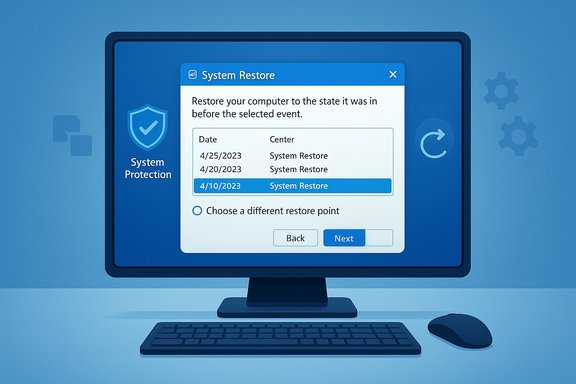
System Restore can be the difference between a five‑minute rollback and a full reinstall, and once you know where Microsoft hides the controls and how Volume Shadow Copy (VSS) powers the feature, using restore points in Windows 11 becomes straightforward and reliable.

Blue-toned computer screen displaying a System Restore window with restore points and a Next button.Background / Overview​

System Restore creates time‑stamped snapshots of the system configuration—system files, the registry, installed drivers, and program state—so you can roll the OS back to a previous known‑good point without touching your personal documents. These snapshots are implemented on top of the Volume Shadow Copy Service (VSS), and Windows manages them automatically before many major changes (updates, driver installs) while also letting you create them manually when you want an insurance policy before risky operations. Community and Microsoft‑adjacent documentation consistently describe System Restore as a lightweight, system‑level rollback tool rather than a full disk image backup.
System Restore’s scope and behavior matter: it does not back up user files, and it cannot revert firmware or hardware-level changes. For long‑term, full‑system recovery you still need full‑image backups; System Restore is a targeted tool for configuration and software rollback.

Quickest Way: Open System Restore in 30 seconds​

If you just need immediate access to restore points, the fastest route is the built‑in System Restore tool:
  • Press Win + R, type rstrui.exe, and press Enter.
  • Choose “Recommended restore” or “Choose a different restore point” and follow the wizard.
That single command launches the same familiar System Restore wizard used by the GUI and works from normal Windows, Safe Mode, or even a remote admin session—handy when time is short. This approach is the same tool used behind the scenes in the GUI and is the recommended shortcut for fast recovery.

Background technical detail: Where restore points live and how they work​

Restore points are stored as metadata and shadow copy data under the hidden, protected folder named System Volume Information at the root of each volume with System Protection enabled. Windows doesn’t copy entire file trees for each restore point; instead, VSS tracks changed blocks and metadata so snapshots are space‑efficient differential states rather than full backups. Because of this design, you cannot simply copy the System Volume Information folder and expect to transfer or restore those points elsewhere. Manually tampering with that folder risks losing all restore data and corrupting the VSS infrastructure.
By default, Windows reserves a percentage of the drive for shadow copy storage (commonly configured in the System Protection UI or via vssadmin). Once the allocation fills, Windows deletes the oldest restore points automatically to make space for new ones—this is why retention is tied to both the configured quota and how active the system is with updates and installs.

The GUI method — full step‑by‑step (recommended for most users)​

The graphical path is intuitive and provides the safest guided workflow.

Step‑by‑step GUI​

  • Open Start and type “Create a restore point”; click the System Properties result to open the System Protection tab.
  • Confirm which drives have System Protection enabled (typically C:). If protection is off for a drive you want protected, select the drive and click Configure → Turn on system protection.

  • Click System Restore… to start the wizard.
  • Important: Check the box labeled “Choose a different restore point” to see the full list of available points (many users miss this and believe they have fewer points than they actually do).
  • Select a restore point, then click Scan for affected programs to generate a report that lists programs and drivers that will be removed or returned by the restore. Use this scan to verify the date and description—pick a point created before the problem began.
  • Click Next → Finish to begin the restore; the PC will reboot and apply the snapshot.
GUI cleanup and status displays also show Current usage and Max usage for restore point storage, so you can make informed decisions about how much disk space to dedicate to restore history.

Command Prompt and rstrui.exe — rescue when the desktop fails​

When the GUI is unavailable—if the desktop won’t load or you’re working from Safe Mode or WinRE—the Command Prompt is your friend.
  • To open the System Restore wizard from an elevated Command Prompt or Run box, type rstrui.exe and press Enter; the same restore wizard appears and functions identically to the GUI. This is especially useful when troubleshooting remotely or from the Windows Recovery Environment (WinRE).
If you need to inspect the underlying shadow copies directly, use the vssadmin tool from an elevated Command Prompt:
  • vssadmin list shadows — lists existing shadow copies with IDs and timestamps.
  • vssadmin list shadowstorage — shows used, allocated, and maximum shadow storage for each volume.
  • vssadmin resize shadowstorage /for=C: /on=C: /maxsize=10GB (or 10%) — changes the maximum allocation.
Note: vssadmin is powerful for diagnostics and storage control, but it cannot perform a system restore; it manipulates and reports on VSS state only. Use the supported GUI or rstrui.exe to perform the actual rollback.

PowerShell: inspect, create, enable, and script restore points​

PowerShell adds precision and scripting power for admins and savvy users.
  • List restore points:
  • Get-ComputerRestorePoint — shows sequence numbers, creation time, description, and type.
  • Get-ComputerRestorePoint | Format-List — expands the output as a full property list for scripting and logging.
  • Create a manual restore point (admin PowerShell):
  • Checkpoint-Computer -Description "Before graphics driver update" -RestorePointType "MODIFY_SETTINGS"
  • Enable System Protection via script:
  • Enable-ComputerRestore -Drive "C:\"
PowerShell’s Get-ComputerRestorePoint output includes sequence numbers you can reference if you’re automating diagnostics or documenting state across many machines. PowerShell commands work locally or remotely (with appropriate admin rights), making them ideal for helpdesk scripts and enterprise automation.

Troubleshooting: common reasons restore points are missing or fail​

If you’re missing restore points or cannot create new ones, check these items in order of likelihood:
  • System Protection is disabled for the target drive. Enable it under System Properties → System Protection.
  • The Volume Shadow Copy Service (VSS) or Microsoft Software Shadow Copy Provider service is stopped or disabled. Confirm via Services.msc or with PowerShell Get-Service VSS; if stopped, set StartupType to Automatic and start the service.
  • Disk quota/shadow storage is too small. Inspect vssadmin list shadowstorage or the System Protection → Configure dialog to verify Current usage and Max usage. Adjust with vssadmin resize shadowstorage or the UI.
  • Group Policy or enterprise management may disable System Restore. In corporate environments confirm Group Policy Objects affecting "Turn off System Restore".
  • The 24‑hour throttle: Windows will normally prevent multiple manual restore points within a 24‑hour window. There is a registry flag (SystemRestorePointCreationFrequency) that advanced users can modify to temporarily bypass this restriction, but changing registry values carries risk and should be used sparingly. The safer alternative is to manage backups with scheduled automation or create a full disk image.
If a restore point creation fails, check Event Viewer for VSS or System Restore error codes; the community and support resources typically recommend verifying VSS and running SFC/DISM as follow‑up steps in cases of repeated failures.

Resizing, pruning and reclaiming shadow storage safely​

You’ll occasionally need to remove old restore points or reclaim space, especially on smaller SSDs. There are two supported, safe approaches:
  • GUI: Disk Cleanup → Clean up system files → More Options → System Restore and Shadow Copies → Clean up (this deletes all but the most recent restore point). This is the safest one‑click option to reclaim space while keeping a single latest snapshot.
  • Command line (for power users): vssadmin delete shadows /for=C: /all (removes all shadow copies) or vssadmin delete shadows /shadow={ShadowID} to remove a specific shadow. After a deletion, reboot and re‑check storage usage. Note that abuse of vssadmin is a tactic used by ransomware, so many AV products monitor scripts that use vssadmin; expect potential alerts if you run automated cleanup scripts.
Resizing shadow storage to a fixed maximum (e.g., 10GB) can prevent runaway disk usage. Practical industry guidance for typical desktop systems recommends allocating roughly 5–10GB or a percentage in the 3–10% range, tuned by drive capacity and how many changes you expect. On constrained laptops with 128–256GB drives, a 3–5% cap is a reasonable compromise. These are pragmatic guidelines rather than strict Microsoft limits; your needs may vary.

WinRE and offline restores — recovering when you’re locked out​

System Restore remains accessible from the Windows Recovery Environment (WinRE). If Windows won’t boot:
  • Enter WinRE by forcing three failed boots, using advanced startup (Shift + Restart at login), or booting from recovery media.
  • Choose Troubleshoot → Advanced options → System Restore and select the desired restore point.
This method is one of System Restore’s most valuable features: you don’t need to log into Windows to roll back configuration changes, which is often the difference between a quick fix and a full reinstall.

Limitations, risks, and things the feature won’t do​

  • System Restore does not replace backups. It doesn’t protect personal documents, photos, or non‑system files. Use File History, OneDrive, or an image backup for data protection.
  • Restore points can be large. Frequent major changes (feature updates, large app installs) can consume multiple gigabytes of shadow storage. Expect tens of gigabytes over time on active systems.
  • Some driver updates can modify hardware firmware or device-specific persistent settings that System Restore cannot revert. In those cases a vendor utility or firmware re‑flash may be necessary.
  • Manipulating System Volume Information or trying to copy shadow data manually is unsupported and dangerous. Use the UI, PowerShell, or vssadmin for supported operations.
  • Security implications: ransomware frequently targets shadow copies. Some anti‑malware policies will block scripts that call vssadmin or similar tools. Be mindful and avoid automated deletion scripts unless you fully trust them and have backups.
If you see unexpected behavior or gaps in retention, flag those to IT teams—enterprise policies or recent platform changes can also affect retention windows. For example, some modern platform updates have adjusted the visible retention window for restore points on specific Windows 11 builds; if long‑term archival snapshots are required, rely on a separate backup strategy rather than only System Restore. (This platform retention nuance has been discussed in community and product notes and can vary by update channel and applied hotpatches.

Practical workflows and best practices​

  • Before any risky change (driver, major app, registry tweak), create a manual restore point and give it a descriptive name like “Before GPU driver 537.XX.” Use the GUI or:
  • Admin PowerShell: Checkpoint-Computer -Description "Before GPU driver" -RestorePointType "MODIFY_SETTINGS".
  • Keep at least one current restore point after any cleanup operations. If you use Disk Cleanup to remove older points, immediately create a new manual point so you’re not left with zero history.
  • For mission‑critical systems, pair restore points with full disk images (Macrium, Windows System Image) and off‑drive backups for long‑term retention. System Restore is a quick fix, not a primary backup.
  • Monitor VSS storage usage periodically with vssadmin list shadowstorage or via the System Protection UI. Adjust max allocation if you find yourself repeatedly losing older points due to quota limits.

Quick troubleshooting checklist (copy/paste friendly)​

  • Open System Protection (Start → Create a restore point) and confirm protection is On for C:.
  • Run Get-Service VSS; if Stopped, start the VSS service and set Automatic.
  • Inspect shadow storage: vssadmin list shadowstorage.
  • If you need more space: vssadmin resize shadowstorage /for=C: /on=C: /maxsize=10GB (or use the UI slider).
  • Create a manual restore point: Checkpoint-Computer -Description "Pre-change" -RestorePointType "MODIFY_SETTINGS".
  • If restore fails, check Event Viewer for VSS/System Restore errors and run sfc /scannow and DISM /Online /Cleanup-Image /RestoreHealth as follow‑ups.

Final thoughts and realistic expectations​

System Restore is one of Windows’ most underused but effective recovery features. It’s quick to use, integrates with WinRE for offline fixes, and—when combined with thoughtful shadow storage sizing and manual checkpoints—provides a comfortable safety net for most system changes. However, it is not a substitute for a disciplined backup strategy that includes off‑drive image backups and file‑level backups for personal data.
In practice, follow this rule of thumb: use System Restore for short‑term, configuration‑level recoveries; use full images or cloud backup for long‑term retention and catastrophic recovery. Keep an eye on VSS storage, enable System Protection on drives you care about, and make it a habit to create a named restore point before you tinker—those two minutes can save hours and a reinstall later.

If a specific command, PowerShell one‑liner, or step‑by‑step screenshot walkthrough is needed for your exact scenario (boot failure, driver rollback, or enterprise scripting), follow the short PowerShell and vssadmin commands above and consult Event Viewer logs for failure codes before attempting deletions or resizing. These diagnostics are the bridge between a hopeful “it should work” and a guaranteed, safe restoration.

Source: How2shout How to Find & Use Restore Points in Windows 11 — GUI, CMD & PowerShell
 

When a widely shared photograph of a Philippine lawmaker circulated online and users instinctively asked an AI assistant to verify it, the tool replied with confidence — and with the wrong verdict, crystallising a systemic blind spot in today’s multimodal chatbots that threatens to accelerate misinformation rather than slow it.

A man in a suit appears on a monitor, stamped 'AI GENERATED,' in a blue-toned control room.Background​

The immediate episode that reignited concern involved a fabricated image purportedly showing former Philippine lawmaker Elizaldy Co in Portugal. Online sleuths who queried a mainstream search‑AI mode were told the image appeared authentic; subsequent newsroom tracing by AFP found the image had been generated with an AI image tool and later labelled “AI‑generated” by its creator. This example is part of a growing set of documented failures in which conversational assistants wrongly identify AI‑made or manipulated images as real — sometimes even when the visuals originated from similar or the same vendor models. At the same time, a large, coordinated editorial audit led by the BBC and the European Broadcasting Union (EBU) evaluated thousands of AI assistant responses to news queries and found troubling error rates: roughly 45% of assistant answers contained at least one significant issue, with sourcing problems and outright inaccuracies common. This independent assessment and academic tests by Columbia University’s Tow Center underscore that the problem is systemic — cross-platform, multilingual, and not limited to any single vendor.

Why this matters now​

AI assistants are rapidly becoming the public’s first stop for quick verification and breaking‑news queries. A short, confident answer from a chatbot is frictionless to accept and simple to repost — and that combination makes a single misclassification disproportionately consequential. A synthetic photograph that looks authentic can be used to corroborate a false narrative, inflame tensions in conflict zones, fabricate alibis, or damage reputations long before human fact‑checkers can respond. The replacement of some human fact‑checking infrastructure with crowdsourced or automated systems on major platforms amplifies the risk that assistant‑delivered errors will propagate unchecked.

How multimodal assistants process images — and where the pipeline breaks​

The architecture in plain terms​

Most consumer multimodal assistants combine three broad components:
  • A visual encoder that converts pixels into vectors or labels the model can reason about.
  • A retrieval subsystem that fetches supporting text, images, or documents from indexed sources.
  • A large language model (LLM) that synthesises a human‑readable answer from the encoded visual inputs and retrieved context.
This pipeline is tuned to return helpful, fluent prose — not to perform forensic, pixel‑level analysis. In practice, the visual encoder excels at scene description (“a man in a suit on a pier”) and the LLM at assembling plausible narratives. What it does not do reliably is surface microscopic traces of synthesis, compression, or post‑processing that forensic tools are trained to spot.

Generative objectives vs. detection objectives​

The root mismatch is optimisation: generative models are trained to maximise plausibility (predict the next token or pixel that will look convincing to humans). Detectors are trained to spot differences — compression artifacts, resampling fingerprints, subtle statistical irregularities or model‑specific noise patterns. A model optimised for fluent description is unlikely to develop the narrow, discriminative sensitivity forensic detection requires unless explicitly supervised to do so. This is why an assistant can perfectly describe convincing but fake imagery, and yet fail to say “this was likely generated.”

Training data and provenance gaps​

Many vision+language systems are trained on enormous web scrapes that include a mixture of authentic photographs and synthetic images. When training data lacks provenance labels (which images are generated, by which model, and whether they were edited), the model internalises a blended distribution where generated images are just more “photographs.” Without curated forensic supervision, the model cannot learn discriminative fingerprints and therefore lacks the signal needed to reliably distinguish fakes from real photos.

Case studies: failures that mattered​

1) The Philippine image: Elizaldy Co​

A widely shared photo purporting to show Elizaldy Co abroad was queried by users to a mainstream search assistant, which judged the image to be authentic. AFP tracing found the image was created by a Filipino web developer using an image generator (reported as Gemini‑linked “Nano Banana”) and later updated by the creator to mark it as AI‑generated after it amassed over a million views. The episode shows how quickly an authoritative‑sounding assistant response can shift public perception around an active, high‑stakes legal case.

2) Staged protest imagery in a regional flashpoint​

During protests in Pakistan‑administered Kashmir, a fabricated torchlit march image circulated. Journalists tracing the picture attributed its creation to a generative pipeline; yet major assistants (reported examples include Gemini and Microsoft’s Copilot) assessed the image as genuine. Political imagery is both emotive and viral, and misclassification here can fuel escalation or false attribution of violence.

3) The Tow Center controlled test​

Columbia University’s Tow Center for Digital Journalism placed seven chatbots (including ChatGPT, Perplexity, Grok, Gemini, Claude, and Copilot) on a provenance‑verification task using ten photojournalist images. Across 280 image‑query interactions, only 14 answers met the standard for correct provenance identification (location, date, and source). All seven models failed to reliably attribute photo provenance, sometimes inventing tools or asserting confident but incorrect provenance. The study concluded these assistants are useful for leads (geolocation, clues) but unsuitable as standalone verifiers.

What independent audits show — the hard numbers​

A major international study coordinated by the EBU and led by the BBC evaluated over 3,000 assistant responses across 14 languages and found:
  • 45% of assistant answers contained at least one significant issue.
  • 31% had serious sourcing problems (missing, misleading, or incorrect attributions).
  • 20% contained major accuracy problems (hallucinated details, outdated or incorrect facts).
  • Google’s Gemini was singled out with a 76% rate of significant problems in the sample, driven largely by sourcing errors.
These findings come from a cross‑network editorial audit and were corroborated by multiple independent outlets covering the release. The results aren’t an isolated lab curiosity — they reflect reproducible editorial judgements by experienced journalists across multiple territories.

Technical anatomy of detection failures​

Detection signals that matter (and why assistants miss them)​

  • Pixel‑level artifacts: GAN and diffusion model outputs can leave subtle periodic noise, upsampling traces, or spectral anomalies that forensic detectors look for.
  • Compression / resampling fingerprints: Repeated JPEG recompression, upscaling and downscaling, or certain denoising pipelines change statistical signatures.
  • Metadata (EXIF): Authentic photos sometimes carry camera make/model, timestamp and GPS. However, metadata is easy to strip or falsify and is often unavailable on social platforms.
  • Model fingerprints: Some detection systems learn generator‑specific fingerprints from training samples; these must be regularly retrained as generators evolve.
Multimodal assistants typically do not incorporate these narrow forensic checks by default. Their visual encoders abstract imagery into representations designed for semantic understanding — not for subtle statistical discrimination — and retrieval‑plus‑synthesis pipelines can produce confident natural‑language verdicts that mask uncertainty.

The arms race problem​

Detectors and generators are locked in constant co‑evolution. Small edits — compression, colour grading, or resizing — can defeat a detector trained on earlier generator outputs. Conversely, adversaries can intentionally post‑process outputs to evade known detectors. Because of model drift, a static detector will rapidly lose efficacy unless it is continuously retrained and red‑teamed against fresh generator variants. This is why experts urge layered detection and human oversight rather than a single-tool dependence.

Expert voices and cautionary notes​

Security and detection practitioners warn that current assistant outputs should be treated as research aids, not as final judgements. Alon Yamin, CEO of Copyleaks, told reporters that multimodal chatbots are trained primarily on language patterns and lack the specialised visual understanding needed to reliably identify AI‑generated imagery — a view echoed across newsroom fact‑checking teams. Academic researchers at the Tow Center and independent auditors stress the same conclusion: assistants can speed triage, help geolocate, or suggest leads, but they cannot replace trained human verifiers. Where identifications of specific generator front‑ends (e.g., “Nano Banana”) exist, they are often the product of newsroom tracing and interviews and should be treated as reported findings unless independently reproducible. Caveat: Some published accounts attribute failures to specific named models or vendor modes; in many cases these attributions were produced through journalistic tracing rather than a machine‑auditable provenance API. When provenance cannot be independently reproduced, treat the vendor attribution as reported but not independently verified.

Practical guidance for WindowsForum readers: triage, tools, and policies​

For IT managers, community moderators, newsroom engineers, and power users on Windows PCs and enterprise networks, a pragmatic, layered approach reduces risk. The following checklist is designed for operational use and governance.

Quick triage checklist (first 2 minutes)​

  • Run reverse image search across at least two engines (visual match + “similar images”).
  • Inspect image metadata (EXIF) using a forensic tool — note that metadata may be absent or stripped.
  • Look for contextual discrepancies: mismatched shadows, inconsistent reflections, odd proportions, or hard‑to‑place landmarks.
  • Check who posted the image first (earliest timestamp and account history).
  • If an assistant affirms the image, treat that as a lead not a verdict — log the assistant prompt and response for audit.

Tools and techniques (recommended)​

  • Use a mix of automated detectors and manual forensic checks:
  • EXIF readers and metadata parsers (expect many images to have stripped metadata on social platforms).
  • Photo forensic services that show error level analysis, resampling detection and noise fingerprints.
  • Reverse image search across multiple engines and archive crawlers.
  • Shadow and geolocation analysis (sun angle, shadow length, street details) for plausible location verification.
  • Maintain an internal “verification playbook” with step‑by‑step procedures and an escalation path for high‑impact content.
  • Keep searchable logs of assistant prompts and outputs for post‑hoc audits and vendor reporting.

Policy steps for moderators and communications teams​

  • Do not treat assistant outputs as authoritative in official posts.
  • Add friction before sharing unverified images: require a second human reviewer for any image that may be politically sensitive or legally consequential.
  • Preserve provenance: store the original post, earliest known URL, and a screenshot in a secure archive.
  • Require vendor SLAs for enterprise assistant deployments that include provenance guarantees and audit logs.
  • Train staff in OSINT fundamentals (reverse image lookups, metadata inspection, shadow/geolocation basics).
Detailed operational steps (a short workflow)
  • Capture the item: download an uncompressed copy, record timestamp and poster handle.
  • Run multi‑engine reverse image search + cache lookups.
  • Inspect EXIF and forensic traces; note absence of expected camera model data as a red flag.
  • Use assistant tools only to surface leads (possible locations, likely languages) and verify those leads with human checks.
  • Publish only after at least two independent verification signals align.

Product and policy recommendations for vendors​

  • Expose provenance metadata via a vetted API (signed, tamper‑evident records) for generated images and multimedia.
  • Integrate purpose‑built forensic models as a distinct component in multimodal stacks, with conservative refusal behaviours when provenance is indeterminate.
  • Provide transparent, auditable logs of retrieval sources and confidence levels when assistants summarise or verify content.
  • Fund independent, rolling audits and publish red‑team results; encourage third‑party evaluation rather than opaque internal claims.
  • For platform owners, maintain or expand professional fact‑checking capacity for high‑risk geographies and topics rather than fully delegating to crowdsourced systems.
Meta’s January–April 2025 transition away from third‑party fact‑checking in the United States to a crowd‑sourced Community Notes model illustrates the policy tradeoffs: while community annotation can surface context quickly, it does not carry the same editorial rigour or capacity to take distributional action that trained fact‑checkers had — and it raises questions about scale, bias, and speed in crisis scenarios. Vendors and platforms should therefore design hybrid systems: machine‑assisted triage plus human adjudication for high‑stakes cases.

The risks ahead — and why “AI vs. AI” won’t be enough​

  • False confidence: Generative assistants present fluent, persuasive prose that masks uncertainty; users may accept their output uncritically.
  • Speed asymmetry: Generated fakes can go viral in minutes; human verification and even platform corrections are comparatively slow.
  • Label fatigue and erosion of trust: If detectors over‑flag authentic imagery, readers may lose trust in verifiers and ignore legitimate warnings.
  • Regulatory and liability exposure: Organisations that rely on consumer assistants for verification in regulated contexts (health, finance, legal) risk compliance breaches and reputational harm.
  • Arms race persistence: As detectors improve, so will attacker sophistication (post‑processing, adversarial fine‑tuning). Detection is not a one‑off problem; it requires sustained investment.
Experts caution that detection alone is not a long‑term panacea. Forensic signals erode with post‑processing, and detectors lag behind rapidly evolving generators, which is why a layered, human‑centred verification ecosystem remains necessary.

What journalists, IT teams, and power users should do today​

  • Treat multimodal assistant outputs as investigative leads, not final determinations.
  • Build a basic forensic toolkit into moderation and incident response playbooks.
  • Demand transparency and provenance APIs from vendors; do not assume the assistant’s word is sufficient for sensitive decisions.
  • Maintain a human‑in‑the‑loop for any content that can influence civic outcomes or corporate decisions.
  • Invest in staff training: OSINT fundamentals, provenance interpretation, and red‑team exercises.
For WindowsForum readers managing forums, corporate social channels, or official accounts, this practical blend of automation plus human judgement is the only defensible stance while detection remains brittle and platforms continue to shift verification models.

Short‑ and medium‑term outlook​

  • Vendors will incrementally add targeted forensic modules and provenance features, but trade‑offs will persist (conservative refusals reduce utility; high permissiveness increases harm).
  • Independent audits and public toolkits (like the EBU/BBC “News Integrity in AI Assistants” initiative) will push for standardised evaluation and pressure product teams toward transparency.
  • Regulators may press for provenance metadata rules and disclosure obligations for high‑reach assistants and platforms used in civic information contexts.
  • Adversaries will continue refining techniques to defeat detectors; the arms race is structural.
The safe operational posture for organisations is clear: use AI to speed discovery and triage, but retain human judgment and documented verification steps at the centre of any high‑impact decision that depends on an image’s authenticity.

Conclusion​

The recent string of high‑profile misclassifications — from a viral Philippine image to staged protest scenes and controlled academic tests — is not an incidental bug but a symptom of misaligned optimisation: assistants are trained to mimic and explain, not to prove. That mismatch, combined with shifting platform verification models and the visual realism of modern generators, creates a volatile information environment. Practical mitigation is straightforward in principle, though demanding in practice: require provenance, log assistant queries, apply layered forensic checks, keep humans in the loop, and press vendors for transparent, auditable provenance APIs.
Until product teams, platforms and regulators harden detection workflows and supply auditable provenance, the safest route for newsrooms, IT teams and responsible community moderators is a hybrid posture — accelerate discovery with AI, but make verification a human‑led, evidence‑based process before amplifying visual claims.
Source: NST Online AI tools fail to detect own fakes, further muddying online landscape | New Straits Times
 

Back
Top