

The latest weekly threat intelligence picture is a reminder that Windows security teams are facing two parallel pressures: ransomware operators are still pursuing fast, destructive impact, while information stealers are becoming quieter, broader, and more useful to follow-on attackers. The most urgent takeaway is not a single malware family or a single breach claim. It is the convergence of credential theft, Windows-native persistence, recovery sabotage, and public data-leak extortion into attack chains that can move from one compromised endpoint to a full business interruption.
For Windows administrators, the report’s central themes are familiar but increasingly interconnected. A newly profiled ransomware family dubbed Orexin is described as targeting Windows devices through registry persistence, service manipulation, recovery inhibition, removable-media propagation, and encryption across local and accessible network storage. At the same time, the report highlights VeilStealer, an information-stealing threat built to quietly capture browser credentials, cookies, documents, screenshots, and system intelligence before sending the collected material to external infrastructure.
The practical implication is straightforward: a security program that only looks for encryption activity is now too late in the attack lifecycle. Defenders need to identify suspicious PowerShell activity, browser-data access, registry autorun changes, unusual service stoppage, backup tampering, and abnormal outbound connections before a ransom note appears.
Windows remains a high-value target because it sits at the center of enterprise identity, file sharing, endpoint productivity, database administration, and remote management. Attackers understand that a compromised Windows workstation can deliver far more than local files. It can yield browser sessions, saved credentials, VPN access, cloud application tokens, mapped drives, internal documentation, and privileged administrator pathways.
The intelligence report’s Windows-focused findings reflect a broader pattern across ransomware and credential-theft campaigns:
That operational flexibility is why defenders should treat malware detection as part of a larger identity, endpoint, and recovery resilience problem.
This approach is common among modern ransomware families. File extensions, ransom notes, and wallpaper changes provide obvious evidence of compromise, but they are the final and most visible stages of an intrusion. The more consequential activity occurs beforehand: disabling recovery, collecting data, stopping services, and establishing persistence.
These tools are legitimate parts of the Windows ecosystem. That is precisely why they are attractive to ransomware operators. A process does not need to drop a conspicuous custom utility when it can invoke trusted system binaries that already have administrative relevance.
Security teams should prioritize detection of suspicious command lines involving:
For organizations running SQL Server on Windows, this makes service telemetry especially valuable. Monitoring should alert on unexpected
Detection engineering should focus on behavioral combinations, not merely on every registry change. The report’s proposed Sigma rule is directionally useful because it highlights autorun entries that point to unusual locations such as:
A high-confidence alert typically combines:
Defenders should ensure that removable-media controls are not treated as a legacy compliance checkbox. Useful safeguards include:
Whether every claimed capability applies consistently across samples should be treated with appropriate caution until independently validated. Still, the described behavior aligns with the established operating model of modern information stealers: capture identity material, steal useful data, maintain persistence, and turn one compromised PC into a source of access across many services.
Saved passwords are an obvious target, but session cookies can be equally dangerous. If an attacker obtains an active authenticated session token, they may be able to impersonate a user without knowing the underlying password. The effectiveness of that technique depends on the service, session policies, token binding, device checks, conditional access controls, and other safeguards, but the risk is real enough to shape incident response.
A Windows endpoint infected with an information stealer should therefore trigger more than a local malware cleanup. It should prompt a broader identity response:
The security objective should not be to block every PowerShell invocation. Doing so can disrupt administrators, developers, automation systems, and endpoint management. Instead, Windows security teams should distinguish ordinary administrative usage from suspicious execution patterns.
Higher-risk PowerShell activity may include:
This is a classic pre-exfiltration intelligence-gathering phase. Attackers are not simply taking whatever they find. They are profiling the endpoint to determine which accounts, applications, files, and network resources will be most useful.
The report also notes temporary staging before data transmission. Defenders should inspect for unusual archive creation and bulk file collection in locations such as temporary folders, user profile directories, application-data paths, and newly created hidden directories. The behavior becomes more concerning when it precedes encrypted outbound web traffic to rare or newly observed destinations.
ClickFix is dangerous because it shifts execution responsibility onto the victim. Instead of exploiting a browser vulnerability or delivering a conventional attachment, the attacker convinces a user to run the malicious instruction themselves.
A fake prompt may tell the user to:
Organizations should explicitly train users that legitimate websites do not require them to paste commands into Run, Command Prompt, PowerShell, Terminal, or a developer console to complete a CAPTCHA, validate access, update a browser, or remove a security warning.
Technical controls should complement training. Browser isolation, web filtering, endpoint protection, constrained scripting policies, phishing-resistant multifactor authentication, and monitoring for browser-to-script-host process chains all reduce the chance that a single deceptive prompt becomes a sustained intrusion.
The reported CVSS score of 9.1 reflects the severity of a remotely exploitable weakness with high confidentiality and integrity impact. Availability is not the central concern in the vulnerability’s base assessment; unauthorized access and unauthorized modification are.
This is a configuration and exposure problem as much as a patching problem. Organizations operating affected SAP Commerce Cloud versions should urgently determine whether sample OAuth2 credentials or sample client configurations remain present in production-like environments.
Offline, immutable, or otherwise logically separated backups are especially important because ransomware operators increasingly target the recovery architecture itself.
These measures may feel routine, but they directly constrain ransomware propagation and reduce the value of a stolen Windows session.
Organizations named in these posts should investigate quickly, preserve relevant evidence, verify the claimed samples, assess potential exposure, and prepare legal, regulatory, customer, and incident-response workflows. At the same time, defenders should avoid overreacting to unverified claims or publishing premature conclusions.
Orexin underscores the ongoing danger of recovery sabotage, service disruption, and broad file encryption. VeilStealer illustrates how stealthy credential theft can transform a single endpoint into a gateway to cloud services, browser sessions, business data, and later ransomware deployment. The highlighted ClickFix activity demonstrates that attackers are refining social engineering to persuade users into executing malicious commands themselves. Meanwhile, CVE-2026-44761 shows why production systems must be reviewed for inherited sample credentials and insecure defaults, not merely missing patches.
The resilient Windows environment is the one that assumes compromise is possible, restricts what a stolen identity can access, detects suspicious system behavior early, protects recoverable backups, and can restore business operations without negotiating with criminals.
For Windows administrators, the report’s central themes are familiar but increasingly interconnected. A newly profiled ransomware family dubbed Orexin is described as targeting Windows devices through registry persistence, service manipulation, recovery inhibition, removable-media propagation, and encryption across local and accessible network storage. At the same time, the report highlights VeilStealer, an information-stealing threat built to quietly capture browser credentials, cookies, documents, screenshots, and system intelligence before sending the collected material to external infrastructure.
The practical implication is straightforward: a security program that only looks for encryption activity is now too late in the attack lifecycle. Defenders need to identify suspicious PowerShell activity, browser-data access, registry autorun changes, unusual service stoppage, backup tampering, and abnormal outbound connections before a ransom note appears.
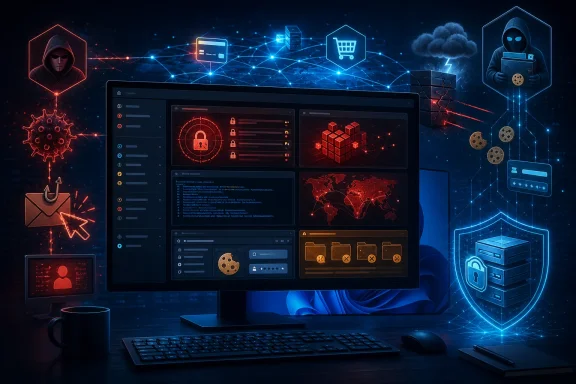 Overview: Windows Remains the Primary Battlefield
Windows remains a high-value target because it sits at the center of enterprise identity, file sharing, endpoint productivity, database administration, and remote management. Attackers understand that a compromised Windows workstation can deliver far more than local files. It can yield browser sessions, saved credentials, VPN access, cloud application tokens, mapped drives, internal documentation, and privileged administrator pathways.The intelligence report’s Windows-focused findings reflect a broader pattern across ransomware and credential-theft campaigns:
- Living-off-the-land activity makes malicious actions look like routine administration.
- Registry Run keys and Windows services remain common persistence mechanisms.
- PowerShell continues to be used for execution, staging, discovery, and payload delivery.
- Browser data has become a central target because cookies and saved credentials can bypass traditional password-only controls.
- Backup interference is still one of the clearest warning signs of an imminent ransomware event.
- Data theft and extortion increasingly matter as much as file encryption.
That operational flexibility is why defenders should treat malware detection as part of a larger identity, endpoint, and recovery resilience problem.
Orexin Ransomware: A Windows-Centric Extortion Threat
The report describes Orexin ransomware as a Windows-focused file-encrypting malware family that renames files with a victim-specific identifier, an attacker-controlled contact address, and the.orexin extension. It reportedly places a HOW_TO_RECOVER.txt ransom note and changes the desktop wallpaper to communicate recovery instructions and pressure victims against attempting independent restoration.This approach is common among modern ransomware families. File extensions, ransom notes, and wallpaper changes provide obvious evidence of compromise, but they are the final and most visible stages of an intrusion. The more consequential activity occurs beforehand: disabling recovery, collecting data, stopping services, and establishing persistence.
Recovery Sabotage Is the Most Serious Signal
The reported Orexin behavior includes attempts to weaken Windows recovery capabilities through built-in administrative tools. Commands involvingbcdedit, wmic, and wbadmin are particularly important because they can alter boot recovery behavior, delete Volume Shadow Copies, and remove backup catalogs.These tools are legitimate parts of the Windows ecosystem. That is precisely why they are attractive to ransomware operators. A process does not need to drop a conspicuous custom utility when it can invoke trusted system binaries that already have administrative relevance.
Security teams should prioritize detection of suspicious command lines involving:
bcdeditchanges to recovery settingswmic shadowcopy deletevssadminshadow-copy operationswbadminbackup catalog deletion or unexpected backup changesdiskshadowactivity outside approved backup and storage workflows- Windows Recovery Environment configuration changes
- Abrupt modifications to backup jobs, snapshot policies, or recovery retention
Service Stoppage Can Signal an Encryption Window
The report also attributes service tampering to Orexin, including attempts to stop Microsoft SQL Server components and Distributed Transaction Coordinator services. Ransomware operators often stop database, backup, mail, and business application services because open files may otherwise be locked and unavailable for encryption.For organizations running SQL Server on Windows, this makes service telemetry especially valuable. Monitoring should alert on unexpected
net stop, Service Control Manager events, and service-state changes affecting:MSSQLSERVER- Named SQL Server instances
SQLSERVERAGENTSQLBrowserSQLWriterMSDTC- Backup-related services
- Security and endpoint-management agents
Registry Persistence Deserves More Than a Generic Alert
Orexin is reported to use Registry Run and RunOnce keys for persistence. These locations are not new, but they remain effective because they can execute a payload when a user signs in. Malware often writes a benign-looking value name, points it to a file in a user-writable directory, and relies on a reboot or user logon to resume activity.Detection engineering should focus on behavioral combinations, not merely on every registry change. The report’s proposed Sigma rule is directionally useful because it highlights autorun entries that point to unusual locations such as:
%AppData%%LocalAppData%\TempC:\Windows\TempC:\ProgramDataC:\Users\Public- Recycle Bin paths
- User profile folders that do not normally host executable startup programs
A high-confidence alert typically combines:
- A modification to a Run or RunOnce key.
- An executable, script host, or
rundll32.execommand located in an unusual writable directory. - An abnormal parent process such as
powershell.exe,cmd.exe,wscript.exe, or a browser-launched child process. - A recent download, archive extraction, or user execution event.
- Subsequent external network communication.
Claims of Removable-Media Propagation Need Defensive Attention
The report associates Orexin with removable-media discovery and propagation. If accurate, this would be significant in environments with shared USB storage, operational technology workstations, isolated networks, field laptops, or manufacturing systems that still rely on removable media.Defenders should ensure that removable-media controls are not treated as a legacy compliance checkbox. Useful safeguards include:
- Limiting USB mass-storage use to approved devices.
- Applying endpoint policies that scan removable media automatically.
- Monitoring for unusual executable creation on removable volumes.
- Preventing autorun-style execution where possible.
- Segmenting critical systems that cannot safely accept general-purpose removable storage.
- Auditing mapped drives and network shares accessible from user endpoints.
VeilStealer: Why Credential Theft Often Comes Before Ransomware
The weekly report’s second major Windows threat, VeilStealer, is described as an information stealer designed for quiet collection rather than immediate disruption. Its reported capabilities include browser credential theft, cookie theft, browser-history collection, screenshot capture, host reconnaissance, document collection, staging, encrypted command-and-control traffic, and cleanup of temporary artifacts.Whether every claimed capability applies consistently across samples should be treated with appropriate caution until independently validated. Still, the described behavior aligns with the established operating model of modern information stealers: capture identity material, steal useful data, maintain persistence, and turn one compromised PC into a source of access across many services.
Browser Sessions Are Now a Core Security Boundary
The most consequential VeilStealer claim is the collection of browser credentials, cookies, and encryption-related browser data from Chromium-based browsers, Microsoft Edge, and Mozilla Firefox.Saved passwords are an obvious target, but session cookies can be equally dangerous. If an attacker obtains an active authenticated session token, they may be able to impersonate a user without knowing the underlying password. The effectiveness of that technique depends on the service, session policies, token binding, device checks, conditional access controls, and other safeguards, but the risk is real enough to shape incident response.
A Windows endpoint infected with an information stealer should therefore trigger more than a local malware cleanup. It should prompt a broader identity response:
- Reset passwords for affected users, beginning with privileged and business-critical accounts.
- Revoke active web sessions and refresh tokens where supported.
- Review recent sign-in records for unfamiliar devices, locations, and applications.
- Rotate API keys, access tokens, SSH keys, and application secrets that may have been stored locally.
- Validate password-manager security and remove any unauthorized browser extensions.
- Investigate whether browser profile synchronization exposed data to other devices.
PowerShell Is an Execution Clue, Not a Verdict
VeilStealer is reported to begin with PowerShell commands using execution-policy bypass settings and hidden window parameters. These are common features in malware delivery chains, but they can also appear in legitimate administrative automation.The security objective should not be to block every PowerShell invocation. Doing so can disrupt administrators, developers, automation systems, and endpoint management. Instead, Windows security teams should distinguish ordinary administrative usage from suspicious execution patterns.
Higher-risk PowerShell activity may include:
-ExecutionPolicy Bypasscombined with-WindowStyle Hidden- Encoded or heavily obfuscated command content
- Browser processes spawning PowerShell
- Office applications spawning PowerShell
- PowerShell retrieving content from untrusted external locations
- PowerShell creating files in temporary or user-profile directories
- PowerShell modifying registry autorun locations
- PowerShell followed by browser-database access or archive creation
- Script execution on systems where PowerShell is not normally used
Reconnaissance and Staging Reveal Attacker Intent
The reported VeilStealer workflow includes operating-system discovery, user enumeration, process discovery, registry queries, network configuration collection, and searches for documents containing financial, business, or cryptocurrency-related data.This is a classic pre-exfiltration intelligence-gathering phase. Attackers are not simply taking whatever they find. They are profiling the endpoint to determine which accounts, applications, files, and network resources will be most useful.
The report also notes temporary staging before data transmission. Defenders should inspect for unusual archive creation and bulk file collection in locations such as temporary folders, user profile directories, application-data paths, and newly created hidden directories. The behavior becomes more concerning when it precedes encrypted outbound web traffic to rare or newly observed destinations.
Sandworm and the Return of ClickFix Social Engineering
The report also focuses on Sandworm, a Russia-linked threat actor widely associated with GRU Unit 74455 and a history of disruptive operations. Its latest cited activity involves ClickFix social engineering: a tactic in which victims are manipulated into copying and running commands under the guise of verifying a CAPTCHA, fixing a browser issue, installing a security component, or resolving another fabricated technical problem.ClickFix is dangerous because it shifts execution responsibility onto the victim. Instead of exploiting a browser vulnerability or delivering a conventional attachment, the attacker convinces a user to run the malicious instruction themselves.
Why ClickFix Can Bypass Familiar Defenses
Traditional security awareness programs teach users not to open suspicious attachments and not to click unknown links. ClickFix attacks can evade that mental model because the victim may arrive at a compromised or convincing site and be instructed to perform what appears to be a routine troubleshooting step.A fake prompt may tell the user to:
- Open the Windows Run dialog.
- Paste a command already copied to the clipboard.
- Press Enter to “verify” their identity or fix an error.
- Wait for a supposed security check to complete.
Organizations should explicitly train users that legitimate websites do not require them to paste commands into Run, Command Prompt, PowerShell, Terminal, or a developer console to complete a CAPTCHA, validate access, update a browser, or remove a security warning.
Technical controls should complement training. Browser isolation, web filtering, endpoint protection, constrained scripting policies, phishing-resistant multifactor authentication, and monitoring for browser-to-script-host process chains all reduce the chance that a single deceptive prompt becomes a sustained intrusion.
SAP Commerce Cloud CVE-2026-44761 Requires Immediate Review
The report also highlights CVE-2026-44761, a high-severity vulnerability affecting SAP Commerce Cloud. The issue concerns the retention of a sample OAuth2 client using publicly documented sample credentials. In affected deployments where that sample configuration remains unchanged, an unauthenticated attacker may obtain a valid access token and invoke certain APIs to read or modify data.The reported CVSS score of 9.1 reflects the severity of a remotely exploitable weakness with high confidentiality and integrity impact. Availability is not the central concern in the vulnerability’s base assessment; unauthorized access and unauthorized modification are.
This is a configuration and exposure problem as much as a patching problem. Organizations operating affected SAP Commerce Cloud versions should urgently determine whether sample OAuth2 credentials or sample client configurations remain present in production-like environments.
Immediate Actions for SAP Commerce Cloud Owners
Priority actions should include:- Apply the relevant SAP security update or mitigation.
- Identify affected SAP Commerce Cloud deployments and version levels.
- Remove, rotate, or replace any sample OAuth2 client credentials.
- Review OAuth client registrations and scopes for unnecessary permissions.
- Examine token issuance logs for unfamiliar clients, unusual source addresses, or abnormal API patterns.
- Audit privileged API activity for unauthorized reads or modifications.
- Confirm that development, test, and staging credentials are not exposed in production.
- Review secrets stored in deployment pipelines, configuration repositories, and application variables.
What Windows Security Teams Should Do This Week
The report contains many recommendations, but security teams should avoid reacting with a long, unprioritized checklist. The most effective response is to focus on a limited set of controls that interrupt multiple attack paths at once.1. Protect Identities First
Information stealers make identity security foundational. Enforce phishing-resistant multifactor authentication for administrators, remote access users, email, cloud applications, and privileged workflows. Review conditional access policies, disable legacy authentication where possible, and minimize standing administrative privileges.2. Verify Backup Resilience, Not Just Backup Completion
A green backup dashboard does not prove recoverability. Confirm that backups are isolated from ordinary domain credentials, protected from deletion, retained across multiple recovery points, and routinely tested through restoration exercises.Offline, immutable, or otherwise logically separated backups are especially important because ransomware operators increasingly target the recovery architecture itself.
3. Hunt for the High-Value Windows Signals
Prioritize telemetry around:- Volume Shadow Copy deletion
- Backup catalog changes
bcdedit,wbadmin,wmic,vssadmin, anddiskshadow- New Windows services
- Registry Run and RunOnce modifications
- PowerShell with hidden windows, bypass flags, or encoded commands
- Browser processes launching script interpreters
- Browser credential-store access by unusual processes
- Bulk file staging and archive creation
- Sudden SQL Server or backup-service stoppage
- Rare encrypted outbound connections from user endpoints
4. Reduce Access Before an Incident Does It for You
Remove unnecessary local administrator rights. Tighten write access on file shares. Segment server networks from standard workstations. Restrict remote-management exposure. Ensure privileged accounts are not used for routine email, web browsing, or document editing.These measures may feel routine, but they directly constrain ransomware propagation and reduce the value of a stolen Windows session.
5. Treat Leak-Site Claims as Leads, Not Confirmed Breaches
The report includes multiple alleged ransomware victim listings and underground-market advertisements for databases and source code. Such claims should never be accepted as confirmed solely because they appear on a leak site or forum.Organizations named in these posts should investigate quickly, preserve relevant evidence, verify the claimed samples, assess potential exposure, and prepare legal, regulatory, customer, and incident-response workflows. At the same time, defenders should avoid overreacting to unverified claims or publishing premature conclusions.
The Bottom Line
The most important lesson from this week’s intelligence is that Windows ransomware defense cannot begin at encryption. By the time files receive a new extension and a ransom wallpaper appears, the attacker may already have stolen credentials, removed recovery options, tampered with services, staged sensitive files, and established persistence for a return visit.Orexin underscores the ongoing danger of recovery sabotage, service disruption, and broad file encryption. VeilStealer illustrates how stealthy credential theft can transform a single endpoint into a gateway to cloud services, browser sessions, business data, and later ransomware deployment. The highlighted ClickFix activity demonstrates that attackers are refining social engineering to persuade users into executing malicious commands themselves. Meanwhile, CVE-2026-44761 shows why production systems must be reviewed for inherited sample credentials and insecure defaults, not merely missing patches.
The resilient Windows environment is the one that assumes compromise is possible, restricts what a stolen identity can access, detects suspicious system behavior early, protects recoverable backups, and can restore business operations without negotiating with criminals.
References
- Primary source: cyfirma
Published: Thu, 23 Jul 2026 17:07:57 GMT
Loading…
www.cyfirma.com