

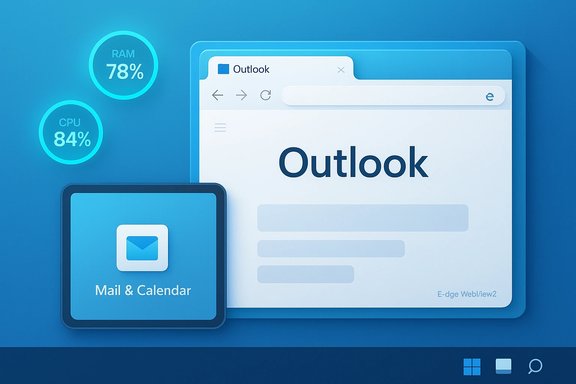
Microsoft’s forced migration away from the lightweight, native Mail & Calendar apps toward a single web‑wrapped Outlook has left many Windows 11 users feeling betrayed — the new Outlook behaves like a browser in a window, feels sluggish on tablet devices, and is reigniting debates about WebView2, resource use, and Microsoft’s broader direction for Windows.
Microsoft announced the planned replacement of the built‑in Mail, Calendar, and People apps with the consolidated new Outlook for Windows, and set December 31, 2024 as the date after which the old apps would move into read‑only mode. That change effectively removed the native Mail & Calendar as a usable default and nudged users toward a packaged Outlook app that primarily hosts Outlook.com inside an Edge WebView2 wrapper. Microsoft’s public documentation and community notices make the timeline explicit and encourage moving to the new Outlook or Outlook.com. At the same time Microsoft clarified that the perpetual/subscription “classic” Outlook binary — rebranded in some places as Outlook (classic) — would continue to receive support through at least 2029, creating an overlapping but awkward coexistence between the classic desktop client and the web‑centric new Outlook. That nuance has not calmed the tension: for many users the immediate problem is the removal of the lightweight Mail & Calendar defaults and the experience gap the new app leaves on tablets and lower‑end PCs. Community archives, Insider threads, and independent editorial coverage captured the early reaction: users reported sluggishness, missing native touch gestures, heavier memory footprints, and a visually inconsistent experience compared with native WinUI apps. The sentiment inside Windows‑focused communities is strong — many expressed the view that Microsoft shipped a web experience where a native client was expected.
But WebView2 is not a native UI framework. It runs browser engine processes, JavaScript engines, and browser-style caches. Those processes spawn additional threads and memory allocations that are visible to Windows as msedgewebview2.exe and related processes. The practical consequences — higher baseline RAM usage, more background processes, and differences in how touch and notifications are handled — are already well documented.
Community responses — from forum posts and bug reports to open‑source forks like Wino Mail — reflect a market hungry for the native, touch‑optimized, low‑resource clients the old Mail app delivered. Microsoft can repair the experience in stages: by prioritizing resource optimizations, restoring key native behaviors, and listening to the enterprise concerns that demand parity. Until then, many users and IT teams will continue to seek practical workarounds and lightweight alternatives.
The stakes are more than cosmetic: they’re about trust. When foundational productivity tools feel slower, heavier, or less dependable, users push back. Microsoft’s engineering choices are defensible; the challenge now is delivering the customer value that justifies them.
Source: Technobezz Microsoft faces criticism for sluggish web-based Outlook app on Windows 11
 Background
Microsoft announced the planned replacement of the built‑in Mail, Calendar, and People apps with the consolidated new Outlook for Windows, and set December 31, 2024 as the date after which the old apps would move into read‑only mode. That change effectively removed the native Mail & Calendar as a usable default and nudged users toward a packaged Outlook app that primarily hosts Outlook.com inside an Edge WebView2 wrapper. Microsoft’s public documentation and community notices make the timeline explicit and encourage moving to the new Outlook or Outlook.com. At the same time Microsoft clarified that the perpetual/subscription “classic” Outlook binary — rebranded in some places as Outlook (classic) — would continue to receive support through at least 2029, creating an overlapping but awkward coexistence between the classic desktop client and the web‑centric new Outlook. That nuance has not calmed the tension: for many users the immediate problem is the removal of the lightweight Mail & Calendar defaults and the experience gap the new app leaves on tablets and lower‑end PCs. Community archives, Insider threads, and independent editorial coverage captured the early reaction: users reported sluggishness, missing native touch gestures, heavier memory footprints, and a visually inconsistent experience compared with native WinUI apps. The sentiment inside Windows‑focused communities is strong — many expressed the view that Microsoft shipped a web experience where a native client was expected.What Microsoft changed — technically and practically
The technical shift: WebView2 as a platform choice
Microsoft’s new Outlook uses Edge WebView2 as the runtime to render web content inside a packaged application. WebView2 exposes Chromium’s rendering engine to desktop apps, letting teams ship a single codebase that mirrors the web experience while appearing as a Windows application. From an engineering and release‑velocity perspective this is attractive: web code can be updated centrally, features can land simultaneously across platforms, and product teams avoid duplicating large desktop codebases.But WebView2 is not a native UI framework. It runs browser engine processes, JavaScript engines, and browser-style caches. Those processes spawn additional threads and memory allocations that are visible to Windows as msedgewebview2.exe and related processes. The practical consequences — higher baseline RAM usage, more background processes, and differences in how touch and notifications are handled — are already well documented.
The user‑facing change
- Mail & Calendar apps moved to read‑only at the end of 2024; users can no longer send or receive new mail in those apps and are directed to new Outlook. Microsoft provided migration guidance and export options for local data, but the pivot was abrupt for many.
- New Outlook is delivered as a packaged app that often feels like a browser tab in a window rather than a tight Windows native application. Users notice visual mismatches, delayed animations, and touch shortcomings that previously worked well in the Mail & Calendar apps.
- Classic Outlook remains supported for now, but the pathway Microsoft is laying out points users and organizations toward the web‑first client over the long term. That strategy has administrative and compatibility implications for enterprises.
Why WebView2 matters (and why many users dislike it)
Performance and resource trade‑offs
The core trade‑off is operational efficiency for Microsoft versus runtime efficiency for end users. WebView2 lets Microsoft reuse web code, reduce testing matrices, and ship features faster. But the runtime cost is non‑trivial:- Each WebView2 instance behaves like a browser tab: it requires a rendering engine, JavaScript heap, GPU caches, network stacks, and service worker storage. On some workloads that means idle footprints of hundreds of megabytes and active sessions spiking into gigabytes on media‑rich or heavy mailbox states.
- Web wrappers change how notifications, background sync, and sleep/wake behavior interact with the OS. Native apps can integrate with Windows notification and power subsystems in ways that web wrappers cannot replicate exactly. That leads to missed or delayed toasts in some scenarios and inconsistent Do Not Disturb behavior.
Tablet and touch interaction regressions
Native WinUI apps used platform‑level touch optimizations, gestures, and smoother scrolling. Web‑based UI components frequently implement their own touch handling on top of the browser engine, which can produce latency or gesture mismatches on tablets. Users report missing swipes, delayed folder scrolling, and clumsy refresh patterns — all of which undermine the experience on 2‑in‑1 devices and Surface tablets. The result is a client that feels less suited to touch‑first workflows.Background resource behavior and power
A WebView2 instance’s process model means the OS sees additional background processes even when the “app” appears closed. For laptops this translates to more background RAM and CPU activity and, in aggregate, shorter battery life under sustained use patterns. Vendors and sysadmins have seen these effects surface during real‑world rollouts and server host migrations, raising concerns for constrained environments and VDI hosts.The community response and the rise of alternatives
Immediate user reaction
Forums and community threads recorded fast, vocal pushback. Common user complaints included:- Feeling forced into an experience with visible adverts, heavier resource use, and fewer offline capabilities.
- Loss of intuitive features that had developed over many Windows releases.
- Frustration at Microsoft auto‑installing the new Outlook in some upgrade scenarios, or gating the old Mail & Calendar into read‑only.
Wino Mail: a native, open‑source rescue
In direct response to the migration, developers stepped in. One of the most visible projects is Wino Mail — an open‑source re‑creation of the classic Mail app that aims to preserve the simplicity, responsiveness, and touch‑friendly UX users miss. Wino Mail:- Is published on GitHub and distributed through the Microsoft Store.
- Uses native WinUI3 elements and Fluent Design motifs (Mica surfaces, WinUI styling) to provide a familiar look and responsive feel.
- Supports Outlook.com accounts, Gmail, IMAP/SMTP, and background sync with toast notifications.
- Prioritizes low background resource use, fast launch, and touch gestures such as swipe‑to‑delete and pull‑to‑refresh.
Enterprise and admin implications
Management, policy, and feature parity
For IT admins, the transition raises immediate questions:- Feature parity: some advanced Outlook features (VBA macros, some add‑ins, complex PST workflows) were built over decades into classic Outlook. Web parity is incomplete for many enterprise scenarios.
- Deployment controls: Microsoft published migration controls and guidance for staged rollouts, but some organizations reported feeling pushed before full parity landed. The coexistence window through 2029 for classic Outlook buys time, but it also creates operational uncertainty.
Performance at scale
On shared VDI hosts, Citrix farms, or older corporate laptops, WebView2’s increased memory usage translates to lower consolidation ratios and higher host resource planning. Admins have observed many WebView2 processes per user session in real environments, driving capacity planning conversations. For enterprises that standardize on low‑spec endpoint fleets, the change is non‑trivial.Microsoft’s broader AI push and the Copilot backlash
The Outlook change sits alongside Microsoft’s broader, aggressive AI integration across Windows and Microsoft 365, notably Copilot features that are increasingly surfaced in system UI, Office apps, and the new Outlook itself.- Users and some industry reporters say the aggressive rollout of AI features has come ahead of necessary reliability and privacy work, producing feature regressions and trust concerns rather than clear productivity gains. Complaints include higher boot times, increased background memory use due to AI services, intrusive Copilot sidebars, and privacy anxieties about persistent context or indexing.
- Microsoft’s leadership has defended the strategy; some executives framed criticisms as short‑sighted and urged focus on long‑term potential. That tone — urging critics to move past “slop” debates and look to future benefits — has not always landed well with users who are experiencing immediate regressions. The disconnect between evangelism and day‑to‑day quality has amplified the pushback.
Practical steps for users and administrators
For users who are unhappy with the new Outlook or want to preserve a native experience, options exist:- Try an alternative native client:
- Install Wino Mail from the Microsoft Store or GitHub for a Mail‑app‑like native experience. It’s open source and designed to be lightweight and touch friendly.
- Consider Thunderbird or other mature third‑party mail clients for IMAP/POP workflows.
- Keep classic Outlook where possible:
- If you have the classic Outlook via Office 365 / Microsoft 365 or a perpetual license, you can continue to use it; Microsoft has stated support will continue through at least 2029, but plan for a migration path in enterprise contexts.
- Admin controls:
- Use Microsoft’s management and rollout controls to stage new Outlook deployments for enterprise fleets rather than allowing automatic installs to surprise users. Review the Microsoft guidance on migration controls and staged updates.
- Triage performance:
- Monitor Task Manager for msedgewebview2/Edge child processes and identify apps that spawn multiple webviews. When possible, close unused WebView2 apps and use lightweight alternatives for background tasks.
- Provide feedback:
- Use Microsoft’s in‑app feedback tools and admin support channels to push feature parity fixes prioritized for your organization’s workflows. Microsoft has historically updated priorities in response to mass feedback — but that requires coordinated reporting.
Strengths of Microsoft’s approach — why they did this
- Unified platform: a single web codebase enables Microsoft to deliver features consistently across devices and update quickly without large desktop release cycles.
- Faster feature parity with Outlook.com and integration across web and mobile.
- Reduced engineering overhead for platform‑specific desktop code and add‑ins.
- Potential to surface AI features rapidly across a broader set of users.
Risks and downsides — why the backlash is meaningful
- Perceived degradation: shipping a web wrapper where a native client once lived is perceived by many users as a downgrade in polish, speed, and touch ergonomics.
- Resource pressure: WebView2 increases RAM and CPU footprints — a practical downside for millions of devices still running 8–16 GB of RAM.
- Enterprise friction: feature parity gaps (add‑ins, macros, PST workflows) and forced migrations raise support costs for businesses that depend on classic Outlook behavior.
- Trust and privacy concerns: bundling AI and web flows more tightly into the OS raises privacy questions, especially when features index or analyze local content.
- Reputational risk: tone‑deaf corporate messaging that focuses on future potential over current quality amplifies community frustration and can damage goodwill with power users and IT pros.
What to watch next
- Ongoing parity work: Microsoft has signaled it will continue to add features and refine offline behavior. Watch for staged updates and admin controls that help enterprises manage the transition.
- WebView2 optimizations: improvements to the WebView2 runtime or techniques to reduce per‑instance memory could materially change the equation for wrapper apps. Any engineering work that trims cold/start memory or consolidates processes will reduce friction.
- Alternative projects: expect more open‑source native clones or lightweight clients to appear as long as the Mail & Calendar gap persists; Wino Mail is a high‑profile example but not the only community option.
- Enterprise timelines: watch Microsoft’s enterprise migration windows and guidance — if classic Outlook retirement is scheduled for broad enforcement for enterprise tenants in future years, we’ll see more urgent migration planning.
Conclusion
Microsoft’s pivot to a web‑wrapped Outlook for Windows is a strategic, pragmatic move from a product engineering standpoint, but it carries real user‑experience costs that are amplified on tablets, low‑RAM machines, and in enterprise workflows that rely on decades of desktop Outlook features. The result is a visible rift between Microsoft’s desire for a unified, web‑first experience and the expectations of many Windows users who valued the native Mail & Calendar simplicity and responsiveness.Community responses — from forum posts and bug reports to open‑source forks like Wino Mail — reflect a market hungry for the native, touch‑optimized, low‑resource clients the old Mail app delivered. Microsoft can repair the experience in stages: by prioritizing resource optimizations, restoring key native behaviors, and listening to the enterprise concerns that demand parity. Until then, many users and IT teams will continue to seek practical workarounds and lightweight alternatives.
The stakes are more than cosmetic: they’re about trust. When foundational productivity tools feel slower, heavier, or less dependable, users push back. Microsoft’s engineering choices are defensible; the challenge now is delivering the customer value that justifies them.
Source: Technobezz Microsoft faces criticism for sluggish web-based Outlook app on Windows 11
