

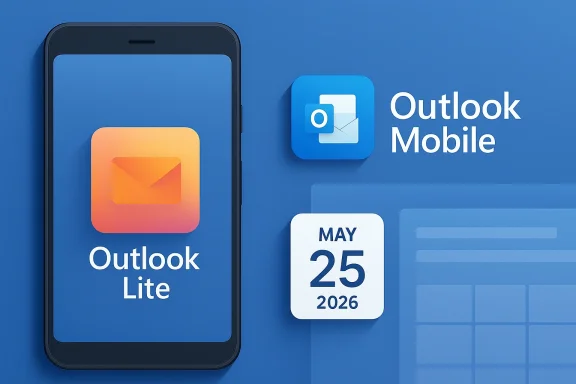
Microsoft is ending the road for Outlook Lite on Android, and the move says a lot about where the company now wants its mobile email story to go. The lightweight app, once pitched as a practical answer for low-RAM phones and slower networks, will be fully retired on May 25, 2026 after a staged wind-down that began when Microsoft stopped new installs in October 2025. For current users, the key takeaway is simple: the app may still open for a while, but the mailbox experience is going away, and Microsoft wants everyone migrated to the main Outlook Mobile app instead. That shift is not just a cleanup exercise; it reflects a broader consolidation of Microsoft’s consumer and enterprise mobile strategy.
Outlook Lite arrived in 2022 as a deliberately narrow product: a lighter, faster, smaller mail client for Android devices that could not comfortably run the full Outlook experience. Microsoft positioned it for users in emerging markets, for devices with 1GB of RAM, and for areas where 2G and 3G connectivity still mattered. In other words, this was not a “miniature Outlook” in the marketing sense; it was a utility app meant to solve a real hardware and network problem.
That original idea made a lot of sense in 2022. Android’s device ecosystem was still heavily fragmented, and a large share of global users continued to rely on inexpensive phones with tight storage, limited memory, and modest battery life. A lighter email app could be the difference between a usable experience and one that felt bloated, slow, or unreliable. Microsoft’s own blog language framed Outlook Lite as a way to help people with lightweight phones get more out of their day, and the company later pointed to millions of downloads as evidence that the product had found an audience.
But product strategy rarely stays still. Over time, Microsoft pushed more users toward a single feature-rich Outlook Mobile experience, and the Lite app increasingly looked like a parallel branch rather than a long-term pillar. The retirement notice now makes that explicit, describing the decision as part of a broader effort to reduce overlap and focus development on the company’s primary mobile email app. That is a classic consolidation move: fewer code paths, fewer support surfaces, and fewer decisions about which feature lives where.
The practical outcome is that Outlook Lite’s role as a fallback is ending. Microsoft had already removed the app from Google Play in October 2025, and the final cutoff on May 25, 2026, means current users need to migrate. The message is not that Outlook is disappearing on Android. It is that Microsoft wants one Outlook, not two.
The app emphasized speed, low storage use, and power efficiency. It also folded in SMS support, which made it a little different from a pure mail client. That combination mattered because it let Microsoft appeal to users who wanted a communications hub without the footprint of the more demanding Outlook Mobile app.
That is why Lite products tend to flourish in markets where hardware is cheaper and connectivity is uneven. They are also why companies often launch them as regional experiments before deciding whether to scale up or fold them into the mainline product. Microsoft did both with Outlook Lite: first it treated it as a specialized answer, then it broadened distribution, and eventually it concluded that the two-app model was no longer worth sustaining.
Key strengths of the original Lite concept included:
That sequence matters because it reduces surprise. In theory, users who still depended on Outlook Lite had months to prepare, test the main Outlook app, and decide whether their device could handle the upgrade. In practice, many users only learn about app retirements after the app starts misbehaving or a support notice lands in their inbox.
That distinction is important for users who assume an installed app will keep working because it still opens. A launcher icon is not the same thing as a functioning service.
The retirement process also shows how Microsoft manages support risk:
The company’s own explanation points toward overlap reduction and a single primary mobile email experience. That is not just corporate housekeeping. It is an admission that Microsoft wants a cleaner product funnel, especially as Outlook Mobile becomes more central to the broader Microsoft 365 ecosystem.
There is also a branding angle. Microsoft wants Outlook to mean one thing on Android: the app that handles email, calendar, and cloud-connected productivity in a consistent way. The main Outlook app is the one that aligns with Microsoft 365, Copilot, enterprise policy controls, and account synchronization across devices.
Microsoft’s consolidation also suggests confidence that the flagship app is now “good enough” for users who once needed Lite. That may be true for many modern phones, but it is less true for the very low-end devices that made Lite valuable in the first place. The company is effectively betting that the population of users who truly need a stripped-down mail client is small enough to absorb the change.
Microsoft’s main Outlook app is more capable, but it is also more demanding. It is built to be the primary mobile email experience, which means richer features, deeper cloud integration, and a broader support matrix. That can be great for modern hardware, but it does not erase the reality of lower-end devices that were always Lite’s target.
For enterprise users, the implications are more procedural. Microsoft has already signaled that Lite lacked enterprise-grade features such as Data Loss Prevention and deeper cloud-service integration. That means businesses were never supposed to anchor critical mobile workflows on Lite anyway. The move reinforces the boundary between a consumer-friendly fallback app and a managed, policy-aware corporate mail client.
Important user-facing consequences include:
The tradeoff is straightforward: users get more capability, but they also get a larger app and a more complex interface. Microsoft is betting that the improvements outweigh the footprint, and that the convenience of a single app will matter more than Lite’s efficiency advantages.
At the same time, the main app’s broader scope can be a problem for users who only want basic mail. More features can mean more UI clutter, more background sync, and more settings to manage. That is why feature parity is not always the same thing as user satisfaction.
In practical terms, Microsoft is asking users to accept the following:
This matters because a consolidation from Lite to Outlook Mobile pushes more users into the main product architecture, where ads, subscriptions, and account linkage play a bigger role. Microsoft is not just simplifying its app portfolio. It is also funneling usage toward the version of Outlook that best aligns with its consumer and subscription economics.
That confusion is part of the broader Outlook experience now. The app is no longer just a mail client; it is a service surface where subscriptions, identities, and account types all affect the result. Outlook Lite had less of that baggage, which made it feel simpler and perhaps less commercially intrusive.
The shift also explains why Microsoft wants one primary mobile app. A unified app can better support:
For administrators, that is mostly good news. Fewer supported clients mean fewer policy exceptions, fewer help-desk questions, and fewer cases where a user tries to do business mail on an unsupported lightweight app. It also tightens Microsoft’s story around a single managed mobile experience.
There is still a caveat, though. If some employees were relying on Outlook Lite because their devices were too weak for the main app, retirement may force them into a less usable setup. In managed environments, that could lead to more support calls, more device upgrades, or more pressure to standardize hardware.
Organizations should think about this as a lifecycle event, not just a deprecation notice. The retirement of Outlook Lite touches:
That can be read two ways. On one hand, Microsoft is surrendering the niche lightweight segment to competitors or to Android’s built-in options. On the other hand, it is refusing to dilute its best product in pursuit of a segment that may not justify a standalone app anymore.
That leaves competitors with an opening only if they can own the “lightweight and reliable” narrative better than Microsoft. But that is a hard lane to dominate if users are already embedded in Microsoft 365, Exchange, or Outlook.com. Ecosystem gravity matters more than app size.
A few competitive realities stand out:
The opportunity here is to turn consolidation into quality. If the main Outlook app can absorb Lite’s strengths without inheriting all its weaknesses, Microsoft may end up with a better product for a broader audience. That only works, though, if performance remains acceptable on midrange and budget devices.
There is also a reputational risk. Retiring a product after promoting it as a solution for low-end devices can look like abandonment unless the replacement is truly equivalent in the situations that matter. Microsoft will need to be careful that the migration story feels like an upgrade, not a forced march.
The second thing to watch is whether the main Outlook app continues to get lighter and faster. Microsoft can soften the blow of Lite’s retirement if Outlook Mobile borrows enough of Lite’s performance philosophy to feel practical on low-end devices. That would be the smartest long-term outcome: one app, but with less bloat and better scalability.
The third thing to watch is the reaction from markets where lightweight Android apps matter most. If user feedback shows serious friction on older or budget devices, Microsoft may be forced to revisit how well the replacement actually serves those environments.
Microsoft’s retirement of Outlook Lite is a small headline with a bigger meaning: the company is choosing one unified Outlook future over a dual-track mobile strategy. For most users with modern devices, that will probably be fine. For the people who depended on a lighter, more forgiving app, it is the end of a useful compromise. The real test now is whether Microsoft can make the main Outlook app feel like a true successor rather than just a larger replacement.
Source: Thurrott.com Microsoft's Outlook Lite Android App Will Stop Working on May 25
 Overview
Outlook Lite arrived in 2022 as a deliberately narrow product: a lighter, faster, smaller mail client for Android devices that could not comfortably run the full Outlook experience. Microsoft positioned it for users in emerging markets, for devices with 1GB of RAM, and for areas where 2G and 3G connectivity still mattered. In other words, this was not a “miniature Outlook” in the marketing sense; it was a utility app meant to solve a real hardware and network problem.That original idea made a lot of sense in 2022. Android’s device ecosystem was still heavily fragmented, and a large share of global users continued to rely on inexpensive phones with tight storage, limited memory, and modest battery life. A lighter email app could be the difference between a usable experience and one that felt bloated, slow, or unreliable. Microsoft’s own blog language framed Outlook Lite as a way to help people with lightweight phones get more out of their day, and the company later pointed to millions of downloads as evidence that the product had found an audience.
But product strategy rarely stays still. Over time, Microsoft pushed more users toward a single feature-rich Outlook Mobile experience, and the Lite app increasingly looked like a parallel branch rather than a long-term pillar. The retirement notice now makes that explicit, describing the decision as part of a broader effort to reduce overlap and focus development on the company’s primary mobile email app. That is a classic consolidation move: fewer code paths, fewer support surfaces, and fewer decisions about which feature lives where.
The practical outcome is that Outlook Lite’s role as a fallback is ending. Microsoft had already removed the app from Google Play in October 2025, and the final cutoff on May 25, 2026, means current users need to migrate. The message is not that Outlook is disappearing on Android. It is that Microsoft wants one Outlook, not two.
What Outlook Lite Was Meant to Solve
Outlook Lite was born from a specific set of constraints that still affect millions of Android users. Some phones have enough processing power for today’s “full” apps, but many do not. Others have adequate hardware but live on precarious mobile networks where a heavy app can feel painfully sluggish. Lite apps are designed to bridge that gap, and Microsoft’s pitch for Outlook Lite fit neatly into that category.The app emphasized speed, low storage use, and power efficiency. It also folded in SMS support, which made it a little different from a pure mail client. That combination mattered because it let Microsoft appeal to users who wanted a communications hub without the footprint of the more demanding Outlook Mobile app.
Why lightweight apps matter
A lightweight email app is not a niche gimmick. For millions of users, it is the difference between reliable access and constant compromise. On a phone with limited RAM, the overhead of a larger app can lead to stuttering, reloading, and background process kills. On a congested network, every unnecessary asset and every extra synchronization step can add friction.That is why Lite products tend to flourish in markets where hardware is cheaper and connectivity is uneven. They are also why companies often launch them as regional experiments before deciding whether to scale up or fold them into the mainline product. Microsoft did both with Outlook Lite: first it treated it as a specialized answer, then it broadened distribution, and eventually it concluded that the two-app model was no longer worth sustaining.
Key strengths of the original Lite concept included:
- Lower memory pressure on entry-level Android devices.
- Faster startup and less storage usage.
- Better behavior on slower networks.
- A simpler interface for basic messaging tasks.
- SMS integration that made the app feel more local and practical.
The Retirement Timeline
Microsoft did not pull the plug overnight. The company followed a staged retirement path that is now common in cloud-era software. First came the announcement that new installations would stop in October 2025. Then came a grace period for existing users. Finally, the app will be fully retired on May 25, 2026, at which point mailbox access will stop working.That sequence matters because it reduces surprise. In theory, users who still depended on Outlook Lite had months to prepare, test the main Outlook app, and decide whether their device could handle the upgrade. In practice, many users only learn about app retirements after the app starts misbehaving or a support notice lands in their inbox.
What “retired” really means
Retirement does not always mean instant deletion. In this case, the app may remain installed on a device, and users may even be able to launch it for a short time after the cutoff. But the core service is ending, which means mailbox access and the normal app workflow will no longer function as expected. Microsoft’s support documentation for Outlook Lite already warns that the app is on a retirement path and points users to Outlook Mobile as the preferred replacement.That distinction is important for users who assume an installed app will keep working because it still opens. A launcher icon is not the same thing as a functioning service.
The retirement process also shows how Microsoft manages support risk:
- New installs are blocked first.
- Existing users are given a transition window.
- The main app becomes the only officially supported path.
- Retirement eventually removes mailbox functionality.
- Support documentation steers users to the current product.
Why Microsoft Is Consolidating
From Microsoft’s perspective, maintaining a separate light client only makes sense if the use case is unique enough to justify the ongoing cost. Once the flagship app becomes good enough for most users, two parallel Android mail apps become duplication. That duplication affects engineering, QA, localization, support, security review, and feature planning.The company’s own explanation points toward overlap reduction and a single primary mobile email experience. That is not just corporate housekeeping. It is an admission that Microsoft wants a cleaner product funnel, especially as Outlook Mobile becomes more central to the broader Microsoft 365 ecosystem.
One mobile Outlook, not two
The most obvious reason for consolidation is focus. Every feature built for Lite has to be maintained, tested, and adapted separately. Every bug fix has to be considered in two codebases or two product channels. Every support article has to explain which app does what. A unified product cuts that overhead immediately.There is also a branding angle. Microsoft wants Outlook to mean one thing on Android: the app that handles email, calendar, and cloud-connected productivity in a consistent way. The main Outlook app is the one that aligns with Microsoft 365, Copilot, enterprise policy controls, and account synchronization across devices.
Microsoft’s consolidation also suggests confidence that the flagship app is now “good enough” for users who once needed Lite. That may be true for many modern phones, but it is less true for the very low-end devices that made Lite valuable in the first place. The company is effectively betting that the population of users who truly need a stripped-down mail client is small enough to absorb the change.
What Users Lose
The end of Outlook Lite is not merely a change in app icon. Users who relied on its lighter footprint may lose a smoother experience on older phones, especially if their device struggles with memory or battery drain. They may also lose some of the practical simplicity that made Lite appealing in the first place.Microsoft’s main Outlook app is more capable, but it is also more demanding. It is built to be the primary mobile email experience, which means richer features, deeper cloud integration, and a broader support matrix. That can be great for modern hardware, but it does not erase the reality of lower-end devices that were always Lite’s target.
Consumer impact versus enterprise impact
For consumer users, the story is mostly about convenience and device fit. If a phone is reasonably modern, switching to Outlook Mobile is likely a mild annoyance rather than a major problem. If the phone is old, underpowered, or heavily storage-constrained, the change could become painful very quickly.For enterprise users, the implications are more procedural. Microsoft has already signaled that Lite lacked enterprise-grade features such as Data Loss Prevention and deeper cloud-service integration. That means businesses were never supposed to anchor critical mobile workflows on Lite anyway. The move reinforces the boundary between a consumer-friendly fallback app and a managed, policy-aware corporate mail client.
Important user-facing consequences include:
- Loss of the lightweight footprint that helped on low-end devices.
- A need to reinstall or activate the main Outlook app.
- Potentially higher battery and storage consumption.
- More features, but also more complexity.
- A broader dependence on Microsoft 365 account behavior.
The Main Outlook App Becomes the Default
Microsoft’s preferred replacement is the regular Outlook Mobile app, and that has implications beyond a simple app migration. The main app is designed to be a full communications client tied into Microsoft’s cloud services and productivity stack. That makes it more valuable for Microsoft, but also more opinionated as a product.The tradeoff is straightforward: users get more capability, but they also get a larger app and a more complex interface. Microsoft is betting that the improvements outweigh the footprint, and that the convenience of a single app will matter more than Lite’s efficiency advantages.
Feature depth versus simplicity
The full Outlook app supports a broader range of account and service integrations than Lite ever did. Microsoft’s current support materials point users toward the mobile app as the secure, feature-rich option, and the company’s broader Outlook ecosystem increasingly assumes cloud-connected behavior. That means better consistency across email, calendar, search, account switching, and subscription features.At the same time, the main app’s broader scope can be a problem for users who only want basic mail. More features can mean more UI clutter, more background sync, and more settings to manage. That is why feature parity is not always the same thing as user satisfaction.
In practical terms, Microsoft is asking users to accept the following:
- A larger application footprint.
- More frequent feature updates.
- Greater dependence on Microsoft account infrastructure.
- Better integration with cloud services.
- A more modern experience at the cost of Lite’s restraint.
Advertising, Subscriptions, and the Economics of Outlook
The economics behind Outlook’s mobile strategy matter here, because the app lineup is now tightly connected to Microsoft’s broader consumer subscription model. Microsoft’s support pages make clear that Outlook is an ad-supported product for free users, while Microsoft 365 Personal or Family subscribers can get an ad-free experience in Outlook for iOS, Android, and Mac. That is a useful reminder that mobile mail is not just a software product; it is part of Microsoft’s monetization stack.This matters because a consolidation from Lite to Outlook Mobile pushes more users into the main product architecture, where ads, subscriptions, and account linkage play a bigger role. Microsoft is not just simplifying its app portfolio. It is also funneling usage toward the version of Outlook that best aligns with its consumer and subscription economics.
What ad-supported means in practice
For free users, ads appear alongside messages in the inbox. Microsoft says those ads help support the free service. For subscribers, the experience changes, but only if the correct account is linked and recognized inside the app. That detail can be confusing, especially for people who use third-party email addresses or multiple identities.That confusion is part of the broader Outlook experience now. The app is no longer just a mail client; it is a service surface where subscriptions, identities, and account types all affect the result. Outlook Lite had less of that baggage, which made it feel simpler and perhaps less commercially intrusive.
The shift also explains why Microsoft wants one primary mobile app. A unified app can better support:
- Subscription recognition.
- Ad delivery and ad removal.
- Microsoft 365 features.
- Cloud calendar and mailbox integration.
- Account harmonization across devices.
Enterprise and Security Implications
Although Outlook Lite was mostly a consumer-facing convenience app, its retirement still has enterprise implications. Microsoft notes that the Lite app lacked advanced enterprise capabilities such as DLP, which means organizations that care about compliance were already expected to use the main Outlook ecosystem. The retirement simply removes an alternate path that could have caused confusion or shadow IT behavior.For administrators, that is mostly good news. Fewer supported clients mean fewer policy exceptions, fewer help-desk questions, and fewer cases where a user tries to do business mail on an unsupported lightweight app. It also tightens Microsoft’s story around a single managed mobile experience.
Why security teams may prefer consolidation
Security teams usually like fewer variations of the same app. Each version creates the possibility of inconsistent behavior, delayed patching, or user confusion about which app is sanctioned. A single Outlook Mobile app reduces that fragmentation and makes policy enforcement easier.There is still a caveat, though. If some employees were relying on Outlook Lite because their devices were too weak for the main app, retirement may force them into a less usable setup. In managed environments, that could lead to more support calls, more device upgrades, or more pressure to standardize hardware.
Organizations should think about this as a lifecycle event, not just a deprecation notice. The retirement of Outlook Lite touches:
- Device support planning.
- Help-desk readiness.
- Mobile application policy management.
- User training and migration messaging.
- Compliance assumptions around sanctioned mail clients.
Competitive Context: Google, Samsung, and the Rest of Android
Microsoft’s decision also lands in a competitive environment where mobile email and productivity apps are constantly fighting for attention. Google continues to own much of the Android ecosystem through Gmail and Google Workspace integration, while device makers such as Samsung keep pushing their own productivity layers. Against that backdrop, Microsoft is narrowing its own portfolio rather than broadening it.That can be read two ways. On one hand, Microsoft is surrendering the niche lightweight segment to competitors or to Android’s built-in options. On the other hand, it is refusing to dilute its best product in pursuit of a segment that may not justify a standalone app anymore.
Strategy in a crowded market
A company with Microsoft’s resources does not retire a product like this because it lacks the technical ability to maintain it. It retires it because the strategic return no longer justifies the effort. The main Outlook app now likely covers enough of Lite’s value proposition that Microsoft would rather strengthen one product than split attention across two.That leaves competitors with an opening only if they can own the “lightweight and reliable” narrative better than Microsoft. But that is a hard lane to dominate if users are already embedded in Microsoft 365, Exchange, or Outlook.com. Ecosystem gravity matters more than app size.
A few competitive realities stand out:
- Google benefits from being the default on many Android devices.
- Microsoft benefits from enterprise and subscription integration.
- Samsung and other OEMs can still target local device optimization.
- Users with older hardware may look for alternative lightweight clients.
- The market is increasingly biased toward consolidated flagship apps.
Strengths and Opportunities
Microsoft’s move is not without merit. Consolidating around Outlook Mobile can simplify support, sharpen product development, and give the company a more coherent mobile story. It also lets Microsoft put its energy into improving one app rather than dividing attention between two experiences that increasingly overlap.The opportunity here is to turn consolidation into quality. If the main Outlook app can absorb Lite’s strengths without inheriting all its weaknesses, Microsoft may end up with a better product for a broader audience. That only works, though, if performance remains acceptable on midrange and budget devices.
- One app can receive faster, more consistent updates.
- Support documentation becomes easier to maintain.
- Enterprise policy alignment gets simpler.
- Microsoft can invest in cloud features and Copilot integration.
- The brand message becomes cleaner across Android and iOS.
- Users on modern phones may get a richer experience.
- Microsoft can reduce fragmentation in telemetry and testing.
Risks and Concerns
The biggest risk is alienating the exact users Outlook Lite was designed to serve. If those users move to Outlook Mobile and find it too heavy, too data-hungry, or too cluttered, Microsoft may lose goodwill in markets where lightweight reliability matters most. That would be a shame, because Lite was one of Microsoft’s more pragmatic mobile ideas.There is also a reputational risk. Retiring a product after promoting it as a solution for low-end devices can look like abandonment unless the replacement is truly equivalent in the situations that matter. Microsoft will need to be careful that the migration story feels like an upgrade, not a forced march.
- Low-end devices may struggle with the full app.
- Users could see worse battery or memory behavior.
- Migration friction may lead to abandonment.
- Some users may not understand that the app is retiring, not their mailbox.
- Enterprise and consumer messaging may become confusing.
- The change may feel like feature bloat to basic-email users.
- Microsoft could lose a goodwill bridge in emerging markets.
What to Watch Next
The most important thing to watch is how smoothly Microsoft handles migration messaging over the coming weeks. If the company pushes clear in-app prompts, updates its support content, and keeps the transition path obvious, it can probably avoid a lot of unnecessary confusion. If it does not, the retirement may become a support headache for both Microsoft and its users.The second thing to watch is whether the main Outlook app continues to get lighter and faster. Microsoft can soften the blow of Lite’s retirement if Outlook Mobile borrows enough of Lite’s performance philosophy to feel practical on low-end devices. That would be the smartest long-term outcome: one app, but with less bloat and better scalability.
The third thing to watch is the reaction from markets where lightweight Android apps matter most. If user feedback shows serious friction on older or budget devices, Microsoft may be forced to revisit how well the replacement actually serves those environments.
- Watch for clearer migration prompts inside Outlook Lite.
- Watch for updated support guidance for low-end Android devices.
- Watch for performance improvements in Outlook Mobile.
- Watch for enterprise admin messaging around sanctioned clients.
- Watch for user backlash from budget-device owners.
Microsoft’s retirement of Outlook Lite is a small headline with a bigger meaning: the company is choosing one unified Outlook future over a dual-track mobile strategy. For most users with modern devices, that will probably be fine. For the people who depended on a lighter, more forgiving app, it is the end of a useful compromise. The real test now is whether Microsoft can make the main Outlook app feel like a true successor rather than just a larger replacement.
Source: Thurrott.com Microsoft's Outlook Lite Android App Will Stop Working on May 25
