

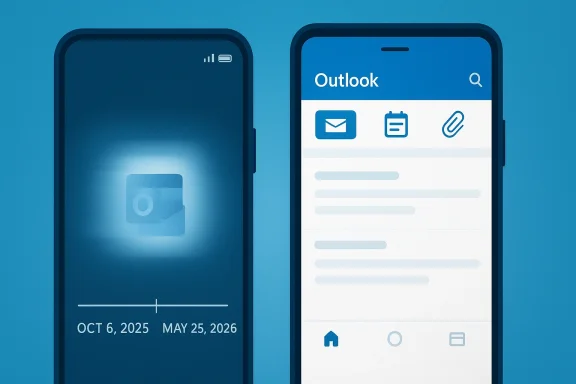
Microsoft is pulling the plug on Outlook Lite, the stripped-down Android email app that was supposed to help users with older phones, limited storage, and slower connections. The retirement marks another clean-up move in Microsoft’s mobile strategy, one that pushes users toward the company’s fuller Outlook Mobile experience even when that means giving up the smaller footprint that made Lite attractive in the first place. Microsoft’s own support documentation now says Outlook Lite will be fully retired starting October 6, 2025, with existing users able to continue only for a limited time before the app stops functioning as a mailbox service on May 25, 2026.
Outlook Lite launched in 2022 as Microsoft’s answer to a very specific mobile problem: how to deliver a usable email client on budget Android devices and in regions where storage, memory, and bandwidth are not plentiful. The pitch was simple and practical. Keep the app smaller, reduce resource usage, and strip away some of the heavier features that are not essential for basic email and calendar access. That kind of product positioning mattered because the Android market is not one market; it is a spectrum of hardware, network quality, and user needs.
Over time, however, Microsoft appears to have decided that maintaining a separate lightweight client no longer made sense. The company’s support page now frames Outlook Mobile as the successor, telling users to switch for a “secure and feature-rich email experience.” Microsoft also says existing Outlook Lite users can access their emails, calendar items, and attachments after signing in to the standard Outlook app, which strongly suggests that Microsoft wants the transition to feel like a migration rather than a hard loss of data.
The timing is important. Microsoft had already signaled in 2025 that Outlook Lite would be removed from Google Play in October 2025, which means the current retirement is not a surprise shutdown so much as the final stage of a staged exit. That pattern is increasingly common across Microsoft’s product line: first limit installs, then preserve access for existing users for a period, then close the door entirely.
For users, the practical consequence is not that email disappears. It is that the app many people chose because it was light and efficient will cease to be usable, forcing a switch to an app that may be better featured but is also heavier. That trade-off matters most for users with low-RAM devices, limited internal storage, or unstable mobile data plans, precisely the audience Outlook Lite was designed to serve in the first place.
The app also reflected a broader mobile trend that has come and gone in waves. Lightweight or “Go” versions of major services have long been used to reach users on slower devices and constrained data plans. When they work, they are a reminder that not every user wants the same amount of interface chrome, cloud integration, and background services. Outlook Lite was Microsoft’s attempt to acknowledge that reality while still keeping users inside the Microsoft ecosystem.
The app also filled a psychological gap. A user who cannot install or tolerate a full-featured client may still need a trustworthy, official mail app. A lightweight version can prevent them from drifting toward third-party alternatives that may be less integrated with Microsoft services. That is why shutting it down is not a trivial housekeeping change. It removes an on-ramp for a category of users Microsoft once actively courted.
That phased approach is consistent with how Microsoft has handled other product retirements. First, the company blocks new installs or stops promoting the product. Then it warns current users, provides migration guidance, and eventually pulls the plug on the service path that matters most. It is a controlled decomposition of the product lifecycle, and it limits surprise while still delivering an unmistakable end date.
This matters because staged sunsets can be confusing when different articles describe different moments in the process. Some write-ups focus on the date new installations stopped, while others focus on the date existing users lose mailbox access. The distinction is not cosmetic; it determines whether a user still has time to plan or is already out of runway. In this case, the final functional cutoff is the one that counts.
There is also a product philosophy at work. Microsoft has spent years trying to make Outlook the hub for more than email. Calendar, files, cloud integration, and Copilot-adjacent workflows all fit better inside a richer client than a minimalist one. A lightweight app can be great for email, but it does not naturally support the broader “connected productivity” story Microsoft wants to tell.
That said, simplification for Microsoft can mean less choice for users. A unified app portfolio is efficient from the vendor side, but it can erase important distinctions in performance and accessibility. When a company says the heavier app is now “good enough” for everyone, it is often making a platform decision that does not fully reflect the realities of low-cost devices.
But the users who chose Lite in the first place did so for a reason. Some had phones with limited RAM or minimal free storage. Others used the app because it behaved better on slower networks or older hardware. For those users, the move to Outlook Mobile may not be neutral. It may introduce lag, higher battery consumption, or a more crowded interface that makes the app feel less responsive than the product it replaces.
There is also a trust issue. Lite users often value stability and simplicity more than feature depth. When a company removes a stripped-down app and sends everyone to a heavier one, some users interpret the move as product creep rather than improvement. That can be especially frustrating in markets where the app was tailored to real infrastructure constraints, not just preference. That is the core tension in this retirement.
That does not mean the retirement is painless inside managed environments. Companies with field workers, frontline staff, or employees in lower-income regions may have relied on Outlook Lite as a compromise between usability and device limitations. If the full app demands more resources than some managed devices can comfortably provide, administrators will need to review device compliance, support expectations, and possible hardware refresh plans.
There is a broader lesson here about enterprise software in mobile environments. A “lite” app can be a support pressure valve, reducing the friction that comes from unmanaged phones and uneven device quality. Once that valve is removed, some of the complexity returns to IT, even if the vendor’s own internal maintenance burden drops. Efficiency is not evenly distributed.
For Google, this is an interesting reversal of the lightweight-app story. Android has long been the operating system where lighter variants could thrive, from Go editions to region-specific product trims. If Microsoft is now collapsing its own lite path into a heavier standard app, it may signal confidence in app optimization more broadly, or it may simply reflect a desire to stop subsidizing a special-case code path. Either way, the competitive takeaway is that lightweight is no longer a separate strategy for Microsoft in this category.
Still, Microsoft has the advantage of integration. Many users are not shopping for an email app in the abstract; they are trying to stay within a Microsoft account environment that includes mail, calendar, and enterprise authentication. That ecosystem gravity may keep most users in the fold even if the experience is not as lean as before. Convenience often beats elegance.
People with older Android phones should test performance immediately rather than assuming the full app will behave the same way. If Outlook Mobile is slow, storage-heavy, or unstable, there is still time to adjust device settings, update Android, clear space, or consider alternatives. Waiting until after the retirement date only makes the problem harder to solve.
For Microsoft, the near-term goal is straightforward: move users without causing pain. For users, the goal is equally practical: test the replacement before the deadline, make sure critical mail and calendar data are intact, and confirm that the new app is actually usable on the device they already own. The migration window is the chance to do this carefully.
What to watch next:
Source: The Business Standard Goodbye Outlook Lite: Microsoft pulls the plug on lightweight email App
 Overview
Outlook Lite launched in 2022 as Microsoft’s answer to a very specific mobile problem: how to deliver a usable email client on budget Android devices and in regions where storage, memory, and bandwidth are not plentiful. The pitch was simple and practical. Keep the app smaller, reduce resource usage, and strip away some of the heavier features that are not essential for basic email and calendar access. That kind of product positioning mattered because the Android market is not one market; it is a spectrum of hardware, network quality, and user needs.Over time, however, Microsoft appears to have decided that maintaining a separate lightweight client no longer made sense. The company’s support page now frames Outlook Mobile as the successor, telling users to switch for a “secure and feature-rich email experience.” Microsoft also says existing Outlook Lite users can access their emails, calendar items, and attachments after signing in to the standard Outlook app, which strongly suggests that Microsoft wants the transition to feel like a migration rather than a hard loss of data.
The timing is important. Microsoft had already signaled in 2025 that Outlook Lite would be removed from Google Play in October 2025, which means the current retirement is not a surprise shutdown so much as the final stage of a staged exit. That pattern is increasingly common across Microsoft’s product line: first limit installs, then preserve access for existing users for a period, then close the door entirely.
For users, the practical consequence is not that email disappears. It is that the app many people chose because it was light and efficient will cease to be usable, forcing a switch to an app that may be better featured but is also heavier. That trade-off matters most for users with low-RAM devices, limited internal storage, or unstable mobile data plans, precisely the audience Outlook Lite was designed to serve in the first place.
What Outlook Lite Was Supposed to Solve
Outlook Lite was never meant to replace the full Outlook experience feature-for-feature. It was built to solve a different problem: access. For many Android users, especially in emerging markets, the issue is not whether an email client can do everything, but whether it can run acceptably on older hardware and poor networks. Outlook Lite’s reduced footprint gave Microsoft a way to stay present in those environments without asking users to pay a performance penalty every time they opened email.The app also reflected a broader mobile trend that has come and gone in waves. Lightweight or “Go” versions of major services have long been used to reach users on slower devices and constrained data plans. When they work, they are a reminder that not every user wants the same amount of interface chrome, cloud integration, and background services. Outlook Lite was Microsoft’s attempt to acknowledge that reality while still keeping users inside the Microsoft ecosystem.
Why lite apps matter
Lite apps are not just smaller downloads. They usually consume less memory, use less storage, and can be less demanding on batteries and data. For users on older Android phones, those details are the difference between an app that feels usable and one that feels like a burden. In that context, Outlook Lite was more than a branding exercise; it was a performance compromise built into a product strategy.The app also filled a psychological gap. A user who cannot install or tolerate a full-featured client may still need a trustworthy, official mail app. A lightweight version can prevent them from drifting toward third-party alternatives that may be less integrated with Microsoft services. That is why shutting it down is not a trivial housekeeping change. It removes an on-ramp for a category of users Microsoft once actively courted.
- Smaller app size helped users with limited storage.
- Lower resource usage made it friendlier to low-end phones.
- Reduced data consumption mattered for slower or metered networks.
- Fewer features were acceptable because the app was aimed at essentials.
- Official Microsoft branding gave it trust that many third-party apps could not match.
The Retirement Timeline
The shutdown is unfolding in stages rather than all at once. Microsoft’s support page says Outlook Lite will be retired starting October 6, 2025, and that existing users can continue only for a limited time before the app reaches full retirement. Microsoft also says the app will stop providing mailbox functionality on May 25, 2026, which is the date that matters most for existing users trying to plan the transition.That phased approach is consistent with how Microsoft has handled other product retirements. First, the company blocks new installs or stops promoting the product. Then it warns current users, provides migration guidance, and eventually pulls the plug on the service path that matters most. It is a controlled decomposition of the product lifecycle, and it limits surprise while still delivering an unmistakable end date.
The key dates
The important milestones are straightforward. The retirement begins on October 6, 2025. Existing users then get a transition period. The final date, May 25, 2026, is when Outlook Lite will stop functioning as a mailbox client. Microsoft is also steering users to Outlook Mobile through the Google Play Store, which suggests that the company wants account migration to happen through an official reinstall path rather than ad hoc side-loading or account shuffling.This matters because staged sunsets can be confusing when different articles describe different moments in the process. Some write-ups focus on the date new installations stopped, while others focus on the date existing users lose mailbox access. The distinction is not cosmetic; it determines whether a user still has time to plan or is already out of runway. In this case, the final functional cutoff is the one that counts.
- October 6, 2025: retirement begins.
- After that date: existing users continue for a limited time.
- May 25, 2026: mailbox functionality ends.
- Migration path: Outlook Mobile via Google Play.
Why Microsoft Is Doing This
The most obvious explanation is consolidation. Maintaining two Android mail apps, even one “lite” and one full-featured, means duplicate engineering effort, duplicate support paths, duplicate design decisions, and duplicate security maintenance. If the main Outlook app has become efficient enough on lower-end devices, the business case for preserving a separate lite client becomes weaker. That is especially true when Microsoft can point users to a single mobile experience and keep development focused.There is also a product philosophy at work. Microsoft has spent years trying to make Outlook the hub for more than email. Calendar, files, cloud integration, and Copilot-adjacent workflows all fit better inside a richer client than a minimalist one. A lightweight app can be great for email, but it does not naturally support the broader “connected productivity” story Microsoft wants to tell.
One codebase, one story
A single codebase is easier to secure, update, and market. It also reduces the chance that a feature lands in one app but not the other, which can confuse users and create support fragmentation. For Microsoft, the strategic appeal of one mobile Outlook is clear: fewer moving parts, fewer edge cases, and a cleaner story for enterprises that want consistency across devices.That said, simplification for Microsoft can mean less choice for users. A unified app portfolio is efficient from the vendor side, but it can erase important distinctions in performance and accessibility. When a company says the heavier app is now “good enough” for everyone, it is often making a platform decision that does not fully reflect the realities of low-cost devices.
- Engineering consolidation reduces overhead.
- Security management is simpler with one main app.
- Product messaging becomes more coherent.
- Feature parity pressure disappears when there is only one app.
- User segmentation becomes harder when lighter options vanish.
What This Means for Android Users
For many people, the switch will be painless. Outlook Lite users are being told that their email, calendar items, and attachments will remain available once they log in to Outlook Mobile. If their device can run the standard app comfortably, the migration may feel like a straightforward upgrade with a slightly heavier footprint. That is the best-case scenario, and for a large portion of users it may be the real-world outcome.But the users who chose Lite in the first place did so for a reason. Some had phones with limited RAM or minimal free storage. Others used the app because it behaved better on slower networks or older hardware. For those users, the move to Outlook Mobile may not be neutral. It may introduce lag, higher battery consumption, or a more crowded interface that makes the app feel less responsive than the product it replaces.
The hidden cost of “just switch”
The phrase “just switch to Outlook Mobile” sounds easy, but app migrations are rarely that simple on the margins. Users may need to free storage, update Android, reauthenticate accounts, or learn a different interface. If they are on budget devices, every extra step adds friction. Microsoft is clearly betting that the benefits of a fuller Outlook outweigh these costs, but the company is also asking users to accept a new performance baseline.There is also a trust issue. Lite users often value stability and simplicity more than feature depth. When a company removes a stripped-down app and sends everyone to a heavier one, some users interpret the move as product creep rather than improvement. That can be especially frustrating in markets where the app was tailored to real infrastructure constraints, not just preference. That is the core tension in this retirement.
- Most users should retain their mail and calendar data.
- Low-end phones may feel the biggest impact.
- Slower networks may expose the difference most sharply.
- Older Android versions can complicate migration.
- Learning new UI patterns is a small but real cost.
Enterprise Implications
For enterprises, Microsoft’s decision is less about nostalgia and more about standardization. Organizations generally prefer fewer supported clients, clearer update paths, and a narrower security surface. A single Outlook Mobile app can be easier for IT to document, manage, and support than a two-tier mobile portfolio with one app optimized for resource-constrained devices.That does not mean the retirement is painless inside managed environments. Companies with field workers, frontline staff, or employees in lower-income regions may have relied on Outlook Lite as a compromise between usability and device limitations. If the full app demands more resources than some managed devices can comfortably provide, administrators will need to review device compliance, support expectations, and possible hardware refresh plans.
Support and policy ripple effects
IT teams tend to prefer predictable deprecation schedules, and Microsoft is giving them one. But a schedule is not a solution. Administrators still need to communicate the change, test the replacement app, and determine whether existing mobile device policies need to be updated to account for Outlook Mobile’s behavior. For organizations that already struggle with mixed Android fleets, this is one more item on an overcrowded support checklist.There is a broader lesson here about enterprise software in mobile environments. A “lite” app can be a support pressure valve, reducing the friction that comes from unmanaged phones and uneven device quality. Once that valve is removed, some of the complexity returns to IT, even if the vendor’s own internal maintenance burden drops. Efficiency is not evenly distributed.
- Support teams gain simplicity but may lose flexibility.
- Frontline workers on older devices may be affected disproportionately.
- Device refresh cycles could accelerate.
- Policy documentation will need updating.
- Pilot testing of Outlook Mobile becomes more important.
The Competitive Landscape
Microsoft’s decision also says something about competition in mobile email. On one level, Outlook Lite was a niche product, but niche products matter when they are targeted at users underserved by the default experience. By retiring it, Microsoft is effectively wagering that the main Outlook app is now sufficient to cover the low-end use case without needing a separate branded offering. That is a confident move, but also a risky one if rivals continue to offer simpler or more efficient alternatives.For Google, this is an interesting reversal of the lightweight-app story. Android has long been the operating system where lighter variants could thrive, from Go editions to region-specific product trims. If Microsoft is now collapsing its own lite path into a heavier standard app, it may signal confidence in app optimization more broadly, or it may simply reflect a desire to stop subsidizing a special-case code path. Either way, the competitive takeaway is that lightweight is no longer a separate strategy for Microsoft in this category.
Rivals can exploit the gap
When a major vendor removes a lightweight option, smaller competitors often get room to pitch simplicity, speed, and lower resource use as differentiators. That is especially true in Android ecosystems where users compare battery life and storage impact as much as feature lists. If Outlook Mobile feels too heavy on a subset of devices, third-party clients may find an opening.Still, Microsoft has the advantage of integration. Many users are not shopping for an email app in the abstract; they are trying to stay within a Microsoft account environment that includes mail, calendar, and enterprise authentication. That ecosystem gravity may keep most users in the fold even if the experience is not as lean as before. Convenience often beats elegance.
- Microsoft is consolidating around one mobile Outlook.
- Google-style lightweight thinking is less visible in this move.
- Third-party apps may gain a small opportunity.
- Enterprise integrations still favor Microsoft’s ecosystem.
- User lock-in can offset performance concerns.
What Users Should Do Now
The safest approach is to treat this as a migration, not a passive waiting period. Users who rely on Outlook Lite should install Outlook Mobile while the transition is still voluntary, sign in, verify that mail and calendar data appear correctly, and make sure they know how to access attachments and account settings in the new app. Doing that early reduces the odds of a last-minute scramble when Lite stops functioning.People with older Android phones should test performance immediately rather than assuming the full app will behave the same way. If Outlook Mobile is slow, storage-heavy, or unstable, there is still time to adjust device settings, update Android, clear space, or consider alternatives. Waiting until after the retirement date only makes the problem harder to solve.
Practical migration steps
- Install Outlook Mobile from Google Play.
- Sign in with the same account used in Outlook Lite.
- Confirm that mail, calendar, and attachments sync properly.
- Check whether the device has enough free storage and RAM.
- Verify notifications, battery impact, and background sync behavior.
- Remove Outlook Lite only after the replacement is working as expected.
- Install Outlook Mobile early.
- Verify data sync before the deadline.
- Check device performance on the new app.
- Adjust storage and update Android if needed.
- Plan for account reauthentication.
Strengths and Opportunities
Microsoft’s move is not without logic, and there are real upsides to a cleaner product line. The company can simplify development, improve security consistency, and reduce confusion between two apps that increasingly overlap in purpose. For users who can comfortably run the main Outlook app, the transition could mean more features without losing access to their existing accounts or data.- Better feature alignment across mobile Outlook.
- Lower maintenance complexity for Microsoft.
- A clearer upgrade path for most users.
- More consistent security updates in one primary client.
- Fewer support branches for IT departments.
- Potentially stronger ecosystem integration with Microsoft 365 services.
- A simpler user story for marketing and onboarding.
Risks and Concerns
The biggest risk is that Microsoft may be underestimating how much the “lite” experience mattered to users on the margins. The standard app may be fine for modern devices, but not everyone is running modern hardware. If Outlook Mobile feels too heavy, some users will see the retirement less as simplification and more as exclusion.- Performance regression on low-end Android phones.
- Higher data and battery usage compared with Lite.
- Accessibility friction for users in slower-network regions.
- Support burden during the migration period.
- User dissatisfaction if the full app feels bloated.
- Potential attrition to third-party or rival email clients.
- Confusion over dates between retirement start and final cutoff.
Looking Ahead
Outlook Lite’s retirement is likely to be remembered less as an isolated app shutdown and more as part of Microsoft’s broader mobile rationalization strategy. The company is trimming duplicate experiences, leaning harder into a single Outlook identity, and betting that one stronger app can serve a wider range of users than two separate ones ever could. Whether that bet pays off will depend on how gracefully Outlook Mobile performs on budget Android hardware in the real world.For Microsoft, the near-term goal is straightforward: move users without causing pain. For users, the goal is equally practical: test the replacement before the deadline, make sure critical mail and calendar data are intact, and confirm that the new app is actually usable on the device they already own. The migration window is the chance to do this carefully.
What to watch next:
- Whether Microsoft makes further changes to Outlook Mobile’s lightweight performance.
- Whether support documentation adds more migration guidance for low-end Android devices.
- Whether enterprises publish internal advisories for frontline staff.
- Whether users report battery, storage, or latency issues after switching.
- Whether third-party mobile mail apps exploit the vacuum left by Outlook Lite.
Source: The Business Standard Goodbye Outlook Lite: Microsoft pulls the plug on lightweight email App
